warning JEEP WRANGLER 2012 JK / 3.G Workshop Manual
[x] Cancel search | Manufacturer: JEEP, Model Year: 2012, Model line: WRANGLER, Model: JEEP WRANGLER 2012 JK / 3.GPages: 613, PDF Size: 17.14 MB
Page 144 of 613
two to one, indicating the change. The LOW-level setting
will turn OFF automatically after approximately 30 min-
utes.
NOTE:When a heat setting is selected, heat will be felt
within two to five minutes.
WARNING!
•Persons who are unable to feel pain to the skin
because of advanced age, chronic illness, diabetes,
spinal cord injury, medication, alcohol use, ex-
haustion or other physical condition must exercise
care when using the seat heater. It may cause burns
even at low temperatures, especially if used for
long periods of time.
(Continued)
WARNING! (Continued)
•Do not place anything on the seat that insulates
against heat, such as a blanket or cushion. This
may cause the seat heater to overheat. Sitting in a
seat that has been overheated could cause serious
burns due to the increased surface temperature of
the seat.
Head Restraints
Head restraints are designed to reduce the risk of injury
by restricting head movement in the event of a rear
impact. Head restraints should be adjusted so that the top
of the head restraint is located above the top of your ear.
142 UNDERSTANDING THE FEATURES OF YOUR VEHICLE
Page 145 of 613
WARNING!
The head restraints for all occupants must be prop-
erly adjusted prior to operating the vehicle or occu-
pying a seat. Head restraints should never be ad-
justed while the vehicle is in motion. Driving a
vehicle with the head restraints improperly adjusted
or removed could cause serious injury or death in the
event of a collision.
Front Head Restraints
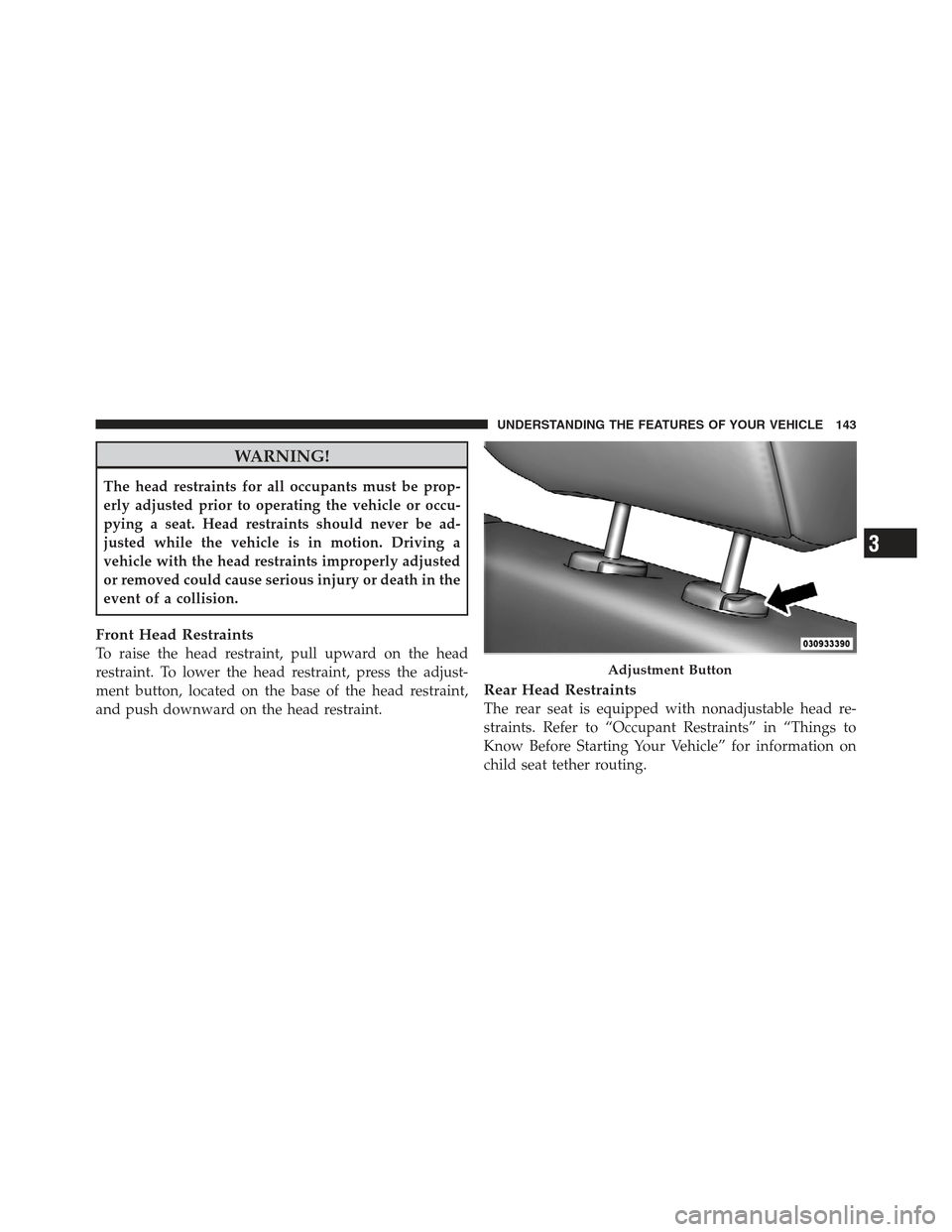
To raise the head restraint, pull upward on the head
restraint. To lower the head restraint, press the adjust-
ment button, located on the base of the head restraint,
and push downward on the head restraint.
Rear Head Restraints
The rear seat is equipped with nonadjustable head re-
straints. Refer to “Occupant Restraints” in “Things to
Know Before Starting Your Vehicle” for information on
child seat tether routing.
Adjustment Button
3
UNDERSTANDING THE FEATURES OF YOUR VEHICLE 143
Page 147 of 613
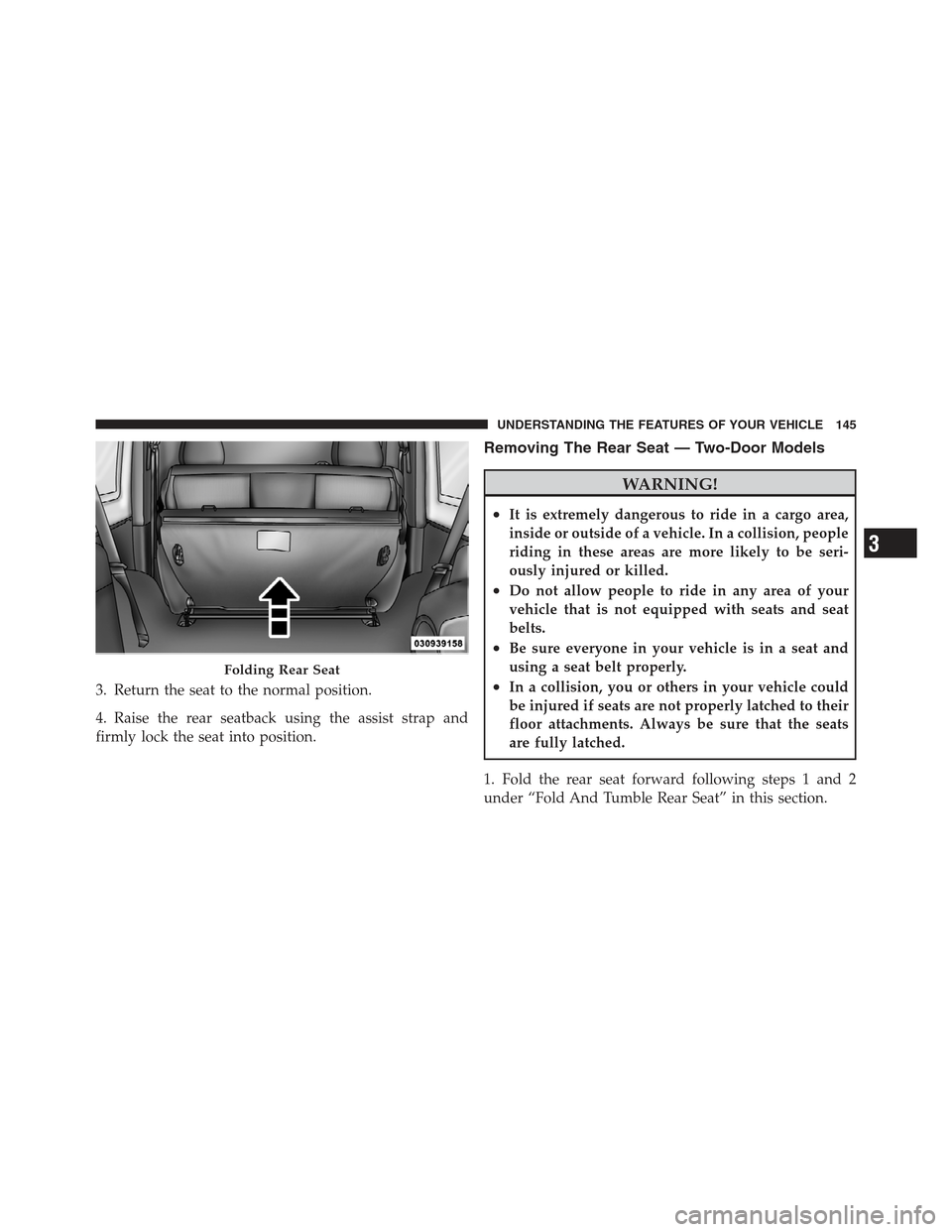
3. Return the seat to the normal position.
4. Raise the rear seatback using the assist strap and
firmly lock the seat into position.
Removing The Rear Seat — Two-Door Models
WARNING!
•It is extremely dangerous to ride in a cargo area,
inside or outside of a vehicle. In a collision, people
riding in these areas are more likely to be seri-
ously injured or killed.
•Do not allow people to ride in any area of your
vehicle that is not equipped with seats and seat
belts.
•Be sure everyone in your vehicle is in a seat and
using a seat belt properly.
•In a collision, you or others in your vehicle could
be injured if seats are not properly latched to their
floor attachments. Always be sure that the seats
are fully latched.
1. Fold the rear seat forward following steps 1 and 2
under “Fold And Tumble Rear Seat” in this section.
Folding Rear Seat
3
UNDERSTANDING THE FEATURES OF YOUR VEHICLE 145
Page 148 of 613
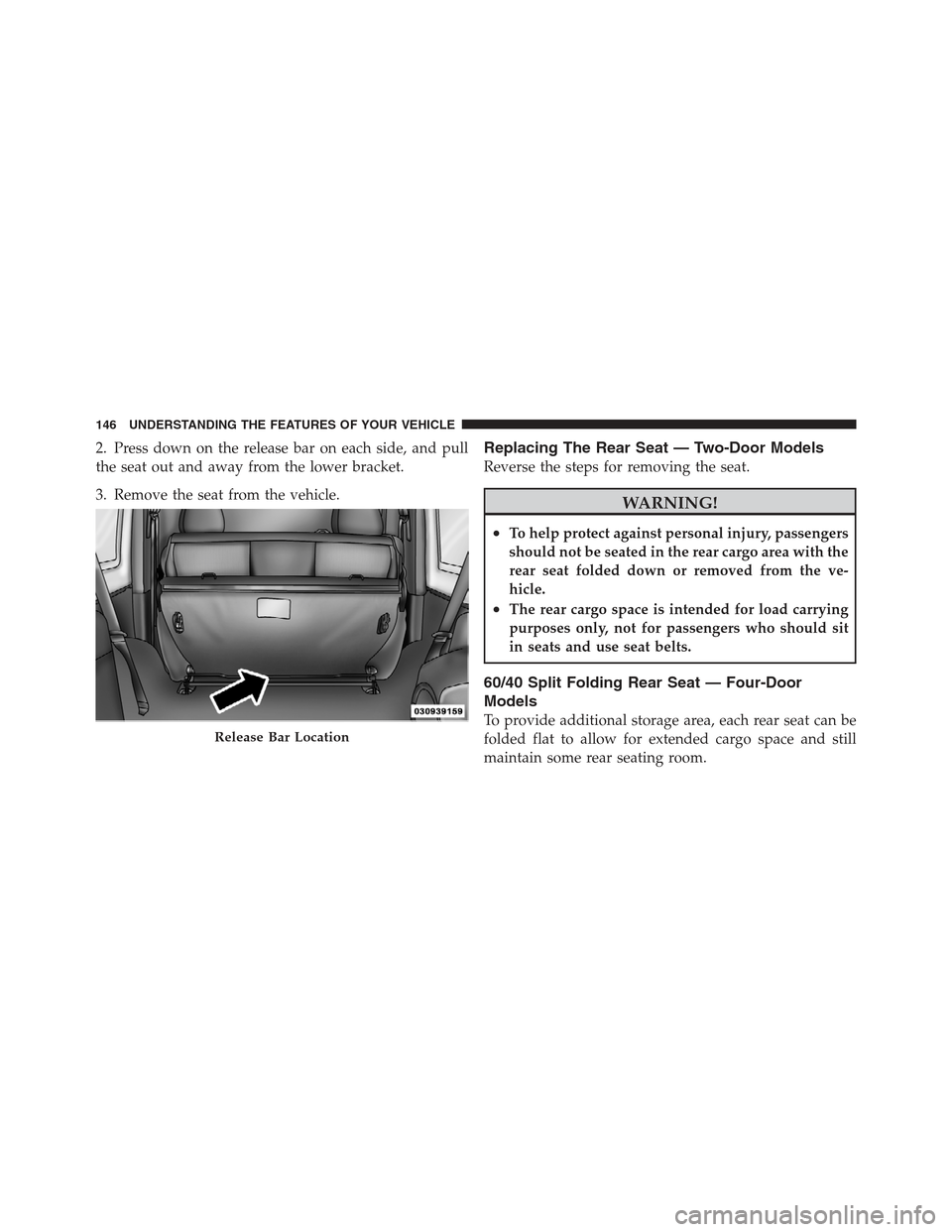
2. Press down on the release bar on each side, and pull
the seat out and away from the lower bracket.
3. Remove the seat from the vehicle.Replacing The Rear Seat — Two-Door Models
Reverse the steps for removing the seat.
WARNING!
•To help protect against personal injury, passengers
should not be seated in the rear cargo area with the
rear seat folded down or removed from the ve-
hicle.
•The rear cargo space is intended for load carrying
purposes only, not for passengers who should sit
in seats and use seat belts.
60/40 Split Folding Rear Seat — Four-Door
Models
To provide additional storage area, each rear seat can be
folded flat to allow for extended cargo space and still
maintain some rear seating room.
Release Bar Location
146 UNDERSTANDING THE FEATURES OF YOUR VEHICLE
Page 149 of 613
NOTE:
•Prior to folding the rear seat, it may be necessary to
reposition the front seat to its mid-track position.
•Be sure that the front seats are fully upright and
positioned forward. This will allow the rear seat to
fold down easily.
WARNING!
•It is extremely dangerous to ride in a cargo area,
inside or outside of a vehicle. In a collision, people
riding in these areas are more likely to be seri-
ously injured or killed.
•Do not allow people to ride in any area of your
vehicle that is not equipped with seats and seat
belts.
•Be sure everyone in your vehicle is in a seat and
using a seat belt properly.
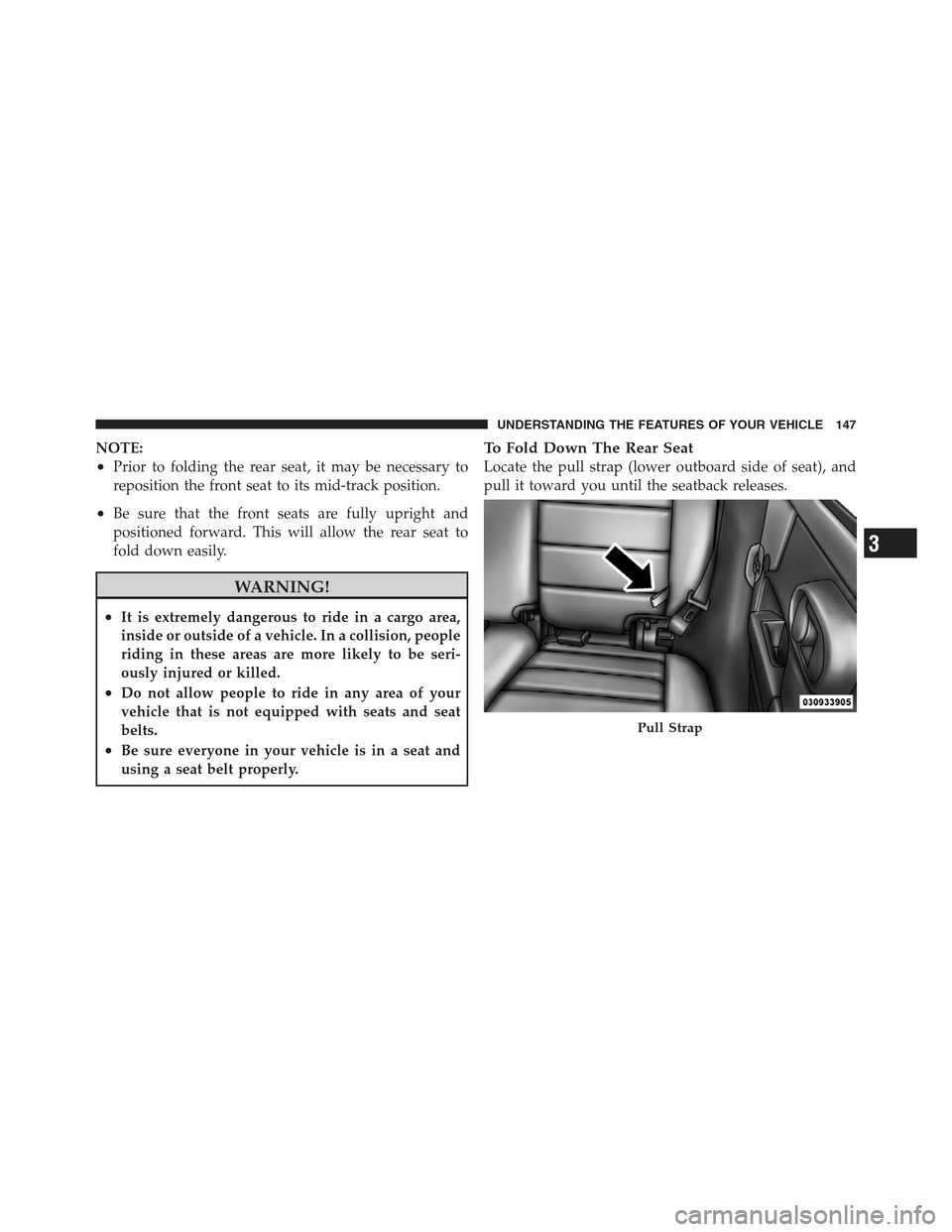
To Fold Down The Rear Seat
Locate the pull strap (lower outboard side of seat), and
pull it toward you until the seatback releases.
Pull Strap
3
UNDERSTANDING THE FEATURES OF YOUR VEHICLE 147
Page 150 of 613
To Raise The Rear Seat
Raise the seatback and lock it into place. If interference
from the cargo area prevents the seatback from fully
locking, you will have difficulty returning the seat to its
proper position.
NOTE:If the rear seatback is not fully latched, the
center shoulder belt will not be able to be extended for
use. If you cannot extend the center shoulder belt, make
sure your seatback is fully latched.
WARNING!
Be certain that the seatback is securely locked into
position. If the seatback in not securely locked into
position the seat will not provide the proper stability
for child seats and/or passengers. An improperly
latched seat could cause serious injury.
TO OPEN AND CLOSE THE HOOD
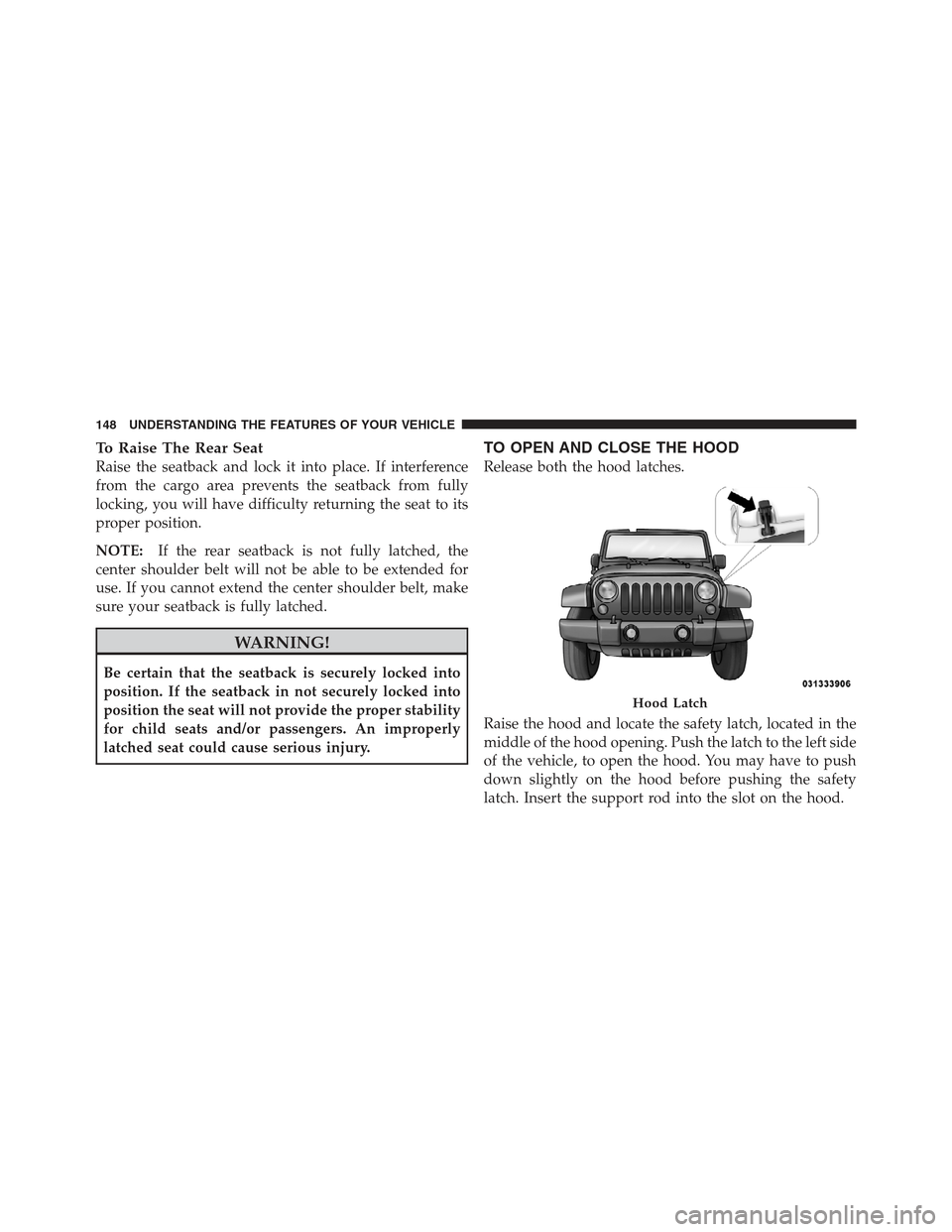
Release both the hood latches.
Raise the hood and locate the safety latch, located in the
middle of the hood opening. Push the latch to the left side
of the vehicle, to open the hood. You may have to push
down slightly on the hood before pushing the safety
latch. Insert the support rod into the slot on the hood.
Hood Latch
148 UNDERSTANDING THE FEATURES OF YOUR VEHICLE
Page 151 of 613
To close the hood, remove the support rod from the hood
panel and place it in the retaining clip. Lower the hood
slowly. Secure both of the hood latches.
WARNING!
Be sure the hood is fully latched before driving your
vehicle. If the hood is not fully latched, it could open
when the vehicle is in motion and block your vision.
Failure to follow this warning could result in serious
injury or death.
LIGHTS
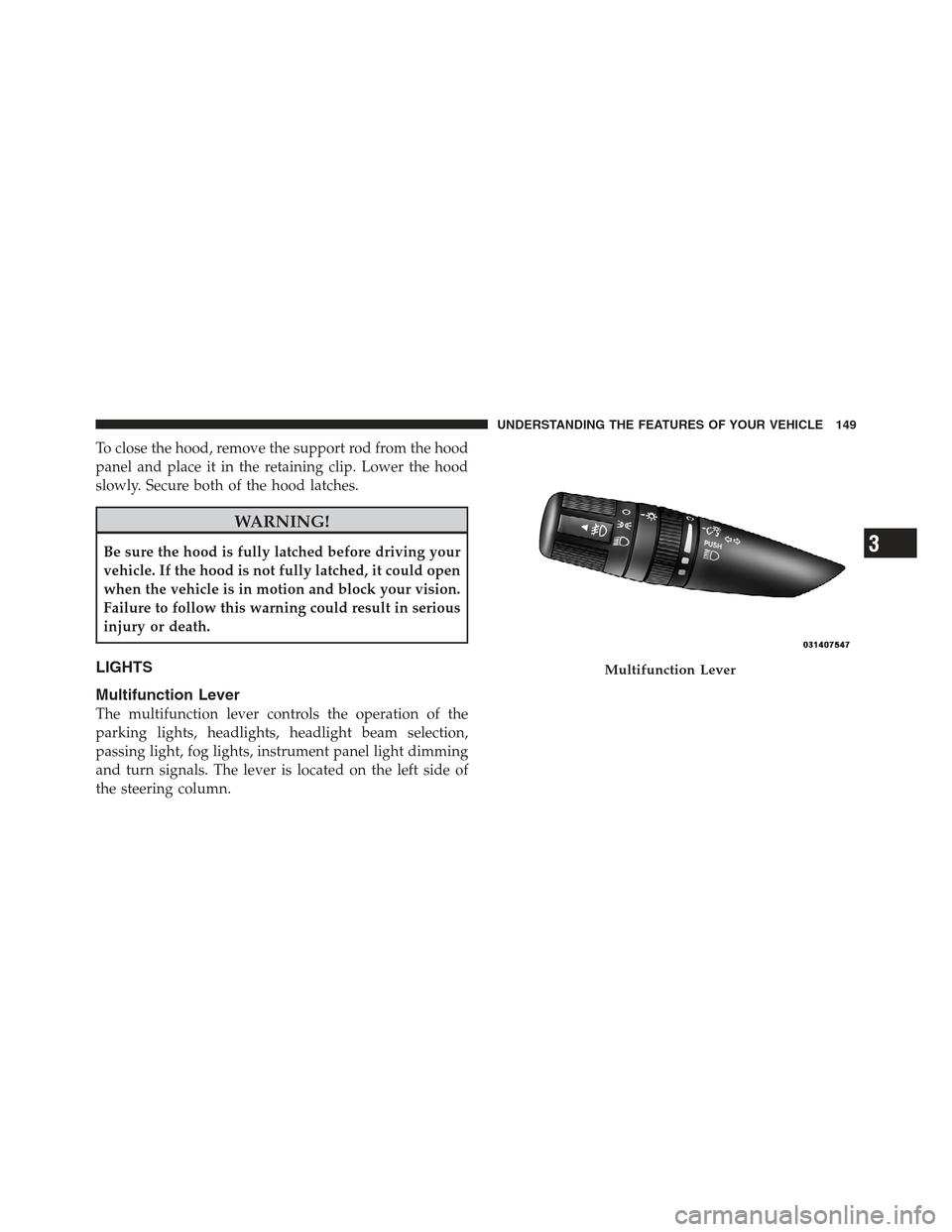
Multifunction Lever
The multifunction lever controls the operation of the
parking lights, headlights, headlight beam selection,
passing light, fog lights, instrument panel light dimming
and turn signals. The lever is located on the left side of
the steering column.
Multifunction Lever
3
UNDERSTANDING THE FEATURES OF YOUR VEHICLE 149
Page 159 of 613
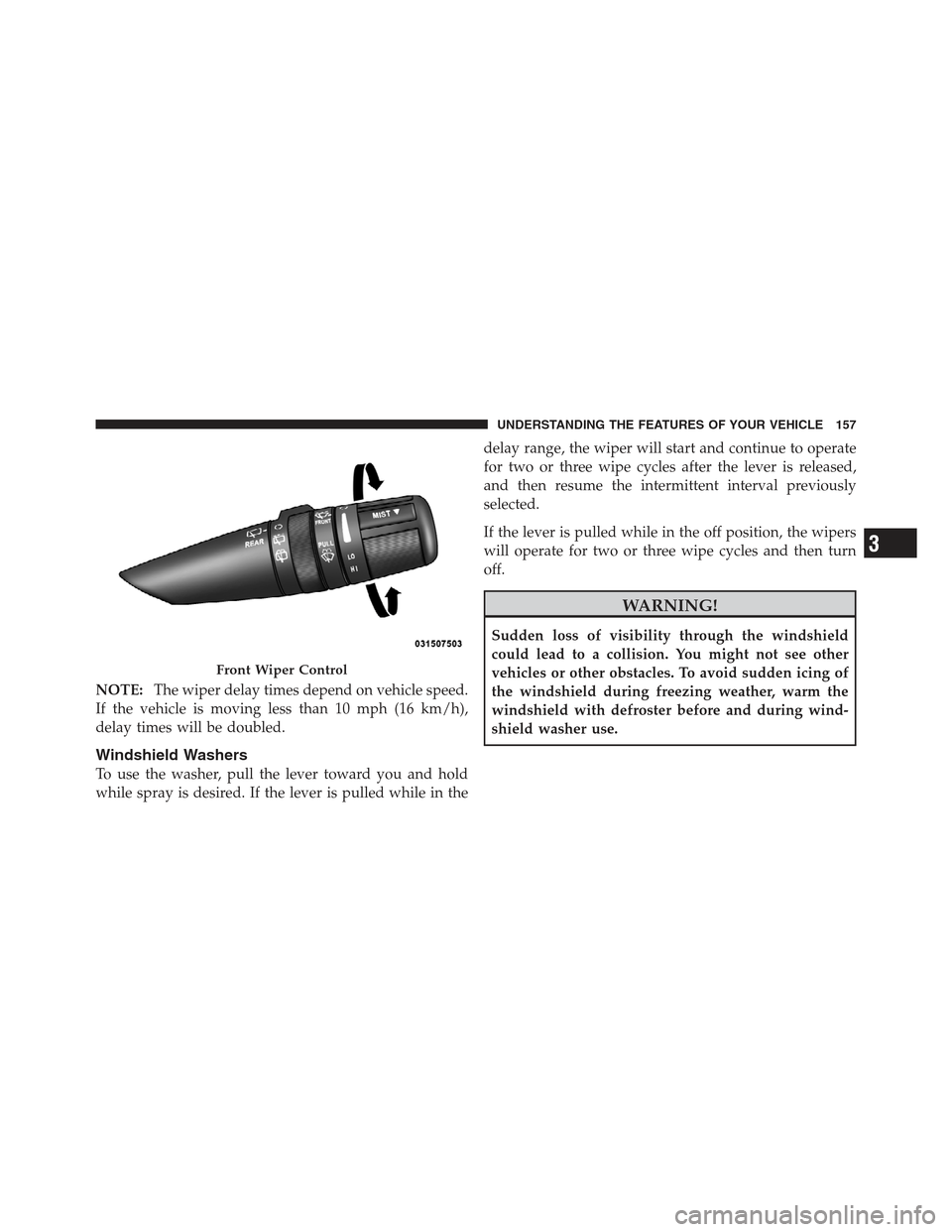
NOTE:The wiper delay times depend on vehicle speed.
If the vehicle is moving less than 10 mph (16 km/h),
delay times will be doubled.
Windshield Washers
To use the washer, pull the lever toward you and hold
while spray is desired. If the lever is pulled while in the delay range, the wiper will start and continue to operate
for two or three wipe cycles after the lever is released,
and then resume the intermittent interval previously
selected.
If the lever is pulled while in the off position, the wipers
will operate for two or three wipe cycles and then turn
off.
WARNING!
Sudden loss of visibility through the windshield
could lead to a collision. You might not see other
vehicles or other obstacles. To avoid sudden icing of
the windshield during freezing weather, warm the
windshield with defroster before and during wind-
shield washer use.
Front Wiper Control
3
UNDERSTANDING THE FEATURES OF YOUR VEHICLE 157
Page 161 of 613
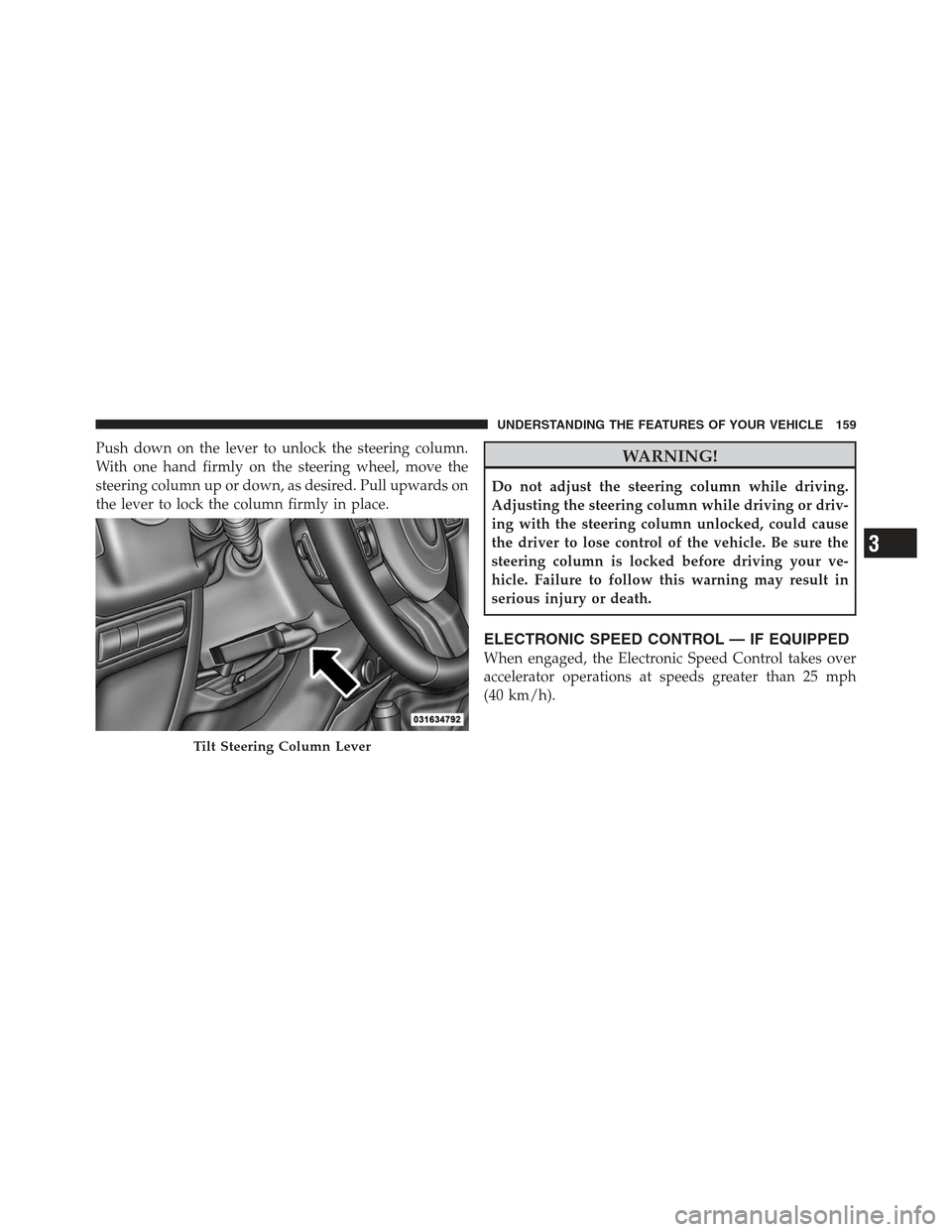
Push down on the lever to unlock the steering column.
With one hand firmly on the steering wheel, move the
steering column up or down, as desired. Pull upwards on
the lever to lock the column firmly in place.WARNING!
Do not adjust the steering column while driving.
Adjusting the steering column while driving or driv-
ing with the steering column unlocked, could cause
the driver to lose control of the vehicle. Be sure the
steering column is locked before driving your ve-
hicle. Failure to follow this warning may result in
serious injury or death.
ELECTRONIC SPEED CONTROL — IF EQUIPPED
When engaged, the Electronic Speed Control takes over
accelerator operations at speeds greater than 25 mph
(40 km/h).
Tilt Steering Column Lever
3
UNDERSTANDING THE FEATURES OF YOUR VEHICLE 159
Page 162 of 613
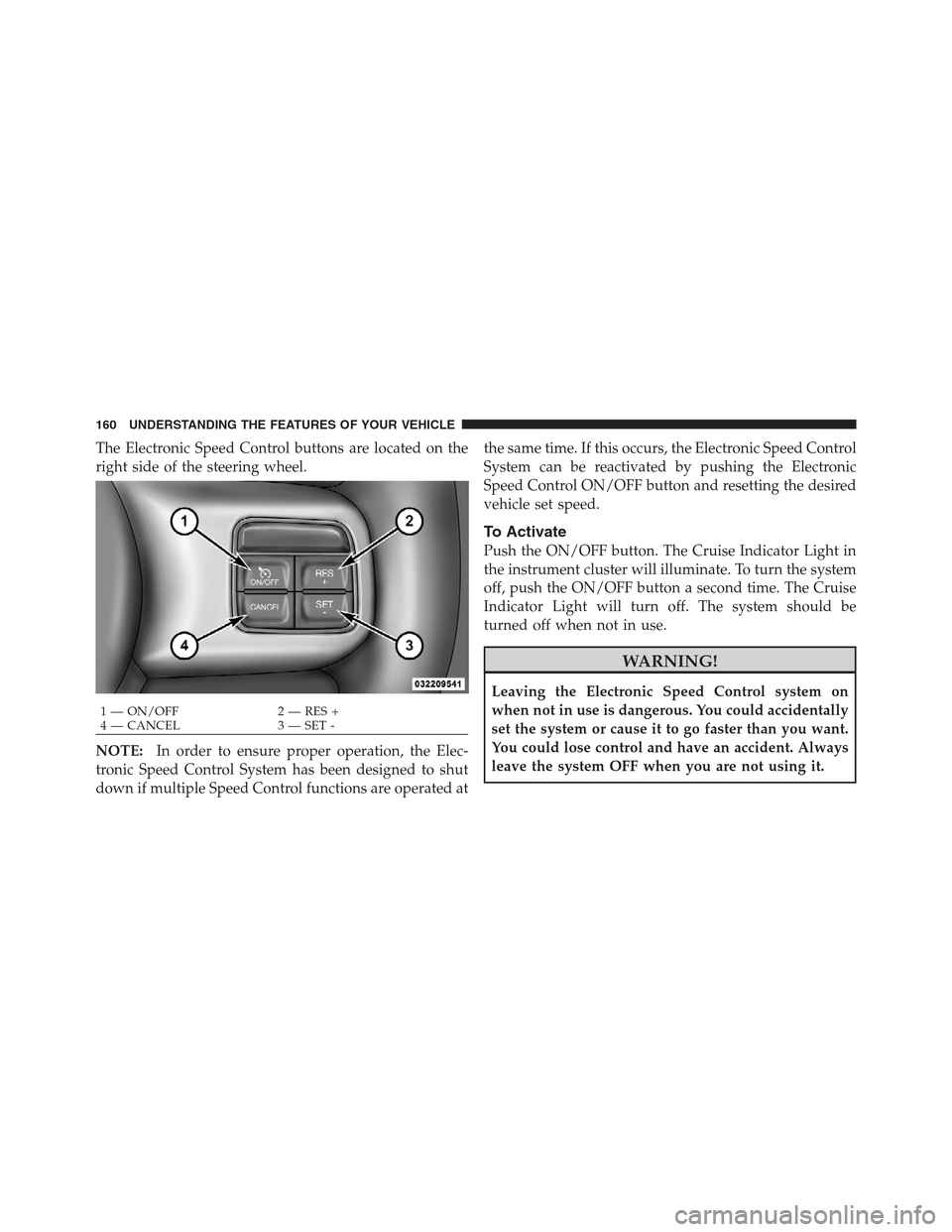
The Electronic Speed Control buttons are located on the
right side of the steering wheel.
NOTE:In order to ensure proper operation, the Elec-
tronic Speed Control System has been designed to shut
down if multiple Speed Control functions are operated at the same time. If this occurs, the Electronic Speed Control
System can be reactivated by pushing the Electronic
Speed Control ON/OFF button and resetting the desired
vehicle set speed.
To Activate
Push the ON/OFF button. The Cruise Indicator Light in
the instrument cluster will illuminate. To turn the system
off, push the ON/OFF button a second time. The Cruise
Indicator Light will turn off. The system should be
turned off when not in use.
WARNING!
Leaving the Electronic Speed Control system on
when not in use is dangerous. You could accidentally
set the system or cause it to go faster than you want.
You could lose control and have an accident. Always
leave the system OFF when you are not using it.
1 — ON/OFF
2 — RES +
4 — CANCEL 3 — SET -
160 UNDERSTANDING THE FEATURES OF YOUR VEHICLE