JEEP WRANGLER UNLIMITED 2013 Owners Manual
Manufacturer: JEEP, Model Year: 2013, Model line: WRANGLER UNLIMITED, Model: JEEP WRANGLER UNLIMITED 2013Pages: 655, PDF Size: 9.04 MB
Page 171 of 655
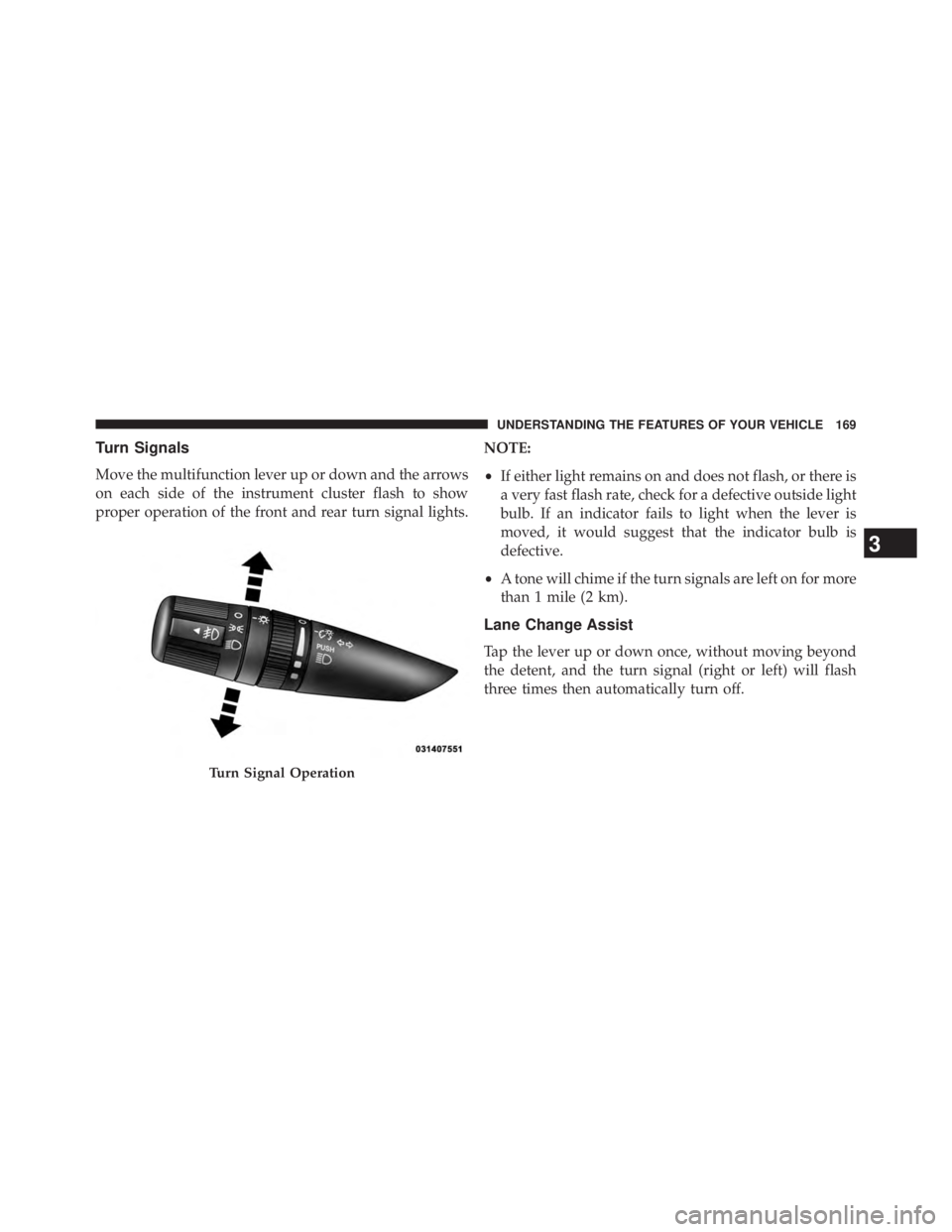
Turn Signals
Move the multifunction lever up or down and the arrows
on each side of the instrument cluster flash to show
proper operation of the front and rear turn signal lights. NOTE:
• If either light remains on and does not flash, or there is
a very fast flash rate, check for a defective outside light
bulb. If an indicator fails to light when the lever is
moved, it would suggest that the indicator bulb is
defective.
• A tone will chime if the turn signals are left on for more
than 1 mile (2 km).
Lane Change Assist
Tap the lever up or down once, without moving beyond
the detent, and the turn signal (right or left) will flash
three times then automatically turn off.
Turn Signal Operation
3 UNDERSTANDING THE FEATURES OF YOUR VEHICLE 169
Page 172 of 655
Lights-On Reminder
If the headlights or parking lights are left on after the
ignition is turned OFF, a chime will sound to alert the
driver when the driver’s door is opened.
High/Low Beam Switch
Push the multifunction lever away from you to switch
the headlights to high beam. Pull the lever toward you, to
switch the headlights back to low beam.
Flash-To-Pass
You can signal another vehicle with your headlights by
lightly pulling the multifunction lever toward you. This
will turn on the high beams headlights until the lever is
released. Front Fog Lights
The front fog light switch is located on the multi-
function lever. To activate the front fog lights, turn
on the parking or low beam headlights and pull out the
end of the lever.
NOTE: The fog lights will only operate with the parking
lights or the headlights on low beam. Selecting high
beam headlights will turn off the fog lights.
Instrument Panel Dimmer
Rotate the center portion of the lever to the extreme
bottom position to fully dim the instrument panel lights
and prevent the interior lights from illuminating when a
door is opened.
Rotate the center portion of the lever up to increase the
brightness of the instrument panel lights when the park-
ing lights or headlights are on.170 UNDERSTANDING THE FEATURES OF YOUR VEHICLE
Page 173 of 655
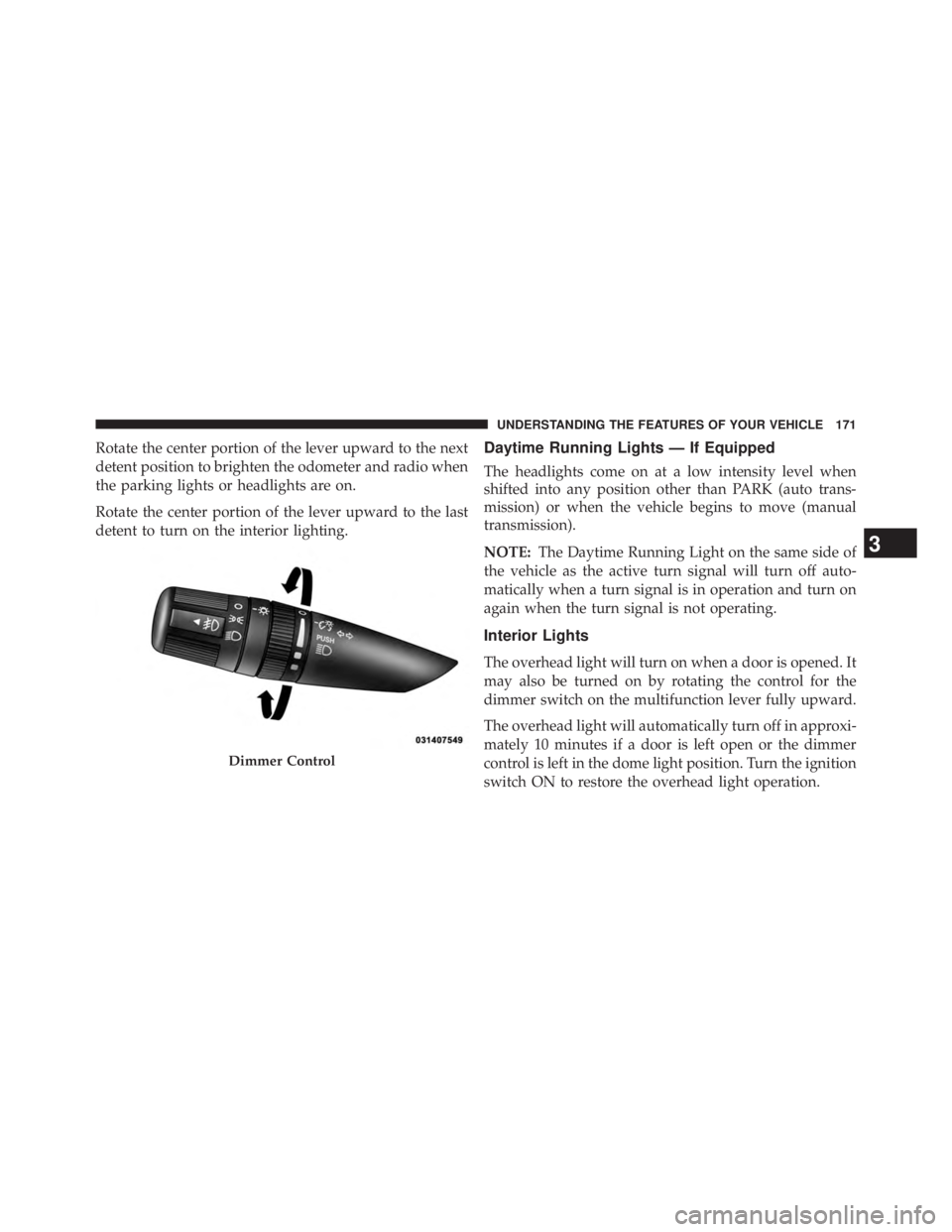
Rotate the center portion of the lever upward to the next
detent position to brighten the odometer and radio when
the parking lights or headlights are on.
Rotate the center portion of the lever upward to the last
detent to turn on the interior lighting. Daytime Running Lights — If Equipped
The headlights come on at a low intensity level when
shifted into any position other than PARK (auto trans-
mission) or when the vehicle begins to move (manual
transmission).
NOTE: The Daytime Running Light on the same side of
the vehicle as the active turn signal will turn off auto-
matically when a turn signal is in operation and turn on
again when the turn signal is not operating.
Interior Lights
The overhead light will turn on when a door is opened. It
may also be turned on by rotating the control for the
dimmer switch on the multifunction lever fully upward.
The overhead light will automatically turn off in approxi-
mately 10 minutes if a door is left open or the dimmer
control is left in the dome light position. Turn the ignition
switch ON to restore the overhead light operation.Dimmer Control
3 UNDERSTANDING THE FEATURES OF YOUR VEHICLE 171
Page 174 of 655
Cargo Lamp
The courtesy and dome lights will turn on when the front
doors are opened, by rotating the control for the dimmer
switch on the multifunction lever fully upward, or if
equipped, when the UNLOCK button is pressed on the
Remote Keyless Entry (RKE) transmitter.
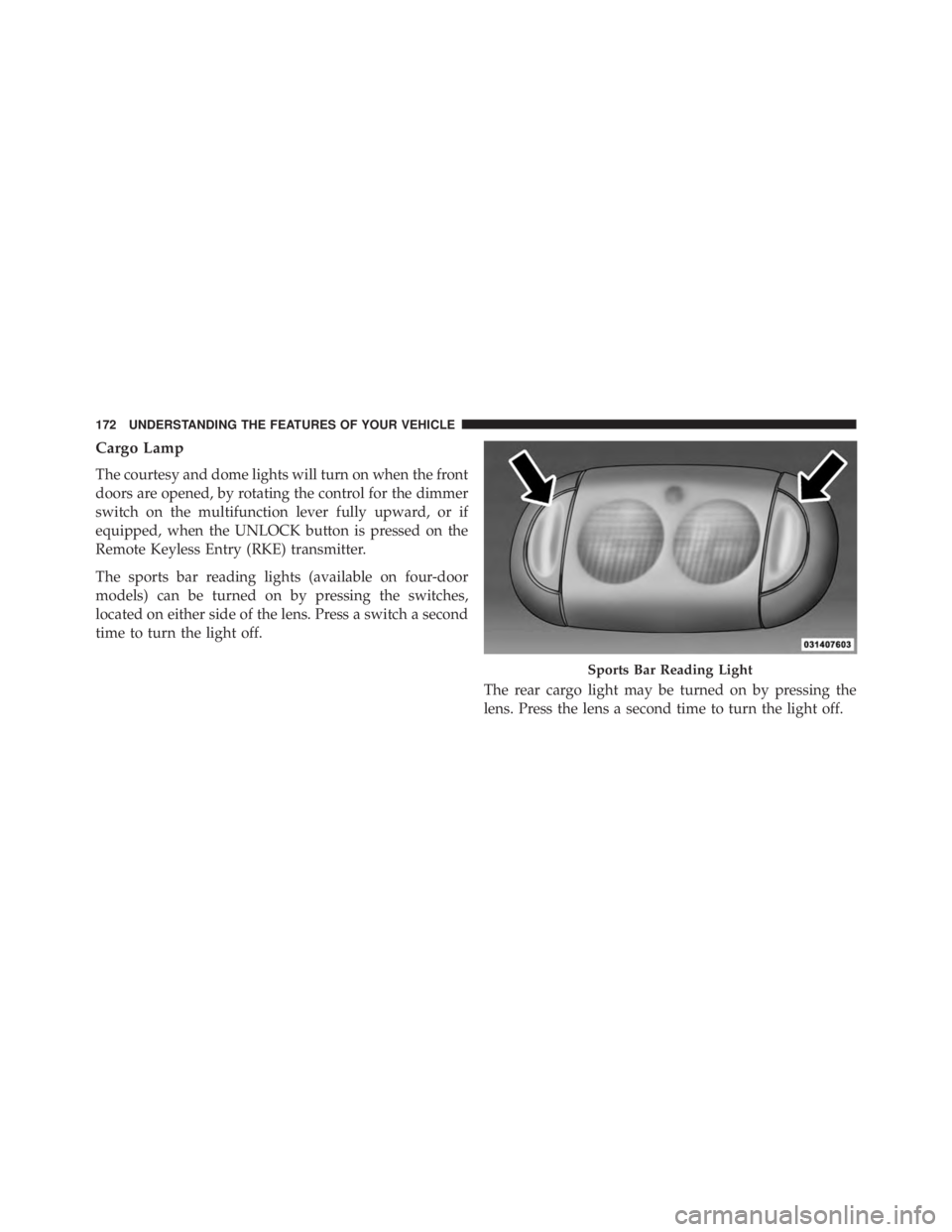
The sports bar reading lights (available on four-door
models) can be turned on by pressing the switches,
located on either side of the lens. Press a switch a second
time to turn the light off.
The rear cargo light may be turned on by pressing the
lens. Press the lens a second time to turn the light off. Sports Bar Reading Light172 UNDERSTANDING THE FEATURES OF YOUR VEHICLE
Page 175 of 655
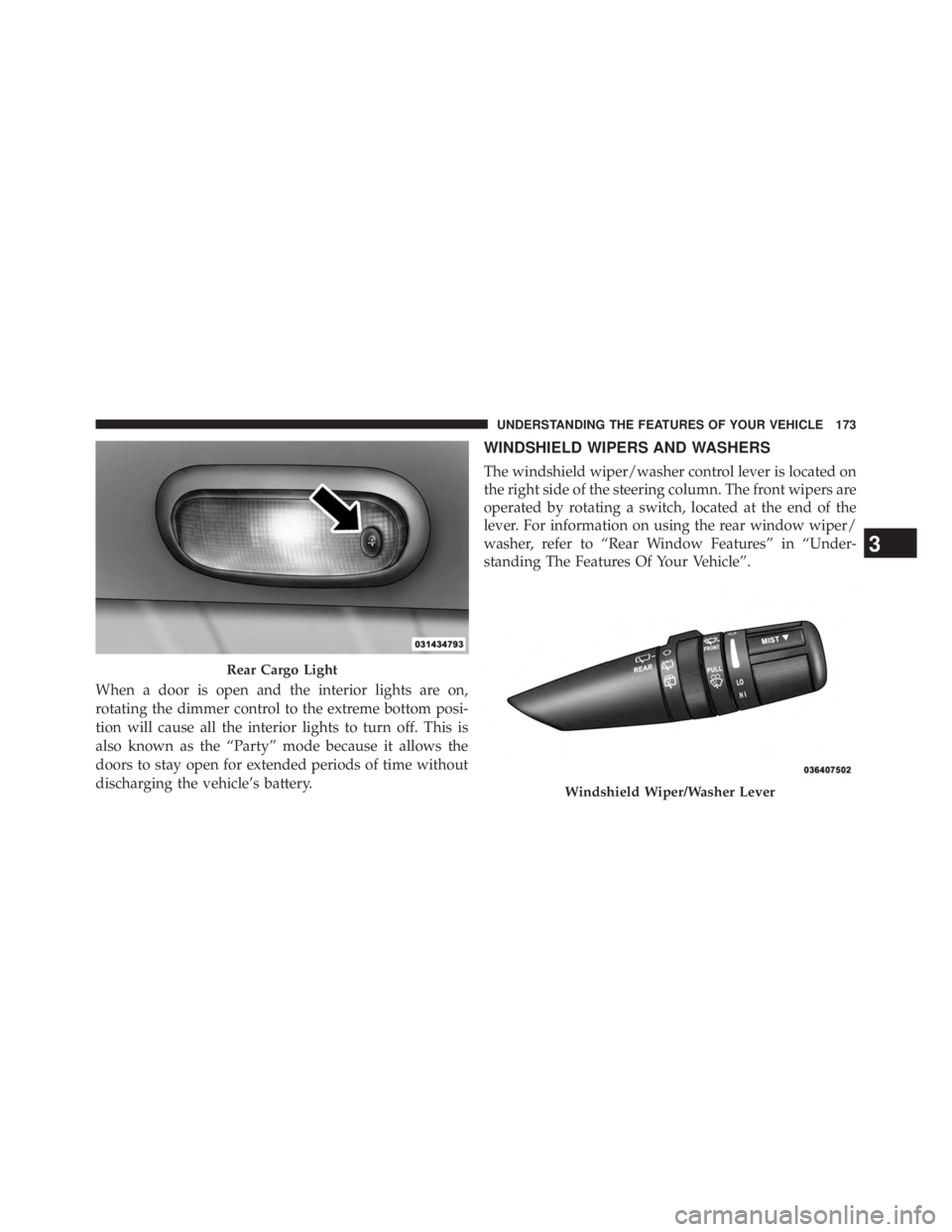
When a door is open and the interior lights are on,
rotating the dimmer control to the extreme bottom posi-
tion will cause all the interior lights to turn off. This is
also known as the “Party” mode because it allows the
doors to stay open for extended periods of time without
discharging the vehicle’s battery. WINDSHIELD WIPERS AND WASHERS
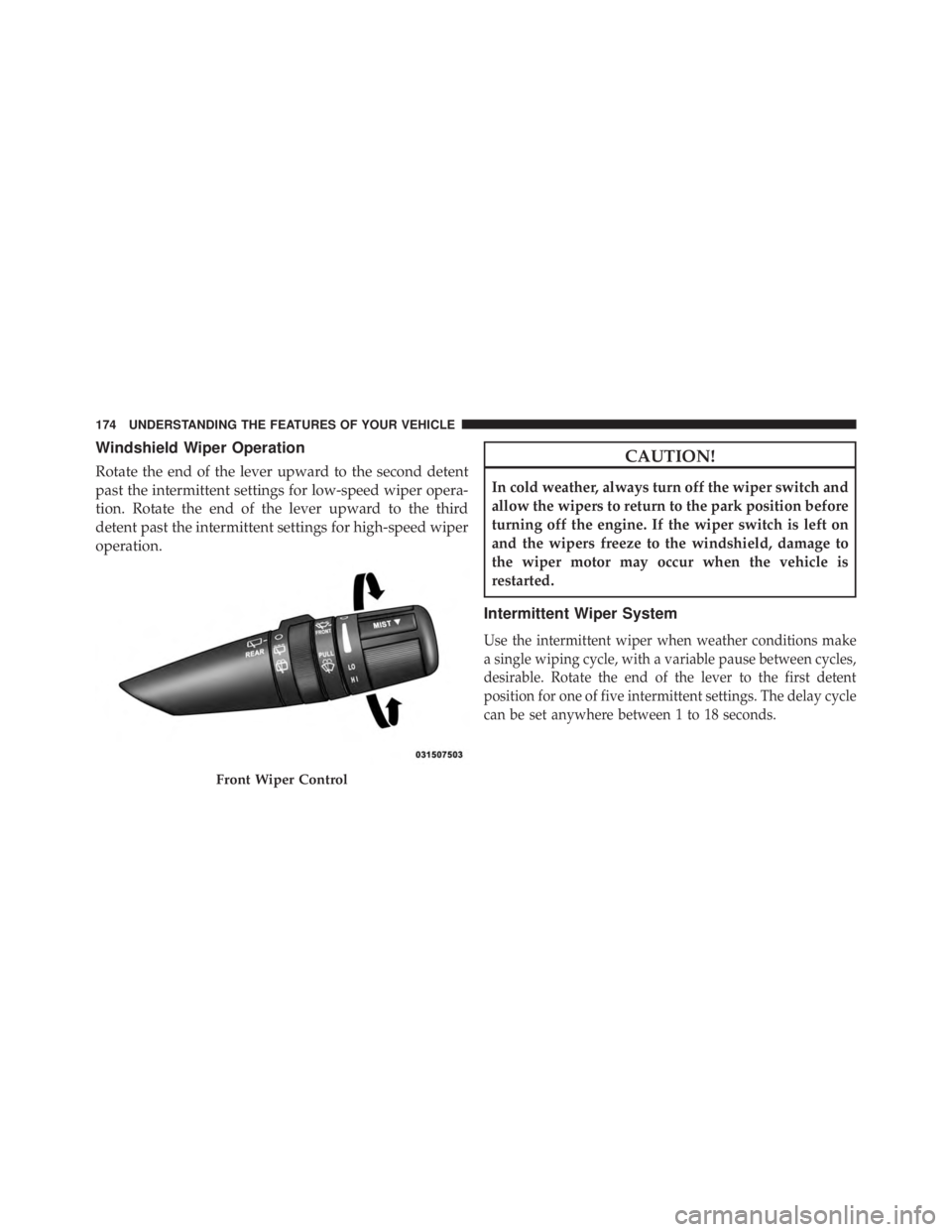
The windshield wiper/washer control lever is located on
the right side of the steering column. The front wipers are
operated by rotating a switch, located at the end of the
lever. For information on using the rear window wiper/
washer, refer to “Rear Window Features” in “Under-
standing The Features Of Your Vehicle”.
Rear Cargo Light
Windshield Wiper/Washer Lever3 UNDERSTANDING THE FEATURES OF YOUR VEHICLE 173
Page 176 of 655
Windshield Wiper Operation
Rotate the end of the lever upward to the second detent
past the intermittent settings for low-speed wiper opera-
tion. Rotate the end of the lever upward to the third
detent past the intermittent settings for high-speed wiper
operation. CAUTION!In cold weather, always turn off the wiper switch and
allow the wipers to return to the park position before
turning off the engine. If the wiper switch is left on
and the wipers freeze to the windshield, damage to
the wiper motor may occur when the vehicle is
restarted.
Intermittent Wiper System
Use the intermittent wiper when weather conditions make
a single wiping cycle, with a variable pause between cycles,
desirable. Rotate the end of the lever to the first detent
position for one of five intermittent settings. The delay cycle
can be set anywhere between 1 to 18 seconds.
Front Wiper Control174 UNDERSTANDING THE FEATURES OF YOUR VEHICLE
Page 177 of 655
NOTE: The wiper delay times depend on vehicle speed.
If the vehicle is moving less than 10 mph (16 km/h),
delay times will be doubled. Windshield Washers
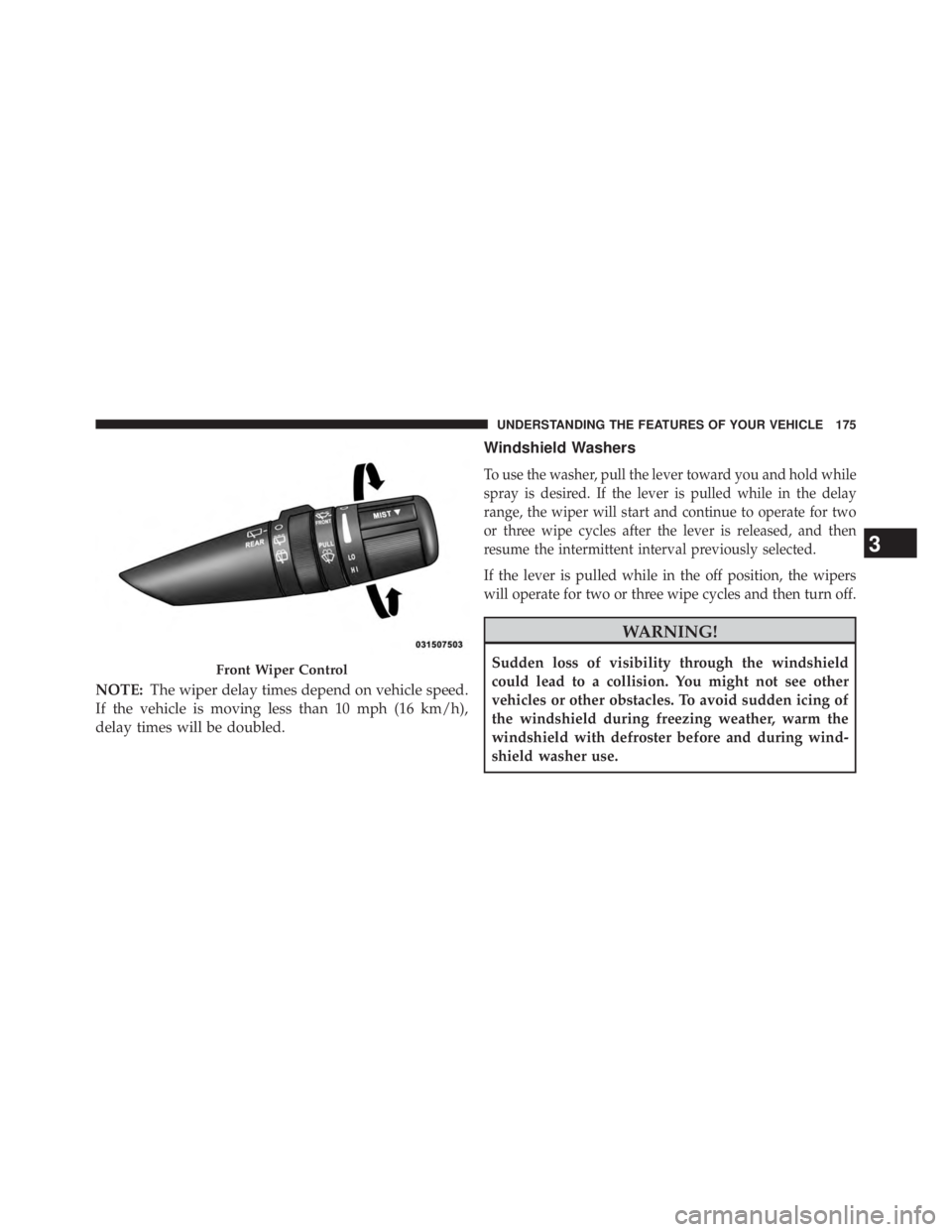
To use the washer, pull the lever toward you and hold while
spray is desired. If the lever is pulled while in the delay
range, the wiper will start and continue to operate for two
or three wipe cycles after the lever is released, and then
resume the intermittent interval previously selected.
If the lever is pulled while in the off position, the wipers
will operate for two or three wipe cycles and then turn off.
WARNING!Sudden loss of visibility through the windshield
could lead to a collision. You might not see other
vehicles or other obstacles. To avoid sudden icing of
the windshield during freezing weather, warm the
windshield with defroster before and during wind-
shield washer use.Front Wiper Control
3 UNDERSTANDING THE FEATURES OF YOUR VEHICLE 175
Page 178 of 655
Mist Feature
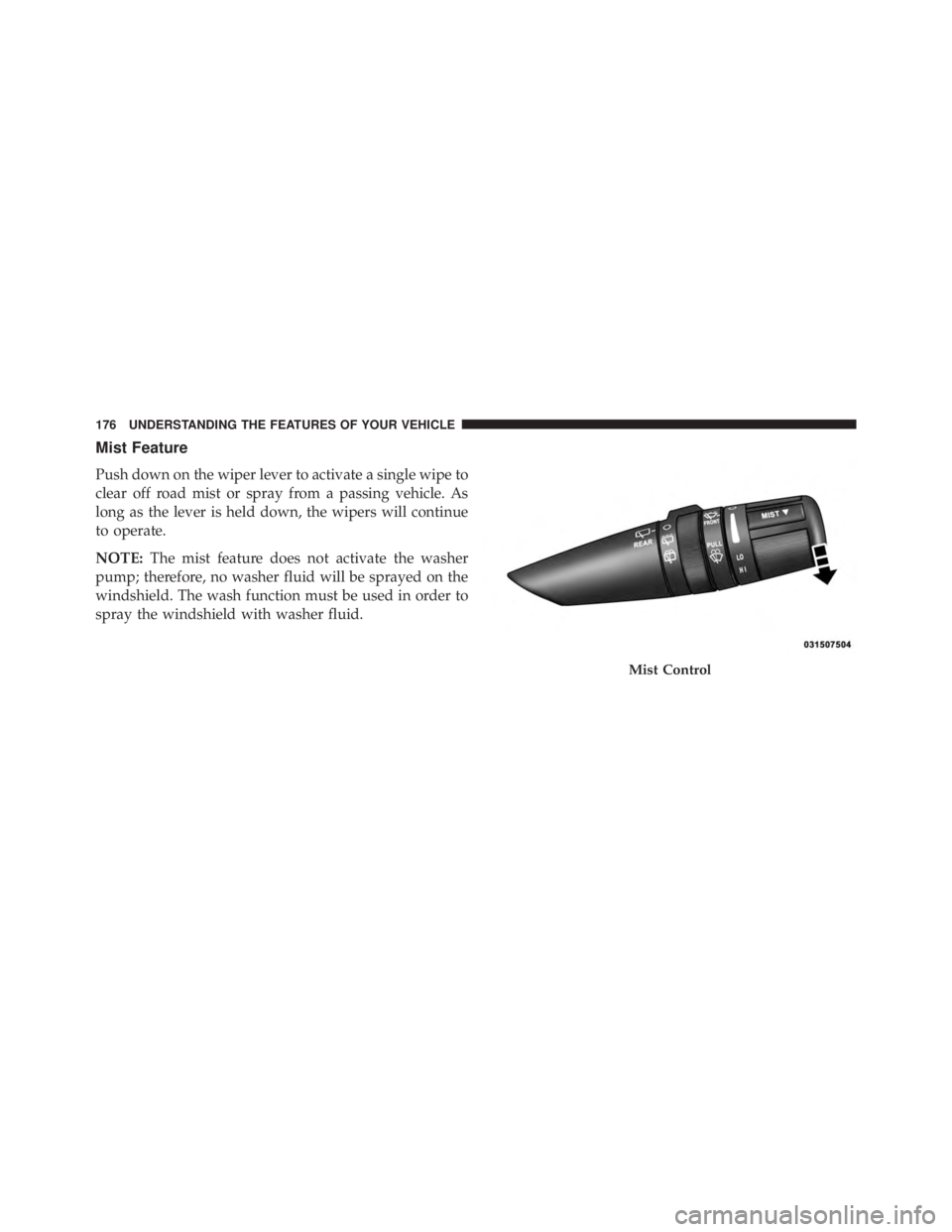
Push down on the wiper lever to activate a single wipe to
clear off road mist or spray from a passing vehicle. As
long as the lever is held down, the wipers will continue
to operate.
NOTE: The mist feature does not activate the washer
pump; therefore, no washer fluid will be sprayed on the
windshield. The wash function must be used in order to
spray the windshield with washer fluid. Mist Control176 UNDERSTANDING THE FEATURES OF YOUR VEHICLE
Page 179 of 655
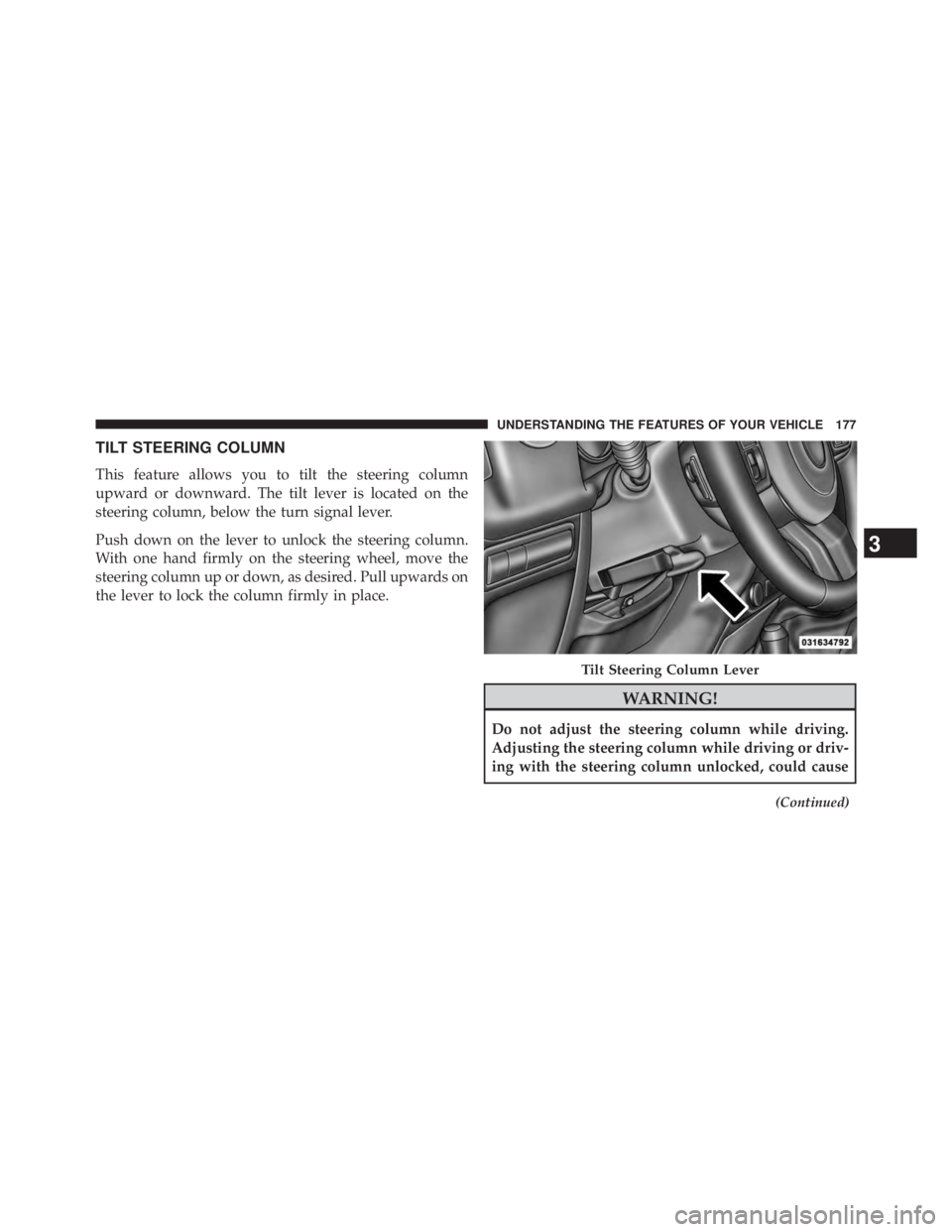
TILT STEERING COLUMN
This feature allows you to tilt the steering column
upward or downward. The tilt lever is located on the
steering column, below the turn signal lever.
Push down on the lever to unlock the steering column.
With one hand firmly on the steering wheel, move the
steering column up or down, as desired. Pull upwards on
the lever to lock the column firmly in place.
WARNING!Do not adjust the steering column while driving.
Adjusting the steering column while driving or driv-
ing with the steering column unlocked, could cause (Continued)Tilt Steering Column Lever
3 UNDERSTANDING THE FEATURES OF YOUR VEHICLE 177
Page 180 of 655
WARNING! (Continued)the driver to lose control of the vehicle. Be sure the
steering column is locked before driving your ve-
hicle. Failure to follow this warning may result in
serious injury or death.
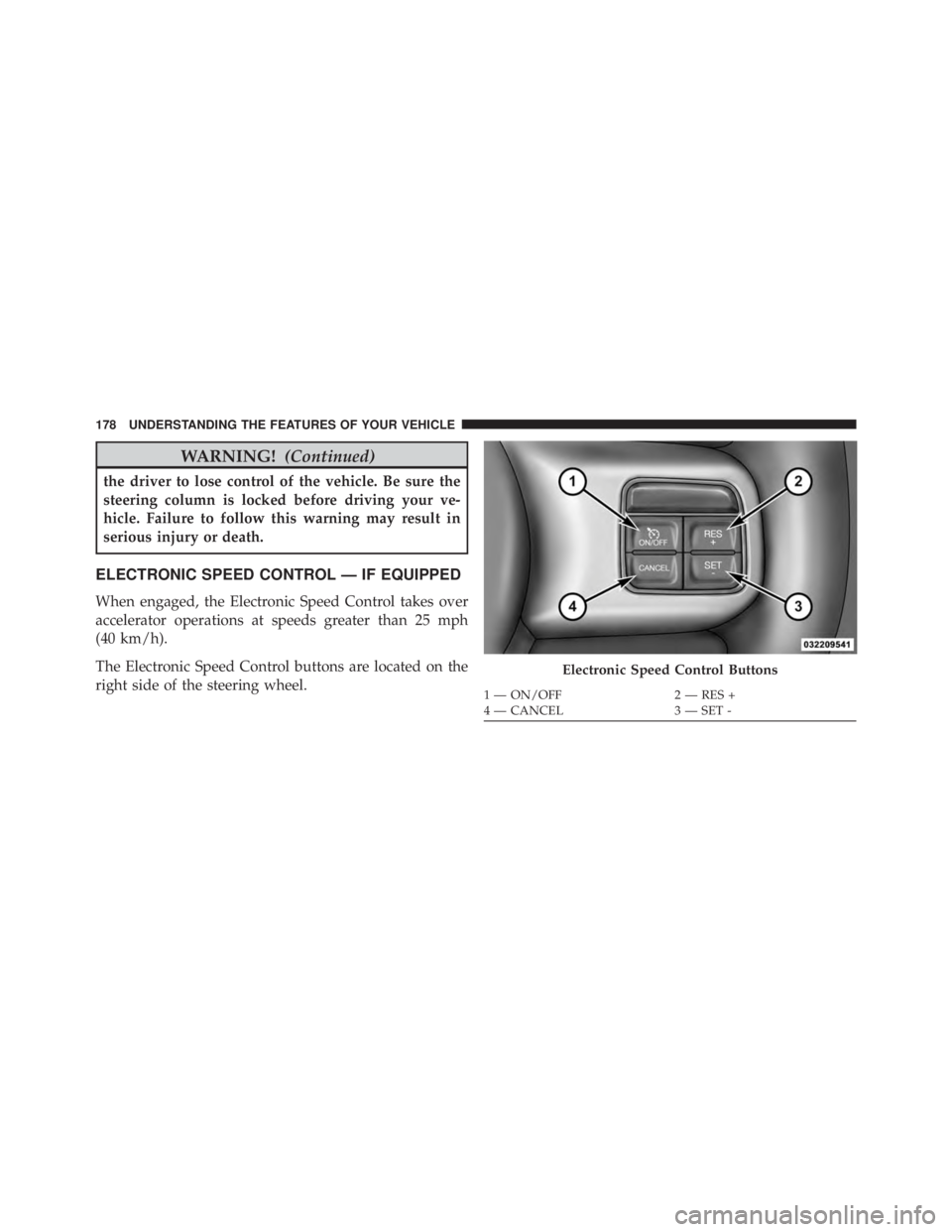
ELECTRONIC SPEED CONTROL — IF EQUIPPED
When engaged, the Electronic Speed Control takes over
accelerator operations at speeds greater than 25 mph
(40 km/h).
The Electronic Speed Control buttons are located on the
right side of the steering wheel. Electronic Speed Control Buttons1 — ON/OFF 2 — RES +
4 — CANCEL 3 — SET -178 UNDERSTANDING THE FEATURES OF YOUR VEHICLE