tow JEEP WRANGLER UNLIMITED 2013 User Guide
[x] Cancel search | Manufacturer: JEEP, Model Year: 2013, Model line: WRANGLER UNLIMITED, Model: JEEP WRANGLER UNLIMITED 2013Pages: 655, PDF Size: 9.04 MB
Page 132 of 655
WARNING!To use your Uconnect™ Phone System in an emer-
gency, your mobile phone must be:
• turned on,
• paired to the Uconnect™ System,
• and have network coverage.
Towing Assistance
If you need towing assistance:
• Press the button to begin.
• After the “Ready” prompt and the following beep, say
“Towing Assistance”. NOTE:
•
The towing assistance number dialed is based on the
country where the vehicle is purchased (1-800-528-2069
for the U.S., 1-877-213-4525 for Canada, 55-14-3454 for
Mexico City and 1-800-712-3040 for outside Mexico City
in Mexico). Please refer to the 24-Hour Towing Assis-
tance coverage details on the DVD in the Warranty
Information Booklet and the 24-Hour Towing Assistance
references.
• If supported, this number may be programmable on
some systems. To do this, press the button and say
“Setup”, followed by “Towing Assistance”.
Paging
To learn how to page, refer to “Working with Automated
Systems”. Paging works properly except for pagers of
certain companies, which time out a little too soon to
work properly with the Uconnect™ Phone.130 UNDERSTANDING THE FEATURES OF YOUR VEHICLE
Page 147 of 655
Voice Commands
Primary Alternate (s)
language
list names
list phones
mobile
mute
mute off
new entry
no
other
pair a phone
phone pairing pairing
phonebook phone book
previous
record again
redial Voice Commands
Primary Alternate (s)
return to main menu return or main menu
select phone select
send
set up phone settings or
phone set up
towing assistance
transfer call
Uconnect™ Tutorial
try again
voice training
work
yes
3 UNDERSTANDING THE FEATURES OF YOUR VEHICLE 145
Page 157 of 655
WARNING!Do not ride with the seatback reclined so that the
shoulder belt is no longer resting against your chest.
In a collision you could slide under the seat belt,
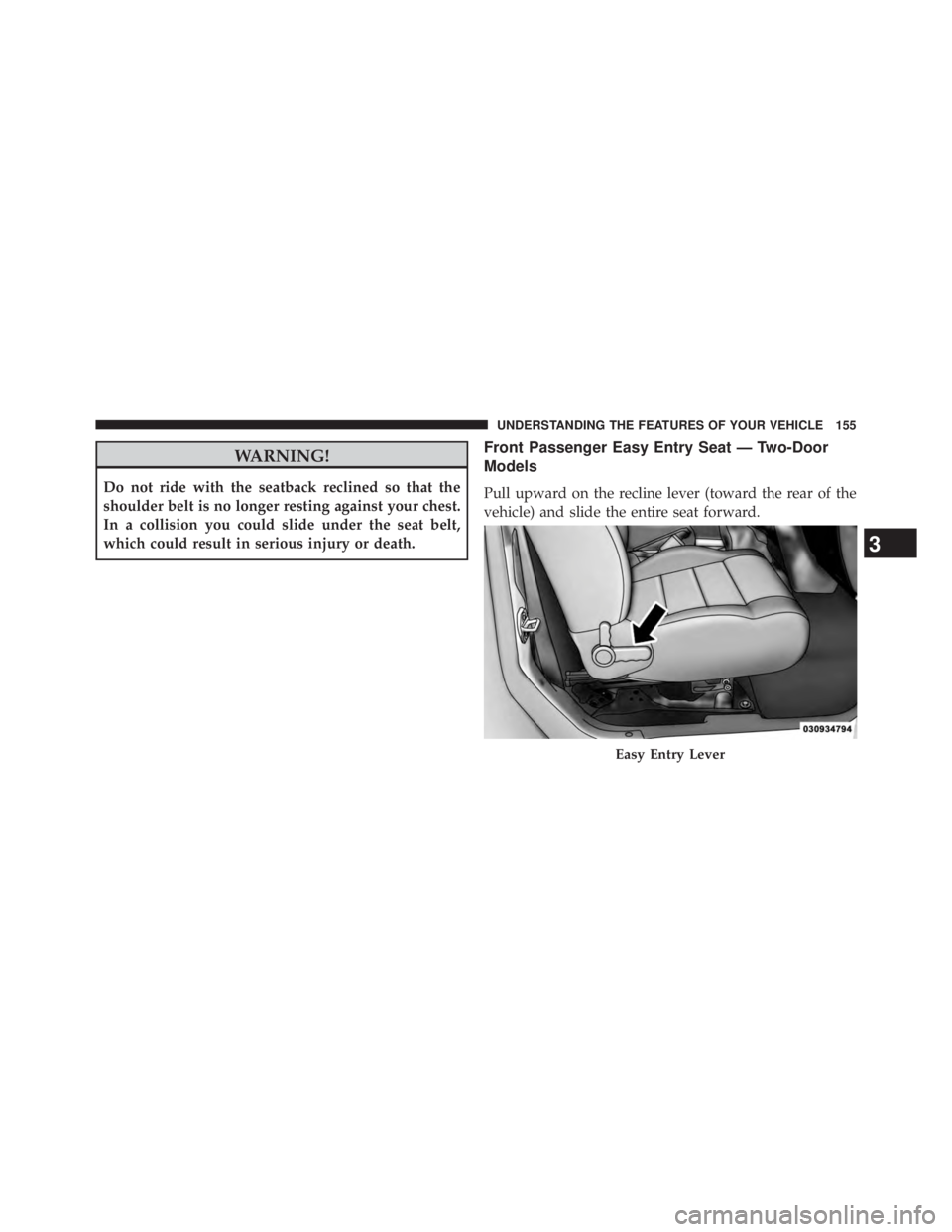
which could result in serious injury or death. Front Passenger Easy Entry Seat — Two-Door
Models
Pull upward on the recline lever (toward the rear of the
vehicle) and slide the entire seat forward.
Easy Entry Lever
3 UNDERSTANDING THE FEATURES OF YOUR VEHICLE 155
Page 159 of 655
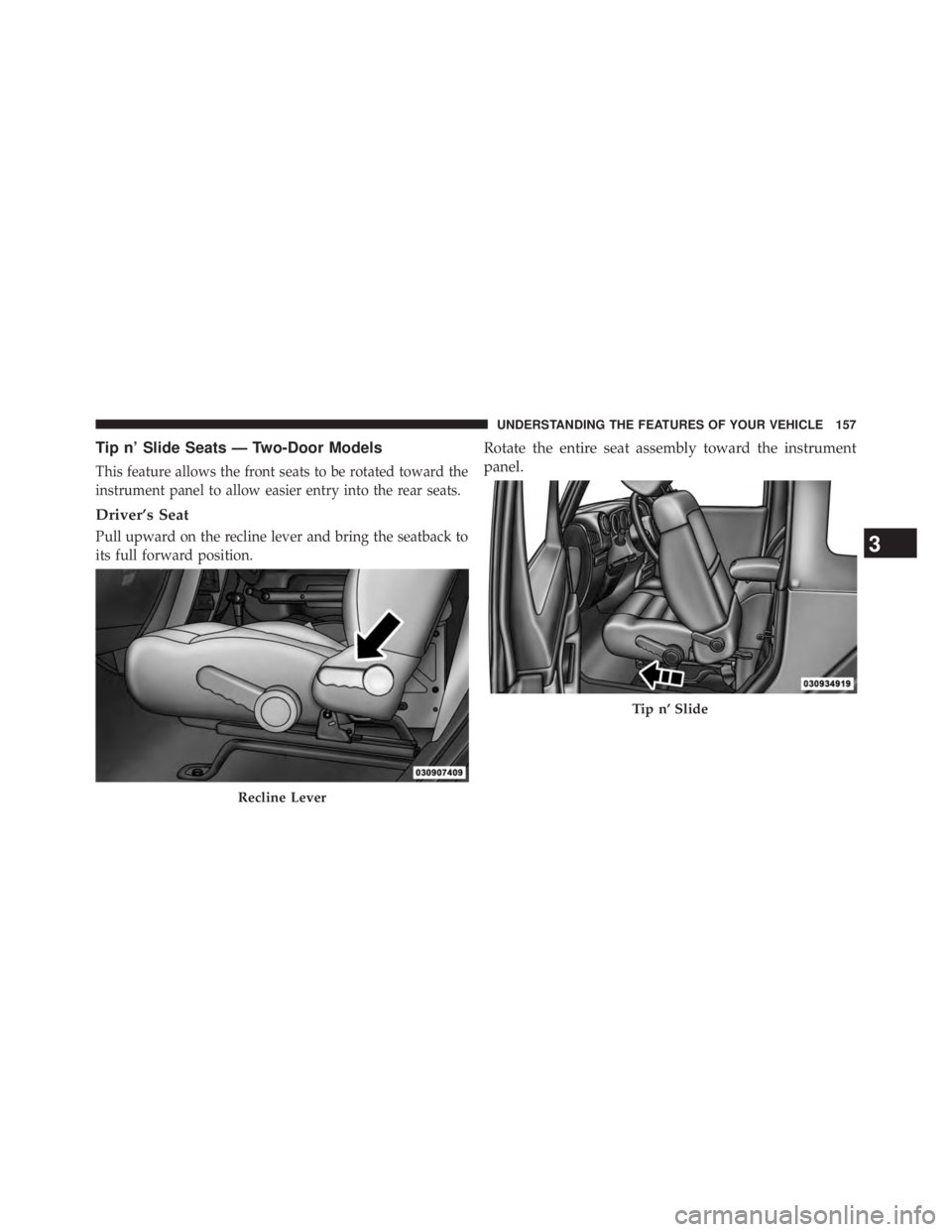
Tip n’ Slide Seats — Two-Door Models
This feature allows the front seats to be rotated toward the
instrument panel to allow easier entry into the rear seats.
Driver’s Seat
Pull upward on the recline lever and bring the seatback to
its full forward position. Rotate the entire seat assembly toward the instrument
panel.
Recline Lever Tip n’ Slide
3 UNDERSTANDING THE FEATURES OF YOUR VEHICLE 157
Page 160 of 655
Passenger Seat
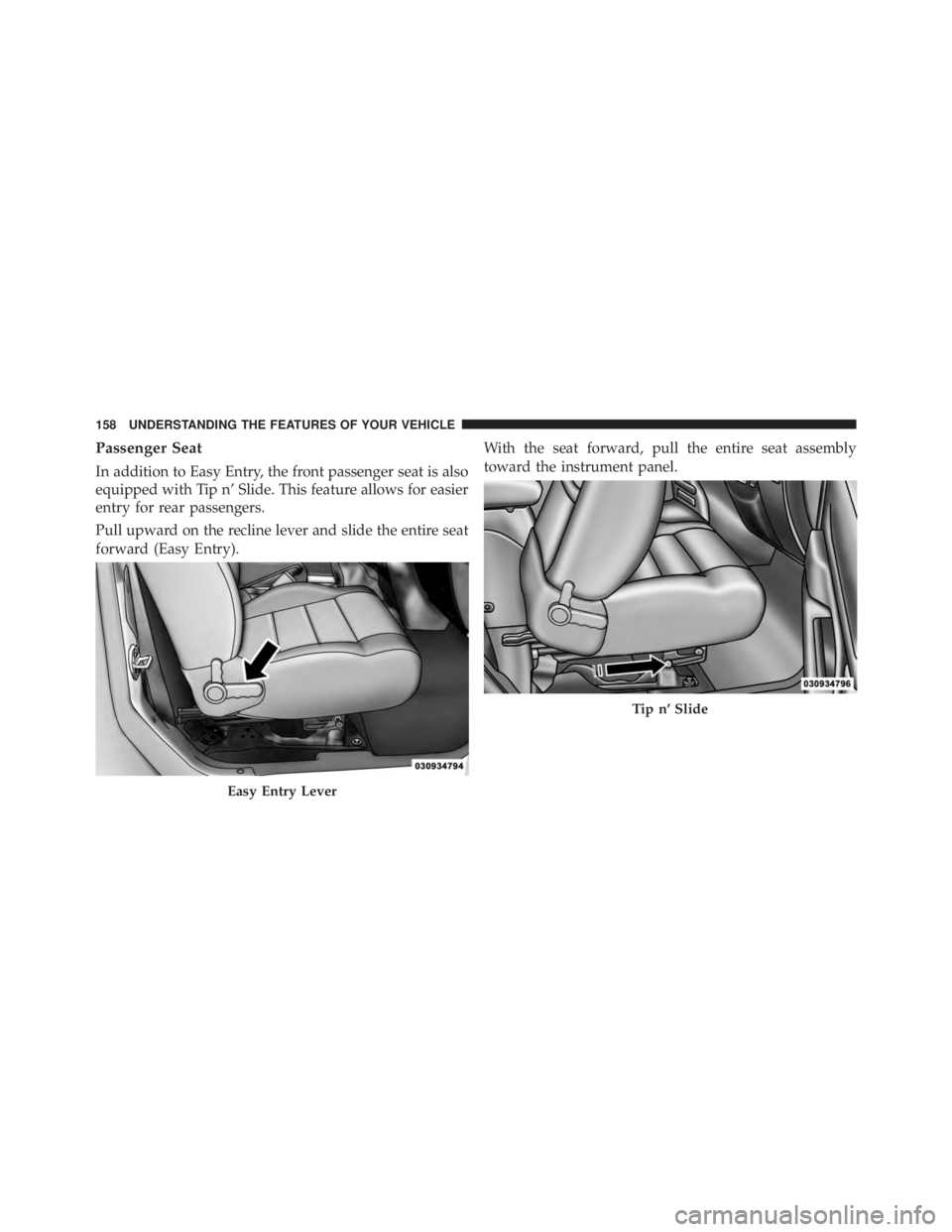
In addition to Easy Entry, the front passenger seat is also
equipped with Tip n’ Slide. This feature allows for easier
entry for rear passengers.
Pull upward on the recline lever and slide the entire seat
forward (Easy Entry). With the seat forward, pull the entire seat assembly
toward the instrument panel.
Easy Entry Lever Tip n’ Slide158 UNDERSTANDING THE FEATURES OF YOUR VEHICLE
Page 167 of 655
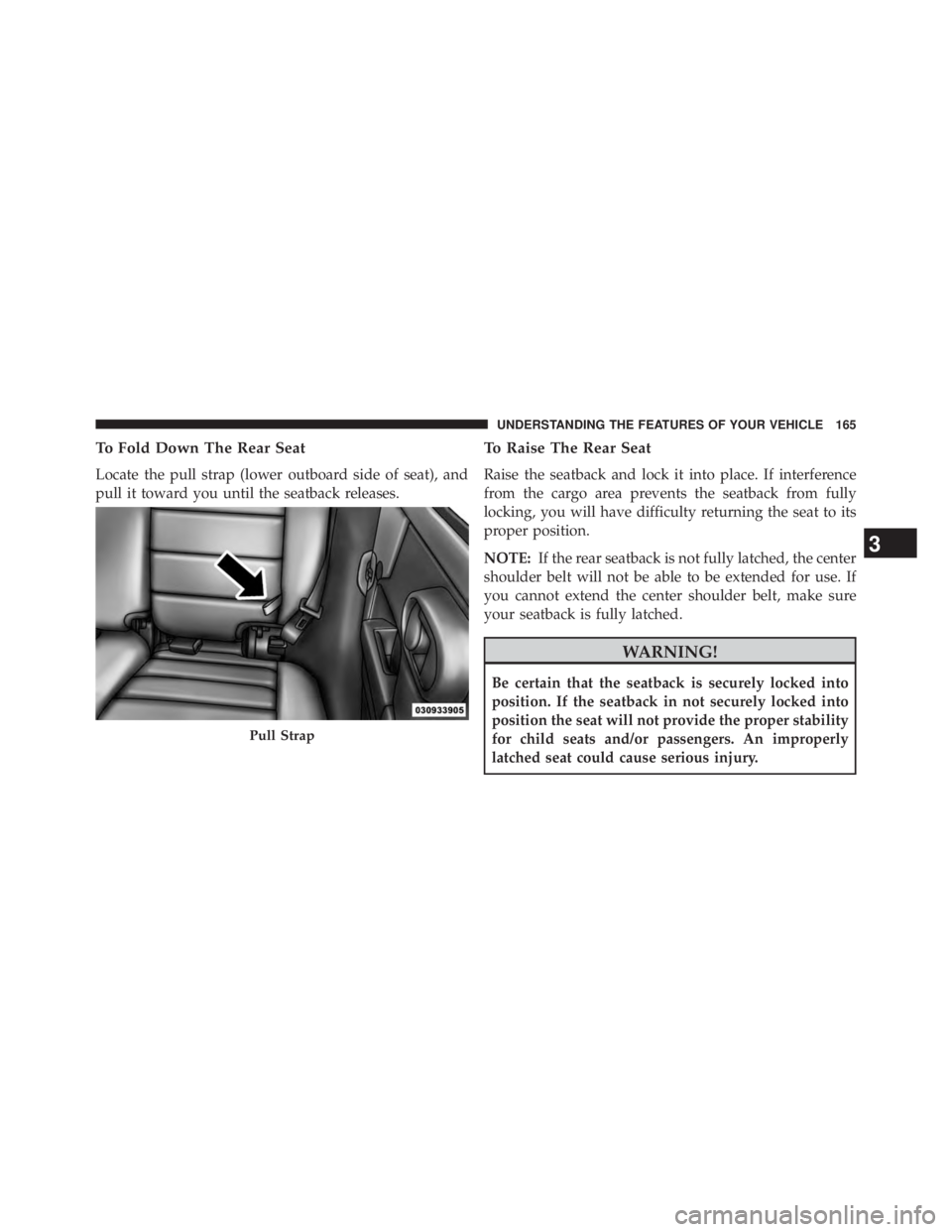
To Fold Down The Rear Seat
Locate the pull strap (lower outboard side of seat), and
pull it toward you until the seatback releases. To Raise The Rear Seat
Raise the seatback and lock it into place. If interference
from the cargo area prevents the seatback from fully
locking, you will have difficulty returning the seat to its
proper position.
NOTE: If the rear seatback is not fully latched, the center
shoulder belt will not be able to be extended for use. If
you cannot extend the center shoulder belt, make sure
your seatback is fully latched.
WARNING!Be certain that the seatback is securely locked into
position. If the seatback in not securely locked into
position the seat will not provide the proper stability
for child seats and/or passengers. An improperly
latched seat could cause serious injury.Pull Strap
3 UNDERSTANDING THE FEATURES OF YOUR VEHICLE 165
Page 172 of 655
Lights-On Reminder
If the headlights or parking lights are left on after the
ignition is turned OFF, a chime will sound to alert the
driver when the driver’s door is opened.
High/Low Beam Switch
Push the multifunction lever away from you to switch
the headlights to high beam. Pull the lever toward you, to
switch the headlights back to low beam.
Flash-To-Pass
You can signal another vehicle with your headlights by
lightly pulling the multifunction lever toward you. This
will turn on the high beams headlights until the lever is
released. Front Fog Lights
The front fog light switch is located on the multi-
function lever. To activate the front fog lights, turn
on the parking or low beam headlights and pull out the
end of the lever.
NOTE: The fog lights will only operate with the parking
lights or the headlights on low beam. Selecting high
beam headlights will turn off the fog lights.
Instrument Panel Dimmer
Rotate the center portion of the lever to the extreme
bottom position to fully dim the instrument panel lights
and prevent the interior lights from illuminating when a
door is opened.
Rotate the center portion of the lever up to increase the
brightness of the instrument panel lights when the park-
ing lights or headlights are on.170 UNDERSTANDING THE FEATURES OF YOUR VEHICLE
Page 177 of 655
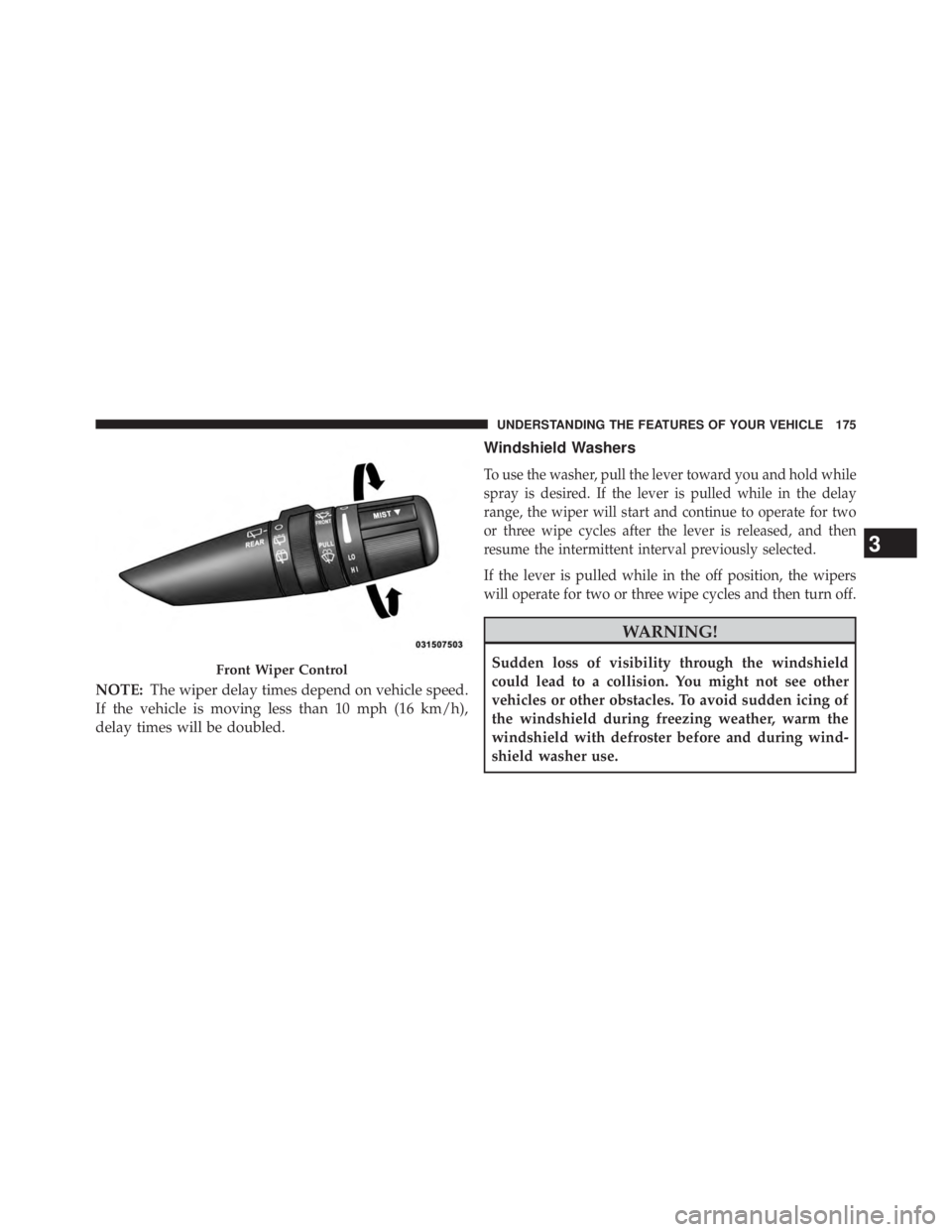
NOTE: The wiper delay times depend on vehicle speed.
If the vehicle is moving less than 10 mph (16 km/h),
delay times will be doubled. Windshield Washers
To use the washer, pull the lever toward you and hold while
spray is desired. If the lever is pulled while in the delay
range, the wiper will start and continue to operate for two
or three wipe cycles after the lever is released, and then
resume the intermittent interval previously selected.
If the lever is pulled while in the off position, the wipers
will operate for two or three wipe cycles and then turn off.
WARNING!Sudden loss of visibility through the windshield
could lead to a collision. You might not see other
vehicles or other obstacles. To avoid sudden icing of
the windshield during freezing weather, warm the
windshield with defroster before and during wind-
shield washer use.Front Wiper Control
3 UNDERSTANDING THE FEATURES OF YOUR VEHICLE 175
Page 218 of 655
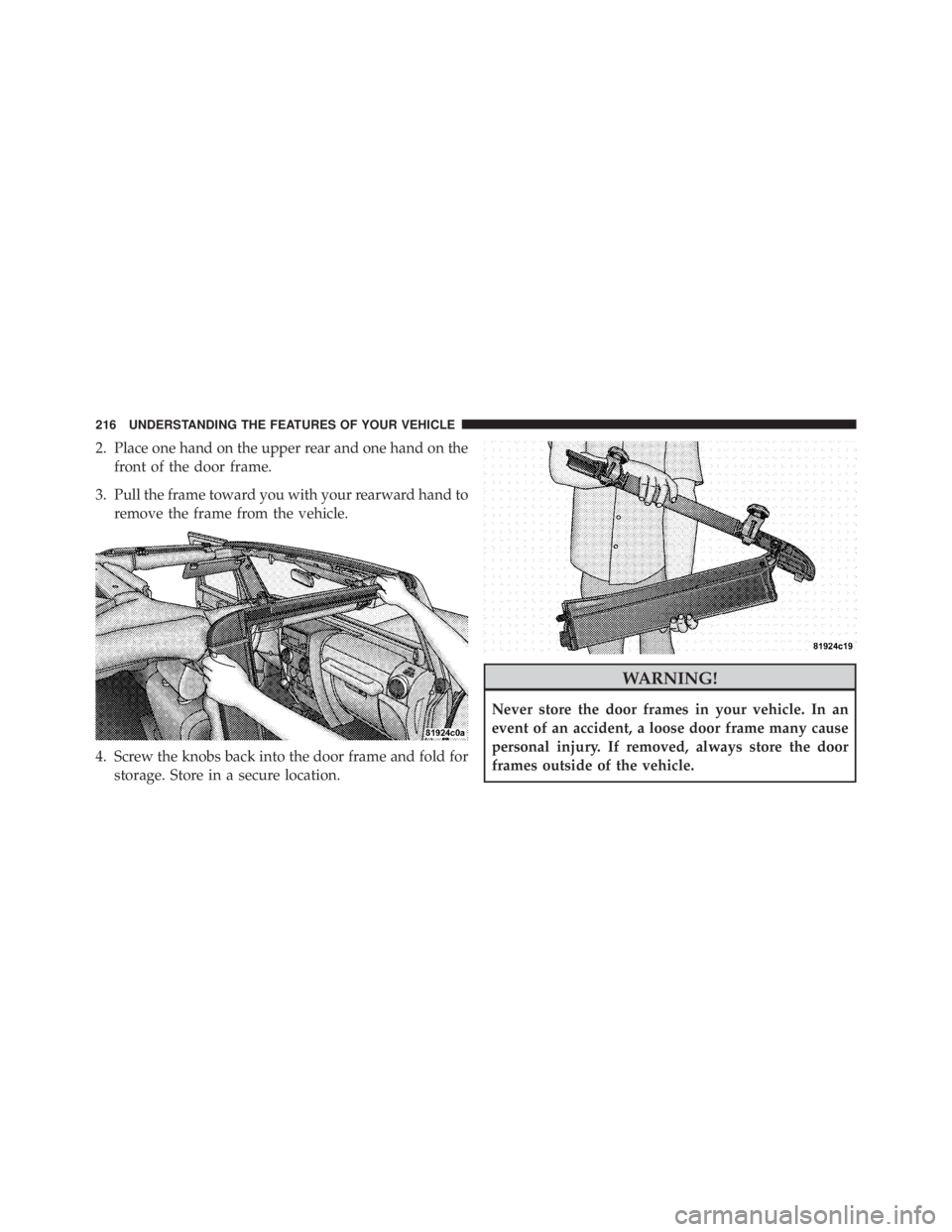
2. Place one hand on the upper rear and one hand on the
front of the door frame.
3. Pull the frame toward you with your rearward hand to
remove the frame from the vehicle.
4. Screw the knobs back into the door frame and fold for
storage. Store in a secure location. WARNING!Never store the door frames in your vehicle. In an
event of an accident, a loose door frame many cause
personal injury. If removed, always store the door
frames outside of the vehicle.216 UNDERSTANDING THE FEATURES OF YOUR VEHICLE
Page 235 of 655
NOTE: Clean side and rear windows before removal to
assist in preventing scratching during removal of the soft
top. If zippers are difficult to operate due to road dust,
etc., clean them with a mild soap solution and a small
brush. Cleaning products are available through your
authorized dealer.
1. If your vehicle has half doors, remove each half-door
window by opening the door and lifting the half-door
window out.
NOTE: Stow the half-door windows carefully outside of
the vehicle, never inside, to avoid scratches.
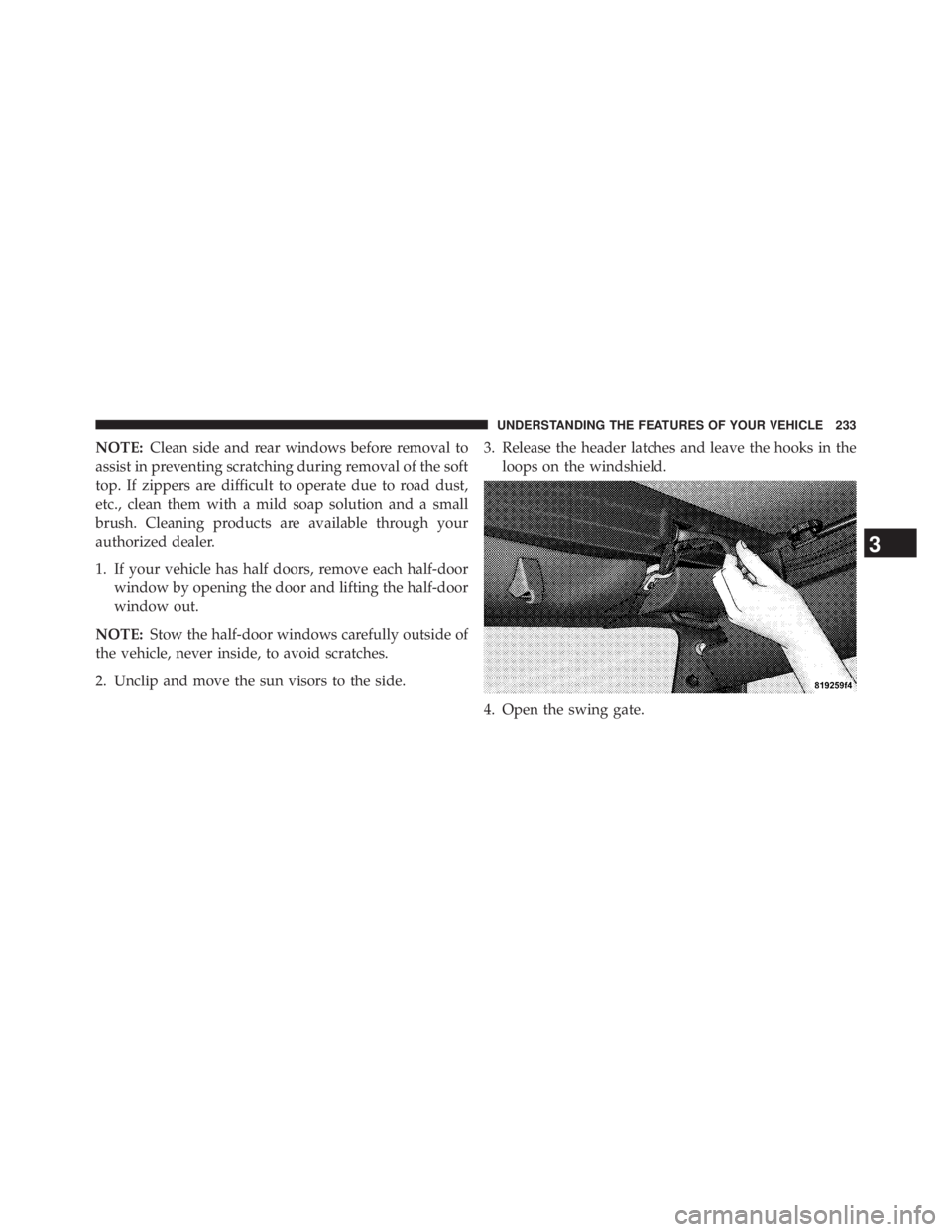
2. Unclip and move the sun visors to the side. 3. Release the header latches and leave the hooks in the
loops on the windshield.
4. Open the swing gate.
3 UNDERSTANDING THE FEATURES OF YOUR VEHICLE 233