maintenance reset JEEP WRANGLER UNLIMITED 2013 Owners Manual
[x] Cancel search | Manufacturer: JEEP, Model Year: 2013, Model line: WRANGLER UNLIMITED, Model: JEEP WRANGLER UNLIMITED 2013Pages: 655, PDF Size: 9.04 MB
Page 313 of 655
CHAngE OIL Message
Your vehicle is equipped with an engine oil change
indicator system. The “CHANgE OIL” message will flash
in the instrument cluster odometer for approximately
12 seconds after a single chime has sounded to indicate
the next scheduled oil change interval. The engine oil
change indicator system is duty-cycle based, which
means the engine oil change interval may fluctuate
dependent upon your personal driving style.
Unless reset, this message will continue to display each
time you turn the ignition switch to the ON/RUN position.
To turn off the message temporarily, press and release the
Trip Odometer button on the instrument cluster. To reset
the oil change indicator system (after performing the
scheduled maintenance), refer to the following procedure:
Turn the ignition switch to the ON/RUN position (do not
start the engine). Fully depress the accelerator pedal slowly three times
within 10 seconds.
Turn the ignition switch to the OFF/LOCK position.
NOTE: If the indicator message illuminates when you
start the vehicle, the oil change indicator system did not
reset. If necessary, repeat this procedure.
25. Malfunction Indicator Light (MIL)
The Malfunction Indicator Light (MIL) is a part of
an Onboard Diagnostic System called OBD II that
monitors engine and automatic transmission con-
trol systems. The light will illuminate when the ignition
is in the ON position before engine start. If the bulb does
not come on when turning the key from OFF to ON/
RUN, have the condition checked promptly.
4 UNDERSTANDING YOUR INSTRUMENT PANEL 311
Page 327 of 655
• Check Gascap (refer to “Adding Fuel” in “Starting
And Operating” for more details)
• Oil Change Required (with a single chime)
• ECO (Fuel Saver Indicator) — if equipped
Oil Change Required
Your vehicle is equipped with an engine oil change
indicator system. The “Oil Change Required” message
will flash in the EVIC display for approximately 10 sec-
onds after a single chime has sounded to indicate the next
scheduled oil change interval. The engine oil change
indicator system is duty cycle based, which means the
engine oil change interval may fluctuate dependent upon
your personal driving style. Unless reset, this message will continue to display each
time you turn the ignition switch to the ON position. To
turn off the message temporarily, press and release the
MENU button. To reset the oil change indicator system
(after performing the scheduled maintenance), perform
the following procedure:
1. Turn the ignition switch to the ON position. Do not
start the engine .
2. Fully depress the accelerator pedal slowly three times
within 10 seconds.
3. Turn the ignition switch to the LOCK position.
NOTE: If the indicator message illuminates when you
start the vehicle, the oil change indicator system did not
reset. If necessary, repeat this procedure.
4 UNDERSTANDING YOUR INSTRUMENT PANEL 325
Page 392 of 655
Radio Operation
Pressing the top of the switch will “Seek” up for the next
listenable station and pressing the bottom of the switch
will “Seek” down for the next listenable station.
The button located in the center of the left-hand control
will tune to the next preset station that you have pro-
grammed in the radio preset pushbutton.
CD Player
Pressing the top of the switch once will go to the next
track on the CD. Pressing the bottom of the switch once
will go to the beginning of the current track, or to the
beginning of the previous track if it is within one second
after the current track begins to play.
If you press the switch up or down twice, it plays the
second track; three times, it will play the third, etc. The center button on the left side rocker switch has no
function for a single-disc CD player. However, when a
multiple-disc CD player is equipped on the vehicle, the
center button will select the next available CD in the
player.
CD/DVD DISC MAINTENANCE
To keep a CD/DVD in good condition, take the following
precautions:
1. Handle the disc by its edge; avoid touching the
surface.
2. If the disc is stained, clean the surface with a soft cloth,
wiping from center to edge.
3. Do not apply paper or tape to the disc; avoid scratch-
ing the disc.390 UNDERSTANDING YOUR INSTRUMENT PANEL
Page 565 of 655
gas cap is properly tightened. Press the odometer reset
button to turn the message off. If the problem persists,
the message will appear the next time the vehicle is
started. This might indicate a damaged cap. If the prob-
lem is detected twice in a row, the system will turn on the
MIL. Resolving the problem will turn the MIL off.
EMISSIONS INSPECTION AND MAINTENANCE
PROGRAMS
In some localities, it may be a legal requirement to pass
an inspection of your vehicle’s emissions control system.
Failure to pass could prevent vehicle registration.
For states that require an Inspection and Mainte-
nance (I/M), this check verifies the “Malfunction
Indicator Light (MIL)” is functioning and is not
on when the engine is running, and that the OBD II
system is ready for testing. Normally, the OBD II system will be ready. The OBD II
system may not be ready if your vehicle was recently
serviced, recently had a dead battery or a battery replace-
ment. If the OBD II system should be determined not
ready for the I/M test, your vehicle may fail the test.
Your vehicle has a simple ignition key-actuated test,
which you can use prior to going to the test station. To
check if your vehicle’s OBD II system is ready, you must
do the following:
1. Turn the ignition switch to the ON position, but do not
crank or start the engine.
2. If you crank or start the engine, you will have to start
this test over.
3. As soon as you turn the ignition switch to the ON
position, you will see the MIL symbol come on as part
of a normal bulb check.
7 MAINTAINING YOUR VEHICLE 563
Page 616 of 655
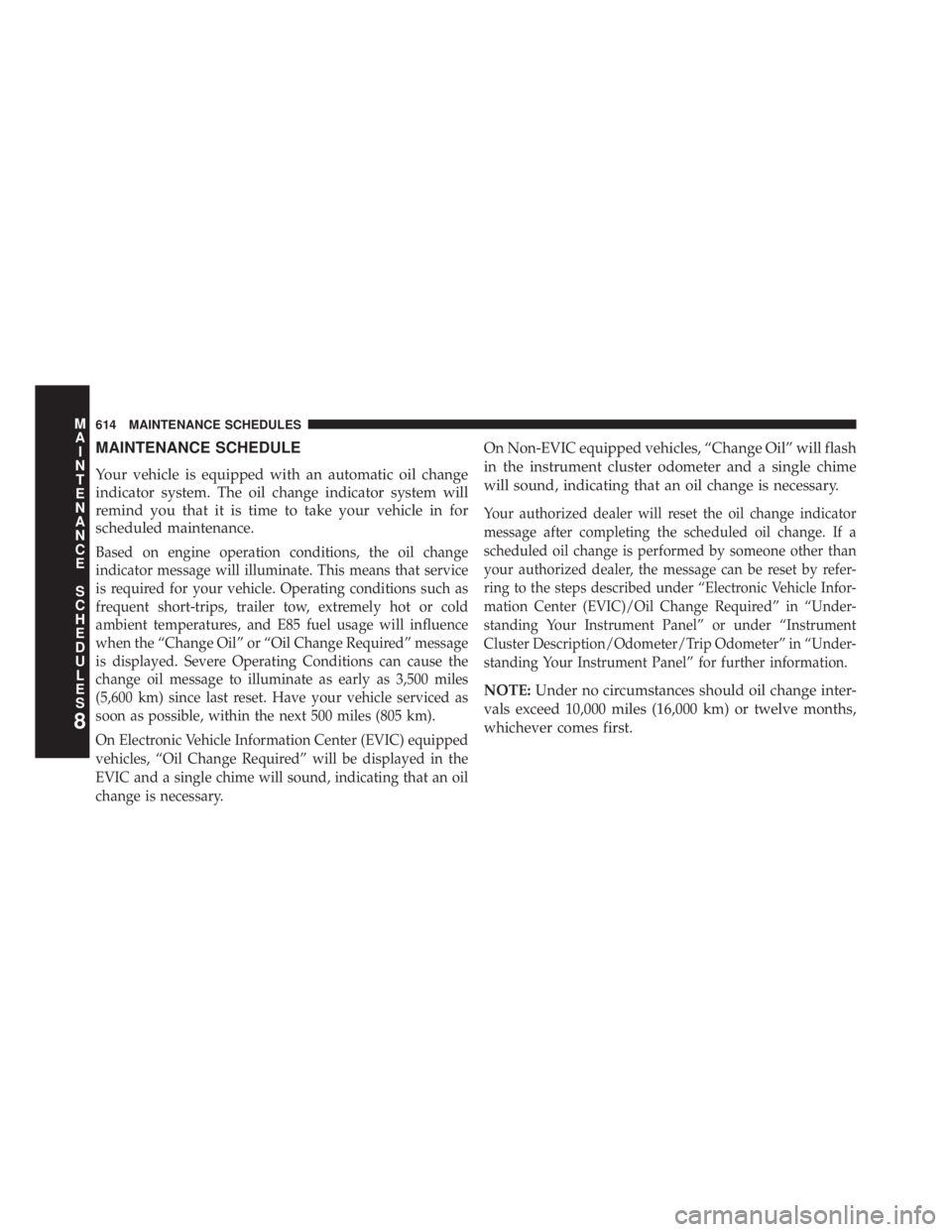
MAINTENANCE SCHEDULE
Your vehicle is equipped with an automatic oil change
indicator system. The oil change indicator system will
remind you that it is time to take your vehicle in for
scheduled maintenance.
Based on engine operation conditions, the oil change
indicator message will illuminate. This means that service
is required for your vehicle. Operating conditions such as
frequent short-trips, trailer tow, extremely hot or cold
ambient temperatures, and E85 fuel usage will influence
when the “Change Oil” or “Oil Change Required” message
is displayed. Severe Operating Conditions can cause the
change oil message to illuminate as early as 3,500 miles
(5,600 km) since last reset. Have your vehicle serviced as
soon as possible, within the next 500 miles (805 km).
On Electronic Vehicle Information Center (EVIC) equipped
vehicles, “Oil Change Required” will be displayed in the
EVIC and a single chime will sound, indicating that an oil
change is necessary. On Non-EVIC equipped vehicles, “Change Oil” will flash
in the instrument cluster odometer and a single chime
will sound, indicating that an oil change is necessary.
Your authorized dealer will reset the oil change indicator
message after completing the scheduled oil change. If a
scheduled oil change is performed by someone other than
your authorized dealer, the message can be reset by refer-
ring to the steps described under “Electronic Vehicle Infor-
mation Center (EVIC)/Oil Change Required” in “Under-
standing Your Instrument Panel” or under “Instrument
Cluster Description/Odometer/Trip Odometer” in “Under-
standing Your Instrument Panel” for further information.
NOTE: Under no circumstances should oil change inter-
vals exceed 10,000 miles (16,000 km) or twelve months,
whichever comes first.
8 M
A
I
N
T
E
N
A
N
C
E
S
C
H
E
D
U
L
E
S 614 MAINTENANCE SCHEDULES
Page 648 of 655
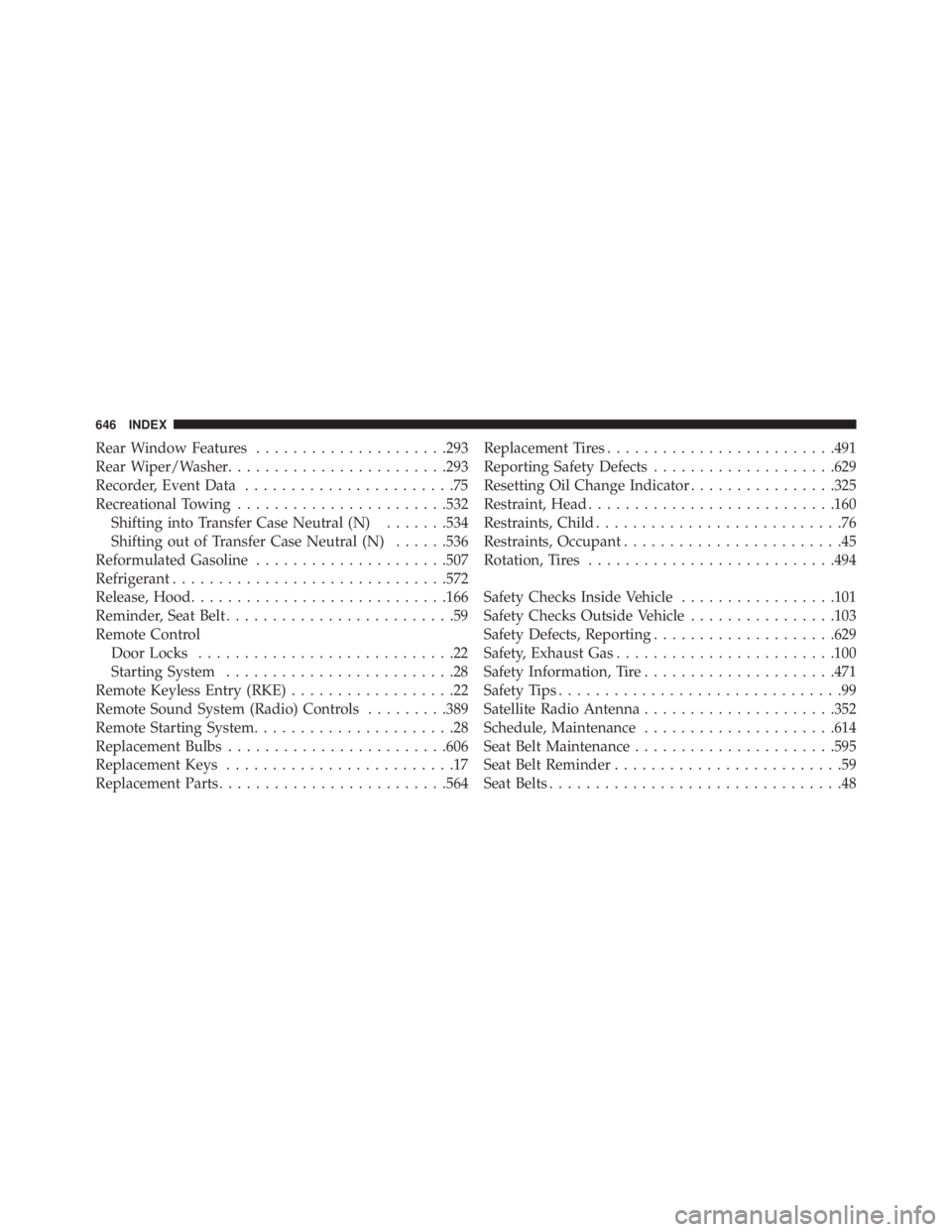
Rear Window Features .................... .293
Rear Wiper/Washer ....................... .293
Recorder, Event Data .......................75
Recreational Towing ...................... .532
Shifting into Transfer Case Neutral (N) ...... .534
Shifting out of Transfer Case Neutral (N) ..... .536
Reformulated Gasoline .................... .507
Refrigerant ............................. .572
Release, Hood ........................... .166
Reminder, Seat Belt .........................59
Remote Control
Door Locks ............................22
Starting System .........................28
Remote Keyless Entry (RKE) ..................22
Remote Sound System (Radio) Controls ........ .389
Remote Starting System ......................28
Replacement Bulbs ....................... .606
Replacement Keys .........................17
Replacement Parts ........................ .564 Replacement Tires ........................ .491
Reporting Safety Defects ................... .629
Resetting Oil Change Indicator ............... .325
Restraint, Head .......................... .160
Restraints, Child ...........................76
Restraints, Occupant ........................45
Rotation, Tires .......................... .494
Safety Checks Inside Vehicle ................ .101
Safety Checks Outside Vehicle ............... .103
Safety Defects, Reporting ................... .629
Safety, Exhaust Gas ....................... .100
Safety Information, Tire .................... .471
Safety Tips ...............................99
Satellite Radio Antenna .................... .352
Schedule, Maintenance .................... .614
Seat Belt Maintenance ..................... .595
Seat Belt Reminder .........................59
Seat Belts ................................48646 INDEX
Page 652 of 655
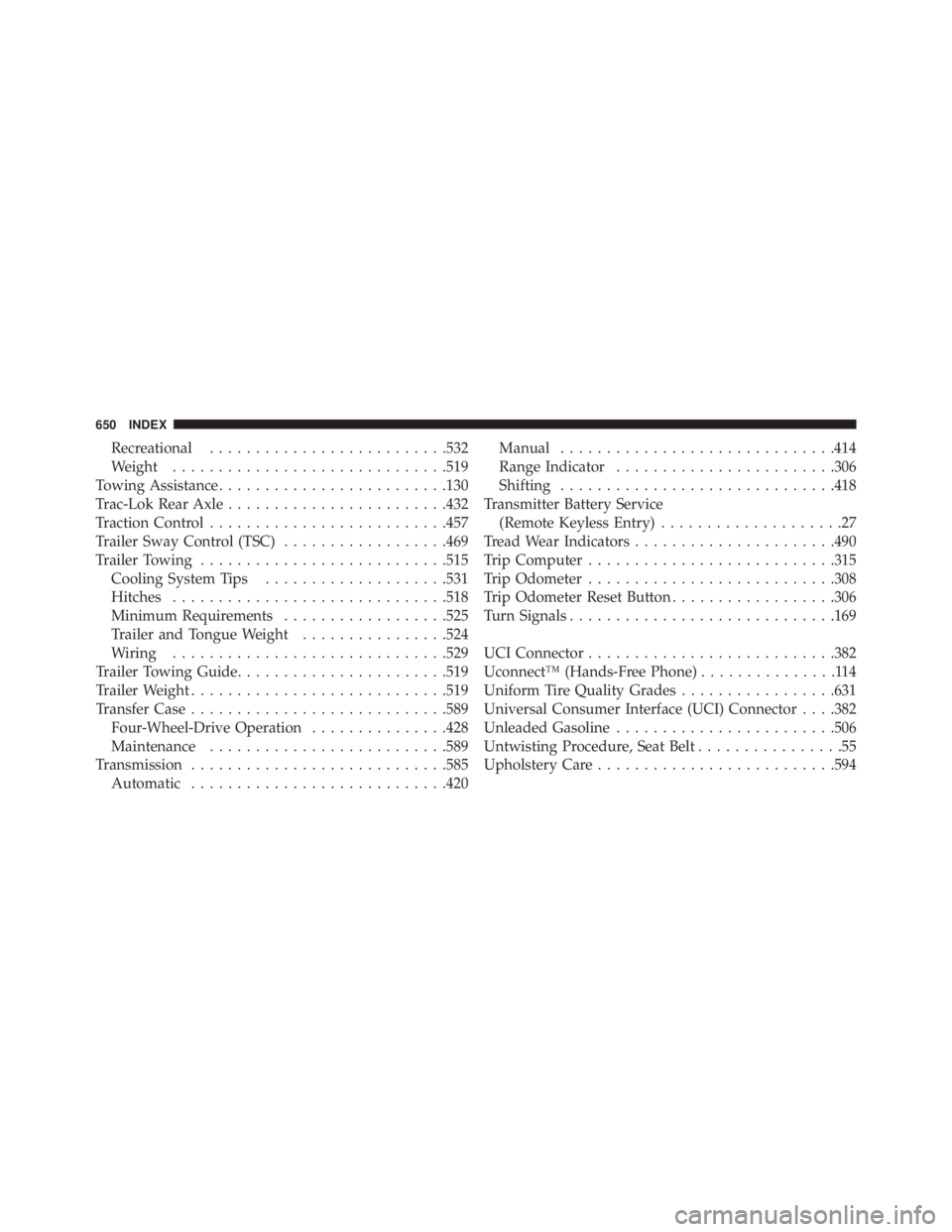
Recreational ......................... .532
Weight ............................. .519
Towing Assistance ........................ .130
Trac-Lok Rear Axle ....................... .432
Traction Control ......................... .457
Trailer Sway Control (TSC) ................. .469
Trailer Towing .......................... .515
Cooling System Tips ................... .531
Hitches ............................. .518
Minimum Requirements ................. .525
Trailer and Tongue Weight ............... .524
Wiring ............................. .529
Trailer Towing Guide ...................... .519
Trailer Weight ........................... .519
Transfer Case ........................... .589
Four-Wheel-Drive Operation .............. .428
Maintenance ......................... .589
Transmission ........................... .585
Automatic ........................... .420 Manual ............................. .414
Range Indicator ....................... .306
Shifting ............................. .418
Transmitter Battery Service
(Remote Keyless Entry) ....................27
Tread Wear Indicators ..................... .490
Trip Computer .......................... .315
Trip Odometer .......................... .308
Trip Odometer Reset Button ................. .306
Turn Signals ............................ .169
UCI Connector .......................... .382
Uconnect™ (Hands-Free Phone) ...............114
Uniform Tire Quality Grades ................ .631
Universal Consumer Interface (UCI) Connector . . . .382
Unleaded Gasoline ....................... .506
Untwisting Procedure, Seat Belt ................55
Upholstery Care ......................... .594650 INDEX