warning JEEP WRANGLER UNLIMITED 2014 User Guide
[x] Cancel search | Manufacturer: JEEP, Model Year: 2014, Model line: WRANGLER UNLIMITED, Model: JEEP WRANGLER UNLIMITED 2014Pages: 140, PDF Size: 12.72 MB
Page 16 of 140
WARNING!• Relying on the air bags alone could lead to more severe injuries in a collision.
The air bags work with your seat belt to restrain you properly. In some
collisions, the air bags won't deploy at all. Always wear your seat belts even
though you have air bags.
• Being too close to the steering wheel or instrument panel during Advanced
Front Air Bag deployment could cause serious injury, including death. Air bags
need room to inflate. Sit back, comfortably extending your arms to reach the
steering wheel or instrument panel.
• Supplemental Seat-Mounted Side Air Bags need room to inflate. Do not lean
against the door or window. Sit upright in the center of the seat.
• Being too close to the Seat-Mounted Side Air Bag during deployment could
cause you to be severely injured or killed.
• Do not drive your vehicle after the air bags have deployed. If you are involved
in another collision, the air bags will not be in place to protect you.
• After any collision, the vehicle should be taken to an authorized dealer
immediately.
CHILD RESTRAINTS • Children 12 years or younger should ride properly buckled up in a rear seat, if
available. According to crash statistics, children are safer when properly restrained
in the rear seats rather than in the front.
• Every state in the United States and all Canadian provinces require that small
children ride in proper restraint systems. This is the law, and you can be prosecuted
for ignoring it.
NOTE:
• For additional information, refer to www.seatcheck.org or call 1–866–SEAT-CHECK
(1–866–732–8243).
• Canadian residents, should refer to Transport Canada’s website for additional informa-
tion: http://www.tc.gc.ca/eng/roadsafety/safedrivers-childsafety-index-53.htm
GETTING STARTED
14
Page 18 of 140
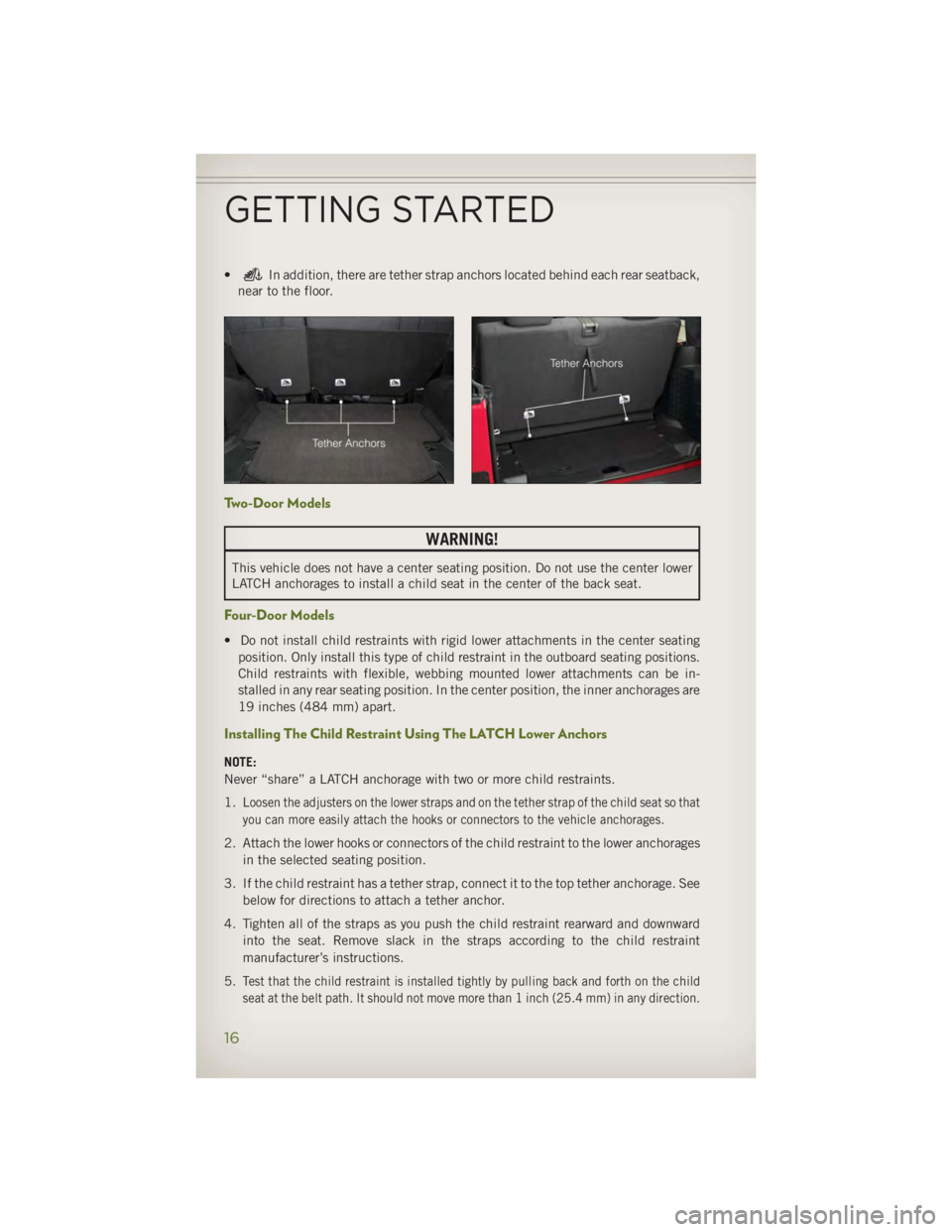
• In addition, there are tether strap anchors located behind each rear seatback,
near to the floor.
Two-Door Models
WARNING!This vehicle does not have a center seating position. Do not use the center lower
LATCH anchorages to install a child seat in the center of the back seat.
Four-Door Models • Do not install child restraints with rigid lower attachments in the center seating
position. Only install this type of child restraint in the outboard seating positions.
Child restraints with flexible, webbing mounted lower attachments can be in-
stalled in any rear seating position. In the center position, the inner anchorages are
19 inches (484 mm) apart.
Installing The Child Restraint Using The LATCH Lower Anchors
NOTE:
Never “share” a LATCH anchorage with two or more child restraints.
1. Loosen the adjusters on the lower straps and on the tether strap of the child seat so that
you can more easily attach the hooks or connectors to the vehicle anchorages.
2. Attach the lower hooks or connectors of the child restraint to the lower anchorages
in the selected seating position.
3. If the child restraint has a tether strap, connect it to the top tether anchorage. See
below for directions to attach a tether anchor.
4. Tighten all of the straps as you push the child restraint rearward and downward
into the seat. Remove slack in the straps according to the child restraint
manufacturer’s instructions.
5. Test that the child restraint is installed tightly by pulling back and forth on the child
seat at the belt path. It should not move more than 1 inch (25.4 mm) in any direction.GETTING STARTED
16
Page 20 of 140
Installing The Top Tether Strap (With Either Lower Anchors Or Vehicle Seat Belt):• When installing a forward-facing child restraint, the top tether strap should always
to be secured, up to the tether anchor weight limit, whether the child restraint is
installed with the lower anchors or the vehicle seat belt.
1. Route the tether strap to provide the most direct path for the strap between the
anchor and the child seat.
2. If your vehicle is equipped with adjustable rear head restraints, raise the head
restraint, and where possible, route the tether strap under the head restraint and
between the two posts. If not possible, lower the head restraint and pass the
tether strap around the outboard side of the head restraint.
3. Attach the tether strap hook of the child restraint to the top tether anchorage and
remove slack in the tether strap according to the child restraint manufacturer’s
instructions.
WARNING!• In a collision, an unrestrained child, even a tiny baby, can become a projectile
inside the vehicle. The force required to hold even an infant on your lap could
become so great that you could not hold the child, no matter how strong you
are. The child and others could be severely injured or killed. Any child riding in
your vehicle should be in a proper restraint for the child's size.
• Rearward-facing child seats must never be used in the front seat of a vehicle
with a front passenger air bag. An air bag deployment could cause severe injury
or death to infants in this position.
• Only use a rearward-facing child restraint in a vehicle with a rear seat.
• Improper installation of a child restraint to the LATCH anchorages can lead to
failure of an infant or child restraint. The child could be severely injured or
killed. Follow the manufacturer’s directions exactly when installing an infant or
child restraint.
• An incorrectly anchored tether strap could lead to increased head motion and
possible injury to the child. Use only the anchor positions directly behind the
child seat to secure a child restraint top tether strap.
• If your vehicle is equipped with a split rear seat, make sure the tether strap
does not slip into the opening between the seatbacks as you remove slack in
the strap.
GETTING STARTED
18
Page 22 of 140
NOTE:
• If equipped with a combination lever, the seatback will return to its first locked
position. The recliner handle will have to be actuated to adjust the seatback to the
desired reclined position.
• The front passenger seats have a track memory which returns the seat to just past
the halfway point of the track, regardless of its original position.
• The recliner and easy entry levers should not be used during the automatic
returning of the seat to its fully upright position.
WARNING!• Adjusting a seat while the vehicle is moving is dangerous. The sudden movement
of the seat could cause you to lose control. The seat belt might not be properly
adjusted, and you could be severely injured or killed. Only adjust a seat while the
vehicle is parked.
• Do not ride with the seatback reclined so that the seat belt is no longer resting
against your chest. In a collision, you could slide under the seat belt and be
severely injured or killed. Use the recliner only when the vehicle is parked.
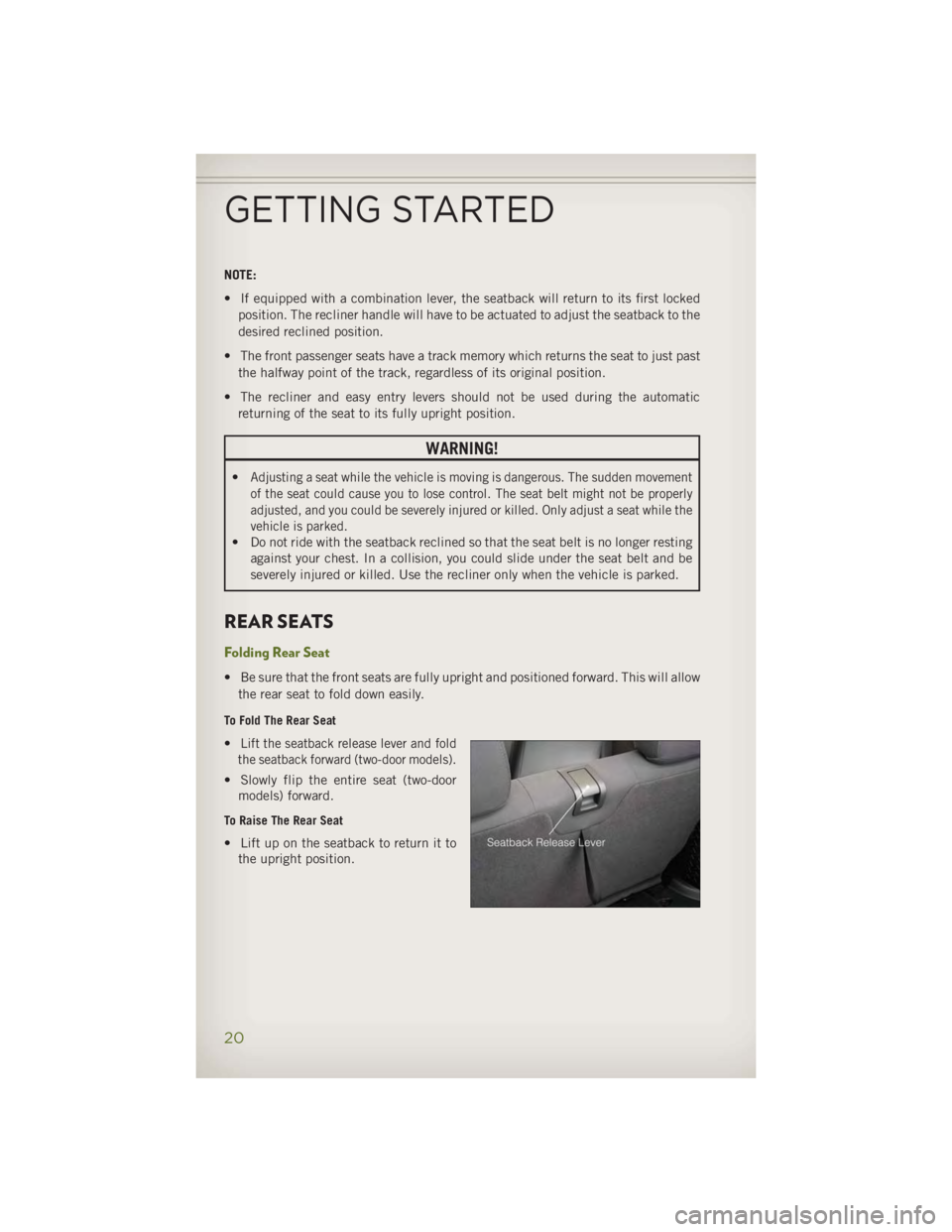
REAR SEATS Folding Rear Seat • Be sure that the front seats are fully upright and positioned forward. This will allow
the rear seat to fold down easily. To Fold The Rear Seat
• Lift the seatback release lever and fold
the seatback forward (two-door models).
• Slowly flip the entire seat (two-door
models) forward. To Raise The Rear Seat
• Lift up on the seatback to return it to
the upright position.
GETTING STARTED
20
Page 23 of 140
WARNING!• It is extremely dangerous to ride in a cargo area, inside or outside of a vehicle.
In a collision, people riding in these areas are more likely to be severely injured
or killed. Do not allow people to ride in any area of your vehicle that is not
equipped with seats and seat belts. Be sure everyone in your vehicle is in a seat
and using a seat belt properly.
• Be certain that the seatback is securely locked into position. If the seatback is
not securely locked into position, the seat will not provide the proper stability
for child seats and/or passengers. An improperly latched seat could cause you
or others to be severely injured or killed.
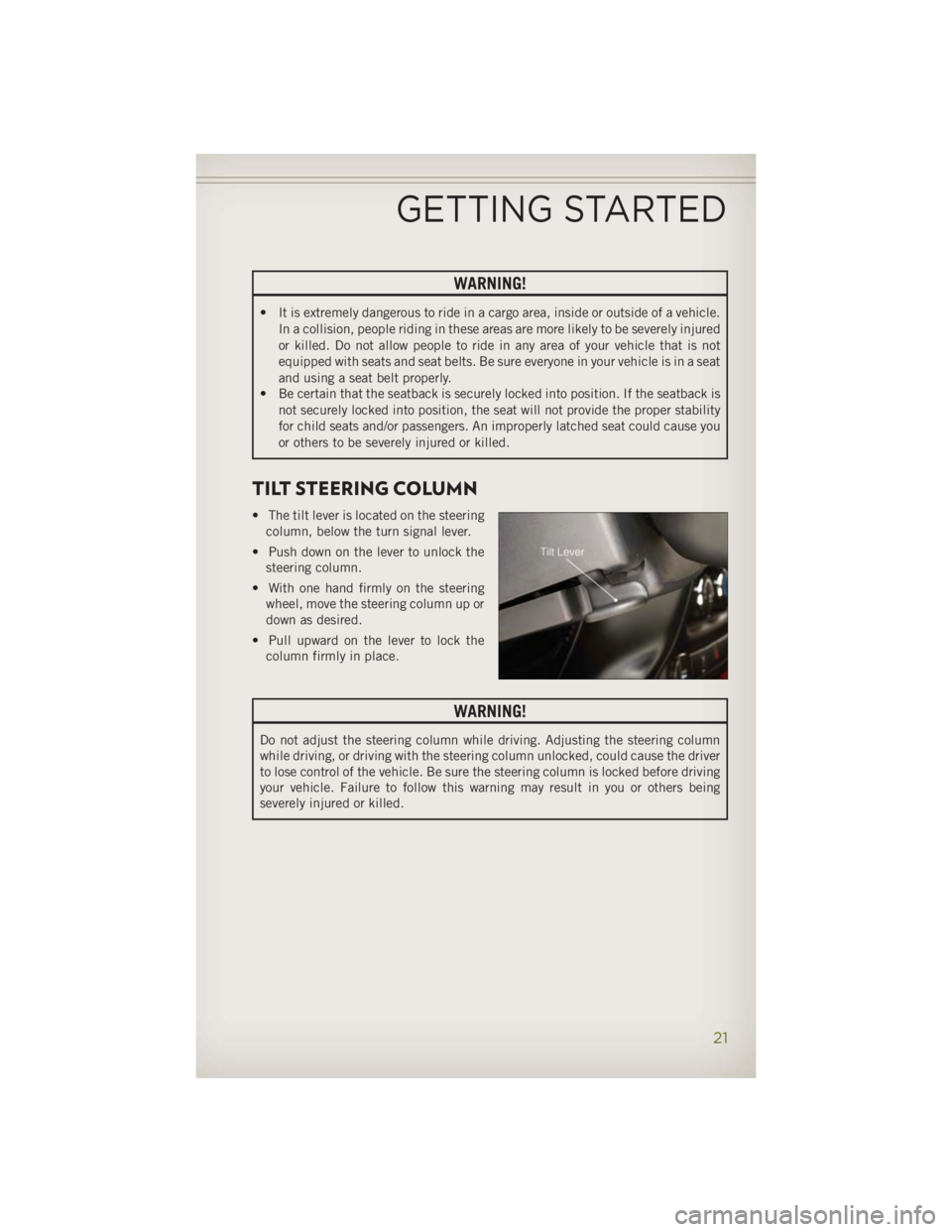
TILT STEERING COLUMN • The tilt lever is located on the steering
column, below the turn signal lever.
• Push down on the lever to unlock the
steering column.
• With one hand firmly on the steering
wheel, move the steering column up or
down as desired.
• Pull upward on the lever to lock the
column firmly in place.
WARNING!Do not adjust the steering column while driving. Adjusting the steering column
while driving, or driving with the steering column unlocked, could cause the driver
to lose control of the vehicle. Be sure the steering column is locked before driving
your vehicle. Failure to follow this warning may result in you or others being
severely injured or killed.
GETTING STARTED
21
Page 24 of 140
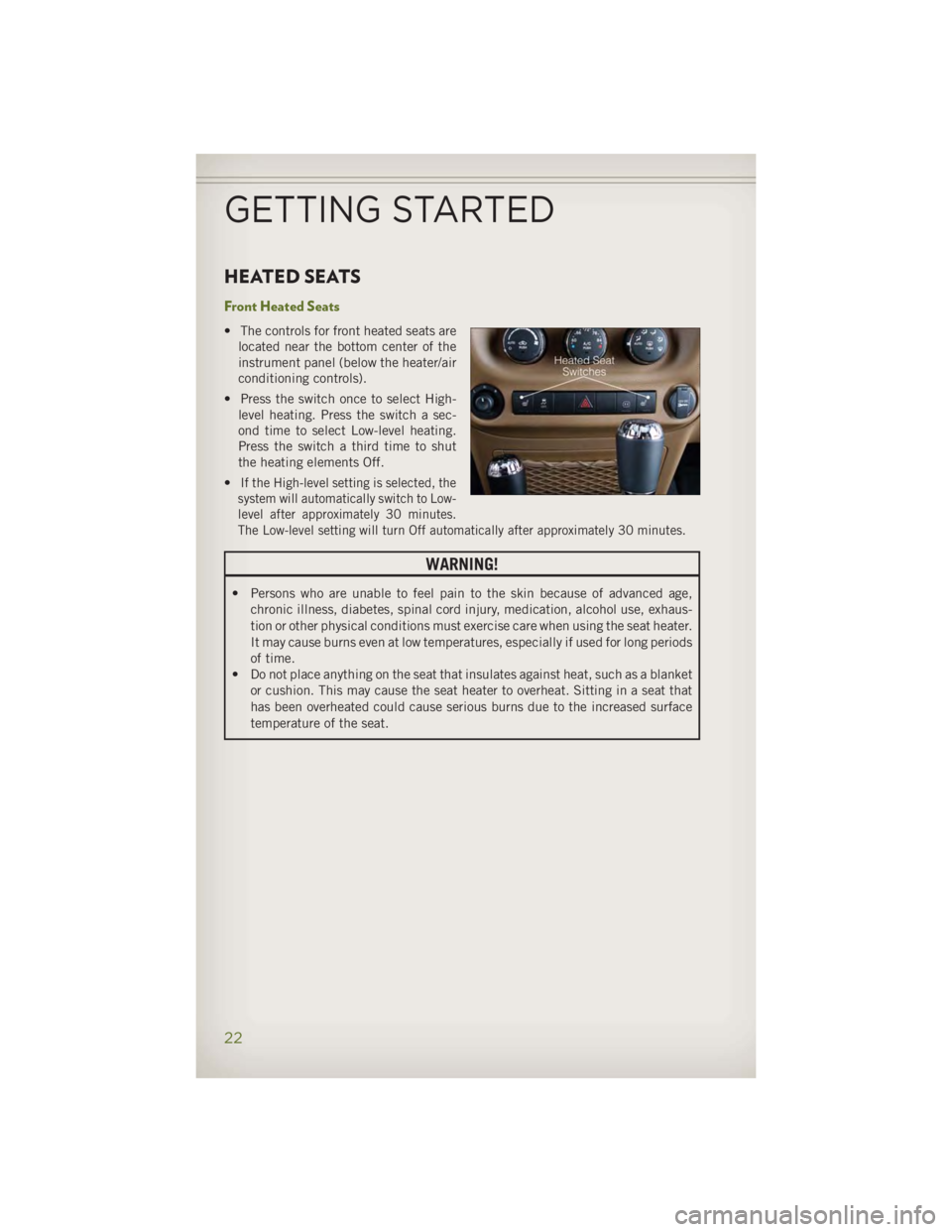
HEATED SEATS Front Heated Seats • The controls for front heated seats are
located near the bottom center of the
instrument panel (below the heater/air
conditioning controls).
• Press the switch once to select High-
level heating. Press the switch a sec-
ond time to select Low-level heating.
Press the switch a third time to shut
the heating elements Off.
• If the High-level setting is selected, the
system will automatically switch to Low-
level after approximately 30 minutes.
The Low-level setting will turn Off automatically after approximately 30 minutes.
WARNING!• Persons who are unable to feel pain to the skin because of advanced age,
chronic illness, diabetes, spinal cord injury, medication, alcohol use, exhaus-
tion or other physical conditions must exercise care when using the seat heater.
It may cause burns even at low temperatures, especially if used for long periods
of time.
• Do not place anything on the seat that insulates against heat, such as a blanket
or cushion. This may cause the seat heater to overheat. Sitting in a seat that
has been overheated could cause serious burns due to the increased surface
temperature of the seat.
GETTING STARTED
22
Page 39 of 140
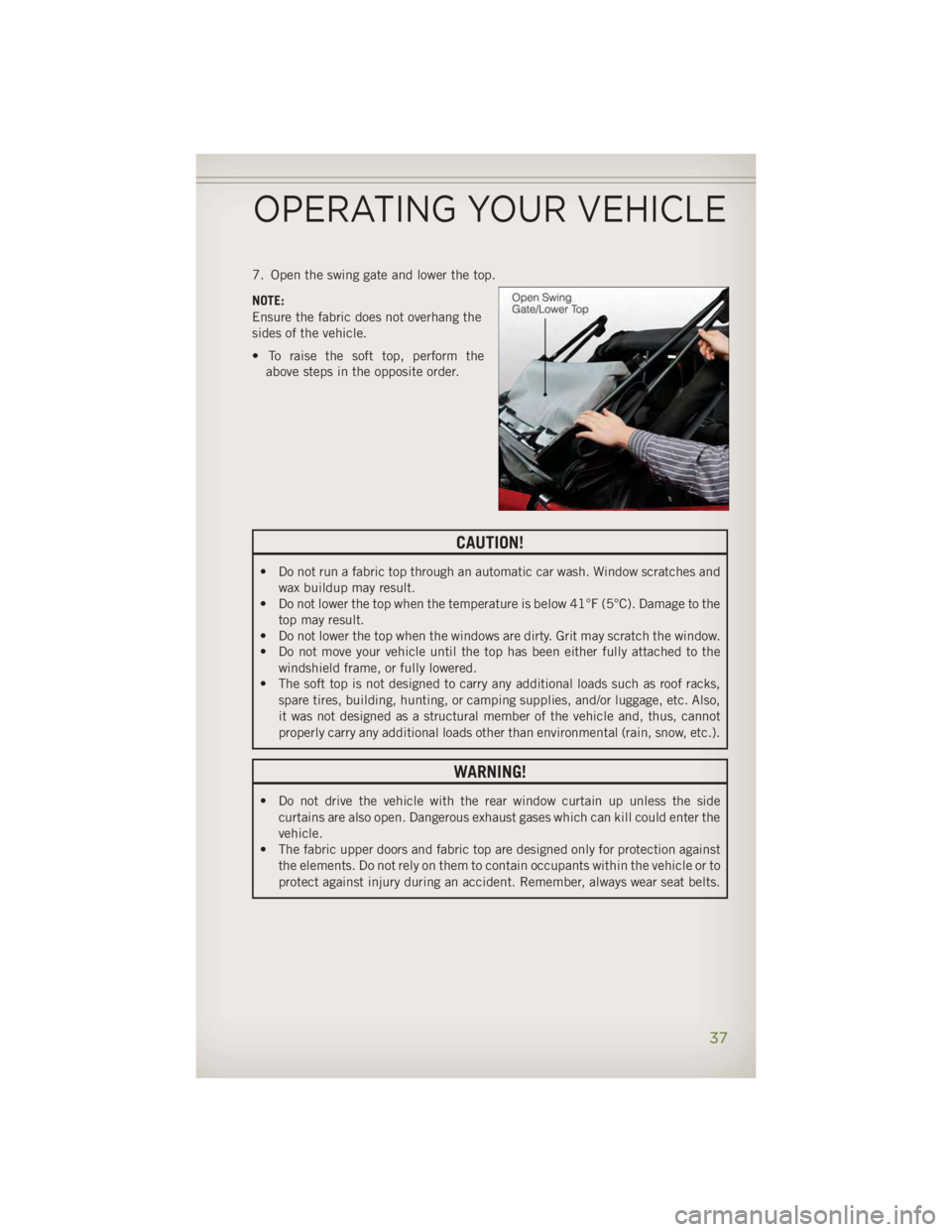
7. Open the swing gate and lower the top.
NOTE:
Ensure the fabric does not overhang the
sides of the vehicle.
• To raise the soft top, perform the
above steps in the opposite order.
CAUTION!• Do not run a fabric top through an automatic car wash. Window scratches and
wax buildup may result.
• Do not lower the top when the temperature is below 41°F (5°C). Damage to the
top may result.
• Do not lower the top when the windows are dirty. Grit may scratch the window.
• Do not move your vehicle until the top has been either fully attached to the
windshield frame, or fully lowered.
• The soft top is not designed to carry any additional loads such as roof racks,
spare tires, building, hunting, or camping supplies, and/or luggage, etc. Also,
it was not designed as a structural member of the vehicle and, thus, cannot
properly carry any additional loads other than environmental (rain, snow, etc.).
WARNING!• Do not drive the vehicle with the rear window curtain up unless the side
curtains are also open. Dangerous exhaust gases which can kill could enter the
vehicle.
• The fabric upper doors and fabric top are designed only for protection against
the elements. Do not rely on them to contain occupants within the vehicle or to
protect against injury during an accident. Remember, always wear seat belts.OPERATING YOUR VEHICLE
37
Page 80 of 140
NOTE:
The USB port supports certain Mini, Classic, Nano, Touch, and iPhone ®
devices. The
USB port also supports playing music from compatible external USB Mass Storage
Class memory devices. For supported audio file formats, refer to the USB Port section
in the Owner's Manual on the DVD. Refer to www.UconnectPhone.com website for a
list of tested iPod ®
s. Some iPod ®
software versions may not fully support the USB
port features. Please visit Apple’s website for iPod ®
software updates.
WARNING!Do not plug in or remove the iPod ®
or external device while driving. Failure to
follow this warning could result in a collision.
Uconnect® Phone • To determine if your vehicle is equipped with Uconnect ®
Phone, press the
“Uconnect ®
Phone” button located on the radio faceplate. If your vehicle has
this feature, you will hear a voice prompt. If not, you will see a message on the
radio “Uconnect ®
Phone not available.”
• The Uconnect ®
Phone is a voice-activated, hands-free, in-vehicle communica-
tions system with Voice Command Capability (see Voice Command section).
NOTE:
To access the tutorial, press the “Uconnect ®
Phone” button . After the BEEP,
say “tutorial.” Press any hard-key/button or touch the display (Touch-Screen radio) to
cancel the “tutorial.”
• The Uconnect ®
Phone allows you to dial a phone number with your mobile phone
using simple voice commands.
• Refer to your vehicle Owner's Manual on the DVD for further details.
NOTE:
The Uconnect ®
Phone requires a mobile phone equipped with the Bluetooth ®
Hands-Free Profile, Version 1.0 or higher. For Uconnect ®
Customer Support: U.S.
residents - visit www.UconnectPhone.com or call 1–877–855–8400. Canadian
residents - visit www.UconnectPhone.com or call, 1-800-465–2001 (English) or
1-800-387-9983 (French). This site will provide specific instructions based on the
type of mobile phone being paired.
ELECTRONICS
78
Page 83 of 140
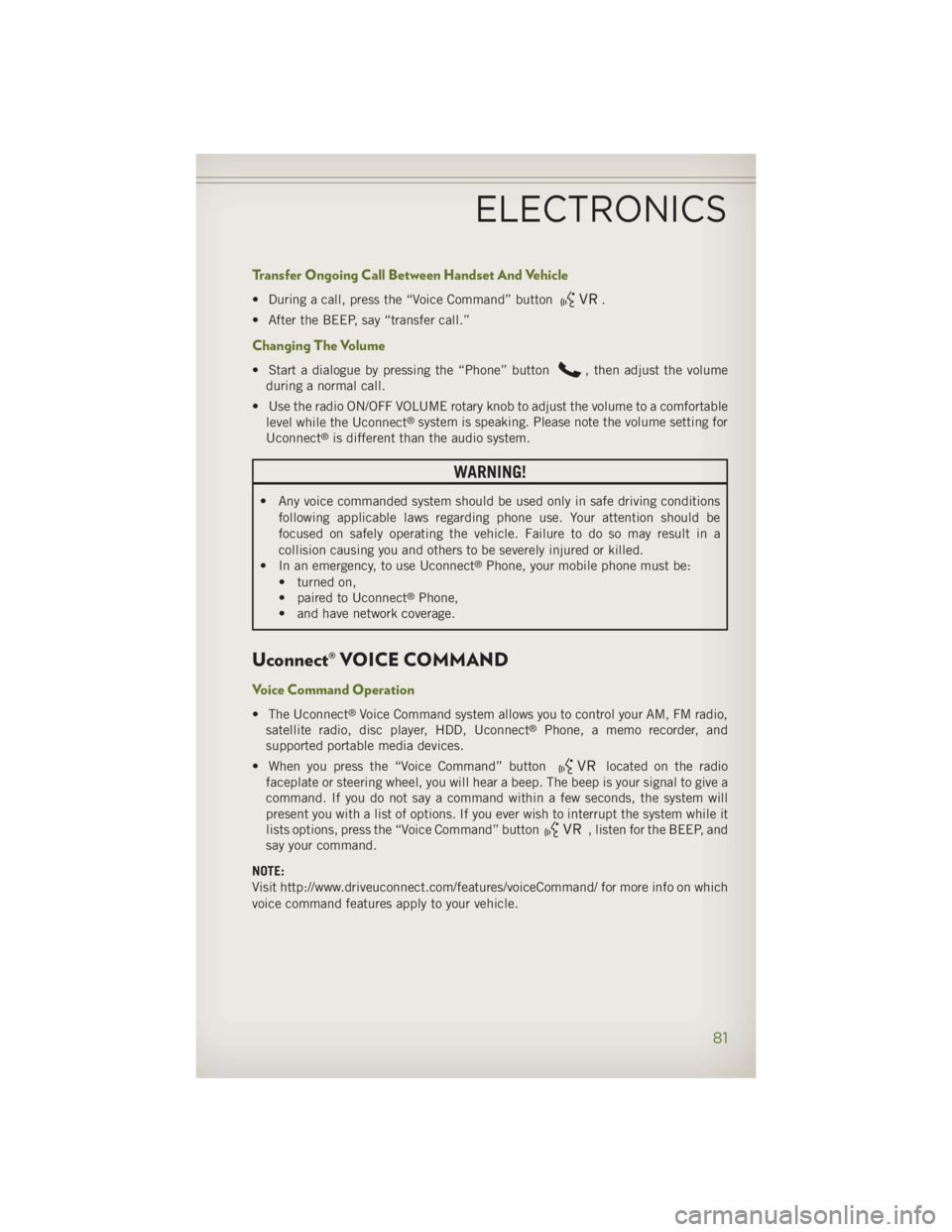
Transfer Ongoing Call Between Handset And Vehicle • During a call, press the “Voice Command” button .
• After the BEEP, say “transfer call.”
Changing The Volume • Start a dialogue by pressing the “Phone” button , then adjust the volume
during a normal call.
• Use the radio ON/OFF VOLUME rotary knob to adjust the volume to a comfortable
level while the Uconnect ®
system is speaking. Please note the volume setting for
Uconnect ®
is different than the audio system.
WARNING!• Any voice commanded system should be used only in safe driving conditions
following applicable laws regarding phone use. Your attention should be
focused on safely operating the vehicle. Failure to do so may result in a
collision causing you and others to be severely injured or killed.
• In an emergency, to use Uconnect ®
Phone, your mobile phone must be:
• turned on,
• paired to Uconnect ®
Phone,
• and have network coverage.
Uconnect® VOICE COMMAND Voice Command Operation • The Uconnect ®
Voice Command system allows you to control your AM, FM radio,
satellite radio, disc player, HDD, Uconnect ®
Phone, a memo recorder, and
supported portable media devices.
• When you press the “Voice Command” button located on the radio
faceplate or steering wheel, you will hear a beep. The beep is your signal to give a
command. If you do not say a command within a few seconds, the system will
present you with a list of options. If you ever wish to interrupt the system while it
lists options, press the “Voice Command” button , listen for the BEEP, and
say your command.
NOTE:
Visit http://www.driveuconnect.com/features/voiceCommand/ for more info on which
voice command features apply to your vehicle.ELECTRONICS
81
Page 85 of 140
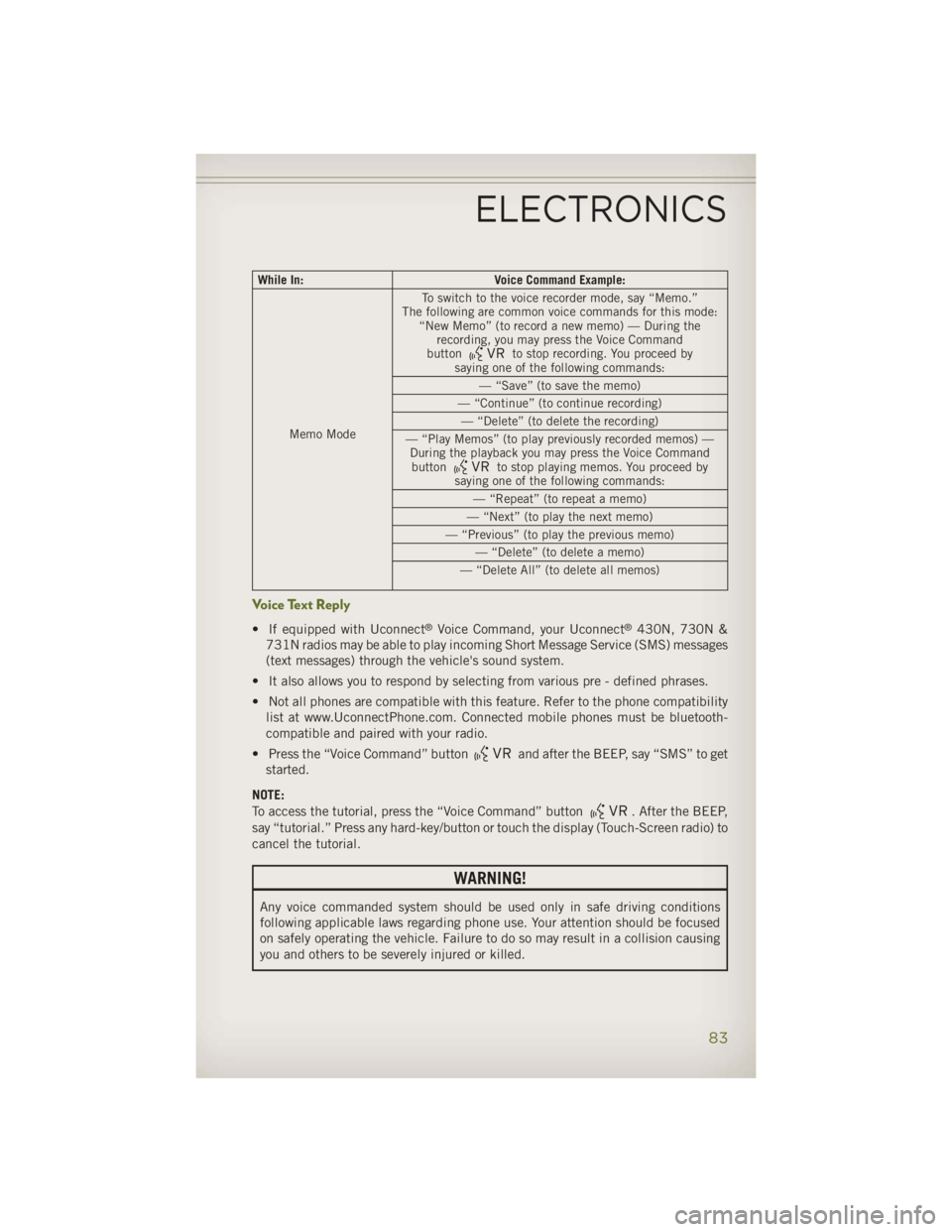
While In: Voice Command Example:
Memo Mode To switch to the voice recorder mode, say “Memo.”
The following are common voice commands for this mode:
“New Memo” (to record a new memo) — During the
recording, you may press the Voice Command
button
to stop recording. You proceed by
saying one of the following commands:
— “Save” (to save the memo)
— “Continue” (to continue recording)
— “Delete” (to delete the recording)
— “Play Memos” (to play previously recorded memos) —
During the playback you may press the Voice Command
button
to stop playing memos. You proceed by
saying one of the following commands:
— “Repeat” (to repeat a memo)
— “Next” (to play the next memo)
— “Previous” (to play the previous memo)
— “Delete” (to delete a memo)
— “Delete All” (to delete all memos)
Voice Text Reply • If equipped with Uconnect ®
Voice Command, your Uconnect ®
430N, 730N &
731N radios may be able to play incoming Short Message Service (SMS) messages
(text messages) through the vehicle's sound system.
• It also allows you to respond by selecting from various pre - defined phrases.
• Not all phones are compatible with this feature. Refer to the phone compatibility
list at www.UconnectPhone.com. Connected mobile phones must be bluetooth-
compatible and paired with your radio.
• Press the “Voice Command” button and after the BEEP, say “SMS” to get
started.
NOTE:
To access the tutorial, press the “Voice Command” button
. After the BEEP,
say “tutorial.” Press any hard-key/button or touch the display (Touch-Screen radio) to
cancel the tutorial.
WARNING!Any voice commanded system should be used only in safe driving conditions
following applicable laws regarding phone use. Your attention should be focused
on safely operating the vehicle. Failure to do so may result in a collision causing
you and others to be severely injured or killed.ELECTRONICS
83