wheel KIA AMANTI 2006 Owner's Manual
[x] Cancel search | Manufacturer: KIA, Model Year: 2006, Model line: AMANTI, Model: KIA AMANTI 2006Pages: 322, PDF Size: 44.16 MB
Page 144 of 322
Driving your vehicle22
4
1
2
3
4
5
6
7
8
910
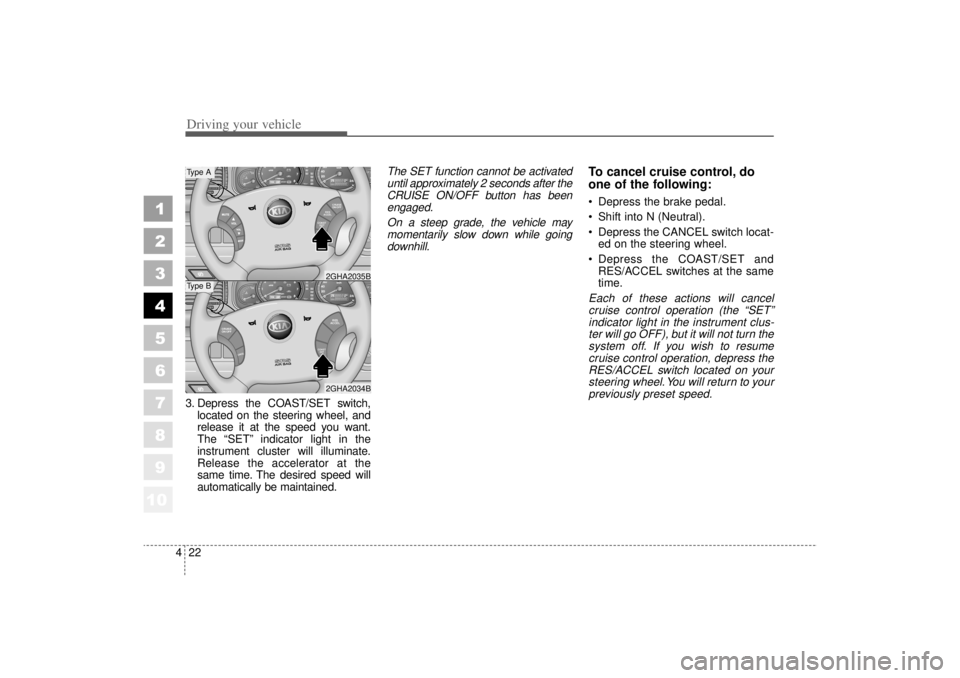
3. Depress the COAST/SET switch,
located on the steering wheel, and
release it at the speed you want.
The “SET” indicator light in the
instrument cluster will illuminate.
Release the accelerator at the
same time. The desired speed will
automatically be maintained.
The SET function cannot be activateduntil approximately 2 seconds after theCRUISE ON/OFF button has beenengaged.
On a steep grade, the vehicle maymomentarily slow down while goingdownhill.
To cancel cruise control, do
one of the following: Depress the brake pedal.
Shift into N (Neutral).
Depress the CANCEL switch locat- ed on the steering wheel.
Depress the COAST/SET and RES/ACCEL switches at the same
time.Each of these actions will cancelcruise control operation (the “SET”indicator light in the instrument clus-ter will go OFF), but it will not turn thesystem off. If you wish to resumecruise control operation, depress theRES/ACCEL switch located on yoursteering wheel. You will return to yourpreviously preset speed.
RES
ACCELCOAST
SET
CRUISE
ON/OFF
CANCEL
CRUISE
ON/OFF
CANCEL
COAST
SET
RES
ACCEL2GHA2034B2GHA2035B
Type AType B
Page 145 of 322
423
1
2
3
4
5
6
7
8
910
Driving your vehicle
To turn cruise control off, do
one of the following: Push the CRUISE ON/OFF buttonon the steering wheel (the CRUISE
indicator light in the instrument
cluster will go OFF).
Turn the ignition off.Both of these actions cancel cruise control operation. If you want toresume cruise control operation,repeat the steps provided in “To SetCruise Control Speed” on the previ-ous page.
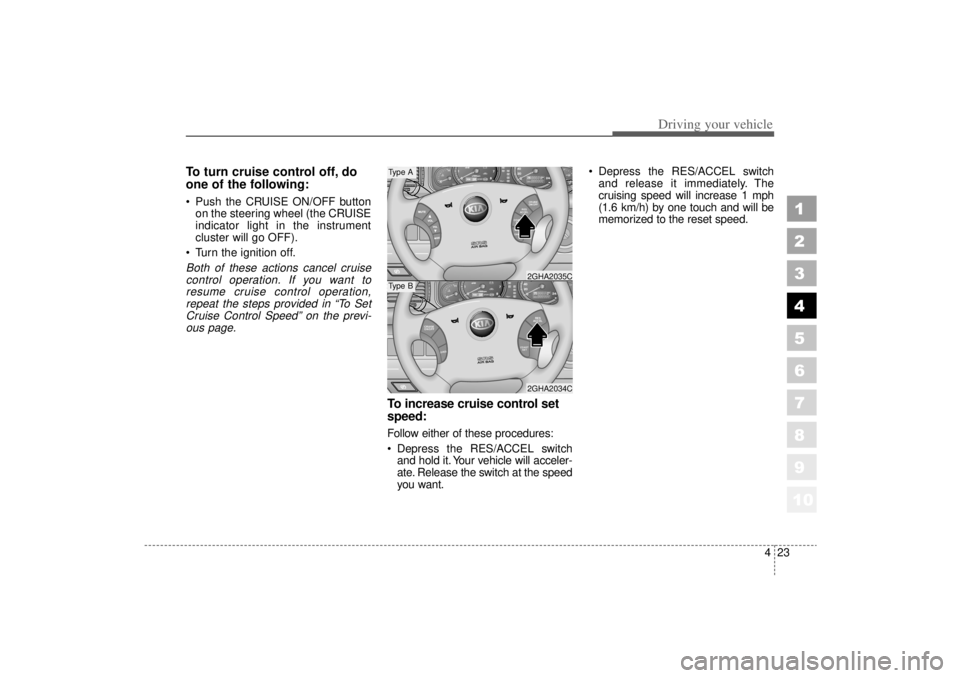
To increase cruise control set
speed:Follow either of these procedures:
Depress the RES/ACCEL switch and hold it. Your vehicle will acceler-
ate. Release the switch at the speed
you want. Depress the RES/ACCEL switch
and release it immediately. The
cruising speed will increase 1 mph
(1.6 km/h) by one touch and will be
memorized to the reset speed.
RES
ACCELCOAST
SET
CRUISE
ON/OFF
CANCEL
CRUISE
ON/OFF
CANCE L
COAST
SET
RES
ACCEL2GHA2034C2GHA2035C
Type AType B
Page 148 of 322
Driving your vehicle26
4
1
2
3
4
5
6
7
8
910
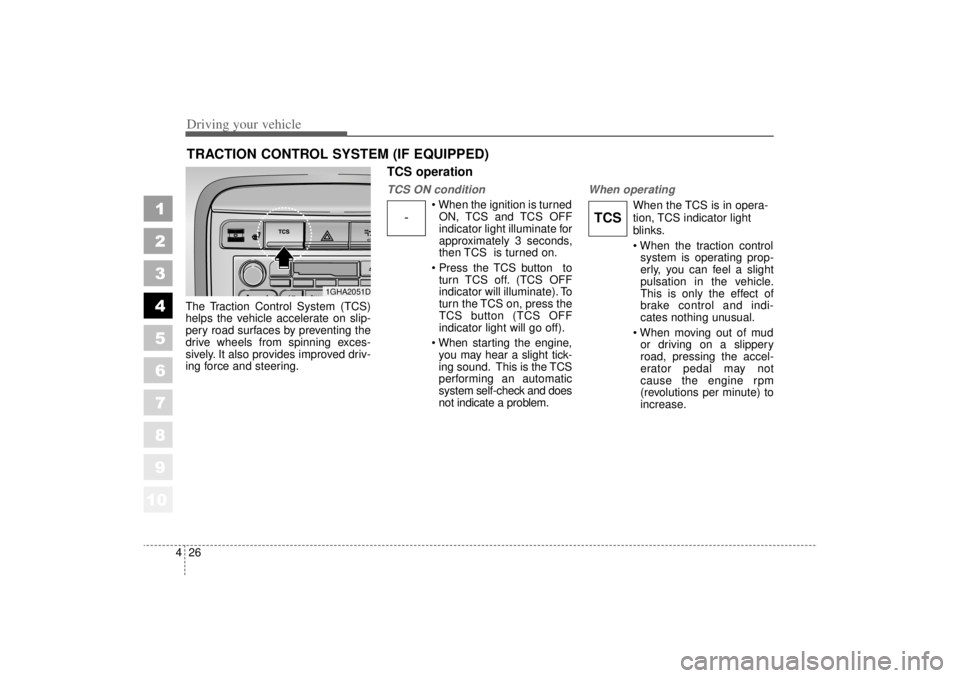
The Traction Control System (TCS)
helps the vehicle accelerate on slip-
pery road surfaces by preventing the
drive wheels from spinning exces-
sively. It also provides improved driv-
ing force and steering.
TCS operationTCS ON condition
When the ignition is turned
ON, TCS and TCS OFF
indicator light illuminate for
approximately 3 seconds,
then TCS is turned on.
Press the TCS button to turn TCS off. (TCS OFF
indicator will illuminate). To
turn the TCS on, press the
TCS button (TCS OFF
indicator light will go off).
When starting the engine, you may hear a slight tick-
ing sound. This is the TCS
performing an automatic
system self-check and does
not indicate a problem.
When operating
When the TCS is in opera-
tion, TCS indicator light
blinks.
When the traction control system is operating prop-
erly, you can feel a slight
pulsation in the vehicle.
This is only the effect of
brake control and indi-
cates nothing unusual.
When moving out of mud or driving on a slippery
road, pressing the accel-
erator pedal may not
cause the engine rpm
(revolutions per minute) to
increase.
TRACTION CONTROL SYSTEM (IF EQUIPPED)
1GHA2051D
-
TCS
Page 184 of 322
Driving your vehicle62
4
1
2
3
4
5
6
7
8
910
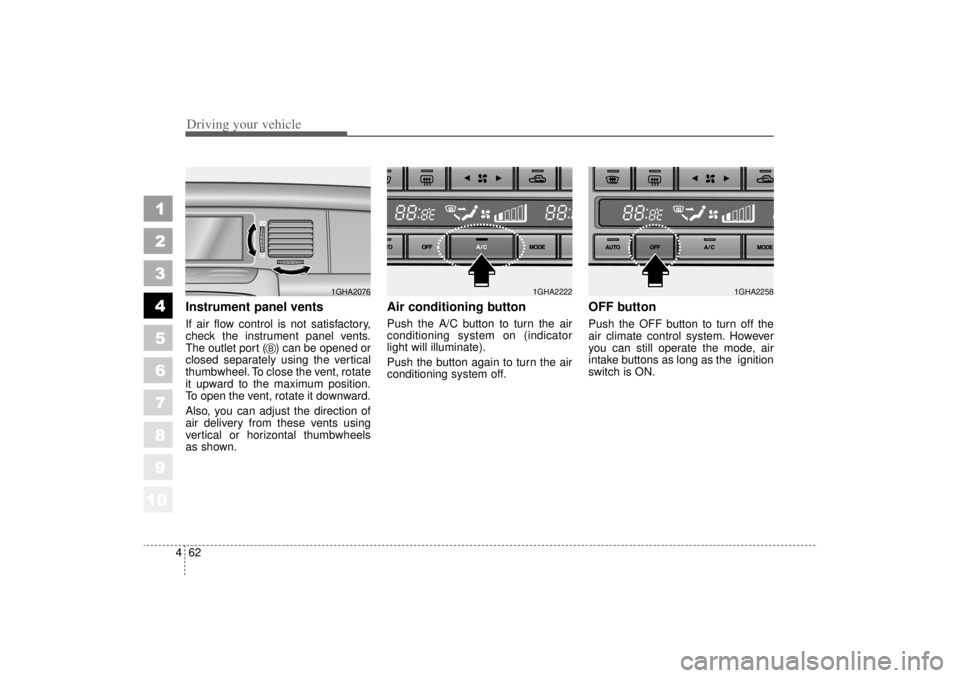
Instrument panel ventsIf air flow control is not satisfactory,
check the instrument panel vents.
The outlet port ( ) can be opened or
closed separately using the vertical
thumbwheel. To close the vent, rotate
it upward to the maximum position.
To open the vent, rotate it downward.
Also, you can adjust the direction of
air delivery from these vents using
vertical or horizontal thumbwheels
as shown.
Air conditioning button Push the A/C button to turn the air
conditioning system on (indicator
light will illuminate).
Push the button again to turn the air
conditioning system off.
OFF buttonPush the OFF button to turn off the
air climate control system. However
you can still operate the mode, air
intake buttons as long as the ignition
switch is ON.
1GHA2076
B
1GHA2222
1GHA2258
Page 198 of 322
Driving tips65SUGGESTIONS FOR ECONOMICAL OPERATIONYour vehicle's fuel economy depends
mainly on your style of driving, where
you drive and when you drive.
Each of these factors affects how
many kilometers (miles) you can get
from a liter (gallon) of fuel. To operate
your vehicle as economically as pos-
sible, use the following driving sug-
gestions to help save money in both
fuel and repairs:
Avoid lengthy warm-up idling.Once the engine is running
smoothly, begin driving.
Remember, engine warm-up may
take a little longer on cold days.
Save fuel by accelerating slowly after stopping.
Keep the engine in tune and follow the recommended periodic mainte-
nance schedule. This will increase
the life of all parts and lower your
operating costs. Do not use the air conditioner
unnecessarily.
Slow down when driving on rough roads.
For longer tire life and better fuel economy, always keep the tires
inflated to the recommended pres-
sures.
Maintain a safe distance from other vehicles to avoid sudden stops.
This will reduce wear on brake lin-
ings and pads. Driving in such a
way will also save fuel because
extra fuel is required to accelerate
back to driving speed.
Do not carry unnecessary weight in the vehicle.
Do not rest your foot on the brake pedal while driving. This can cause
needless wear, possible damage
to the brakes, and poor fuel econo-
my.
Improper wheel alignment results in faster tire wear and lower fuel
economy. Open windows at high speeds can
reduce fuel economy.
Fuel economy is less in crosswinds and headwinds. To help offset
some of this loss, slow down when
driving in these conditions.
Keeping a vehicle in good operating
condition is important both for econ-
omy and safety. Therefore, have an
authorized Kia dealer perform
scheduled inspections and mainte-
nance.
1
2
3
4
5
6
7
8
910
WARNING
- Engine off
during motion
Never turn the engine off to
coast down hills or anytime the
vehicle is in motion. The power
steering and power brakes will
not function without the engine
running. Instead, downshift to
an appropriate gear for engine
braking effect.
Page 199 of 322
57
Driving tips
SPECIAL DRIVING CONDITIONS Hazardous driving conditions When hazardous driving conditions
are encountered such as water,
snow, ice, mud, sand, or similar haz-
ards, follow these suggestions:
Drive cautiously and allow extradistance for braking.
Avoid sudden movements in brak- ing or steering.
When braking, pump the brake pedal with a light up-and-down
motion until the vehicle is stopped.✽ ✽ NOTICEDo not pump the brake pedal on a
vehicle equipped with ABS.
If stalled in snow, mud, or sand,
use second gear. Accelerate slow-
ly to avoid spinning the drive
wheels.
Use sand, rock salt, tire chains, or other non-slip material under the
drive wheels to provide traction
when stalled in ice, snow, or mud.
Rocking the vehicle If it is necessary to rock the vehicle
to free it from snow, sand, or mud,
first turn the steering wheel right and
left to clear the area around your
front wheels. Then, shift back and
forth between R (Reverse) and any
forward gear in vehicles equipped
with an automatic transaxle. Do not
race the engine, and spin the wheels
as little as possible. If you are still
stuck after a few tries, have the vehi-
cle pulled out by a tow vehicle to
avoid engine overheating and possi-
ble damage to the transaxle.
1
2
3
4
5
6
7
8
910
WARNING
- Downshifting
Downshifting with an automatic
transaxle, while driving on slip-
pery surfaces can cause an
accident. The sudden change in
tire speed could cause the tires
to skid. Be careful when down-
shifting on slippery surfaces.
Page 200 of 322
Driving tips85✽
✽NOTICEProlonged rocking may cause engine
over-heating, transaxle damage or
failure, and tire damage.
Driving at night Because night driving presents more
hazards than driving in the daylight,
here are some important tips to
remember:
Slow down and keep more dis-
tance between you and other vehi-
cles, as it may be more difficult to
see at night, especially in areas
where there may not be any street
lights.
Adjust your mirrors to reduce the glare from other driver's head-
lights.
Keep your headlights clean and properly aimed on vehicles not
equipped with the automatic head-
light aiming feature. Dirty or
improperly aimed headlights will
make it much more difficult to see
at night.
Avoid staring directly at the head- lights of oncoming vehicles. You
could be temporarily blinded, and it
will take several seconds for your
eyes to readjust to the darkness.
Driving in the rain Rain and wet roads can make driving
dangerous, especially if you’re not
prepared for the slick pavement.
Here are a few things to consider
when driving in the rain:
A heavy rainfall will make it harderto see and will increase the dis-
tance needed to stop your vehicle,
so slow down.
Keep your windshield wiping equipment in good shape. Replace
your windshield wiper blades when
they show signs of streaking or
missing areas on the windshield.
If your tires are not in good condi- tion, making a quick stop on wet
pavement can cause a skid and
possibly lead to an accident. Be
sure your tires are in good shape.
Turn on your headlights to make it easier for others to see you.
1
2
3
4
5
6
7
8
910
WARNING
- Spinning tires
Do not spin the wheels, espe-
cially at speeds more than 35
mph (56 km/h). Spinning the
wheels at high speeds when the
vehicle is stationary could
cause a tire to overheat, explode
and injure bystanders.
Page 201 of 322

59
Driving tips
Driving too fast through large pud-dles can affect your brakes. If you
must go through puddles, try to
drive through them slowly.
If you believe you may have gotten your brakes wet, apply them lightly
while driving until normal braking
operation returns.
Winter driving We recommend that you carryemergency equipment, including
tire chains, a window scraper,
windshield de-icer, a bag of sand
or salt, flares, a small shovel and
jumper cables.
Make sure you have sufficient eth- ylene-glycol coolant in the radiator.
Check the battery condition and cables. Cold temperatures reduce
the capacity of any battery, so it
must be in excellent condition to
provide enough winter starting
power.
Make sure the engine oil viscosity is suitable for cold weather.
Check the ignition system for loose connections and damage. Use antifreeze-formulated wind-
shield washer fluid. (Do not use
engine coolant antifreeze.)
Do not use the parking brake if it might freeze. When parking, shift
to P (Park) with an automatic
transaxle and block the rear
wheels.
1
2
3
4
5
6
7
8
910
Page 202 of 322
Driving tips10
5Snow tires If you mount snow tires on your Kia,
make sure they are radial tires of the
same size and load range as the
original tires. Mount snow tires on all
four wheels to balance your vehicle’s
handling in all weather conditions.
Keep in mind that the traction provid-
ed by snow tires on dry roads may
not be as high as your vehicle's orig-
inal equipment tires. You should drive
cautiously even when the roads are
clear. Check with the tire dealer for
maximum speed recommendations.
Do not install studded tires without
first checking local, state and munic-ipal regulations for possible restric-tions against their use. Tire chains
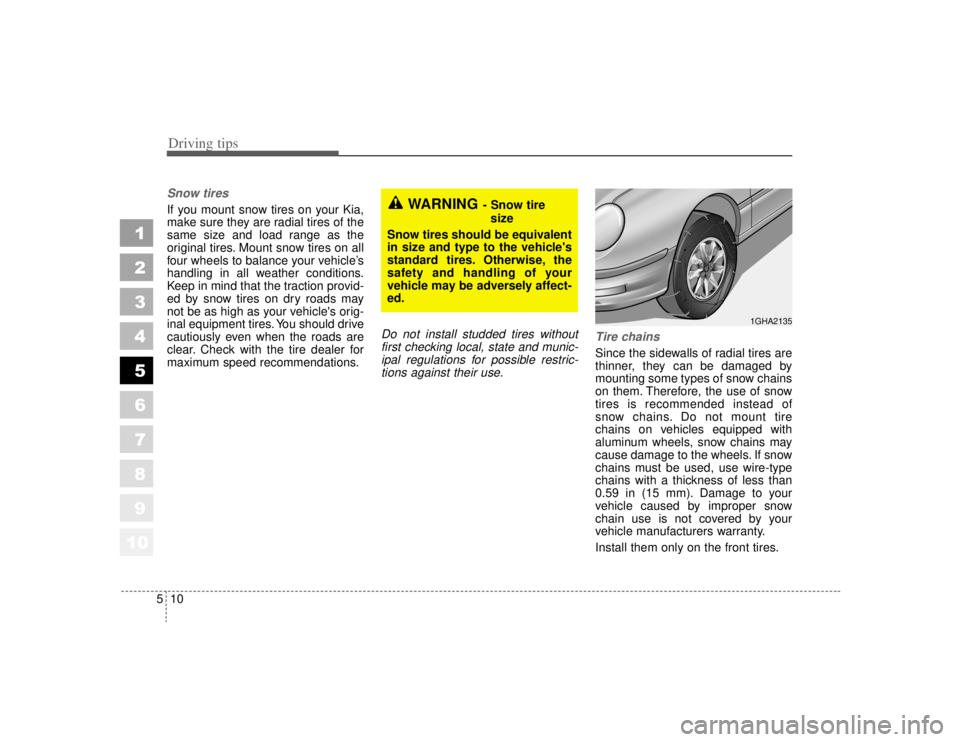
Since the sidewalls of radial tires are
thinner, they can be damaged by
mounting some types of snow chains
on them. Therefore, the use of snow
tires is recommended instead of
snow chains. Do not mount tire
chains on vehicles equipped with
aluminum wheels, snow chains may
cause damage to the wheels. If snow
chains must be used, use wire-type
chains with a thickness of less than
0.59 in (15 mm). Damage to your
vehicle caused by improper snow
chain use is not covered by your
vehicle manufacturers warranty.
Install them only on the front tires.
1
2
3
4
5
6
7
8
910
WARNING
- Snow tire
size
Snow tires should be equivalent
in size and type to the vehicle's
standard tires. Otherwise, the
safety and handling of your
vehicle may be adversely affect-
ed.
1GHA2135
Page 203 of 322
511
Driving tips
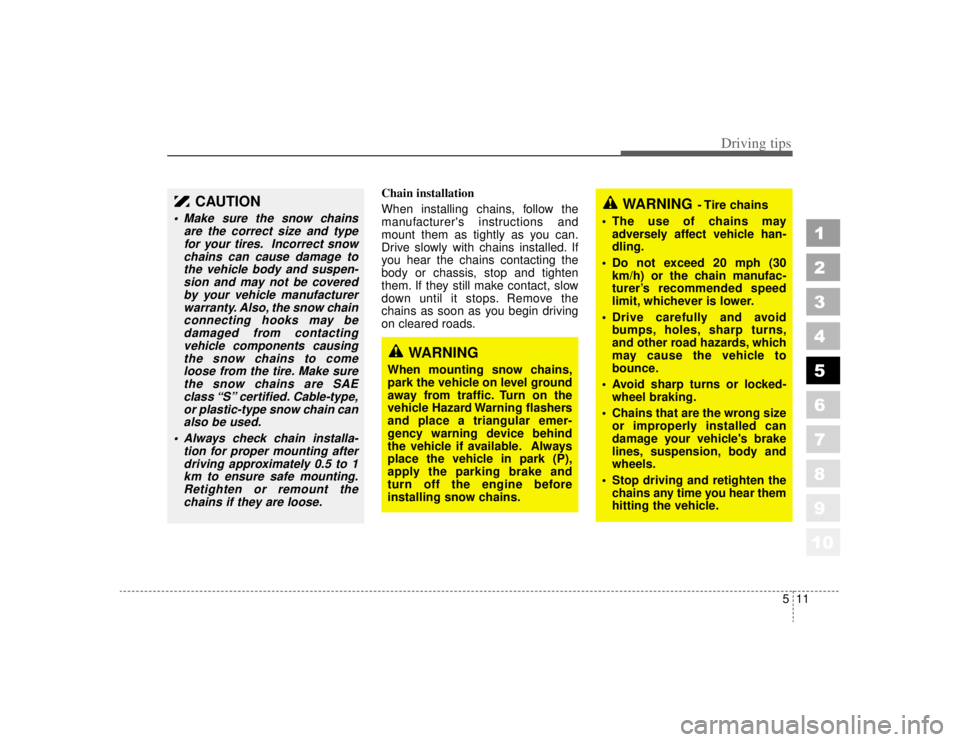
Chain installation
When installing chains, follow the
manufacturer's instructions and
mount them as tightly as you can.
Drive slowly with chains installed. If
you hear the chains contacting the
body or chassis, stop and tighten
them. If they still make contact, slow
down until it stops. Remove the
chains as soon as you begin driving
on cleared roads.
1
2
3
4
5
6
7
8
910
CAUTION
Make sure the snow chainsare the correct size and typefor your tires. Incorrect snowchains can cause damage tothe vehicle body and suspen-sion and may not be coveredby your vehicle manufacturerwarranty. Also, the snow chainconnecting hooks may bedamaged from contactingvehicle components causingthe snow chains to comeloose from the tire. Make surethe snow chains are SAEclass “S” certified. Cable-type,or plastic-type snow chain canalso be used.
Always check chain installa- tion for proper mounting afterdriving approximately 0.5 to 1km to ensure safe mounting.Retighten or remount thechains if they are loose.
WARNING
When mounting snow chains,
park the vehicle on level ground
away from traffic. Turn on the
vehicle Hazard Warning flashers
and place a triangular emer-
gency warning device behind
the vehicle if available. Always
place the vehicle in park (P),
apply the parking brake and
turn off the engine before
installing snow chains.
WARNING
- Tire chains
The use of chains may adversely affect vehicle han-
dling.
Do not exceed 20 mph (30 km/h) or the chain manufac-
turer’s recommended speed
limit, whichever is lower.
Drive carefully and avoid bumps, holes, sharp turns,
and other road hazards, which
may cause the vehicle to
bounce.
Avoid sharp turns or locked- wheel braking.
Chains that are the wrong size or improperly installed can
damage your vehicle's brake
lines, suspension, body and
wheels.
Stop driving and retighten the chains any time you hear them
hitting the vehicle.