brake KIA AMANTI 2009 Owner's Manual
[x] Cancel search | Manufacturer: KIA, Model Year: 2009, Model line: AMANTI, Model: KIA AMANTI 2009Pages: 321, PDF Size: 23.77 MB
Page 149 of 321
413
Driving your vehicle
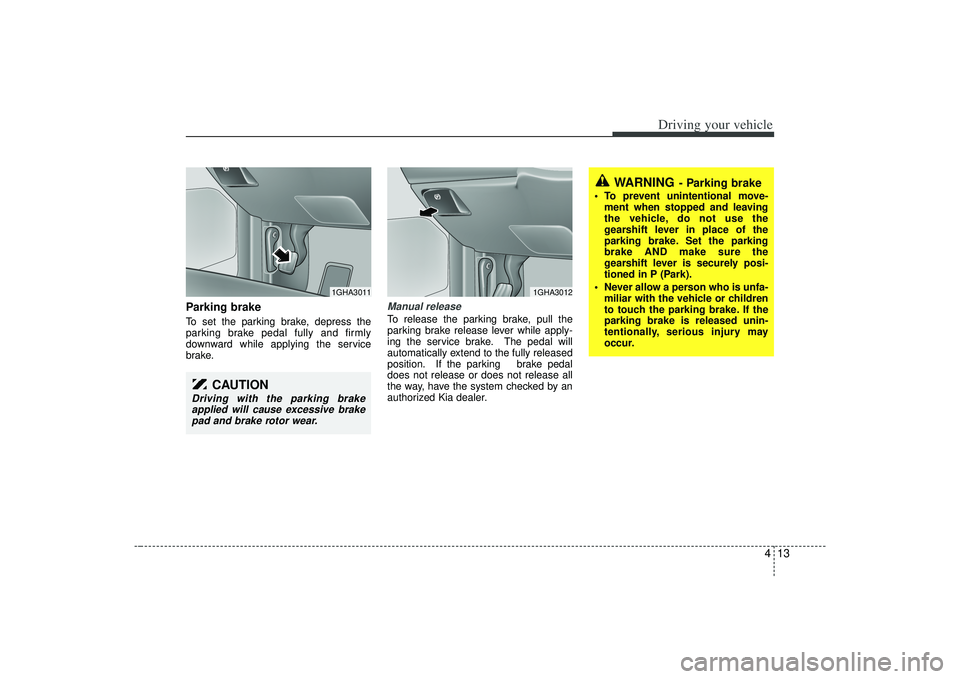
Parking brake To set the parking brake, depress the
parking brake pedal fully and firmly
downward while applying the service
brake.
Manual releaseTo release the parking brake, pull the
parking brake release lever while apply-
ing the service brake. The pedal will
automatically extend to the fully released
position. If the parking brake pedal
does not release or does not release all
the way, have the system checked by an
authorized Kia dealer.
CAUTION
Driving with the parking brakeapplied will cause excessive brakepad and brake rotor wear.
1GHA3011
1GHA3012
WARNING
- Parking brake
To prevent unintentional move- ment when stopped and leaving
the vehicle, do not use the
gearshift lever in place of the
parking brake. Set the parking
brake AND make sure the
gearshift lever is securely posi-
tioned in P (Park).
Never allow a person who is unfa- miliar with the vehicle or children
to touch the parking brake. If the
parking brake is released unin-
tentionally, serious injury may
occur.
Page 150 of 321
Driving your vehicle14
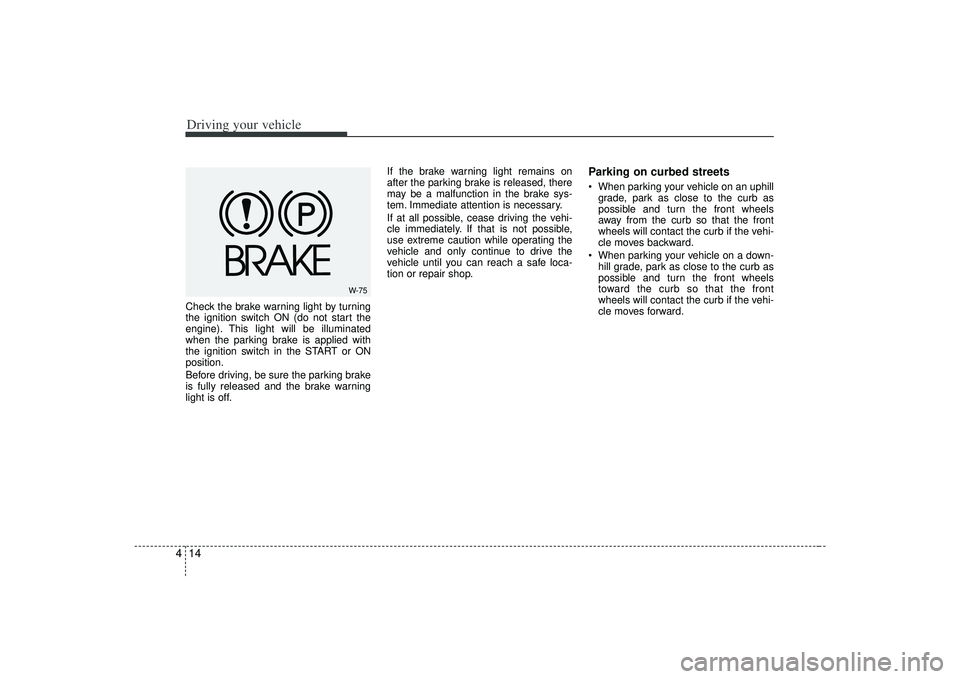
4Check the brake warning light by turning
the ignition switch ON (do not start the
engine). This light will be illuminated
when the parking brake is applied with
the ignition switch in the START or ON
position.
Before driving, be sure the parking brake
is fully released and the brake warning
light is off. If the brake warning light remains on
after the parking brake is released, there
may be a malfunction in the brake sys-
tem. Immediate attention is necessary.
If at all possible, cease driving the vehi-
cle immediately. If that is not possible,
use extreme caution while operating the
vehicle and only continue to drive the
vehicle until you can reach a safe loca-
tion or repair shop.
Parking on curbed streets When parking your vehicle on an uphill
grade, park as close to the curb as
possible and turn the front wheels
away from the curb so that the front
wheels will contact the curb if the vehi-
cle moves backward.
When parking your vehicle on a down- hill grade, park as close to the curb as
possible and turn the front wheels
toward the curb so that the front
wheels will contact the curb if the vehi-
cle moves forward.
W-75
Page 151 of 321
415
Driving your vehicle
Anti-lock brake system (ABS)
The ABS system continuously senses
the speed of the wheels. If the wheels are
going to lock, the ABS system repeated-
ly modulates the hydraulic brake pres-
sure to the wheels.
When you apply your brakes under con-
ditions which may lock the wheels, you
may hear a “tik-tik’’ sound from the
brakes, or feel a corresponding sensation
in the brake pedal. This is normal and it
means your ABS system is active.
In order to obtain the maximum benefit
from your ABS system in an emergency
situation, do not attempt to modulate
your brake pressure and do not try to
pump your brakes. Press your brake
pedal as hard as possible or as hard as
the situation warrants and allow the ABS
system to control the force being deliv-
ered to the brakes. Even with the anti-lock brake system,
your vehicle still requires sufficient
stopping distance. Always maintain a
safe distance from the vehicle in front
of you.
Always slow down when cornering. The anti-lock brake system cannot pre-
vent accidents resulting from exces-
sive speeds.
On loose or uneven road surfaces, operation of the anti-lock brake system
may result in a longer stopping dis-
tance than for vehicles equipped with a
conventional brake system.
WARNING
- ABS Brakes
Your ABS is not a substitute for
good driving judgement. You can
still have an accident. In fact, your
ABS system will probably not be
able to prevent an accident in the
following driving conditions:
Dangerous driving, such asneglecting safety precautions,
speeding, or driving too close to
the vehicle in front of you.
Driving at high speed in situa- tions providing considerably less
traction, such as wet conditions
where hydroplaning could occur.
Driving too fast on poor road sur- faces. The ABS is designed to
improve maximum braking effec-
tiveness on typical highways and
roads in good condition. On poor
road surfaces in poor condition,
the ABS may actually reduce
braking effectiveness.
Page 152 of 321
Driving your vehicle16
4✽
✽
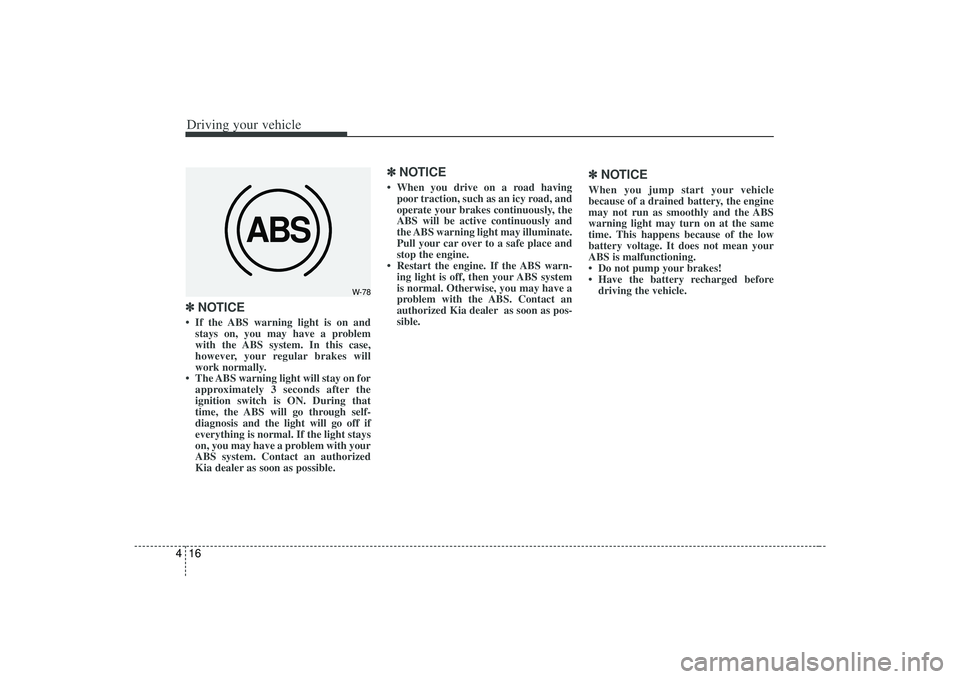
NOTICE• If the ABS warning light is on and
stays on, you may have a problem
with the ABS system. In this case,
however, your regular brakes will
work normally.
• The ABS warning light will stay on for approximately 3 seconds after the
ignition switch is ON. During that
time, the ABS will go through self-
diagnosis and the light will go off if
everything is normal. If the light stays
on, you may have a problem with your
ABS system. Contact an authorized
Kia dealer as soon as possible.
✽ ✽ NOTICE• When you drive on a road having
poor traction, such as an icy road, and
operate your brakes continuously, the
ABS will be active continuously and
the ABS warning light may illuminate.
Pull your car over to a safe place and
stop the engine.
• Restart the engine. If the ABS warn- ing light is off, then your ABS system
is normal. Otherwise, you may have a
problem with the ABS. Contact an
authorized Kia dealer as soon as pos-
sible.
✽ ✽ NOTICEWhen you jump start your vehicle
because of a drained battery, the engine
may not run as smoothly and the ABS
warning light may turn on at the same
time. This happens because of the low
battery voltage. It does not mean your
ABS is malfunctioning.
• Do not pump your brakes!
• Have the battery recharged before
driving the vehicle.
ABS
W-78
Page 156 of 321
Driving your vehicle20
4To cancel cruise control, do one
of the following: Depress the brake pedal.
Shift into N (Neutral).
Depress the CANCEL switch located
on the steering wheel.
Depress the COAST/SET and RES/ACCEL switches at the same
time.Each of these actions will cancel cruisecontrol operation (the “SET” indicator light in the instrument cluster will goOFF), but it will not turn the system off. Ifyou wish to resume cruise control opera-tion, depress the RES/ACCEL switch located on your steering wheel. You willreturn to your previously preset speed.
To turn cruise control off, do one
of the following: Push the CRUISE ON/OFF button on the steering wheel (the CRUISE indi-
cator light in the instrument cluster will
go OFF).
Turn the ignition off.Both of these actions cancel cruise con- trol operation. If you want to resumecruise control operation, repeat the stepsprovided in “To Set Cruise ControlSpeed” on the previous page.
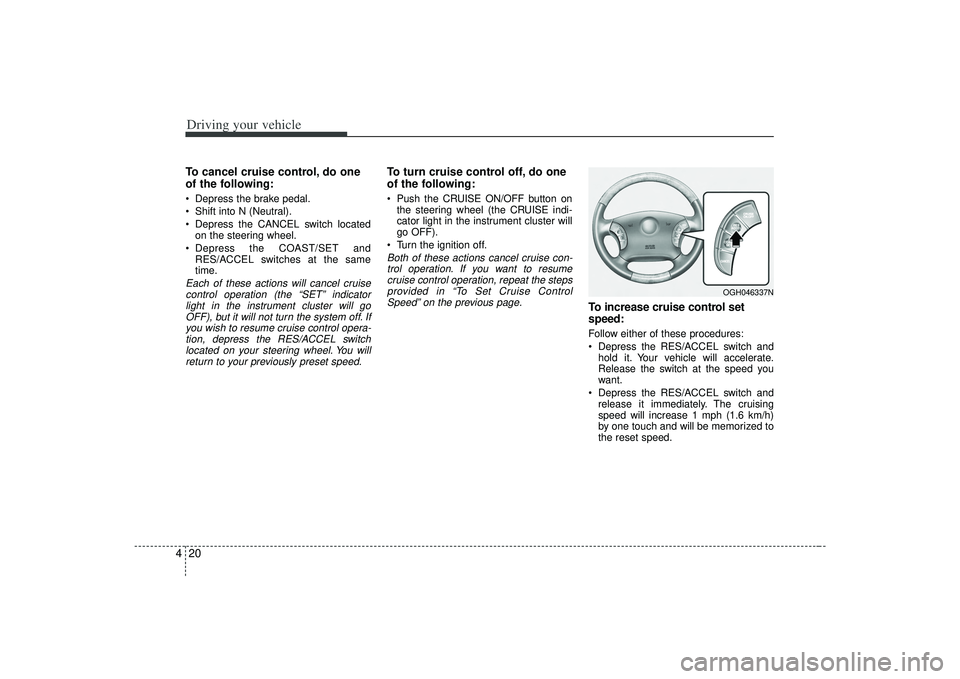
To increase cruise control set
speed:Follow either of these procedures:
Depress the RES/ACCEL switch and hold it. Your vehicle will accelerate.
Release the switch at the speed you
want.
Depress the RES/ACCEL switch and release it immediately. The cruising
speed will increase 1 mph (1.6 km/h)
by one touch and will be memorized to
the reset speed.
OGH046337N
Page 158 of 321
Driving your vehicle22
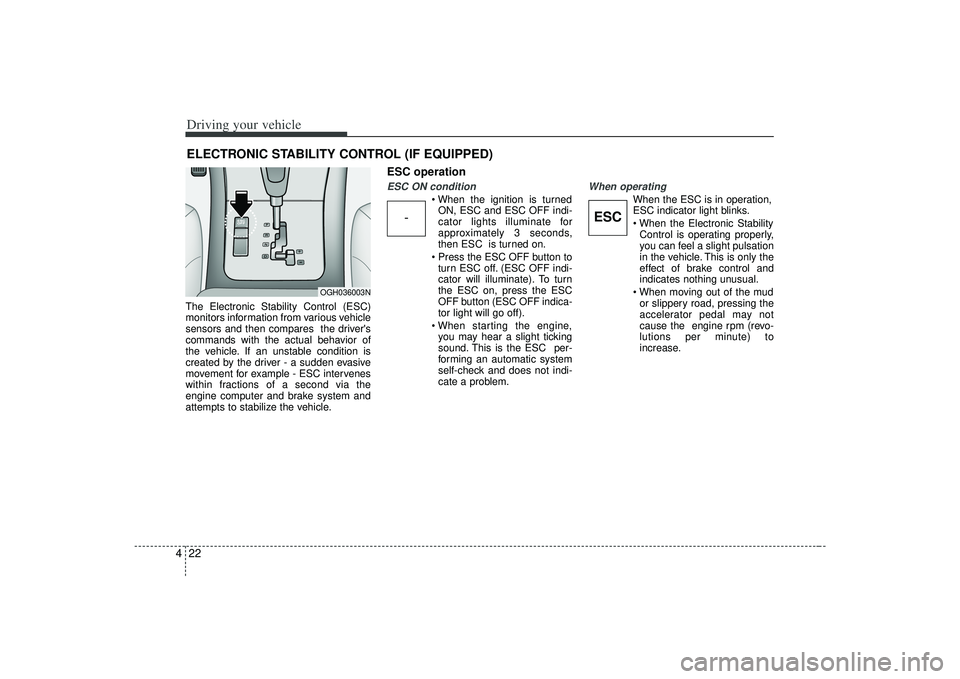
4The Electronic Stability Control (ESC)
monitors information from various vehicle
sensors and then compares the driver's
commands with the actual behavior of
the vehicle. If an unstable condition is
created by the driver - a sudden evasive
movement for example - ESC intervenes
within fractions of a second via the
engine computer and brake system and
attempts to stabilize the vehicle.
ESC operationESC ON condition
ON, ESC and ESC OFF indi-
cator lights illuminate for
approximately 3 seconds,
then ESC is turned on.
turn ESC off. (ESC OFF indi-
cator will illuminate). To turn
the ESC on, press the ESC
OFF button (ESC OFF indica-
tor light will go off).
you may hear a slight ticking
sound. This is the ESC per-
forming an automatic system
self-check and does not indi-
cate a problem.
When operating
When the ESC is in operation,
ESC indicator light blinks.
Control is operating properly,
you can feel a slight pulsation
in the vehicle. This is only the
effect of brake control and
indicates nothing unusual.
or slippery road, pressing the
accelerator pedal may not
cause the engine rpm (revo-
lutions per minute) to
increase.
ELECTRONIC STABILITY CONTROL (IF EQUIPPED)
-
ESC
OGH036003N
Page 160 of 321
Driving your vehicle24
4ESC OFF usageWhen driving It’s a good idea to keep the ESC turned
on for daily driving whenever possible.
To turn ESC off while driving, press the ESC OFF button while driving on a flat
road surface.
Never press ESC OFF button while ESC
is operating (ESC indicator light blinks).
If ESC is turned off while ESC is operat-
ing, the vehicle may slip out of control.
✽ ✽ NOTICE• When measuring the vehicle speed
with a Chassis dynamo-meter, make
sure the ESC is turned off (ESC OFF
light illuminated). If the ESC is left
on, it may prevent the vehicle speed
from increasing, and cause a false
diagnosis of a faulty speedometer.
• Turning the ESC off does not affect ABS or brake system operation.
WARNING
Never press the ESC OFF button
while ESC is operating.
If the ESC is turned off while ESC is
operating, the vehicle may slip out
of control.
To turn ESC off while driving, press
the ESC OFF button while driving
on a flat road surface.
Page 167 of 321
431
Driving your vehicle
Warning lights / audible indica-
tors Checking operation All warning lights are checked by turning
the ignition switch ON (do not start the
engine). Any light that does not illuminate
should be checked by an Authorized Kia
Dealer.
After starting the engine, check to make
sure that all warning lights are off. If any
are still on, this indicates a situation that
needs attention. When releasing the
parking brake, the brake system warning
light should go off. The fuel warning light
will stay on if the fuel level is low.
Anti-lock brake system
(ABS) warning light
(if equipped) This light illuminates if the key is turned
to ON and goes off approximately 3 sec-
onds if the system is operating normally.
If the light stays on, you may have a
problem with your ABS system. Contact
an authorized Kia dealer as soon as pos-
sible.Electronic brake force
distribution (EBD) sys-
tem warning light
(if equipped)If two warning lights illumi-
nate at the same time while
driving, your vehicle has a
problem with ABS and EBD
system.In this case, your ABS system and regu-
lar brake system may not work normally.
Have the vehicle checked by an
Authorized Kia Dealer as soon as possi-
ble.
WARNINGS AND INDICATORS
ABSABS
WARNING
If both ABS and Brake warning
lights are ON and stay ON, your
vehicle’s brake system will not work
normally. In such a case, you may
experience an unexpected and dan-
gerous situation when braking
abruptly. When both ABS and brake
lights are on, avoid high speed driv-
ing and abrupt braking. Have your
vehicle checked by an Authorized
Kia Dealer as soon as possible.
Page 169 of 321
433
Driving your vehicle
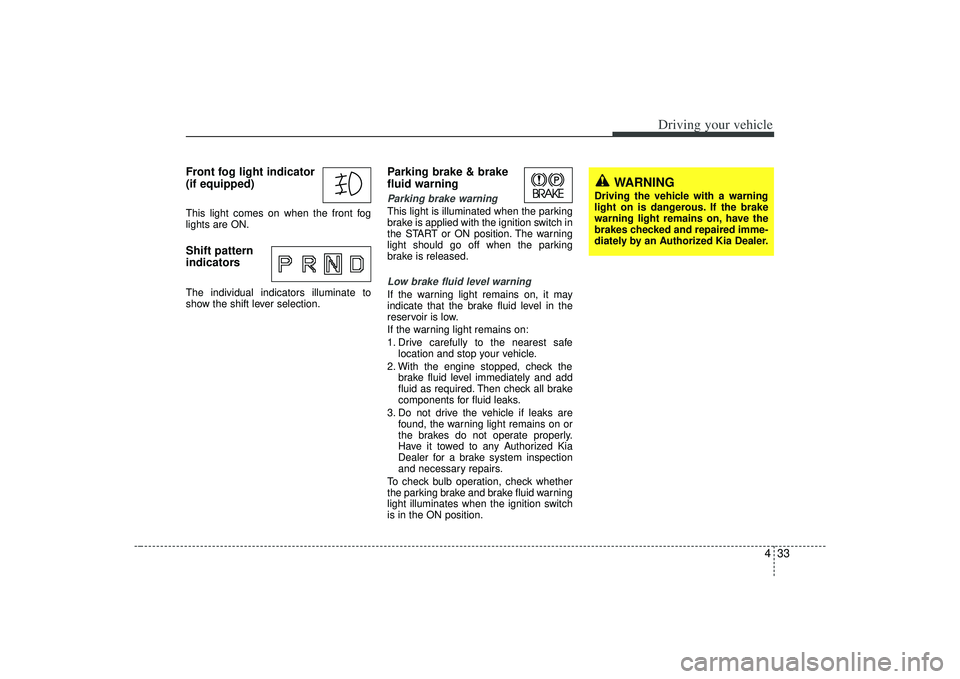
Front fog light indicator
(if equipped) This light comes on when the front fog
lights are ON.Shift pattern
indicatorsThe individual indicators illuminate to
show the shift lever selection.
Parking brake & brake
fluid warning Parking brake warning This light is illuminated when the parking
brake is applied with the ignition switch in
the START or ON position. The warning
light should go off when the parking
brake is released.Low brake fluid level warningIf the warning light remains on, it may
indicate that the brake fluid level in the
reservoir is low.
If the warning light remains on:
1. Drive carefully to the nearest safelocation and stop your vehicle.
2. With the engine stopped, check the brake fluid level immediately and add
fluid as required. Then check all brake
components for fluid leaks.
3. Do not drive the vehicle if leaks are found, the warning light remains on or
the brakes do not operate properly.
Have it towed to any Authorized Kia
Dealer for a brake system inspection
and necessary repairs.
To check bulb operation, check whether
the parking brake and brake fluid warning
light illuminates when the ignition switch
is in the ON position.
WARNING
Driving the vehicle with a warning
light on is dangerous. If the brake
warning light remains on, have the
brakes checked and repaired imme-
diately by an Authorized Kia Dealer.
Page 197 of 321
55
Driving tips
BEFORE DRIVING Before entering vehicle: Be sure that all windows, outside mir-ror(s), and outside lights are clean.
Check the condition of the tires.
Check under the vehicle for any sign of leaks.
Be sure there are no obstacles behind you if you intend to back up.Necessary inspections Fluid levels, such as engine oil, engine
coolant, brake fluid, and washer fluid
should be checked on a regular basis,
with the exact interval depending on the
fluid. Further details are provided in
Section 7, Maintenance.
Before starting Close and lock all doors.
Position the seat so that all controls areeasily reached.
Adjust the inside and outside rearview mirrors.
Be sure that all lights work.
Check all gauges.
Check the operation of warning lights when the ignition switch is turned to
the ON position.
Release the parking brake and make sure the brake warning light goes out.
For safe operation, be sure you are famil-
iar with your vehicle and its equipment.
WARNING
- Driving under
the influence of alcohol or
drugs
Drinking and driving is dangerous.
Drunk driving is the number one
contributor to the highway death
toll each year. Even a small amount
of alcohol will affect your reflexes,
perceptions and judgement.
You are much more likely to have a
serious accident if you drink and
drive.
If you are drinking or taking drugs,
don’t drive. Do not ride with a driv-
er who has been drinking or taking
drugs. Choose a designated driver
or call a cab.
Driving while under the influence of
drugs is as dangerous or more dan-
gerous than driving drunk.