steering wheel KIA BORREGO 2017 Owner's Manual
[x] Cancel search | Manufacturer: KIA, Model Year: 2017, Model line: BORREGO, Model: KIA BORREGO 2017Pages: 548, PDF Size: 36.78 MB
Page 145 of 548
Features of your vehicle
56
4
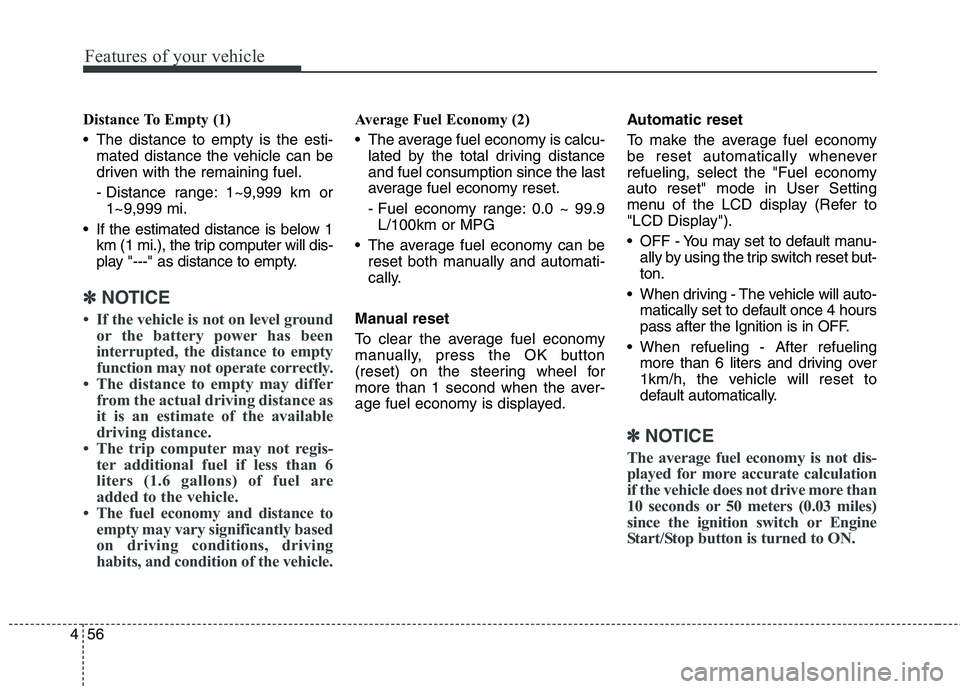
Distance To Empty (1)
The distance to empty is the esti-
mated distance the vehicle can be
driven with the remaining fuel.
- Distance range: 1~9,999 km or1~9,999 mi.
If the estimated distance is below 1 km (1 mi.), the trip computer will dis-
play "---" as distance to empty.
✽✽ NOTICE
If the vehicle is not on level ground or the battery power has been
interrupted, the distance to empty
function may not operate correctly.
The distance to empty may differ from the actual driving distance as
it is an estimate of the available
driving distance.
The trip computer may not regis- ter additional fuel if less than 6
liters (1.6 gallons) of fuel are
added to the vehicle.
The fuel economy and distance to empty may vary significantly based
on driving conditions, driving
habits, and condition of the vehicle.
Average Fuel Economy (2)
The average fuel economy is calcu-lated by the total driving distance and fuel consumption since the last
average fuel economy reset.
- Fuel economy range: 0.0 ~ 99.9L/100km or MPG
The average fuel economy can be reset both manually and automati-
cally.
Manual reset
To clear the average fuel economy
manually, press the OK button
(reset) on the steering wheel for
more than 1 second when the aver-
age fuel economy is displayed. Automatic reset
To make the average fuel economy
be reset automatically whenever
refueling, select the "Fuel economyauto reset" mode in User Setting
menu of the LCD display (Refer to
"LCD Display").
OFF - You may set to default manu-
ally by using the trip switch reset but- ton.
When driving - The vehicle will auto- matically set to default once 4 hours
pass after the Ignition is in OFF.
When refueling - After refueling more than 6 liters and driving over
1km/h, the vehicle will reset to
default automatically.
✽✽ NOTICE
The average fuel economy is not dis-
played for more accurate calculation
if the vehicle does not drive more than
10 seconds or 50 meters (0.03 miles)
since the ignition switch or Engine
Start/Stop button is turned to ON.
Page 146 of 548
457
Features of your vehicle
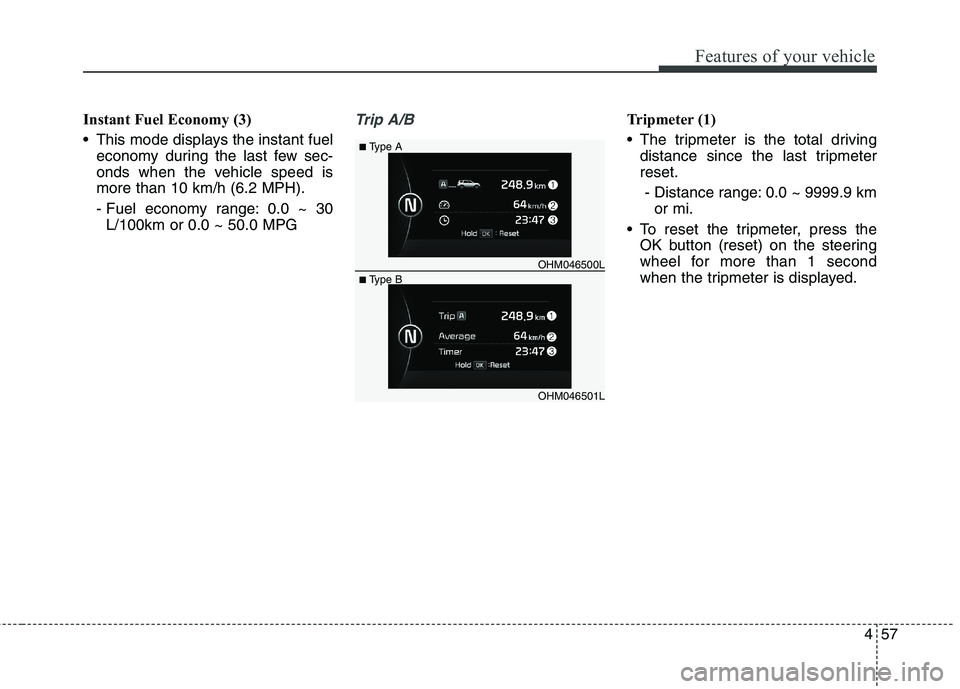
Instant Fuel Economy (3)
This mode displays the instant fueleconomy during the last few sec-
onds when the vehicle speed ismore than 10 km/h (6.2 MPH).
- Fuel economy range: 0.0 ~ 30L/100km or 0.0 ~ 50.0 MPGTrip A/BTripmeter (1)
The tripmeter is the total driving distance since the last tripmeter reset.
- Distance range: 0.0 ~ 9999.9 km or mi.
To reset the tripmeter, press the OK button (reset) on the steering
wheel for more than 1 second
when the tripmeter is displayed.
OHM046501L
■
Type A
■ Type B OHM046500L
Page 147 of 548
Features of your vehicle
58
4
Average Vehicle Speed (2)
The average vehicle speed is cal-
culated by the total driving dis-
tance and driving time since the
last average vehicle speed reset.
- Speed range: 0 ~ 999 km/h orMPH
To reset the average vehicle speed, press the OK button (reset) on the
steering wheel for more than 1 sec-
ond when the average vehicle
speed is displayed.
✽✽ NOTICE
The average vehicle speed is not displayed if the driving distance
has been less than 300 meters (0.19
miles) or the driving time has been
less than 10 seconds since the igni-
tion switch or Engine Start/Stop
button was turned to ON.
Even if the vehicle is not in motion, the average vehicle speed keeps
going while the engine is running.
Elapsed Time (3)
The elapsed time is the total driv-ing time since the last elapsed time reset.
- Time range (hh:mm): 00:00 ~ 99:59
To reset the elapsed time, press the OK button (reset) on the steering
wheel for more than 1 second when
the elapsed time is displayed.
✽✽ NOTICE
Even if the vehicle is not in motion,
the elapsed time keeps going while
the engine is running.
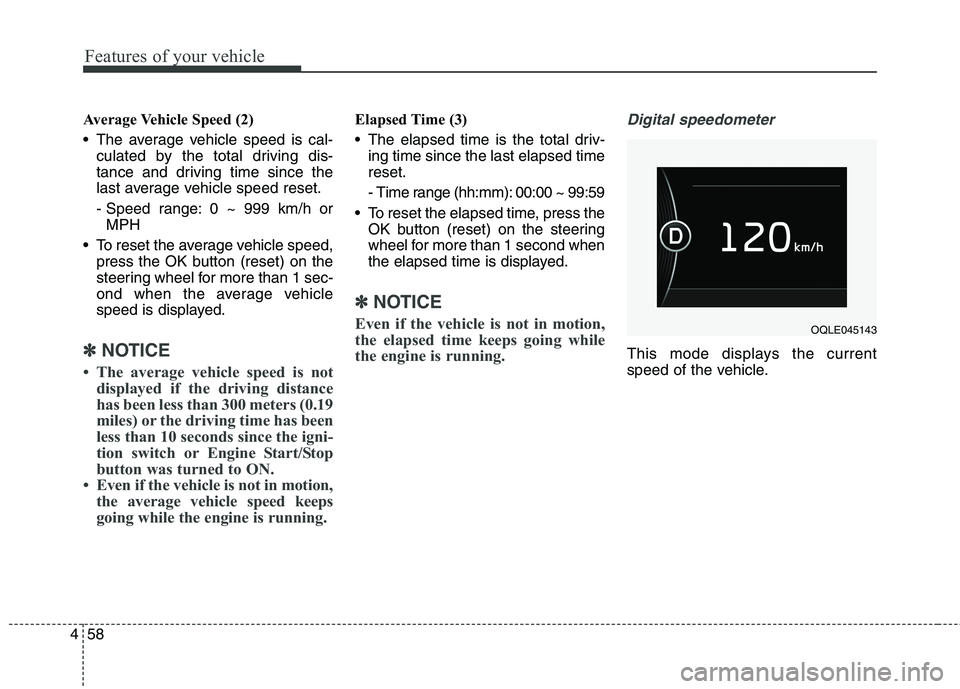
Digital speedometer
This mode displays the current
speed of the vehicle.
OQLE045143
Page 154 of 548
465
Features of your vehicle
ItemsExplanation
Seat Easy Access(if equipped)
None: The seat easy access function will be deactivated.
Normal/Extended:
- When you turn off the engine, the driver’s seat will automatically move rearward short(Normal) or long (Extended) for you to enter or exit the vehicle more comfortably.
- If you change the Engine Start/Stop button from OFF position to the ACC, ON, or START position, the driver’s seat will return to the original position.
For more details, refer to "Driver Position Memory System" in chapter 3.
Steering Easy AccessIf this item is checked, the warning function regarding the steering wheel alignment will be activated.
For more details, refer to "Warning Messages" in this chapter.
Convenience
ItemsExplanation
Service Interval
On this mode, you can activate the service interval function with mileage (km or mi.) and period (months).
The service interval function will be deactivated.
For more details, refer to "Service Mode" in this chapter.
Service interval
Page 156 of 548
467
Features of your vehicle
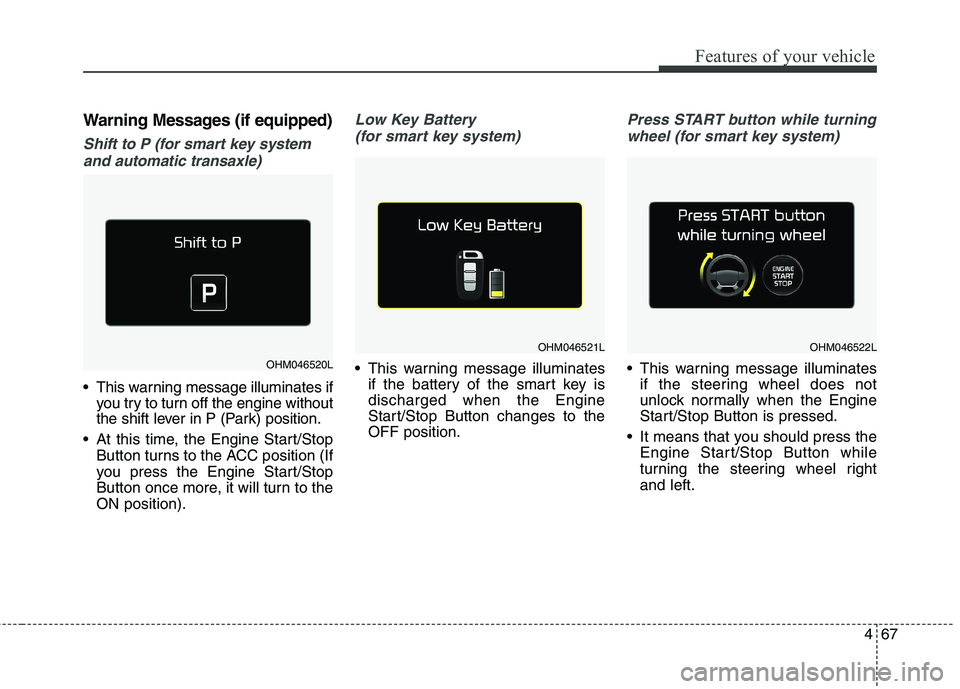
Warning Messages (if equipped)
Shift to P (for smart key systemand automatic transaxle)
This warning message illuminates if you try to turn off the engine without
the shift lever in P (Park) position.
At this time, the Engine Start/Stop Button turns to the ACC position (If
you press the Engine Start/Stop
Button once more, it will turn to theON position).
Low Key Battery
(for smart key system)
This warning message illuminates if the battery of the smart key is discharged when the Engine
Start/Stop Button changes to theOFF position.
Press START button while turning
wheel (for smart key system)
This warning message illuminates if the steering wheel does not
unlock normally when the Engine
Start/Stop Button is pressed.
It means that you should press the Engine Start/Stop Button while
turning the steering wheel rightand left.OHM046520L
OHM046521LOHM046522L
Page 157 of 548
Features of your vehicle
68
4
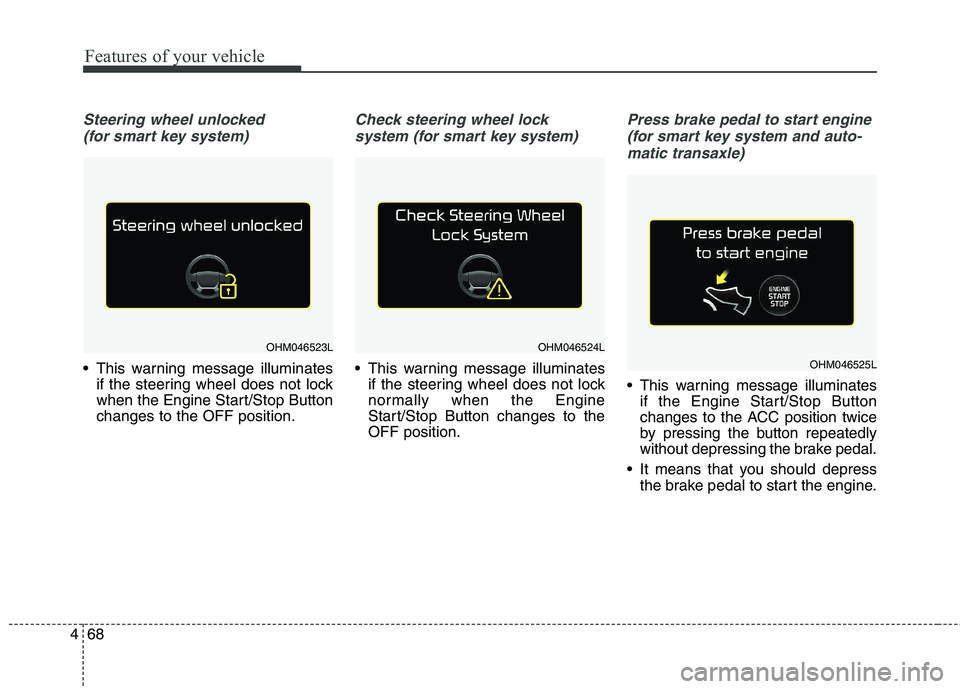
Steering wheel unlocked
(for smart key system)
This warning message illuminates if the steering wheel does not lock
when the Engine Start/Stop Buttonchanges to the OFF position.
Check steering wheel lock
system (for smart key system)
This warning message illuminates if the steering wheel does not lock
normally when the Engine
Start/Stop Button changes to theOFF position.
Press brake pedal to start engine
(for smart key system and auto- matic transaxle)
This warning message illuminates if the Engine Start/Stop Button
changes to the ACC position twice
by pressing the button repeatedly
without depressing the brake pedal.
It means that you should depress the brake pedal to start the engine.
OHM046523LOHM046524L
OHM046525L
Page 243 of 548
Audio system
AUDIO SYSTEM . . . . . . . . . . . . . . . . . . . . . . . . . . . 5-2 Antenna . . . . . . . . . . . . . . . . . . . . . . . . . . . . . . . . . . . . . 5-2
Steering wheel audio controls. . . . . . . . . . . . . . . . . . . . 5-3
Aux, USB port . . . . . . . . . . . . . . . . . . . . . . . . . . . . . . . . 5-4
How vehicle radio works . . . . . . . . . . . . . . . . . . . . . . . 5-4
AUDIO (With Touch Screen) . . . . . . . . . . . . . . . . . 5-7 Features of Your Audio . . . . . . . . . . . . . . . . . . . . . . . . . 5-8
Radio Mode (Type-1) . . . . . . . . . . . . . . . . . . . . . . . . . 5-20
Radio Mode (Type-2) . . . . . . . . . . . . . . . . . . . . . . . . . 5-23
Media Mode . . . . . . . . . . . . . . . . . . . . . . . . . . . . . . . . . 5-25
Phone Mode . . . . . . . . . . . . . . . . . . . . . . . . . . . . . . . . . 5-40
Bluetooth ®
Wireless Technology (Type-1) . . . . . . . . . 5-41
Bluetooth ®
Wireless Technology (Type-2) . . . . . . . . . 5-48
Voice Recognition Mode . . . . . . . . . . . . . . . . . . . . . . . 5-55
Setup Mode (Type-1) . . . . . . . . . . . . . . . . . . . . . . . . . . 5-63
Setup Mode (Type-2) . . . . . . . . . . . . . . . . . . . . . . . . . . 5-72
Declaration of Conformity . . . . . . . . . . . . . . . . . . 5-80 FCC . . . . . . . . . . . . . . . . . . . . . . . . . . . . . . . . . . . . . . . . 5-80
CE for EU. . . . . . . . . . . . . . . . . . . . . . . . . . . . . . . . . . . 5-82
5
Page 245 of 548
Audio system
35
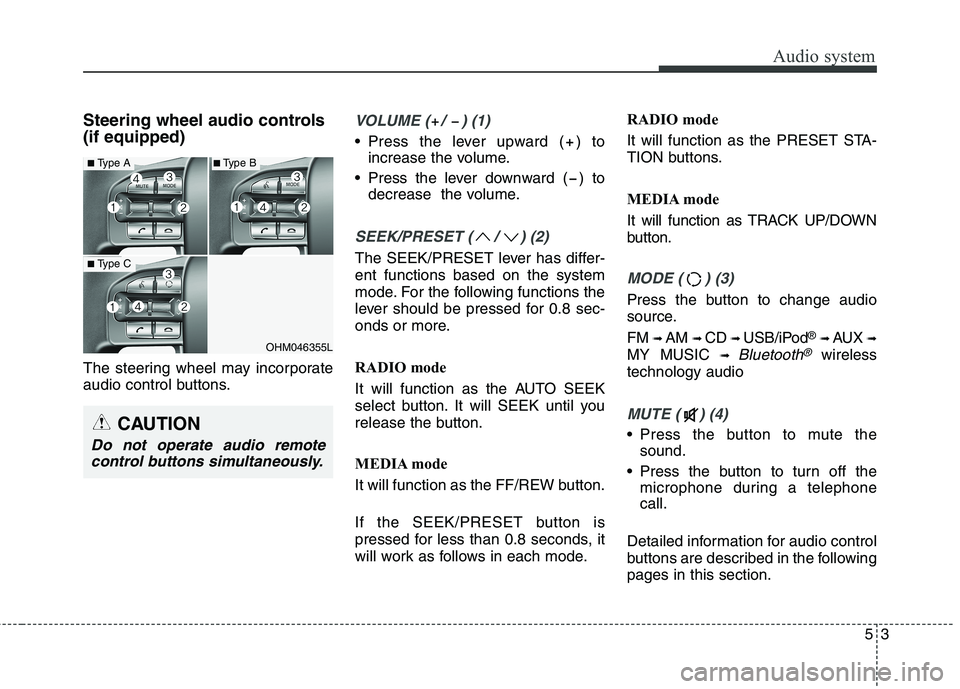
Steering wheel audio controls (if equipped)
The steering wheel may incorporate
audio control buttons.VOLUME ( / ) (1)
• Press the lever upward ( ) toincrease the volume.
Press the lever downward ( ) to decrease the volume.
SEEK/PRESET ( / ) (2)
The SEEK/PRESET lever has differ- ent functions based on the system
mode. For the following functions the
lever should be pressed for 0.8 sec-
onds or more.
RADIO mode
It will function as the AUTO SEEK
select button. It will SEEK until you
release the button.
MEDIA mode
It will function as the FF/REW button.
If the SEEK/PRESET button is
pressed for less than 0.8 seconds, it
will work as follows in each mode. RADIO mode
It will function as the PRESET STA-
TION buttons.
MEDIA mode
It will function as TRACK UP/DOWN
button.
MODE ( ) (3)
Press the button to change audio
source. FM
➟ AM ➟ CD ➟ USB/iPod ®
➟ AUX ➟
MY MUSIC ➟
Bluetooth®wireless
technology audio
MUTE ( ) (4)
Press the button to mute the sound.
Press the button to turn off the microphone during a telephone call.
Detailed information for audio control
buttons are described in the followingpages in this section.
OHM046355L
■ Type A
■Type C
■Type B
CAUTION
Do not operate audio remote
control buttons simultaneously.
Page 282 of 548
Audio system
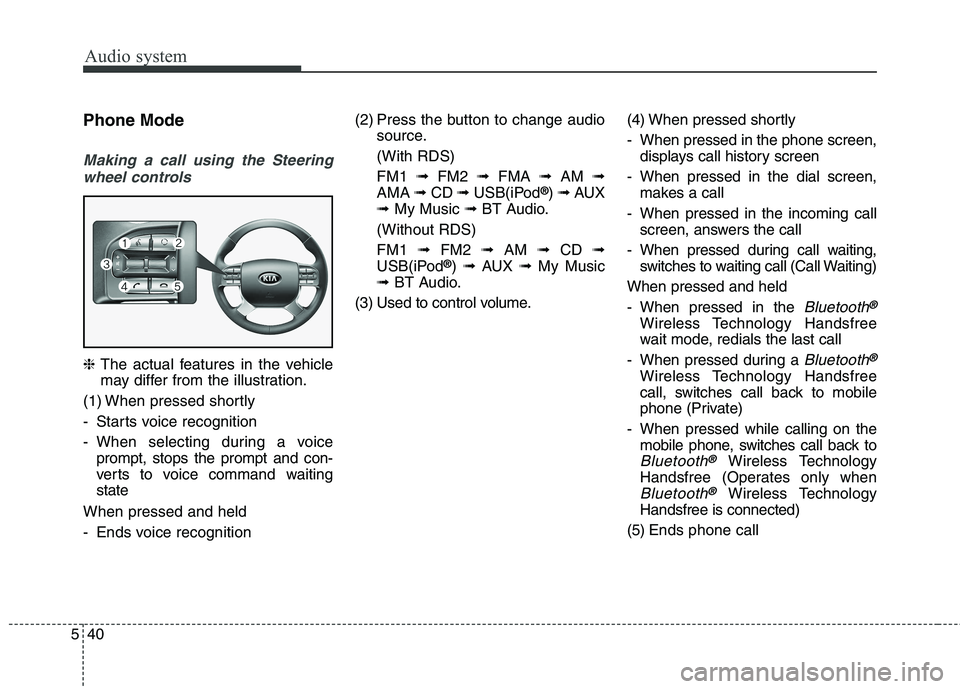
540Phone Mode
Making a call using the Steering
wheel controls
❈ The actual features in the vehicle
may differ from the illustration.
(1) When pressed shortly
- Starts voice recognition
- When selecting during a voice prompt, stops the prompt and con-
verts to voice command waitingstate
When pressed and held
- Ends voice recognition (2) Press the button to change audio
source.
(With RDS)FM1 ➟FM2 ➟FMA ➟AM ➟
AMA ➟CD ➟USB(iPod ®
) ➟ AUX
➟ My Music ➟BT Audio.
(Without RDS)FM1 ➟FM2 ➟AM ➟CD ➟
USB(iPod ®
) ➟ AUX ➟My Music
➟ BT Audio.
(3) Used to control volume. (4) When pressed shortly
- When pressed in the phone screen,
displays call history screen
- When pressed in the dial screen, makes a call
- When pressed in the incoming call screen, answers the call
- When pressed during call waiting, switches to waiting call (Call Waiting)
When pressed and held
- When pressed in the
Bluetooth®
Wireless Technology Handsfree
wait mode, redials the last call
- When pressed during a
Bluetooth®
Wireless Technology Handsfree
call, switches call back to mobile
phone (Private)
- When pressed while calling on the mobile phone, switches call back to
Bluetooth®Wireless Technology
Handsfree (Operates only when
Bluetooth®Wireless Technology
Handsfree is connected)
(5) Ends phone call
Page 283 of 548
![KIA BORREGO 2017 Owners Manual Audio system
41
5
Bluetooth®Wireless Technology
(Type-1)
When No Devices have been Paired
➀ Press the [PHONE]button or the
[CALL] button on the steering
wheel controls. The following
screen is](/img/2/57934/w960_57934-282.png "KIA BORREGO 2017 Owners Manual Audio system
41
5
Bluetooth®Wireless Technology
(Type-1)
When No Devices have been Paired
➀ Press the [PHONE]button or the
[CALL] button on the steering
wheel controls. The following
screen is")
Audio system
41
5
Bluetooth®Wireless Technology
(Type-1)
When No Devices have been Paired
➀ Press the [PHONE]button or the
[CALL] button on the steering
wheel controls. The following
screen is displayed.
➁ Press the [OK] button to enter the
Pair Phone screen. Device : Name of device as shown
when searching from your
Bluetooth®Wireless Technology
device
Passkey : Passkey used to pair the device
➂ From your
Bluetooth®Wireless
Technology device (i.e. Mobile
Phone), search and select yourcar audio system.
❈ SSP : Secure Simple Pairing
Non SSP supported device : ➃ After a few moments, a screen is
displayed where the passkey is entered.
Enter the passkey “0000” to pair
your
Bluetooth®Wireless Technology
device with the car audio system. SSP supported device : ➃
After a few moments, a screen is dis-
played 6 digits passkey.
Check the passkey on your
Bluetooth®Wireless Technology
device and confirm.
➄ Once pairing is complete, the fol-
lowing screen is displayed.
Some phones (i.e., iPhone ®
, Android
and Blackberry phones) may offer an
option to allow acceptance of all futureBluetooth ®
connection requests by
default. Visit http://www.kia.com/#/blue-
tooth for additional information on pair-
ing your Bluetooth ®
-enabled mobile
phone, and to view a phone compatibil-ity list.