key KIA BORREGO 2017 Owner's Guide
[x] Cancel search | Manufacturer: KIA, Model Year: 2017, Model line: BORREGO, Model: KIA BORREGO 2017Pages: 548, PDF Size: 36.78 MB
Page 187 of 548
Features of your vehicle
98
4
Battery saver function
The purpose of this feature is to
prevent the battery from being dis-
charged. The system automatically
turns off the parking lights when
the driver removes the ignition key
and opens the driver-side door.
With this feature, the parking lights will turn off automatically if the driver
parks on the side of the road at night.
If necessary, to keep the lights on
when the ignition key is removed,
perform the following:
1) Open the driver-side door.
2) Turn the parking lights OFF and ON again using the light switch
on the steering column. Daytime running light (if equipped)
The Daytime Running Lights (DRL)
can make it easier for others to see the
front of your vehicle during the day.
DRL can be helpful in many different
driving conditions, and it is especially
helpful after dawn and before sunset.
The DRL system will turn the dedi- cated lamp OFF when:
1. The headlight or fog lamp switch is
ON.
2. The engine is OFF.
LIGHTINGCAUTION
If the driver gets out of the vehi-
cle through other doors (exceptdriver's door), the battery saver function does not operate.Therefore, It causes the batteryto be discharged. In this case,make sure to turn off the lamp before getting out of the vehicle.
Page 201 of 548
Features of your vehicle
112
4
INTERIOR LIGHT
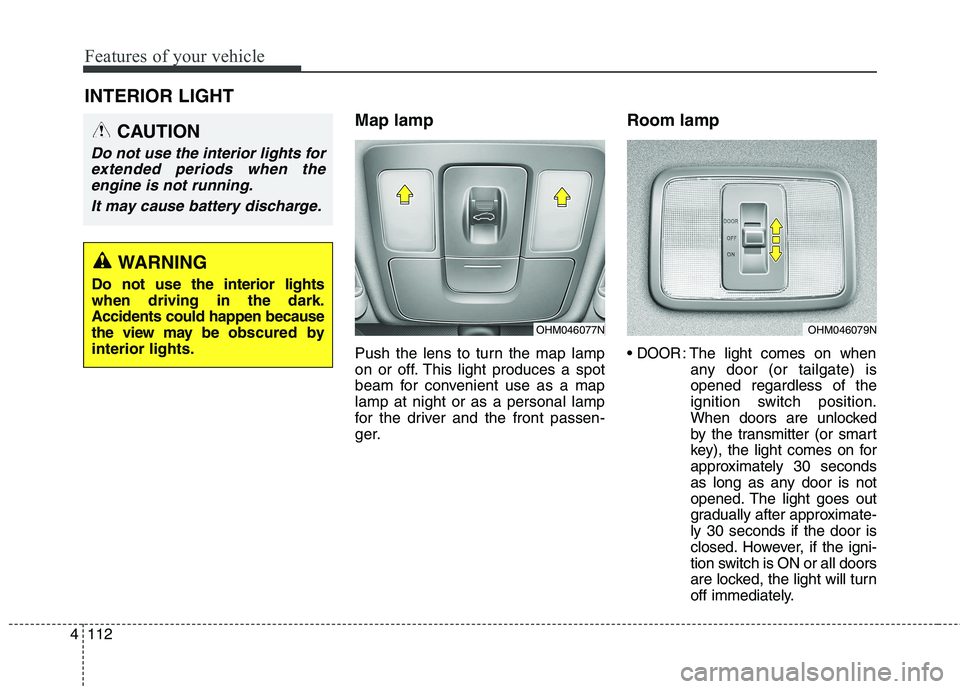
Map lamp
Push the lens to turn the map lamp
on or off. This light produces a spot
beam for convenient use as a maplamp at night or as a personal lamp
for the driver and the front passen-
ger. Room lamp
DOOR: The light comes on when
any door (or tailgate) is opened regardless of the
ignition switch position.
When doors are unlocked
by the transmitter (or smart
key), the light comes on for
approximately 30 seconds
as long as any door is not
opened. The light goes out
gradually after approximate-ly 30 seconds if the door is
closed. However, if the igni-
tion switch is ON or all doors
are locked, the light will turn
off immediately.
CAUTION
Do not use the interior lights for
extended periods when theengine is not running.
It may cause battery discharge.
OHM046077NOHM046079N
WARNING
Do not use the interior lights when driving in the dark.Accidents could happen because
the view may be ob scured by
interior lights.
Page 204 of 548
4115
Features of your vehicle
WELCOME SYSTEM (IF EQUIPPED)
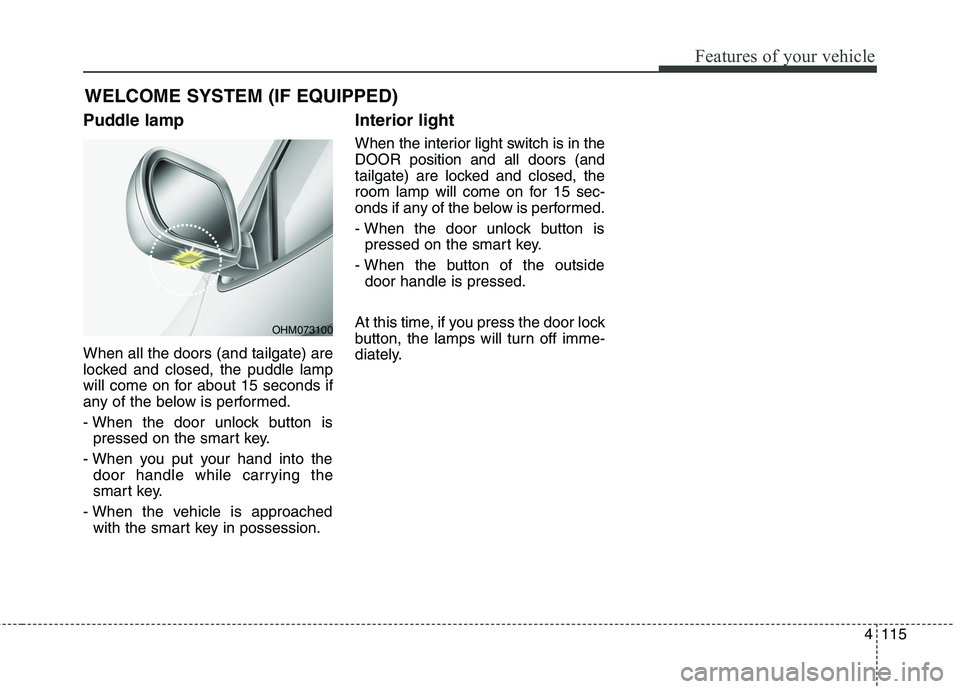
Puddle lamp When all the doors (and tailgate) are
locked and closed, the puddle lamp
will come on for about 15 seconds if
any of the below is performed.
- When the door unlock button is pressed on the smart key.
- When you put your hand into the door handle while carrying the
smart key.
- When the vehicle is approached with the smart key in possession. Interior light
When the interior light switch is in the DOOR position and all doors (and
tailgate) are locked and closed, the
room lamp will come on for 15 sec-
onds if any of the below is performed.
- When the door unlock button is
pressed on the smart key.
- When the button of the outside door handle is pressed.
At this time, if you press the door lock
button, the lamps will turn off imme-
diately.
OHM073100
Page 228 of 548
4139
Features of your vehicle
For improving the effectiveness of
the cool box, do as follows;
1. Set the temperature to the hot(extreme right) position for warm
air or to the cold (extreme left)
position for cool air.
Turn on the air conditioning sys-tem for cooler air.
2. Set the fan speed to the highest (extreme right) position.
3. Set the mode to the face ( ) position.
✽✽ NOTICE
If some items in the cool box block
the vent, the warming or cooling
effectiveness of the cool box is
reduce
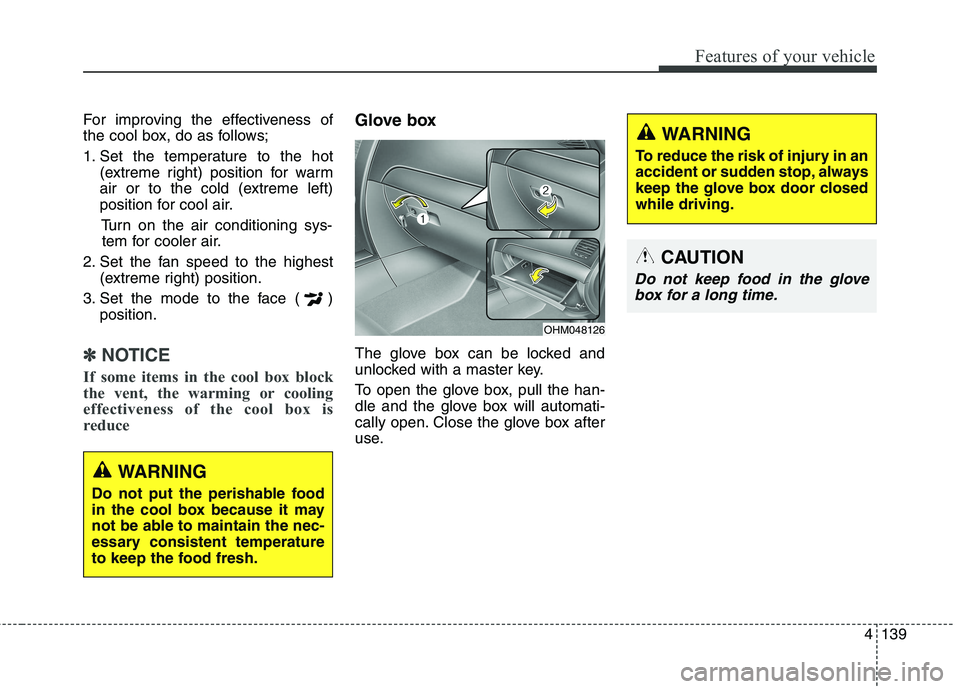
Glove box
The glove box can be locked and
unlocked with a master key.
To open the glove box, pull the han-
dle and the glove box will automati-
cally open. Close the glove box after
use.
WARNING
Do not put the perishable food
in the cool box because it may
not be able to maintain the nec-
essary consistent temperature
to keep the food fresh.
OHM048126
WARNING
To reduce the risk of injury in an
accident or sudden stop, always
keep the glove box door closedwhile driving.
CAUTION
Do not keep food in the glove box for a long time.
Page 256 of 548
Audio system
514
(Continued)
Charging through the USB maynot work for some mobile devices.
The device may not support nor- mal operation when using an atyp-
ical USB memory device (minia-
ture, keychain, etc.). For best
results, use a typical USB device
that has a metal case.
The device may not support nor- mal operation when using formats
such as HDD Type, CF, or SD
Memory.
The device will not support files locked by DRM (Digital Rights
Management.)
USB memory sticks used by con- necting an Adaptor (SD Type or
CF Type) may not be properly rec-
ognized.
The device may not operate prop- erly when using USB HDDs or
USBs subject to connection fail-
ures caused by vehicle vibrations.
(e.g. i-stick type) (Continued)(Continued)
Avoid use of USB
memory products that
can also be used as key
chains or mobile phone
accessories. Use of such products
may cause damage to the USB
jack.
Connecting an MP3 device or phone through various channels,
such as AUX/BT or Audio/USB
mode may result in pop noises or
abnormal operation. ✽✽
NOTICE - Using an iPod ®
iPod ®
is a registered trademark of
Apple Inc.
In order to use the iPod ®
with
your vehicle’s audio system, you
must use a dedicated iPod ®
cable.
(the cable that is supplied when
purchasing iPod ®
/iPhone ®
prod-
ucts)
If the iPod ®
is connected to the
vehicle while it is playing, a high
pitch sound could occur for
approximately 1-2 seconds imme-
diately after connecting. If possi-
ble, connect the iPod ®
to the vehi-
cle with the iPod ®
stopped/paused.
When the vehicle ignition is set to ACC or ON, connecting the iPod ®
through the iPod ®
cable will
charge the iPod ®
through the car
audio system.
When connecting with the iPod ®
cable, make sure to fully insert the
jack to prevent communication
interference. (Continued)
Page 283 of 548
![KIA BORREGO 2017 Owners Guide Audio system
41
5
Bluetooth®Wireless Technology
(Type-1)
When No Devices have been Paired
➀ Press the [PHONE]button or the
[CALL] button on the steering
wheel controls. The following
screen is](/img/2/57934/w960_57934-282.png "KIA BORREGO 2017 Owners Guide Audio system
41
5
Bluetooth®Wireless Technology
(Type-1)
When No Devices have been Paired
➀ Press the [PHONE]button or the
[CALL] button on the steering
wheel controls. The following
screen is")
Audio system
41
5
Bluetooth®Wireless Technology
(Type-1)
When No Devices have been Paired
➀ Press the [PHONE]button or the
[CALL] button on the steering
wheel controls. The following
screen is displayed.
➁ Press the [OK] button to enter the
Pair Phone screen. Device : Name of device as shown
when searching from your
Bluetooth®Wireless Technology
device
Passkey : Passkey used to pair the device
➂ From your
Bluetooth®Wireless
Technology device (i.e. Mobile
Phone), search and select yourcar audio system.
❈ SSP : Secure Simple Pairing
Non SSP supported device : ➃ After a few moments, a screen is
displayed where the passkey is entered.
Enter the passkey “0000” to pair
your
Bluetooth®Wireless Technology
device with the car audio system. SSP supported device : ➃
After a few moments, a screen is dis-
played 6 digits passkey.
Check the passkey on your
Bluetooth®Wireless Technology
device and confirm.
➄ Once pairing is complete, the fol-
lowing screen is displayed.
Some phones (i.e., iPhone ®
, Android
and Blackberry phones) may offer an
option to allow acceptance of all futureBluetooth ®
connection requests by
default. Visit http://www.kia.com/#/blue-
tooth for additional information on pair-
ing your Bluetooth ®
-enabled mobile
phone, and to view a phone compatibil-ity list.
Page 290 of 548
![KIA BORREGO 2017 Owners Guide Audio system
548
Bluetooth®Wireless Technology
(Type-2)
When No Devices have been Paired
➀ Press the [PHONE]button or the
[CALL] button on the steering
wheel controls. The following
screen is d](/img/2/57934/w960_57934-289.png "KIA BORREGO 2017 Owners Guide Audio system
548
Bluetooth®Wireless Technology
(Type-2)
When No Devices have been Paired
➀ Press the [PHONE]button or the
[CALL] button on the steering
wheel controls. The following
screen is d")
Audio system
548
Bluetooth®Wireless Technology
(Type-2)
When No Devices have been Paired
➀ Press the [PHONE]button or the
[CALL] button on the steering
wheel controls. The following
screen is displayed.
➁ Press the [OK] button to enter the
Pair Phone screen. Vehicle Name : Name of device as
shown when searching from your
Bluetooth®Wireless Technology
device
Passkey : Passkey used to pair the device
➂ From your
Bluetooth®Wireless
Technology device (i.e. Mobile
Phone), search and select yourcar audio system.
❈ SSP : Secure Simple Pairing
Non SSP supported device : ➃ After a few moments, a screen is
displayed where the passkey is entered.
Enter the passkey “0000” to pair
your
Bluetooth®Wireless Technology
device with the car audio system. SSP supported device : ➃
After a few moments, a screen is dis-
played 6 digits passkey.
Check the passkey on your
Bluetooth®Wireless Technology
device and confirm.
➄ Once pairing is complete, the fol-
lowing screen is displayed.
Some phones (i.e., iPhone ®
, Android
and Blackberry phones) may offer an
option to allow acceptance of all futureBluetooth ®
connection requests by
default. Visit http://www.kia.com/#/blue-
tooth for additional information on pair-
ing your Bluetooth ®
-enabled mobile
phone, and to view a phone compatibil-ity list.
Page 325 of 548
Driving your vehicle
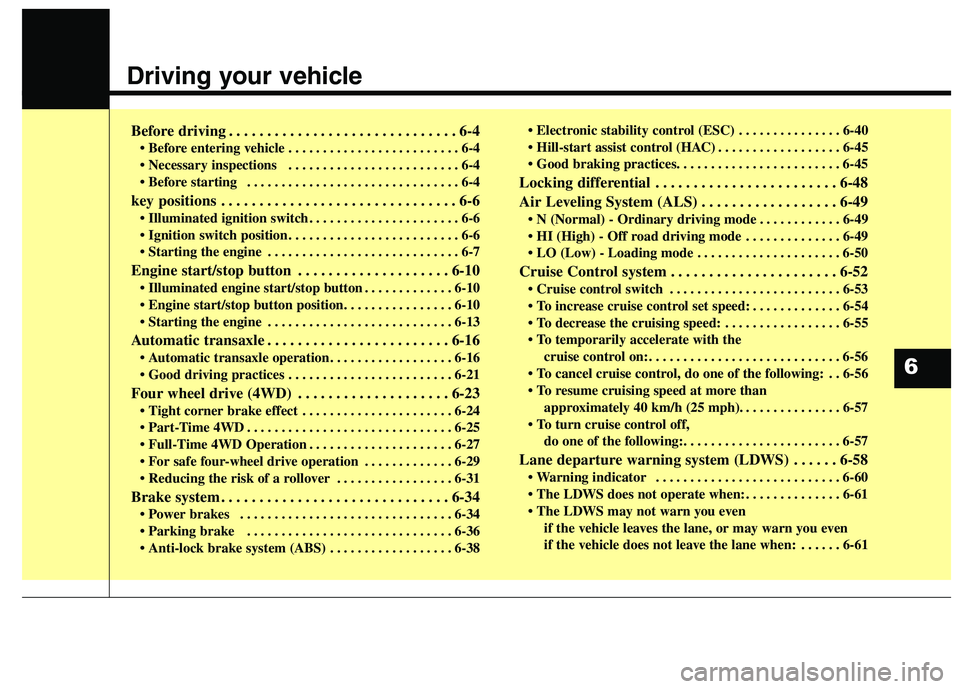
Before driving . . . . . . . . . . . . . . . . . . . . . . . . . . . . . . 6-4• Before entering vehicle . . . . . . . . . . . . . . . . . . . . . . . . . 6-4
. . . . . . . . . . . . . . . . . . . . . . . . . 6-4
. . . . . . . . . . . . . . . . . . . . . . . . . . . . . . . 6-4
key positions . . . . . . . . . . . . . . . . . . . . . . . . . . . . . . . 6-6 . . . . . . . . . . . . . . . . . . . . . . 6-6
. . . . . . . . . . . . . . . . . . . . . . . . . 6-6
. . . . . . . . . . . . . . . . . . . . . . . . . . . . 6-7
Engine start/stop button . . . . . . . . . . . . . . . . . . . . 6-10 . . . . . . . . . . . . . 6-10
. . . . . . . . . . . . . . . . . . . . . . . . . . . 6-13
Automatic transaxle . . . . . . . . . . . . . . . . . . . . . . . . 6-16 . . . . . . . . . . . . . . . . . . 6-16
. . . . . . . . . . . . . . . . . . . . . . . . 6-21
Four wheel drive (4WD) . . . . . . . . . . . . . . . . . . . . 6-23 . . . . . . . . . . . . . . . . . . . . . . 6-24
. . . . . . . . . . . . . . . . . . . . . . . . . . . . . . 6-25
. . . . . . . . . . . . . . . . . . . . . 6-27
. . . . . . . . . . . . . 6-29
. . . . . . . . . . . . . . . . . 6-31
Brake system . . . . . . . . . . . . . . . . . . . . . . . . . . . . . . 6-34 . . . . . . . . . . . . . . . . . . . . . . . . . . . . . . . 6-34
. . . . . . . . . . . . . . . . . . . . . . . . . . . . . . 6-36
. . . . . . . . . . . . . . . 6-40
. . . . . . . . . . . . . . . . . . 6-45
Locking differential . . . . . . . . . . . . . . . . . . . . . . . . 6-48
Air Leveling System (ALS) . . . . . . . . . . . . . . . . . . 6-49 . . . . . . . . . . . . 6-49
. . . . . . . . . . . . . . 6-49
. . . . . . . . . . . . . . . . . . . . . 6-50
Cruise Control system . . . . . . . . . . . . . . . . . . . . . . 6-52 . . . . . . . . . . . . . . . . . . . . . . . . . 6-53
. . . . . . . . . . . . . 6-54
. . . . . . . . . . . . . . . . . 6-55
cruise control on:. . . . . . . . . . . . . . . . . . . . . . . . . . . . 6-56
do one of the following: . . 6-56
approximately 40 km/h (25 mph). . . . . . . . . . . . . . . 6-57
do one of the following:. . . . . . . . . . . . . . . . . . . . . . . 6-57
Lane departure warning system (LDWS) . . . . . . 6-58 . . . . . . . . . . . . . . . . . . . . . . . . . . . 6-60
. . . . . . . . . . . . . . 6-61
if the vehicle leaves the lane, or may warn you even
if the vehicle does not leave the lane when: . . . . . . 6-61
6
Page 330 of 548
Driving your vehicle
6
6
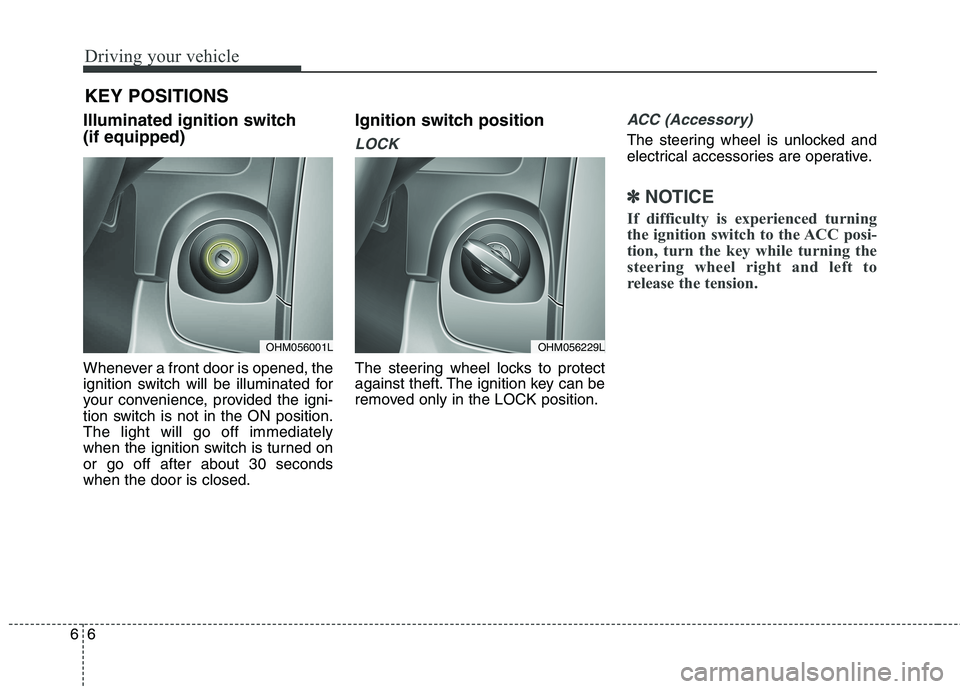
Illuminated ignition switch (if equipped)
Whenever a front door is opened, the
ignition switch will be illuminated for
your convenience, provided the igni-
tion switch is not in the ON position.The light will go off immediately
when the ignition switch is turned onor go off after about 30 secondswhen the door is closed. Ignition switch position
LOCK
The steering wheel locks to protect
against theft. The ignition key can be
removed only in the LOCK position.
ACC (Accessory)
The steering wheel is unlocked and
electrical accessories are operative.
✽✽
NOTICE
If difficulty is experienced turning
the ignition switch to the ACC posi-
tion, turn the key while turning the
steering wheel right and left to
release the tension.
KEY POSITIONS
OHM056001LOHM056229L
Page 331 of 548

67
Driving your vehicle
ON
The warning lights can be checked
before the engine is started. This is
the normal running position after the
engine is started.
Do not leave the ignition switch ON ifthe engine is not running to preventbattery discharge.
START
Turn the ignition key to the START
position to start the engine. The
engine will crank until you release
the key; then it returns to the ON
position. The brake warning lamp
can be checked in this position. Starting the engine
WARNING
- Ignition key
Never turn the ignition switch to LOCK or ACC while the vehi-
cle is moving. This would result
in loss of directional control
and braking function, whichcould cause an accident.
(Continued)
(Continued)
The anti-theft steering columnlock (if equipped) is not a sub-
stitute for the parking brake.
Before leaving the driver’s seat,
always make sure the shift
lever is engaged in P (Park), set
the parking brake fully and shut
the engine off. Unexpected and
sudden vehicle movement mayoccur if these precautions arenot taken.
Never reach for the ignition switch, or any other controls
through the steering wheel
while the vehicle is in motion.
The presence of your hand orarm in this area could cause a
loss of vehicle control, an
accident and serious bodily
injury or death.
Do not place any movable objects around the driver’s
seat as they may move while
driving, interfere with the driv-er and lead to an accident.
WARNING
Always wear appropriate shoes when operating your
vehicle. Unsuitable shoes
(high heels, ski boots,etc.)
may interfere with your abilityto use the brake and accelera-tor pedal.
Do not start the vehicle with the accelerator pedal
depressed. The vehicle can
move and lead to an accident.
Wait until the engine rpm is nor- mal. The vehicle may suddenly
move if the brake padel isreleased when the rpm is high.