ignition KIA BORREGO 2017 Workshop Manual
[x] Cancel search | Manufacturer: KIA, Model Year: 2017, Model line: BORREGO, Model: KIA BORREGO 2017Pages: 548, PDF Size: 36.78 MB
Page 180 of 548
491
Features of your vehicle
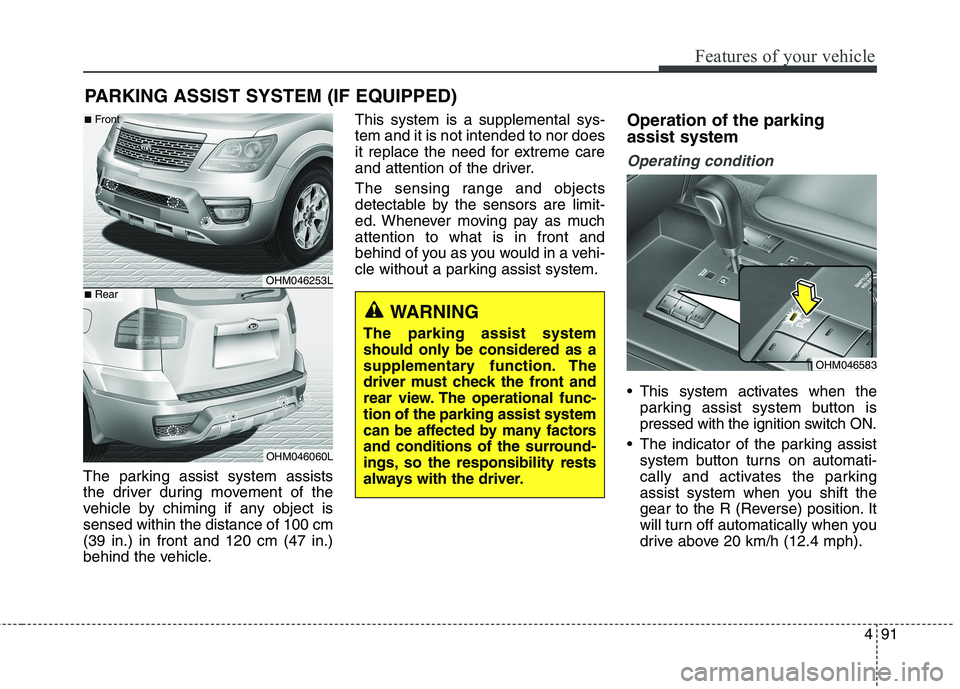
The parking assist system assists
the driver during movement of the
vehicle by chiming if any object issensed within the distance of 100 cm(39 in.) in front and 120 cm (47 in.)
behind the vehicle.This system is a supplemental sys-tem and it is not intended to nor does
it replace the need for extreme care
and attention of the driver.
The sensing range and objects
detectable by the sensors are limit-
ed. Whenever moving pay as muchattention to what is in front and
behind of you as you would in a vehi-
cle without a parking assist system.
Operation of the parking assist system
Operating condition
This system activates when the
parking assist system button is
pressed with the ignition switch ON.
The indicator of the parking assist system button turns on automati-
cally and activates the parking
assist system when you shift the
gear to the R (Reverse) position. It
will turn off automatically when you
drive above 20 km/h (12.4 mph).
PARKING ASSIST SYSTEM (IF EQUIPPED)
WARNING
The parking assist system
should only be considered as a
supplementary function. The
driver must check the front and
rear view. The operational func-tion of the parking assist system
can be affected by many factors
and conditions of the surround-
ings, so the responsibility rests
always with the driver.
OHM046253L
OHM046060L
■
Front
■Rear
OHM046583
Page 185 of 548
Features of your vehicle
96
4
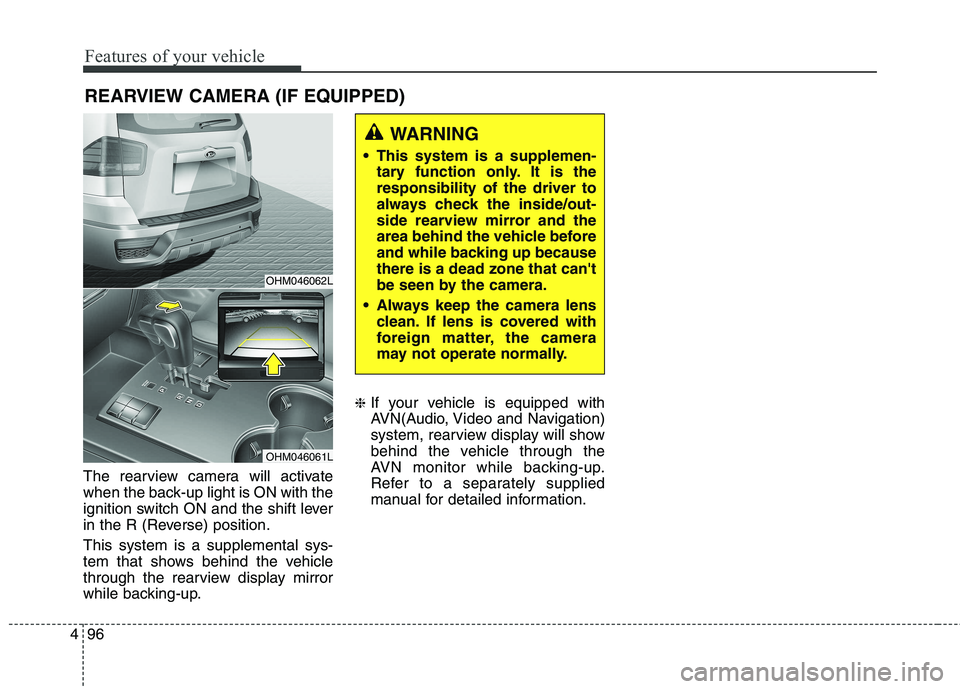
The rearview camera will activate
when the back-up light is ON with the
ignition switch ON and the shift lever
in the R (Reverse) position. This system is a supplemental sys-
tem that shows behind the vehicle
through the rearview display mirror
while backing-up. ❈
If your vehicle is equipped with
AVN(Audio, Video and Navigation)
system, rearview display will show
behind the vehicle through the
AVN monitor while backing-up.
Refer to a separately supplied
manual for detailed information.
WARNING
This system is a supplemen- tary function only. It is the responsibility of the driver to
always check the inside/out-
side rearview mirror and the
area behind the vehicle before
and while backing up becausethere is a dead zone that can't
be seen by the camera.
Always keep the camera lens clean. If lens is covered with
foreign matter, the camera
may not operate normally.
OHM046062L
OHM046061L
REARVIEW CAMERA (IF EQUIPPED)
Page 186 of 548
![KIA BORREGO 2017 Workshop Manual 497
Features of your vehicle
This is the parking support system to
show around circumstance when you
park the vehicle in monitor. When
you push the button in [ON] position,
it is operated. To cancel](/img/2/57934/w960_57934-185.png "KIA BORREGO 2017 Workshop Manual 497
Features of your vehicle
This is the parking support system to
show around circumstance when you
park the vehicle in monitor. When
you push the button in [ON] position,
it is operated. To cancel")
497
Features of your vehicle
This is the parking support system to
show around circumstance when you
park the vehicle in monitor. When
you push the button in [ON] position,
it is operated. To cancel the system,push again.
Operating conditions
- When ignition is ON
- When the transaxle is on D, N or R
- When the vehicle speed is not over20km/h When the vehicle speed is over
20km/h, the SVM system is turned
off. If the vehicle speed is not over
20km/h after turning off the SVM
by over speed, the SVM is not
turned on. To operate again, push
the button.
When the vehicle moves back- wards, regardless of On/Off of but-
ton and vehicle speed, the SVM is
operated.
When the trunk and driver/passen- ger door are opened and the out-
side mirror is folded, the warning isilluminated in SVM system.
If the SVM system is not normally operated, we recommend that you
contact an authorized Kia dealer.
* SVM : Surround View Monitoring
SURROUND VIEW MONITORING SYSTEM (IF EQUIPPED)
OHM046543
Page 187 of 548
Features of your vehicle
98
4
Battery saver function
The purpose of this feature is to
prevent the battery from being dis-
charged. The system automatically
turns off the parking lights when
the driver removes the ignition key
and opens the driver-side door.
With this feature, the parking lights will turn off automatically if the driver
parks on the side of the road at night.
If necessary, to keep the lights on
when the ignition key is removed,
perform the following:
1) Open the driver-side door.
2) Turn the parking lights OFF and ON again using the light switch
on the steering column. Daytime running light (if equipped)
The Daytime Running Lights (DRL)
can make it easier for others to see the
front of your vehicle during the day.
DRL can be helpful in many different
driving conditions, and it is especially
helpful after dawn and before sunset.
The DRL system will turn the dedi- cated lamp OFF when:
1. The headlight or fog lamp switch is
ON.
2. The engine is OFF.
LIGHTINGCAUTION
If the driver gets out of the vehi-
cle through other doors (exceptdriver's door), the battery saver function does not operate.Therefore, It causes the batteryto be discharged. In this case,make sure to turn off the lamp before getting out of the vehicle.
Page 189 of 548
Features of your vehicle
100
4
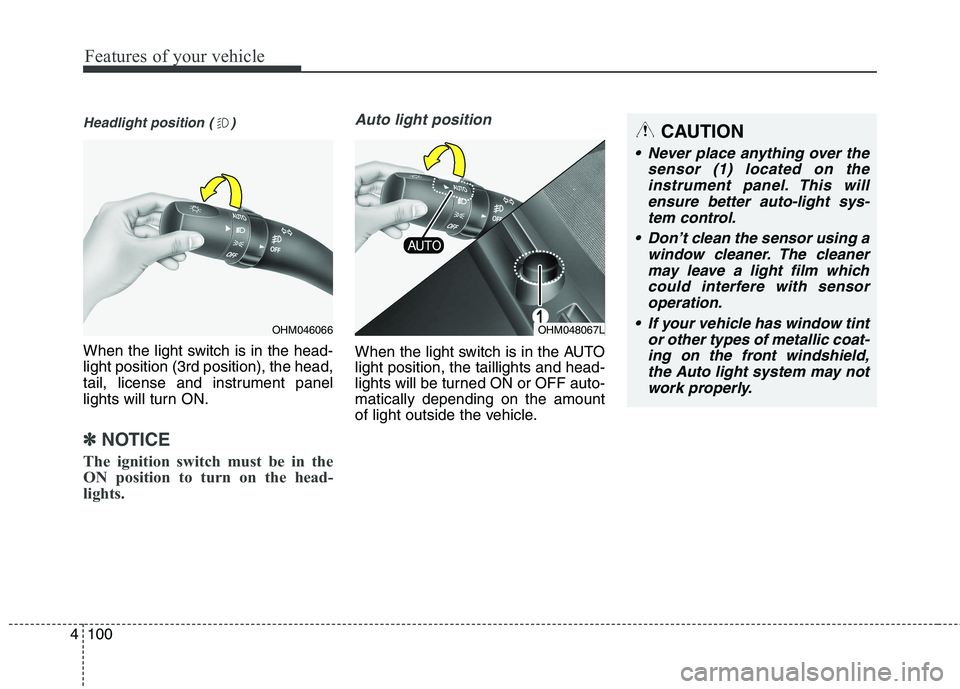
Headlight position ( )
When the light switch is in the head- light position (3rd position), the head,
tail, license and instrument panel
lights will turn ON.
✽✽
NOTICE
The ignition switch must be in the
ON position to turn on the head-
lights.
Auto light position
When the light switch is in the AUTO light position, the taillights and head-
lights will be turned ON or OFF auto-matically depending on the amount
of light outside the vehicle.
OHM046066OHM048067L
CAUTION
Never place anything over the sensor (1) located on theinstrument panel. This will ensure better auto-light sys-tem control.
Don’t clean the sensor using a window cleaner. The cleanermay leave a light film which could interfere with sensoroperation.
If your vehicle has window tint or other types of metallic coat-ing on the front windshield, the Auto light system may notwork properly.
Page 193 of 548
Features of your vehicle
104
4
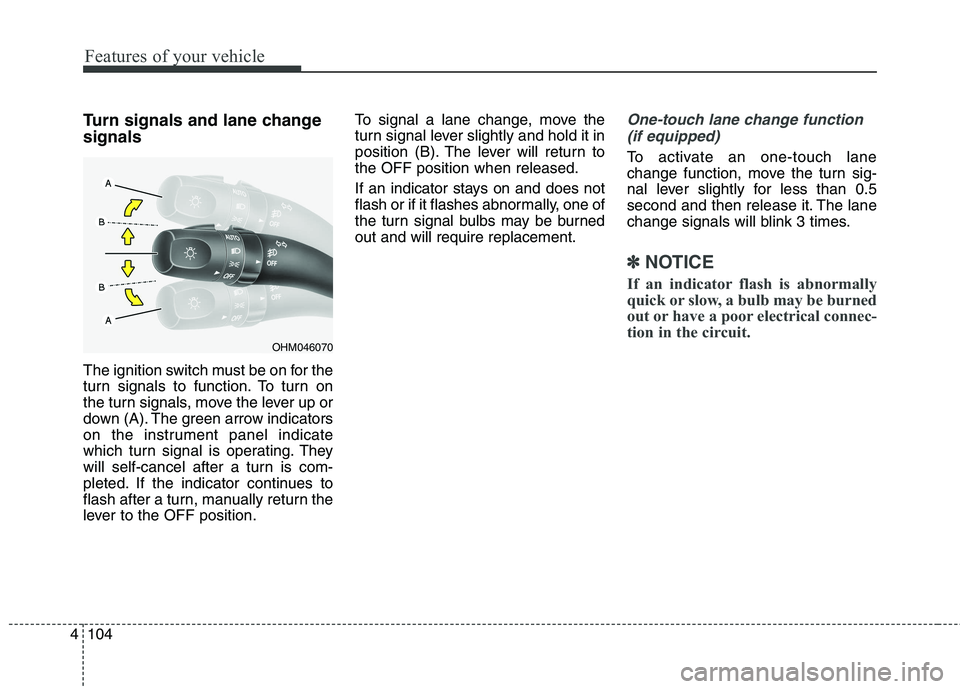
Turn signals and lane change signals
The ignition switch must be on for the
turn signals to function. To turn on
the turn signals, move the lever up or
down (A). The green arrow indicators
on the instrument panel indicate
which turn signal is operating. They
will self-cancel after a turn is com-
pleted. If the indicator continues to
flash after a turn, manually return the
lever to the OFF position. To signal a lane change, move the
turn signal lever slightly and hold it in
position (B). The lever will return tothe OFF position when released.
If an indicator stays on and does not
flash or if it flashes abnormally, one of
the turn signal bulbs may be burnedout and will require replacement.One-touch lane change function
(if equipped)
To activate an one-touch lane
change function, move the turn sig-
nal lever slightly for less than 0.5
second and then release it. The lane
change signals will blink 3 times.
✽✽ NOTICE
If an indicator flash is abnormally
quick or slow, a bulb may be burned
out or have a poor electrical connec-
tion in the circuit.
OHM046070
Page 194 of 548
4105
Features of your vehicle
Front fog light
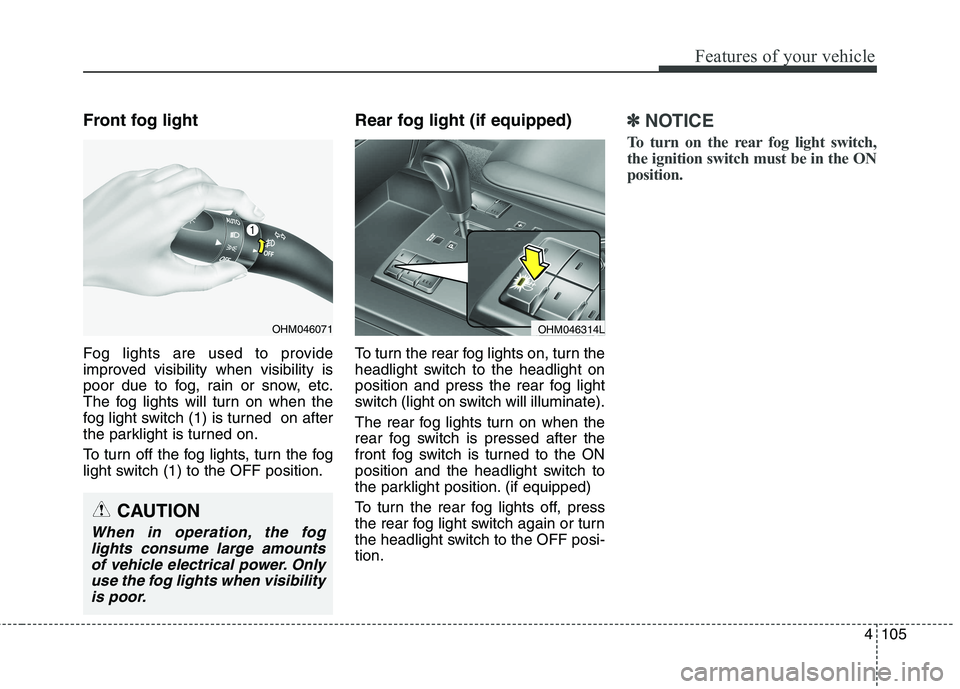
Fog lights are used to provide
improved visibility when visibility is
poor due to fog, rain or snow, etc.
The fog lights will turn on when the
fog light switch (1) is turned on after
the parklight is turned on.
To turn off the fog lights, turn the fog
light switch (1) to the OFF position.Rear fog light (if equipped)
To turn the rear fog lights on, turn the
headlight switch to the headlight on
position and press the rear fog light
switch (light on switch will illuminate).
The rear fog lights turn on when the
rear fog switch is pressed after the
front fog switch is turned to the ON
position and the headlight switch to
the parklight position. (if equipped)
To turn the rear fog lights off, press
the rear fog light switch again or turn
the headlight switch to the OFF posi-tion.✽✽
NOTICE
To turn on the rear fog light switch,
the ignition switch must be in the ON
position.
CAUTION
When in operation, the fog lights consume large amountsof vehicle electrical power. Only use the fog lights when visibilityis poor.
OHM046071OHM046314L
Page 197 of 548
Features of your vehicle
108
4
✽✽
NOTICE
If there is heavy accumulation of
snow or ice on the windshield,
defrost the windshield for about 10
minutes, or until the snow and/or ice
is removed before using the wind-
shield wipers to ensure proper oper-
ation. If you do not remove the snow
and/or ice before using the wiper
and wash-er, it may damage the
Wiper and washer system.Auto control (if equipped)
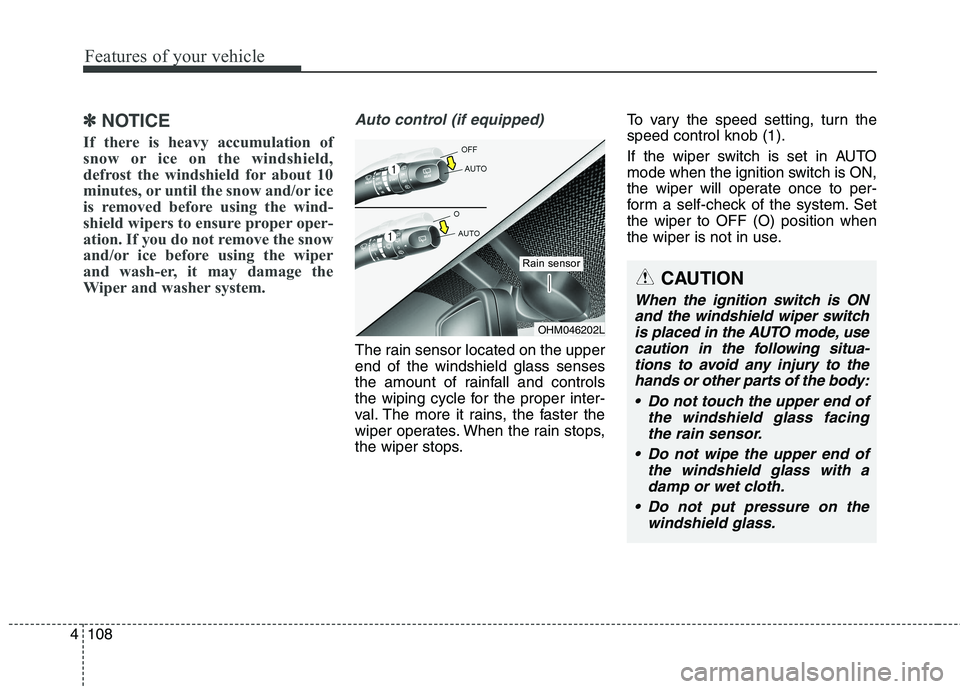
The rain sensor located on the upper end of the windshield glass senses
the amount of rainfall and controls
the wiping cycle for the proper inter-
val. The more it rains, the faster the
wiper operates. When the rain stops,
the wiper stops. To vary the speed setting, turn thespeed control knob (1).
If the wiper switch is set in AUTO
mode when the ignition switch is ON,
the wiper will operate once to per-
form a self-check of the system. Setthe wiper to OFF (O) position when
the wiper is not in use.
OHM046202L
Rain sensor
CAUTION
When the ignition switch is ON
and the windshield wiper switchis placed in the AUTO mode, use caution in the following situa-tions to avoid any injury to thehands or other parts of the body:
Do not touch the upper end of the windshield glass facingthe rain sensor.
Do not wipe the upper end of the windshield glass with adamp or wet cloth.
Do not put pressure on the windshield glass.
Page 199 of 548
Features of your vehicle
110
4
Headlight washer (if equipped)
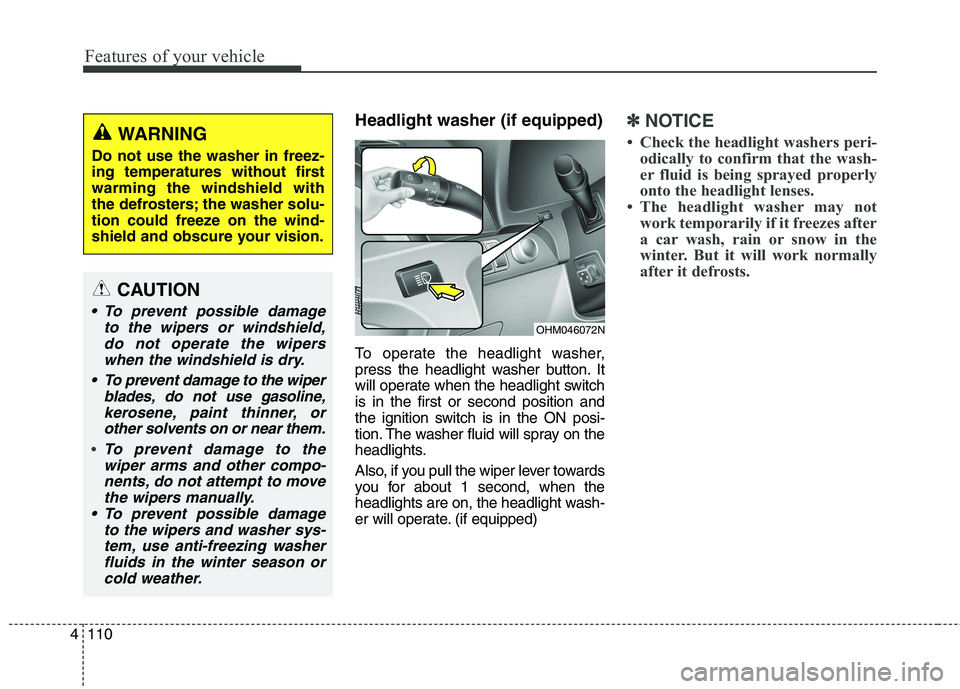
To operate the headlight washer,
press the headlight washer button. It
will operate when the headlight switchis in the first or second position and
the ignition switch is in the ON posi-
tion. The washer fluid will spray on the
headlights.
Also, if you pull the wiper lever towards
you for about 1 second, when the
headlights are on, the headlight wash-
er will operate. (if equipped)✽✽
NOTICE
Check the headlight washers peri- odically to confirm that the wash-
er fluid is being sprayed properly
onto the headlight lenses.
The headlight washer may not work temporarily if it freezes after
a car wash, rain or snow in the
winter. But it will work normally
after it defrosts.WARNING
Do not use the washer in freez-
ing temperatures without firstwarming the windshield with
the defrosters; the washer solu-
tion could freeze on the wind-
shield and obscure your vision.
CAUTION
To prevent possible damage to the wipers or windshield,do not operate the wiperswhen the windshield is dry.
To prevent damage to the wiper blades, do not use gasoline,kerosene, paint thinner, or other solvents on or near them.
To prevent damage to thewiper arms and other compo- nents, do not attempt to movethe wipers manually.
To prevent possible damage to the wipers and washer sys-tem, use anti-freezing washerfluids in the winter season or cold weather.
OHM046072N
Page 201 of 548
Features of your vehicle
112
4
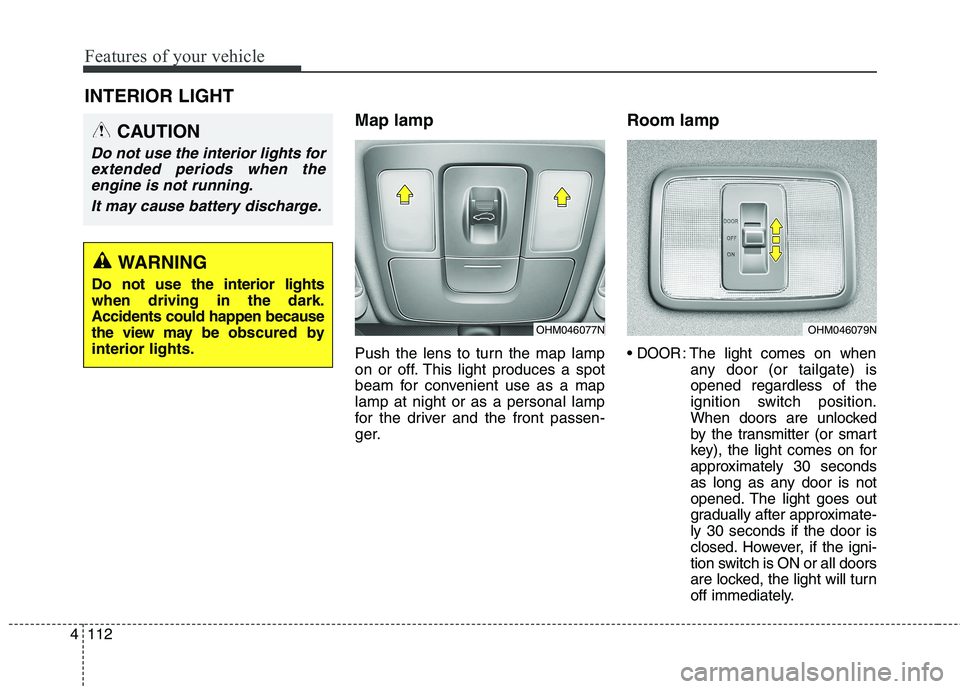
INTERIOR LIGHT
Map lamp
Push the lens to turn the map lamp
on or off. This light produces a spot
beam for convenient use as a maplamp at night or as a personal lamp
for the driver and the front passen-
ger. Room lamp
DOOR: The light comes on when
any door (or tailgate) is opened regardless of the
ignition switch position.
When doors are unlocked
by the transmitter (or smart
key), the light comes on for
approximately 30 seconds
as long as any door is not
opened. The light goes out
gradually after approximate-ly 30 seconds if the door is
closed. However, if the igni-
tion switch is ON or all doors
are locked, the light will turn
off immediately.
CAUTION
Do not use the interior lights for
extended periods when theengine is not running.
It may cause battery discharge.
OHM046077NOHM046079N
WARNING
Do not use the interior lights when driving in the dark.Accidents could happen because
the view may be ob scured by
interior lights.