light KIA BORREGO 2017 Workshop Manual
[x] Cancel search | Manufacturer: KIA, Model Year: 2017, Model line: BORREGO, Model: KIA BORREGO 2017Pages: 548, PDF Size: 36.78 MB
Page 173 of 548
Features of your vehicle
84
4
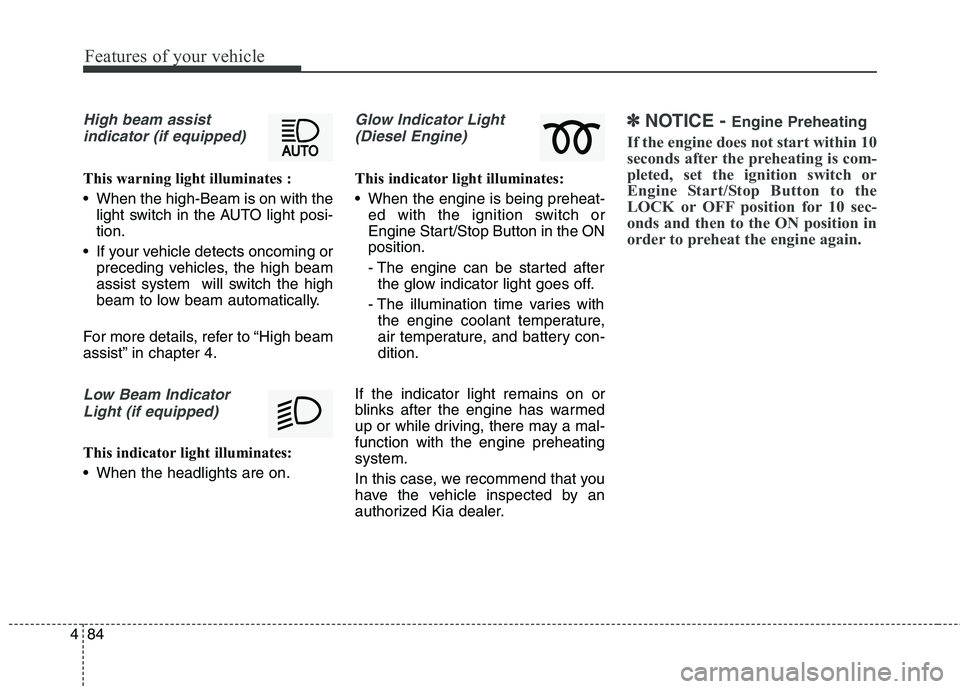
High beam assist
indicator (if equipped)
This warning light illuminates :
When the high-Beam is on with the light switch in the AUTO light posi- tion.
If your vehicle detects oncoming or preceding vehicles, the high beam
assist system will switch the high
beam to low beam automatically.
For more details, refer to “High beam
assist” in chapter 4.
Low Beam Indicator Light (if equipped)
This indicator light illuminates:
When the headlights are on.
Glow Indicator Light(Diesel Engine)
This indicator light illuminates:
When the engine is being preheat- ed with the ignition switch or
Engine Start/Stop Button in the ONposition.
- The engine can be started afterthe glow indicator light goes off.
- The illumination time varies with the engine coolant temperature,
air temperature, and battery con-dition.
If the indicator light remains on or
blinks after the engine has warmed
up or while driving, there may a mal-function with the engine preheatingsystem.
In this case, we recommend that you
have the vehicle inspected by an
authorized Kia dealer.
✽✽ NOTICE - Engine Preheating
If the engine does not start within 10
seconds after the preheating is com-
pleted, set the ignition switch or
Engine Start/Stop Button to the
LOCK or OFF position for 10 sec-
onds and then to the ON position in
order to preheat the engine again.
Page 174 of 548
![KIA BORREGO 2017 Workshop Manual 485
Features of your vehicle
Lane Departure WarningSystem (LDWS) Indicator Light (if equipped)
This indicator light illuminates:
[White] When the lane departure warning system does not detect
the l](/img/2/57934/w960_57934-173.png "KIA BORREGO 2017 Workshop Manual 485
Features of your vehicle
Lane Departure WarningSystem (LDWS) Indicator Light (if equipped)
This indicator light illuminates:
[White] When the lane departure warning system does not detect
the l")
485
Features of your vehicle
Lane Departure WarningSystem (LDWS) Indicator Light (if equipped)
This indicator light illuminates:
[White] When the lane departure warning system does not detect
the lane line.
[Green] When you activate the lane departure warning system by
pressing the LDWS button.
When blinking in Green, LDWS is
in warning condition.
[Yellow] When there is a malfunc- tion with the lane departure warn-ing system.
In this case, we recommend that you
have the vehicle inspected by an
authorized Kia dealer. ❈ For more details, refer to “Lane
Departure Warning System
(LDWS)” in chapter 6.
4WD LOW indicator
(if equipped)
When the ignition switch is turned to
the ON position, the 4WD LOW indi-cator will illuminate and then go off in
a few seconds. The 4WD LOW indi-
cator illuminates when the transfer
shift knob is set to the 4L(Low-speed
4-wheel drive) position. ❈ For more details, refer to “Four
wheel drive (4WD)” in chapter 6.
4WD HI indicator
(if equipped)
When the ignition switch is turned to the ON position, the 4WD HI indica-tor will illuminate and then go off in a
few seconds. The 4WD HI indicator
illuminates when the transfer shiftknob is set to the 4H(High-speed 4-
wheel drive) position. ❈ For more details, refer to “Four
wheel drive (4WD)” in chapter 6.
4WD
LOW4WD HI
Page 175 of 548
Features of your vehicle
86
4
ALS (Air Leveling
System) indicator (if equipped)
The rear height of the vehicle is con-
trolled by pressing the top or bottom
part of the switch. The corresponding
indicator will illuminate in LCD display. ❈ For more details, refer to “Air level-
ing system” in chapter 6.
Cruise
Indicator Light (if equipped)
This indicator light illuminates:
When the cruise control system is enabled.
For more details, refer to “Cruise
Control System” in chapter 6.
Cruise SET Indicator Light (if equipped)
This indicator light illuminates:
When the cruise control speed is set.
For more details, refer to “Cruise
Control System” in chapter 6.
+,CRUISESET
Page 185 of 548
Features of your vehicle
96
4
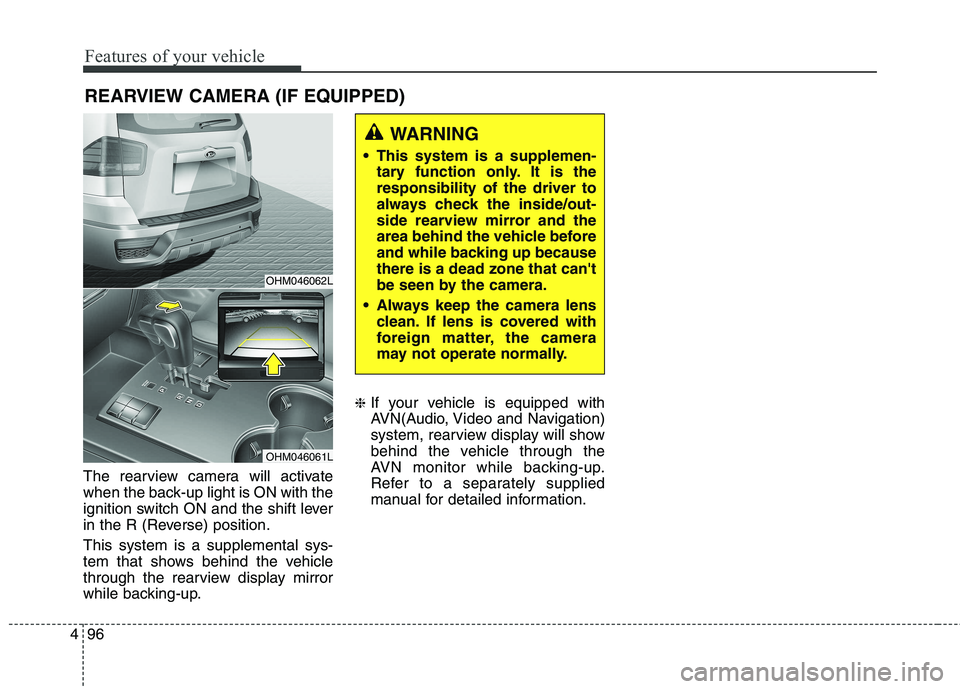
The rearview camera will activate
when the back-up light is ON with the
ignition switch ON and the shift lever
in the R (Reverse) position. This system is a supplemental sys-
tem that shows behind the vehicle
through the rearview display mirror
while backing-up. ❈
If your vehicle is equipped with
AVN(Audio, Video and Navigation)
system, rearview display will show
behind the vehicle through the
AVN monitor while backing-up.
Refer to a separately supplied
manual for detailed information.
WARNING
This system is a supplemen- tary function only. It is the responsibility of the driver to
always check the inside/out-
side rearview mirror and the
area behind the vehicle before
and while backing up becausethere is a dead zone that can't
be seen by the camera.
Always keep the camera lens clean. If lens is covered with
foreign matter, the camera
may not operate normally.
OHM046062L
OHM046061L
REARVIEW CAMERA (IF EQUIPPED)
Page 187 of 548
Features of your vehicle
98
4
Battery saver function
The purpose of this feature is to
prevent the battery from being dis-
charged. The system automatically
turns off the parking lights when
the driver removes the ignition key
and opens the driver-side door.
With this feature, the parking lights will turn off automatically if the driver
parks on the side of the road at night.
If necessary, to keep the lights on
when the ignition key is removed,
perform the following:
1) Open the driver-side door.
2) Turn the parking lights OFF and ON again using the light switch
on the steering column. Daytime running light (if equipped)
The Daytime Running Lights (DRL)
can make it easier for others to see the
front of your vehicle during the day.
DRL can be helpful in many different
driving conditions, and it is especially
helpful after dawn and before sunset.
The DRL system will turn the dedi- cated lamp OFF when:
1. The headlight or fog lamp switch is
ON.
2. The engine is OFF.
LIGHTINGCAUTION
If the driver gets out of the vehi-
cle through other doors (exceptdriver's door), the battery saver function does not operate.Therefore, It causes the batteryto be discharged. In this case,make sure to turn off the lamp before getting out of the vehicle.
Page 188 of 548
499
Features of your vehicle
❈❈Traffic Change (For Europe)
The low beam light distribution is
asymmetric. If you go abroad to a
country with opposite traffic direc-
tion, this asymmetric part will dazzle
oncoming car driver. To prevent daz-
zle, ECE regulation demand several
technical solutions (ex. automatic
change system, adhesive sheet,
down aiming). This headlamps aredesigned to adjust in user setting
mode in cluster. Lighting control
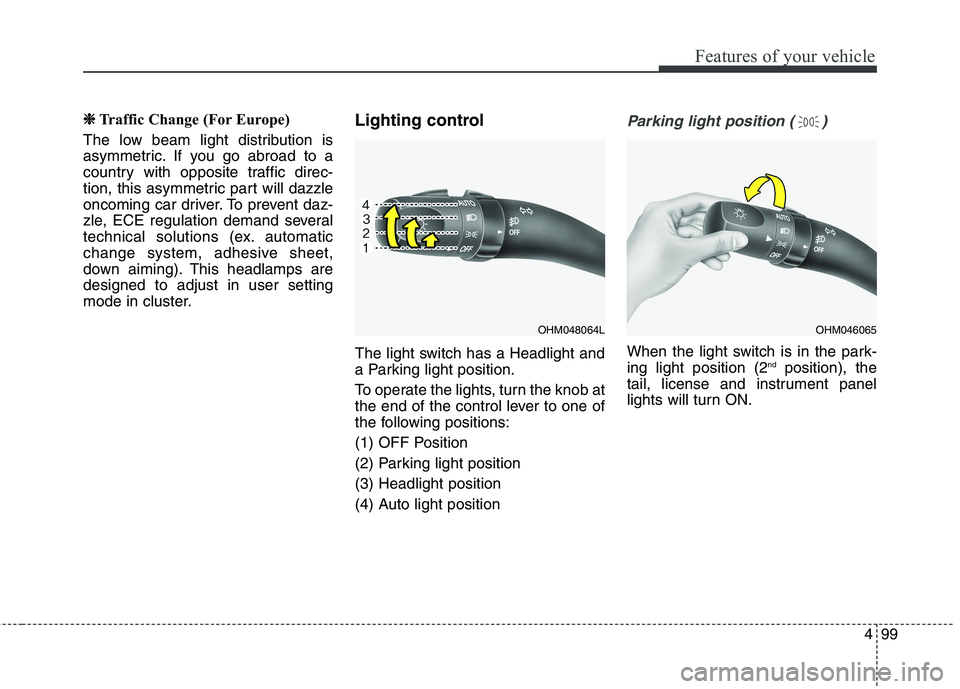
The light switch has a Headlight and
a Parking light position.
To operate the lights, turn the knob at
the end of the control lever to one of
the following positions:
(1) OFF Position
(2) Parking light position(3) Headlight position
(4) Auto light positionParking light position ( )
When the light switch is in the park- ing light position (2
nd
position), the
tail, license and instrument panel
lights will turn ON.
OHM048064LOHM046065
Page 189 of 548
Features of your vehicle
100
4
Headlight position ( )
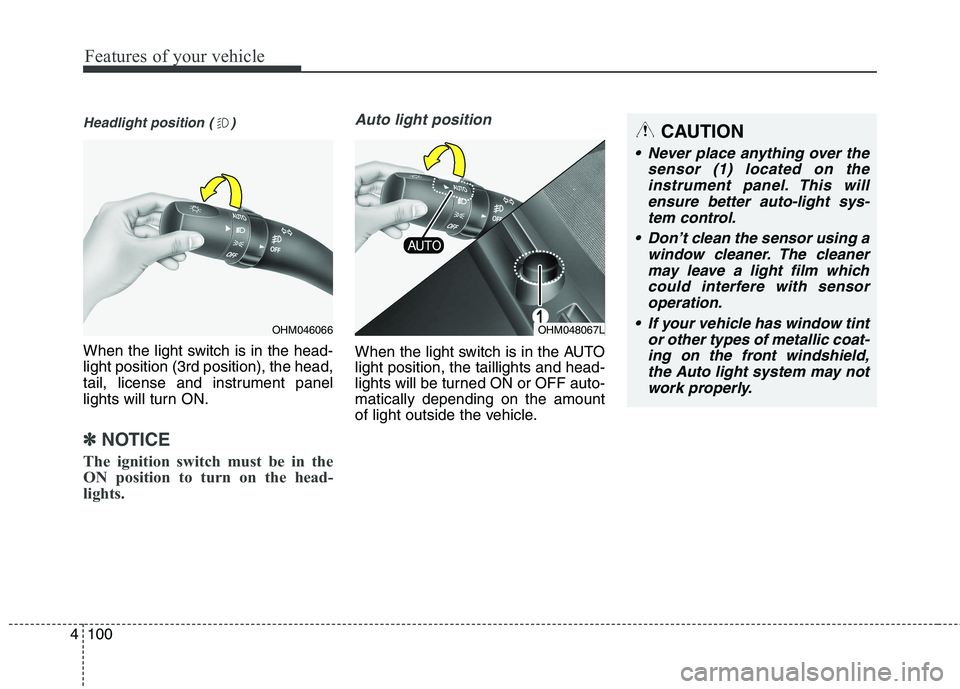
When the light switch is in the head- light position (3rd position), the head,
tail, license and instrument panel
lights will turn ON.
✽✽
NOTICE
The ignition switch must be in the
ON position to turn on the head-
lights.
Auto light position
When the light switch is in the AUTO light position, the taillights and head-
lights will be turned ON or OFF auto-matically depending on the amount
of light outside the vehicle.
OHM046066OHM048067L
CAUTION
Never place anything over the sensor (1) located on theinstrument panel. This will ensure better auto-light sys-tem control.
Don’t clean the sensor using a window cleaner. The cleanermay leave a light film which could interfere with sensoroperation.
If your vehicle has window tint or other types of metallic coat-ing on the front windshield, the Auto light system may notwork properly.
Page 190 of 548
4101
Features of your vehicle
High beam operation
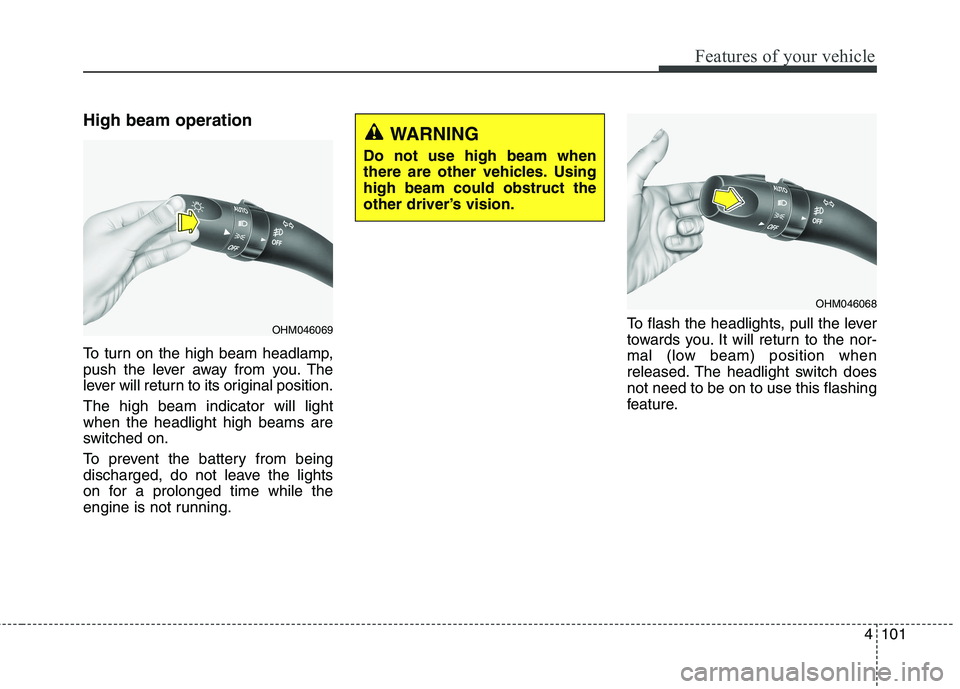
To turn on the high beam headlamp,
push the lever away from you. The
lever will return to its original position. The high beam indicator will light when the headlight high beams are
switched on.
To prevent the battery from being
discharged, do not leave the lights
on for a prolonged time while the
engine is not running.To flash the headlights, pull the lever
towards you. It will return to the nor-
mal (low beam) position when
released. The headlight switch doesnot need to be on to use this flashing
feature.
OHM046069
WARNING
Do not use high beam when
there are other vehicles. Usinghigh beam could obstruct the
other driver’s vision.
OHM046068
Page 191 of 548
Features of your vehicle
102
4
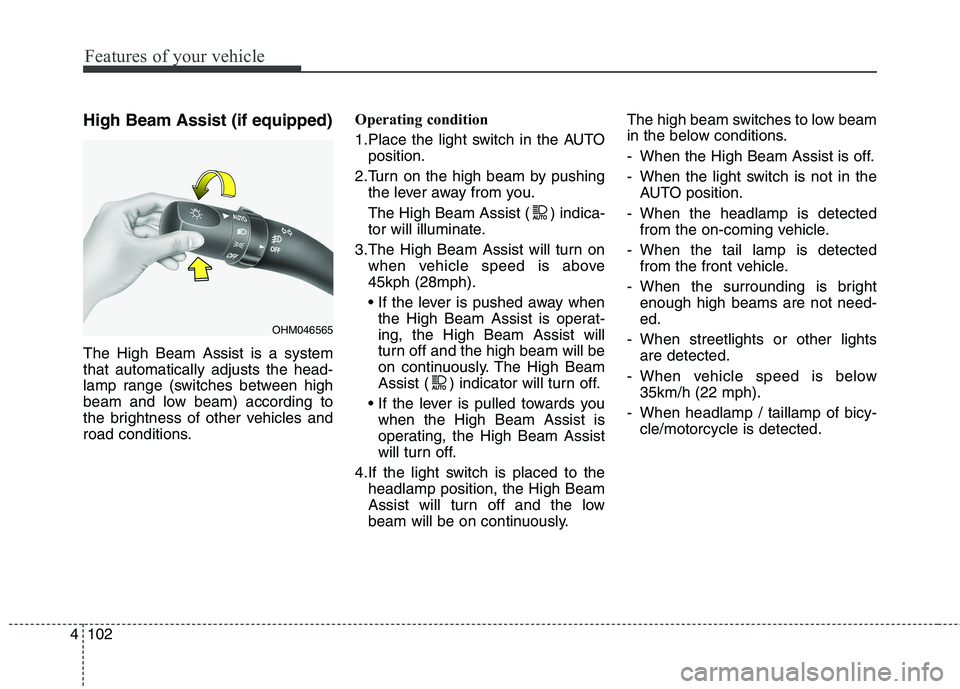
High Beam Assist (if equipped) The High Beam Assist is a system that automatically adjusts the head-
lamp range (switches between high
beam and low beam) according to
the brightness of other vehicles and
road conditions. Operating condition
1.Place the light switch in the AUTO
position.
2.Turn on the high beam by pushing the lever away from you.
The High Beam Assist ( ) indica-
tor will illuminate.
3.The High Beam Assist will turn on when vehicle speed is above45kph (28mph).
the High Beam Assist is operat- ing, the High Beam Assist will
turn off and the high beam will be
on continuously. The High Beam
Assist ( ) indicator will turn off.
when the High Beam Assist is
operating, the High Beam Assist
will turn off.
4.If the light switch is placed to the headlamp position, the High Beam
Assist will turn off and the low
beam will be on continuously. The high beam switches to low beam
in the below conditions.
- When the High Beam Assist is off.
- When the light switch is not in the
AUTO position.
- When the headlamp is detected from the on-coming vehicle.
- When the tail lamp is detected from the front vehicle.
- When the surrounding is bright enough high beams are not need- ed.
- When streetlights or other lights are detected.
- When vehicle speed is below 35km/h (22 mph).
- When headlamp / taillamp of bicy- cle/motorcycle is detected.
OHM046565
Page 192 of 548
4103
Features of your vehicle
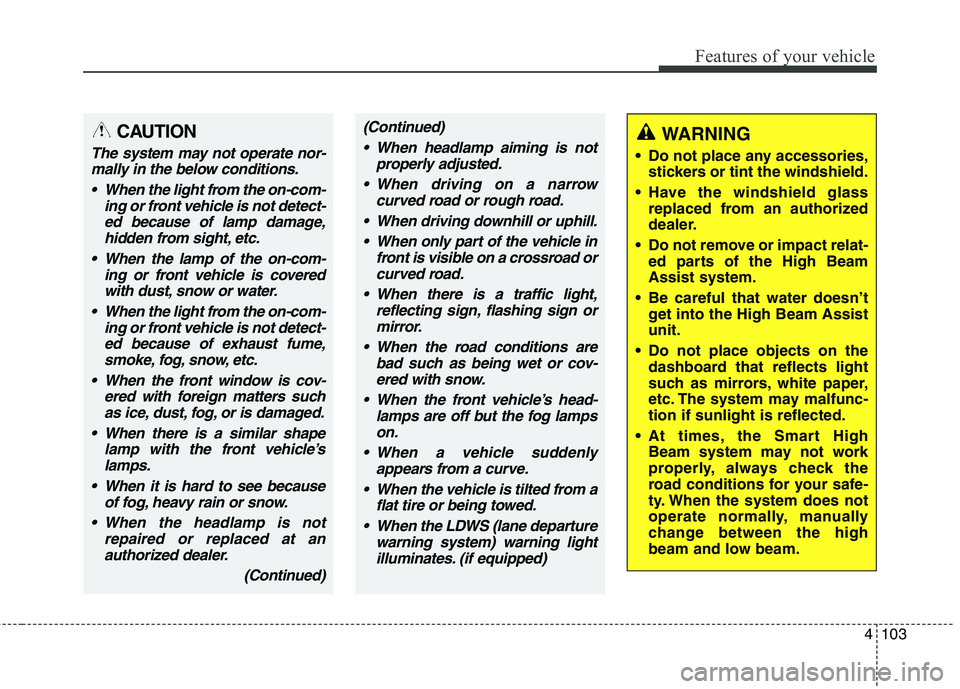
CAUTION
The system may not operate nor-mally in the below conditions.
When the light from the on-com- ing or front vehicle is not detect-ed because of lamp damage,hidden from sight, etc.
When the lamp of the on-com- ing or front vehicle is coveredwith dust, snow or water.
When the light from the on-com- ing or front vehicle is not detect-ed because of exhaust fume,smoke, fog, snow, etc.
When the front window is cov- ered with foreign matters suchas ice, dust, fog, or is damaged.
When there is a similar shape lamp with the front vehicle’slamps.
When it is hard to see because of fog, heavy rain or snow.
When the headlamp is not repaired or replaced at anauthorized dealer.
(Continued)
(Continued)
When headlamp aiming is not properly adjusted.
When driving on a narrow curved road or rough road.
When driving downhill or uphill. When only part of the vehicle in front is visible on a crossroad orcurved road.
When there is a traffic light, reflecting sign, flashing sign ormirror.
When the road conditions are bad such as being wet or cov-ered with snow.
When the front vehicle’s head- lamps are off but the fog lampson.
When a vehicle suddenly appears from a curve.
When the vehicle is tilted from a flat tire or being towed.
When the LDWS (lane departure warning system) warning lightilluminates. (if equipped)WARNING
Do not place any accessories, stickers or tint the windshield.
Have the windshield glass replaced from an authorized
dealer.
Do not remove or impact relat- ed parts of the High BeamAssist system.
Be careful that water doesn’t get into the High Beam Assistunit.
Do not place objects on the dashboard that reflects light
such as mirrors, white paper,
etc. The system may malfunc-tion if sunlight is reflected.
At times, the Smart High Beam system may not work
properly, always check the
road conditions for your safe-
ty. When the system does not
operate normally, manually
change between the high
beam and low beam.