ECO mode KIA CADENZA 2011 Owners Manual
[x] Cancel search | Manufacturer: KIA, Model Year: 2011, Model line: CADENZA, Model: KIA CADENZA 2011Pages: 352, PDF Size: 28.17 MB
Page 2 of 352
i
Thank you for choosing a KIA vehicle.
When you require service, remember that your dealer
knows your vehicle best. Your dealer has factory-trained
technicians, recommended special tools, genuine KIA
replacement parts and is dedicated to your complete sat-
isfaction.
Because subsequent owners require this important infor-
mation as well, this publication should remain with the
vehicle if it is sold.
This manual will familiarize you with operational, main-
tenance and safety information about your new vehicle. It
is supplemented by a Warranty and Maintenance book
that provides important information on all warranties
regarding your vehicle. We urge you to read these publi-
cations carefully and follow the recommendations to help
assure enjoyable and safe operation of your new vehicle.
KIA offers a great variety of options, components and
features for its various models. Therefore, some of the
equipment described in this manual, along with the vari-
ous illustrations, may not be applicable to your particular
vehicle.
The information and specifications provided in this man-
ual were accurate at the time of printing. KIA reserves
the right to discontinue or change specifications or design
at any time without notice and without incurring any
obligation. If you have questions, always check with your
authorized KIA dealer.
We assure you of our continuing interest in your motor-
ing pleasure and satisfaction in your KIA vehicle.
© 2010 KIA MOTORS Corp.
All rights reserved. Reproduction by any means, elec-
tronic or mechanical, including photocopying, recording,
or by any information storage and retrieval system or
translation in whole or part is not permitted without writ-
ten authorization from KIA MOTORS Corporation.
Printed in Korea
Foreword
Page 109 of 352
Features of your vehicle
48
4
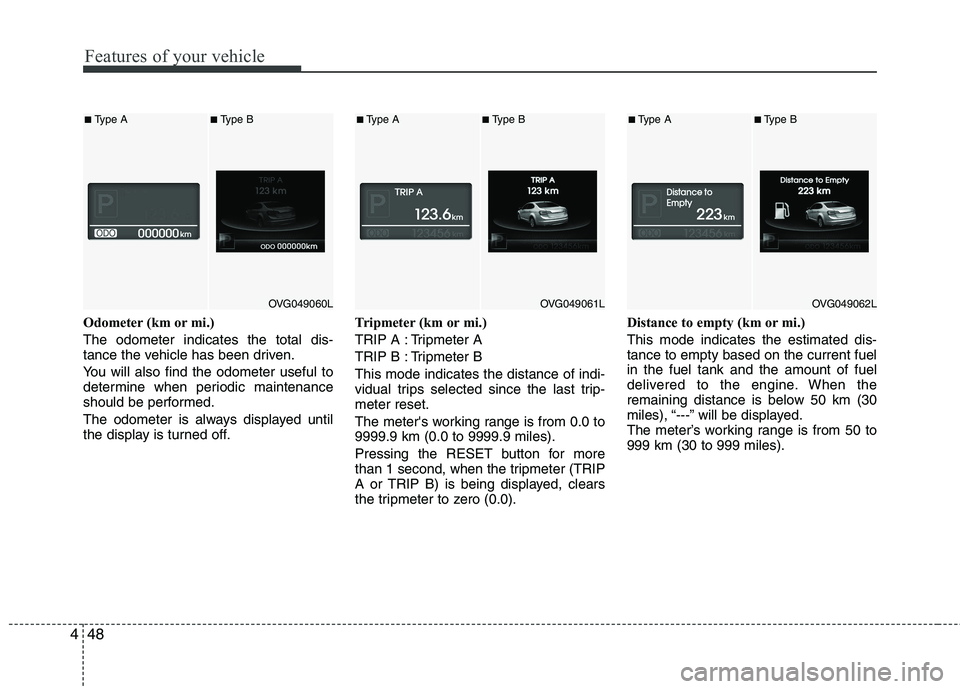
Odometer (km or mi.) The odometer indicates the total dis-
tance the vehicle has been driven.
You will also find the odometer useful to
determine when periodic maintenance
should be performed.
The odometer is always displayed until
the display is turned off. Tripmeter (km or mi.)
TRIP A : Tripmeter A
TRIP B : Tripmeter BThis mode indicates the distance of indi-
vidual trips selected since the last trip-meter reset.
The meter's working range is from 0.0 to 9999.9 km (0.0 to 9999.9 miles).
Pressing the RESET button for more
than 1 second, when the tripmeter (TRIP
A or TRIP B) is being displayed, clears
the tripmeter to zero (0.0).Distance to empty (km or mi.) This mode indicates the estimated dis- tance to empty based on the current fuelin the fuel tank and the amount of fuel
delivered to the engine. When the
remaining distance is below 50 km (30
miles), “---” will be displayed.
The meter’s working range is from 50 to999 km (30 to 999 miles).
OVG049060L
■
Type A■Type B
OVG049061L
■Type A■Type B
OVG049062L
■Type A■ Type B
Page 110 of 352
449
Features of your vehicle
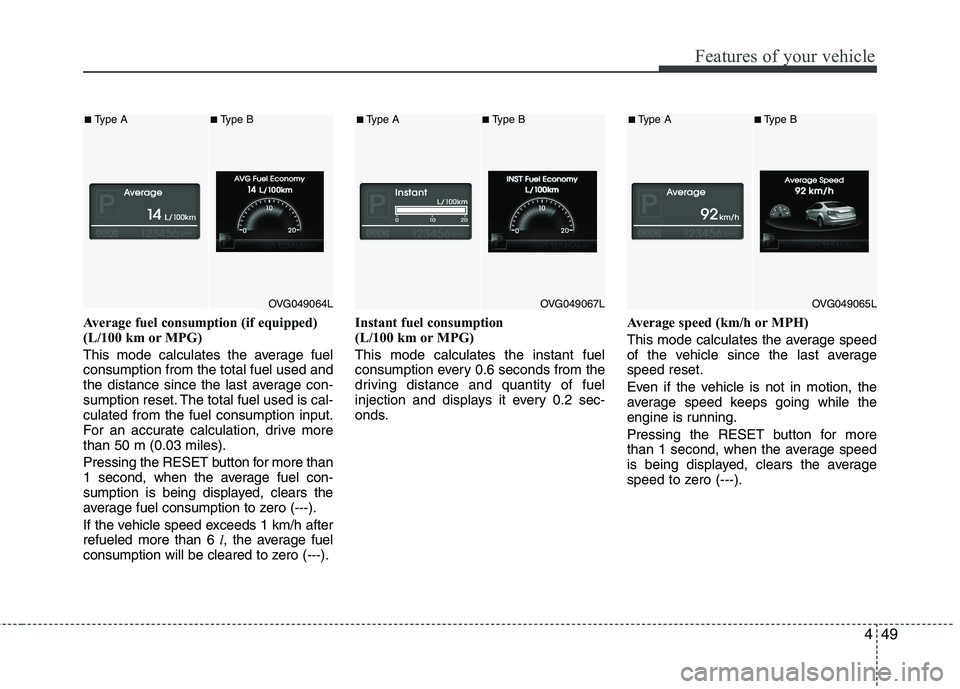
Average fuel consumption (if equipped)
(L/100 km or MPG)
This mode calculates the average fuel consumption from the total fuel used and
the distance since the last average con-
sumption reset. The total fuel used is cal-culated from the fuel consumption input.
For an accurate calculation, drive morethan 50 m (0.03 miles). Pressing the RESETbutton for more than
1 second, when the average fuel con-
sumption is being displayed, clears the
average fuel consumption to zero (---).
If the vehicle speed exceeds 1 km/h after refueled more than 6 l, the average fuel
consumption will be cleared to zero (---). Instant fuel consumption
(L/100 km or MPG) This mode calculates the instant fuel
consumption every 0.6 seconds from the
driving distance and quantity of fuel
injection and displays it every 0.2 sec-
onds.
Average speed (km/h or MPH)
This mode calculates the average speed
of the vehicle since the last averagespeed reset.
Even if the vehicle is not in motion, the
average speed keeps going while the
engine is running.
Pressing the RESET button for more
than 1 second, when the average speed
is being displayed, clears the average
speed to zero (---).
OVG049064L
■
Type A■Type B
OVG049067L
■Type A■Type B
OVG049065L
■Type A■ Type B
Page 111 of 352
Features of your vehicle
50
4
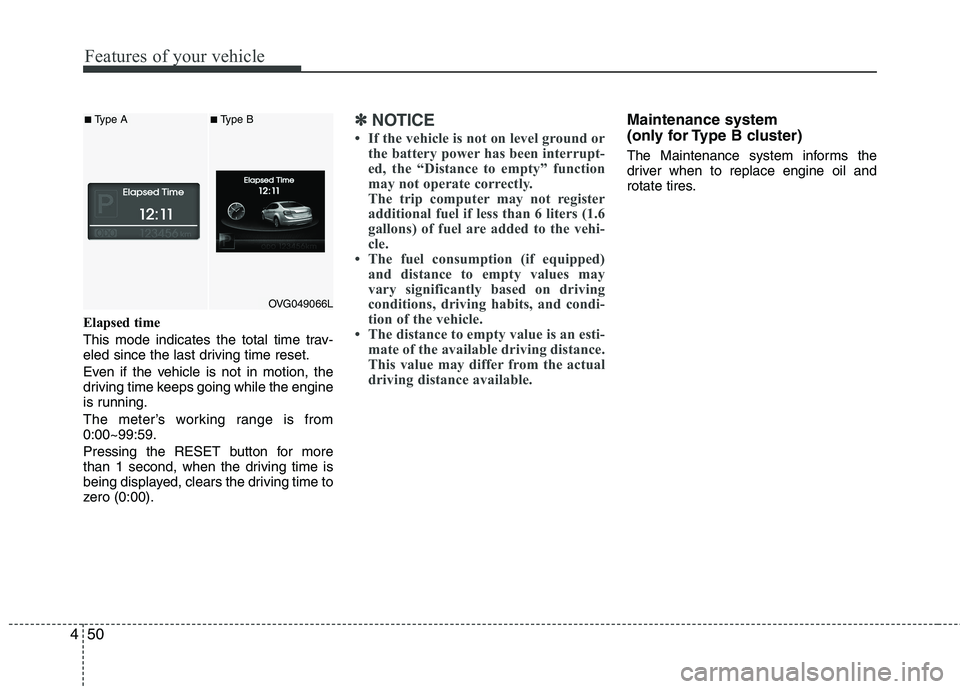
Elapsed time
This mode indicates the total time trav-
eled since the last driving time reset.
Even if the vehicle is not in motion, the
driving time keeps going while the engine
is running.
The meter’s working range is from 0:00~99:59.
Pressing the RESET button for more
than 1 second, when the driving time is
being displayed, clears the driving time to
zero (0:00).
✽✽
NOTICE
If the vehicle is not on level ground or the battery power has been interrupt-
ed, the “Distance to empty” function
may not operate correctly.
The trip computer may not register
additional fuel if less than 6 liters (1.6
gallons) of fuel are added to the vehi-
cle.
The fuel consumption (if equipped)
and distance to empty values may
vary significantly based on driving
conditions, driving habits, and condi-
tion of the vehicle.
The distance to empty value is an esti- mate of the available driving distance.
This value may differ from the actual
driving distance available.Maintenance system
(only for Type B cluster)
The Maintenance system informs the
driver when to replace engine oil and
rotate tires.
OVG049066L
■Type A■Type B
Page 112 of 352
451
Features of your vehicle
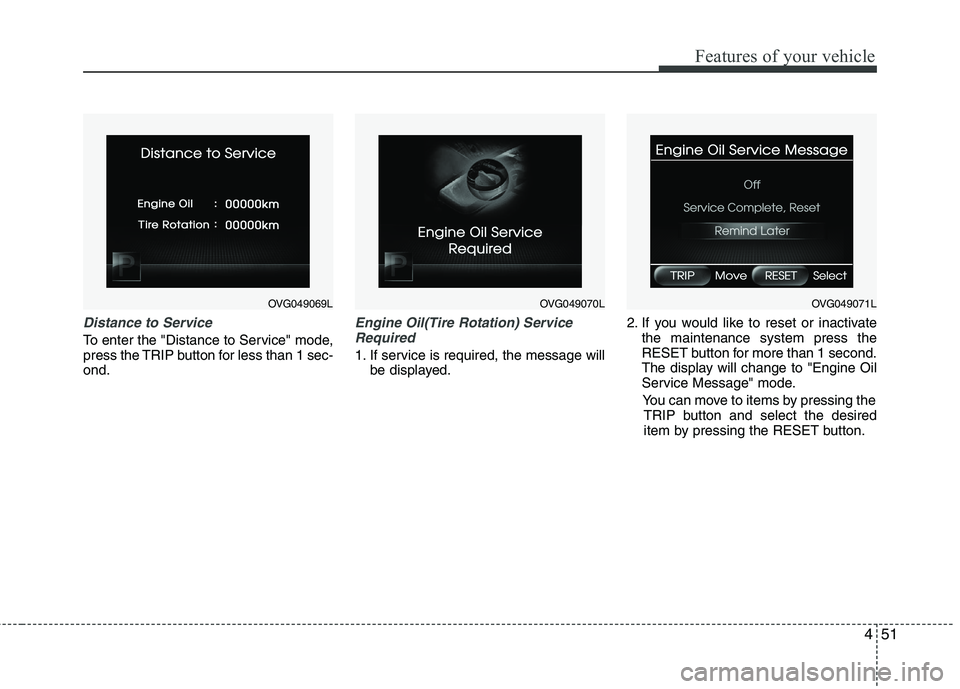
Distance to Service
To enter the "Distance to Service" mode,
press the TRIP button for less than 1 sec-ond.
Engine Oil(Tire Rotation) ServiceRequired
1. If service is required, the message will be displayed. 2. If you would like to reset or inactivate
the maintenance system press the
RESET button for more than 1 second.
The display will change to "Engine Oil
Service Message" mode.
You can move to items by pressing the TRIP button and select the desired
item by pressing the RESET button.
OVG049069LOVG049070LOVG049071L
Page 113 of 352
Features of your vehicle
52
4
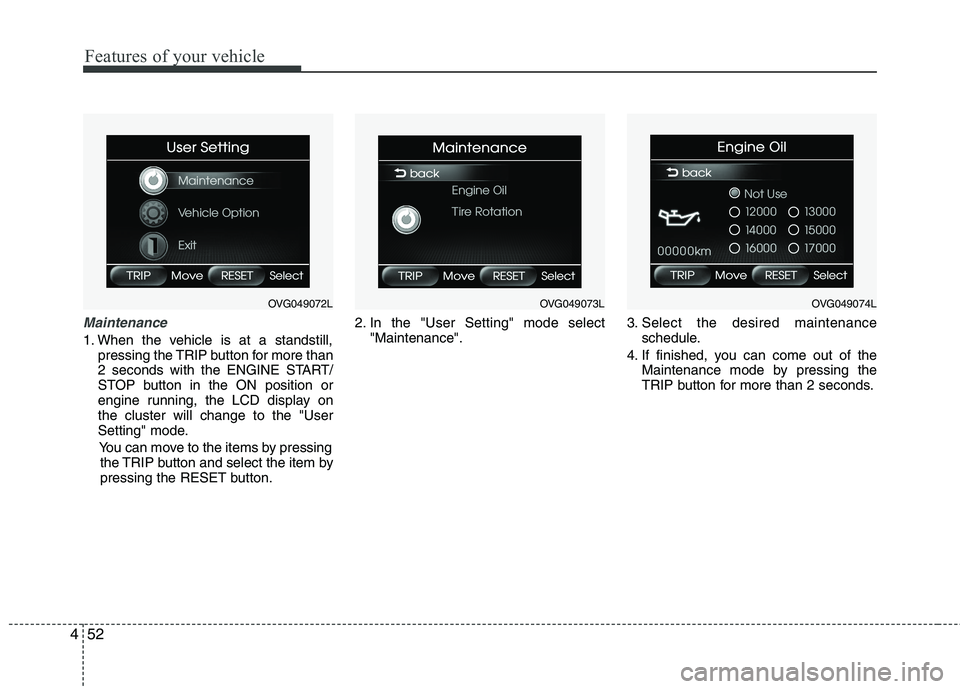
Maintenance
1. When the vehicle is at a standstill,
pressing the TRIP button for more than
2 seconds with the ENGINE START/
STOP button in the ON position or
engine running, the LCD display onthe cluster will change to the "User
Setting" mode.
You can move to the items by pressing the TRIP button and select the item by
pressing the RESET button. 2. In the "User Setting" mode select
"Maintenance". 3. Select the desired maintenance
schedule.
4. If finished, you can come out of the Maintenance mode by pressing the
TRIP button for more than 2 seconds.
OVG049072LOVG049073LOVG049074L
Page 114 of 352
453
Features of your vehicle
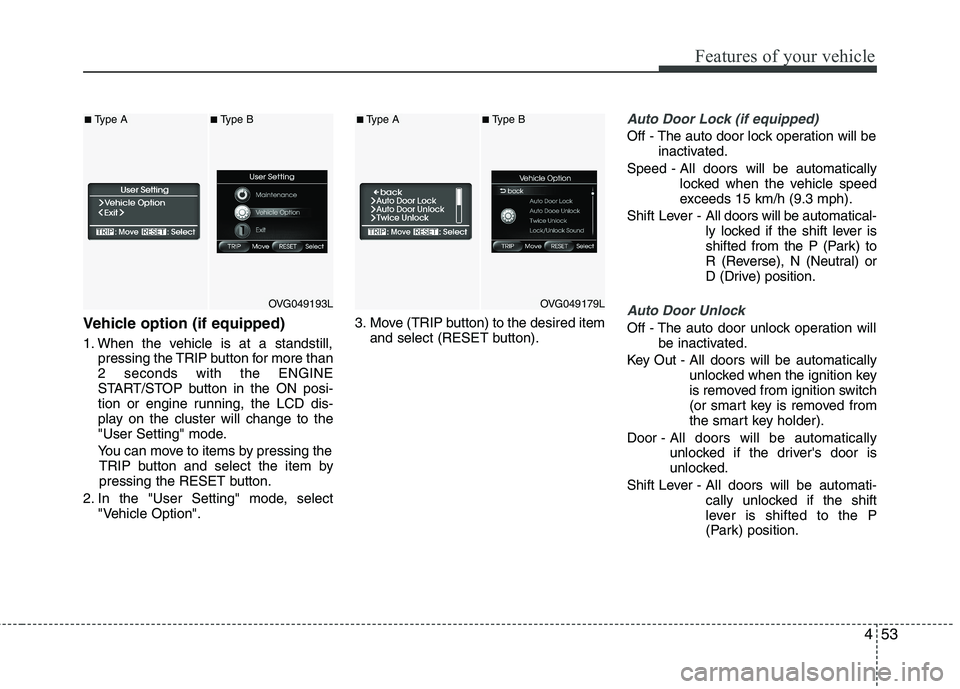
Vehicle option (if equipped)
1. When the vehicle is at a standstill,pressing the TRIP button for more than 2 seconds with the ENGINE
START/STOP button in the ON posi-
tion or engine running, the LCD dis-
play on the cluster will change to the
"User Setting" mode.
You can move to items by pressing the TRIP button and select the item by
pressing the RESET button.
2. In the "User Setting" mode, select "Vehicle Option". 3. Move (TRIP button) to the desired item
and select (RESET button).
Auto Door Lock (if equipped)
Off - The auto door lock operation will be inactivated.
Speed - All doors will be automatically locked when the vehicle speed
exceeds 15 km/h (9.3 mph).
Shift Lever - All doors will be automatical-
ly locked if the shift lever is
shifted from the P (Park) to
R (Reverse), N (Neutral) or
D (Drive) position.
Auto Door Unlock
Off - The auto door unlock operation will
be inactivated.
Key Out - All doors will be automatically unlocked when the ignition key
is removed from ignition switch
(or smart key is removed from
the smart key holder).
Door - All doors will be automatically
unlocked if the driver's door is
unlocked.
Shift Lever - All doors will be automati- cally unlocked if the shift
lever is shifted to the P
(Park) position.
OVG049193L
■Type A■Type B
OVG049179L
■Type A■Type B
Page 122 of 352
461
Features of your vehicle
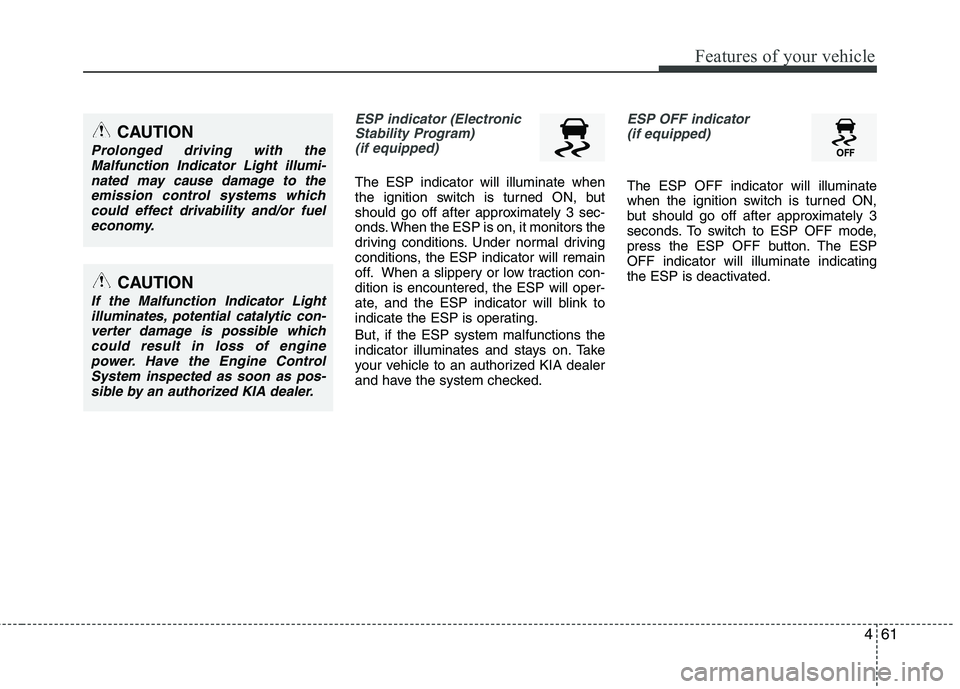
ESP indicator (ElectronicStability Program) (if equipped)
The ESP indicator will illuminate when
the ignition switch is turned ON, but
should go off after approximately 3 sec-
onds. When the ESP is on, it monitors the
driving conditions. Under normal driving
conditions, the ESP indicator will remain
off. When a slippery or low traction con-dition is encountered, the ESP will oper-
ate, and the ESP indicator will blink to
indicate the ESP is operating. But, if the ESP system malfunctions the
indicator illuminates and stays on. Take
your vehicle to an authorized KIA dealer
and have the system checked.
ESP OFF indicator
(if equipped)
The ESP OFF indicator will illuminate
when the ignition switch is turned ON,
but should go off after approximately 3
seconds. To switch to ESP OFF mode,
press the ESP OFF button. The ESPOFF indicator will illuminate indicating
the ESP is deactivated.
CAUTION
Prolonged driving with the Malfunction Indicator Light illumi-
nated may cause damage to theemission control systems whichcould effect drivability and/or fuel economy.
CAUTION
If the Malfunction Indicator Lightilluminates, potential catalytic con-
verter damage is possible whichcould result in loss of enginepower. Have the Engine ControlSystem inspected as soon as pos-
sible by an authorized KIA dealer.
Page 154 of 352
493
Features of your vehicle
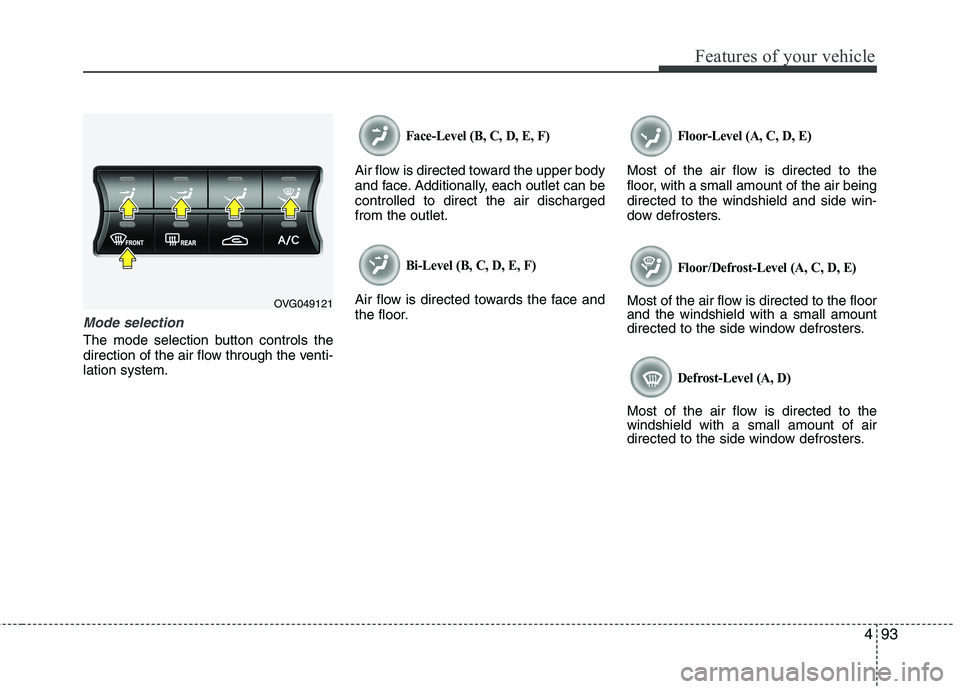
Mode selection
The mode selection button controls the
direction of the air flow through the venti-lation system.
Face-Level (B, C, D, E, F)
Air flow is directed toward the upper body
and face. Additionally, each outlet can becontrolled to direct the air dischargedfrom the outlet.
Bi-Level (B, C, D, E, F)
Air flow is directed towards the face and
the floor.
Floor-Level (A, C, D, E)
Most of the air flow is directed to the
floor, with a small amount of the air beingdirected to the windshield and side win-
dow defrosters.
Floor/Defrost-Level (A, C, D, E)
Most of the air flow is directed to the floor and the windshield with a small amount
directed to the side window defrosters.
Defrost-Level (A, D)
Most of the air flow is directed to thewindshield with a small amount of air
directed to the side window defrosters.
OVG049121
Page 159 of 352
Features of your vehicle
98
4
Air conditioning system operation tips
If the vehicle has been parked in direct
sunlight during hot weather, open the
windows for a short time to let the hot
air inside the vehicle escape.
To help reduce moisture inside of the windows on rainy or humid days,
decrease the humidity inside the vehi-
cle by operating the air conditioningsystem.
During air conditioning system opera- tion, you may occasionally notice aslight change in engine speed as the
air conditioning compressor cycles.
This is a normal system operation
characteristic.
Use the air conditioning system every month only for a few minutes to ensure
maximum system performance. When using the air conditioning sys-
tem, you may notice clear water drip-
ping (or even puddling) on the ground
under the passenger side of the vehi-
cle. This is a normal system operation
characteristic.
Operating the air conditioning system in the recirculated air position provides
maximum cooling, however, continual
operation in this mode may cause the
air inside the vehicle to become stale.
During cooling operation, you may occasionally notice a misty air flow
because of rapid cooling and humid air
intake. This is a normal system opera-
tion characteristic.
If you operate air conditioner exces- sively, the difference between the tem-
perature of the outside air and that ofthe windshield could cause the outer
surface of the windshield to fog up,
causing loss of visibility. In this case,
set the mode selection knob or button
to the position and fan speed con-
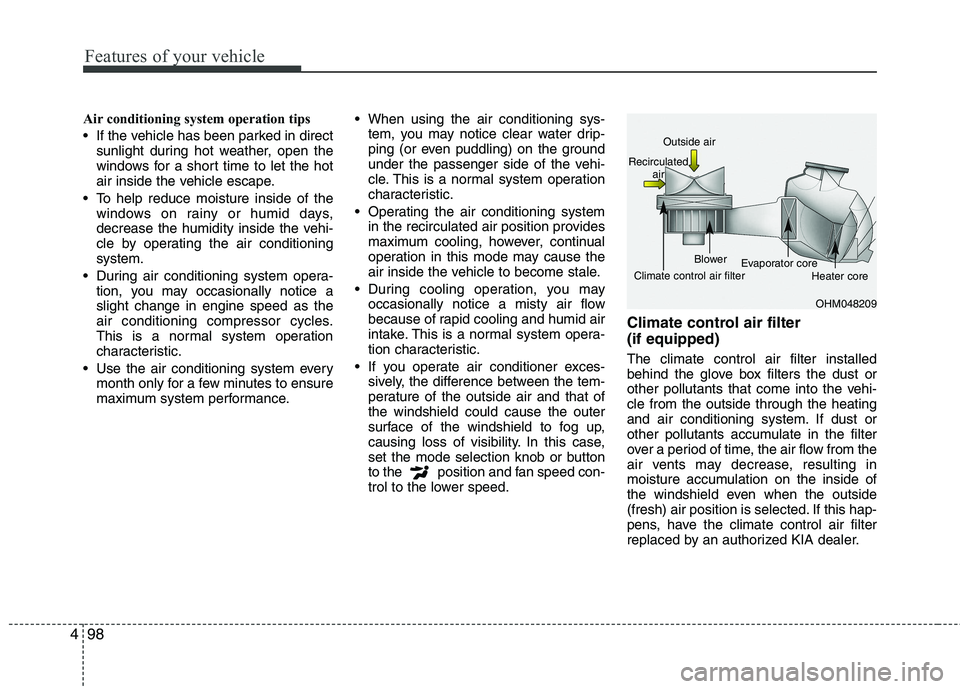
trol to the lower speed. Climate control air filter (if equipped) The climate control air filter installed
behind the glove box filters the dust or
other pollutants that come into the vehi-cle from the outside through the heating
and air conditioning system. If dust or
other pollutants accumulate in the filter
over a period of time, the air flow from the
air vents may decrease, resulting in
moisture accumulation on the inside of
the windshield even when the outside
(fresh) air position is selected. If this hap-
pens, have the climate control air filter
replaced by an authorized KIA dealer.
OHM048209
Outside air
Recirculated air
Climate control air filter Blower
Evaporator core
Heater core