battery KIA CADENZA 2017 User Guide
[x] Cancel search | Manufacturer: KIA, Model Year: 2017, Model line: CADENZA, Model: KIA CADENZA 2017Pages: 500, PDF Size: 10.37 MB
Page 104 of 500
423
Features of your vehicle
Power Trunk Non-Opening orClosing Conditions:
The power trunk will not open or close automatically, when the vehi-
cle is moving more than 1.8 mph (3
km/h).
The power trunk can be operated when the engine is not running.
However, the power trunk opera-
tion consumes large amounts of
vehicle electric power. To prevent
the battery from draining, do not
operate it excessively (e.g., more
than approximately 10 times
repeatedly).
Do not modify or repair any part of the power trunk by yourself. This
must be done by an authorized Kia
dealer.
Before jacking up the vehicle to change a tire or repair the vehicle,
open the power trunk. Do not oper-
ate the power trunk when the vehi-
cle is raised or this could cause the
power trunk to operate improperly. If there are obstacles such as
snow on the power trunk, it may
not open automatically. After
removing the obstacle, try to open
it again.
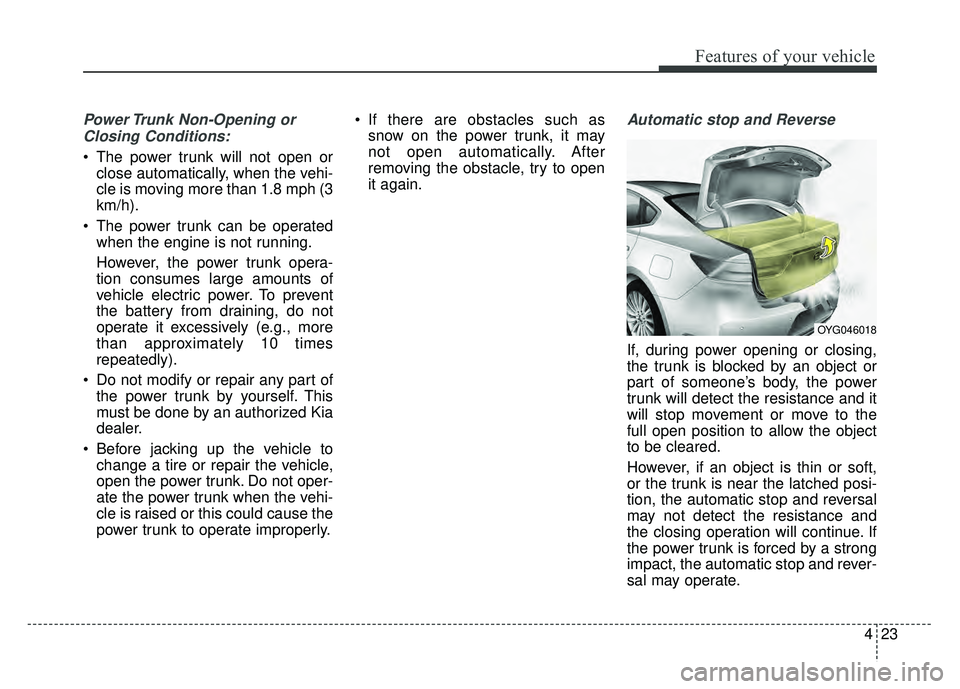
Automatic stop and Reverse
If, during power opening or closing,
the trunk is blocked by an object or
part of someone’s body, the power
trunk will detect the resistance and it
will stop movement or move to the
full open position to allow the object
to be cleared.
However, if an object is thin or soft,
or the trunk is near the latched posi-
tion, the automatic stop and reversal
may not detect the resistance and
the closing operation will continue. If
the power trunk is forced by a strong
impact, the automatic stop and rever-
sal may operate.
OYG046018
Page 105 of 500
Features of your vehicle
24
4
If the automatic stop and reverse fea-
ture operates more than twice during
one opening or closing operation, the
power trunk may stop at that posi-
tion.
If this occurs, close the trunk manu-
ally and operate the trunk automati-
cally again.To Reset the Power Trunk
If the battery has been discharged or
disconnected, or if the related fuse
has been replaced or disconnected,
reset the power trunk as follows:
1. Move the shift lever to the P (Park)
position.
2. Close the trunk manually.
If the power trunk doesn't work prop-
erly after performing the above pro-
cedure, have the system checked by
an authorized Kia dealer.
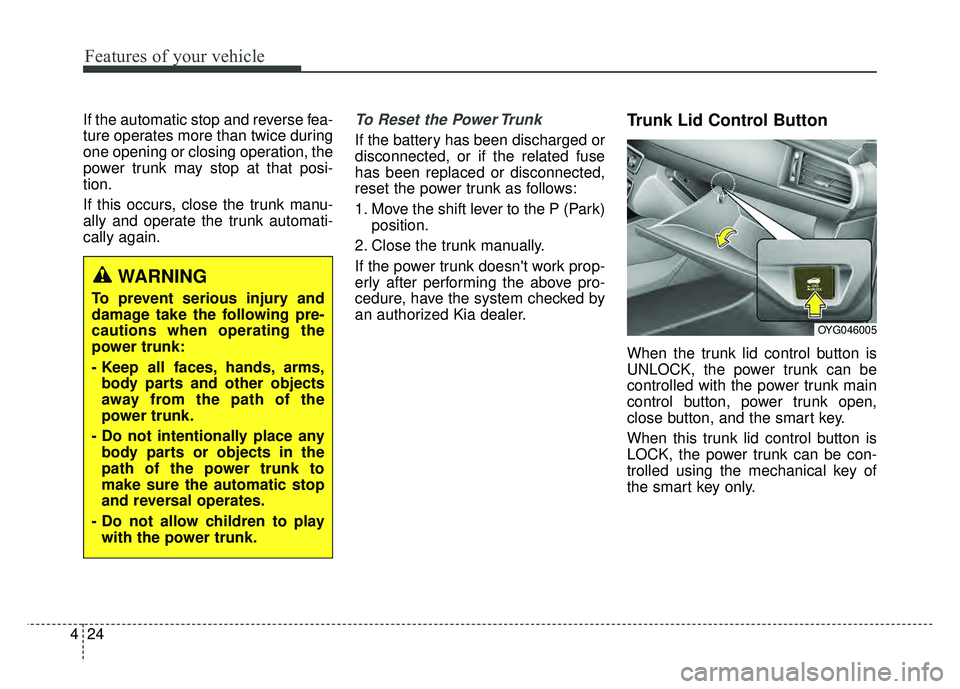
Trunk Lid Control Button
When the trunk lid control button is
UNLOCK, the power trunk can be
controlled with the power trunk main
control button, power trunk open,
close button, and the smart key.
When this trunk lid control button is
LOCK, the power trunk can be con-
trolled using the mechanical key of
the smart key only.
WARNING
To prevent serious injury and
damage take the following pre-
cautions when operating the
power trunk:
- Keep all faces, hands, arms, body parts and other objects
away from the path of the
power trunk.
- Do not intentionally place any body parts or objects in the
path of the power trunk to
make sure the automatic stop
and reversal operates.
- Do not allow children to play with the power trunk.
OYG046005
Page 127 of 500
Features of your vehicle
46
4
Resetting the sunroof
Whenever the vehicle battery is dis-
connected or discharged, you must
reset your sunroof system as follows:
Whenever the vehicle battery is dis-
connected or discharged, you must
reset your sunroof system as follows:
1.Start the engine.
2.Close the sunshade and sunroof
completely if opened.
3.Release the sunroof control lever.
4.Push the sunroof control lever for- ward in the direction of close
(about 10 seconds) until the sun-
shade slightly moves. Then,
release the lever.
5.Push the sunroof control lever for- ward in the direction of close, until
the sunroof operates as follows
again:
Sunshade Open → Glass Tilt Open
→ Glass Tilt Close →Glass Slide
Open →Glass Slide Close →
Sunshade Close
Then, release the lever. When this is complete, the sunroof
system has been reset and one
touch open and close should be
restored.
✽ ✽
NOTICE
If you do not reset the sunroof, it
may not work properly.
Page 144 of 500
463
Features of your vehicle
L/R: When the remote control outside
rearview mirror switch (1) is
selected to the L (left) or R (right)
position, both outside rearview
mirrors will move downward.
Neutral : When the remote control
outside rearview mirror
switch is placed in the mid-
dle, the outside rearview
mirrors will not operate
while the vehicle is moving
rearward.
The outside rearview mirrors will auto-
matically revert to their original posi-
tions under the following conditions:
1. The Engine Start/Stop button is in the OFF position.
2. Shift lever is moved to any position except R (Reverse).
3. Remote control outside rearview mirror switch is placed in the middle.Folding the outside rearview mirror
(if equipped)
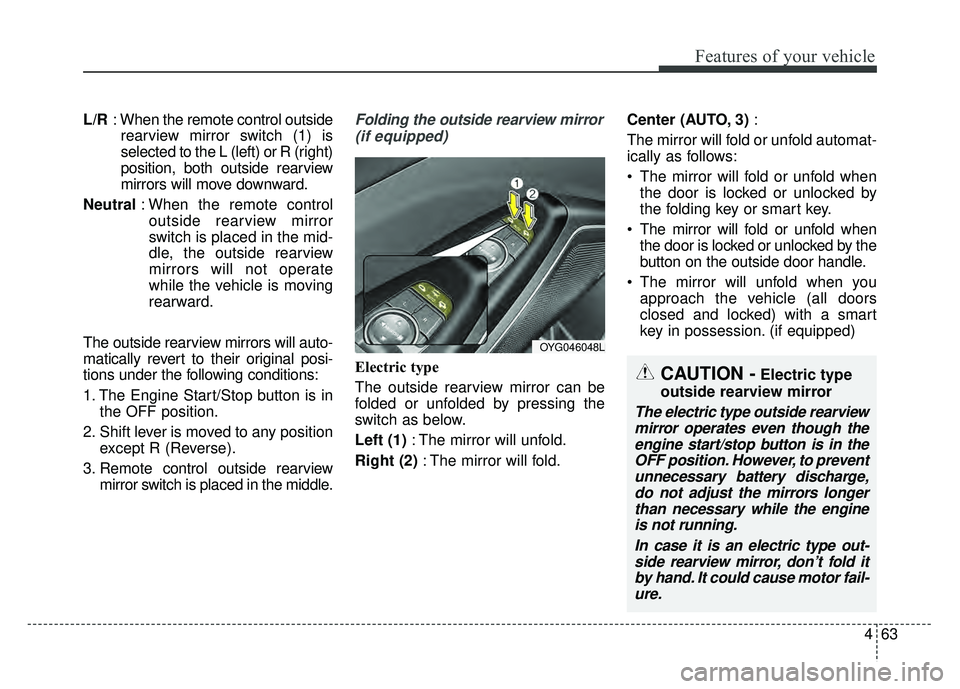
Electric type
The outside rearview mirror can be
folded or unfolded by pressing the
switch as below.
Left (1) : The mirror will unfold.
Right (2) : The mirror will fold. Center (AUTO, 3)
:
The mirror will fold or unfold automat-
ically as follows:
The mirror will fold or unfold when the door is locked or unlocked by
the folding key or smart key.
The mirror will fold or unfold when the door is locked or unlocked by the
button on the outside door handle.
The mirror will unfold when you approach the vehicle (all doors
closed and locked) with a smart
key in possession. (if equipped)
OYG046048L
CAUTION -Electric type
outside rearview mirror
The electric type outside rearview mirror operates even though theengine start/stop button is in theOFF position. However, to preventunnecessary battery discharge,do not adjust the mirrors longerthan necessary while the engineis not running.
In case it is an electric type out-side rearview mirror, don’t fold itby hand. It could cause motor fail-ure.
Page 151 of 500
Features of your vehicle
70
4
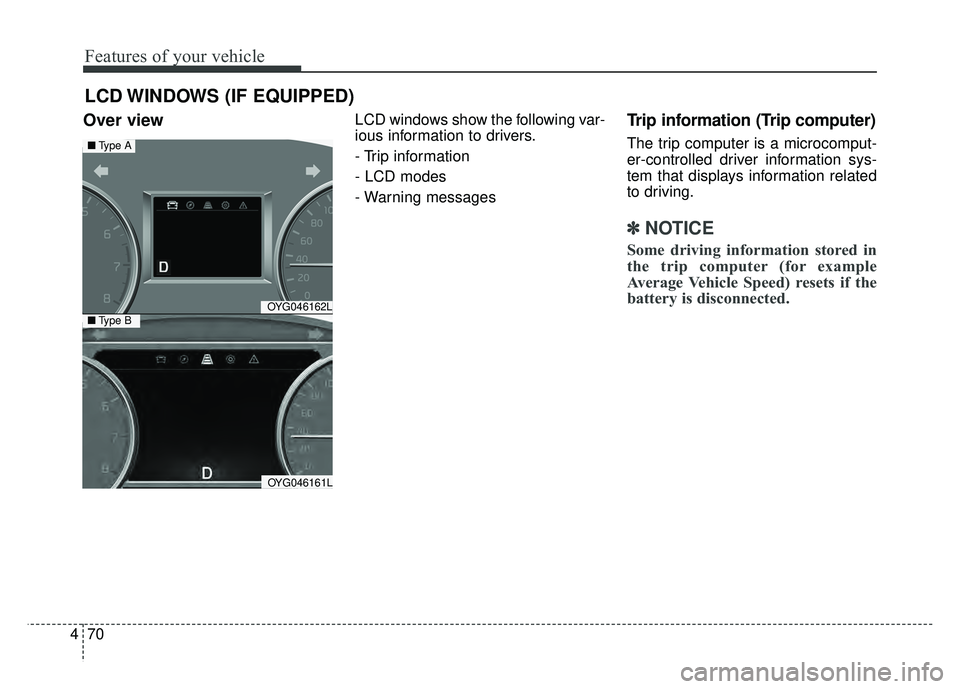
Over view LCD windows show the following var-
ious information to drivers.
- Trip information
- LCD modes
- Warning messagesTrip information (Trip computer)
The trip computer is a microcomput-
er-controlled driver information sys-
tem that displays information related
to driving.
✽ ✽
NOTICE
Some driving information stored in
the trip computer (for example
Average Vehicle Speed) resets if the
battery is disconnected.
LCD WINDOWS (IF EQUIPPED)
OYG046162L
OYG046161L
■ Type A
■Type B
Page 152 of 500
471
Features of your vehicle
Trip Modes Fuel Economy
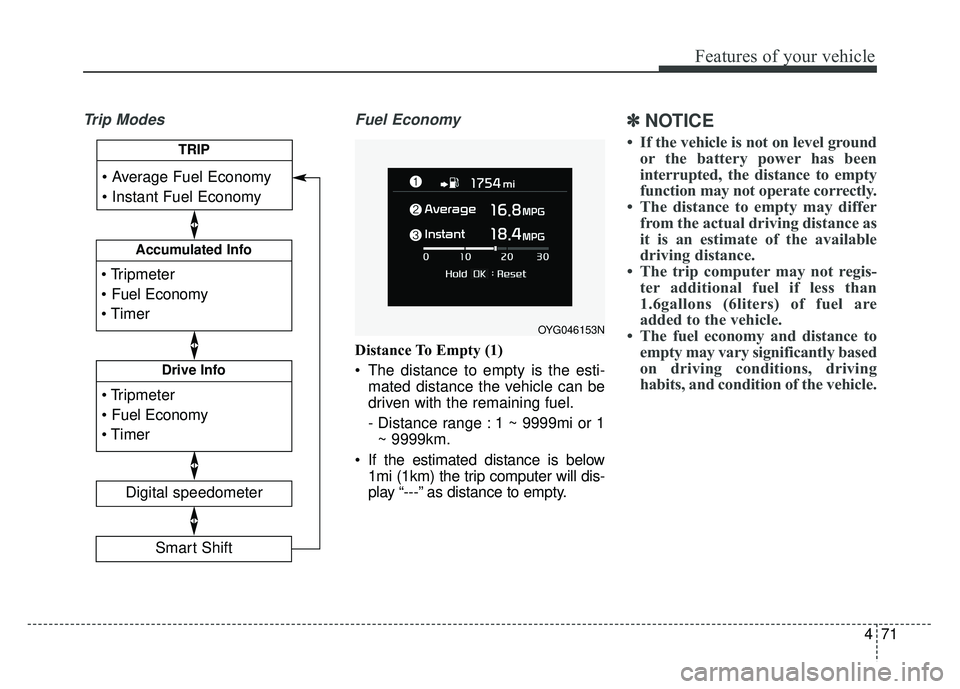
Distance To Empty (1)
The distance to empty is the esti-
mated distance the vehicle can be
driven with the remaining fuel.
- Distance range : 1 ~ 9999mi or 1~ 9999km.
If the estimated distance is below 1mi (1km) the trip computer will dis-
play “---” as distance to empty.
✽ ✽ NOTICE
• If the vehicle is not on level ground
or the battery power has been
interrupted, the distance to empty
function may not operate correctly.
• The distance to empty may differ from the actual driving distance as
it is an estimate of the available
driving distance.
• The trip computer may not regis- ter additional fuel if less than
1.6gallons (6liters) of fuel are
added to the vehicle.
• The fuel economy and distance to empty may vary significantly based
on driving conditions, driving
habits, and condition of the vehicle.
OYG046153N
Accumulated Info
Digital speedometer
Drive Info
TRIP
Smart Shift
Page 157 of 500
Features of your vehicle
76
4
Service Mode
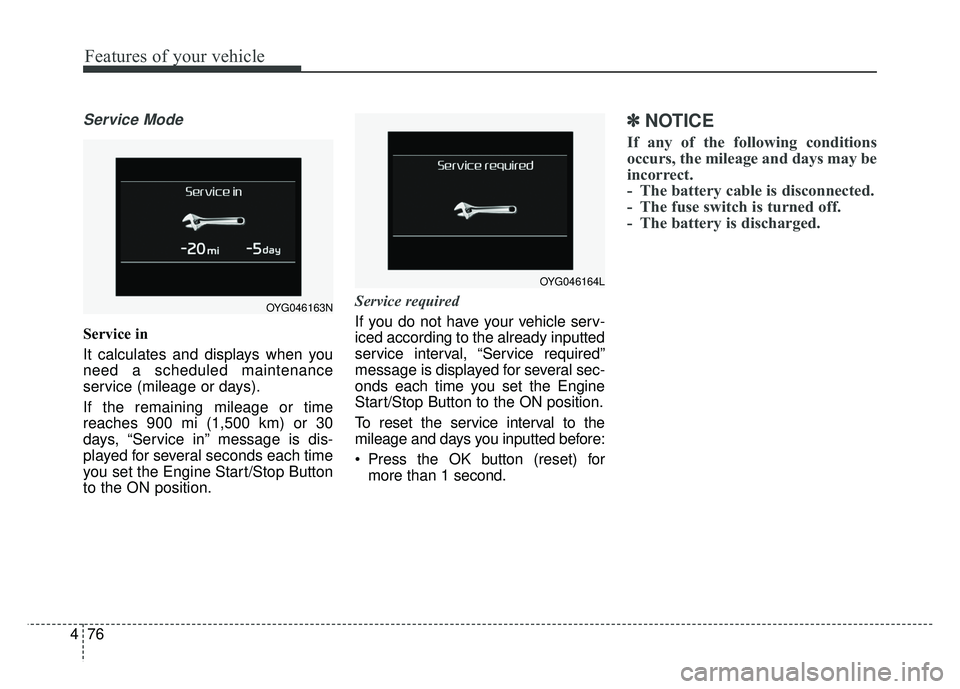
Service in
It calculates and displays when you
need a scheduled maintenance
service (mileage or days).
If the remaining mileage or time
reaches 900 mi (1,500 km) or 30
days, “Service in” message is dis-
played for several seconds each time
you set the Engine Start/Stop Button
to the ON position. Service required
If you do not have your vehicle serv-
iced according to the already inputted
service interval, “Service required”
message is displayed for several sec-
onds each time you set the Engine
Start/Stop Button to the ON position.
To reset the service interval to the
mileage and days you inputted before:
Press the OK button (reset) for
more than 1 second.
✽ ✽ NOTICE
If any of the following conditions
occurs, the mileage and days may be
incorrect.
- The battery cable is disconnected.
- The fuse switch is turned off.
- The battery is discharged.
OYG046164L
OYG046163N
Page 164 of 500
483
Features of your vehicle
Low Key Battery
(for smart key system)
This warning message illuminatesif the battery of the smart key is
discharged when the Engine
Start/Stop Button changes to the
OFF position.
Press START button while turning
wheel (for smart key system)
This warning message illuminates if the steering wheel does not
unlock normally when the Engine
Start/Stop Button is pressed.
It means that you should press the Engine Start/Stop Button while
turning the steering wheel right
and left. Press brake pedal to start engine
(for smart key system)
This warning message illuminates
if the Engine Start/Stop Button
changes to the ACC position twice
by pressing the button repeatedly
without depressing the brake pedal.
It means that you should depress the brake pedal to start the engine.
Key not in vehicle (for smart key system)
This warning message illuminates if the smart key is not in the vehicle
when you press the Engine
Start/Stop Button.
It means that you should always have the smart key with you. Key not detected (for smart key system)
This warning message illuminates
if the smart key is not detected
when you press the Engine
Start/Stop Button.
Vehicle is On(for smart key system)
If the driver’s door is opened with the engine start/stop button in the
ON position and shift lever in
P(Park) position, the message
above will appear.
Page 175 of 500
Features of your vehicle
94
4
Electronic Stability
Control (ESC) OFFIndicator Light
This indicator light illuminates:
Once you set the Engine Start/Stop Button to the ON posi-
tion.
- It illuminates for approximately 3seconds and then goes off.
When you deactivate the ESC sys- tem by pressing the ESC OFF but-
ton.
❈ For more details, refer to
“Electronic Stability Control (ESC)”
in chapter 5.
Immobilizer Indicator
Light (With Smart Key)
This indicator light illuminates for up
to 30 seconds:
When the vehicle detects the smart key in the vehicle properly
while the Engine Start/Stop Button
is ACC or ON.
- At this time, you can start theengine.
- The indicator light goes off after starting the engine.
This indicator light blinks for a few
seconds:
When the smart key is not in the vehicle.
- At this time, you can not start theengine. This indicator light illuminates for 2
seconds and goes off:
When the vehicle can not detect
the smart key which is in the vehi-
cle while the Engine Start/Stop
Button is ON.
In this case, have your vehicle
inspected by an authorized Kia
dealer.
This indicator light blinks:
When the battery of the smart key is weak.
- At this time, you can not start theengine. However, you can start the
engine if you press the Engine
Start/Stop Button with the smart
key. (For more details, refer to
“Starting the Engine” in chapter 5).
When there is a malfunction with the immobilizer system.
In this case, have your vehicle
inspected by an authorized Kia
dealer.
Page 187 of 500
Features of your vehicle
106
4
Battery saver function
The purpose of this feature is to
prevent the battery from being dis-
charged if the lights are left in the
ON position. The system automati-
cally shuts off the parking lights 30
seconds after the ignition key is
removed and the driver’s door is
opened and closed.
With this feature, the parking lights will turn off automatically if the driver
parks on the side of the road at night
and opens the driver’s side door.
If necessary, to keep the parking
lights on when the ignition key is
removed, perform the following:
1) Open the driver-side door.
2) Turn the parking lights OFF and ON again using the light switch
on the steering column.
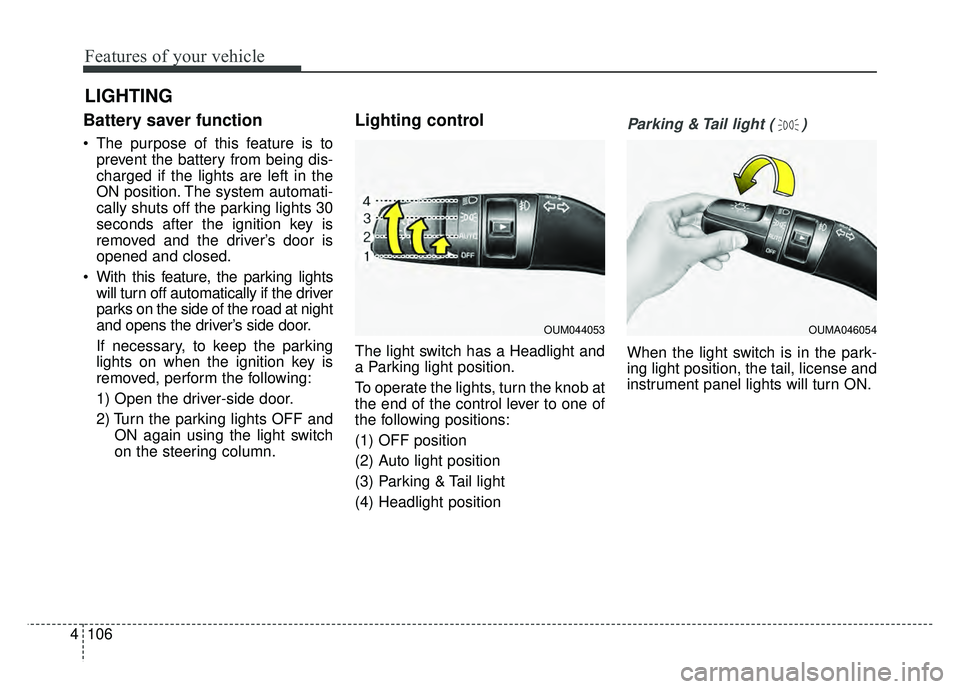
Lighting control
The light switch has a Headlight and
a Parking light position.
To operate the lights, turn the knob at
the end of the control lever to one of
the following positions:
(1) OFF position
(2) Auto light position
(3) Parking & Tail light
(4) Headlight position
Parking & Tail light ( )
When the light switch is in the park-
ing light position, the tail, license and
instrument panel lights will turn ON.
LIGHTING
OUM044053OUMA046054