warning KIA CADENZA 2020 Owners Manual
[x] Cancel search | Manufacturer: KIA, Model Year: 2020, Model line: CADENZA, Model: KIA CADENZA 2020Pages: 560, PDF Size: 11.37 MB
Page 188 of 560

Features of your vehicle
106 4
Reverse Parking Collision-Avoidance
Assist is a supplemental system that
can warn the driver or apply braking
force to reduce the possibility of col-
lision with pedestrians when the
vehicle is reversing.System Setting and Operation
System setting
Reverse Parking Collision-Avoidance
Assist can be activated from the
Settings menu in the LCD display or
infotainment system display by fol-
lowing the procedure below.
1. Set the Engine Start/Stop button
to the ON or START position.
2. Select ‘Settings →Driver
Assistance →Parking Safety →
Active Assist / Warning Only / Off’
in the infotainment system display.
REVERSE PARKING COLLISION-AVOIDANCE ASSIST (PCA) (IF EQUIPPED)
WARNING
Always look around your vehi-
cle to make sure there are no
objects or pedestrian before
moving the vehicle in any
direction to prevent a colli-
sion.
Do not solely rely on Reverse
Parking Collision-Avoidance
Assist.
The system might not assist
the driver leading to pedestri-
an injury or vehicle damage.
Be aware that some objects
may not be visible on the
screen or be detected by the
rear ultrasonic sensors, due
to the objects’ distance, size
or material, all of which can
limit the effectiveness of the
sensors.
Page 189 of 560

4107
Features of your vehicle
- The system is ready for operation
when ‘Active Assist’ is selected. In
the event of an imminent collision
with a pedestrian or an object,
the system warns the driver or
applies braking force to help
avoid the collision.
- The system is ready for operation
when ‘Warning Only’ is selected.
In the event of an imminent colli-
sion with a pedestrian, the sys-
tem warns the driver but does not
assist in braking.
- The system deactivates when
‘Off’ is selected.Operating conditions
Reverse Parking Collision-Avoidance
Assist enters the ready status, when
‘Active Assist’ or ‘Warning Only’ is
selected in the AVN system screen
and the following conditions are sat-
isfied :
The trunk is closed
The shift lever is in R (Reverse)
Vehicle speed is below 6 mph (10
km/h)
The rear view camera and the rear
ultrasonic sensors are in normal
conditions The driver needs to select ‘Active
Assist’ on the infotainment system
display for collision-avoidance assist.
The solid lines behind the vehicle in
the cluster LCD display indicates that
the system is ready to assist the driv-
er.
Note that the system assists the driv-
er only once. The driver has to shift
the gear to R (Reverse) from another
gear position to reactivate the sys-
tem.
The performance of Reverse Parking
Collision-Avoidance Assist may vary
under certain conditions. If the vehi-
cle speed exceeds 2 mph (3 km/h),
the system can assist only pedestri-
an collision avoidance.
As always, be careful when backing
up your vehicle and be aware of your
surroundings.
Page 190 of 560
Features of your vehicle
108 4
Warning and Control
Active assist
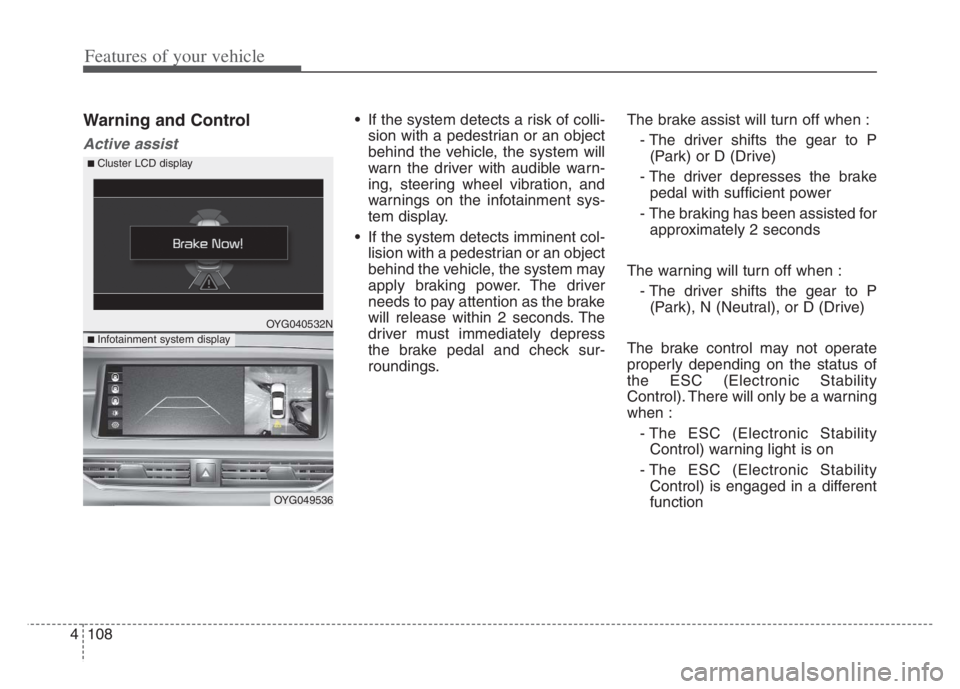
If the system detects a risk of colli-
sion with a pedestrian or an object
behind the vehicle, the system will
warn the driver with audible warn-
ing, steering wheel vibration, and
warnings on the infotainment sys-
tem display.
If the system detects imminent col-
lision with a pedestrian or an object
behind the vehicle, the system may
apply braking power. The driver
needs to pay attention as the brake
will release within 2 seconds. The
driver must immediately depress
the brake pedal and check sur-
roundings.The brake assist will turn off when :
- The driver shifts the gear to P
(Park) or D (Drive)
- The driver depresses the brake
pedal with sufficient power
- The braking has been assisted for
approximately 2 seconds
The warning will turn off when :
- The driver shifts the gear to P
(Park), N (Neutral), or D (Drive)
The brake control may not operate
properly depending on the status of
the ESC (Electronic Stability
Control). There will only be a warning
when :
- The ESC (Electronic Stability
Control) warning light is on
- The ESC (Electronic Stability
Control) is engaged in a different
function
OYG040532N
OYG049536
■ Infotainment system display
■ Cluster LCD display
Page 191 of 560
4109
Features of your vehicle
Warning only
If the system detects a risk of colli-
sion with a pedestrian or an object,
the system will warn the driver with
audible warning and warnings on
the infotainment system display.
If ‘Warning Only’ is selected, brak-
ing will not be assisted.
The warning will turn off when :
- The driver shifts the gear to P
(Park), N (Neutral), or D (Drive)
✽ ✽
NOTICE
• Always pay attention to road and
traffic conditions while driving,
whether or not there is a warning.
• Playing the vehicle audio system
at high volume may prevent occu-
pants from hearing Reverse
Parking Collision-Avoidance
Assist warning sounds.
• If any other warning sound, such
as seat belt warning chime, is
already generated, Reverse
Parking Collision Avoidance
Assist warning may not sound.
✽ ✽
NOTICE
The system can detect a pedestrian or
an object when :
• A pedestrian is standing behind
the vehicle.
• A large obstacle, such as a vehicle,
is parked in the rear center of the
vehicle.
WARNING
Reverse Parking Collision
Avoidance Assist may not
operate properly or may oper-
ate unnecessarily in some cir-
cumstances.
Always pay extreme caution
while driving. The driver is
responsible for controlling the
brake appropriately.
Page 193 of 560

4111
Features of your vehicle
Warning message (Continued)
Do not apply unnecessary
force on the rear view camera
or the ultrasonic sensors. The
system may not operate prop-
erly if the rear view camera or
the ultrasonic sensor(s) is
forcibly moved out of proper
alignment. Have the vehicle
inspected by an authorized
Kia dealer.
Do not spray the rear view
camera or the ultrasonic sen-
sors or their surrounding area
directly with a high pressure
washer. Shock applied from
high pressure water may
cause the device to malfunc-
tion.
The system may not work
properly if the bumper has
been damaged, or if the rear
bumper has been replaced or
repaired.
(Continued)(Continued)
Do not apply foreign objects,
such as a bumper sticker or a
bumper guard, near the cam-
era or sensors or apply paint
to the bumper. Doing so may
adversely affect the perform-
ance of the system.
OYG040533N
OYG040534N
■ Rear ultrasonic sensor
■ Rear view camera
Page 194 of 560

Features of your vehicle
112 4
Rear camera error or blockage/
Parking sensor error or blockage
This warning message may appear
when :
The rear view camera or the ultra-
sonic sensor(s) is blocked by dirt,
snow, or a foreign object.
There is inclement weather, such
as heavy snow, rain, etc.
If any of these conditions occur,
the system may turn off automati-
cally or not operate properly.
When the warning message is dis-
played in the cluster, make sure that
the rear view camera and the rear
ultrasonic sensors are clean.System Malfunction
Check Parking Collision-
Avoidance Assist system
If there is a problem with Reverse
Parking Collision-Avoidance Assist
or other related systems, a warning
message will appear and the system
will turn off automatically. Have the
vehicle inspected by an authorized
Kia dealer.
Limitations of the System
Reverse Parking Collision-Avoidance
Assist may not assist braking or alert
the driver under the following condi-
tions even if there are pedestrians or
objects.
Any non-factory equipment or
accessories have been installed.
The condition of the vehicle is
unstable due to an accident or
other causes.
The height of the bumper or the
sensor installation has been modi-
fied.
The rear view camera or the ultra-
sonic sensor(s) is damaged.
The rear view camera or the ultra-
sonic sensor(s) is stained with for-
eign matter, such as snow, dirt, etc.
The rear view camera is obscured
by a light source or by bad weath-
er conditions, such as heavy rain,
fog, snow, etc.
The surrounding is either too dark
or too bright.
OYG040535N
Page 199 of 560

4117
Features of your vehicle
High beam operation
To turn on the high beam headlamp,
push the lever away from you. The lever
will return to its original position. The
high beam indicator will light when the
headlight high beams are switched on.
To turn off the high beam headlamps,
pull the lever towards you. It will return
to the normal (low beam) position
when released.
To prevent the battery from being
discharged, do not leave the lights
on for a prolonged time while the
engine is not running.
WARNING - High beams
Do not use high beam when
there are other vehicles in front
of your vehicle. Using high
beam could obstruct the other
driver’s vision.
OYG040637N
CAUTION
Never place anything over the
sensor (1) located on the
instrument panel, this will
ensure better auto-light sys-
tem control.
Don’t clean the sensor using a
window cleaner, the cleaner
may leave a light film which
could interfere with sensor
operation.
Page 204 of 560
Features of your vehicle
122 4
One-touch Turn signal lamp
When you change lanes, even if the
turn signal lamp lever returns to its
original position after move the turn
signal lever slightly to B position, the
turn signal lamp will blink 3 times
(or 5, 7 times).
This is a feature that helps you con-
tinue to operate even if you are not
holding the turn signal lever when
changing lanes. You may change the
number of blink (3, 5 or 7 times) or
deactivate the one touch turn signal
lamp function from the Infotainment
System as ‘Settings →Vehicle →
Lights →One Touch Turn Signal’.
For more details, please scan the
QR code in a separately supplied
Car Infotainment System Quick
Reference Guide.
✽ ✽
NOTICE
If an indicator flash is abnormally
quick or slow, a bulb may be burned
out or have a poor electrical connec-
tion in the circuit.
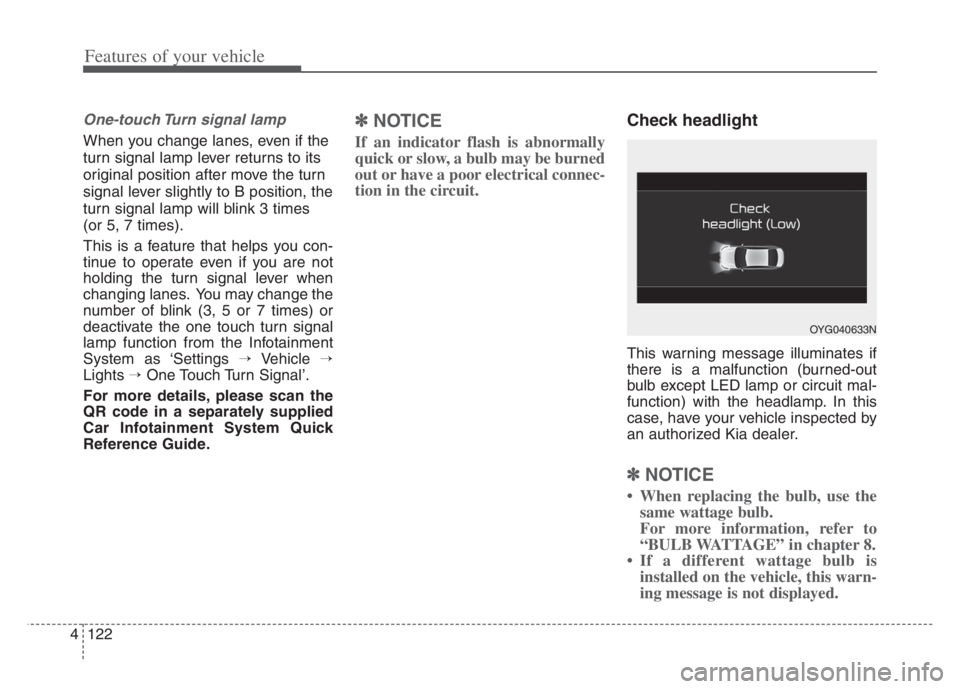
Check headlight
This warning message illuminates if
there is a malfunction (burned-out
bulb except LED lamp or circuit mal-
function) with the headlamp. In this
case, have your vehicle inspected by
an authorized Kia dealer.
✽ ✽
NOTICE
• When replacing the bulb, use the
same wattage bulb.
For more information, refer to
“BULB WATTAGE” in chapter 8.
• If a different wattage bulb is
installed on the vehicle, this warn-
ing message is not displayed.
OYG040633N
Page 207 of 560

4125
Features of your vehicle
Auto control
The rain sensor (A) located on the
upper end of the windshield glass
senses the amount of rainfall and
controls the wiping cycle for the
proper interval. The more it rains, the
faster the wiper operates. When the
rain stops, the wiper stops.To vary the speed setting, turn the
speed control knob (1).
If the wiper switch is set in AUTO
mode when the Engine Start/Stop
button is ON, the wiper will operate
once to perform a self-check of the
system. Set the wiper to OFF posi-
tion when the wiper is not in use.
OYG040455N
CAUTION
When washing the vehicle, set
the wiper switch in the OFF
position to stop the auto wiper
operation.
The wiper may operate and be
damaged if the switch is set in
the AUTO mode while washing
the vehicle.
Do not remove the sensor
cover located on the upper
end of the passenger side
windshield glass. Damage to
system parts could occur and
may not be covered by your
vehicle warranty.
When starting the vehicle in
winter, set the wiper switch in
the OFF position. Otherwise,
wipers may operate and ice
may damage the windshield
wiper blades. Always remove
all snow and ice and defrost
the windshield properly prior
to operating the windshield
wipers.
WARNING
When the Engine Start/Stop
button is ON and the windshield
wiper switch is placed in the
AUTO mode, use caution in the
following situations to avoid
any injury to the hands or other
parts of the body:
Do not touch the upper end of
the windshield glass facing
the rain sensor.
Do not wipe the upper end of
the windshield glass with a
damp or wet cloth.
Do not put pressure on the
windshield glass.
Page 208 of 560
Features of your vehicle
126 4
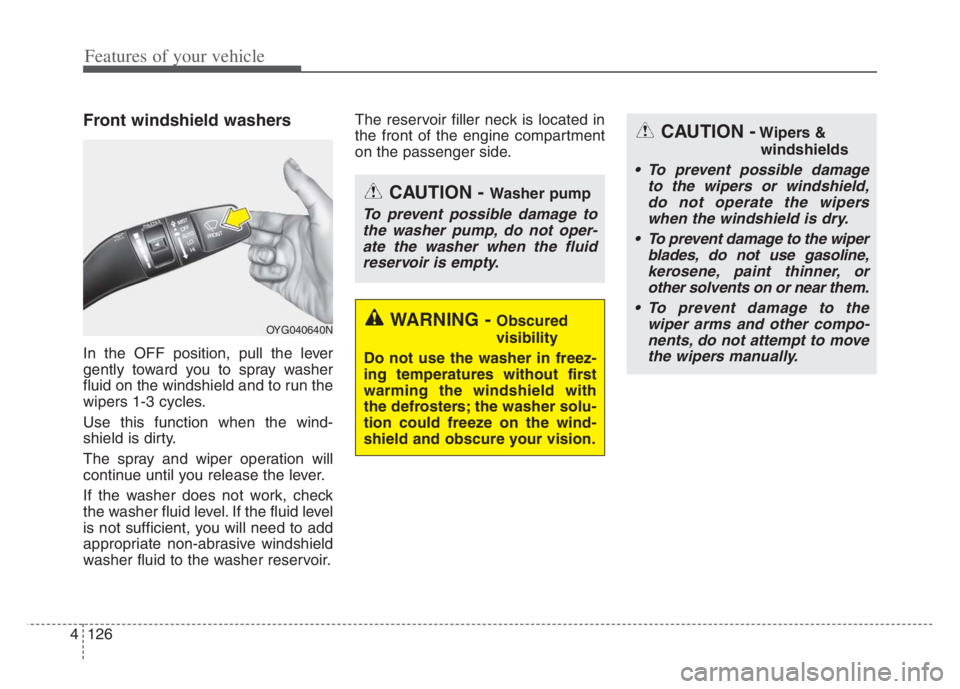
Front windshield washers
In the OFF position, pull the lever
gently toward you to spray washer
fluid on the windshield and to run the
wipers 1-3 cycles.
Use this function when the wind-
shield is dirty.
The spray and wiper operation will
continue until you release the lever.
If the washer does not work, check
the washer fluid level. If the fluid level
is not sufficient, you will need to add
appropriate non-abrasive windshield
washer fluid to the washer reservoir.The reservoir filler neck is located in
the front of the engine compartment
on the passenger side.
OYG040640N
CAUTION - Washer pump
To prevent possible damage to
the washer pump, do not oper-
ate the washer when the fluid
reservoir is empty.
WARNING - Obscured
visibility
Do not use the washer in freez-
ing temperatures without first
warming the windshield with
the defrosters; the washer solu-
tion could freeze on the wind-
shield and obscure your vision.
CAUTION -Wipers &
windshields
To prevent possible damage
to the wipers or windshield,
do not operate the wipers
when the windshield is dry.
To prevent damage to the wiper
blades, do not use gasoline,
kerosene, paint thinner, or
other solvents on or near them.
To prevent damage to the
wiper arms and other compo-
nents, do not attempt to move
the wipers manually.