warning KIA CADENZA 2020 Manual Online
[x] Cancel search | Manufacturer: KIA, Model Year: 2020, Model line: CADENZA, Model: KIA CADENZA 2020Pages: 560, PDF Size: 11.37 MB
Page 147 of 560
465
Features of your vehicle
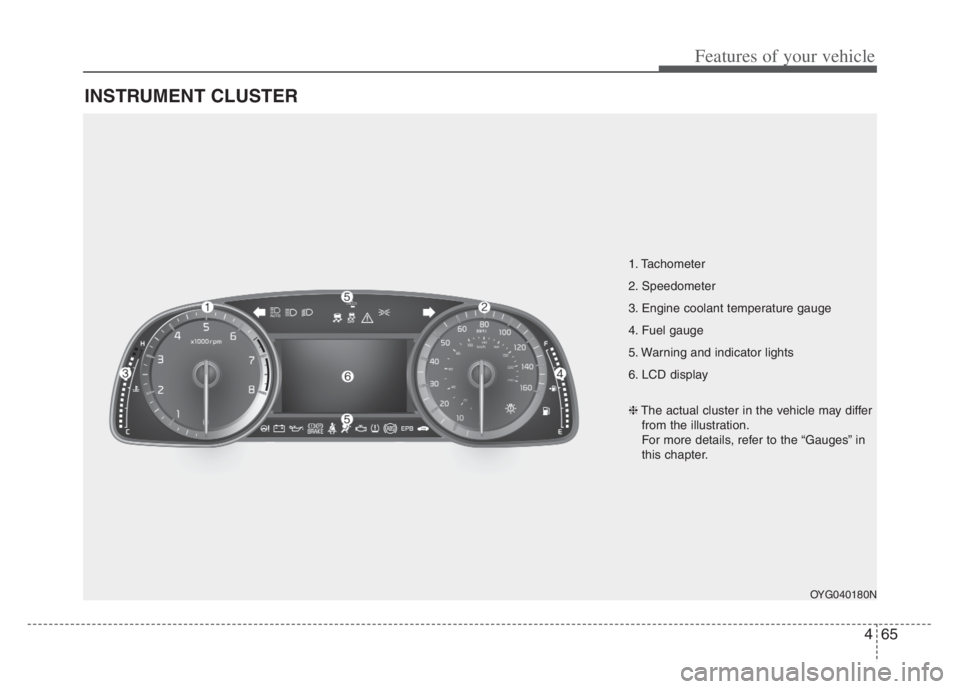
INSTRUMENT CLUSTER
1. Tachometer
2. Speedometer
3. Engine coolant temperature gauge
4. Fuel gauge
5. Warning and indicator lights
6. LCD display
OYG040180N
❈The actual cluster in the vehicle may differ
from the illustration.
For more details, refer to the “Gauges” in
this chapter.
Page 149 of 560
467
Features of your vehicle
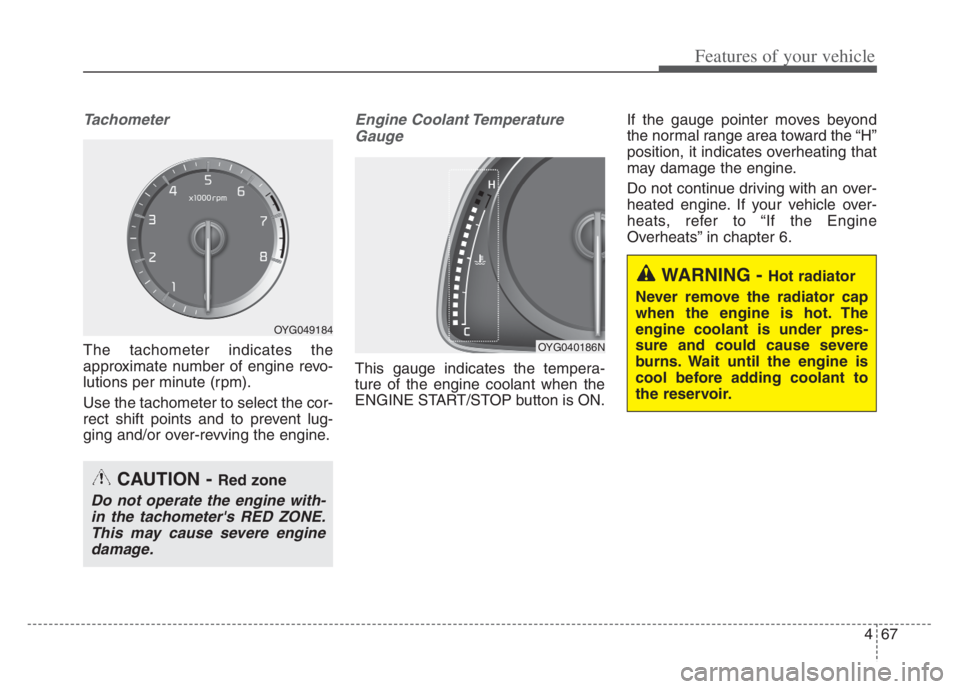
Tachometer
The tachometer indicates the
approximate number of engine revo-
lutions per minute (rpm).
Use the tachometer to select the cor-
rect shift points and to prevent lug-
ging and/or over-revving the engine.
Engine Coolant Temperature
Gauge
This gauge indicates the tempera-
ture of the engine coolant when the
ENGINE START/STOP button is ON.If the gauge pointer moves beyond
the normal range area toward the “H”
position, it indicates overheating that
may damage the engine.
Do not continue driving with an over-
heated engine. If your vehicle over-
heats, refer to “If the Engine
Overheats” in chapter 6.
CAUTION - Red zone
Do not operate the engine with-
in the tachometer's RED ZONE.
This may cause severe engine
damage.
OYG049184
OYG040186N
WARNING - Hot radiator
Never remove the radiator cap
when the engine is hot. The
engine coolant is under pres-
sure and could cause severe
burns. Wait until the engine is
cool before adding coolant to
the reservoir.
Page 150 of 560
Features of your vehicle
68 4
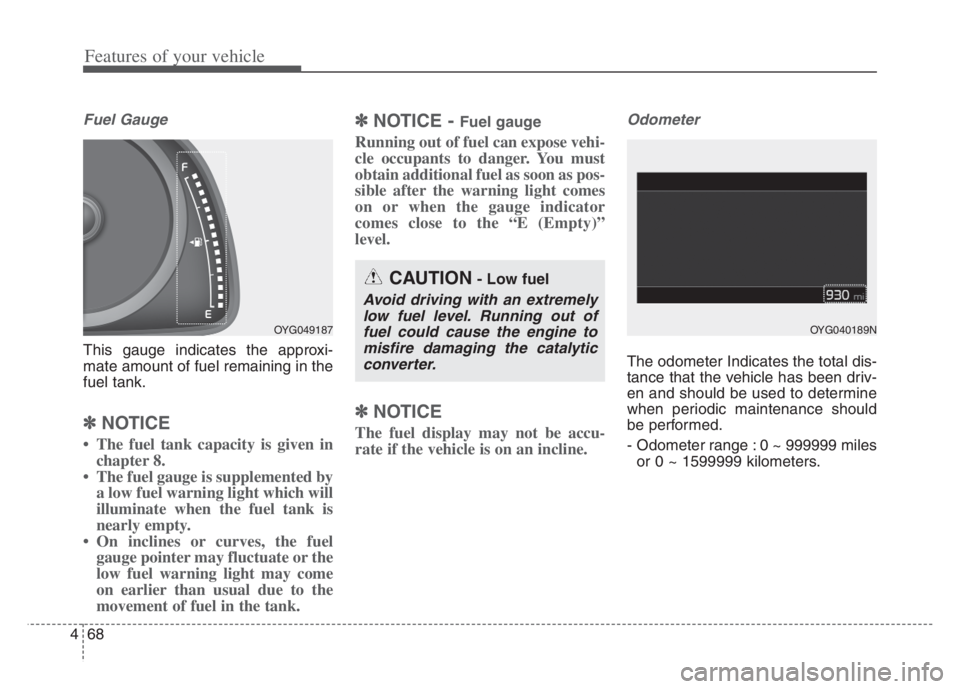
Fuel Gauge
This gauge indicates the approxi-
mate amount of fuel remaining in the
fuel tank.
✽ ✽
NOTICE
• The fuel tank capacity is given in
chapter 8.
• The fuel gauge is supplemented by
a low fuel warning light which will
illuminate when the fuel tank is
nearly empty.
• On inclines or curves, the fuel
gauge pointer may fluctuate or the
low fuel warning light may come
on earlier than usual due to the
movement of fuel in the tank.
✽ ✽
NOTICE - Fuel gauge
Running out of fuel can expose vehi-
cle occupants to danger. You must
obtain additional fuel as soon as pos-
sible after the warning light comes
on or when the gauge indicator
comes close to the “E (Empty)”
level.
✽ ✽
NOTICE
The fuel display may not be accu-
rate if the vehicle is on an incline.
Odometer
The odometer Indicates the total dis-
tance that the vehicle has been driv-
en and should be used to determine
when periodic maintenance should
be performed.
- Odometer range : 0 ~ 999999 miles
or 0 ~ 1599999 kilometers.
OYG049187
CAUTION- Low fuel
Avoid driving with an extremely
low fuel level. Running out of
fuel could cause the engine to
misfire damaging the catalytic
converter.
OYG040189N
Page 154 of 560
Features of your vehicle
72 4
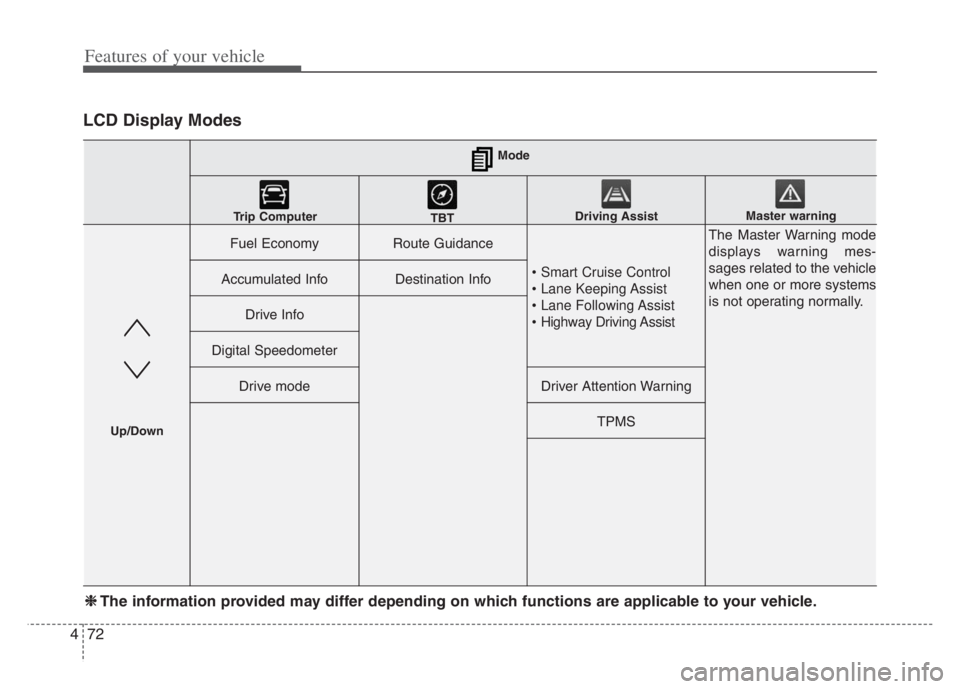
LCD Display Modes
Fuel EconomyRoute Guidance
• Smart Cruise Control
• Lane Keeping Assist
• Lane Following Assist
• Highway Driving Assist
The Master Warning mode
displays warning mes-
sages related to the vehicle
when one or more systems
is not operating normally.
Accumulated InfoDestination Info
Drive Info
Digital Speedometer
Drive modeDriver Attention Warning
TPMS
Mode
Trip Computer
TBTDriving AssistMaster warning
Up/Down
❈ ❈
The information provided may differ depending on which functions are applicable to your vehicle.
Page 155 of 560
473
Features of your vehicle
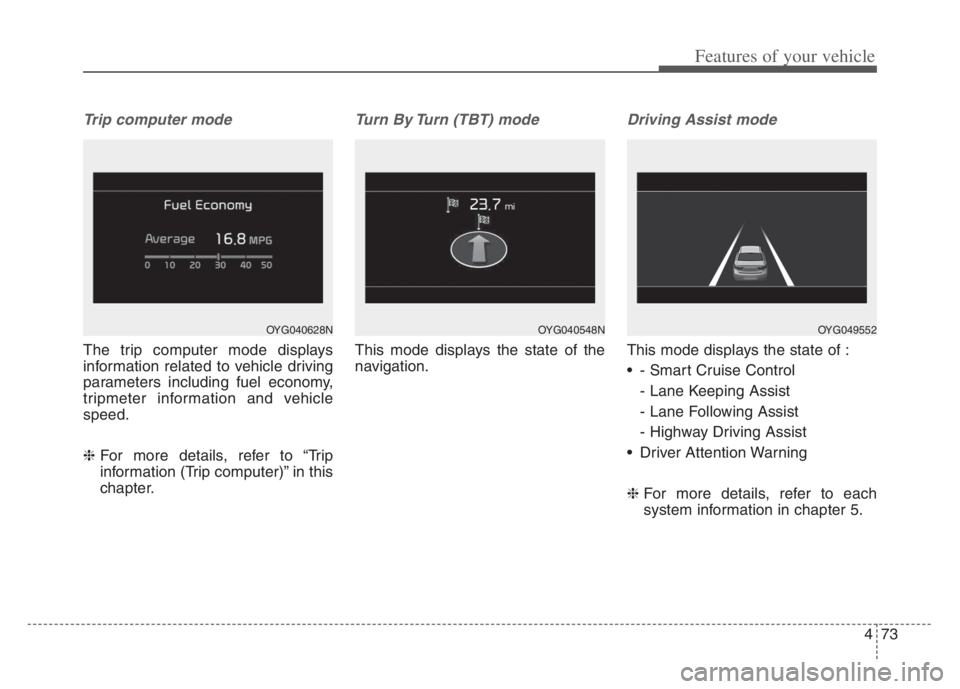
Trip computer mode
The trip computer mode displays
information related to vehicle driving
parameters including fuel economy,
tripmeter information and vehicle
speed.
❈For more details, refer to “Trip
information (Trip computer)” in this
chapter.
Turn By Turn (TBT) mode
This mode displays the state of the
navigation.
Driving Assist mode
This mode displays the state of :
- Smart Cruise Control
- Lane Keeping Assist
- Lane Following Assist
- Highway Driving Assist
Driver Attention Warning
❈For more details, refer to each
system information in chapter 5.
OYG040628NOYG049552OYG040548N
Page 156 of 560

Features of your vehicle
74 4
Tire Pressure
❈For more details, refer to “Tire
Pressure Monitoring System
(TPMS)” in chapter 6.Settings
To change the Driver Assistance set-
tings, press the OK button on the
steering wheel for more than 1 sec-
ond when the Driving Assist mode is
displayed.✽ ✽
NOTICE
The information provided may dif-
fer depending on which functions
are applicable to your vehicle.
WARNING
While driving, please do not
change the setting mode. It may
distract your attention and
cause the accident.
Item Explanation
SCC ReactionFast/Normal/Slow
Driving Assist
Highway Driving
Assist/Highway Auto Speed
Zone Slowdown/Highway
Auto Curve Slowdown
Warning
TimingNormal/Later
Warning
VolumeHigh/Medium/Low
Page 157 of 560
475
Features of your vehicle
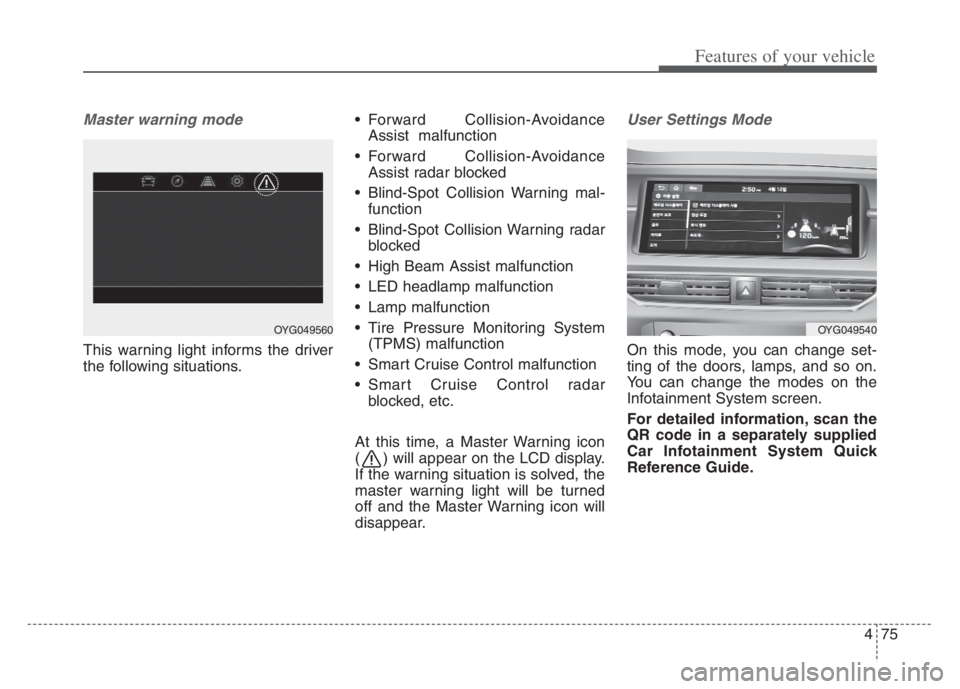
Master warning mode
This warning light informs the driver
the following situations. Forward Collision-Avoidance
Assist malfunction
Forward Collision-Avoidance
Assist radar blocked
Blind-Spot Collision Warning mal-
function
Blind-Spot Collision Warning radar
blocked
High Beam Assist malfunction
LED headlamp malfunction
Lamp malfunction
Tire Pressure Monitoring System
(TPMS) malfunction
Smart Cruise Control malfunction
Smart Cruise Control radar
blocked, etc.
At this time, a Master Warning icon
( ) will appear on the LCD display.
If the warning situation is solved, the
master warning light will be turned
off and the Master Warning icon will
disappear.
User Settings Mode
On this mode, you can change set-
ting of the doors, lamps, and so on.
You can change the modes on the
Infotainment System screen.
For detailed information, scan the
QR code in a separately supplied
Car Infotainment System Quick
Reference Guide.
OYG049540OYG049560
Page 158 of 560
Features of your vehicle
76 4
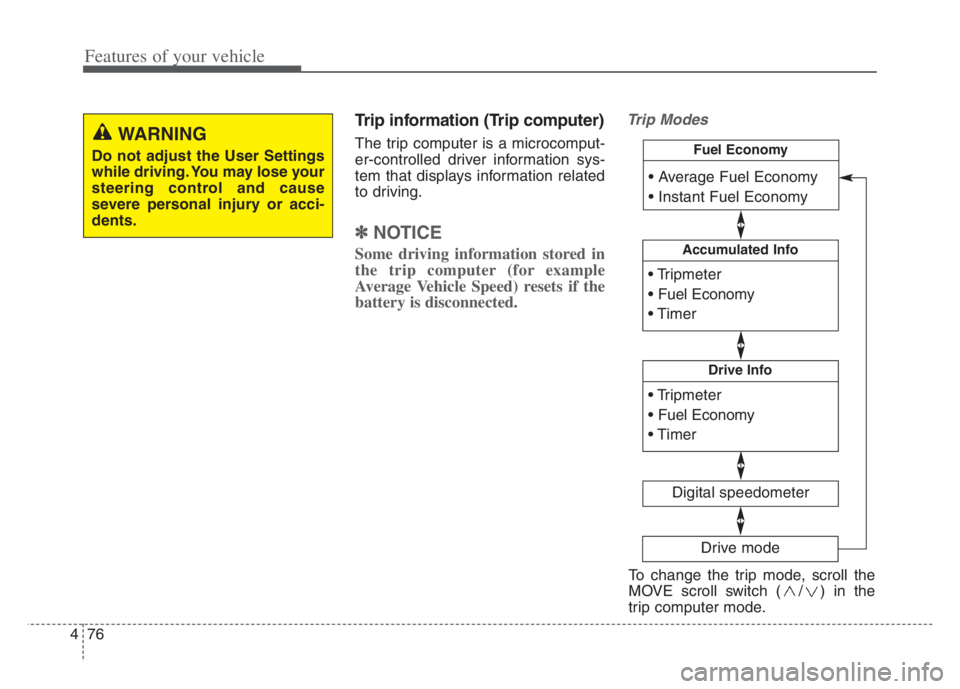
Trip information (Trip computer)
The trip computer is a microcomput-
er-controlled driver information sys-
tem that displays information related
to driving.
✽ ✽
NOTICE
Some driving information stored in
the trip computer (for example
Average Vehicle Speed) resets if the
battery is disconnected.
Trip Modes
WARNING
Do not adjust the User Settings
while driving. You may lose your
steering control and cause
severe personal injury or acci-
dents.
Accumulated Info
Digital speedometer
Drive Info
Fuel Economy
Drive mode
To change the trip mode, scroll the
MOVE scroll switch ( / ) in the
trip computer mode.
Page 163 of 560

481
Features of your vehicle
LCD Display Messages
Door, Hood, Trunk open
This warning is displayed indicat-
ing which door, hood or trunk is
open.
Sunroof Open
This warning is displayed if you
turn off the engine when the sun-
roof is open.
Lights mode
This indicator displays which exte-
rior light is selected using the light-
ing control.
OYG049582LOYG049588
OYG049587
Page 164 of 560
Features of your vehicle
82 4
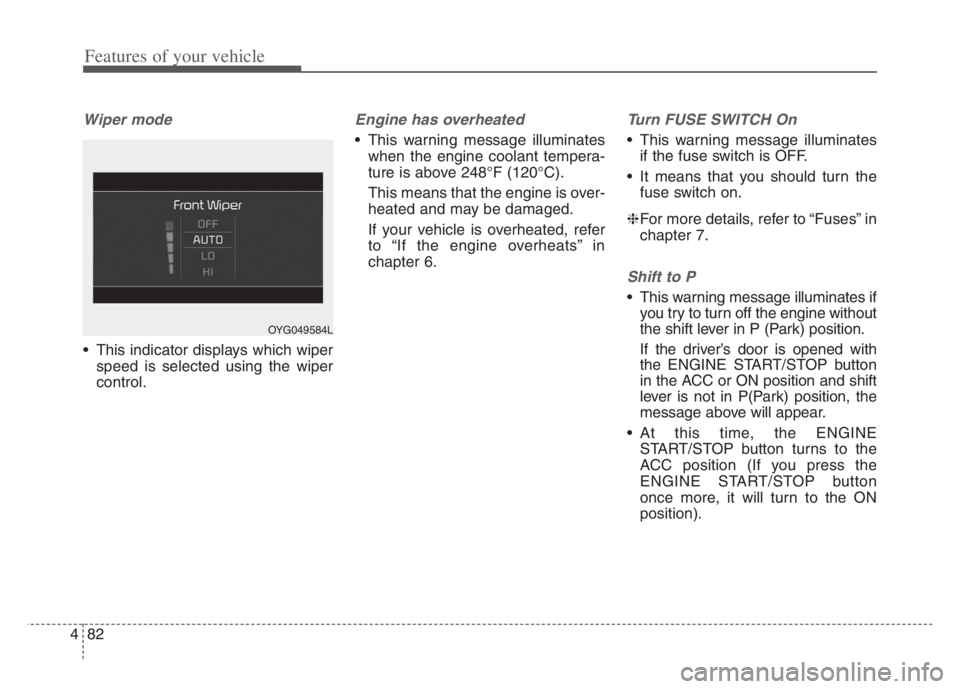
Wiper mode
This indicator displays which wiper
speed is selected using the wiper
control.
Engine has overheated
This warning message illuminates
when the engine coolant tempera-
ture is above 248°F (120°C).
This means that the engine is over-
heated and may be damaged.
If your vehicle is overheated, refer
to “If the engine overheats” in
chapter 6.
Turn FUSE SWITCH On
This warning message illuminates
if the fuse switch is OFF.
It means that you should turn the
fuse switch on.
❈For more details, refer to “Fuses” in
chapter 7.
Shift to P
This warning message illuminates if
you try to turn off the engine without
the shift lever in P (Park) position.
If the driver’s door is opened with
the ENGINE START/STOP button
in the ACC or ON position and shift
lever is not in P(Park) position, the
message above will appear.
At this time, the ENGINE
START/STOP button turns to the
ACC position (If you press the
ENGINE START/STOP button
once more, it will turn to the ON
position).
OYG049584L