light KIA CADENZA 2020 Service Manual
[x] Cancel search | Manufacturer: KIA, Model Year: 2020, Model line: CADENZA, Model: KIA CADENZA 2020Pages: 560, PDF Size: 11.37 MB
Page 134 of 560
Features of your vehicle
52 4
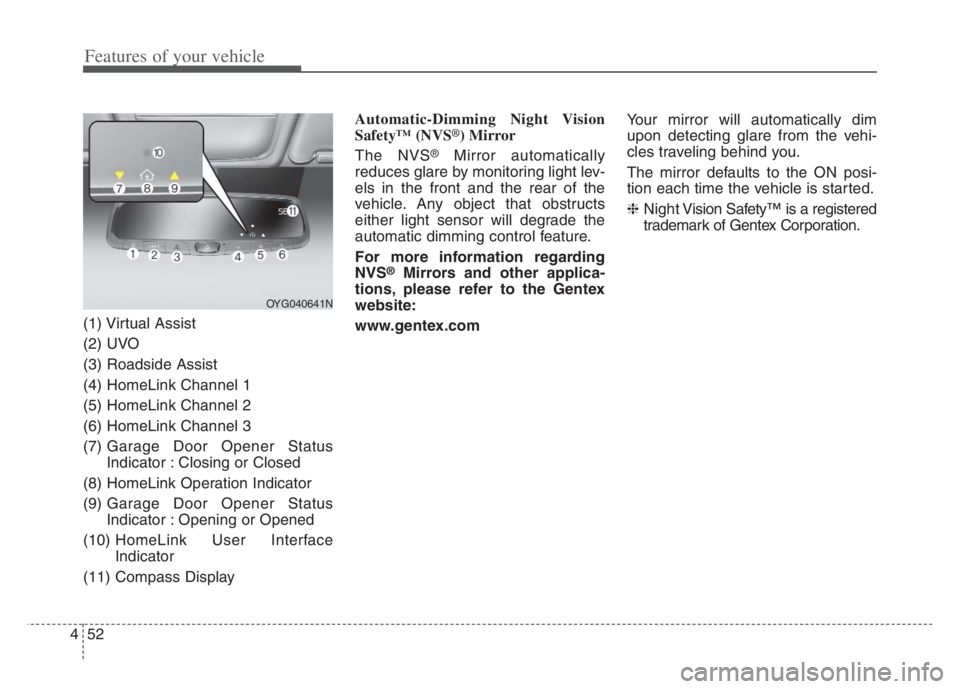
(1) Virtual Assist
(2) UVO
(3) Roadside Assist
(4) HomeLink Channel 1
(5) HomeLink Channel 2
(6) HomeLink Channel 3
(7) Garage Door Opener Status
Indicator : Closing or Closed
(8) HomeLink Operation Indicator
(9) Garage Door Opener Status
Indicator : Opening or Opened
(10) HomeLink User Interface
Indicator
(11) Compass DisplayAutomatic-Dimming Night Vision
Safety™ (NVS
®) Mirror
The NVS
®Mirror automatically
reduces glare by monitoring light lev-
els in the front and the rear of the
vehicle. Any object that obstructs
either light sensor will degrade the
automatic dimming control feature.
For more information regarding
NVS
®Mirrors and other applica-
tions, please refer to the Gentex
website:
www.gentex.comYour mirror will automatically dim
upon detecting glare from the vehi-
cles traveling behind you.
The mirror defaults to the ON posi-
tion each time the vehicle is started.
❈Night Vision Safety™ is a registered
trademark of Gentex Corporation.
OYG040641N
Page 137 of 560
455
Features of your vehicle
There are some conditions that can
cause changes to the vehicle mag-
nets, such as installing a ski rack or
a CB antenna. Body repair work on
the vehicle can also cause changes
to the vehicle's magnetic field. In
these situations, the compass will
need to be re-calibrated to correct
these changes.
If you need to recalibrate the com-
pass :
1. Press and hold the Control Button
for more than 6 seconds. When
the compass memory is cleared, a
“C” will appear in the display.
2. Drive the vehicle in 2 complete cir-
cles at less than 5 mph (8 km/h).Integrated HomeLink®Wireless
Control System
The HomeLink
®Wireless Control
System provides a convenient way to
replace up to three hand-held radio-
frequency (RF) transmitters with a
single built-in device. This innovative
feature will learn the radio frequency
codes of most current transmitters to
operate devices such as gate opera-
tors, garage door openers, entry
door locks, security systems, even
home lighting. Both standard and
rolling code-equipped transmitters
can be programmed by following the
outlined procedures.
Additional HomeLink
®information
can be found at : www.homelink.com,
www.youtube.com/HomeLinkGentex
or by calling 1-800-355-3515.
❈HomeLink
®is a registered trade-
mark of Johnson Controls, Inc.Retain the original transmitter of the
RF device you are programming for
use in other vehicles as well as for
future HomeLink
®programming. It is
also suggested that upon the sale of
the vehicle, the programmed
HomeLink
®buttons be erased for
security purposes.
Page 140 of 560
Features of your vehicle
58 4
Gate operator & Canadian pro-
gramming
During programming, your handheld
transmitter may automatically stop
transmitting. Continue to press the
Integrated HomeLink
®Wireless
Control System button while you
press and re-press ("cycle") your
handheld transmitter every two sec-
onds until the frequency signal has
been learned. The indicator light will
flash slowly and then rapidly after
several seconds upon successful
training.Operating HomeLink
®
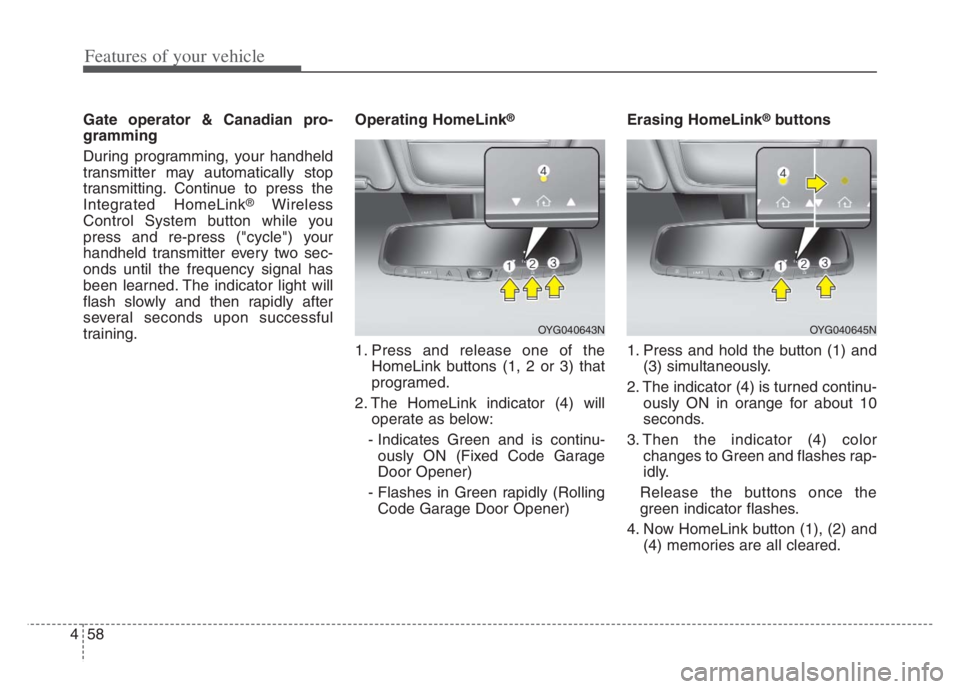
1. Press and release one of the
HomeLink buttons (1, 2 or 3) that
programed.
2. The HomeLink indicator (4) will
operate as below:
- Indicates Green and is continu-
ously ON (Fixed Code Garage
Door Opener)
- Flashes in Green rapidly (Rolling
Code Garage Door Opener)Erasing HomeLink
®buttons
1. Press and hold the button (1) and
(3) simultaneously.
2. The indicator (4) is turned continu-
ously ON in orange for about 10
seconds.
3. Then the indicator (4) color
changes to Green and flashes rap-
idly.
Release the buttons once the
green indicator flashes.
4. Now HomeLink button (1), (2) and
(4) memories are all cleared.
OYG040643NOYG040645N
Page 147 of 560
465
Features of your vehicle
INSTRUMENT CLUSTER
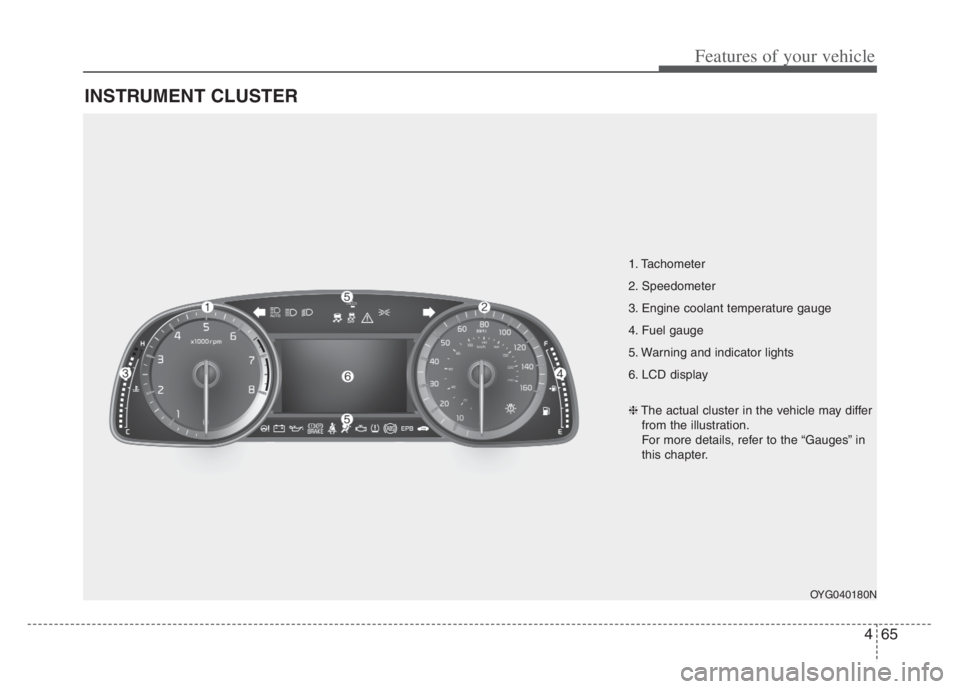
1. Tachometer
2. Speedometer
3. Engine coolant temperature gauge
4. Fuel gauge
5. Warning and indicator lights
6. LCD display
OYG040180N
❈The actual cluster in the vehicle may differ
from the illustration.
For more details, refer to the “Gauges” in
this chapter.
Page 148 of 560
Features of your vehicle
66 4
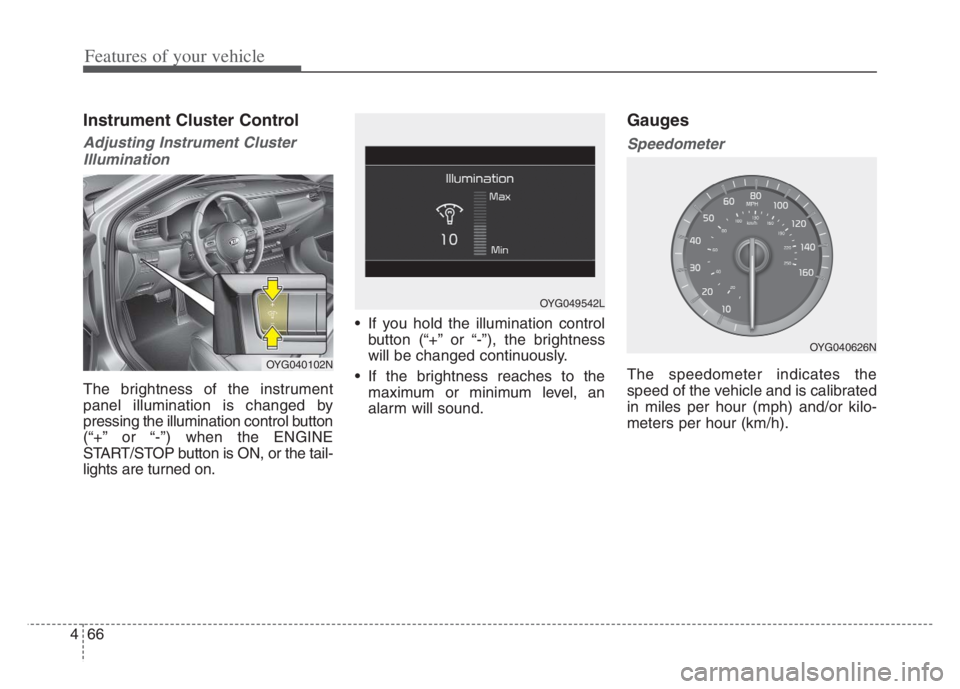
Instrument Cluster Control
Adjusting Instrument Cluster
Illumination
The brightness of the instrument
panel illumination is changed by
pressing the illumination control button
(“+” or “-”) when the ENGINE
START/STOP button is ON, or the tail-
lights are turned on. If you hold the illumination control
button (“+” or “-”), the brightness
will be changed continuously.
If the brightness reaches to the
maximum or minimum level, an
alarm will sound.
Gauges
Speedometer
The speedometer indicates the
speed of the vehicle and is calibrated
in miles per hour (mph) and/or kilo-
meters per hour (km/h).OYG040102N
OYG049542L
OYG040626N
Page 150 of 560
Features of your vehicle
68 4
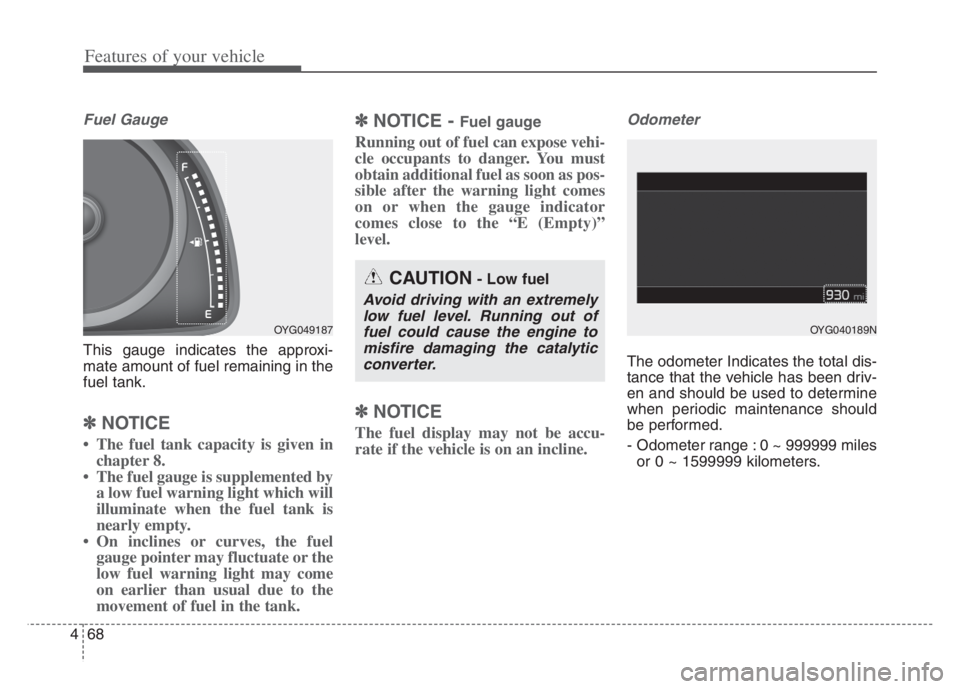
Fuel Gauge
This gauge indicates the approxi-
mate amount of fuel remaining in the
fuel tank.
✽ ✽
NOTICE
• The fuel tank capacity is given in
chapter 8.
• The fuel gauge is supplemented by
a low fuel warning light which will
illuminate when the fuel tank is
nearly empty.
• On inclines or curves, the fuel
gauge pointer may fluctuate or the
low fuel warning light may come
on earlier than usual due to the
movement of fuel in the tank.
✽ ✽
NOTICE - Fuel gauge
Running out of fuel can expose vehi-
cle occupants to danger. You must
obtain additional fuel as soon as pos-
sible after the warning light comes
on or when the gauge indicator
comes close to the “E (Empty)”
level.
✽ ✽
NOTICE
The fuel display may not be accu-
rate if the vehicle is on an incline.
Odometer
The odometer Indicates the total dis-
tance that the vehicle has been driv-
en and should be used to determine
when periodic maintenance should
be performed.
- Odometer range : 0 ~ 999999 miles
or 0 ~ 1599999 kilometers.
OYG049187
CAUTION- Low fuel
Avoid driving with an extremely
low fuel level. Running out of
fuel could cause the engine to
misfire damaging the catalytic
converter.
OYG040189N
Page 157 of 560
475
Features of your vehicle
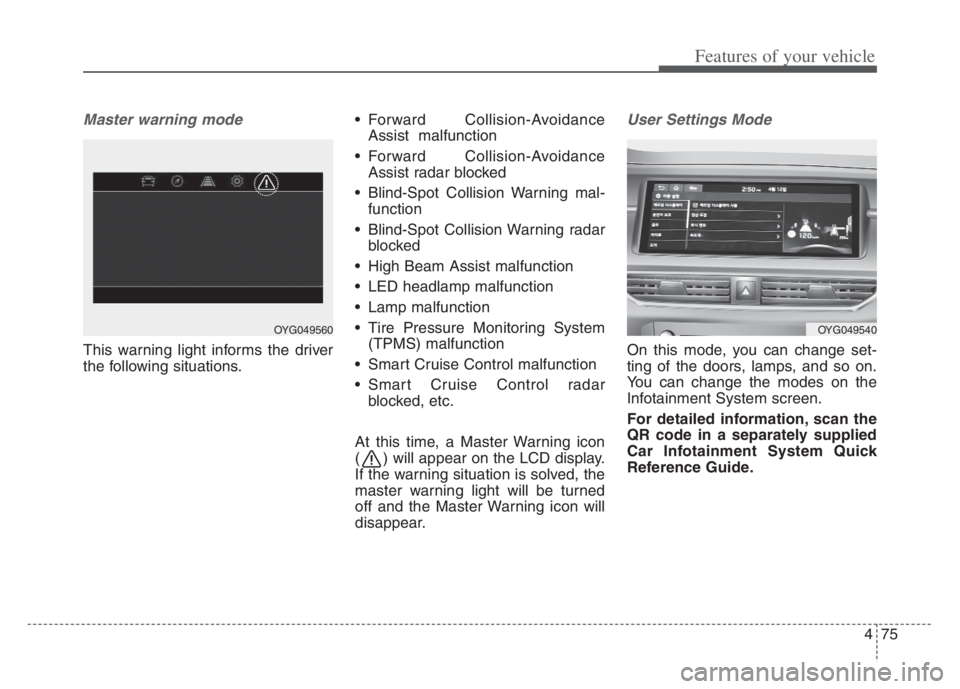
Master warning mode
This warning light informs the driver
the following situations. Forward Collision-Avoidance
Assist malfunction
Forward Collision-Avoidance
Assist radar blocked
Blind-Spot Collision Warning mal-
function
Blind-Spot Collision Warning radar
blocked
High Beam Assist malfunction
LED headlamp malfunction
Lamp malfunction
Tire Pressure Monitoring System
(TPMS) malfunction
Smart Cruise Control malfunction
Smart Cruise Control radar
blocked, etc.
At this time, a Master Warning icon
( ) will appear on the LCD display.
If the warning situation is solved, the
master warning light will be turned
off and the Master Warning icon will
disappear.
User Settings Mode
On this mode, you can change set-
ting of the doors, lamps, and so on.
You can change the modes on the
Infotainment System screen.
For detailed information, scan the
QR code in a separately supplied
Car Infotainment System Quick
Reference Guide.
OYG049540OYG049560
Page 163 of 560

481
Features of your vehicle
LCD Display Messages
Door, Hood, Trunk open
This warning is displayed indicat-
ing which door, hood or trunk is
open.
Sunroof Open
This warning is displayed if you
turn off the engine when the sun-
roof is open.
Lights mode
This indicator displays which exte-
rior light is selected using the light-
ing control.
OYG049582LOYG049588
OYG049587
Page 166 of 560
Features of your vehicle
84 4
Press START button again
This warning message illuminates
if you can not operate the ENGINE
START/STOP button when there is
a problem with the ENGINE
START/STOP button system.
It means that you could start the
engine by pressing the ENGINE
START/STOP button once more.
If the warning illuminates each
time you press the ENGINE
START/STOP button, have the
vehicle inspected by an authorized
Kia dealer.
Press START button with key
This warning message illuminates
if you press the ENGINE
START/STOP button while the
warning message “Key not detect-
ed” is illuminating.
At this time, the immobilizer indica-
tor light blinks.
Check BRAKE SWITCH fuse
This warning message illuminates
if the brake switch fuse is blown.
It means that you should replace
the fuse with a new one. If that is
not possible, you can start the
engine by pressing the ENGINE
START/STOP button for 10 sec-
onds in the ACC position.
Shift to P or N to start engine
This warning message illuminates
if you try to start the engine with
the shift lever not in the P (Park) or
N (Neutral) position.
✽ ✽
NOTICE
You can start the engine with the
shift lever in the N (Neutral) position.
But, for your safety, we recommend
that you start the engine with the
shift lever in the P (Park) position.
Low Washer Fluid
This warning message illuminates
if the washer fluid level in the reser-
voir is nearly empty.
It means that you should refill the
washer fluid.
Low Fuel
This warning message illuminates
if the fuel tank is nearly empty.
- When the low fuel level warning
light illuminates, add fuel as soon
as possible.
Page 168 of 560

Features of your vehicle
86 4
Warning lights
✽
✽
NOTICE - Warning lights
Make sure that all warning lights
are OFF after starting the engine. If
any light is still ON, this indicates a
situation that needs attention.
Air bag Warning Light
This warning light illuminates:
Once you set the ENGINE
START/STOP button to the ON
position.
- It illuminates for approximately 6
seconds and then goes off.
When there is a malfunction with
the SRS.
In this case, have the vehicle
inspected by an authorized Kia
dealer.
Seat Belt Warning Light
This warning light informs the driv-
er that the seat belt is not fastened.
❈ For more details, refer to the “Seat
Belts” in chapter 3.
WARNING AND INDICATOR LIGHTS