light KIA CADENZA 2020 Repair Manual
[x] Cancel search | Manufacturer: KIA, Model Year: 2020, Model line: CADENZA, Model: KIA CADENZA 2020Pages: 560, PDF Size: 11.37 MB
Page 179 of 560
![KIA CADENZA 2020 Repair Manual 497
Features of your vehicle
AUTO HOLD Indicator
Light
This indicator light illuminates:
[White] When you activate the auto
hold system by pressing the AUTO
HOLD button.
[Green] When you stop the ve](/img/2/40377/w960_40377-178.png "KIA CADENZA 2020 Repair Manual 497
Features of your vehicle
AUTO HOLD Indicator
Light
This indicator light illuminates:
[White] When you activate the auto
hold system by pressing the AUTO
HOLD button.
[Green] When you stop the ve")
497
Features of your vehicle
AUTO HOLD Indicator
Light
This indicator light illuminates:
[White] When you activate the auto
hold system by pressing the AUTO
HOLD button.
[Green] When you stop the vehicle
completely by depressing the
brake pedal with the auto hold sys-
tem activated.
[Yellow] When there is a malfunc-
tion with the auto hold system.
In this case, have your vehicle
inspected by an authorized Kia
dealer.
❈For more details, refer to “Auto
Hold” in chapter 5.
Lane Keeping Assist
Indicator Light
This indicator light illuminates :
[Green] When the system operat-
ing conditions are satisfied.
[White] The system operating con-
ditions are not satisfied.
[Yellow] When there is a malfunc-
tion with Lane Keeping Assist.
In this case, have the vehicle
inspected by an authorized Kia
dealer.
❈For more details, refer to “Lane
Keeping Assist (LKA)” in chapter 5.
WARNING - Distracted
driving
Driving while distracted can
result in a loss of vehicle con-
trol that may lead to an acci-
dent, severe personal injury,
and death. The driver’s primary
responsibility is in the safe and
legal operation of a vehicle, and
use of any handheld devices,
other equipment, or vehicle sys-
tems which take the driver’s
eyes, attention and focus away
from the safe operation of a
vehicle or which are not permis-
sible by law should never be
used during operation of the
vehicle.AUTO
HOLD
Page 180 of 560
Features of your vehicle
98 4
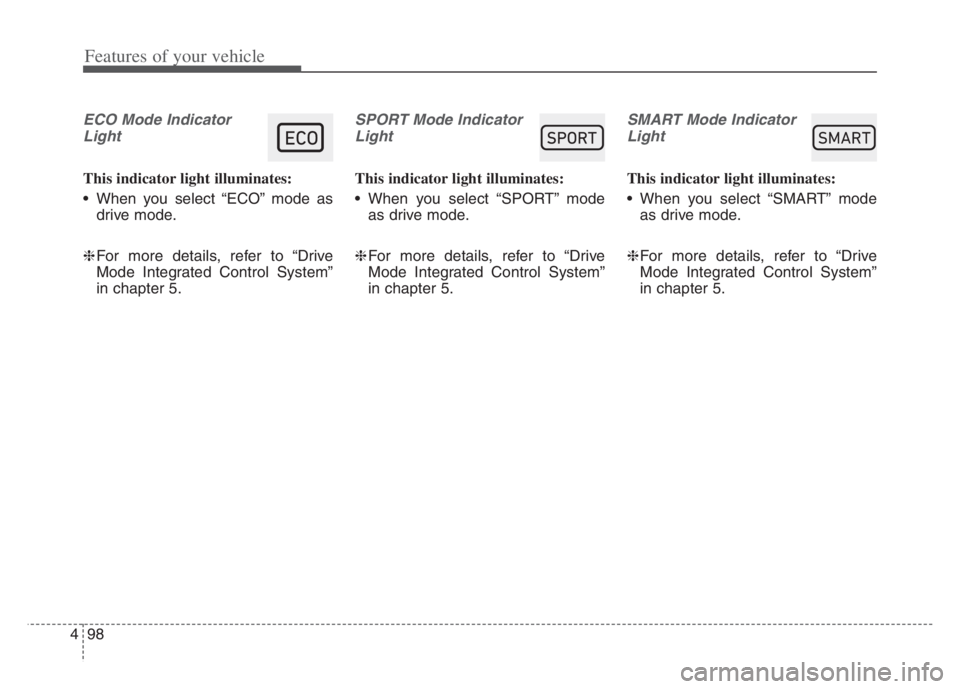
ECO Mode Indicator
Light
This indicator light illuminates:
When you select “ECO” mode as
drive mode.
❈For more details, refer to “Drive
Mode Integrated Control System”
in chapter 5.
SPORT Mode Indicator
Light
This indicator light illuminates:
When you select “SPORT” mode
as drive mode.
❈For more details, refer to “Drive
Mode Integrated Control System”
in chapter 5.
SMART Mode Indicator
Light
This indicator light illuminates:
When you select “SMART” mode
as drive mode.
❈For more details, refer to “Drive
Mode Integrated Control System”
in chapter 5.
60$57
Page 190 of 560
Features of your vehicle
108 4
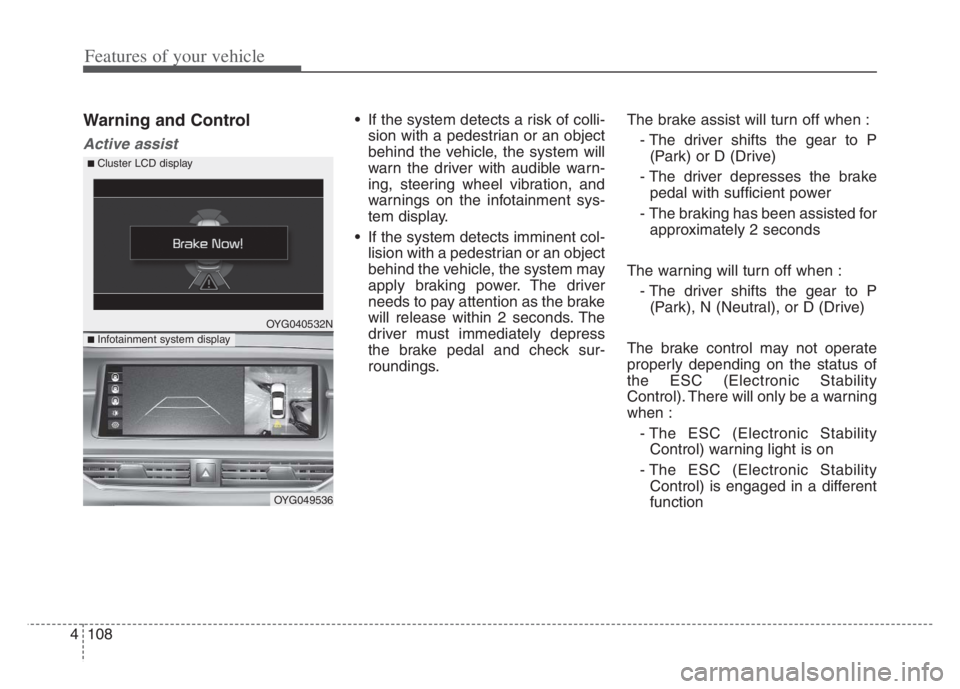
Warning and Control
Active assist
If the system detects a risk of colli-
sion with a pedestrian or an object
behind the vehicle, the system will
warn the driver with audible warn-
ing, steering wheel vibration, and
warnings on the infotainment sys-
tem display.
If the system detects imminent col-
lision with a pedestrian or an object
behind the vehicle, the system may
apply braking power. The driver
needs to pay attention as the brake
will release within 2 seconds. The
driver must immediately depress
the brake pedal and check sur-
roundings.The brake assist will turn off when :
- The driver shifts the gear to P
(Park) or D (Drive)
- The driver depresses the brake
pedal with sufficient power
- The braking has been assisted for
approximately 2 seconds
The warning will turn off when :
- The driver shifts the gear to P
(Park), N (Neutral), or D (Drive)
The brake control may not operate
properly depending on the status of
the ESC (Electronic Stability
Control). There will only be a warning
when :
- The ESC (Electronic Stability
Control) warning light is on
- The ESC (Electronic Stability
Control) is engaged in a different
function
OYG040532N
OYG049536
■ Infotainment system display
■ Cluster LCD display
Page 194 of 560

Features of your vehicle
112 4
Rear camera error or blockage/
Parking sensor error or blockage
This warning message may appear
when :
The rear view camera or the ultra-
sonic sensor(s) is blocked by dirt,
snow, or a foreign object.
There is inclement weather, such
as heavy snow, rain, etc.
If any of these conditions occur,
the system may turn off automati-
cally or not operate properly.
When the warning message is dis-
played in the cluster, make sure that
the rear view camera and the rear
ultrasonic sensors are clean.System Malfunction
Check Parking Collision-
Avoidance Assist system
If there is a problem with Reverse
Parking Collision-Avoidance Assist
or other related systems, a warning
message will appear and the system
will turn off automatically. Have the
vehicle inspected by an authorized
Kia dealer.
Limitations of the System
Reverse Parking Collision-Avoidance
Assist may not assist braking or alert
the driver under the following condi-
tions even if there are pedestrians or
objects.
Any non-factory equipment or
accessories have been installed.
The condition of the vehicle is
unstable due to an accident or
other causes.
The height of the bumper or the
sensor installation has been modi-
fied.
The rear view camera or the ultra-
sonic sensor(s) is damaged.
The rear view camera or the ultra-
sonic sensor(s) is stained with for-
eign matter, such as snow, dirt, etc.
The rear view camera is obscured
by a light source or by bad weath-
er conditions, such as heavy rain,
fog, snow, etc.
The surrounding is either too dark
or too bright.
OYG040535N
Page 195 of 560
4113
Features of your vehicle
Outside air temperature is hot or
cold.
The wind is either strong (over 12
mph (20 km/h) or blowing perpen-
dicular to the rear bumper.
Objects generating excessive
noise, such as vehicle horns, loud
motorcycle engines, or truck air
brakes, are near the vehicle.
An ultrasonic sensor with a similar
frequency is near the vehicle.
There is ground height difference
between the vehicle and the
pedestrian.
The image of the pedestrian in the
rear view camera is indistinguish-
able from the background.
The pedestrian is near the rear
edge of the vehicle.
The pedestrian is not standing
upright.
The pedestrian is either too short
or too tall for the system to recog-
nize.
The pedestrian is wearing clothes
that are hard for the system to rec-
ognize.
that does not reflect ultrasound
well.
The size, thickness, height, or
shape of the object does not reflect
ultrasound well (e.g., pole, bush,
curbs, carts, edge of a wall, etc.).
The pedestrian or the object is
moving.
The pedestrian or the object is very
close to the rear of the vehicle.
A wall is behind the pedestrian or
the object.
The object is not at the rear center
of the vehicle.
The plane of the obstacle is not
parallel to the rear bumper.
The road is slippery or inclined.
The driver backs up the vehicle
immediately after shifting to
R(Reverse).
The driver accelerates or turns the
vehicle.Reverse Parking Collision-Avoidance
Assist may alert the driver or apply
brake power unnecessarily under the
following conditions even if there are
“no” pedestrians or objects.
Any non-factory equipment or
accessories have been installed.
The condition of the vehicle is
unstable due to an accident or
other causes.
The height of the bumper or the
sensor installation has been modi-
fied.
The bumper height has changed
due to heavy loads, tire pressure
change, etc.
The rear view camera or the ultra-
sonic sensor(s) is stained with for-
eign matter, such as snow, dirt, etc.
The pattern on the road is mistak-
en for a pedestrian.
There is a shadow or a light reflect-
ing on the ground.
Pedestrians or objects are around
the path of the vehicle.
Page 197 of 560
4115
Features of your vehicle
Battery saver function
The purpose of this feature is to
prevent the battery from being dis-
charged if the lights are left in the
ON position. The system automati-
cally shuts off the parking lights 30
seconds after the ignition key is
removed and the driver’s door is
opened and closed.
With this feature, the parking lights
will turn off automatically if the driver
parks on the side of the road at night
and opens the driver’s side door.
If necessary, to keep the parking
lights on when the ignition key is
removed, perform the following:
1) Open the driver-side door.
2) Turn the parking lights OFF and
ON again using the light switch
on the steering column.
Headlight escort function
If you turn the Engine Start/Stop but-
ton to the ACC or OFF position with
the headlights ON, the headlights
remain on for about 5 minutes.
However, if the driver's door is
opened and closed, the headlights
are turned off after 15 seconds.
The headlights can be turned off by
pressing the lock button on the trans-
mitter (or smart key) twice or turning
the light switch to the OFF position.
Headlight escort function is activated
or deactivated when you select
‘Settings →Vehicle →Lights →
Headlight Delay’ from the Settings
menu in the Infotainment System
screen.
For more details, please scan the
QR code in a separately supplied
Car Infotainment System Quick
Reference Guide.
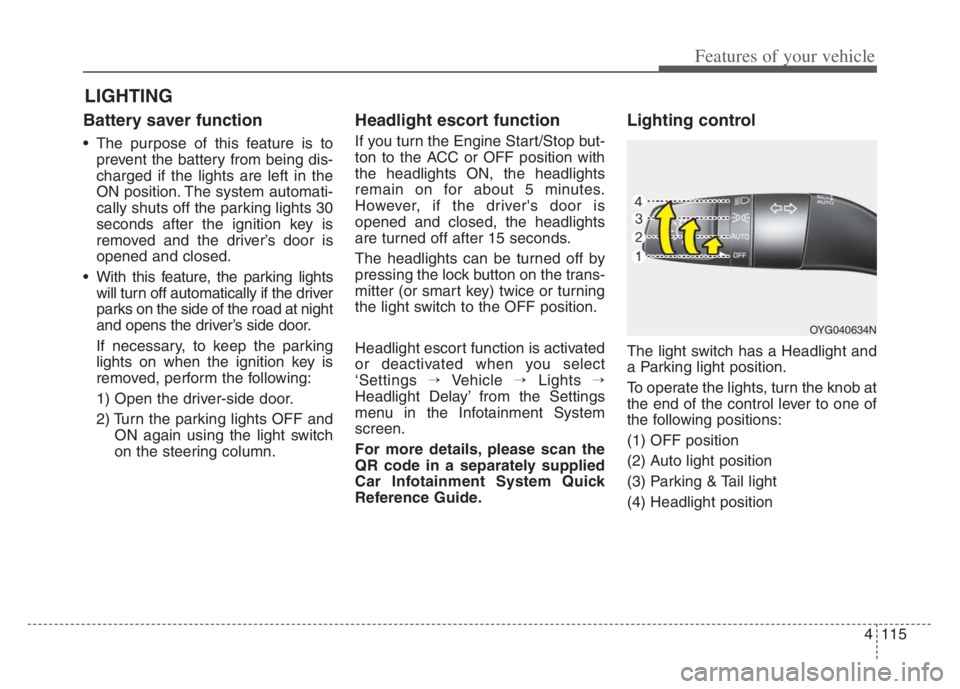
Lighting control
The light switch has a Headlight and
a Parking light position.
To operate the lights, turn the knob at
the end of the control lever to one of
the following positions:
(1) OFF position
(2) Auto light position
(3) Parking & Tail light
(4) Headlight position
LIGHTING
OYG040634N
Page 198 of 560

Features of your vehicle
116 4
Parking & Tail light ( )
When the light switch is in the park-
ing light position, the tail, license and
instrument panel lights will turn ON.
Headlight position ( )
When the light switch is in the head-
light position, the head, tail, license
lights will turn ON.
✽ ✽
NOTICE
The Engine Start/Stop button must be
in the ON position to turn on the
headlights.
Auto light position
When the light switch is in the AUTO
light position, the taillights and head-
lights will turn ON or OFF automati-
cally depending on the amount of
light outside of the vehicle.
OYG040636NOYG040407NOYG040635N
Page 199 of 560

4117
Features of your vehicle
High beam operation
To turn on the high beam headlamp,
push the lever away from you. The lever
will return to its original position. The
high beam indicator will light when the
headlight high beams are switched on.
To turn off the high beam headlamps,
pull the lever towards you. It will return
to the normal (low beam) position
when released.
To prevent the battery from being
discharged, do not leave the lights
on for a prolonged time while the
engine is not running.
WARNING - High beams
Do not use high beam when
there are other vehicles in front
of your vehicle. Using high
beam could obstruct the other
driver’s vision.
OYG040637N
CAUTION
Never place anything over the
sensor (1) located on the
instrument panel, this will
ensure better auto-light sys-
tem control.
Don’t clean the sensor using a
window cleaner, the cleaner
may leave a light film which
could interfere with sensor
operation.
Page 200 of 560
Features of your vehicle
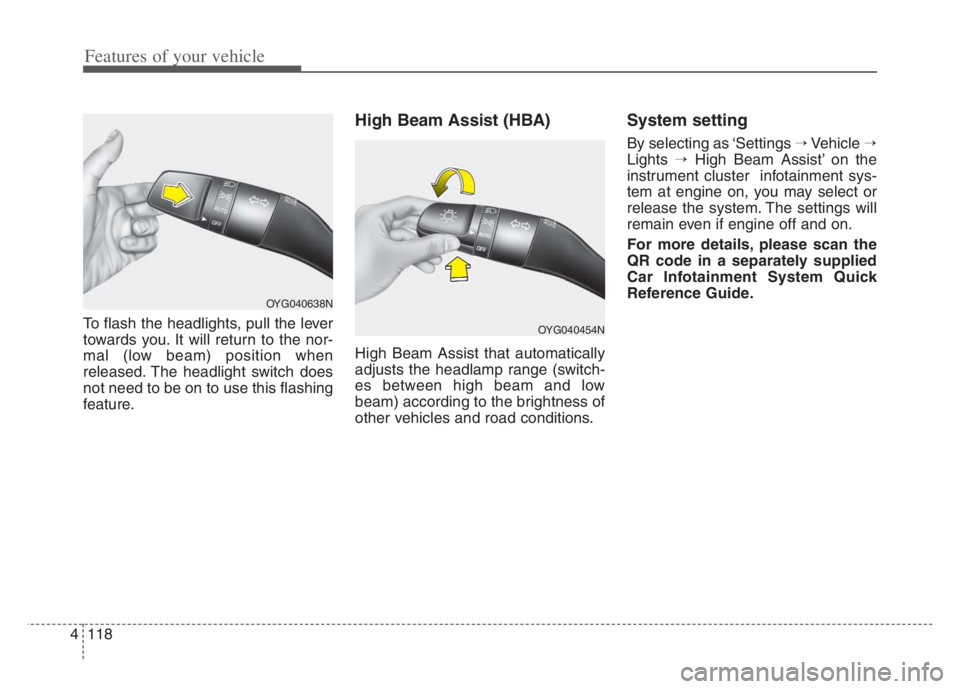
118 4
To flash the headlights, pull the lever
towards you. It will return to the nor-
mal (low beam) position when
released. The headlight switch does
not need to be on to use this flashing
feature.
High Beam Assist (HBA)
High Beam Assist that automatically
adjusts the headlamp range (switch-
es between high beam and low
beam) according to the brightness of
other vehicles and road conditions.
System setting
By selecting as ‘Settings →Vehicle →
Lights →High Beam Assist’ on the
instrument cluster infotainment sys-
tem at engine on, you may select or
release the system. The settings will
remain even if engine off and on.
For more details, please scan the
QR code in a separately supplied
Car Infotainment System Quick
Reference Guide.
OYG040454N
OYG040638N
Page 201 of 560

4119
Features of your vehicle
Operating condition
1.Place the light switch in the AUTO
position.
2.Turn on the high beam by pushing
the lever away from you.
The High Beam Assist ( ) indica-
tor will illuminate.
3.The High Beam Assist ( ) indica-
tor will illuminate.
4.High Beam Assist will turn on when
vehicle speed is above 25 mph (40
km/h).
5.The details of operation with the
light switch while High Beam Assist
is on are below.
1) If the light switch is pushed
away, High Beam Assist will turn
off and the high beam will be on
continuously.
2) If the light switch is pulled
towards you when the high
beam is off, the high beam will
be on without cancellation of
High Beam Assist. (When you
hands off, the lever will move to
the middle and the high beam
will turn off.)3) If the light switch is pulled
towards you when the high
beam is on by High Beam
Assist, the low beam will be on
and High Beam Assist will turn
off.
4) If the light switch is turned to the
headlamp position ( ) AUTO
position, High Beam
Assist will turn off and the low
beam will be on continuously.When High Beam Assist is operat-
ing, the high beam switches to low
beam in the below conditions.
When the headlamp is detected
from the on-coming vehicle.
When the tail lamp is detected
from the front vehicle.
When headlamp/tail lamp of bicy-
cle/motorcycle is detected.
When the surrounding is so bright
that high beams are not needed.
When streetlights or other lights
are detected.
When the light switch is not in the
AUTO position.
When High Beam Assist is off.
When vehicle speed is below 15
mph (24 km/h).