ignition KIA Carens 2017 3.G Repair Manual
[x] Cancel search | Manufacturer: KIA, Model Year: 2017, Model line: Carens, Model: KIA Carens 2017 3.GPages: 625, PDF Size: 19.69 MB
Page 216 of 625
4119
Features of your vehicle
(3) :- The map lamp comes on when adoor is opened. If you close the
door, the lamps go out after
approximately 30 seconds.
- The map lamp comes on for approximately 30 seconds when
doors are unlocked with a trans-
mitter or smart key as long as the
doors are not opened.
- The map lamp will stay on for approximately 20 minutes if a door
is opened with the ignition switch
in the ACC or LOCK/OFF position.
- The map lamp will stay on contin- uously if the door is opened with
the ignition switch in the ON posi-
tion.
- The map lamp will go out imme- diately if the ignition switch is
changed to the ON position or all
doors are locked.
(4) : The map lamp stays on at all times.✽ ✽NOTICE
When the lamp is turned on by
pressing the lens (1), the lamp does
not turn off even if the switch is in
the OFF position (2).
Room lamp
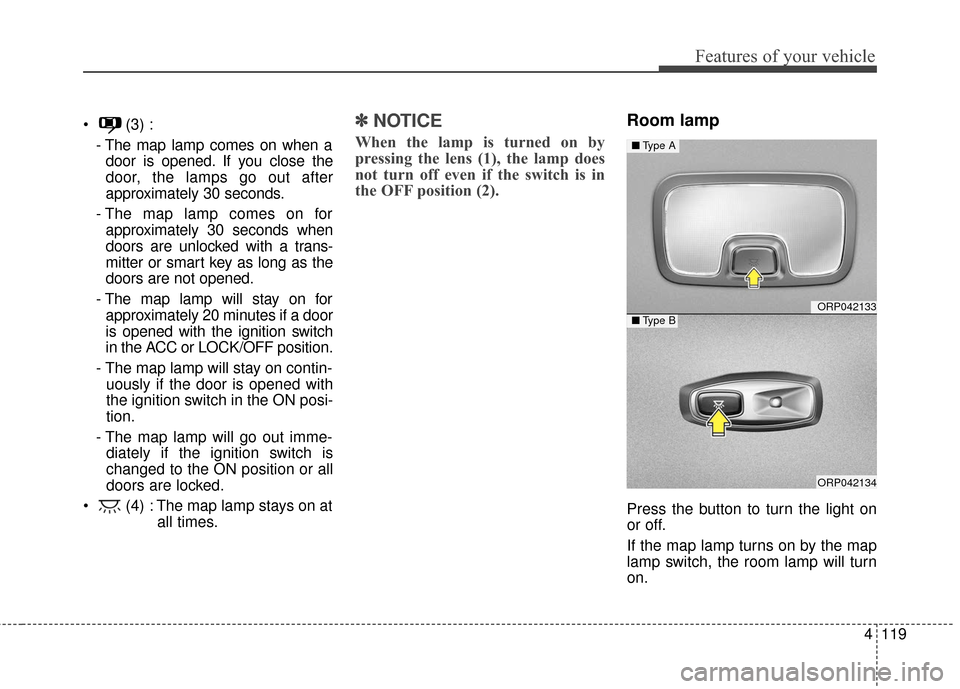
Press the button to turn the light on
or off.
If the map lamp turns on by the map
lamp switch, the room lamp will turn
on.
ORP042133
ORP042134
■ Type A
■Type B
Page 219 of 625
Features of your vehicle
122
4
DEFROSTER
✽ ✽ NOTICE
If you want to defrost and defog the
front windshield, refer to “Windshield
Defrosting and Defogging” in this
chapter.
Rear window defroster
The defroster heats the window to
remove frost, fog and thin ice from
the interior and exterior of the rear
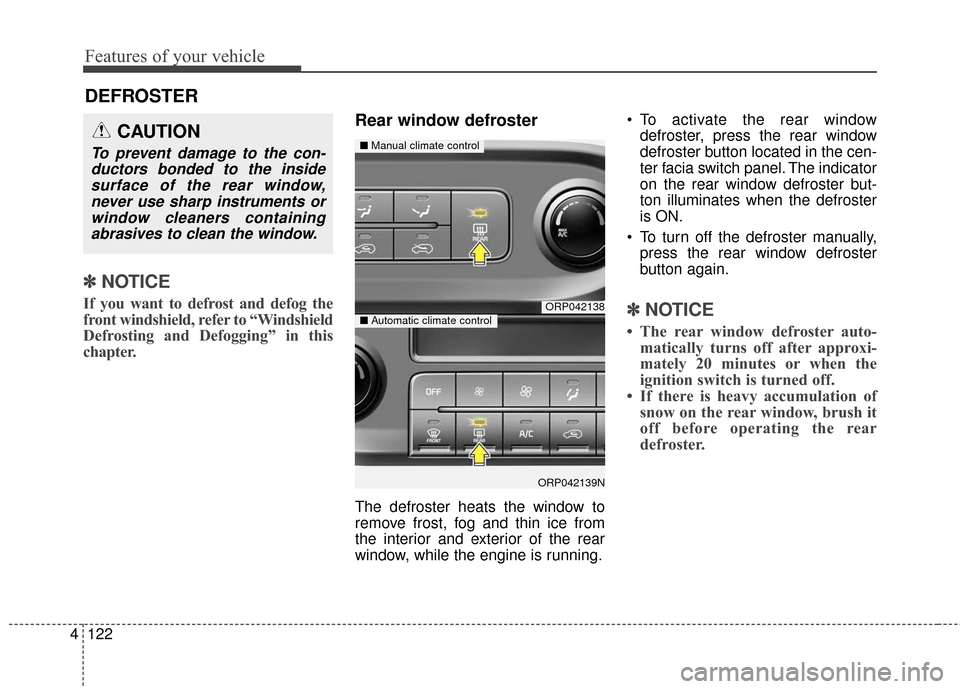
window, while the engine is running. To activate the rear window
defroster, press the rear window
defroster button located in the cen-
ter facia switch panel. The indicator
on the rear window defroster but-
ton illuminates when the defroster
is ON.
To turn off the defroster manually, press the rear window defroster
button again.
✽ ✽ NOTICE
• The rear window defroster auto-
matically turns off after approxi-
mately 20 minutes or when the
ignition switch is turned off.
• If there is heavy accumulation of snow on the rear window, brush it
off before operating the rear
defroster.
ORP042138
ORP042139N
■ Manual climate control
■Automatic climate control
CAUTION
To prevent damage to the con-
ductors bonded to the insidesurface of the rear window,never use sharp instruments orwindow cleaners containingabrasives to clean the window.
Page 226 of 625
4129
Features of your vehicle
Fan speed control
The ignition switch must be in the ON
position for fan operation.
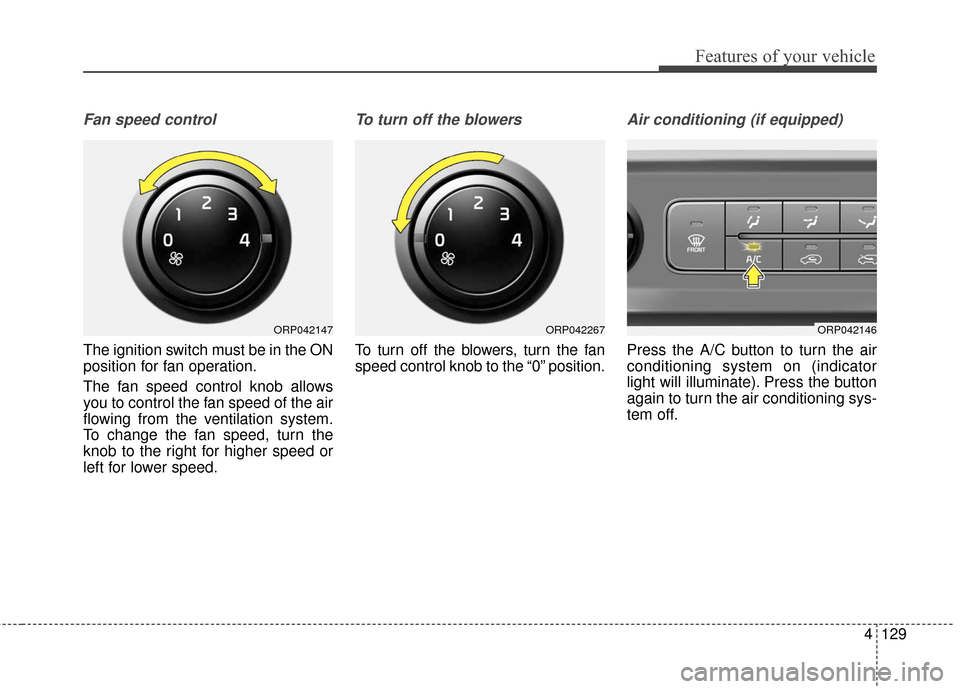
The fan speed control knob allows
you to control the fan speed of the air
flowing from the ventilation system.
To change the fan speed, turn the
knob to the right for higher speed or
left for lower speed.
To turn off the blowers
To turn off the blowers, turn the fan
speed control knob to the “0” position.
Air conditioning (if equipped)
Press the A/C button to turn the air
conditioning system on (indicator
light will illuminate). Press the button
again to turn the air conditioning sys-
tem off.
ORP042146ORP042147ORP042267
Page 239 of 625
Features of your vehicle
142
4
Fan speed control
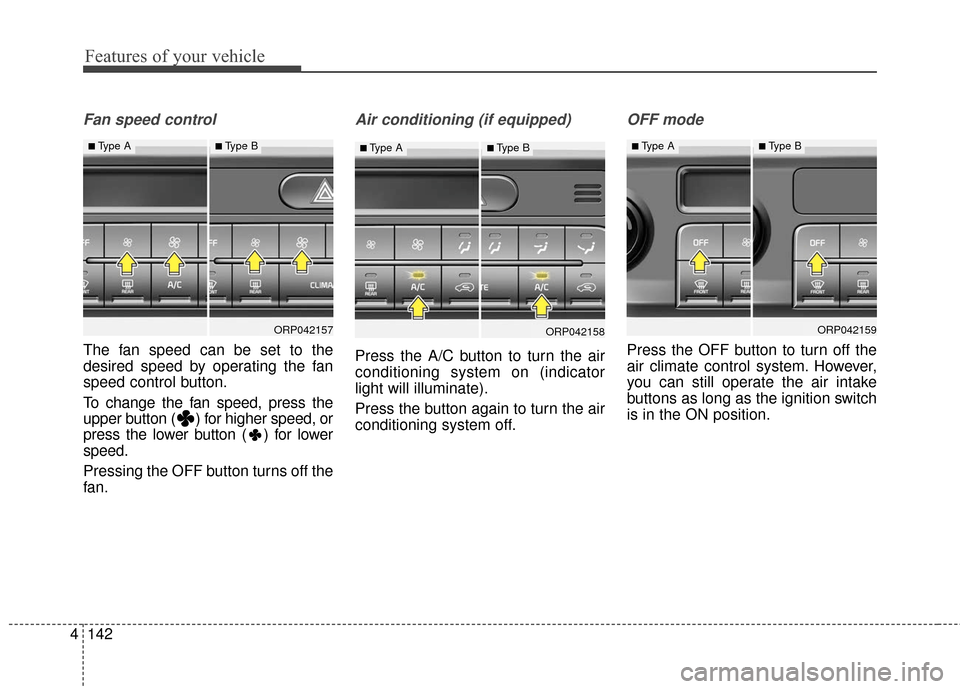
The fan speed can be set to the
desired speed by operating the fan
speed control button.
To change the fan speed, press the
upper button ( ) for higher speed, or
press the lower button ( ) for lower
speed.
Pressing the OFF button turns off the
fan.
Air conditioning (if equipped)
Press the A/C button to turn the air
conditioning system on (indicator
light will illuminate).
Press the button again to turn the air
conditioning system off.
OFF mode
Press the OFF button to turn off the
air climate control system. However,
you can still operate the air intake
buttons as long as the ignition switch
is in the ON position.
ORP042157
■Type A■Type B
ORP042158
■Type A■Type B
ORP042159
■Type A■Type B
Page 247 of 625
Features of your vehicle
150
4
This indicator illuminates
when the auto defogging
system senses the mois-
ture of inside the wind-
shield and operates.
If more moisture is in the vehicle,
higher steps operate as follow.
Step 1 : Outside air position
Step 2 : Blowing air flow toward the windshield
Step 3 : Operating the air conditioning
Step 4 : Increasing air flow toward the windshield If your vehicle is equipped with the
auto defogging system, it is automat-
ically activated when the conditions
are met. To cancel or reset the Auto
Defogging system, press the front
windshield defroster button for 3 sec-
onds when the ignition switch is in
the ON position. When the Auto
Defogging System is Canceled, ADS
OFF symbol will blink 3 times and the
ADS OFF will be displayed on the cli-
mate control information screen.
When the Auto Defogging System is
reset, ADS OFF symbol will blink 6
times without a signal.
In case of automatic climate control
system with a climate button, it blinks
defroster button indicator. Blinking
time is same as above.
To use the auto defogging system
again, follow the procedures men-
tioned above.
If the battery has been disconnected
or discharged, it resets to the auto
defogging status.✽ ✽
NOTICE
When above indicator is turned on,
the mode indicator will goes out.
If the mode button is manually
selected, the selected mode is dis-
played for 3 seconds and then goes
out. However, the mode will still
work with the selected mode.
✽ ✽NOTICE
If the A/C off is manually selected
while the auto defogging system is
on, the auto defogging indicator will
blink 3 times to give notice that the
A/C off can not be selected.
CAUTION
Do not remove the sensor cover
located on the upper end of thedriver side windshield glass.Damage to the system partscould occur and may not be cov-ered by your vehicle warranty.
Page 248 of 625
4151
Features of your vehicle
When the ignition switch is in the ON
position, the clean air function turns
on automatically.
Also, the clean air function turns off
automatically, when the ignition
switch turns to the OFF position.
CLEAN AIR (IF EQUIPPED)
ORP046165N
Page 253 of 625
Features of your vehicle
156
4
Cigarette lighter (if equipped)
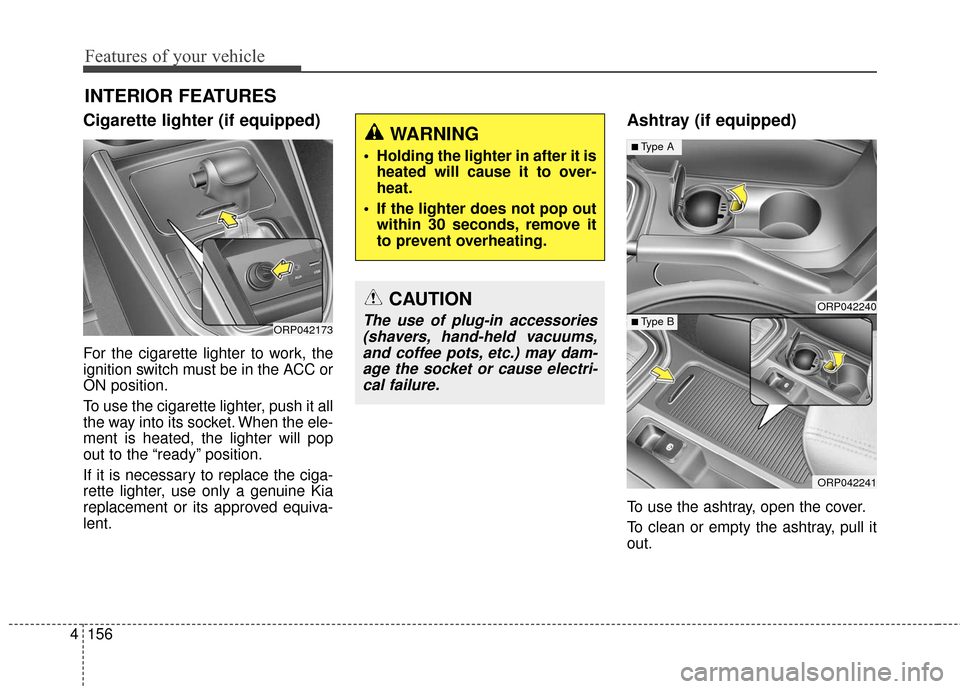
For the cigarette lighter to work, the
ignition switch must be in the ACC or
ON position.
To use the cigarette lighter, push it all
the way into its socket. When the ele-
ment is heated, the lighter will pop
out to the “ready” position.
If it is necessary to replace the ciga-
rette lighter, use only a genuine Kia
replacement or its approved equiva-
lent.
Ashtray (if equipped)
To use the ashtray, open the cover.
To clean or empty the ashtray, pull it
out.
INTERIOR FEATURES
ORP042173
CAUTION
The use of plug-in accessories
(shavers, hand-held vacuums,and coffee pots, etc.) may dam-age the socket or cause electri-cal failure.
WARNING
Holding the lighter in after it is heated will cause it to over-
heat.
If the lighter does not pop out within 30 seconds, remove it
to prevent overheating.
ORP042240
ORP042241
■Type A
■ Type B
Page 256 of 625
4159
Features of your vehicle
Seat warmer (if equipped)
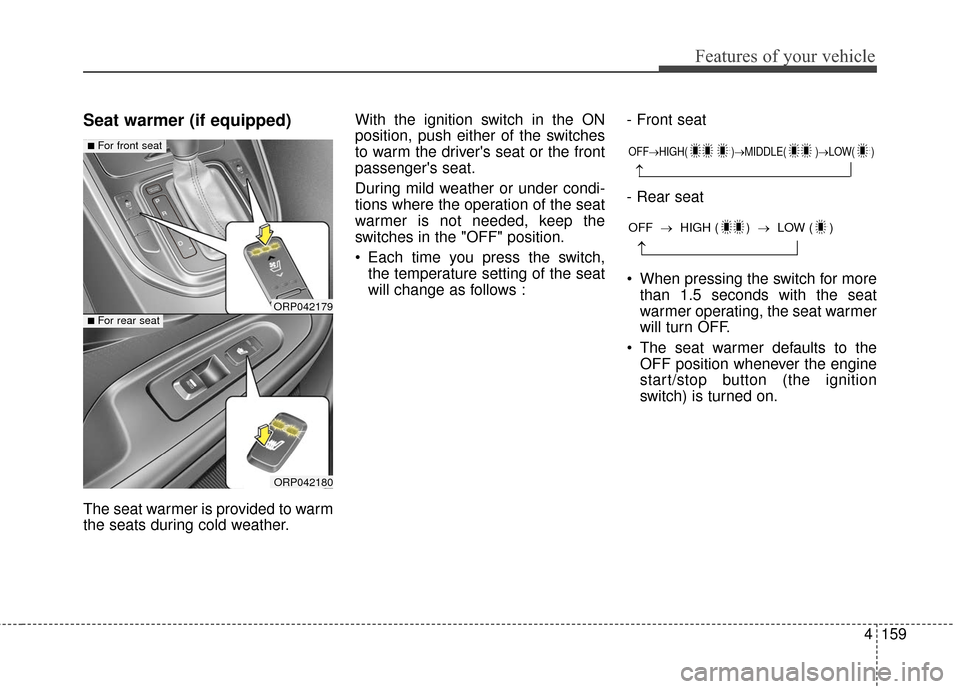
The seat warmer is provided to warm
the seats during cold weather.With the ignition switch in the ON
position, push either of the switches
to warm the driver's seat or the front
passenger's seat.
During mild weather or under condi-
tions where the operation of the seat
warmer is not needed, keep the
switches in the "OFF" position.
Each time you press the switch,
the temperature setting of the seat
will change as follows : - Front seat
- Rear seat
When pressing the switch for more
than 1.5 seconds with the seat
warmer operating, the seat warmer
will turn OFF.
The seat warmer defaults to the OFF position whenever the engine
start/stop button (the ignition
switch) is turned on.
ORP042179
ORP042180
■For front seat
■For rear seat
OFF→ HIGH( )→ MIDDLE( )→LOW( )
→
→
OFF →HIGH ( ) → LOW ( )
Page 258 of 625
4161
Features of your vehicle
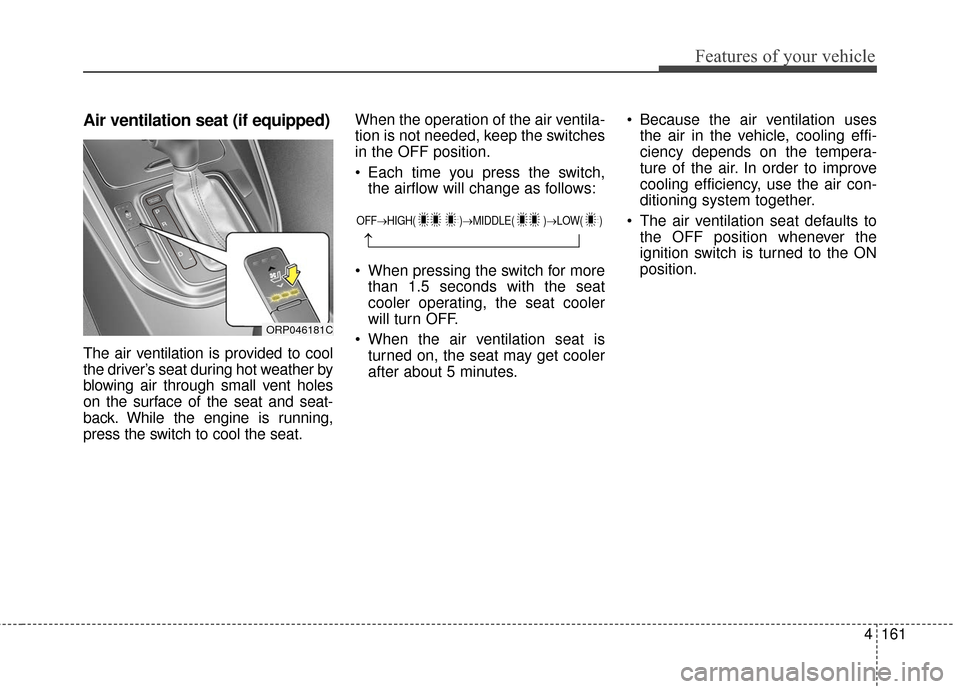
Air ventilation seat (if equipped)
The air ventilation is provided to cool
the driver’s seat during hot weather by
blowing air through small vent holes
on the surface of the seat and seat-
back. While the engine is running,
press the switch to cool the seat.When the operation of the air ventila-
tion is not needed, keep the switches
in the OFF position.
Each time you press the switch,
the airflow will change as follows:
When pressing the switch for more than 1.5 seconds with the seat
cooler operating, the seat cooler
will turn OFF.
When the air ventilation seat is turned on, the seat may get cooler
after about 5 minutes. Because the air ventilation uses
the air in the vehicle, cooling effi-
ciency depends on the tempera-
ture of the air. In order to improve
cooling efficiency, use the air con-
ditioning system together.
The air ventilation seat defaults to the OFF position whenever the
ignition switch is turned to the ON
position.
ORP046181C
OFF→ HIGH( )→ MIDDLE( )→LOW( )
→
Page 267 of 625
Features of your vehicle
170
4
❈ If the portable lamp does not turn
on, it means the portable lamp
needs to be charged. Insert the
lamp holder and then charge it
again. The charge mode will be
activated if the ignition switch (or
engine start/stop button) is on
position or engine is running.Battery replacement
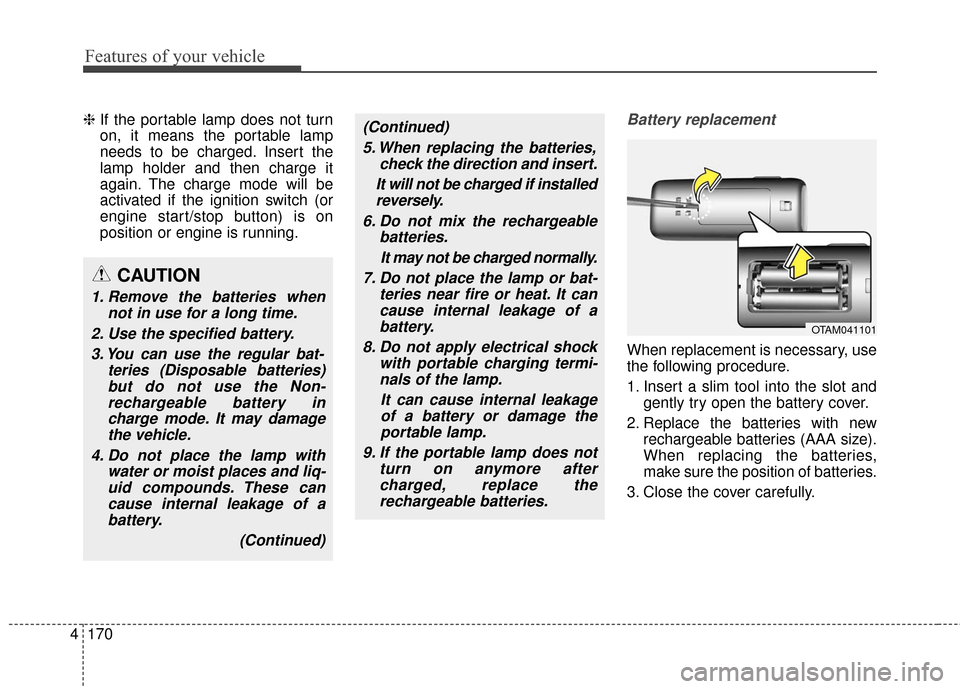
When replacement is necessary, use
the following procedure.
1. Insert a slim tool into the slot and
gently try open the battery cover.
2. Replace the batteries with new rechargeable batteries (AAA size).
When replacing the batteries,
make sure the position of batteries.
3. Close the cover carefully.
CAUTION
1. Remove the batteries when not in use for a long time.
2. Use the specified battery. 3. You can use the regular bat- teries (Disposable batteries)but do not use the Non-rechargeable battery incharge mode. It may damagethe vehicle.
4. Do not place the lamp with water or moist places and liq-uid compounds. These cancause internal leakage of abattery.
(Continued)
(Continued)5. When replacing the batteries, check the direction and insert.
It will not be charged if installed reversely.
6. Do not mix the rechargeable batteries.
It may not be charged normally.
7. Do not place the lamp or bat- teries near fire or heat. It cancause internal leakage of abattery.
8. Do not apply electrical shock with portable charging termi-nals of the lamp.
It can cause internal leakageof a battery or damage theportable lamp.
9. If the portable lamp does not turn on anymore aftercharged, replace therechargeable batteries.
OTAM041101