ignition KIA CARENS RHD 2017 Owner's Manual
[x] Cancel search | Manufacturer: KIA, Model Year: 2017, Model line: CARENS RHD, Model: KIA CARENS RHD 2017Pages: 723, PDF Size: 40.8 MB
Page 115 of 723
419
Features of your vehicle
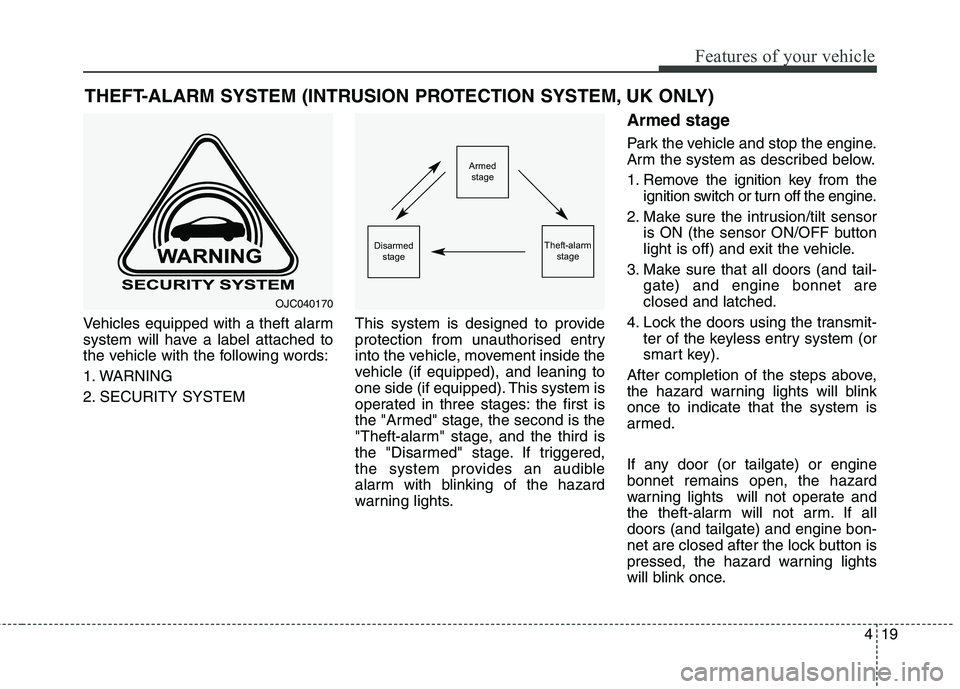
Vehicles equipped with a theft alarm
system will have a label attached to
the vehicle with the following words:
1. WARNING
2. SECURITY SYSTEMThis system is designed to provide
protection from unauthorised entry
into the vehicle, movement inside the
vehicle (if equipped), and leaning to
one side (if equipped). This system is
operated in three stages: the first is
the "Armed" stage, the second is the
"Theft-alarm" stage, and the third is
the "Disarmed" stage. If triggered,
the system provides an audible
alarm with blinking of the hazard
warning lights.Armed stage
Park the vehicle and stop the engine.
Arm the system as described below.
1. Remove the ignition key from the
ignition switch or turn off the engine.
2. Make sure the intrusion/tilt sensor is ON (the sensor ON/OFF button
light is off) and exit the vehicle.
3. Make sure that all doors (and tail- gate) and engine bonnet areclosed and latched.
4. Lock the doors using the transmit- ter of the keyless entry system (or
smart key).
After completion of the steps above,
the hazard warning lights will blinkonce to indicate that the system is
armed.
If any door (or tailgate) or engine bonnet remains open, the hazard
warning lights will not operate and
the theft-alarm will not arm. If alldoors (and tailgate) and engine bon-
net are closed after the lock button is
pressed, the hazard warning lights
will blink once.
THEFT-ALARM SYSTEM (INTRUSION PROTECTION SYSTEM, UK ONLY)
OJC040170
Armed
stage
Theft-alarm stageDisarmedstage
Page 116 of 723
Features of your vehicle
20
4
Do not arm the system until all
passengers have left the vehicle. Ifthe system is armed whilst a pas-
senger(s) remains in the vehicle,
the alarm may be activated when
the passenger(s) moves in the
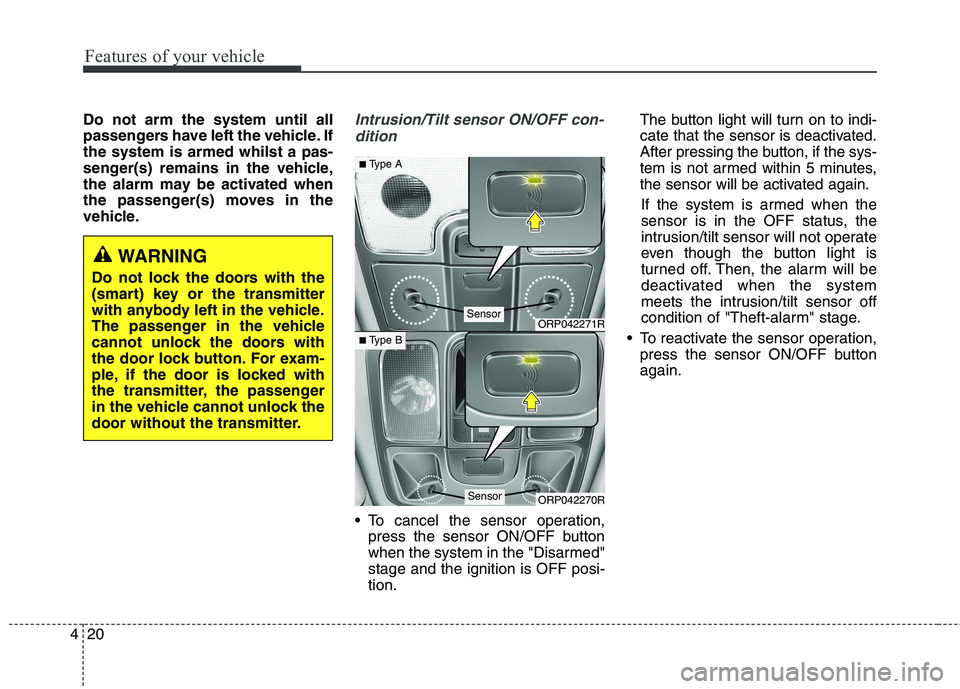
vehicle.Intrusion/Tilt sensor ON/OFF con-
dition
To cancel the sensor operation, press the sensor ON/OFF button
when the system in the "Disarmed"stage and the ignition is OFF posi-tion. The button light will turn on to indi-
cate that the sensor is deactivated.
After pressing the button, if the sys-
tem is not armed within 5 minutes,
the sensor will be activated again.
If the system is armed when the
sensor is in the OFF status, the
intrusion/tilt sensor will not operate
even though the button light is
turned off. Then, the alarm will be
deactivated when the system
meets the intrusion/tilt sensor off
condition of "Theft-alarm" stage.
To reactivate the sensor operation, press the sensor ON/OFF buttonagain.
WARNING
Do not lock the doors with the
(smart) key or the transmitter
with anybody left in the vehicle.
The passenger in the vehicle
cannot unlock the doors with
the door lock button. For exam-
ple, if the door is locked with
the transmitter, the passenger
in the vehicle cannot unlock the
door without the transmitter.
ORP042271R
ORP042270R
■ Type A
■ Type B
Sensor
Sensor
Page 117 of 723
421
Features of your vehicle
✽✽NOTICE
Do not activate the sensor if there are any chances the vehicle tilts by
the outward influences (for exam-
ple, ferry boat travelling, tower
parking etc.), because it could cause
the siren to sound inadvertently.
Make sure all windows are close whilst the system operates. If not,
the sensor detects the inadvertent
movement inside the vehicle (for
example, blowing a wind or enter-
ing a butterfly) and it makes the
siren sounds.
If boxes are piled high in the vehi- cle, the sensor may not detect the
movement behind the boxes. Also
the boxes may drop and it makes
the siren sounds.
If the sensor is stained with for- eign matter such as cosmetics,
spray type air freshener, or spray
type window cleaner, the sensor
may not operate normally.Theft-alarm stage
Intrusion/tilt sensor off condition
The alarm will be activated if any of
the following occurs whilst the sys-
tem is armed.
A front or rear door is opened with-out using the transmitter (or smart
key).
The tailgate is opened without using the transmitter (or smart key).
The engine bonnet is opened.
The ignition switch is in the ON position. Intrusion/tilt sensor on condition
The alarm will be activated if any of
the following occurs whilst the sys-
tem is armed when the sensor is
activated.
The passenger(s) moves in the
vehicle.
The inclination of the vehicle is changed to the certain degree.
A front or rear door is opened without using the transmitter (or smart key).
The tailgate is opened without using the transmitter (or smart key).
The engine bonnet is opened.
The ignition switch is in the ON position.
The siren will sound and the hazard
warning lights will blink continuously
for approximately 27 seconds and
repeat max. 8 times whilst the sys-
tem is met the alarm activate condi-
tion. To turn off the system, unlock
the doors with the transmitter (or
smart key).
Page 121 of 723
425
Features of your vehicle
If the inner door handle of the dri-ver’s (or front passenger’s) door is
pulled when the door lock button is
in the lock position, the button will
unlock and the door will open. (ifequipped)
Front door cannot be locked if the ignition key is in the ignition switch
(or if the smart key is in the vehicle)and the front door is opened.With central door lock/unlock
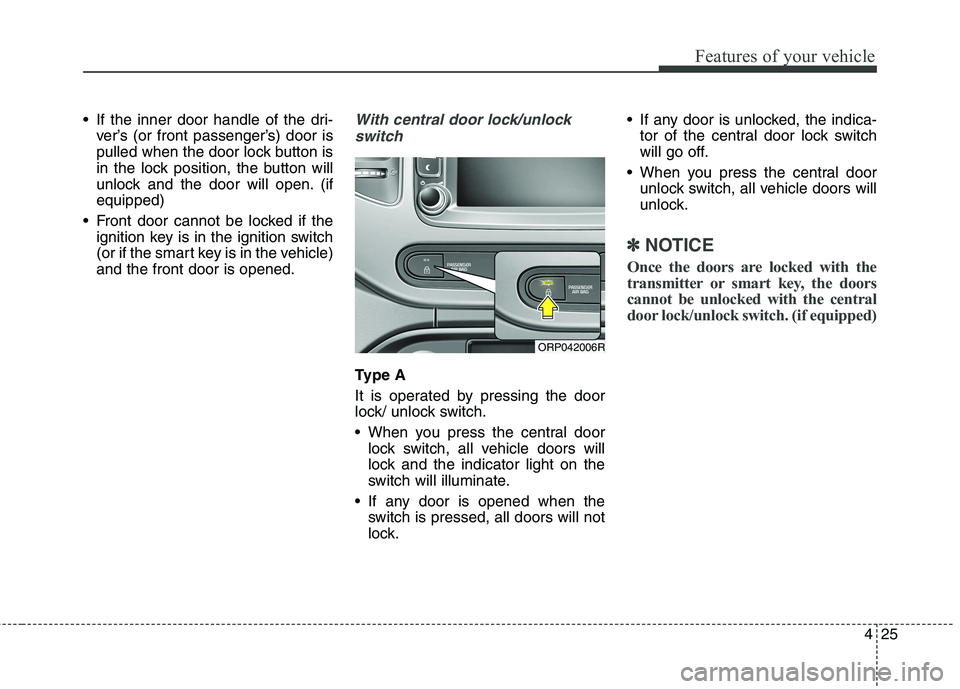
switch
Type A
It is operated by pressing the door
lock/ unlock switch.
When you press the central door lock switch, all vehicle doors will
lock and the indicator light on the
switch will illuminate.
If any door is opened when the switch is pressed, all doors will not
lock. If any door is unlocked, the indica-
tor of the central door lock switch
will go off.
When you press the central door unlock switch, all vehicle doors will
unlock.
✽✽ NOTICE
Once the doors are locked with the
transmitter or smart key, the doors
cannot be unlocked with the central
door lock/unlock switch. (if equipped)
ORP042006R
Page 122 of 723
Features of your vehicle
26
4
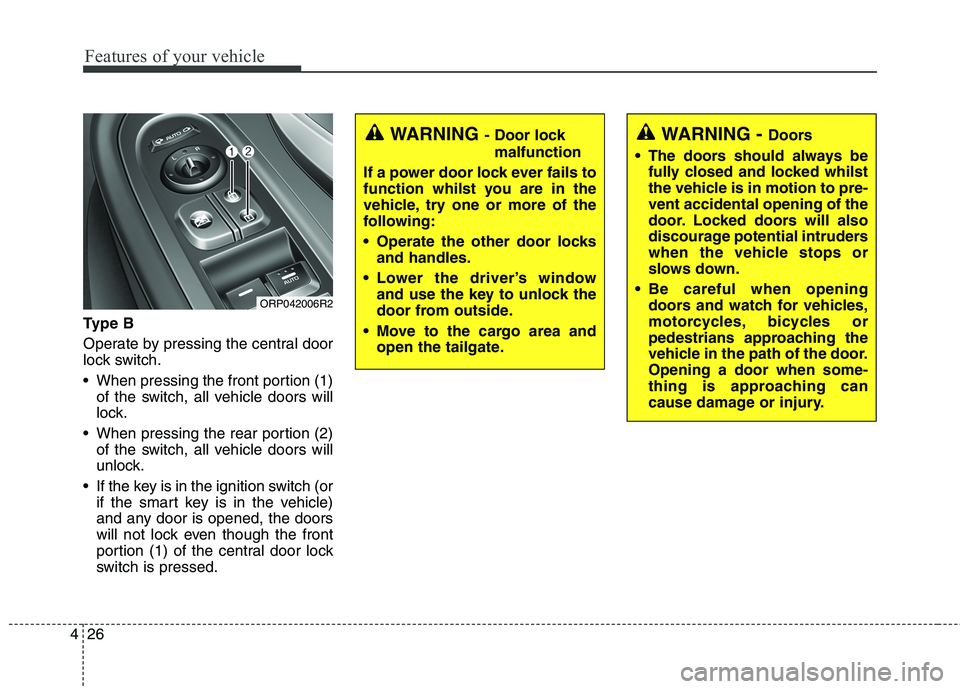
Ty p e B
Operate by pressing the central door
lock switch.
When pressing the front portion (1)
of the switch, all vehicle doors will
lock.
When pressing the rear portion (2) of the switch, all vehicle doors will
unlock.
If the key is in the ignition switch (or if the smart key is in the vehicle)
and any door is opened, the doors
will not lock even though the front
portion (1) of the central door lock
switch is pressed.
WARNING - Door lock
malfunction
If a power door lock ever fails to
function whilst you are in the
vehicle, try one or more of the
following:
Operate the other door locks and handles.
Lower the driver’s window and use the key to unlock the
door from outside.
Move to the cargo area and open the tailgate.WARNING - Doors
The doors should always be fully closed and locked whilst
the vehicle is in motion to pre-vent accidental opening of the
door. Locked doors will also
discourage potential intruders
when the vehicle stops or
slows down.
Be careful when opening doors and watch for vehicles,
motorcycles, bicycles or
pedestrians approaching the
vehicle in the path of the door.Opening a door when some-
thing is approaching can
cause damage or injury.
ORP042006R2
Page 123 of 723
427
Features of your vehicle
Deadlocks (if equipped)
Some vehicles are equipped with a
deadlock system. Deadlocks preventopening of a door from either inside
or outside the vehicle once the dead-
locks have been activated providing
an additional measure of vehicle
security.
To lock the vehicle using the deadlock
function, the doors must be locked by
using the transmitter or smart key. To
unlock the vehicle, the transmitter or
smart key must be used again.WARNING- Unlocked
vehicles
Leaving your vehicle unlocked
can invite theft or possible harm
to you or others from someone
hiding in your vehicle whilst you
are gone. Always remove the
ignition key, engage the parking
brake, close all windows and
lock all doors when leaving your
vehicle unattended.WARNING - Unattended
children
An enclosed vehicle can
become extremely hot, causing
death or severe injury to unat-
tended children or animals who
cannot escape the vehicle.
Furthermore, children might
operate features of the vehicle
that could injure them, or theycould encounter other harm,
possibly from someone gaining
entry to the vehicle. Never leave
children or animals unattended
in your vehicle.
WARNING
Do not lock the doors with the
transmitter or the smart key
with anybody left in the vehicle.
The passenger in the vehicle
cannot unlock the doors with
the door lock button. For exam-
ple, if the door is locked with
the transmitter, the passenger
in the vehicle cannot unlock the
door without the transmitter.
Page 124 of 723
Features of your vehicle
28
4
Door lock/unlock features
Impact sensing door unlock sys-
tem
All doors will automatically unlock when an impact causes the air bags
to deploy.
Speed sensing door lock system (if equipped)
All doors will automatically lock after
the vehicle speed exceeds 15 km/h.
Engine off door unlock system (if equipped)
All doors will automatically unlock:
Without smart key system
When the key is removed from the
ignition switch.
With smart key system
When the engine start/stop button is in the OFF position.
Shift lever door lock/unlock sys-tem
All doors will automatically lock when the shift lever is moved out of
P (Park).
All doors will automatically unlock when the shift lever is moved into P
(Park).
You can activate or deactivate the
auto door lock/unlock features in the
vehicle. Refer to "User setting" in this
chapter.
Page 130 of 723
Features of your vehicle
34
4
Power windows
The ignition switch must be in the ON
position for power windows to oper-
ate. Each door has a power window
switch that controls the door’s win-
dow. The driver’s door has a master
power window switch that controls all
the windows in the vehicle. Also, the
driver has a power window lock
switch which can block the operation
of rear passenger windows.
The power windows can be operated
for approximately 30 seconds after
the ignition key is removed or turned
to the ACC or LOCK position.
However, if the front doors are
opened, the power windows cannot
be operated even within the 30 sec-
onds period.✽✽
NOTICE
Whilst driving with the rear win-
dows down or with the sunroof (if
equipped) in an open (or partially
open position), your vehicle may
demonstrate a wind buffeting or
pulsation noise. This noise is a nor-
mal occurrence and can be reduced
or eliminated by taking the follow-
ing actions. If the noise occurs with
one or both of the rear windows
down, partially lower both front
windows approximately one inch.
If you experience the noise with the
sunroof open, slightly reduce the
size of the sunroof opening. Window opening and closing
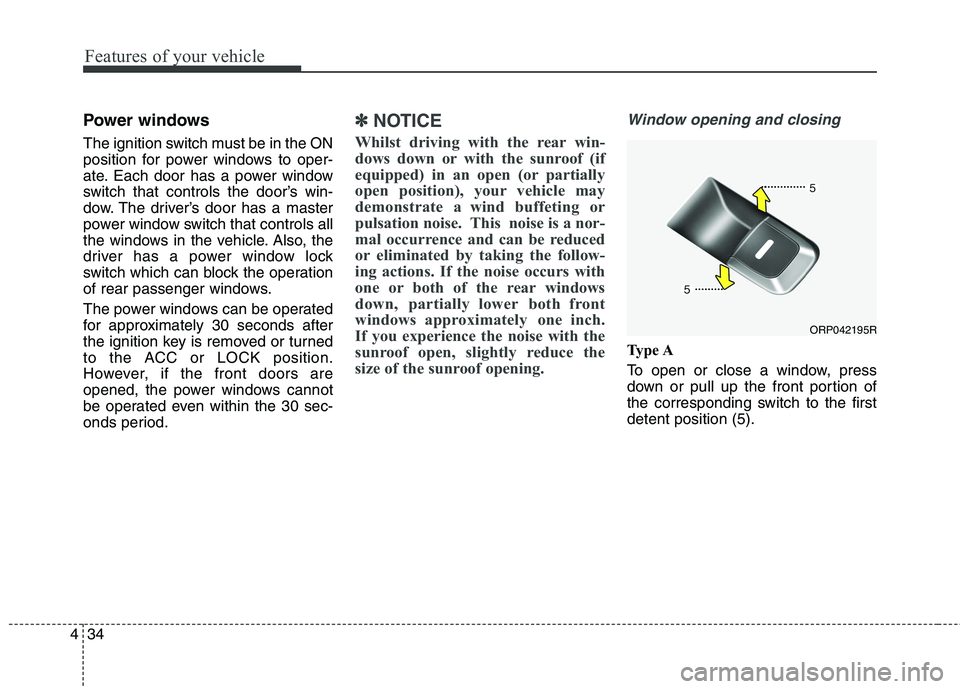
Type A
To open or close a window, press
down or pull up the front portion of
the corresponding switch to the firstdetent position (5).
ORP042195R
Page 131 of 723
435
Features of your vehicle
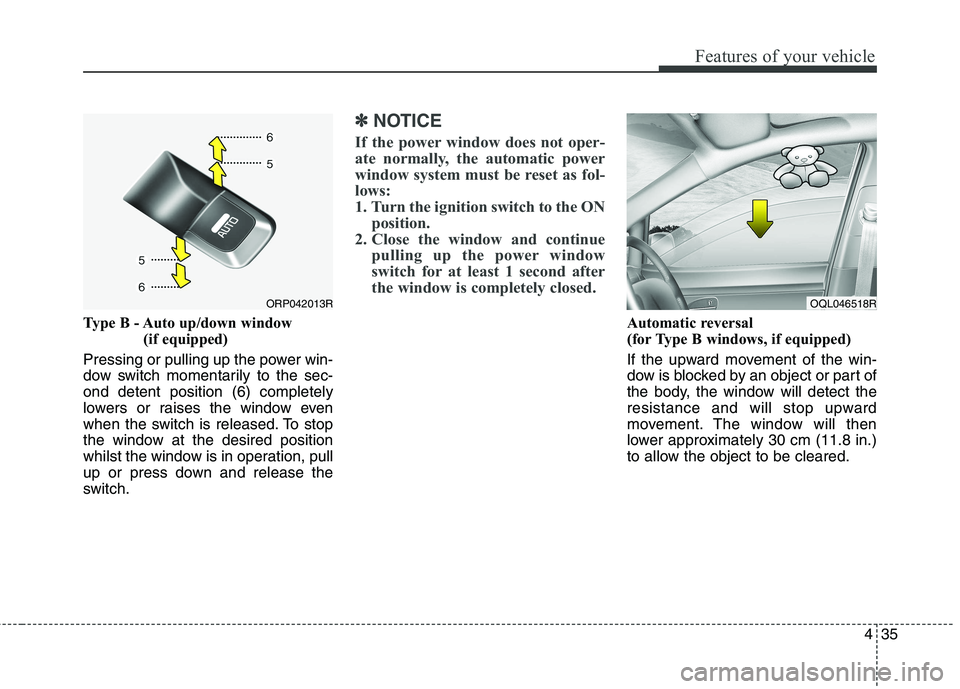
Type B - Auto up/down window (if equipped)
Pressing or pulling up the power win-
dow switch momentarily to the sec-ond detent position (6) completely
lowers or raises the window even
when the switch is released. To stop
the window at the desired position
whilst the window is in operation, pull
up or press down and release the
switch.
✽✽ NOTICE
If the power window does not oper-
ate normally, the automatic power
window system must be reset as fol-
lows:
1. Turn the ignition switch to the ON position.
2. Close the window and continue pulling up the power window
switch for at least 1 second after
the window is completely closed.
Automatic reversal
(for Type B windows, if equipped)
If the upward movement of the win-
dow is blocked by an object or part of
the body, the window will detect the
resistance and will stop upward
movement. The window will then
lower approximately 30 cm (11.8 in.)
to allow the object to be cleared.
ORP042013ROQL046518R
Page 140 of 723
Features of your vehicle
44
4
If your vehicle is equipped with a
sunroof, you can slide or tilt your
sunroof with the sunroof control lever
located on the overhead console. The sunroof can only be opened, closed, or tilted when the ignition
switch is in the ON position. In cold and wet climates, the sun-
roof may not work properly due to
freezing conditions.
After the vehicle is washed or in a rainstorm, be sure to wipe off any
water that is on the sunroof before
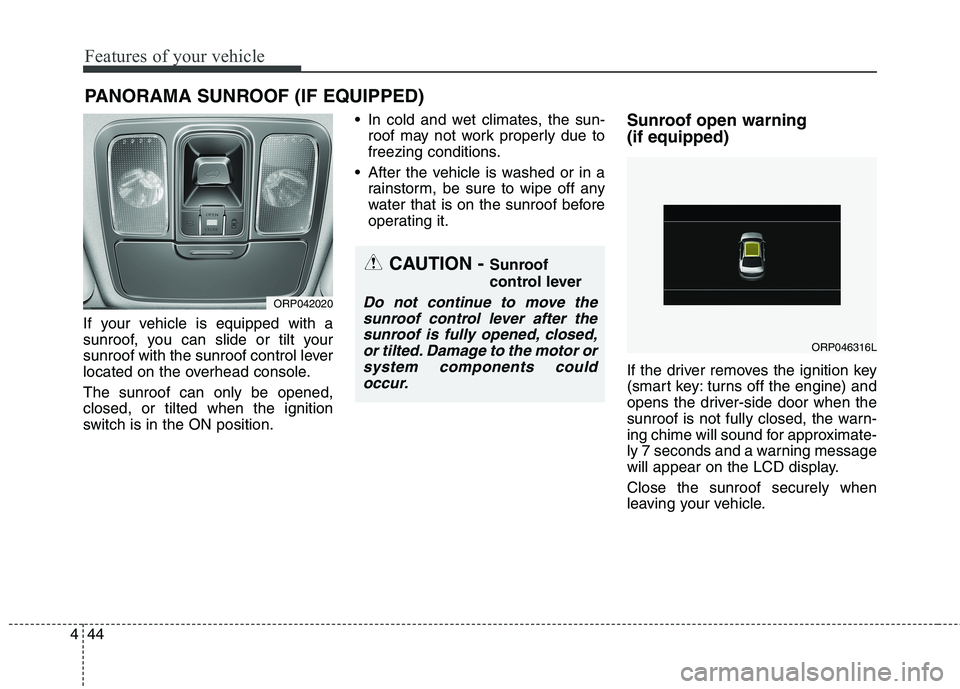
operating it. Sunroof open warning (if equipped)
If the driver removes the ignition key
(smart key: turns off the engine) and
opens the driver-side door when the
sunroof is not fully closed, the warn-
ing chime will sound for approximate-
ly 7 seconds and a warning message
will appear on the LCD display. Close the sunroof securely when
leaving your vehicle.
PANORAMA SUNROOF (IF EQUIPPED)
CAUTION -
Sunroof
control lever
Do not continue to move the
sunroof control lever after thesunroof is fully opened, closed, or tilted. Damage to the motor orsystem components couldoccur.ORP042020
ORP046316L