ignition KIA CARENS RHD 2017 Repair Manual
[x] Cancel search | Manufacturer: KIA, Model Year: 2017, Model line: CARENS RHD, Model: KIA CARENS RHD 2017Pages: 723, PDF Size: 40.8 MB
Page 225 of 723
4129
Features of your vehicle
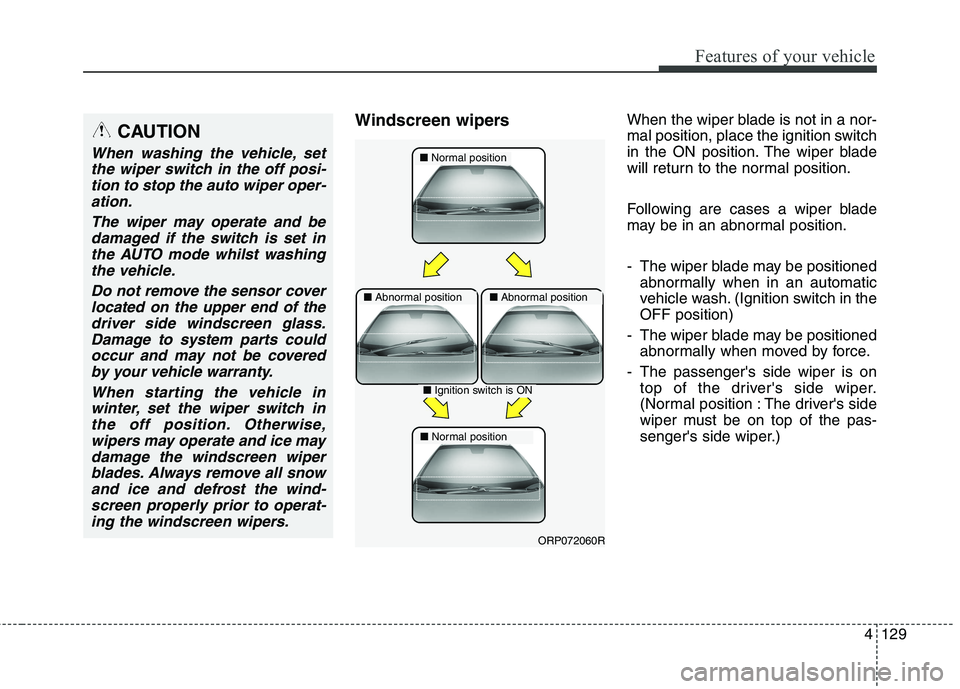
Windscreen wipersWhen the wiper blade is not in a nor-
mal position, place the ignition switch
in the ON position. The wiper blade
will return to the normal position.
Following are cases a wiper blade
may be in an abnormal position.
- The wiper blade may be positioned
abnormally when in an automatic
vehicle wash. (Ignition switch in theOFF position)
- The wiper blade may be positioned abnormally when moved by force.
- The passenger's side wiper is on top of the driver's side wiper.
(Normal position : The driver's side
wiper must be on top of the pas-
senger's side wiper.)CAUTION
When washing the vehicle, set
the wiper switch in the off posi-tion to stop the auto wiper oper- ation.
The wiper may operate and bedamaged if the switch is set inthe AUTO mode whilst washingthe vehicle.
Do not remove the sensor coverlocated on the upper end of the driver side windscreen glass.Damage to system parts couldoccur and may not be covered by your vehicle warranty.
When starting the vehicle inwinter, set the wiper switch inthe off position. Otherwise,wipers may operate and ice may damage the windscreen wiperblades. Always remove all snowand ice and defrost the wind-screen properly prior to operat- ing the windscreen wipers.■ Normal position
■Abnormal position■ Abnormal position
■Ignition switch is ON
■ Normal position
ORP072060R
Page 226 of 723
Features of your vehicle
130
4
When there is a problem with the
motor to operate the wiper blades,
the wiper blades will stop and acti-
vate the Fail Safety Function in the
ignition switch ON position or whilst
driving. Fail Safety Function will
operate as follows:
- HI or Mode 2 (5 minutes) LO or
Mode 1 (5 minutes) INT or Mode
--- (5 minutes) OFF or O (Stop) In a rainy day if the windscreen glass
gets dry when driving through a long
tunnel, the wiping velocity mayreduce to protect the motor and
blade. It will return to its normal state,after passing through the tunnel.
In case of overload the wiper motor that the function adjusts speed auto-
matically in vehicle. This feature pre-
vents damage to the wiper motor and
blade. In case of removal overload
conditions, it will return to its normal
position. By the pressure of the wind
at high speed wiper blades can be
moved upwards. This prevents dam-
age due to wiper motor overload bythe pressure of the wind.
Operating the wiper blade and wiper
switch operates normally, it will
return to its normal position.CAUTION
If wipers do not return to normal
position, you should remove thewax, water repellent, oil and other debris into S and then checkwiper operation again.
CAUTION
After remove the overload con-dition, if the problem of wiperblades or operating the motor remains, we recommend thatthe system be checked by anauthorised Kia dealer.
❈
❈ Overload condition
- In a rainy day when driving through a long tunnel
- When wax car wash
- Water-repellent coating (coated glass)
- Cleaning the windscreen cleaners
- Excessive blade wear etc.
Page 231 of 723
4135
Features of your vehicle
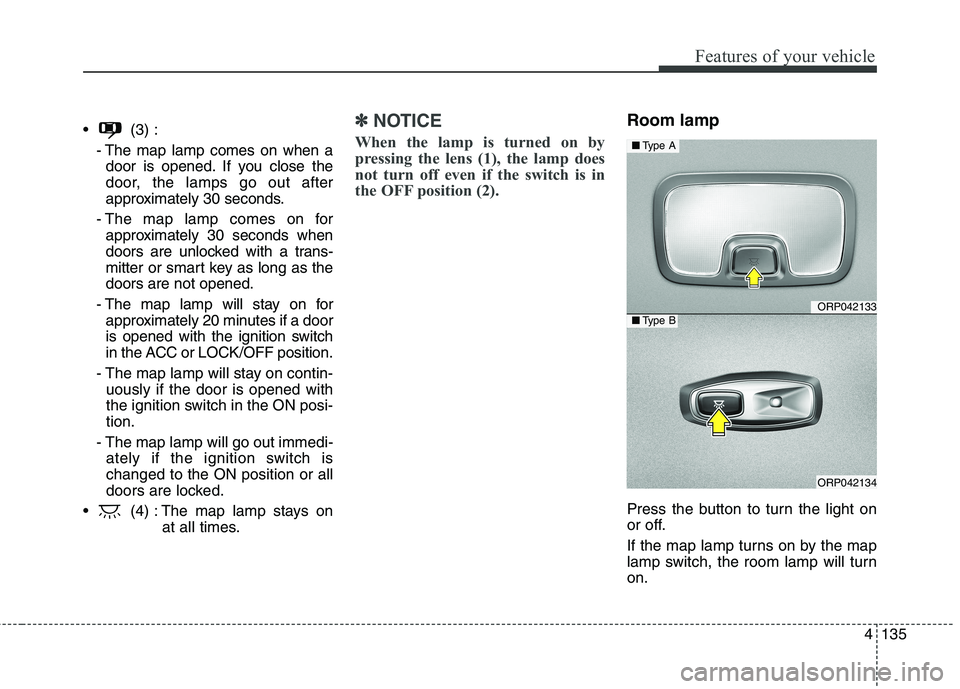
(3) :- The map lamp comes on when adoor is opened. If you close the
door, the lamps go out after
approximately 30 seconds.
- The map lamp comes on for approximately 30 seconds when
doors are unlocked with a trans-
mitter or smart key as long as thedoors are not opened.
- The map lamp will stay on for approximately 20 minutes if a door
is opened with the ignition switch
in the ACC or LOCK/OFF position.
- The map lamp will stay on contin- uously if the door is opened with
the ignition switch in the ON posi-tion.
- The map lamp will go out immedi- ately if the ignition switch ischanged to the ON position or all
doors are locked.
(4) : The map lamp stays on at all times.✽✽NOTICE
When the lamp is turned on by
pressing the lens (1), the lamp does
not turn off even if the switch is in
the OFF position (2).Room lamp
Press the button to turn the light on
or off.
If the map lamp turns on by the map
lamp switch, the room lamp will turnon.
ORP042133
ORP042134
■ Type A
■Type B
Page 234 of 723
Features of your vehicle
138
4
✽✽
NOTICE
If you want to defrost and defog the
front windscreen, refer to
“Windscreen Defrosting and
Defogging” in this chapter.
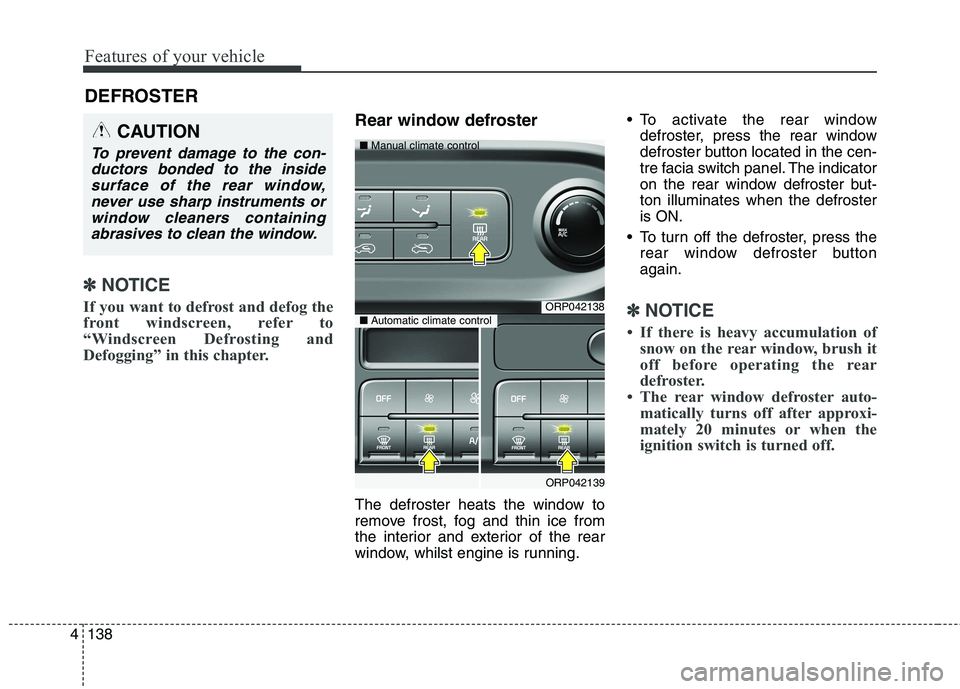
Rear window defroster
The defroster heats the window to
remove frost, fog and thin ice from
the interior and exterior of the rear
window, whilst engine is running. To activate the rear window
defroster, press the rear window
defroster button located in the cen-
tre facia switch panel. The indicator
on the rear window defroster but-ton illuminates when the defrosteris ON.
To turn off the defroster, press the rear window defroster buttonagain.
✽✽ NOTICE
If there is heavy accumulation of snow on the rear window, brush it
off before operating the rear
defroster.
The rear window defroster auto- matically turns off after approxi-
mately 20 minutes or when the
ignition switch is turned off.
DEFROSTER
CAUTION
To prevent damage to the con-
ductors bonded to the insidesurface of the rear window, never use sharp instruments orwindow cleaners containingabrasives to clean the window.
ORP042138
ORP042139
■
Manual climate control
■Automatic climate control
Page 236 of 723
Features of your vehicle
140
4
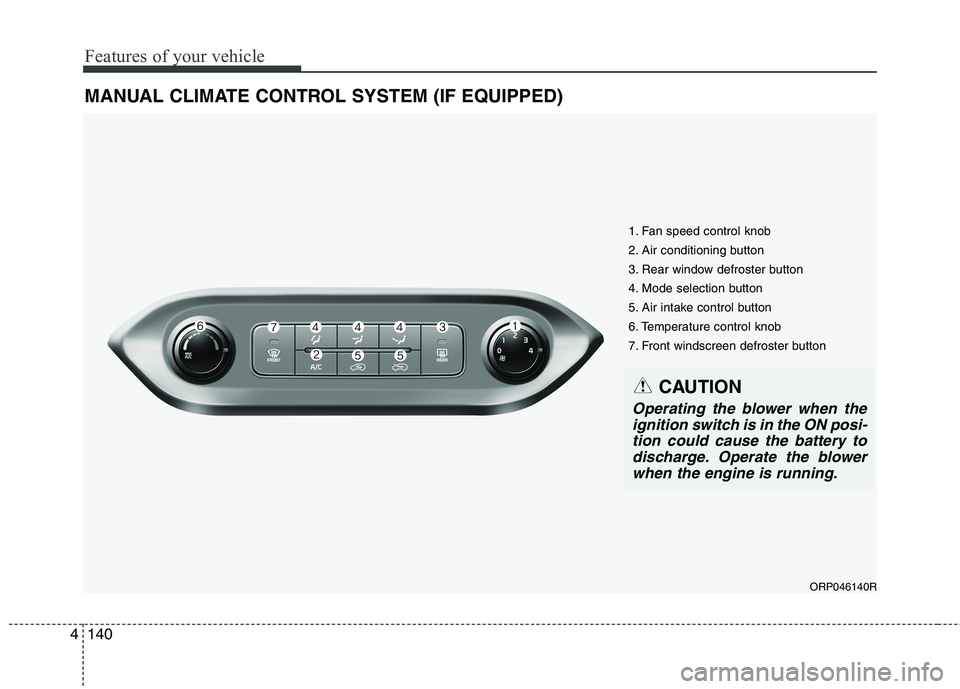
MANUAL CLIMATE CONTROL SYSTEM (IF EQUIPPED)
ORP046140R
1. Fan speed control knob
2. Air conditioning button
3. Rear window defroster button
4. Mode selection button
5. Air intake control button
6. Temperature control knob
7. Front windscreen defroster button
CAUTION
Operating the blower when the
ignition switch is in the ON posi-tion could cause the battery todischarge. Operate the blower when the engine is running.
Page 241 of 723
4145
Features of your vehicle
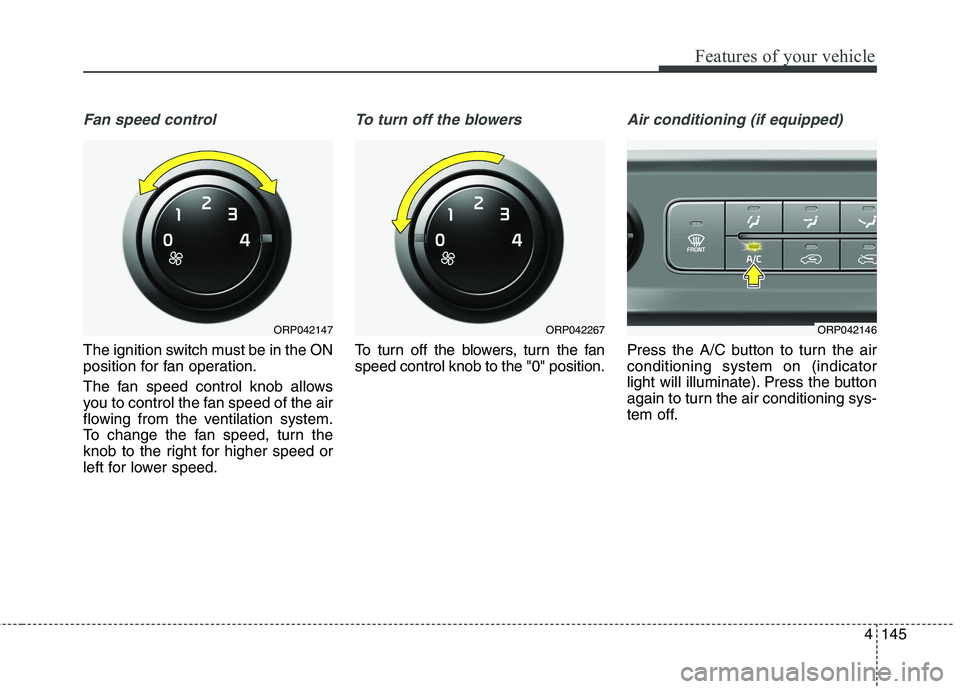
Fan speed control
The ignition switch must be in the ON
position for fan operation.
The fan speed control knob allows
you to control the fan speed of the air
flowing from the ventilation system.
To change the fan speed, turn the
knob to the right for higher speed or
left for lower speed.
To turn off the blowers
To turn off the blowers, turn the fan speed control knob to the "0" position.
Air conditioning (if equipped)
Press the A/C button to turn the air conditioning system on (indicator
light will illuminate). Press the button
again to turn the air conditioning sys-
tem off.
ORP042146ORP042147ORP042267
Page 247 of 723
4151
Features of your vehicle
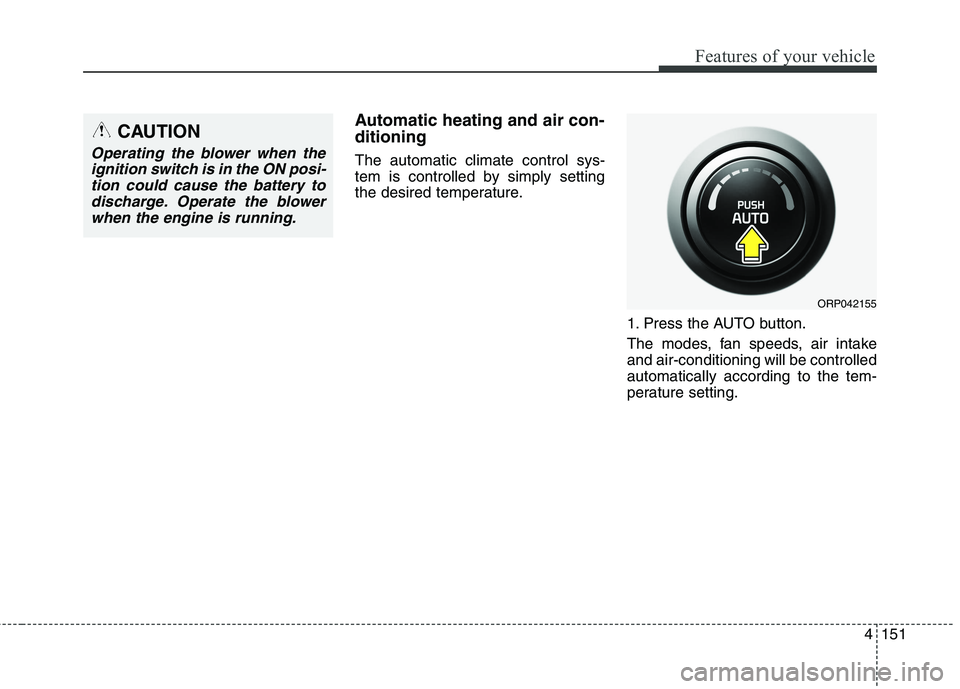
Automatic heating and air con- ditioning The automatic climate control sys-
tem is controlled by simply setting
the desired temperature.1. Press the AUTO button.
The modes, fan speeds, air intake and air-conditioning will be controlledautomatically according to the tem-
perature setting.
ORP042155
CAUTION
Operating the blower when theignition switch is in the ON posi-tion could cause the battery to discharge. Operate the blowerwhen the engine is running.
Page 254 of 723
Features of your vehicle
158
4
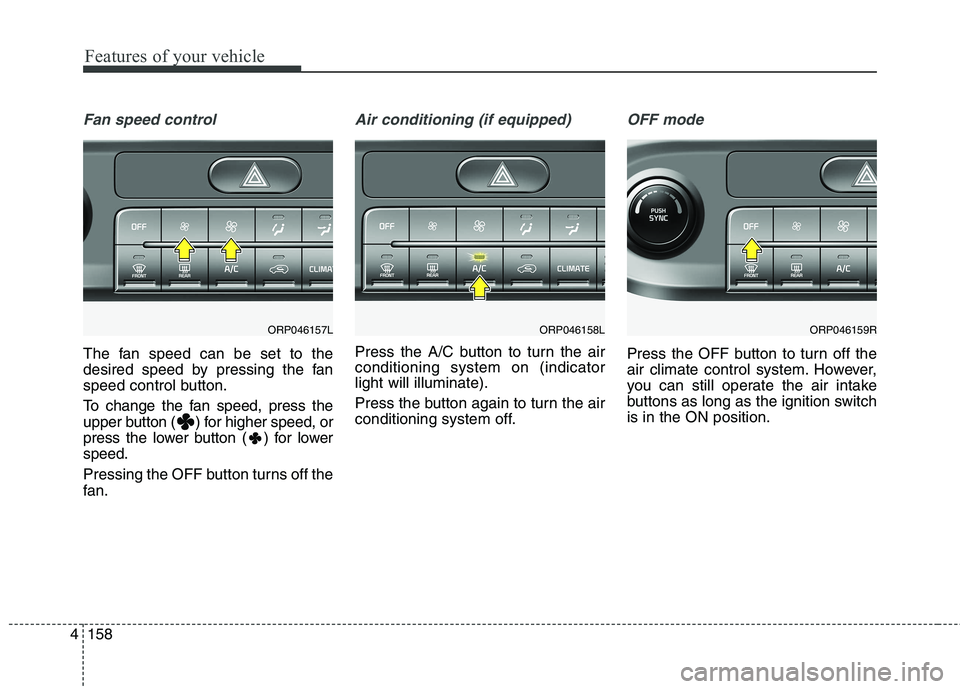
Fan speed control
The fan speed can be set to the
desired speed by pressing the fan
speed control button.
To change the fan speed, press the
upper button ( ) for higher speed, or
press the lower button ( ) for lowerspeed.
Pressing the OFF button turns off the
fan.
Air conditioning (if equipped)
Press the A/C button to turn the air conditioning system on (indicatorlight will illuminate).
Press the button again to turn the air
conditioning system off.
OFF mode
Press the OFF button to turn off the
air climate control system. However,
you can still operate the air intake
buttons as long as the ignition switchis in the ON position.
ORP046157LORP046158LORP046159R
Page 262 of 723
Features of your vehicle
166
4
This indicator illuminates
when the auto defoggingsystem senses the mois-ture of inside the wind-
screen and operates.
If more moisture is in the vehicle,
higher steps operate as follow.
Step 1 : Operating the air condition- ing
Step 2 : Blowing air flow toward the windscreen
Step 3 : Outside air position
Step 4 : Increasing air flow toward the windscreen If your vehicle is equipped with the
auto defogging system, it is automat-
ically activated when the conditions
are met. To cancel or reset the Auto
Defogging system, press the front
windscreen defroster button for 3
seconds when the ignition switch is in
the ON position. When the Auto
Defogging System is Cancelled, ADS
OFF symbol will blink 3 times and the
ADS OFF will be displayed on the cli-
mate control information screen.
When the Auto Defogging System is
reset, ADS OFF symbol will blink 6times without a signal. In case of automatic climate control
system with a climate button, it blinks
defroster button indicator. Blinking
time is same as above.
To use the auto defogging system
again, follow the procedures men-
tioned above.
If the battery has been disconnected or discharged, it resets to the auto
defogging status.✽✽
NOTICE
If the A/C off is manually selected
whilst the auto defogging system is
on, the auto defogging indicator will
blink 3 times to give notice that the
A/C off can not be selected.
CAUTION
Do not remove the sensor cover located on the upper end of thedriver side windscreen glass. Damage to the system partscould occur and may not be cov-ered by your vehicle warranty.
Page 263 of 723
4167
Features of your vehicle
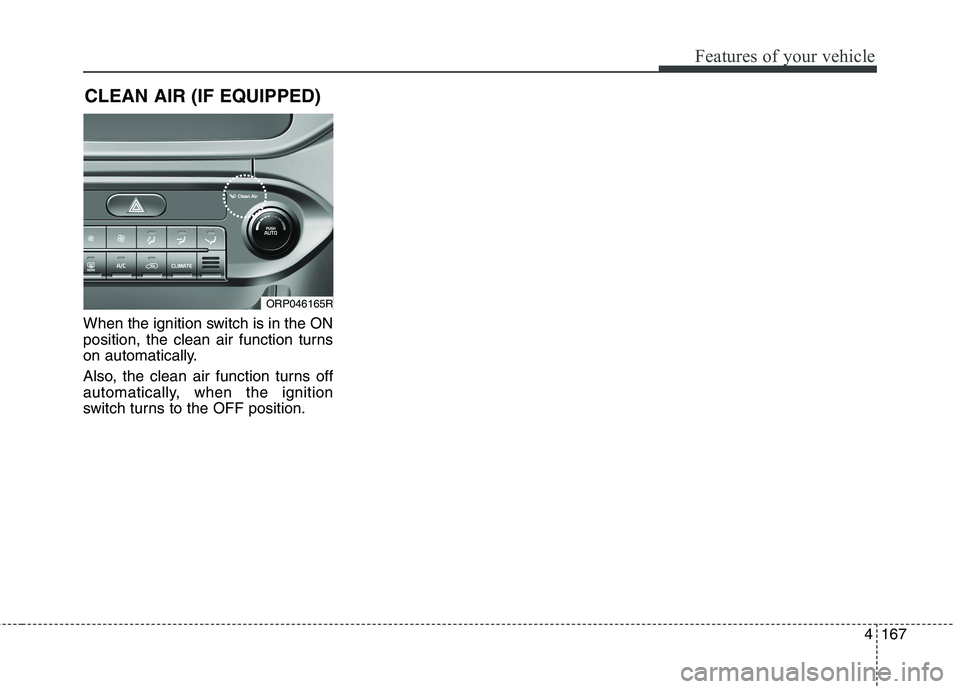
When the ignition switch is in the ON
position, the clean air function turns
on automatically.
Also, the clean air function turns off
automatically, when the ignition
switch turns to the OFF position.CLEAN AIR (IF EQUIPPED)
ORP046165R