ignition KIA CARENS RHD 2017 Workshop Manual
[x] Cancel search | Manufacturer: KIA, Model Year: 2017, Model line: CARENS RHD, Model: KIA CARENS RHD 2017Pages: 723, PDF Size: 40.8 MB
Page 188 of 723
Features of your vehicle
92
4
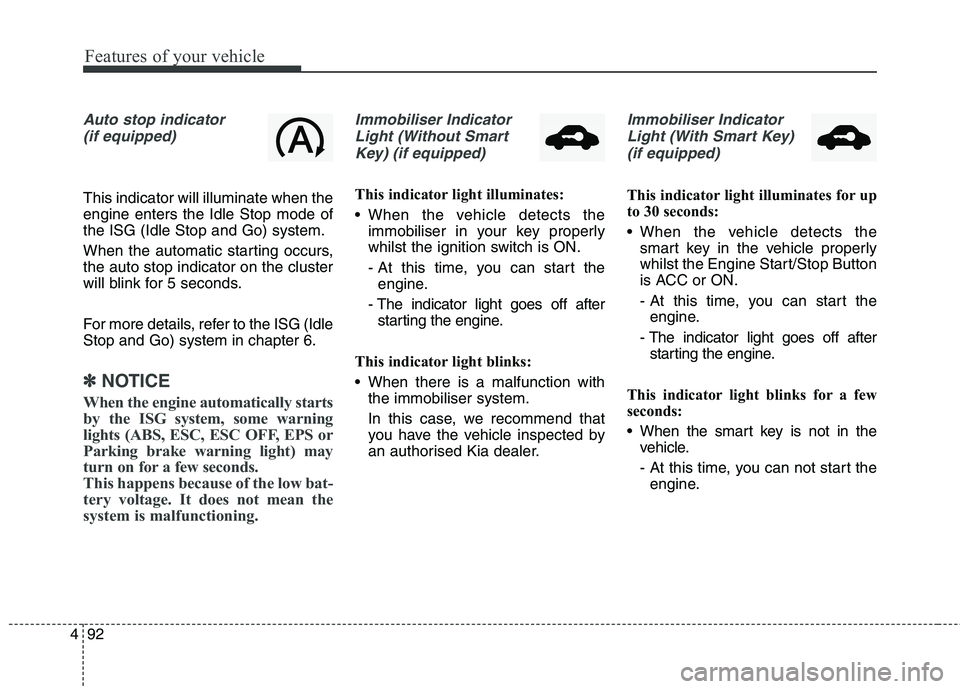
Auto stop indicator
(if equipped)
This indicator will illuminate when the engine enters the Idle Stop mode ofthe ISG (Idle Stop and Go) system.
When the automatic starting occurs, the auto stop indicator on the cluster
will blink for 5 seconds.
For more details, refer to the ISG (Idle Stop and Go) system in chapter 6.
✽✽ NOTICE
When the engine automatically starts
by the ISG system, some warning
lights (ABS, ESC, ESC OFF, EPS or
Parking brake warning light) may
turn on for a few seconds.
This happens because of the low bat-
tery voltage. It does not mean the
system is malfunctioning.
Immobiliser Indicator Light (Without Smart Key) (if equipped)
This indicator light illuminates:
When the vehicle detects the immobiliser in your key properly
whilst the ignition switch is ON.
- At this time, you can start theengine.
- The indicator light goes off after starting the engine.
This indicator light blinks:
When there is a malfunction with the immobiliser system.
In this case, we recommend that
you have the vehicle inspected by
an authorised Kia dealer.
Immobiliser Indicator
Light (With Smart Key) (if equipped)
This indicator light illuminates for up
to 30 seconds:
When the vehicle detects the smart key in the vehicle properly
whilst the Engine Start/Stop Button
is ACC or ON.
- At this time, you can start theengine.
- The indicator light goes off after starting the engine.
This indicator light blinks for a few
seconds:
When the smart key is not in the vehicle.
- At this time, you can not start theengine.
Page 190 of 723
Features of your vehicle
94
4
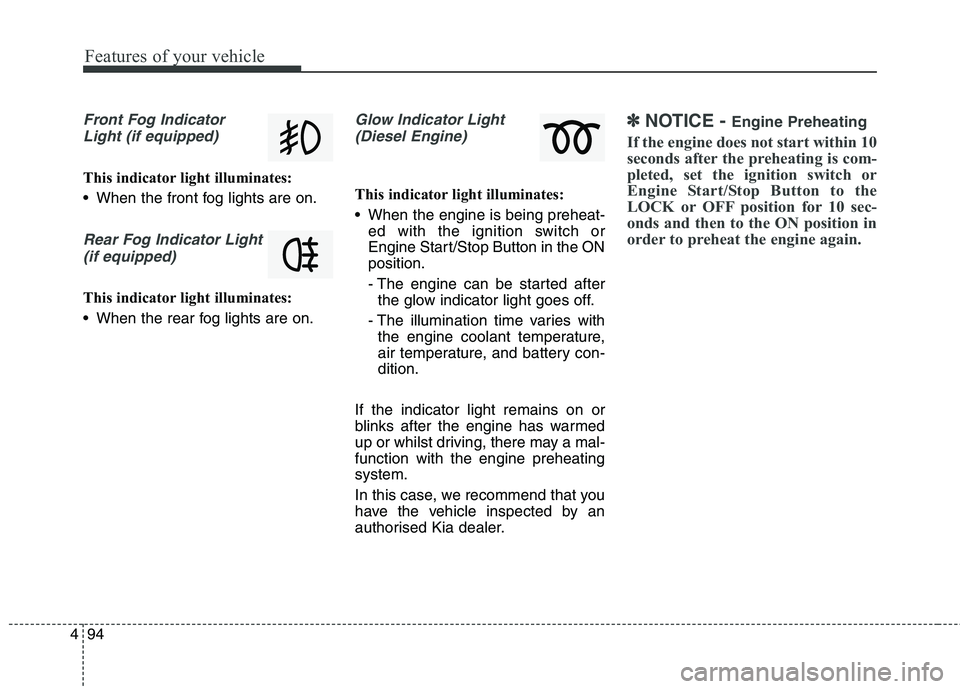
Front Fog Indicator
Light (if equipped)
This indicator light illuminates:
When the front fog lights are on.
Rear Fog Indicator Light (if equipped)
This indicator light illuminates:
When the rear fog lights are on.
Glow Indicator Light(Diesel Engine)
This indicator light illuminates:
When the engine is being preheat- ed with the ignition switch or
Engine Start/Stop Button in the ONposition.
- The engine can be started afterthe glow indicator light goes off.
- The illumination time varies with the engine coolant temperature,
air temperature, and battery con-dition.
If the indicator light remains on or
blinks after the engine has warmed
up or whilst driving, there may a mal-function with the engine preheatingsystem.
In this case, we recommend that you
have the vehicle inspected by an
authorised Kia dealer.
✽✽ NOTICE - Engine Preheating
If the engine does not start within 10
seconds after the preheating is com-
pleted, set the ignition switch or
Engine Start/Stop Button to the
LOCK or OFF position for 10 sec-
onds and then to the ON position in
order to preheat the engine again.
Page 193 of 723
497
Features of your vehicle
This system will activate whenbacking up with the ignition switch ON.
If the vehicle is moving at a speed
over 5 km/h (3 mph), the system
may not be activated correctly.
The sensing distance whilst the rear parking assist system is in
operation is approximately 120 cm(47 in.).
When more than two objects are sensed at the same time, the clos-
est one will be recognized first.
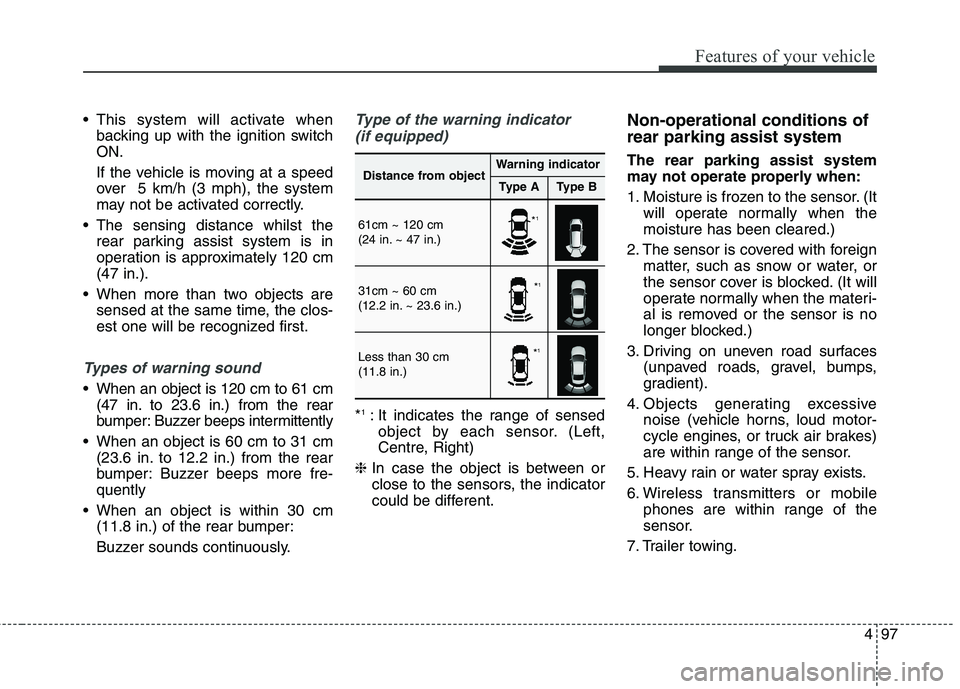
Types of warning sound
When an object is 120 cm to 61 cm(47 in. to 23.6 in.) from the rear
bumper: Buzzer beeps intermittently
When an object is 60 cm to 31 cm (23.6 in. to 12.2 in.) from the rear
bumper: Buzzer beeps more fre-quently
When an object is within 30 cm (11.8 in.) of the rear bumper:
Buzzer sounds continuously.
Type of the warning indicator
(if equipped)
* 1
: It indicates the range of sensed
object by each sensor. (Left,
Centre, Right)
❈ In case the object is between or
close to the sensors, the indicator
could be different. Non-operational conditions of rear parking assist system The rear parking assist system
may not operate properly when:
1. Moisture is frozen to the sensor. (It
will operate normally when the moisture has been cleared.)
2. The sensor is covered with foreign matter, such as snow or water, or
the sensor cover is blocked. (It will
operate normally when the materi-
al is removed or the sensor is no
longer blocked.)
3. Driving on uneven road surfaces (unpaved roads, gravel, bumps,
gradient).
4. Objects generating excessive noise (vehicle horns, loud motor-
cycle engines, or truck air brakes)
are within range of the sensor.
5. Heavy rain or water spray exists.
6. Wireless transmitters or mobile phones are within range of the
sensor.
7. Trailer towing.
Distance from objectWarning indicator
Type AType B
61cm ~ 120 cm
(24 in. ~ 47 in.)
31cm ~ 60 cm
(12.2 in. ~ 23.6 in.)
Less than 30 cm (11.8 in.)
* 1
* 1
* 1
Page 197 of 723
4101
Features of your vehicle
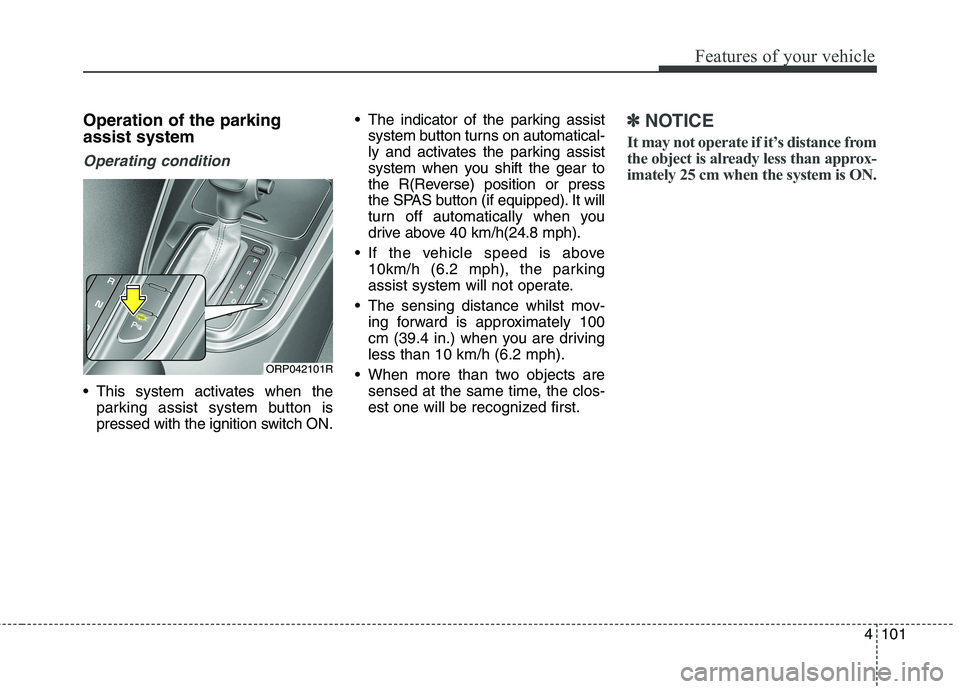
Operation of the parking assist system
Operating condition
This system activates when theparking assist system button is
pressed with the ignition switch ON. The indicator of the parking assist
system button turns on automatical-
ly and activates the parking assist
system when you shift the gear to
the R(Reverse) position or press
the SPAS button (if equipped). It will
turn off automatically when you
drive above 40 km/h(24.8 mph).
If the vehicle speed is above 10km/h (6.2 mph), the parking
assist system will not operate.
The sensing distance whilst mov- ing forward is approximately 100
cm (39.4 in.) when you are drivingless than 10 km/h (6.2 mph).
When more than two objects are sensed at the same time, the clos-
est one will be recognized first.
✽✽ NOTICE
It may not operate if it’s distance from
the object is already less than approx-
imately 25 cm when the system is ON.
ORP042101R
Page 207 of 723
4111
Features of your vehicle
1. Activate Smart Parking AssistSystem
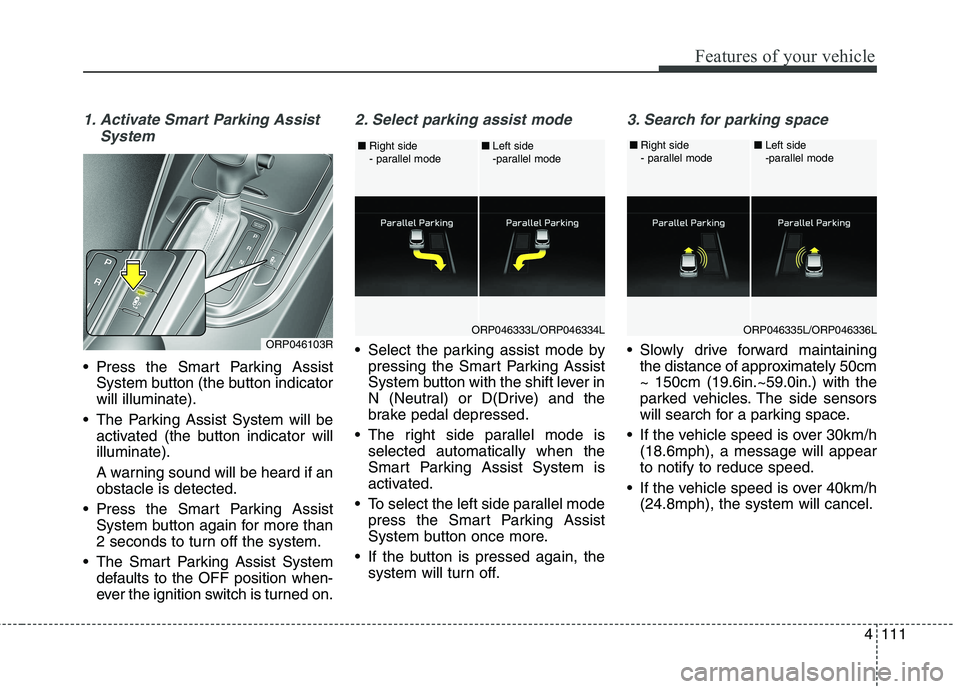
Press the Smart Parking AssistSystem button (the button indicator will illuminate).
The Parking Assist System will be activated (the button indicator willilluminate).
A warning sound will be heard if an obstacle is detected.
Press the Smart Parking Assist System button again for more than
2 seconds to turn off the system.
The Smart Parking Assist System defaults to the OFF position when-
ever the ignition switch is turned on.
2. Select parking assist mode
Select the parking assist mode bypressing the Smart Parking Assist
System button with the shift lever in
N (Neutral) or D(Drive) and the
brake pedal depressed.
The right side parallel mode is selected automatically when the
Smart Parking Assist System is
activated.
To select the left side parallel mode press the Smart Parking Assist
System button once more.
If the button is pressed again, the system will turn off.
3. Search for parking space
Slowly drive forward maintainingthe distance of approximately 50cm ~ 150cm (19.6in.~59.0in.) with the
parked vehicles. The side sensors
will search for a parking space.
If the vehicle speed is over 30km/h (18.6mph), a message will appearto notify to reduce speed.
If the vehicle speed is over 40km/h (24.8mph), the system will cancel.ORP046103RORP046333L/ORP046334L
■
Right side
- parallel mode ■
Left side
-parallel modeORP046335L/ORP046336L
■
Right side
- parallel mode ■
Left side
-parallel mode
Page 212 of 723
Features of your vehicle
116
4
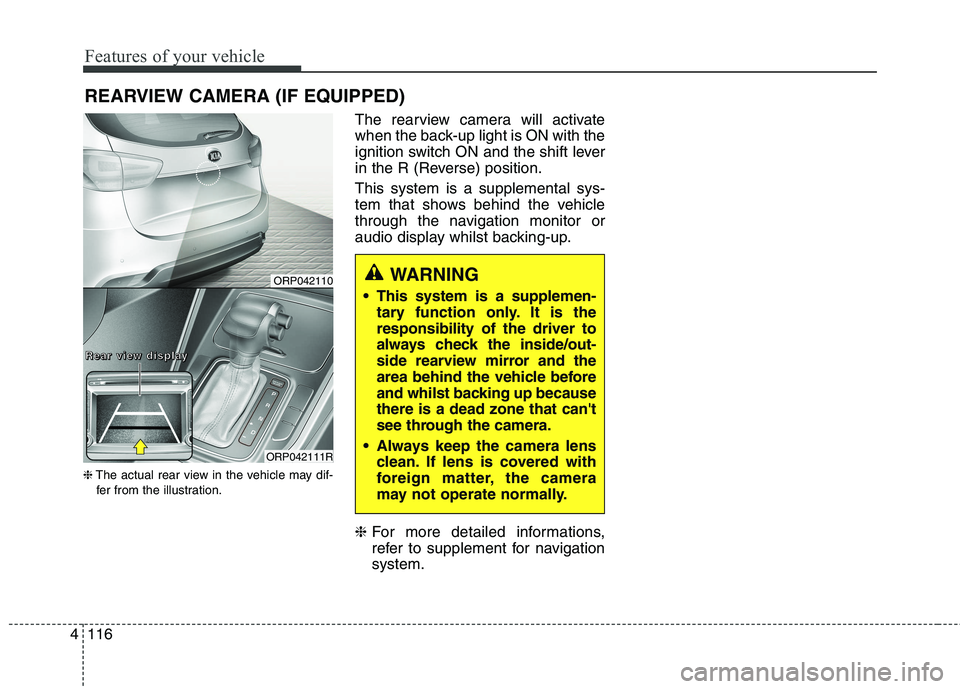
REARVIEW CAMERA (IF EQUIPPED)
❈ The actual rear view in the vehicle may dif-
fer from the illustration. The rearview camera will activate
when the back-up light is ON with the
ignition switch ON and the shift lever
in the R (Reverse) position. This system is a supplemental sys-
tem that shows behind the vehicle
through the navigation monitor or
audio display whilst backing-up. ❈
For more detailed informations,
refer to supplement for navigationsystem.
WARNING
This system is a supplemen- tary function only. It is the responsibility of the driver to
always check the inside/out-
side rearview mirror and the
area behind the vehicle before
and whilst backing up becausethere is a dead zone that can't
see through the camera.
Always keep the camera lens clean. If lens is covered with
foreign matter, the camera
may not operate normally.ORP042110
ORP042111R
RRRReeeeaaaarrrr vvvviiiieeeewwww ddddiiiissssppppllllaaaayyyy
Page 213 of 723
4117
Features of your vehicle
Battery saver function
The purpose of this feature is toprevent the battery from being dis-
charged. The system automatically
turns off the parking lights when
the driver removes the ignition key
(Smart key : turns off the engine)
and opens the driver- side door.
With this feature, the parking lights will be turned off automatically if
the driver parks on the side of roadat night.
If necessary, to keep the lights on
when the ignition key is removed,
perform the following :
1) Open the driver-side door.
2) Turn the parking lights OFF and ON again using the light switch
on the steering column. Headlamp delay function (if equipped) The headlamps (and/or taillights)
remain on for same minutes (5 min-
utes) after the ignition key is removed
or turned to the ACC or LOCK posi-
tion. However, if the driver’s door isopened and closed, the headlights
are turned off after 15 seconds.
The headlights can be turned off by
pressing the lock button on the trans-
mitter or smart key twice or turning
off the light switch from the headlight
or Auto light position.
You can activate or deactivate the
headlamp delay function. Refer to
“User setting” in this chapter.
LIGHTING CAUTION
If the driver gets out of the vehi-
cle through other doors (exceptdriver’s door), the battery saverfunction does not operate and the headlamp delay functiondoes not turn off automatically.Therefore, it causes the battery to be discharged. In this case,make sure to turn off the lampbefore getting out of the vehicle.
Page 216 of 723
Features of your vehicle
120
4
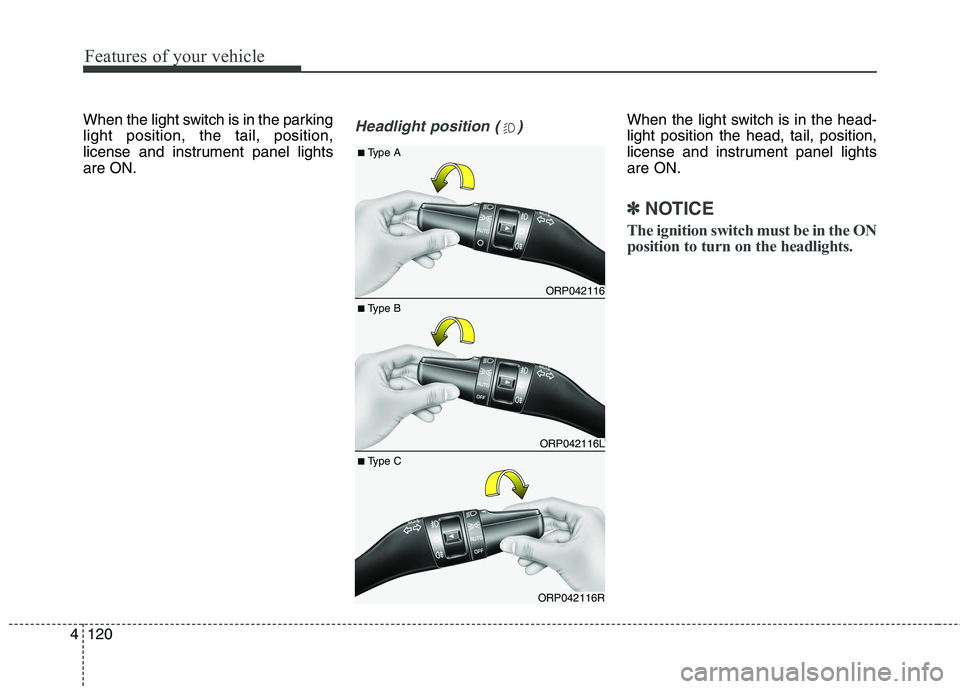
When the light switch is in the parking light position, the tail, position,
license and instrument panel lightsare ON.Headlight position ( )When the light switch is in the head- light position the head, tail, position,
license and instrument panel lightsare ON.
✽✽
NOTICE
The ignition switch must be in the ON
position to turn on the headlights.
ORP042116
ORP042116L
ORP042116R
■ Type B
■
Type A
■ Type C
Page 218 of 723
Features of your vehicle
122
4
The high-beam indicator will light
when the headlight high beams are
switched on.
To prevent the battery from being discharged, do not leave the lights
on for a prolonged time whilst the
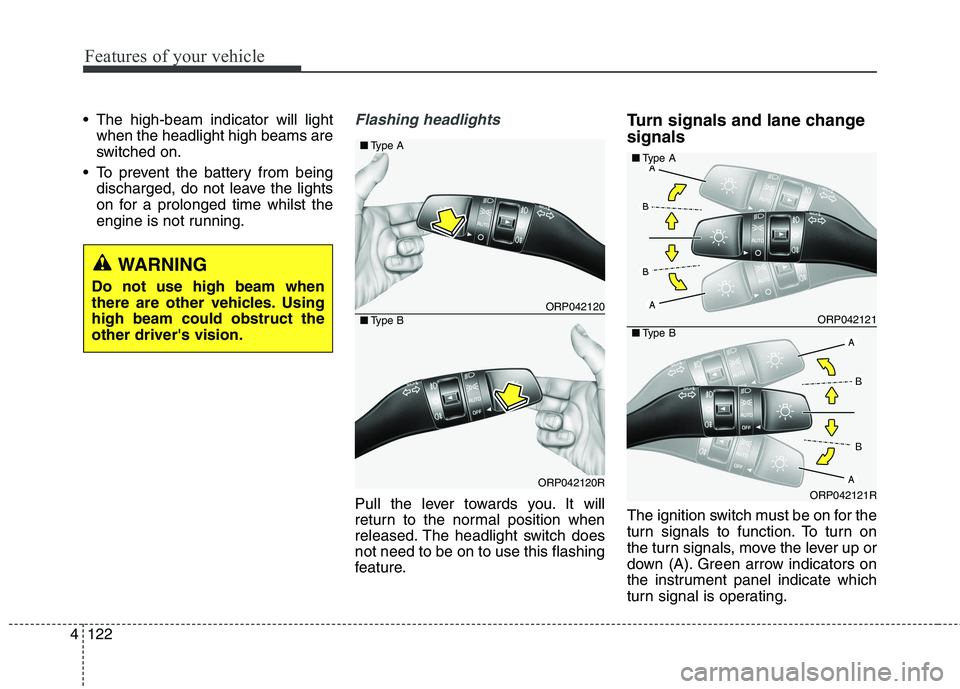
engine is not running.Flashing headlights
Pull the lever towards you. It will
return to the normal position when
released. The headlight switch doesnot need to be on to use this flashing
feature. Turn signals and lane change signals
The ignition switch must be on for the
turn signals to function. To turn on
the turn signals, move the lever up or
down (A). Green arrow indicators on
the instrument panel indicate which
turn signal is operating.
ORP042120
ORP042120R
■
Type A
■Type BORP042121
ORP042121R
■Type A
■Type B
WARNING
Do not use high beam when
there are other vehicles. Usinghigh beam could obstruct theother driver's vision.
Page 224 of 723
Features of your vehicle
128
4
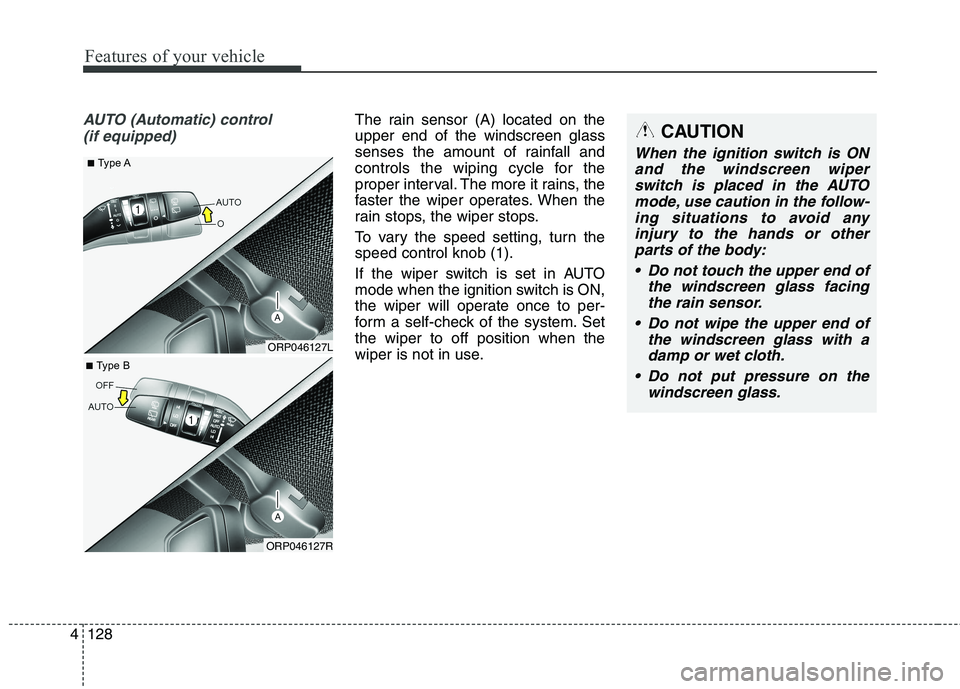
AUTO (Automatic) control
(if equipped)The rain sensor (A) located on the upper end of the windscreen glass
senses the amount of rainfall and
controls the wiping cycle for the
proper interval. The more it rains, the
faster the wiper operates. When the
rain stops, the wiper stops.
To vary the speed setting, turn the speed control knob (1).
If the wiper switch is set in AUTO
mode when the ignition switch is ON,
the wiper will operate once to per-
form a self-check of the system. Setthe wiper to off position when the
wiper is not in use.CAUTION
When the ignition switch is ONand the windscreen wiperswitch is placed in the AUTO mode, use caution in the follow-ing situations to avoid anyinjury to the hands or otherparts of the body:
Do not touch the upper end of the windscreen glass facingthe rain sensor.
Do not wipe the upper end of the windscreen glass with adamp or wet cloth.
Do not put pressure on the windscreen glass.
ORP046127L
■
Type A
ORP046127R
■
Type B