warning KIA CEED 2010 Owners Manual
[x] Cancel search | Manufacturer: KIA, Model Year: 2010, Model line: CEED, Model: KIA CEED 2010Pages: 442, PDF Size: 28.25 MB
Page 165 of 442
Features of your vehicle
94
4
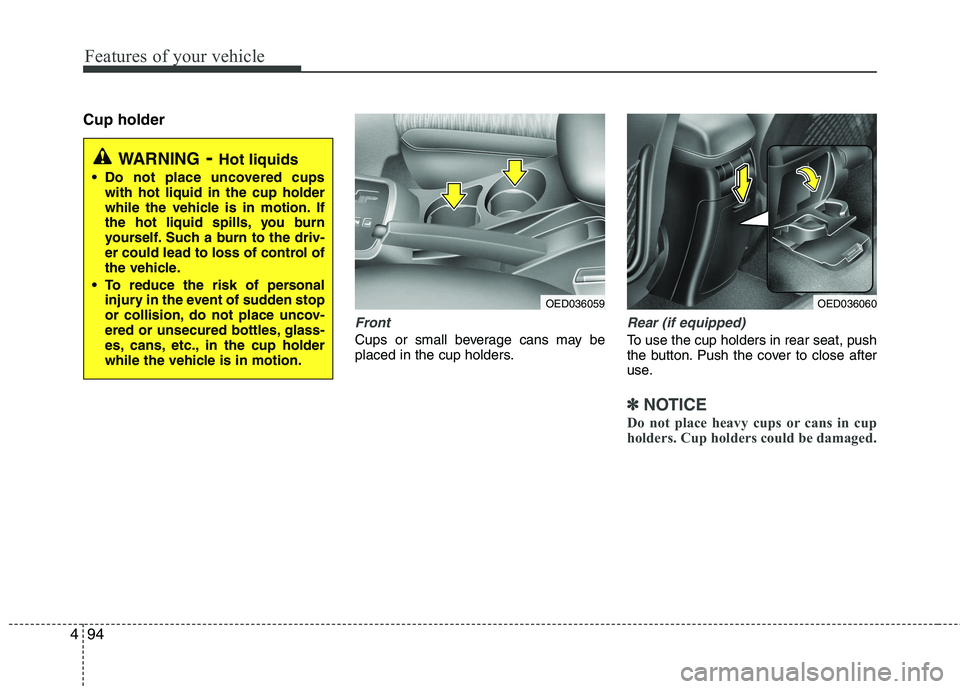
Cup holder
Front
Cups or small beverage cans may be
placed in the cup holders.
Rear (if equipped)
To use the cup holders in rear seat, push
the button. Push the cover to close after
use.
✽✽
NOTICE
Do not place heavy cups or cans in cup
holders. Cup holders could be damaged.
WARNING - Hot liquids
Do not place uncovered cups with hot liquid in the cup holder
while the vehicle is in motion. If
the hot liquid spills, you burn
yourself. Such a burn to the driv-
er could lead to loss of control of
the vehicle.
To reduce the risk of personal injury in the event of sudden stop
or collision, do not place uncov-
ered or unsecured bottles, glass-
es, cans, etc., in the cup holder
while the vehicle is in motion.
OED036059OED036060
Page 167 of 442
Features of your vehicle
96
4
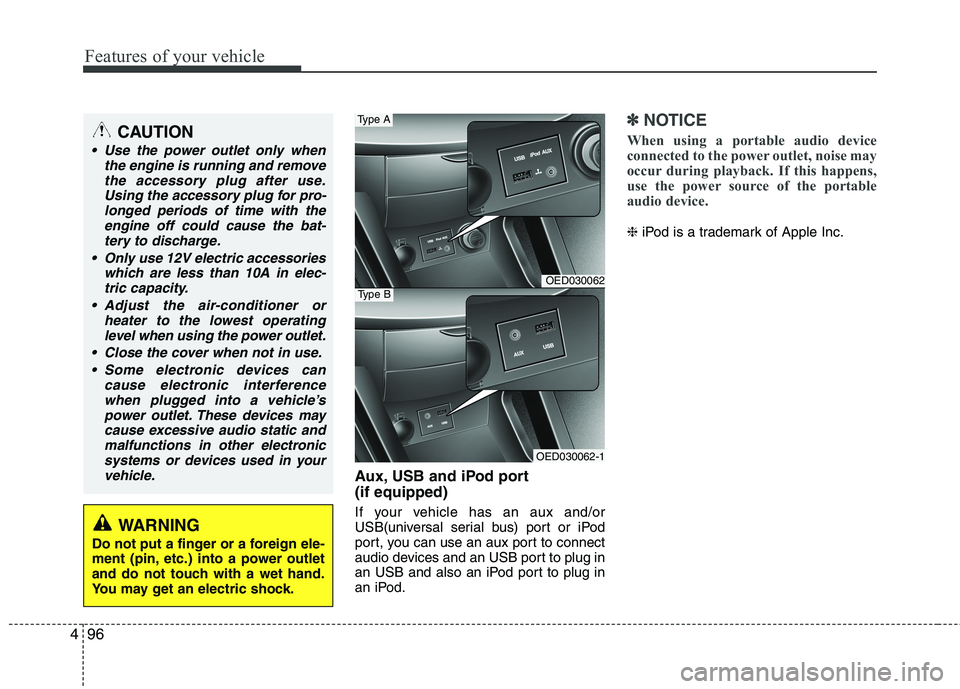
Aux, USB and iPod port (if equipped)
If your vehicle has an aux and/or
USB(universal serial bus) port or iPod
port, you can use an aux port to connect
audio devices and an USB port to plug in
an USB and also an iPod port to plug in
an iPod.
✽✽
NOTICE
When using a portable audio device
connected to the power outlet, noise may
occur during playback. If this happens,
use the power source of the portable
audio device.
❈ iPod is a trademark of Apple Inc.
CAUTION
Use the power outlet only when
the engine is running and remove
the accessory plug after use.Using the accessory plug for pro-longed periods of time with the engine off could cause the bat-
tery to discharge.
Only use 12V electric accessories which are less than 10A in elec-tric capacity.
Adjust the air-conditioner or heater to the lowest operatinglevel when using the power outlet.
Close the cover when not in use. Some electronic devices can cause electronic interference
when plugged into a vehicle’spower outlet. These devices maycause excessive audio static andmalfunctions in other electronic
systems or devices used in yourvehicle.
WARNING
Do not put a finger or a foreign ele-
ment (pin, etc.) into a power outlet
and do not touch with a wet hand.
You may get an electric shock.
OED030062
OED030062-1
Type B
Type A
Page 168 of 442
497
Features of your vehicle
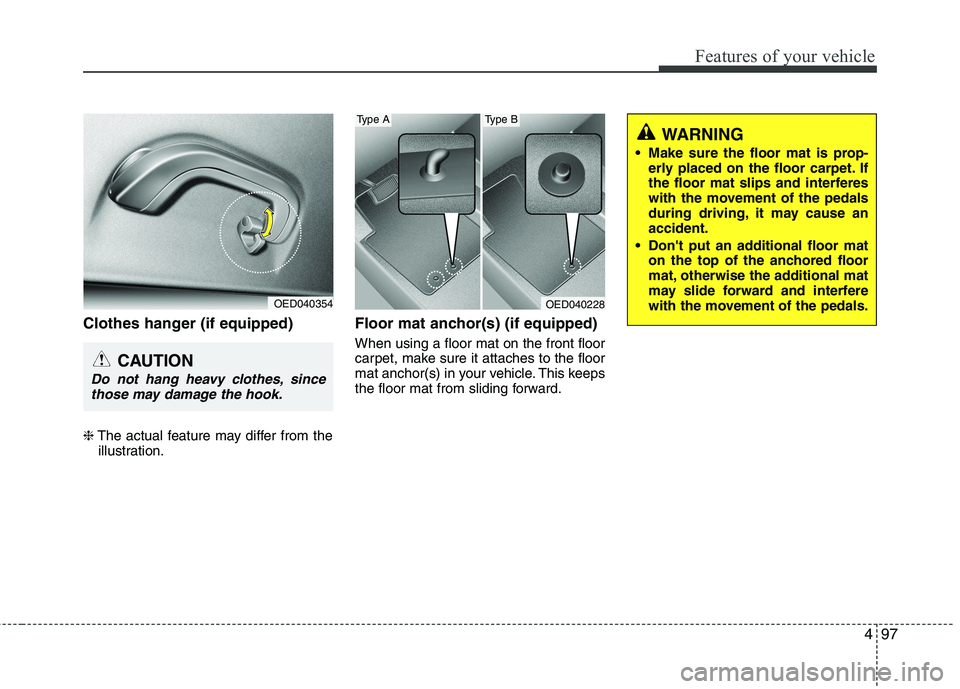
Clothes hanger (if equipped) ❈The actual feature may differ from the
illustration. Floor mat anchor(s) (if equipped) When using a floor mat on the front floor
carpet, make sure it attaches to the floor
mat anchor(s) in your vehicle. This keeps
the floor mat from sliding forward.
OED040354
CAUTION
Do not hang heavy clothes, since
those may damage the hook.
WARNING
Make sure the floor mat is prop- erly placed on the floor carpet. If
the floor mat slips and interferes
with the movement of the pedals
during driving, it may cause anaccident.
Don't put an additional floor mat on the top of the anchored floor
mat, otherwise the additional mat
may slide forward and interfere
with the movement of the pedals.
OED040228
Type AType B
Page 169 of 442
Features of your vehicle
98
4
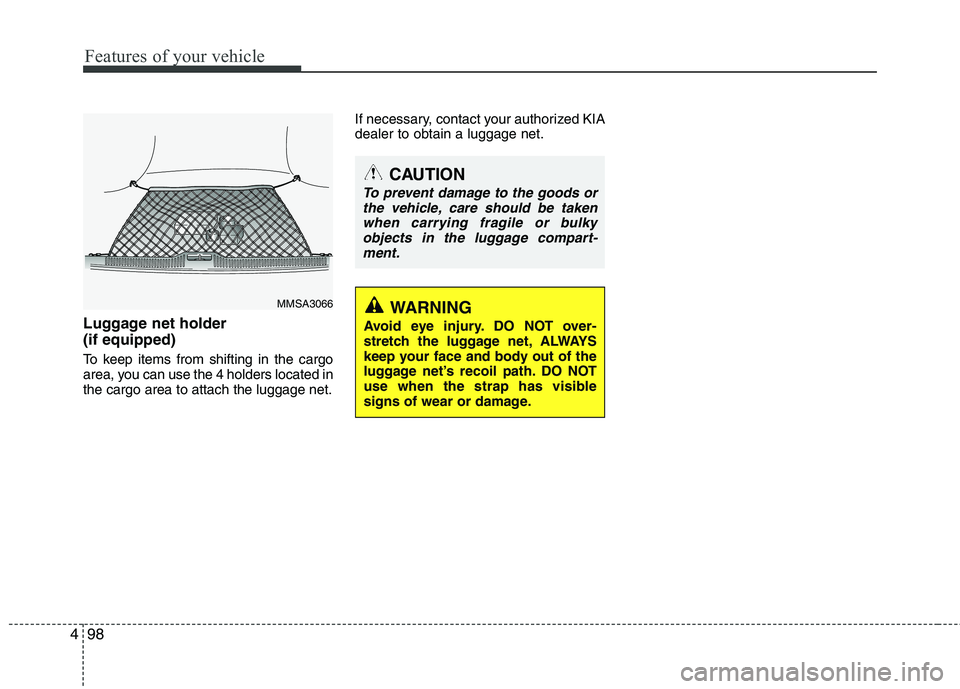
Luggage net holder (if equipped)
To keep items from shifting in the cargo
area, you can use the 4 holders located inthe cargo area to attach the luggage net. If necessary, contact your authorized KIAdealer to obtain a luggage net.
MMSA3066
CAUTION
To prevent damage to the goods or
the vehicle, care should be takenwhen carrying fragile or bulky
objects in the luggage compart-ment.
WARNING
Avoid eye injury. DO NOT over-
stretch the luggage net, ALWAYS
keep your face and body out of the
luggage net’s recoil path. DO NOT
use when the strap has visible
signs of wear or damage.
Page 171 of 442
Features of your vehicle
100
4
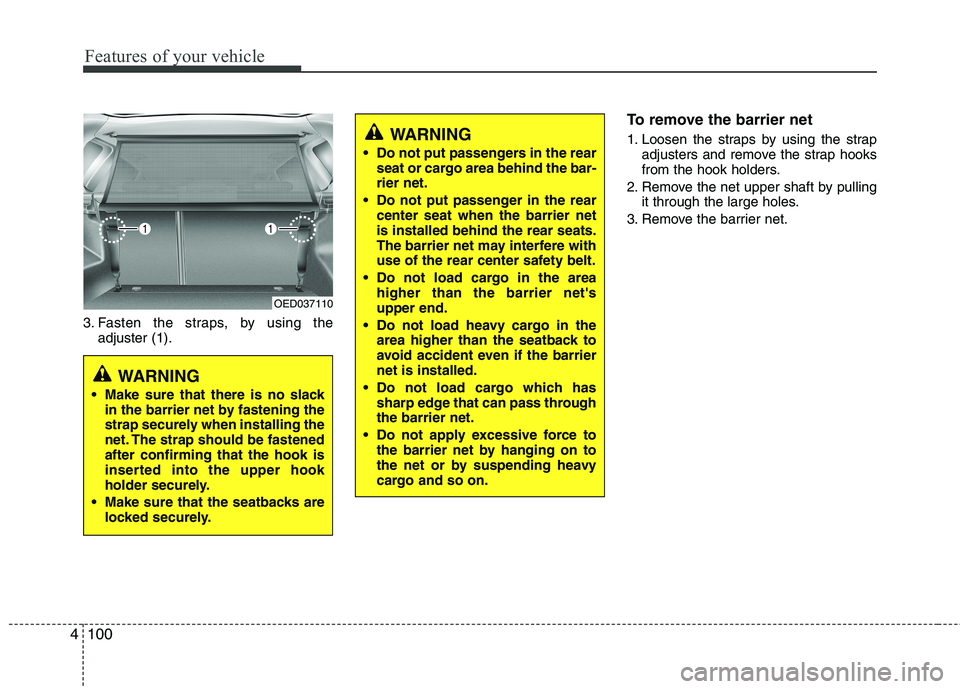
3. Fasten the straps, by using the
adjuster (1). To remove the barrier net
1. Loosen the straps by using the strap
adjusters and remove the strap hooks
from the hook holders.
2. Remove the net upper shaft by pulling it through the large holes.
3. Remove the barrier net.
OED037110
WARNING
Make sure that there is no slack in the barrier net by fastening the
strap securely when installing the
net. The strap should be fastenedafter confirming that the hook is
inserted into the upper hook
holder securely.
Make sure that the seatbacks are locked securely.
WARNING
Do not put passengers in the rear seat or cargo area behind the bar- rier net.
Do not put passenger in the rear center seat when the barrier netis installed behind the rear seats.
The barrier net may interfere with
use of the rear center safety belt.
Do not load cargo in the area higher than the barrier net'supper end.
Do not load heavy cargo in the area higher than the seatback to
avoid accident even if the barriernet is installed.
Do not load cargo which has sharp edge that can pass throughthe barrier net.
Do not apply excessive force to the barrier net by hanging on to
the net or by suspending heavy
cargo and so on.
Page 173 of 442
Features of your vehicle
102
4
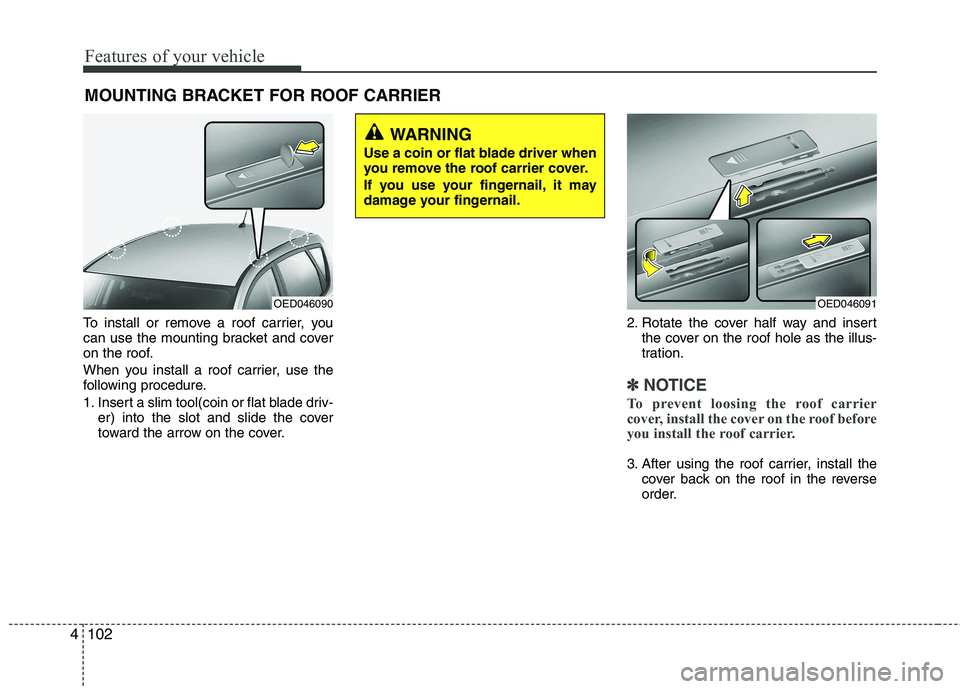
To install or remove a roof carrier, you
can use the mounting bracket and cover
on the roof.
When you install a roof carrier, use the
following procedure.
1. Insert a slim tool(coin or flat blade driv-
er) into the slot and slide the cover
toward the arrow on the cover. 2. Rotate the cover half way and insert
the cover on the roof hole as the illus-
tration.
✽✽ NOTICE
To prevent loosing the roof carrier
cover, install the cover on the roof before
you install the roof carrier.
3. After using the roof carrier, install the cover back on the roof in the reverse
order.
MOUNTING BRACKET FOR ROOF CARRIER
OED046090OED046091
WARNING
Use a coin or flat blade driver when
you remove the roof carrier cover.
If you use your fingernail, it may
damage your fingernail.
Page 174 of 442
4103
Features of your vehicle
EXTERIOR FEATURE
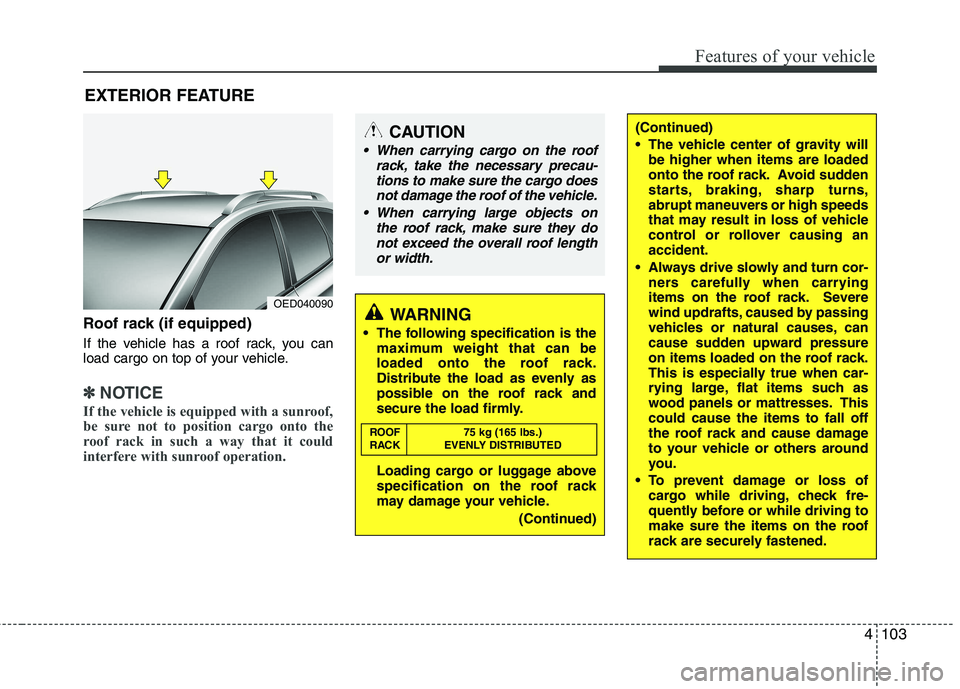
Roof rack (if equipped)
If the vehicle has a roof rack, you can
load cargo on top of your vehicle.
✽✽ NOTICE
If the vehicle is equipped with a sunroof,
be sure not to position cargo onto the
roof rack in such a way that it could
interfere with sunroof operation.
WARNING
The following specification is the maximum weight that can be
loaded onto the roof rack.
Distribute the load as evenly as
possible on the roof rack and
secure the load firmly.
Loading cargo or luggage above
specification on the roof rack
may damage your vehicle.
(Continued)
ROOF 75 kg (165 lbs.)
RACK EVENLY DISTRIBUTED
(Continued)
The vehicle center of gravity will
be higher when items are loaded
onto the roof rack. Avoid sudden
starts, braking, sharp turns,
abrupt maneuvers or high speeds
that may result in loss of vehicle
control or rollover causing anaccident.
Always drive slowly and turn cor- ners carefully when carrying
items on the roof rack. Severe
wind updrafts, caused by passing
vehicles or natural causes, can
cause sudden upward pressure
on items loaded on the roof rack.
This is especially true when car-
rying large, flat items such as
wood panels or mattresses. Thiscould cause the items to fall off
the roof rack and cause damage
to your vehicle or others around
you.
To prevent damage or loss of cargo while driving, check fre-
quently before or while driving to
make sure the items on the roof
rack are securely fastened.CAUTION
When carrying cargo on the roof
rack, take the necessary precau-
tions to make sure the cargo doesnot damage the roof of the vehicle.
When carrying large objects on the roof rack, make sure they do
not exceed the overall roof length or width.
OED040090
Page 177 of 442
Features of your vehicle
106
4
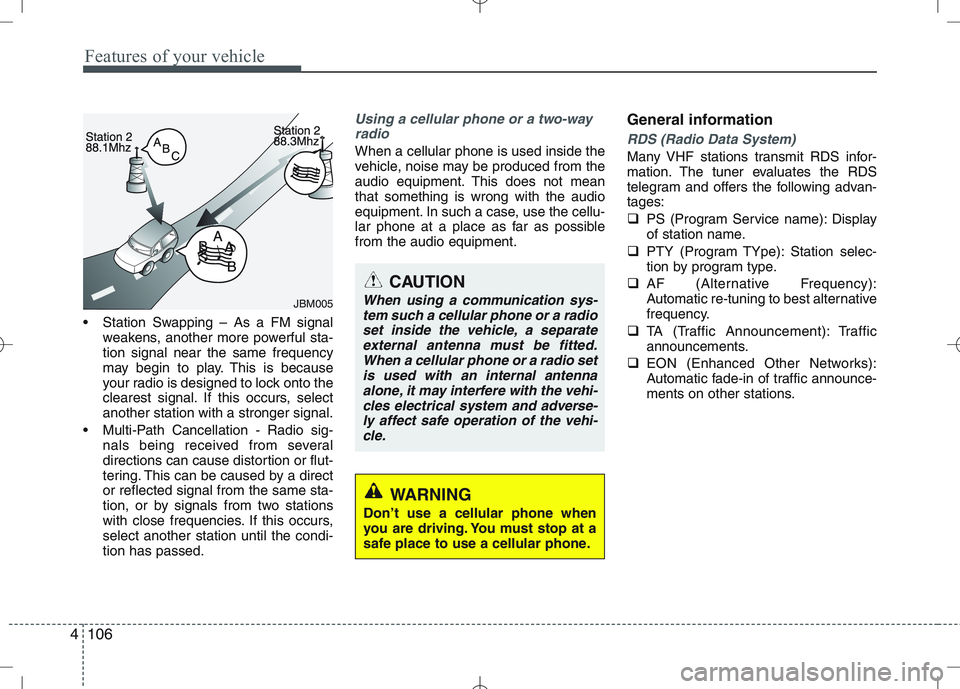
Station Swapping – As a FM signal
weakens, another more powerful sta- tion signal near the same frequency
may begin to play. This is because
your radio is designed to lock onto the
clearest signal. If this occurs, selectanother station with a stronger signal.
Multi-Path Cancellation - Radio sig- nals being received from several
directions can cause distortion or flut-
tering. This can be caused by a director reflected signal from the same sta-
tion, or by signals from two stations
with close frequencies. If this occurs,select another station until the condi-tion has passed.
Using a cellular phone or a two-way
radio
When a cellular phone is used inside the
vehicle, noise may be produced from the
audio equipment. This does not meanthat something is wrong with the audio
equipment. In such a case, use the cellu-
lar phone at a place as far as possiblefrom the audio equipment. General informationRDS (Radio Data System)
Many VHF stations transmit RDS infor-
mation. The tuner evaluates the RDS
telegram and offers the following advan-tages:
PS (Program Service name): Display
of station name.
PTY (Program TYpe): Station selec-
tion by program type.
AF (Alternative Frequency):
Automatic re-tuning to best alternative
frequency.
TA (Traffic Announcement): Traffic
announcements.
EON (Enhanced Other Networks):
Automatic fade-in of traffic announce-
ments on other stations.
JBM005
CAUTION
When using a communication sys-
tem such a cellular phone or a radioset inside the vehicle, a separateexternal antenna must be fitted.When a cellular phone or a radio set
is used with an internal antennaalone, it may interfere with the vehi- cles electrical system and adverse-ly affect safe operation of the vehi-
cle.
WARNING
Don’t use a cellular phone when
you are driving. You must stop at a
safe place to use a cellular phone.
Page 178 of 442

4107
Features of your vehicle
Notes on operating instructions
The following reading aids are used to
simplify these operating instructions:
Asks you to perform an action
Shows the unit’s reaction
✎ Provides extra info
Identifies a list
Class 1 laser product
CAUTION
Any inappropriate use of the device
may expose the user to invisiblelaser rays which exceed the limitsfor Class 1 laser products.CAUTION
Do not place beverages close to the audio system. The audio sys-tem mechanism may be damagedif you spill them.
Do not strike or allow anything to impact the audio system, damageto the system mechanisms could occur.
WARNING
Don‘t use a cellular phone when you are driving. Make sure that
Bluetooth (if available) is activat-
ed before driving.
If not you must stop at a safe place to use a cellular phone.
WARNING
When driving your vehicle, be sure
to keep the volume of the unit set
low enough to allow you to hear
sounds coming from the outsides
(e.g. aware of the road and trafficconditions).
Page 179 of 442

Features of your vehicle
108
4
Safety instructions Notes on USB stick (thumb drive) Notes on Bluetooth devices
Notes on Bluetooth® Technology*
Bluetooth is a short-range wireless
radio connectivity technology used
mainly for mobile phones, hand-held
PC’s and other devices.
Bluetooth SIG Inc. owns the Bluetooth
word, marking and logo; and any use
of such marks is under license. Other
trademarks and trade names are
those of their respective owners.
Bluetooth operates in 2.4 GHz fre-
quency range and transmits voiceand data at speeds of up to 1 mbps
within a range of up to 10 m.
The Head Unit supports the Hands
free Profile (HFP), the Advanced
Audio Distribution Profile (A2DP) and
the Audio Video Remote Control
Profile (AVRCP).
WARNING
Make all inputs via the remote con-
trol only when the vehicle is sta-
tionary, or have the passenger
make them. Otherwise, you may
endanger the occupants and other
road users.WARNING
In rare cases it is possible that an
Bluetooth device is not recognized
by the unit or may cause a malfunc-
tion. Please only use Bluetooth
devices that comply with theBluetooth specifications.WARNING
We strongly recommend only using USB sticks (thumb drives)
of well-known manufacturers.
On no account must other USB devices such as hard discs or
other digital equipment or multiplug USB hub be connected to
the USB hub. Connecting other
devices can cause malfunction or
even destroy the audio equip-ment.
Avoid using the USB memory when it might hinder your safetydriving.
It is possible that noise is heard during playback when using the
AUX-IN together with the poweroutlet due to system-related not a
malfunction. If this happens, use
the power source of the AUX
device.
In rare cases it is possible that an USB stick (thumb drive) is not
recognized by the unit or may
cause a malfunction. Please only
use USB sticks that comply withthe USB thumb drive specifica-tions.
WARNING
Avoid inserting any foreign objects
into the slot of this player. Failure to
observe this may cause malfunc-
tion due to the precise mechanismof this unit.
WARNING
Keep the volume level low enough
to be aware of road and traffic con-ditions.
WARNING
Do not open covers and do not
repair yourself. Refer servicing to
qualified personnel.