wheel KIA CEED 2013 Owners Manual
[x] Cancel search | Manufacturer: KIA, Model Year: 2013, Model line: CEED, Model: KIA CEED 2013Pages: 1168, PDF Size: 48.01 MB
Page 761 of 1168
Features of your vehicle
98
4
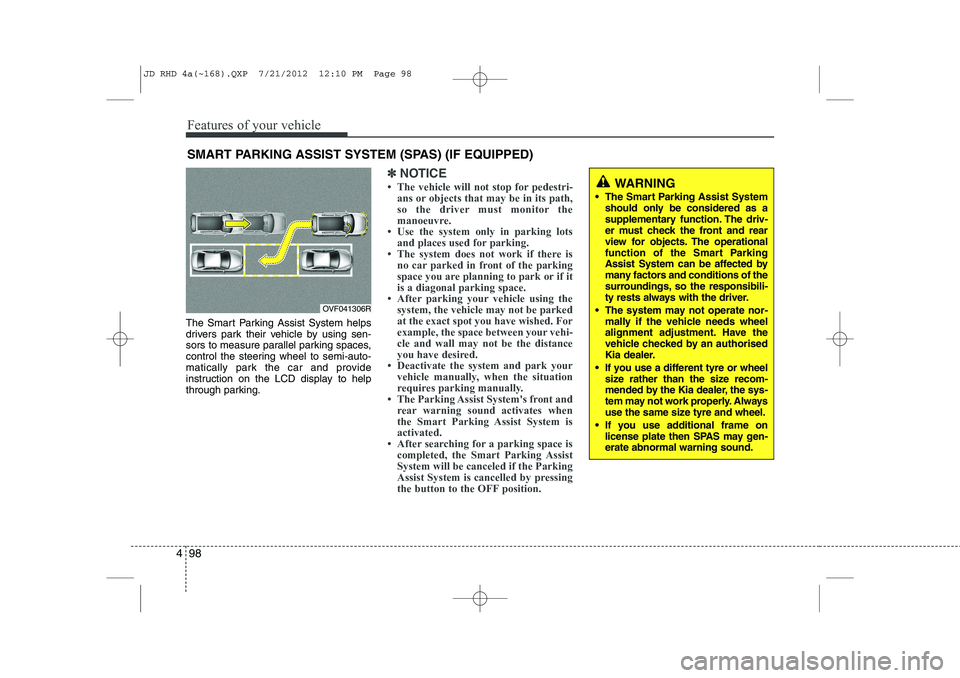
The Smart Parking Assist System helps
drivers park their vehicle by using sen-
sors to measure parallel parking spaces,
control the steering wheel to semi-auto-
matically park the car and provide
instruction on the LCD display to help
through parking.
✽✽
NOTICE
Page 762 of 1168
499
Features of your vehicle
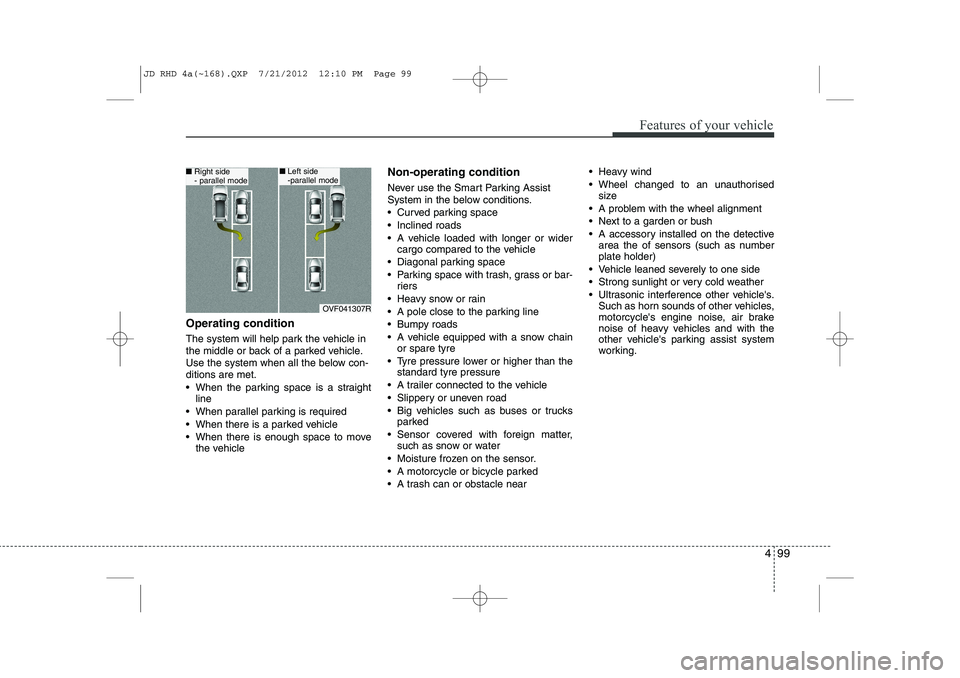
Operating condition
The system will help park the vehicle in
the middle or back of a parked vehicle.
Use the system when all the below con-ditions are met.
When the parking space is a straightline
When parallel parking is required
When there is a parked vehicle
When there is enough space to move the vehicle Non-operating condition
Never use the Smart Parking Assist
System in the below conditions.
Curved parking space
Inclined roads
A vehicle loaded with longer or wider
cargo compared to the vehicle
Diagonal parking space
Parking space with trash, grass or bar- riers
Heavy snow or rain
A pole close to the parking line
Bumpy roads
A vehicle equipped with a snow chain or spare tyre
Tyre pressure lower or higher than the standard tyre pressure
A trailer connected to the vehicle
Slippery or uneven road
Big vehicles such as buses or trucks parked
Sensor covered with foreign matter, such as snow or water
Moisture frozen on the sensor.
A motorcycle or bicycle parked
A trash can or obstacle near Heavy wind
Wheel changed to an unauthorised
size
A problem with the wheel alignment
Next to a garden or bush
A accessory installed on the detective area the of sensors (such as number plate holder)
Vehicle leaned severely to one side
Strong sunlight or very cold weather
Ultrasonic interference other vehicle's. Such as horn sounds of other vehicles,
motorcycle's engine noise, air brake
noise of heavy vehicles and with the
other vehicle's parking assist system
working.
OVF041307R
■Right side
- parallel mode■Left side
-parallel mode
JD RHD 4a(~168).QXP 7/21/2012 12:10 PM Page 99
Page 765 of 1168
Features of your vehicle
102
4
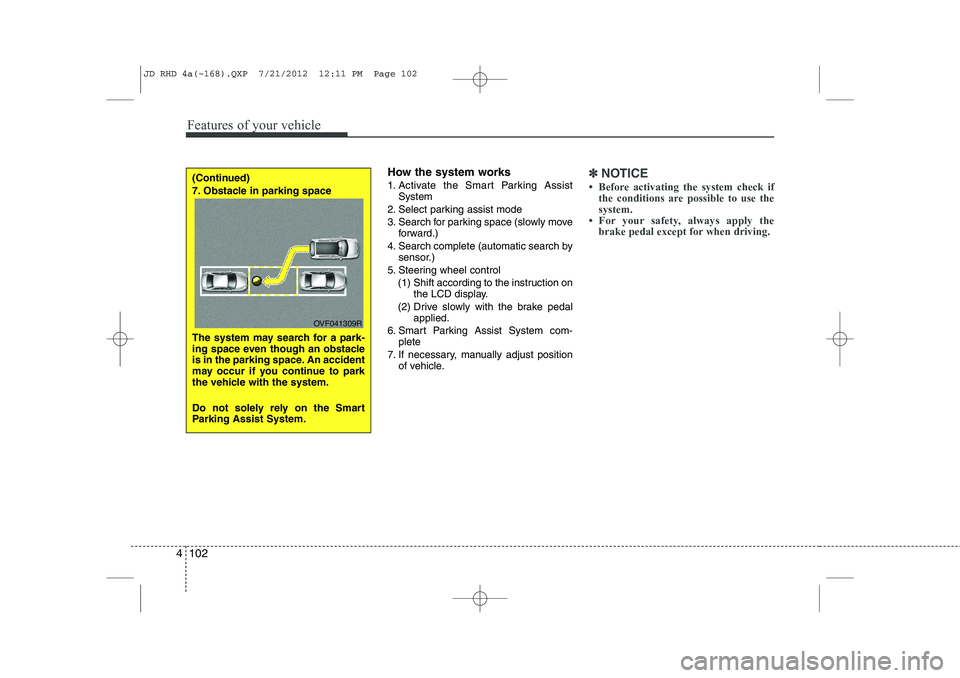
How the system works
1. Activate the Smart Parking Assist
System
2. Select parking assist mode
3. Search for parking space (slowly move forward.)
4. Search complete (automatic search by sensor.)
5. Steering wheel control
(1) Shift according to the instruction on the LCD display.
(2) Drive slowly with the brake pedal applied.
6. Smart Parking Assist System com- plete
7. If necessary, manually adjust position of vehicle.✽✽ NOTICE
Page 768 of 1168
4 105
Features of your vehicle
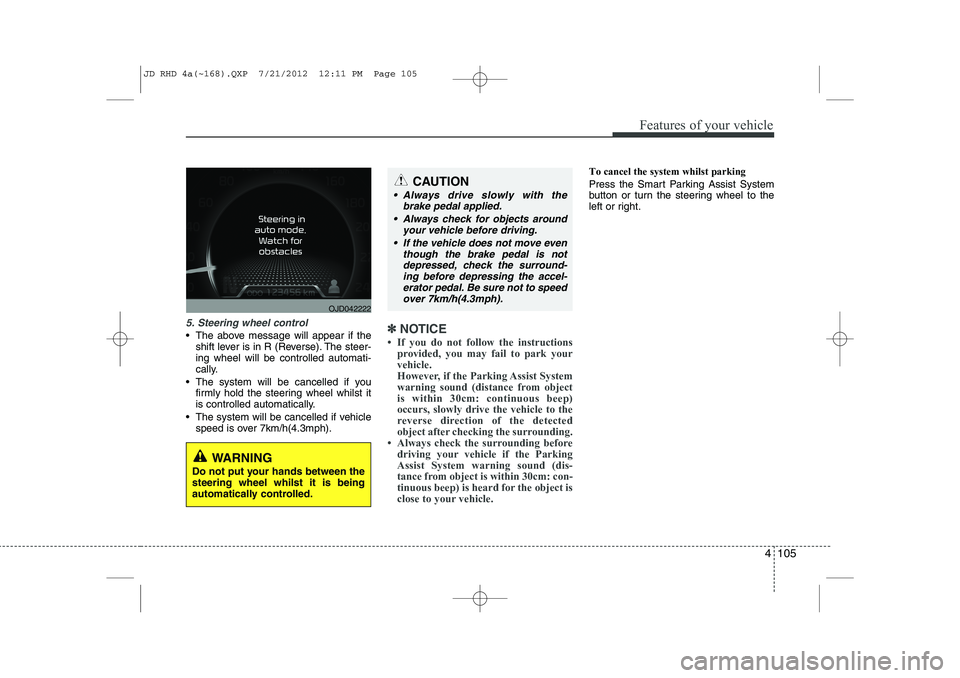
5. Steering wheel control
The above message will appear if theshift lever is in R (Reverse). The steer- ing wheel will be controlled automati-
cally.
The system will be cancelled if you firmly hold the steering wheel whilst it
is controlled automatically.
The system will be cancelled if vehicle speed is over 7km/h(4.3mph).✽✽ NOTICE
Page 769 of 1168
Features of your vehicle
106
4
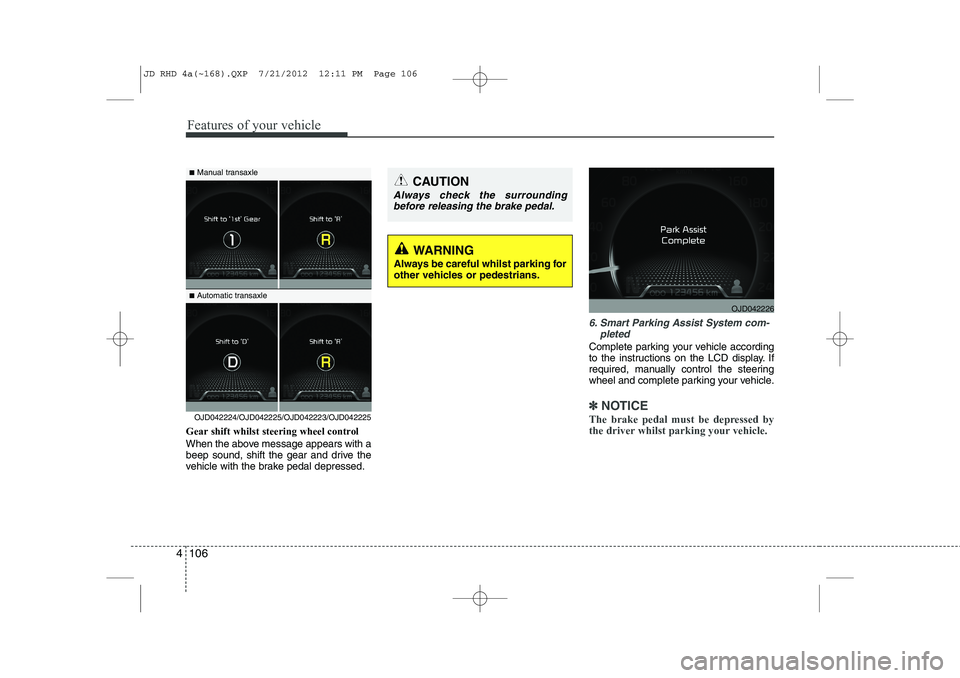
Gear shift whilst steering wheel control
When the above message appears with a
beep sound, shift the gear and drive the
vehicle with the brake pedal depressed.
6. Smart Parking Assist System com-
pleted
Complete parking your vehicle according
to the instructions on the LCD display. If
required, manually control the steering
wheel and complete parking your vehicle.
✽✽NOTICE
The brake pedal must be depressed by
the driver whilst parking your vehicle.OJD042224/OJD042225/OJD042223/OJD042225
WARNING
Always be careful whilst parking for
other vehicles or pedestrians.
■ Manual transaxle
■ Automatic transaxleCAUTION
Always check the surrounding
before releasing the brake pedal.
OJD042226
JD RHD 4a(~168).QXP 7/21/2012 12:11 PM Page 106
Page 774 of 1168
4 111
Features of your vehicle
Static bending light (if equipped)
Whilst driving the corner, for your sight
and safety, the static bending light turns
on automatically. The system will operate
automatically as follows:
When vehicle speed is under 10km/hand steering wheel angle approximate-
ly 80 degrees.
When vehicle speed is over 10km/h and steering wheel angle approximate-
ly 35 degrees.
When the vehicle is at a standstill.
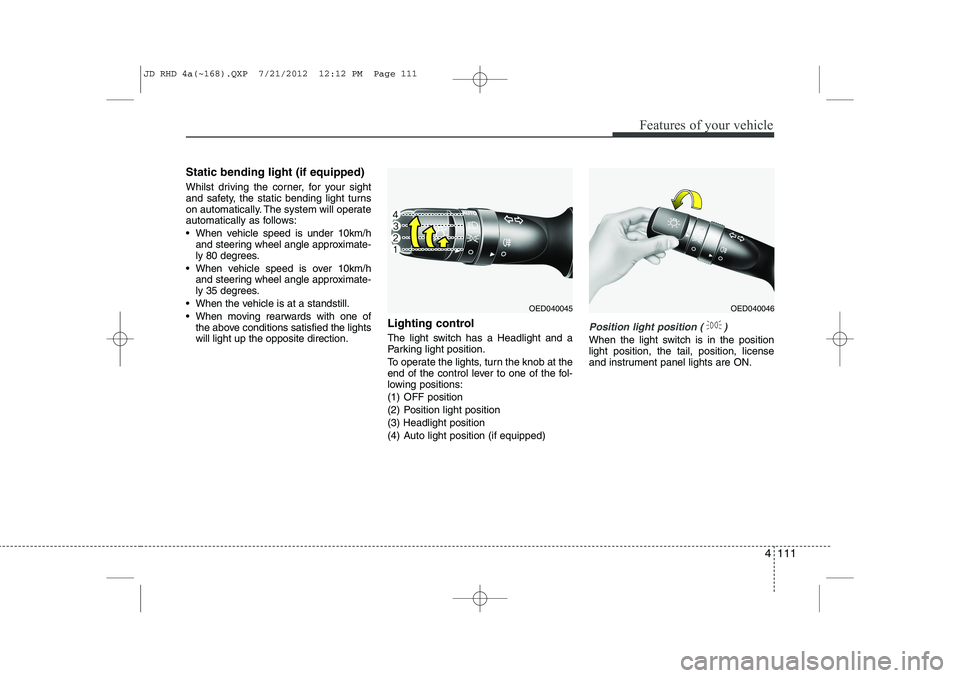
When moving rearwards with one of the above conditions satisfied the lights will light up the opposite direction. Lighting control
The light switch has a Headlight and a
Parking light position.
To operate the lights, turn the knob at the
end of the control lever to one of the fol-
lowing positions:
(1) OFF position
(2) Position light position(3) Headlight position
(4) Auto light position (if equipped)
Position light position ( )
When the light switch is in the position light position, the tail, position, license
and instrument panel lights are ON.
OED040045OED040046
JD RHD 4a(~168).QXP 7/21/2012 12:12 PM Page 111
Page 793 of 1168
Features of your vehicle
130
4
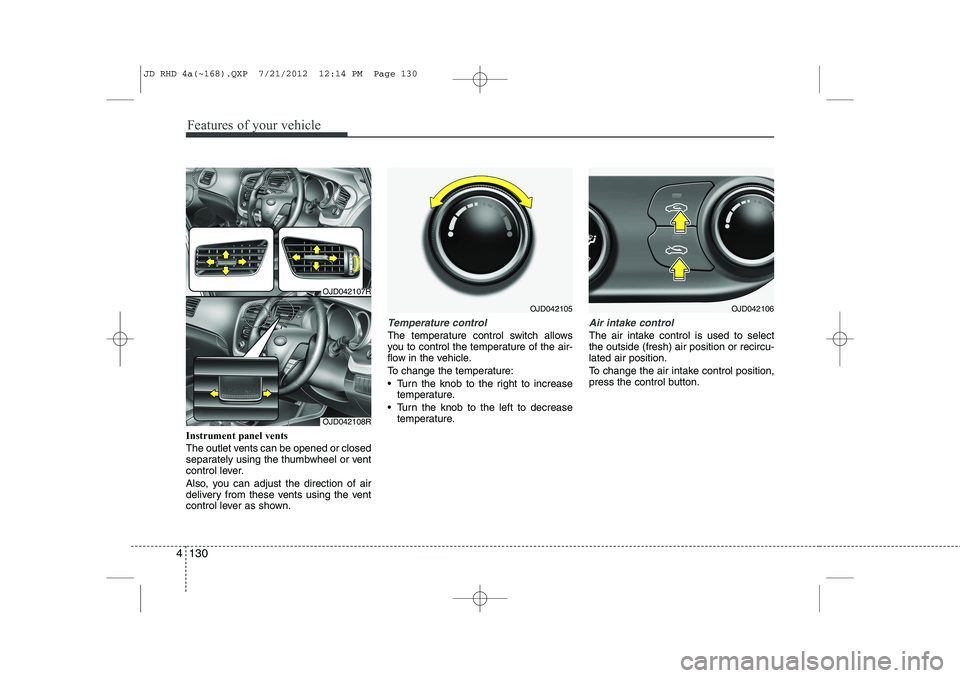
Instrument panel vents
The outlet vents can be opened or closed
separately using the thumbwheel or vent
control lever.
Also, you can adjust the direction of air
delivery from these vents using the vent
control lever as shown.
Temperature control
The temperature control switch allows
you to control the temperature of the air-
flow in the vehicle.
To change the temperature:
Turn the knob to the right to increase
temperature.
Turn the knob to the left to decrease temperature.
Air intake control
The air intake control is used to select the outside (fresh) air position or recircu-lated air position.
To change the air intake control position,
press the control button.
OJD042105
OJD042107R
OJD042108R
OJD042106
JD RHD 4a(~168).QXP 7/21/2012 12:14 PM Page 130
Page 804 of 1168
4 141
Features of your vehicle
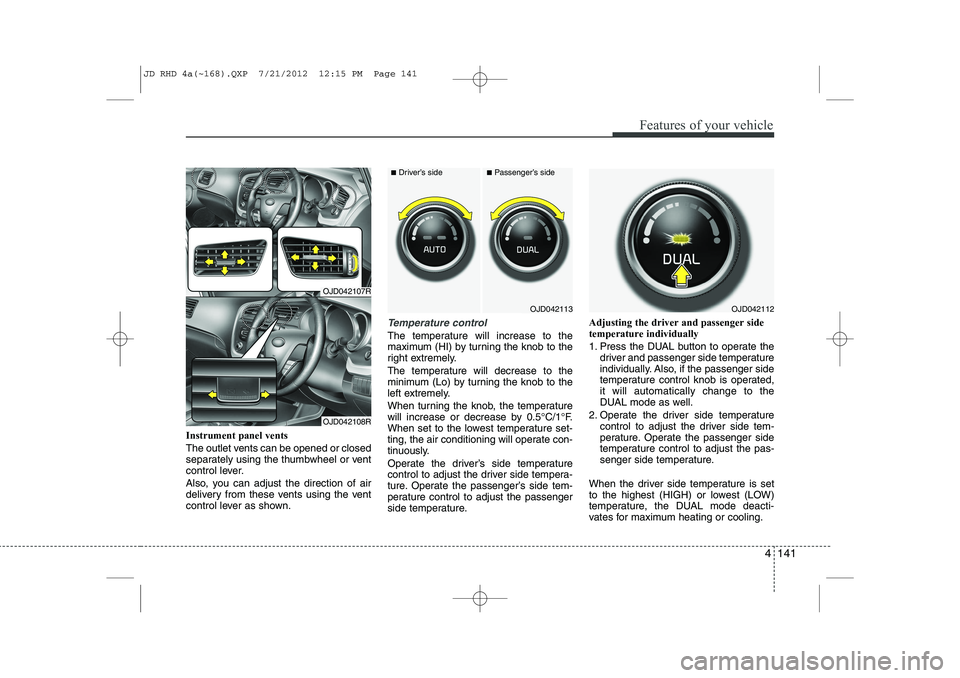
Instrument panel vents
The outlet vents can be opened or closed
separately using the thumbwheel or vent
control lever.
Also, you can adjust the direction of air
delivery from these vents using the vent
control lever as shown.
Temperature control
The temperature will increase to the
maximum (HI) by turning the knob to the
right extremely.
The temperature will decrease to the
minimum (Lo) by turning the knob to the
left extremely.
When turning the knob, the temperature
will increase or decrease by 0.5°C/1°F.
When set to the lowest temperature set-
ting, the air conditioning will operate con-
tinuously.
Operate the driver’s side temperature
control to adjust the driver side tempera-
ture. Operate the passenger’s side tem-
perature control to adjust the passenger
side temperature.Adjusting the driver and passenger sidetemperature individually
1. Press the DUAL button to operate the
driver and passenger side temperature
individually. Also, if the passenger side
temperature control knob is operated,it will automatically change to the
DUAL mode as well.
2. Operate the driver side temperature control to adjust the driver side tem-
perature. Operate the passenger side
temperature control to adjust the pas-
senger side temperature.
When the driver side temperature is set
to the highest (HIGH) or lowest (LOW)
temperature, the DUAL mode deacti-
vates for maximum heating or cooling.
OJD042113
■ Driver’s side■Passenger’s side
OJD042112
OJD042107R
OJD042108R
JD RHD 4a(~168).QXP 7/21/2012 12:15 PM Page 141
Page 833 of 1168
Features of your vehicle
170
4
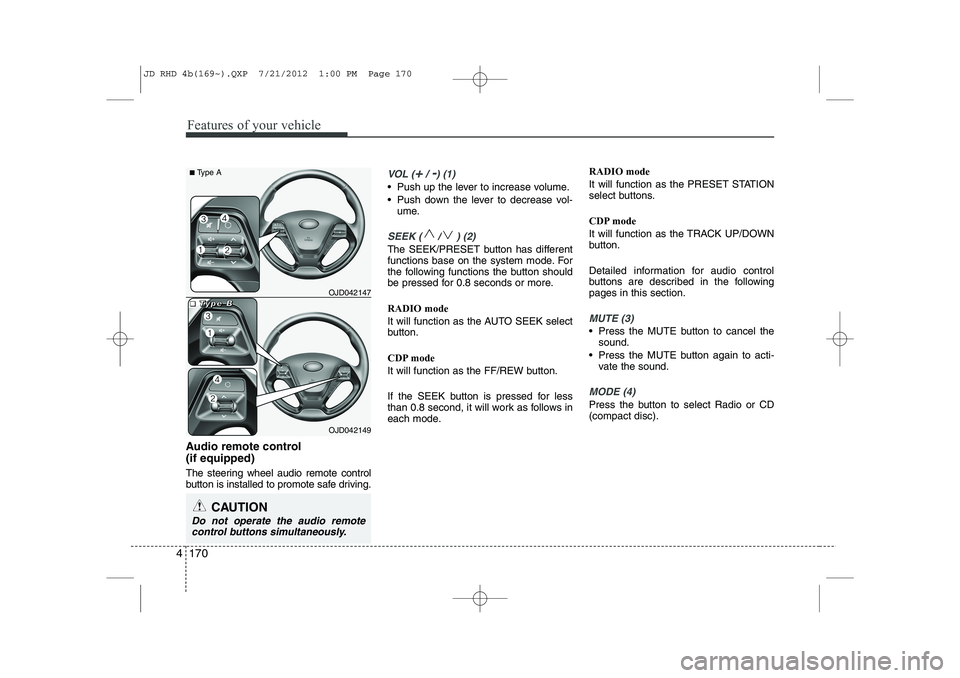
Audio remote control (if equipped)
The steering wheel audio remote control
button is installed to promote safe driving.
VOL (+/ -) (1)
• Push up the lever to increase volume.
Push down the lever to decrease vol-
ume.
SEEK ( / ) (2)
The SEEK/PRESET button has different
functions base on the system mode. For
the following functions the button should
be pressed for 0.8 seconds or more. RADIO mode
It will function as the AUTO SEEK select
button.
CDP mode
It will function as the FF/REW button.
If the SEEK button is pressed for less
than 0.8 second, it will work as follows in
each mode. RADIO mode
It will function as the PRESET STATION
select buttons.
CDP mode
It will function as the TRACK UP/DOWN
button.
Detailed information for audio control
buttons are described in the followingpages in this section.
MUTE (3)
Press the MUTE button to cancel the
sound.
Press the MUTE button again to acti- vate the sound.
MODE (4)
Press the button to select Radio or CD (compact disc).
CAUTION
Do not operate the audio remote
control buttons simultaneously.
OJD042149
■
■■■TTTTyyyyppppeeee BBBBOJD042147
■
Type A
JD RHD 4b(169~).QXP 7/21/2012 1:00 PM Page 170
Page 866 of 1168
4 203
Features of your vehicle
VOICE COMMAND (if equipped)
The voice recognition feature of this
product supports recognition of the
commands listed within this user’s
manual.
Whilst using voice recognition, operating the steering remote control or the device
will terminate voice recognition and allow
you to manually operate desired func-
tions.
Position of the microphone is above the head of the driver’s seat.
Voice recognition may not function properly due to outside noise. The fol-
lowing conditions can affect the per-
formance of Voice Recognition:
- When the windows and sunroof are open
- When the heating/cooling system is on
- When passing a tunnel
- When driving on rugged and uneven roads
After downloading
Bluetooth®Wireless
Technology phone book, the system
requires some times to convert the
phone book into voice information.
During this time, voice recognition may
not operate properly. Upon inputting your phone book, spe-
cial symbols and numbers cannot be
recognized by voice. For example, “#
John Doe%&” will be recognized as“John Doe”. Starting Voice Command
To start voice command, shortly press
the key on the steering wheel
remote controller.
If voice command is in [Normal Mode], then the system will say “Please say a
command. Beep”
❈ If voice command is in [Expert Mode],
then the system will only say a “Beep-”
❈ Setting Voice command [Normal
Mode]/[Expert Mode]:
Press the key Select [ System]
through the TUNE knob or key
Select [Prompt Feedback] through the
TUNE knob Set [Normal Mode]/[ExpertMode]
Say the voice command.
For proper voice recognition, say the
voice command after the guidance
message and the “Beep” sound.
4
SETUP
JD RHD 4b(169~).QXP 7/21/2012 1:00 PM Page 203