ECO mode KIA CEED 2013 Repair Manual
[x] Cancel search | Manufacturer: KIA, Model Year: 2013, Model line: CEED, Model: KIA CEED 2013Pages: 1168, PDF Size: 48.01 MB
Page 714 of 1168
451
Features of your vehicle
Trip computer
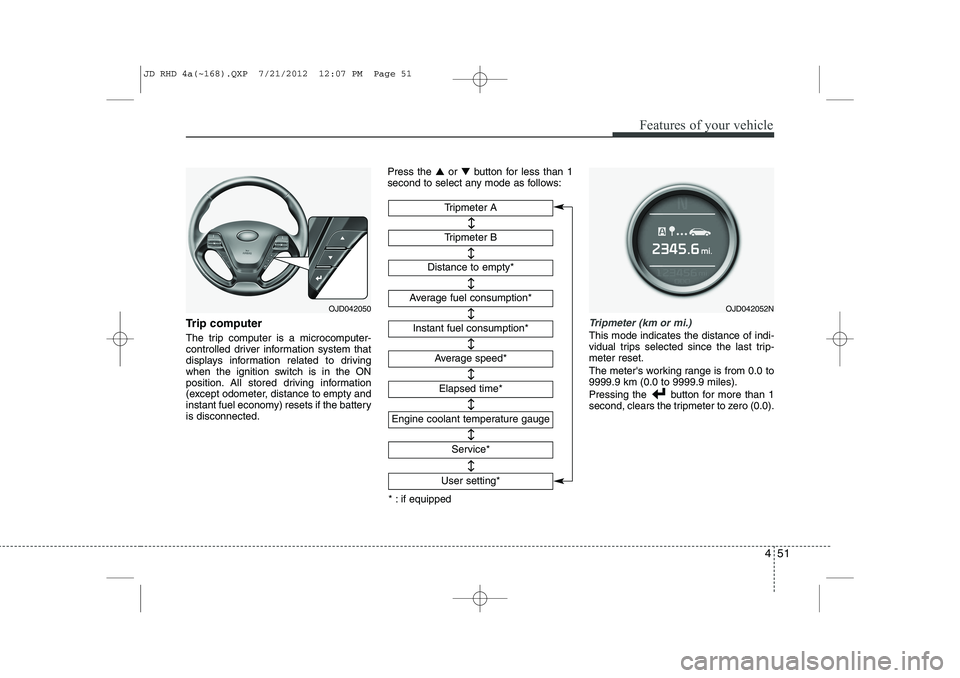
The trip computer is a microcomputer-
controlled driver information system that
displays information related to driving
when the ignition switch is in the ON
position. All stored driving information
(except odometer, distance to empty and
instant fuel economy) resets if the batteryis disconnected.Press the
▲or ▼ button for less than 1
second to select any mode as follows:Tripmeter (km or mi.)
This mode indicates the distance of indi-
vidual trips selected since the last trip-meter reset.
The meter's working range is from 0.0 to 9999.9 km (0.0 to 9999.9 miles).
Pressing the button for more than 1
second, clears the tripmeter to zero (0.0).
Tripmeter B
Instant fuel consumption*
Tripmeter A
Distance to empty*
Average fuel consumption*
Engine coolant temperature gauge
* : if equipped Elapsed time*
Average speed*
↔↔
↔
↔
↔
↔
↔
↔
Service*
↔
User setting*
↔
OJD042050OJD042052N
JD RHD 4a(~168).QXP 7/21/2012 12:07 PM Page 51
Page 715 of 1168
Features of your vehicle
52
4
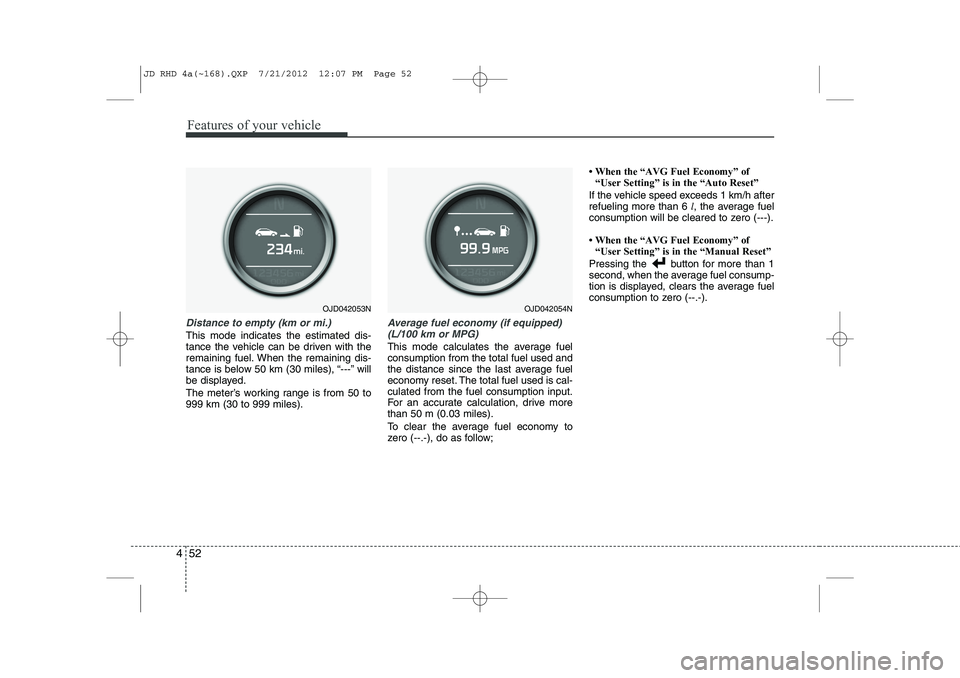
Distance to empty (km or mi.)
This mode indicates the estimated dis-
tance the vehicle can be driven with the
remaining fuel. When the remaining dis-
tance is below 50 km (30 miles), “---” will
be displayed.
The meter’s working range is from 50 to 999 km (30 to 999 miles).
Average fuel economy (if equipped)
(L/100 km or MPG)
This mode calculates the average fuel consumption from the total fuel used and
the distance since the last average fuel
economy reset. The total fuel used is cal-culated from the fuel consumption input.
For an accurate calculation, drive morethan 50 m (0.03 miles).
To clear the average fuel economy to
zero (--.-), do as follow;
Page 716 of 1168
453
Features of your vehicle
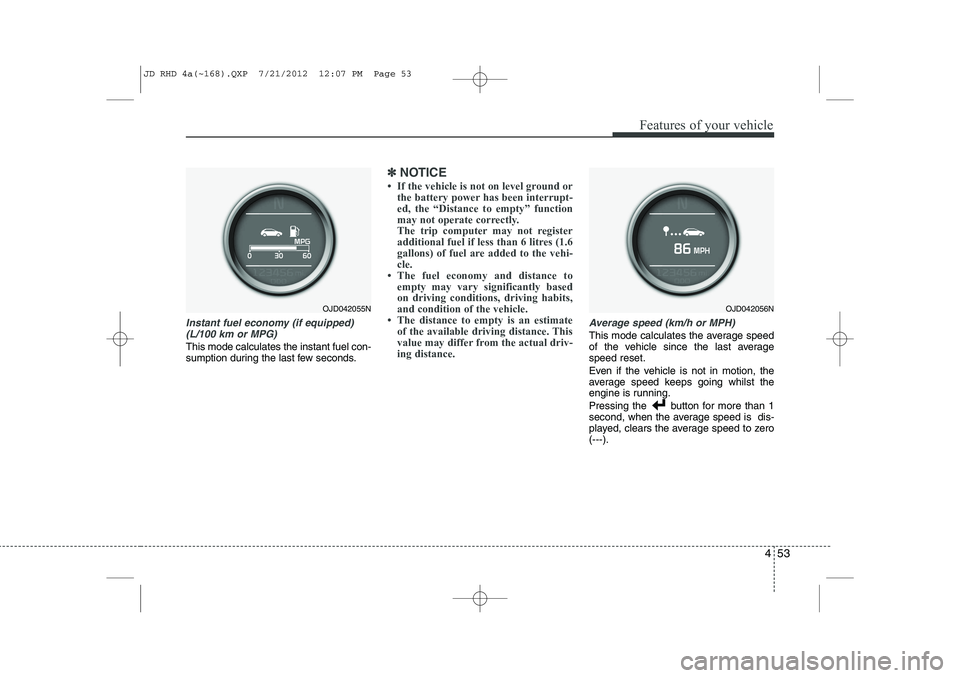
Instant fuel economy (if equipped)(L/100 km or MPG)
This mode calculates the instant fuel con-
sumption during the last few seconds.
✽✽ NOTICE
Page 717 of 1168
Features of your vehicle
54
4
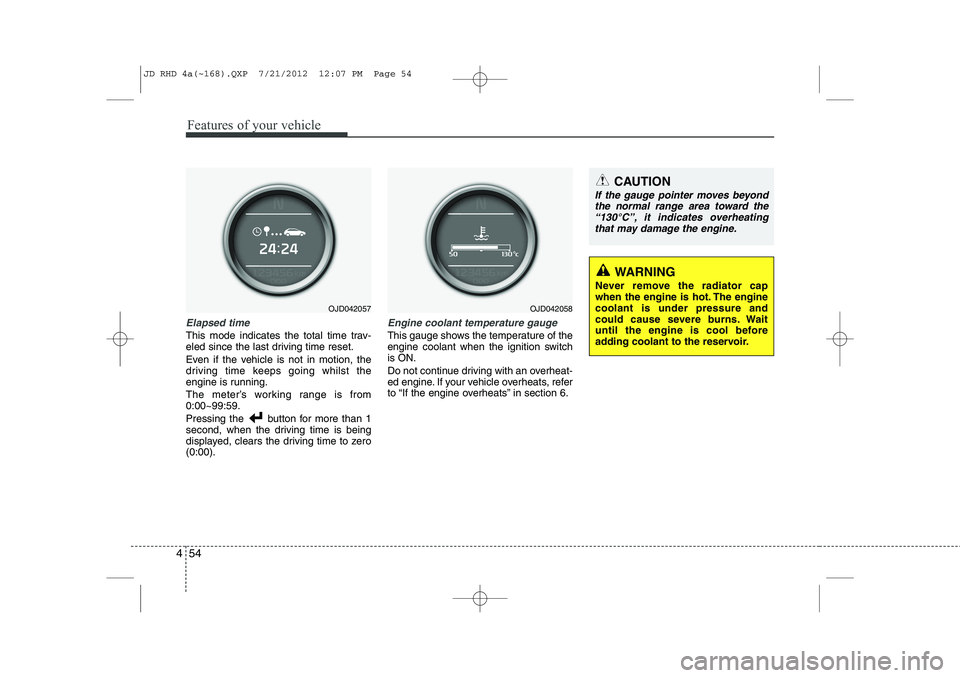
Elapsed time
This mode indicates the total time trav-
eled since the last driving time reset.
Even if the vehicle is not in motion, the
driving time keeps going whilst the
engine is running.
The meter’s working range is from 0:00~99:59.
Pressing the button for more than 1
second, when the driving time is being
displayed, clears the driving time to zero(0:00).
Engine coolant temperature gauge
This gauge shows the temperature of the
engine coolant when the ignition switchis ON.
Do not continue driving with an overheat-
ed engine. If your vehicle overheats, refer
to “If the engine overheats” in section 6.
CAUTION
If the gauge pointer moves beyond
the normal range area toward the
“130°C”, it indicates overheatingthat may damage the engine.
WARNING
Never remove the radiator cap
when the engine is hot. The enginecoolant is under pressure and
could cause severe burns. Wait
until the engine is cool before
adding coolant to the reservoir.
OJD042057OJD042058
JD RHD 4a(~168).QXP 7/21/2012 12:07 PM Page 54
Page 718 of 1168
455
Features of your vehicle
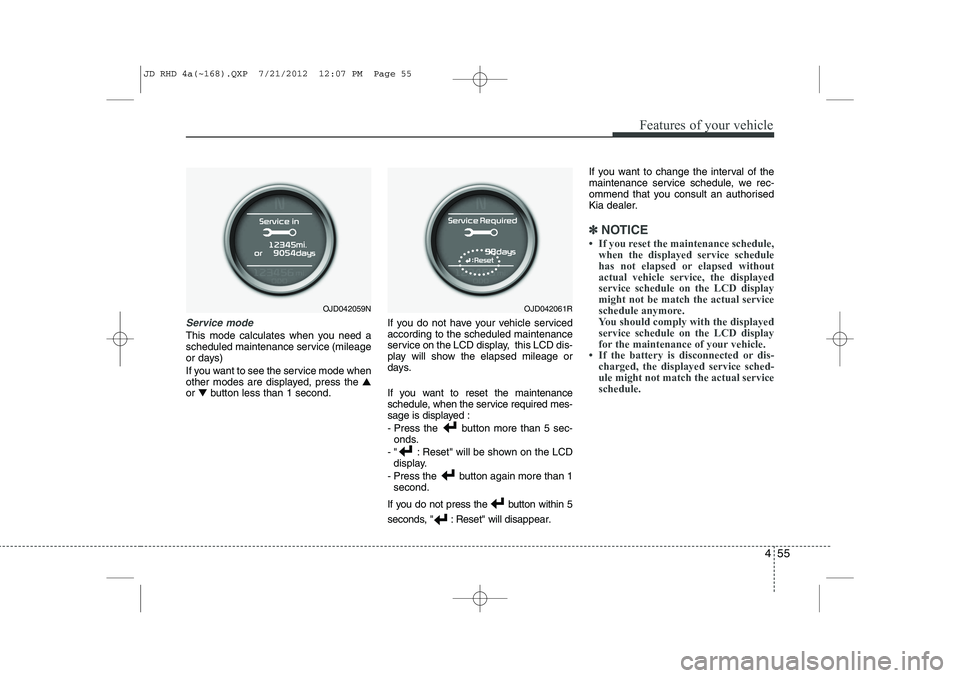
Service mode
This mode calculates when you need a
scheduled maintenance service (mileage
or days)
If you want to see the service mode when
other modes are displayed, press the ▲
or ▼ button less than 1 second. If you do not have your vehicle servicedaccording to the scheduled maintenance
service on the LCD display, this LCD dis-
play will show the elapsed mileage or
days.
If you want to reset the maintenance
schedule, when the service required mes-
sage is displayed :
- Press the button more than 5 sec-
onds.
- " : Reset" will be shown on the LCD display.
- Press the button again more than 1 second.
If you do not press the button within 5
seconds, " : Reset" will disap pear.If you want to change the interval of the
maintenance service schedule, we rec-
ommend that you consult an authorised
Kia dealer.
✽✽
NOTICE
Page 719 of 1168
Features of your vehicle
56
4
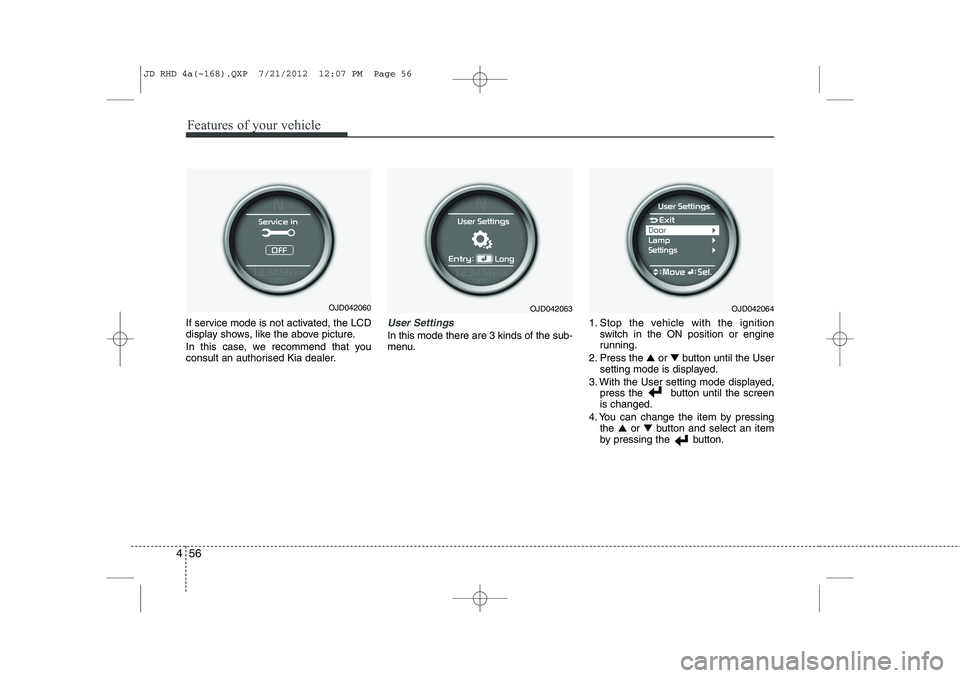
If service mode is not activated, the LCD
display shows, like the above picture.
In this case, we recommend that you
consult an authorised Kia dealer.User Settings
In this mode there are 3 kinds of the sub-
menu. 1. Stop the vehicle with the ignition
switch in the ON position or engine
running.
2. Press the ▲ or ▼ button until the User
setting mode is displayed.
3. With the User setting mode displayed, press the button until the screenis changed.
4. You can change the item by pressing the ▲ or ▼ button and select an item
by pressing the button.
OJD042063OJD042064OJD042060
JD RHD 4a(~168).QXP 7/21/2012 12:07 PM Page 56
Page 727 of 1168
Features of your vehicle
64
4
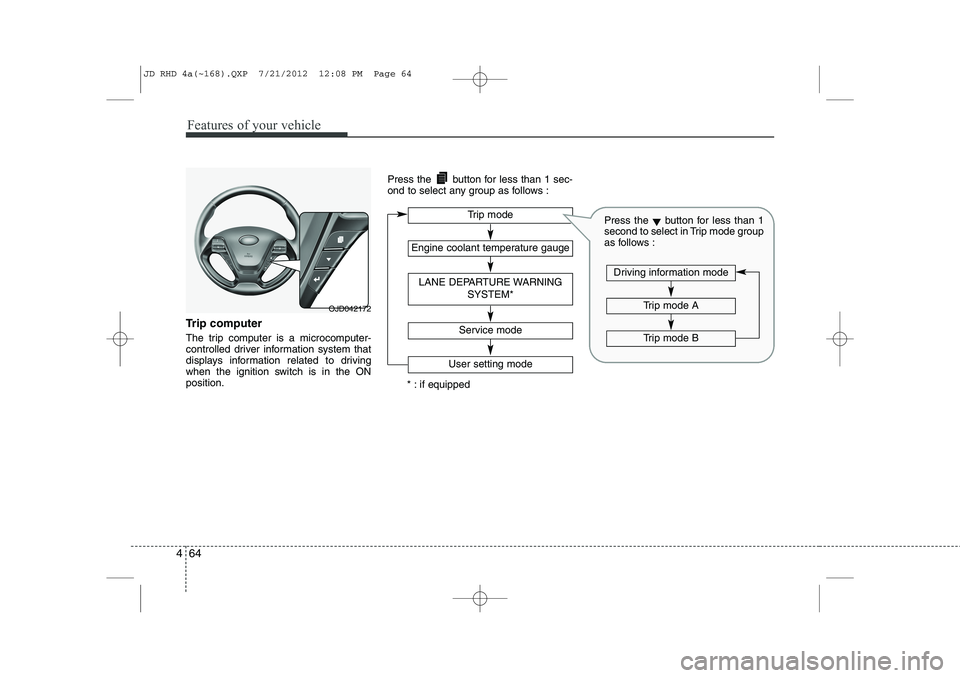
Trip computer
The trip computer is a microcomputer-
controlled driver information system that
displays information related to driving
when the ignition switch is in the ONposition. Press the button for less than 1 sec-
ond to select any group as follows :
OJD042172
Engine coolant temperature gauge
User setting mode
Service mode
LANE DEPARTURE WARNING
SYSTEM*
Trip mode
* : if equipped
Trip mode A
Trip mode B
Driving information mode
Press the▼button for less than 1
second to select in Trip mode group
as follows :
JD RHD 4a(~168).QXP 7/21/2012 12:08 PM Page 64
Page 728 of 1168
465
Features of your vehicle
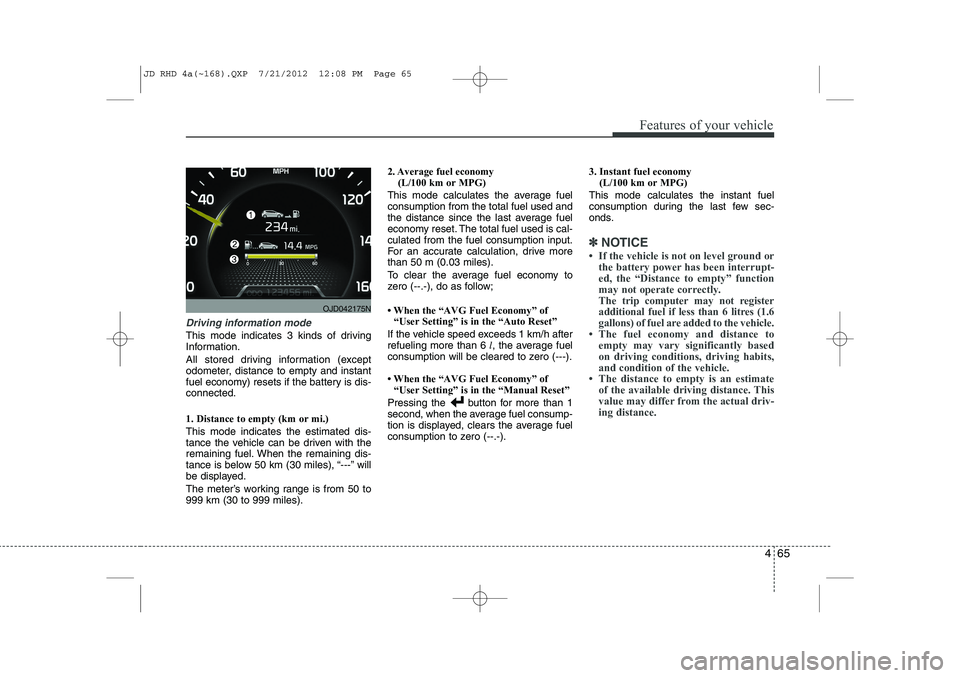
Driving information mode
This mode indicates 3 kinds of driving
Information.
All stored driving information (except
odometer, distance to empty and instant
fuel economy) resets if the battery is dis-connected. 1. Distance to empty (km or mi.) This mode indicates the estimated dis-
tance the vehicle can be driven with the
remaining fuel. When the remaining dis-
tance is below 50 km (30 miles), “---” will
be displayed.
The meter’s working range is from 50 to 999 km (30 to 999 miles).2. Average fuel economy
(L/100 km or MPG)
This mode calculates the average fuelconsumption from the total fuel used and
the distance since the last average fuel
economy reset. The total fuel used is cal-culated from the fuel consumption input.
For an accurate calculation, drive morethan 50 m (0.03 miles).
To clear the average fuel economy to
zero (--.-), do as follow;
Page 729 of 1168
Features of your vehicle
66
4
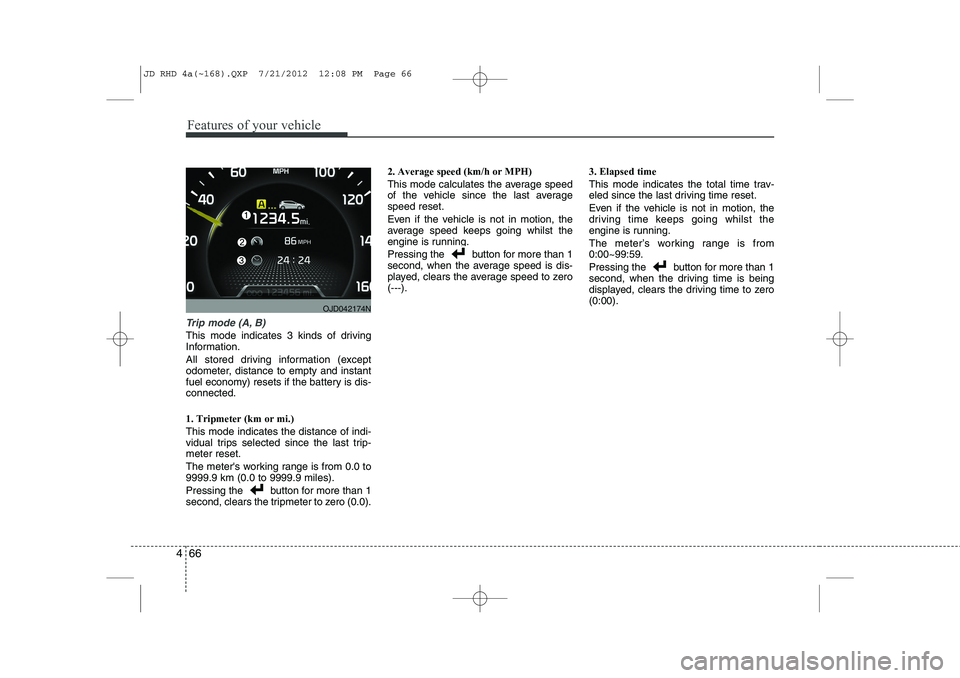
Trip mode (A, B)
This mode indicates 3 kinds of driving
Information.
All stored driving information (except
odometer, distance to empty and instant
fuel economy) resets if the battery is dis-connected. 1. Tripmeter (km or mi.) This mode indicates the distance of indi-
vidual trips selected since the last trip-meter reset.
The meter's working range is from 0.0 to 9999.9 km (0.0 to 9999.9 miles).
Pressing the button for more than 1
second, clears the tripmeter to zero (0.0). 2. Average speed (km/h or MPH)
This mode calculates the average speed
of the vehicle since the last averagespeed reset.
Even if the vehicle is not in motion, the
average speed keeps going whilst the
engine is running.
Pressing the button for more than 1
second, when the average speed is dis-
played, clears the average speed to zero(---).
3. Elapsed time
This mode indicates the total time trav-
eled since the last driving time reset.
Even if the vehicle is not in motion, the
driving time keeps going whilst the
engine is running.
The meter’s working range is from 0:00~99:59.
Pressing the button for more than 1
second, when the driving time is being
displayed, clears the driving time to zero(0:00).
OJD042174N
JD RHD 4a(~168).QXP 7/21/2012 12:08 PM Page 66
Page 730 of 1168
467
Features of your vehicle
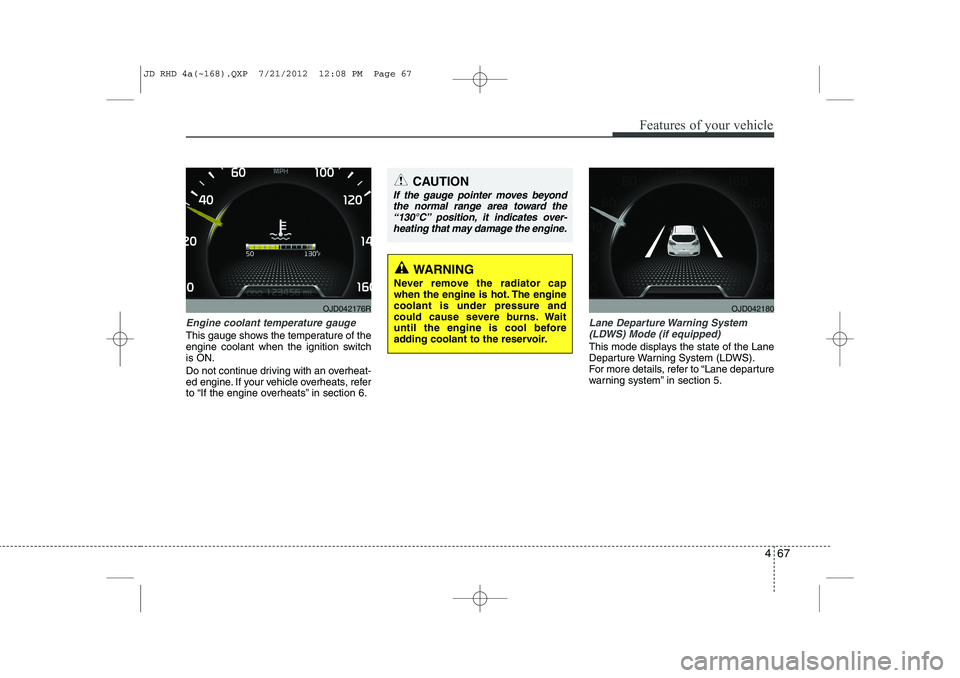
Engine coolant temperature gauge
This gauge shows the temperature of the
engine coolant when the ignition switchis ON.
Do not continue driving with an overheat-
ed engine. If your vehicle overheats, refer
to “If the engine overheats” in section 6.
Lane Departure Warning System(LDWS) Mode (if equipped)
This mode displays the state of the Lane
Departure Warning System (LDWS).
For more details, refer to “Lane departure
warning system” in section 5.
CAUTION
If the gauge pointer moves beyondthe normal range area toward the
“130°C” position, it indicates over-heating that may damage the engine.
WARNING
Never remove the radiator cap
when the engine is hot. The enginecoolant is under pressure and
could cause severe burns. Wait
until the engine is cool before
adding coolant to the reservoir.
OJD042176ROJD042180
JD RHD 4a(~168).QXP 7/21/2012 12:08 PM Page 67