service KIA CEED 2014 Repair Manual
[x] Cancel search | Manufacturer: KIA, Model Year: 2014, Model line: CEED, Model: KIA CEED 2014Pages: 1206, PDF Size: 50.15 MB
Page 676 of 1206
357
Safety system of your vehicle
(Continued)
Do not allow the passengers tolean their heads or bodies onto
doors, put their arms on the
doors, stretch their arms out of
the window, or place objects
between the doors and passen-
gers when they are seated onseats equipped with side and/or
curtain air bags.
Never try to open or repair any components of the side curtain
air bag system. We recommend
that the system be serviced by an
authorised Kia dealer.
Failure to follow the above men-tioned instructions can result in
injury or death to the vehicle occu-pants in an accident.WARNING
In order for side impact and cur- tain air bags to provide the best
protection, both front seat occu-
pants and both outboard rearoccupants should sit in anupright position with the seat
belts properly fastened.
Importantly, children should sit in
a proper child restraint system inthe rear seat.
When children are seated in the rear outboard seats, they must be
seated in the proper childrestraint system.
Make sure to put the child
restraint system as far away from
the door side as possible, and
secure the child restraint system
in a locked position.
(Continued)
JD RHD 3.QXP 4/29/2013 11:23 AM Page 57
Page 678 of 1206
359
Safety system of your vehicle
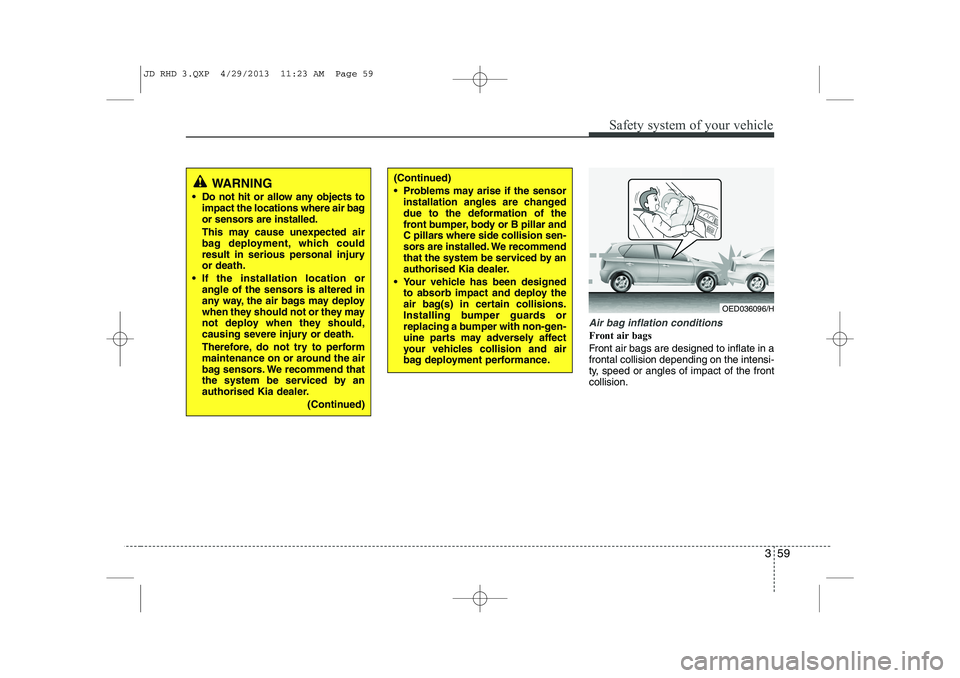
Air bag inflation conditions
Front air bags
Front air bags are designed to inflate in a frontal collision depending on the intensi-
ty, speed or angles of impact of the frontcollision.
WARNING
Do not hit or allow any objects to impact the locations where air bag
or sensors are installed.
This may cause unexpected air
bag deployment, which could
result in serious personal injuryor death.
If the installation location or angle of the sensors is altered in
any way, the air bags may deploy
when they should not or they may
not deploy when they should,
causing severe injury or death.
Therefore, do not try to perform
maintenance on or around the air
bag sensors. We recommend that
the system be serviced by an
authorised Kia dealer.
(Continued)(Continued)
Problems may arise if the sensorinstallation angles are changed
due to the deformation of the
front bumper, body or B pillar and
C pillars where side collision sen-
sors are installed. We recommend
that the system be serviced by an
authorised Kia dealer.
Your vehicle has been designed to absorb impact and deploy the
air bag(s) in certain collisions.
Installing bumper guards or
replacing a bumper with non-gen-
uine parts may adversely affect
your vehicles collision and air
bag deployment performance.
OED036096/H
JD RHD 3.QXP 4/29/2013 11:23 AM Page 59
Page 682 of 1206
363
Safety system of your vehicle
SRS Care
The SRS is virtually maintenance-free
and so there are no parts you can safely
service by yourself. If the SRS air bag
warning light does not illuminate, or con-
tinuously remains on, we recommend
that the system be inspected by an
authorised Kia dealer.
WARNING
Modification to SRS components or wiring, including the addition
of any kind of badges to the pad
covers or modifications to the
body structure, can adversely
affect SRS performance and lead
to possible injury.
For cleaning the air bag pad cov- ers, use only a soft, dry cloth or
one which has been moistened
with plain water. Solvents or
cleaners could adversely affect
the air bag covers and proper
deployment of the system.
No objects should be placed over or near the air bag modules on
the steering wheel, instrument
panel, and the front passenger's
panel above the glove box,
because any such object could
cause harm if the vehicle is in a
crash severe enough to cause
the air bags to inflate.
(Continued)(Continued)
If the air bags inflate, we recom-mend that the system be replaced
by an authorised Kia dealer.
Do not tamper with or disconnect SRS wiring, or other components
of the SRS system. Doing so
could result in injury, due to acci-
dental inflation of the air bags or
by rendering the SRS inopera-
tive.
If components of the air bag sys- tem must be discarded, or if the
vehicle must be scrapped, certain
safety precautions must be
observed. An authorised Kia
dealer knows these precautions
and can give you the necessary
information. Failure to follow
these precautions and proce-dures could increase the risk of
personal injury.
If your car was flooded and has soaked carpeting or water on floor-
ing, you shouldn't try to start the
engine; we recommend that you
contact an authorised Kia dealer.
JD RHD 3.QXP 4/29/2013 11:23 AM Page 63
Page 689 of 1206
45
Features of your vehicle
Vehicles with smart key system
Whenever the engine start/stop button is changed to the ON position, the immo-
biliser system checks and verifies if the
key is valid or not.
If the key is valid, the engine will start.
If the key is invalid, the engine will not
start.
To deactivate the immobiliser system
Change the engine start/stop button to the ON position.
To activate the immobiliser system
Change the engine start/stop button to
the OFF position. The immobiliser sys-
tem activates automatically. Without a
valid smart key for your vehicle, the
engine will not start.
✽✽NOTICE
When starting the engine, do not use the
key with other immobiliser keys around.Otherwise the engine may not start or
may stop soon after it starts. Keep each
key separate in order to avoid a startingmalfuntioin. ✽
✽
NOTICE
If you need additional keys or lose your
keys, we recommend that you consult an
authorised Kia dealer.
CAUTION
The transponder in your ignition key is an important part of the
immobiliser system. It is designed to give years of trouble-free service,however you should avoid expo- sure to moisture, static electricity
and rough handling. Immobiliser system malfunction could occur.
CAUTION
Do not change, alter or adjust theimmobiliser system because it could cause the immobiliser sys-tem to malfunction. We recommend
that the system be serviced by anauthorised Kia dealer.
Malfunctions caused by improperalterations, adjustments or modifi- cations to the immobiliser system
are not covered by your vehicle manufacturer warranty.
WARNING
In order to prevent theft of your vehi-
cle, do not leave spare keys any-
where in your vehicle. Your immo-
biliser password is a customer
unique password and should be
kept confidential. Do not leave this
number anywhere in your vehicle.
CAUTION
Do not put metal accessories near the ignition switch.
The engine may not start becausethe metal accessories may interrupt the transponder signal from nor-mally transmitting.
JD RHD 4a(~171).QXP 4/29/2013 11:54 AM Page 5
Page 735 of 1206

451
Features of your vehicle
Odometer (km or mi.) The odometer indicates the total dis-
tance the vehicle has been driven.
You will also find the odometer useful to
determine when periodic maintenance
should be performed.Trip computer
The trip computer is a microcomputer-
controlled driver information system that
displays information related to driving
when the ignition switch is in the ON
position. All stored driving information
(except odometer, distance to empty and
instant fuel economy) resets if the batteryis disconnected.Press the
▲or ▼ button for less than 1
second to select any mode as follows:
OJD042050OJD042051N Tripmeter B
Instant fuel consumption*
Tripmeter A
Distance to empty*
Average fuel consumption*
Engine coolant temperature gauge
* : if equippedElapsed time*
Average speed*
↔↔
↔
↔
↔
↔
↔
↔
Service*
↔
User setting*
↔
JD RHD 4a(~171).QXP 4/29/2013 11:57 AM Page 51
Page 738 of 1206
Features of your vehicle
54
4
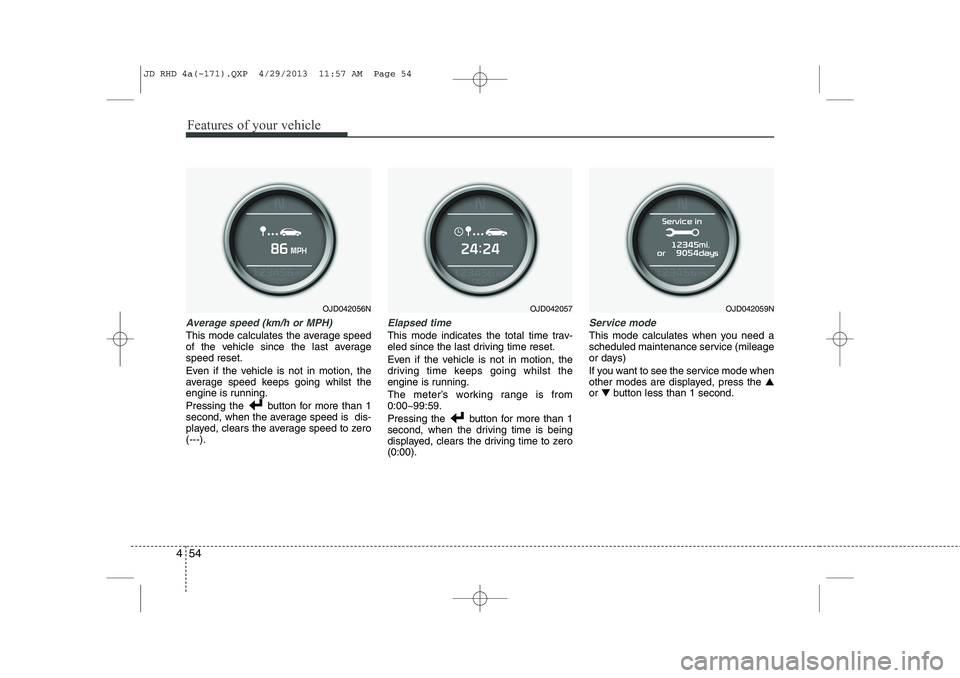
Average speed (km/h or MPH)
This mode calculates the average speed
of the vehicle since the last averagespeed reset.
Even if the vehicle is not in motion, the
average speed keeps going whilst the
engine is running.
Pressing the button for more than 1
second, when the average speed is dis-
played, clears the average speed to zero(---).
Elapsed time
This mode indicates the total time trav-
eled since the last driving time reset.
Even if the vehicle is not in motion, the
driving time keeps going whilst the
engine is running.
The meter’s working range is from 0:00~99:59.
Pressing the button for more than 1
second, when the driving time is being
displayed, clears the driving time to zero(0:00).
Service mode
This mode calculates when you need a
scheduled maintenance service (mileage
or days)
If you want to see the service mode when
other modes are displayed, press the ▲
or ▼ button less than 1 second.
OJD042057OJD042056NOJD042059N
JD RHD 4a(~171).QXP 4/29/2013 11:57 AM Page 54
Page 739 of 1206

455
Features of your vehicle
If you do not have your vehicle serviced according to the scheduled maintenance
service on the LCD display, this LCD dis-
play will show the elapsed mileage or
days.
If you want to reset the maintenance
schedule, when the service required mes-
sage is displayed :
- Press the button more than 5 sec-onds.
- " : Reset" will be shown on the LCD display.
- Press the button again more than 1 second.
If you do not press the button within 5
seconds, " : Reset" will disap pear.If you want to change the interval of the
maintenance service schedule, we rec-
ommend that you consult an authorised
Kia dealer.
✽✽
NOTICE
Page 751 of 1206

467
Features of your vehicle
Press the button for less than 1 sec-
ond to select any group as follows :
Driving information mode
This mode indicates 3 kinds of driving
Information.
All stored driving information (except
odometer, distance to empty and instant
fuel economy) resets if the battery is dis-connected. 1. Distance to empty (km or mi.) This mode indicates the estimated dis-
tance the vehicle can be driven with the
remaining fuel. When the remaining dis-
tance is below 50 km (30 miles), “---” will
be displayed.
The meter’s working range is from 50 to 999 km (30 to 999 miles).
OJD042175N
Engine coolant temperature gauge*
User setting mode
Service mode
LANE DEPARTURE WARNINGSYSTEM*
Trip mode
* : if equipped
Trip mode A
Trip mode B
Driving information mode
Press the▼button for less than 1
second to select in Trip mode group
as follows :
JD RHD 4a(~171).QXP 4/29/2013 11:58 AM Page 67
Page 753 of 1206

469
Features of your vehicle
2. Average speed (km/h or MPH)
This mode calculates the average speed
of the vehicle since the last averagespeed reset.
Even if the vehicle is not in motion, the
average speed keeps going whilst the
engine is running.
Pressing the button for more than 1
second, when the average speed is dis-
played, clears the average speed to zero(---). 3. Elapsed time
This mode indicates the total time trav-
eled since the last driving time reset.
Even if the vehicle is not in motion, the
driving time keeps going whilst the
engine is running.
The meter’s working range is from 0:00~99:59.
Pressing the button for more than 1
second, when the driving time is being
displayed, clears the driving time to zero(0:00).
Lane Departure Warning System(LDWS) Mode (if equipped)
This mode displays the state of the Lane
Departure Warning System (LDWS).
For more details, refer to “Lane departure
warning system” in section 5.
Service mode
This mode calculates when you need a
scheduled maintenance service (mileage
or days)
If you want to see the service mode when
other modes are displayed, press the button less than 1 second.
OJD042180OJD042186R
JD RHD 4a(~171).QXP 4/29/2013 11:58 AM Page 69
Page 754 of 1206
Features of your vehicle
70
4
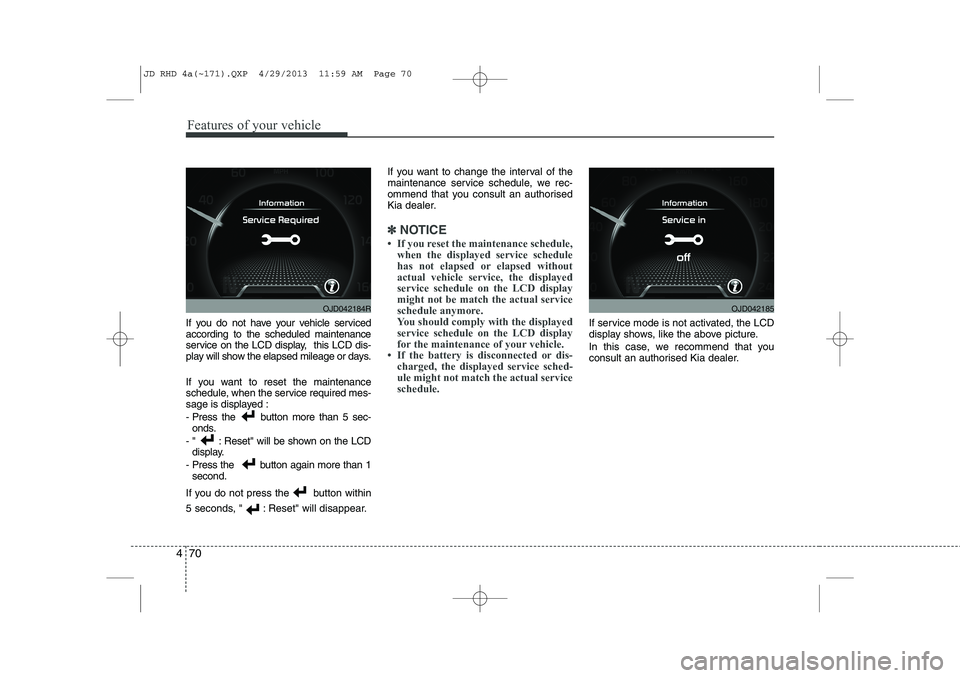
If you do not have your vehicle serviced according to the scheduled maintenance
service on the LCD display, this LCD dis-
play will show the elapsed mileage or days.
If you want to reset the maintenance
schedule, when the service required mes-
sage is displayed :
- Press the button more than 5 sec-
onds.
- " : Reset" will be shown on the LCD display.
- Press the button again more than 1 second.
If you do not press the button within
5 seconds, " : Reset" will disappear. If you want to change the interval of the
maintenance service schedule, we rec-
ommend that you consult an authorised
Kia dealer.
✽✽
NOTICE