ECO mode KIA CEED 2015 Owners Manual
[x] Cancel search | Manufacturer: KIA, Model Year: 2015, Model line: CEED, Model: KIA CEED 2015Pages: 1210, PDF Size: 35.92 MB
Page 914 of 1210
4 229
Features of your vehicle
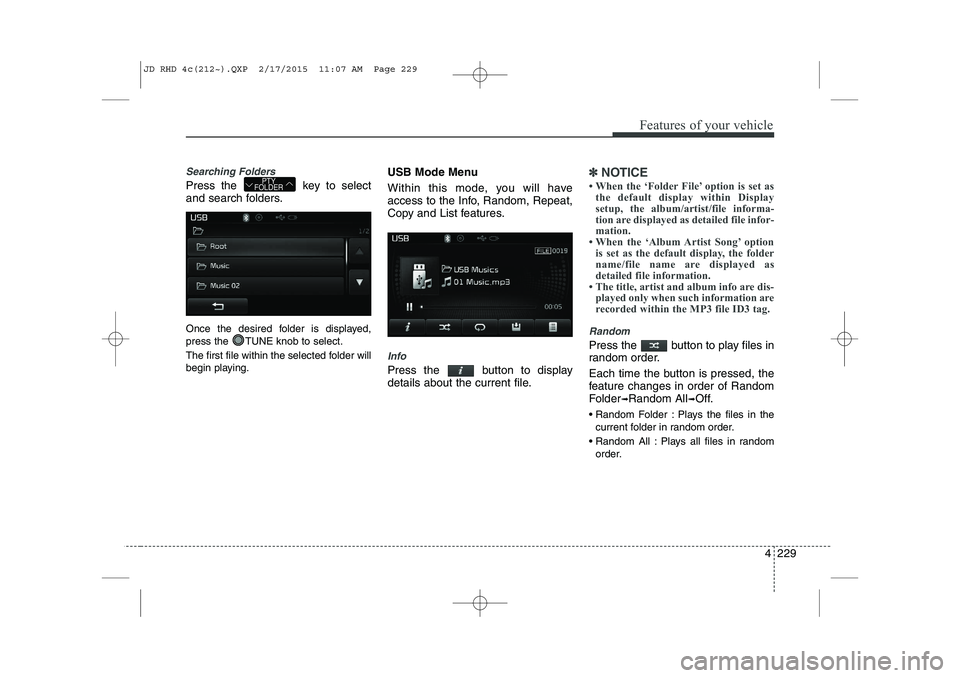
Searching Folders
Press the key to select
and search folders.
Once the desired folder is displayed,
press the TUNE knob to select.
The first file within the selected folder will
begin playing.USB Mode Menu
Within this mode, you will have
access to the Info, Random, Repeat,
Copy and List features.
Info
Press the button to display
details about the current file.
✽✽
NOTICE
When the ‘Folder File’ option is set as the default display within Display
setup, the album/artist/file informa-
tion are displayed as detailed file infor-
mation.
When the ‘Album Artist Song’ option is set as the default display, the folder
name/file name are displayed as
detailed file information.
The title, artist and album info are dis- played only when such information are
recorded within the MP3 file ID3 tag.
Random
Press the button to play files in
random order.
Each time the button is pressed, the
feature changes in order of Random
Folder ➟Random All ➟Off.
Random Folder : Plays the files in the current folder in random order.
Random All : Plays all files in random order.
PTY
FOLDER
JD RHD 4c(212~).QXP 2/17/2015 11:07 AM Page 229
Page 917 of 1210
Features of your vehicle
232
4
Using iPod Mode
Playing/Pausing iPod Songs
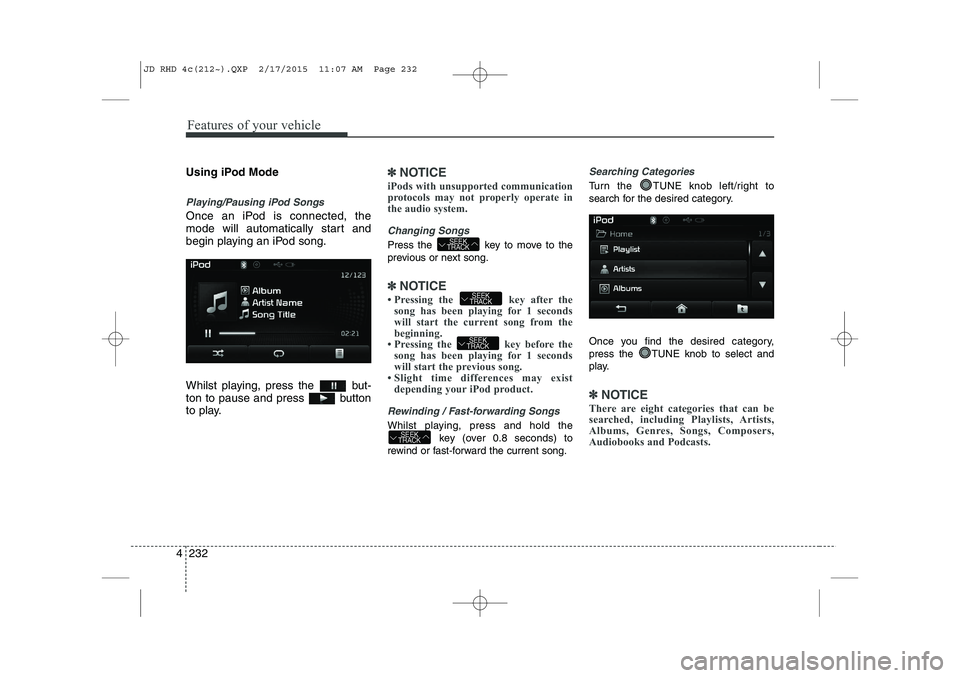
Once an iPod is connected, the
mode will automatically start and
begin playing an iPod song.
Whilst playing, press the but-
ton to pause and press button
to play.
✽✽
NOTICE
iPods with unsupported communication
protocols may not properly operate in
the audio system.
Changing Songs
Press the key to move to the
previous or next song.
✽✽ NOTICE
Pressing the key after the song has been playing for 1 seconds
will start the current song from the
beginning.
Pressing the key before the song has been playing for 1 seconds
will start the previous song.
Slight time differences may exist
depending your iPod product.
Rewinding / Fast-forwarding Songs
Whilst playing, press and hold the
key (over 0.8 seconds) to
rewind or fast-forward the current song.
Searching Categories
Turn the TUNE knob left/right to
search for the desired category.
Once you find the desired category,
press the TUNE knob to select and
play.
✽✽ NOTICE
There are eight categories that can be
searched, including Playlists, Artists,
Albums, Genres, Songs, Composers,
Audiobooks and Podcasts.
SEEK
TRACK
SEEK
TRACK
SEEK
TRACK
SEEK
TRACK
JD RHD 4c(212~).QXP 2/17/2015 11:07 AM Page 232
Page 921 of 1210
Features of your vehicle
236
4
Using My Music Mode
Playing/Pausing My Music Files
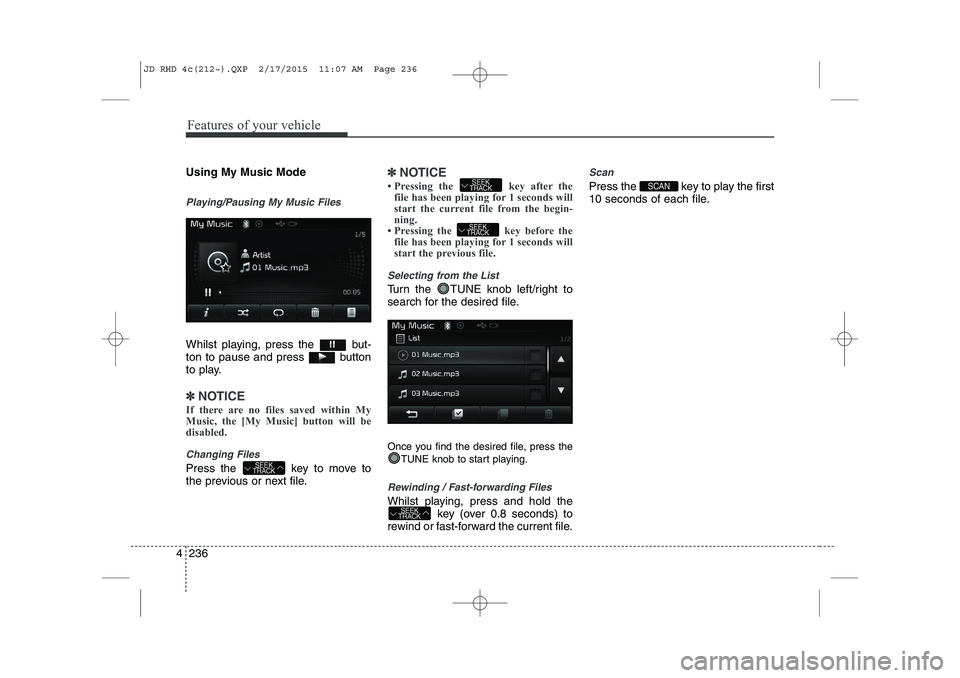
Whilst playing, press the but-
ton to pause and press button
to play.
✽✽
NOTICE
If there are no files saved within My
Music, the [My Music] button will be
disabled.
Changing Files
Press the key to move to
the previous or next file.
✽✽ NOTICE
Pressing the key after the file has been playing for 1 seconds will
start the current file from the begin-
ning.
Pressing the key before the
file has been playing for 1 seconds will
start the previous file.
Selecting from the List
Turn the TUNE knob left/right to
search for the desired file.
Once you find the desired file, press the
TUNE knob to start playing.
Rewinding / Fast-forwarding Files
Whilst playing, press and hold the key (over 0.8 seconds) to
rewind or fast-forward the current file.
Scan
Press the key to play the first
10 seconds of each file.SCAN
SEEK
TRACK
SEEK
TRACK
SEEK
TRACK
SEEK
TRACK
JD RHD 4c(212~).QXP 2/17/2015 11:07 AM Page 236
Page 922 of 1210
4 237
Features of your vehicle
My Music Mode Menu
Within this mode, you will have
access to the Info, Random, Repeat,
Delete and List features.
Info
Press the button to display
details about the current file.
✽✽NOTICE
The title, artist and album info are dis-
played only when such information is
recorded within the MP3 file ID3 tag.
Random
Press the button to play files in
random order. Press the button again
to turn the Random feature off.
Repeat
Press the button to repeat the
current song. Press the button again
to turn the repeat feature off.
Deleting Files
Press the button to delete the
current file.
List
Press the button to display the file list screen.
Turn the TUNE knob left/right to
search for files. Once the desired file is
displayed, press the knob to select and
play. List Menu
From the List screen, it is possible to
delete files you previously saved intoMy Music.
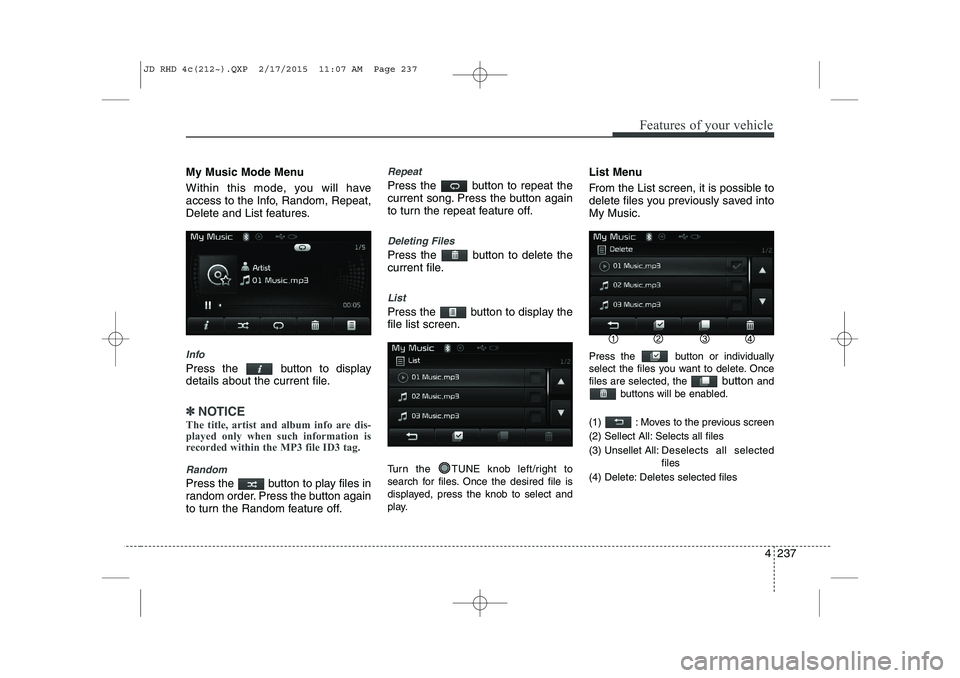
Press the button or individually
select the files you want to delete. Oncefiles are selected, the
button and
buttons will be enabled.
(1) : Moves to the previous screen
(2) Sellect All: Selects all files
(3) Unsellet All: Des elects all selected
files
(4) Delete: Deletes selected files
JD RHD 4c(212~).QXP 2/17/2015 11:07 AM Page 237
Page 935 of 1210
Features of your vehicle
250
4
✽✽
NOTICE - USING THE Voice Recognition
When using the voice recognition fea- ture, only commands listed within the
user's manual are supported.
Be aware that during the operation of the voice recognition system, pressing
any key other than the key or
touching the screen will terminate
voice recognition mode.
For superior voice recognition per-
formance, position the microphone
used for voice recognition above the
head of the driver’s seat and maintain
a proper position when saying com-
mands.
Within the following situations, voice
recognition may not function properly
due to external sound.
- When the windows and sunroof areopen
- When the wind of the cooling / heat- ing device is strong
- When entering and passing through tunnels
- When driving on rugged and uneven roads
- During severe rain (heavy rains, windstorms) Phone related voice commands can be
used only when a Bluetooth®
Wireless Technology device is con-
nected.
When making calls by stating a name, the corresponding contact must be
downloaded and stored within the
audio system.
After downloading the Bluetooth®
Wireless Technology phone book, it
takes some times to convert the phone
book data into voice information.
During this time, voice recognition
may not properly operate.
Pronounce the voice commands natu-
rally and clearly as if in a normal con-
versation.
JD RHD 4c(212~).QXP 2/17/2015 11:07 AM Page 250
Page 936 of 1210
4 251
Features of your vehicle
VOICE RECOGNITION
Using Voice Recognition
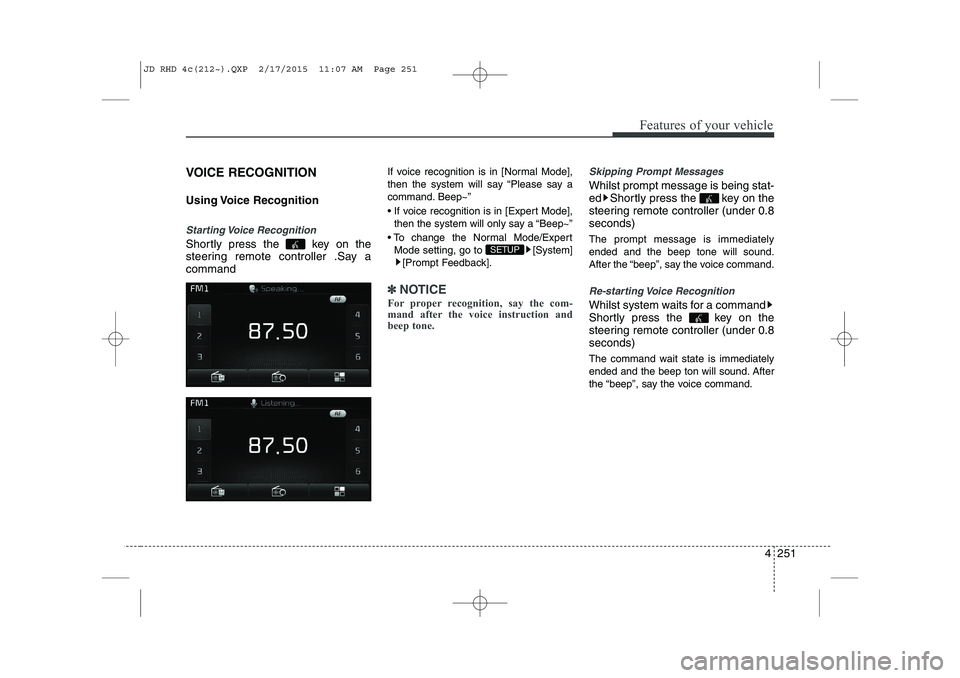
Starting Voice Recognition
Shortly press the key on the
steering remote controller .Say acommandIf voice recognition is in [Normal Mode],
then the system will say “Please say a
command. Beep~”
If voice recognition is in [Expert Mode],
then the system will only say a “Beep~”
To change the Normal Mode/Expert Mode setting, go to [System] [Prompt Feedback].
✽✽ NOTICE
For proper recognition, say the com-
mand after the voice instruction and
beep tone.
Skipping Prompt Messages
Whilst prompt message is being stat-
ed Shortly press the key on the
steering remote controller (under 0.8seconds) The prompt message is immediately ended and the beep tone will sound.
After the “beep”, say the voice command.
Re-starting Voice Recognition
Whilst system waits for a command
Shortly press the key on the
steering remote controller (under 0.8seconds)
The command wait state is immediately
ended and the beep ton will sound. After
the “beep”, say the voice command.
SETUP
JD RHD 4c(212~).QXP 2/17/2015 11:07 AM Page 251
Page 944 of 1210
![KIA CEED 2015 Owners Manual 4 259
Features of your vehicle
System Setting
Memory Information
Press the key Select
[System] Select [Memory Information]
This feature displays information related
to system memory.
(1) Using : Di](/img/2/57940/w960_57940-943.png "KIA CEED 2015 Owners Manual 4 259
Features of your vehicle
System Setting
Memory Information
Press the key Select
[System] Select [Memory Information]
This feature displays information related
to system memory.
(1) Using : Di")
4 259
Features of your vehicle
System Setting
Memory Information
Press the key Select
[System] Select [Memory Information]
This feature displays information related
to system memory.
(1) Using : Displays capacity currently inuse
(2) Capacity : Displays total capacity
Voice Recognition Mode Setting
Press the key Select
[System] Select [Voice RecognitionSystem]
This feature is used to select the desired
prompt feedback option from Normal and
Expert. ( 1) Normal : When using voice recogni-
tion, provides detailed guidance prompts
( 2) Expert : When using voice recogni-
tion, omits some guidance prompts
✽✽NOTICE
Voice Recognition is depend on the Audio System.
Language
Press the key Select
[System] Select [Language]
This feature is used to change the sys-
tem and voice recognition language. If the language is changed, the system
will restart and apply the selected lan-
guage.SETUP SETUP
SETUP
JD RHD 4c(212~).QXP 2/17/2015 11:08 AM Page 259
Page 957 of 1210
57
Driving your vehicle
Starting the engine
✽✽
NOTICE - Kick down mecha- nism
If your vehicle is equipped with a kick
down mechanism in the accelerator
pedal, it prevents you from driving at
full throttle unintentionally by making
the driver require increased effort to
depress the accelerator pedal. However,
if you depress the pedal more than
approximately 80%, the vehicle can be
at full throttle and the accelerator pedal
will be easier to depress. This is not a
malfunction but a normal condition.
Starting the petrol engine
1. Make sure the parking brake is applied.
2. Manual Transaxle - Depress the
clutch pedal fully and shift the
transaxle into Neutral. Keep the clutch
pedal and brake pedal depressed
whilst turning the ignition switch to the
start position.
Automatic Transaxle/DCT* - Place
the transaxle shift lever in P (Park).
Depress the brake pedal fully.
You can also start the engine when
the shift lever is in the N (Neutral)position.
* DCT: Double clutch transmission
3. Turn the ignition switch to START and hold it there until the engine starts (a
maximum of 10 seconds), then
release the key.
It should be started without depressing
the accelerator pedal.
4. Do not wait for the engine to warm up whilst the vehicle remains stationary.
Start driving at moderate engine
speeds. (Steep accelerating and
decelerating should be avoided.)
CAUTION
If the engine stalls whilst you are in
motion, do not attempt to move the
shift lever to the P (Park) position. Iftraffic and road conditions permit,you may put the shift lever in the N (Neutral) position whilst the vehicle
is still moving and turn the ignitionswitch to the START position in an attempt to restart the engine.
CAUTION
Do not engage the starter for morethan 10 seconds. If the engine stallsor fails to start, wait 5 to 10 seconds
before re-engaging the starter.Improper use of the starter maydamage it.
WARNING
Always wear appropriate shoes
when operating your vehicle.
Unsuitable shoes (high heels, ski
boots,etc.) may interfere with yourability to use the brake and acceler-
ator pedal, and clutch (if equipped).
JD RHD 5.QXP 2/17/2015 10:33 AM Page 7
Page 965 of 1210
515
Driving your vehicle
Your vehicle may be equipped with the ISG system, which reduces fuel con-
sumption by automatically shutting down
the engine, when the vehicle is at a
standstill. (For example : red light, stop
sign and traffic jam)
The engine starts automatically as soon
as the starting conditions are met.
The ISG system is ON whenever the
engine is running.
✽✽NOTICE
When the engine automatically starts by
the ISG system, some warning lights
(ABS, ESC, ESC OFF, EPS or Parking
brake warning light) may turn on for a
few seconds.
This happens because of low battery
voltage. It does not mean the system has
malfunctioned.
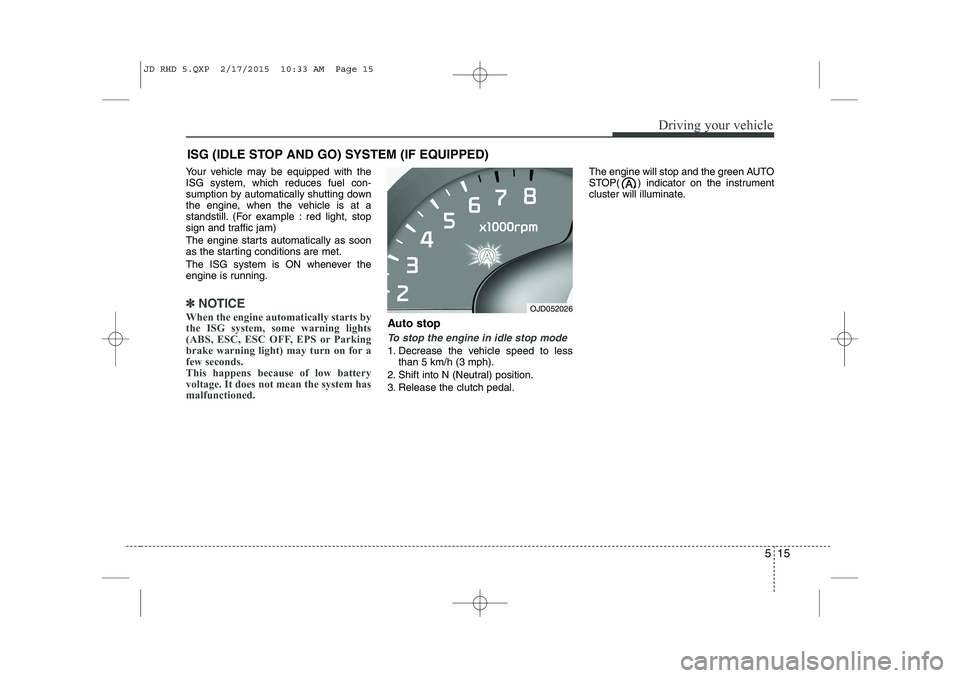
Auto stop
To stop the engine in idle stop mode
1. Decrease the vehicle speed to less than 5 km/h (3 mph).
2. Shift into N (Neutral) position.
3. Release the clutch pedal. The engine will stop and the green AUTO
STOP( ) indicator on the instrument
cluster will illuminate.
ISG (IDLE STOP AND GO) SYSTEM (IF EQUIPPED)
OJD052026
JD RHD 5.QXP 2/17/2015 10:33 AM Page 15
Page 967 of 1210
517
Driving your vehicle
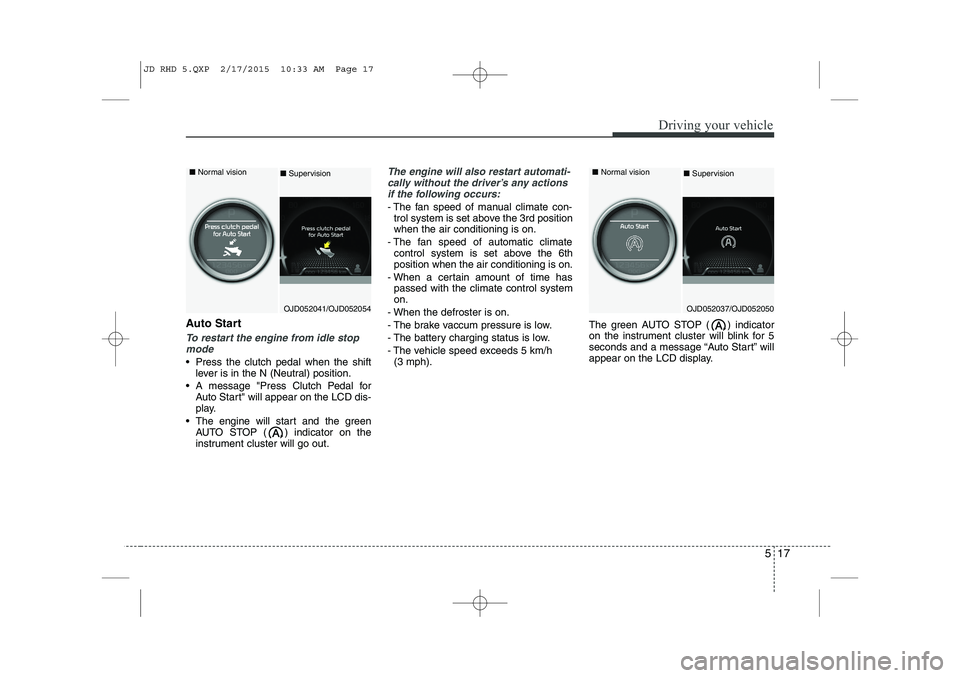
Auto Start
To restart the engine from idle stopmode
Press the clutch pedal when the shift lever is in the N (Neutral) position.
A message "Press Clutch Pedal for Auto Start" will appear on the LCD dis-
play.
The engine will start and the green AUTO STOP ( ) indicator on the
instrument cluster will go out.
The engine will also restart automati-
cally without the driver’s any actions if the following occurs:
- The fan speed of manual climate con- trol system is set above the 3rd position when the air conditioning is on.
- The fan speed of automatic climate control system is set above the 6thposition when the air conditioning is on.
- When a certain amount of time has passed with the climate control systemon.
- When the defroster is on.
- The brake vaccum pressure is low.
- The battery charging status is low.
- The vehicle speed exceeds 5 km/h (3 mph). The green AUTO STOP ( ) indicator
on the instrument cluster will blink for 5
seconds and a message “Auto Start” will
appear on the LCD display.
OJD052041/OJD052054
■
Normal vision
■Supervision
OJD052037/OJD052050
■
Normal vision
■ Supervision
JD RHD 5.QXP 2/17/2015 10:33 AM Page 17