parts KIA CEED 2015 User Guide
[x] Cancel search | Manufacturer: KIA, Model Year: 2015, Model line: CEED, Model: KIA CEED 2015Pages: 1210, PDF Size: 35.92 MB
Page 125 of 1210
Features of your vehicle
44
4
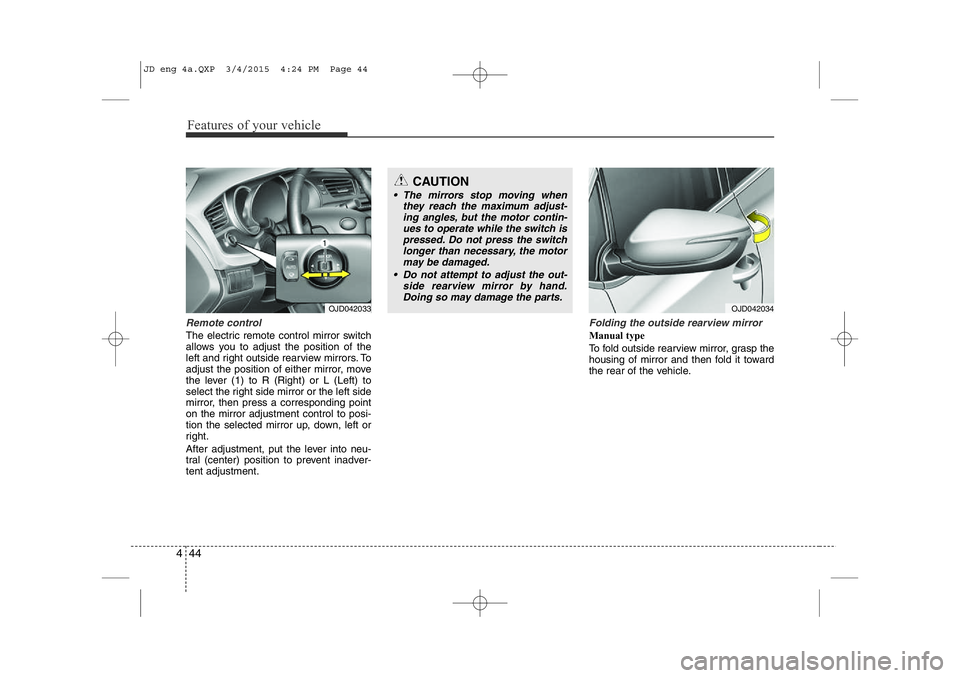
Remote control
The electric remote control mirror switch
allows you to adjust the position of the
left and right outside rearview mirrors. To
adjust the position of either mirror, move
the lever (1) to R (Right) or L (Left) to
select the right side mirror or the left side
mirror, then press a corresponding pointon the mirror adjustment control to posi-
tion the selected mirror up, down, left or
right.
After adjustment, put the lever into neu-
tral (center) position to prevent inadver-tent adjustment.
Folding the outside rearview mirror
Manual type
To fold outside rearview mirror, grasp the
housing of mirror and then fold it toward
the rear of the vehicle.
CAUTION
• The mirrors stop moving when
they reach the maximum adjust-ing angles, but the motor contin-ues to operate while the switch ispressed. Do not press the switch
longer than necessary, the motor may be damaged.
• Do not attempt to adjust the out- side rearview mirror by hand.
Doing so may damage the parts.
OJD042033OJD042034
JD eng 4a.QXP 3/4/2015 4:24 PM Page 44
Page 161 of 1210

Features of your vehicle
80
4
Immobilizer indicator
Without smart key system This indicator illuminates when the
immobilizer key is inserted and turned to
the ON position to start the engine.
At this time, you can start the engine. The
indicator goes out after the engine is run-ning.
If this indicator blinks when the ignition
switch is in the ON position before start-
ing the engine, we recommend that the
system be checked by an authorized Kia
dealer. With smart key system
If any of the following occurs in a vehicle
equipped with the smart key, the immobi-
lizer indicator illuminates, blinks or goes
off.
• When the smart key is in the vehicle, if
the engine start/stop button is in the
ACC or ON position, the indicator will
illuminate for approximately 30 sec-
onds to indicate that you are able to
start the engine. However, when the
smart key is not in the vehicle, if the
engine start/stop button is pressed, the
indicator will blink for a few seconds to
indicate that you are not be able to
start the engine.
• If the indicator illuminates only for 2 seconds and goes out when the
engine start/stop button is turned to
ON position with the smart key in the
vehicle, we recommend that the sys-
tem be checked by an authorized Kia
dealer.
• When the battery is weak, if the engine start/stop button is pressed, the indica-
tor will blink and you are not able to
start the engine. However, you are able
to start the engine by pressing the
engine start/stop button directly with
the smart key. Also, if the smart key
system related parts have a problem,
the indicator will blink.
Tailgate open warning light
This warning light illuminates when the
tailgate is not closed securely.
Low fuel level warning
This warning light indicates the fuel tank
is nearly empty. When it comes on, you
should add fuel as soon as possible.
Driving with the fuel level warning light on
or with the fuel level below “O/E” cancause the engine to misfire and damage
the catalytic converter (if equipped).
JD eng 4a.QXP 3/4/2015 4:26 PM Page 80
Page 170 of 1210
489
Features of your vehicle
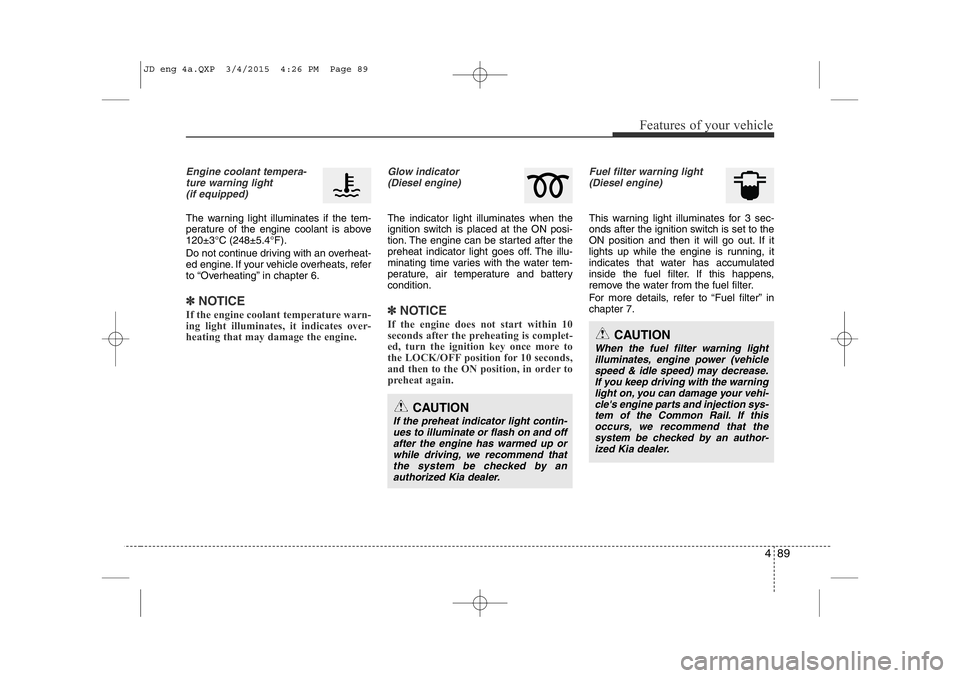
Engine coolant tempera-ture warning light(if equipped)
The warning light illuminates if the tem-
perature of the engine coolant is above120±3°C (248±5.4°F).
Do not continue driving with an overheat-
ed engine. If your vehicle overheats, refer
to “Overheating” in chapter 6.
✽NOTICE
If the engine coolant temperature warn-
ing light illuminates, it indicates over-
heating that may damage the engine.
Glow indicator (Diesel engine)
The indicator light illuminates when the
ignition switch is placed at the ON posi-
tion. The engine can be started after the
preheat indicator light goes off. The illu-
minating time varies with the water tem-
perature, air temperature and battery condition.
✽NOTICE
If the engine does not start within 10
seconds after the preheating is complet-
ed, turn the ignition key once more to
the LOCK/OFF position for 10 seconds,
and then to the ON position, in order to
preheat again.
Fuel filter warning light (Diesel engine)
This warning light illuminates for 3 sec-
onds after the ignition switch is set to the
ON position and then it will go out. If it
lights up while the engine is running, it
indicates that water has accumulated
inside the fuel filter. If this happens,
remove the water from the fuel filter.
For more details, refer to “Fuel filter” in chapter 7.
CAUTION
If the preheat indicator light contin- ues to illuminate or flash on and offafter the engine has warmed up orwhile driving, we recommend thatthe system be checked by an
authorized Kia dealer.
CAUTION
When the fuel filter warning lightilluminates, engine power (vehiclespeed & idle speed) may decrease. If you keep driving with the warning
light on, you can damage your vehi-cle's engine parts and injection sys-tem of the Common Rail. If thisoccurs, we recommend that the
system be checked by an author-
ized Kia dealer.
JD eng 4a.QXP 3/4/2015 4:26 PM Page 89
Page 201 of 1210

Features of your vehicle
120
4
AUTO (Automatic) control
(if equipped)
The rain sensor located on the upper end of the windshield glass senses the
amount of rainfall and controls the wiping
cycle for the proper interval. The more it
rains, the faster the wiper operates. When
the rain stops, the wiper stops. To vary the speed setting, turn the speedcontrol knob (1).
If the wiper switch is set in AUTO mode
when the ignition switch is ON, the wiper
will operate once to perform a self-check
of the system. Set the wiper to off posi-
tion when the wiper is not in use.
CAUTION
When the ignition switch is ON and
the windshield wiper switch isplaced in the AUTO mode, use cau-
tion in the following situations toavoid any injury to the hands or other parts of the body:
• Do not touch the upper end of the windshield glass facing the rainsensor.
• Do not wipe the upper end of the windshield glass with a damp orwet cloth.
• Do not put pressure on the wind- shield glass.
OEL049900
Rain sensor
CAUTION
When washing the vehicle, set the
wiper switch in the off position to stop the auto wiper operation.
The wiper may operate and be dam-aged if the switch is set in the AUTO
mode while washing the vehicle.
Do not remove the sensor coverlocated on the upper end of the pas-senger side windshield glass.Damage to system parts could
occur and may not be covered byyour vehicle warranty.
When starting the vehicle in winter,set the wiper switch in the off posi-tion. Otherwise, wipers may operate
and ice may damage the windshieldwiper blades. Always remove all snow and ice and defrost the wind-
shield properly prior to operating the windshield wipers.
JD eng 4a.QXP 3/4/2015 4:29 PM Page 120
Page 232 of 1210
4 151
Features of your vehicle
This indicator illuminates
when the auto defoggingsystem senses the moistureof inside the windshield and
operates.
If more moisture is in the vehicle, higher
steps operate as follow.
Step 1 : Operating the air conditioning
Step 2 : Outside air position
Step 3 : Blowing air flow toward the wind- shield
Step 4 : Increasing air flow toward the windshield
If your vehicle is equipped with the auto
defogging system, it is automatically acti-
vated when the conditions are met.
However, if you would like to cancel the
auto defogging system, press the front
defroster button 4 times within 2 seconds
while pressing the AUTO button. The
indicator will blink 3 times to notify you
that the system is cancelled. To use the
auto defogging system again, follow the
procedures mentioned above.
If the battery has been disconnected or
discharged, it resets to the auto defog-
ging status.✽NOTICE
If the A/C off is manually selected while
the auto defogging system is on, the auto
defogging indicator will blink 3 times to
give notice that the A/C off can not be
selected.
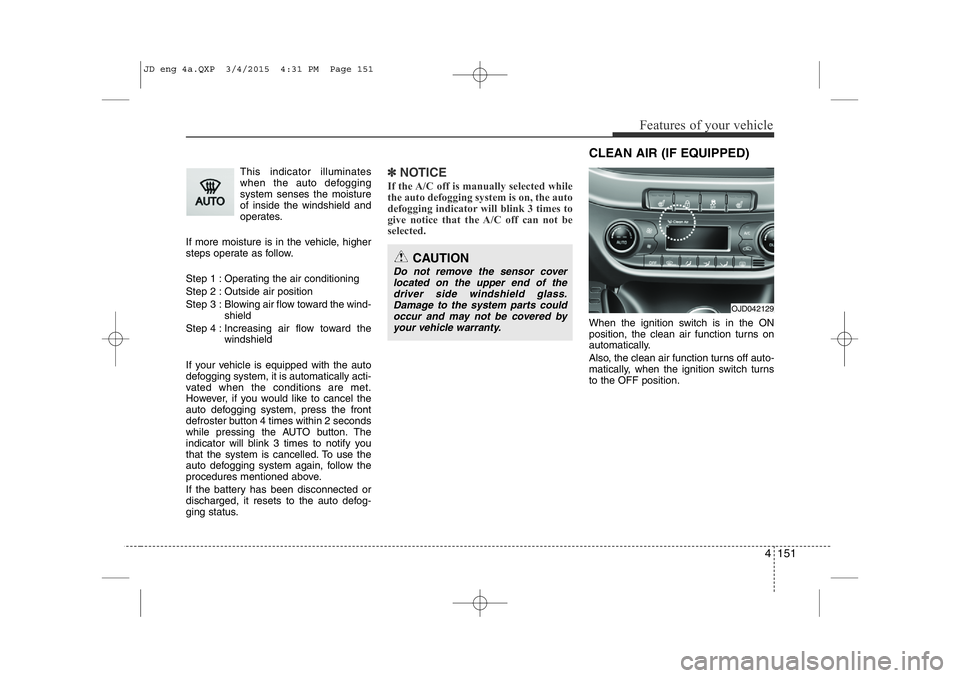
When the ignition switch is in the ON
position, the clean air function turns on
automatically.
Also, the clean air function turns off auto-
matically, when the ignition switch turnsto the OFF position.
CAUTION
Do not remove the sensor cover located on the upper end of thedriver side windshield glass.Damage to the system parts could occur and may not be covered by
your vehicle warranty.
OJD042129
CLEAN AIR (IF EQUIPPED)
JD eng 4a.QXP 3/4/2015 4:31 PM Page 151
Page 236 of 1210
4 155
Features of your vehicle
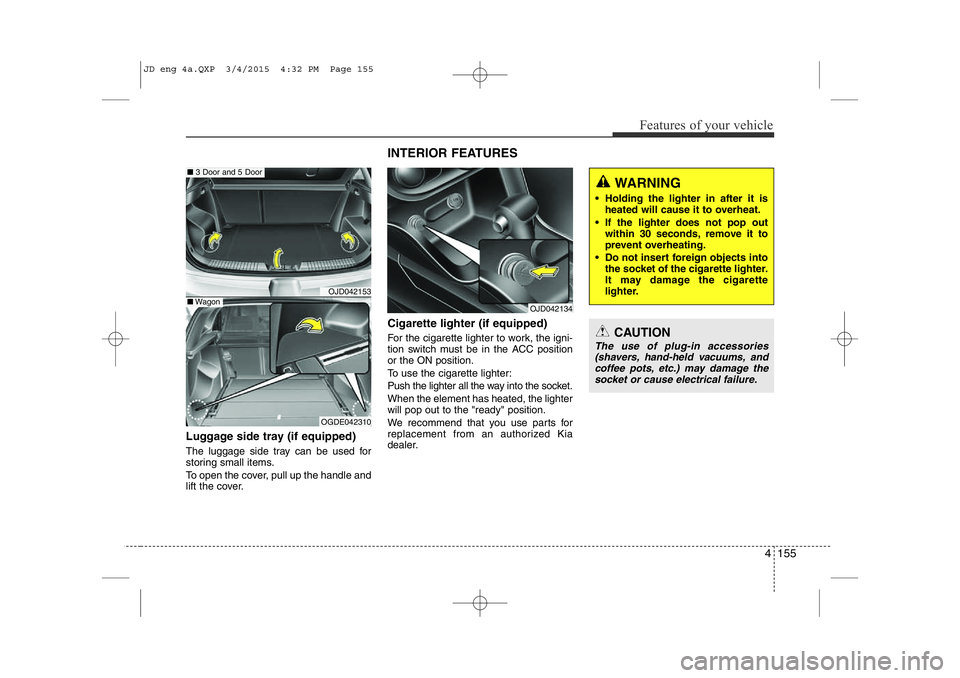
Luggage side tray (if equipped)
The luggage side tray can be used for
storing small items.
To open the cover, pull up the handle and
lift the cover.Cigarette lighter (if equipped)
For the cigarette lighter to work, the igni-
tion switch must be in the ACC positionor the ON position.
To use the cigarette lighter:
Push the lighter all the way into the socket. When the element has heated, the lighter will pop out to the "ready" position.
We recommend that you use parts for
replacement from an authorized Kia
dealer.
OJD042153
OGDE042310
■
3 Door and 5 Door
■Wagon
INTERIOR FEATURES
OJD042134
CAUTION
The use of plug-in accessories
(shavers, hand-held vacuums, andcoffee pots, etc.) may damage the
socket or cause electrical failure.
WARNING
• Holding the lighter in after it is heated will cause it to overheat.
• If the lighter does not pop out within 30 seconds, remove it to
prevent overheating.
• Do not insert foreign objects into the socket of the cigarette lighter.
It may damage the cigarette
lighter.
JD eng 4a.QXP 3/4/2015 4:32 PM Page 155
Page 238 of 1210
4 157
Features of your vehicle
Cup holder✽NOTICE
• Keep your drinks sealed while driving to prevent spilling your drink. If liq-
uid spills, it may get into the vehicle's
electrical/electronic system and dam-
age electrical/electronic parts.
• When cleaning spilled liquids, do not dry the cup holder at high tempera-
ture. This may damage the cup holder.
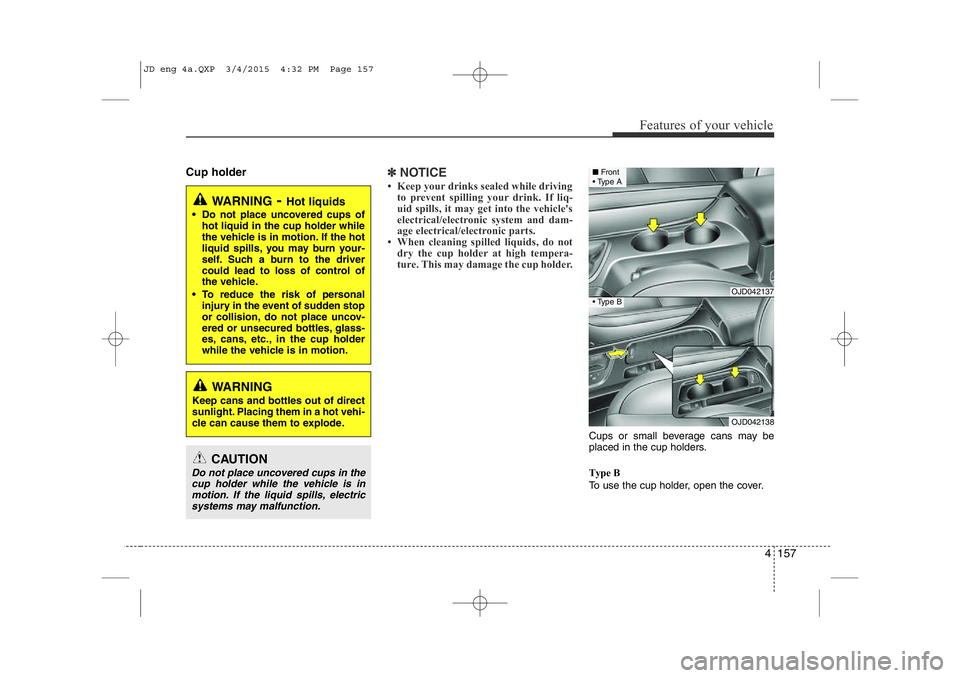
Cups or small beverage cans may be
placed in the cup holders.
Type B
To use the cup holder, open the cover.
WARNING - Hot liquids
• Do not place uncovered cups of hot liquid in the cup holder while
the vehicle is in motion. If the hot
liquid spills, you may burn your-
self. Such a burn to the driver
could lead to loss of control of
the vehicle.
• To reduce the risk of personal injury in the event of sudden stop
or collision, do not place uncov-
ered or unsecured bottles, glass-
es, cans, etc., in the cup holder
while the vehicle is in motion.
WARNING
Keep cans and bottles out of direct
sunlight. Placing them in a hot vehi-
cle can cause them to explode.
OJD042137
OJD042138
■ Front
• Type A
• Type B
CAUTION
Do not place uncovered cups in the
cup holder while the vehicle is in motion. If the liquid spills, electricsystems may malfunction.
JD eng 4a.QXP 3/4/2015 4:32 PM Page 157
Page 253 of 1210
Features of your vehicle
172
4
✽✽
NOTICE
If you install an aftermarket HID head lamp, your vehicle’s audio and
electronic device may malfunction.
Prevent chemicals such as perfume, cosmetic oil, sun cream, hand cleaner,
and air freshener from contacting the
interior parts because they may cause
damage or discoloration.
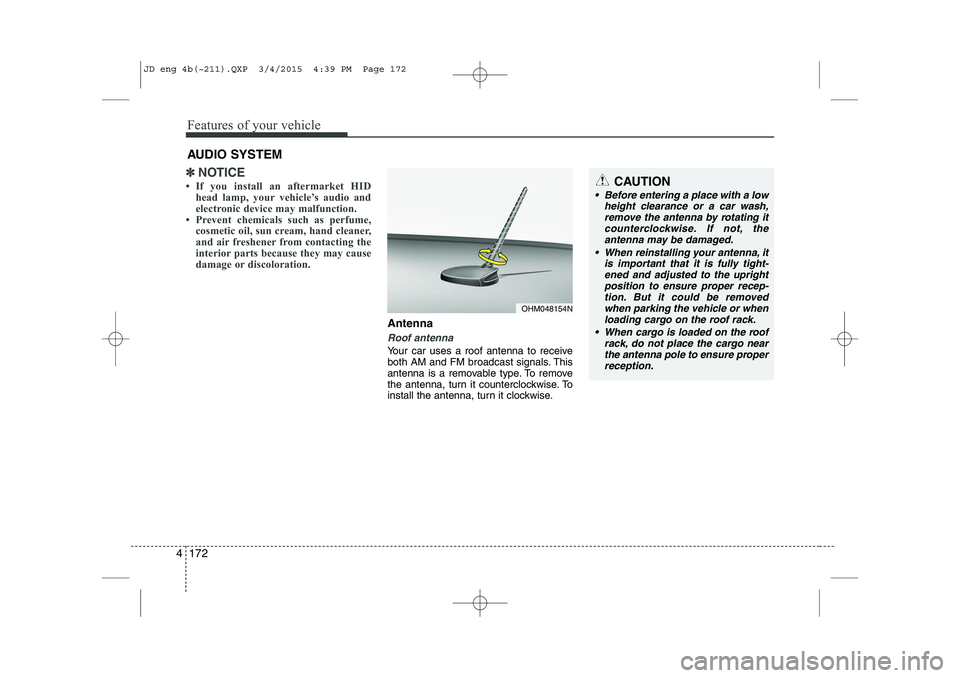
Antenna
Roof antenna
Your car uses a roof antenna to receive
both AM and FM broadcast signals. This
antenna is a removable type. To remove
the antenna, turn it counterclockwise. To
install the antenna, turn it clockwise.
AUDIO SYSTEM
CAUTION
• Before entering a place with a low
height clearance or a car wash,
remove the antenna by rotating itcounterclockwise. If not, theantenna may be damaged.
When reinstalling your antenna, it is important that it is fully tight-ened and adjusted to the upright position to ensure proper recep-tion. But it could be removed
when parking the vehicle or whenloading cargo on the roof rack.
When cargo is loaded on the roof rack, do not place the cargo near
the antenna pole to ensure proper reception.
OHM048154N
JD eng 4b(~211).QXP 3/4/2015 4:39 PM Page 172
Page 359 of 1210
513
Driving your vehicle
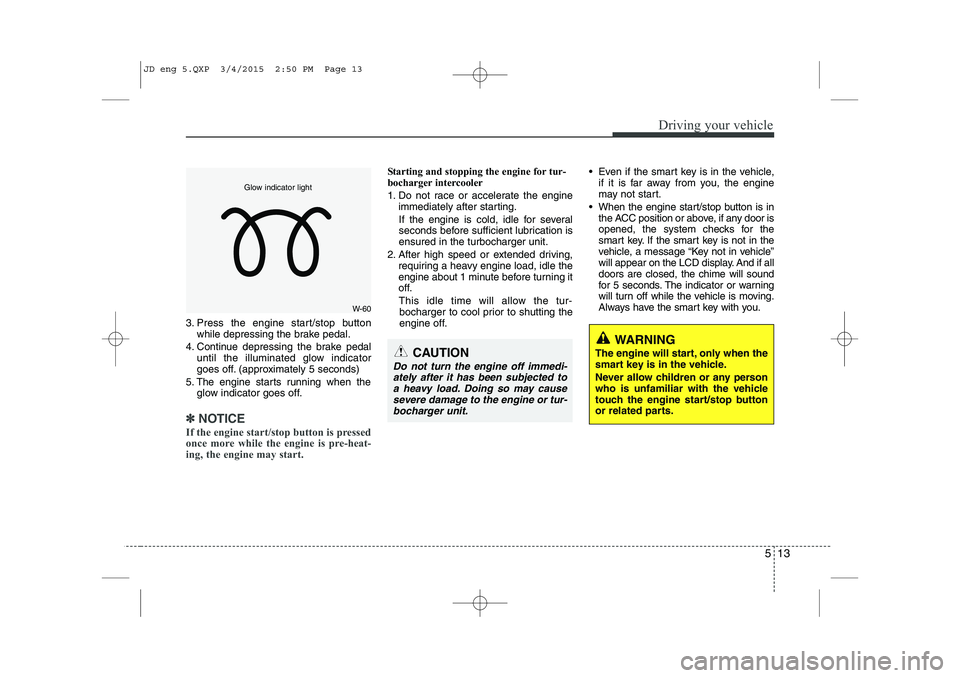
3. Press the engine start/stop buttonwhile depressing the brake pedal.
4. Continue depressing the brake pedal until the illuminated glow indicator
goes off. (approximately 5 seconds)
5. The engine starts running when the glow indicator goes off.
✽✽
NOTICE
If the engine start/stop button is pressed
once more while the engine is pre-heat-
ing, the engine may start.
Starting and stopping the engine for tur-
bocharger intercooler
1. Do not race or accelerate the engine immediately after starting.
If the engine is cold, idle for several
seconds before sufficient lubrication isensured in the turbocharger unit.
2. After high speed or extended driving, requiring a heavy engine load, idle the
engine about 1 minute before turning it
off.
This idle time will allow the tur- bocharger to cool prior to shutting the
engine off. Even if the smart key is in the vehicle,
if it is far away from you, the engine
may not start.
When the engine start/stop button is in the ACC position or above, if any door is
opened, the system checks for the
smart key. If the smart key is not in the
vehicle, a message “Key not in vehicle”
will appear on the LCD display. And if alldoors are closed, the chime will sound
for 5 seconds. The indicator or warning
will turn off while the vehicle is moving.
Always have the smart key with you.
WARNING
The engine will start, only when the
smart key is in the vehicle.
Never allow children or any person
who is unfamiliar with the vehicle
touch the engine start/stop button
or related parts.
CAUTION
Do not turn the engine off immedi- ately after it has been subjected toa heavy load. Doing so may causesevere damage to the engine or tur-
bocharger unit.
W-60
Glow indicator light
JD eng 5.QXP 3/4/2015 2:50 PM Page 13
Page 405 of 1210

559
Driving your vehicle
This system detects the lane with the
sensor at the front windshield and warns
you when your vehicle leaves the lane.To operate the LDWS, press the switch
with the ignition in the ON position. The
indicator illuminates on the cluster. To
cancel the LDWS, press the switchagain.
LANE DEPARTURE WARNING SYSTEM (LDWS) (IF EQUIPPED)
WARNING
The LDWS does not make the vehi- cle change lanes. It is the driver's
responsibility to always check the
road conditions.
Do not turn the steering wheel sud- denly, when the LDWS warns you
that your vehicle is leaving the lane.
If the sensor can not detect the lane or if the vehicle speed does not
exceed 60km/h, the LDWS won't
warn you even though the vehicle
leaves the lane.
If your vehicle has window tint or other types of coating on the front
windshield, the LDWS may not
work properly.
Do not let water or any kind of liq- uid come in contact with the LDWS
sensor.
Do not remove the LDWS parts and do not affect the sensor by a strongimpact.
Do not put objects that reflect light on the dash board.
Always check road conditions because you may not hear the
warning chime because of audio
and external conditions.
OJD052030
OJD052029
OJD042178
OJD052028
JD eng 5.QXP 3/4/2015 2:52 PM Page 59