light KIA CEED 2015 Owners Manual
[x] Cancel search | Manufacturer: KIA, Model Year: 2015, Model line: CEED, Model: KIA CEED 2015Pages: 1210, PDF Size: 35.92 MB
Page 840 of 1210
4 155
Features of your vehicle
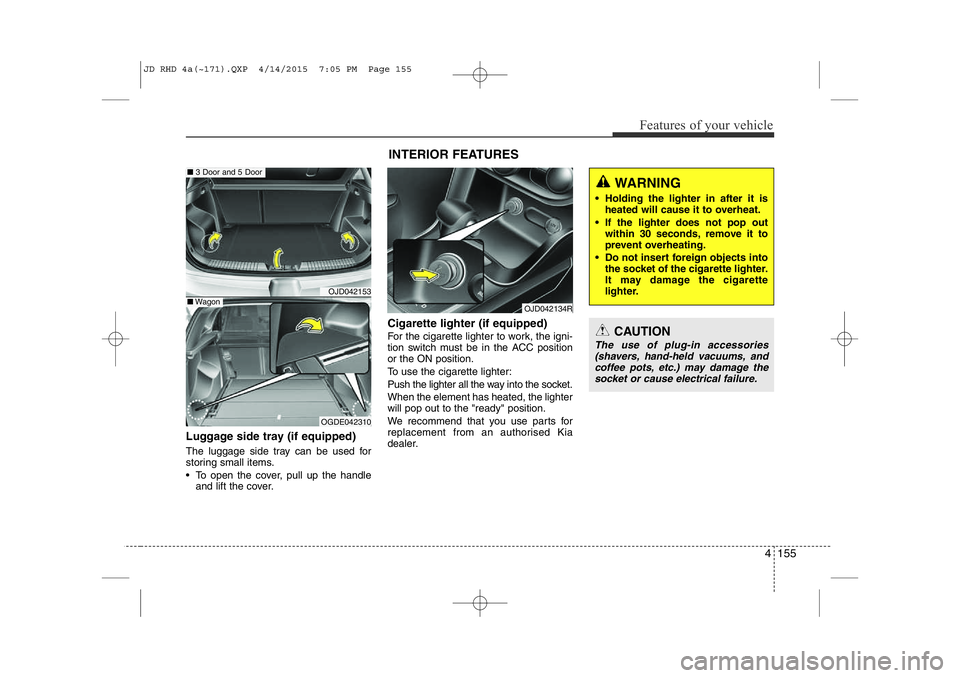
Luggage side tray (if equipped)
The luggage side tray can be used for
storing small items.
• To open the cover, pull up the handleand lift the cover. Cigarette lighter (if equipped)
For the cigarette lighter to work, the igni-
tion switch must be in the ACC positionor the ON position.
To use the cigarette lighter:
Push the lighter all the way into the socket. When the element has heated, the lighter will pop out to the "ready" position.
We recommend that you use parts for
replacement from an authorised Kia
dealer.
OJD042153
OGDE042310
■
3 Door and 5 Door
■Wagon
INTERIOR FEATURES
OJD042134R
CAUTION
The use of plug-in accessories
(shavers, hand-held vacuums, andcoffee pots, etc.) may damage the socket or cause electrical failure.
WARNING
• Holding the lighter in after it is heated will cause it to overheat.
• If the lighter does not pop out within 30 seconds, remove it to
prevent overheating.
• Do not insert foreign objects into the socket of the cigarette lighter.
It may damage the cigarette
lighter.
JD RHD 4a(~171).QXP 4/14/2015 7:05 PM Page 155
Page 842 of 1210
4 157
Features of your vehicle
Cup holder✽NOTICE
• Keep your drinks sealed whilst driv- ing to prevent spilling your drink. If
liquid spills, it may get into the vehi-
cle's electrical/electronic system and
damage electrical/electronic parts.
• When cleaning spilled liquids, do not dry the cup holder at high tempera-
ture. This may damage the cup holder.
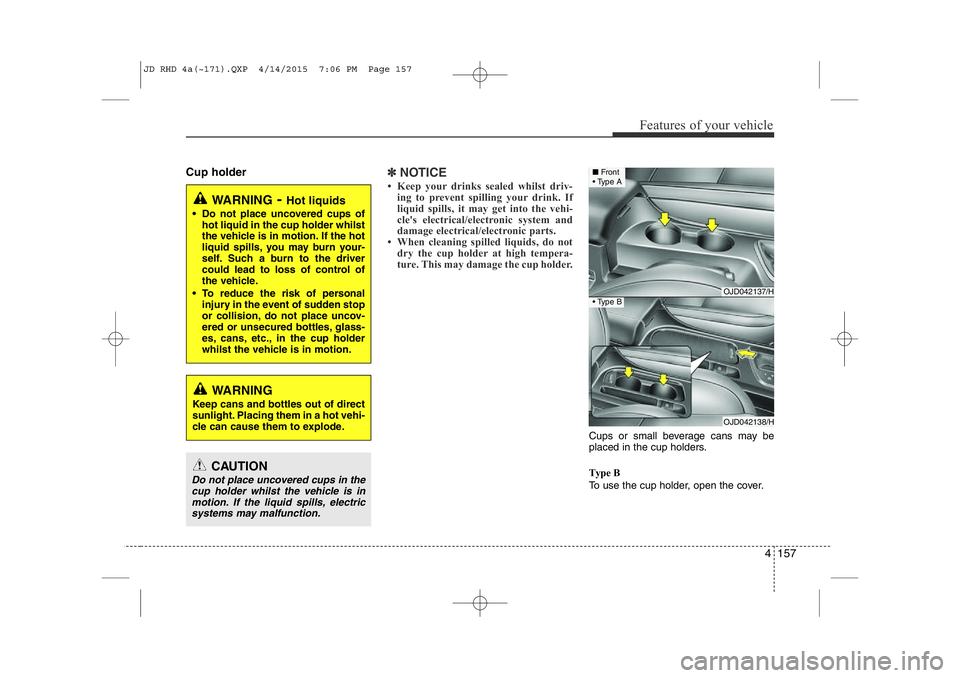
Cups or small beverage cans may be
placed in the cup holders.
Type B
To use the cup holder, open the cover.
WARNING - Hot liquids
• Do not place uncovered cups of hot liquid in the cup holder whilst
the vehicle is in motion. If the hot
liquid spills, you may burn your-
self. Such a burn to the driver
could lead to loss of control of
the vehicle.
• To reduce the risk of personal injury in the event of sudden stop
or collision, do not place uncov-
ered or unsecured bottles, glass-
es, cans, etc., in the cup holder
whilst the vehicle is in motion.
WARNING
Keep cans and bottles out of direct
sunlight. Placing them in a hot vehi-
cle can cause them to explode.
OJD042137/H
OJD042138/H
■ Front
• Type A
• Type B
CAUTION
Do not place uncovered cups in the
cup holder whilst the vehicle is in
motion. If the liquid spills, electric systems may malfunction.
JD RHD 4a(~171).QXP 4/14/2015 7:06 PM Page 157
Page 843 of 1210
Features of your vehicle
158
4
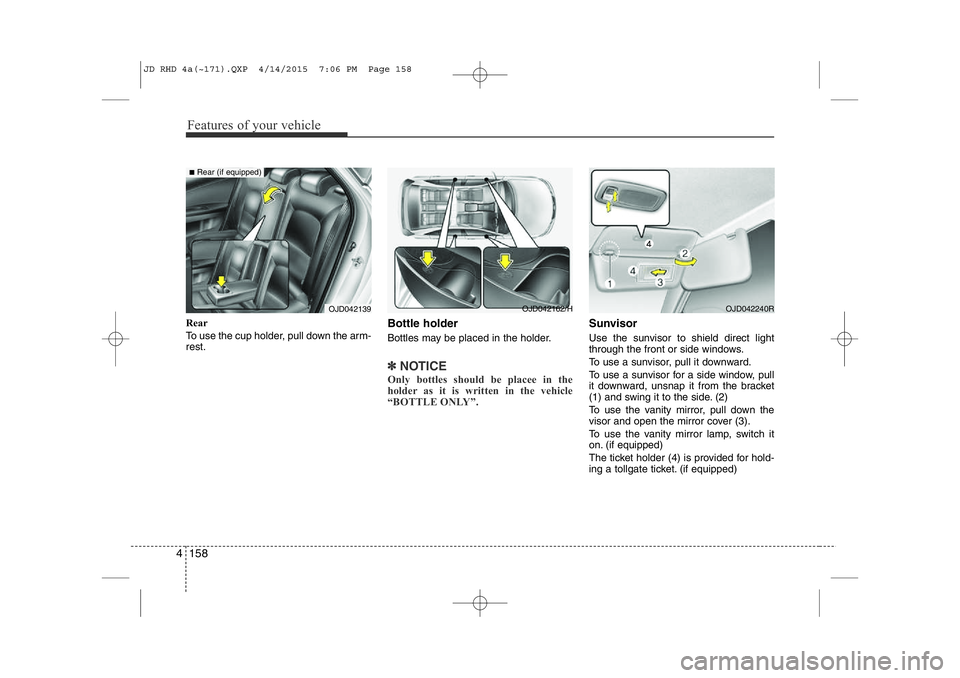
Rear
To use the cup holder, pull down the arm- rest. Bottle holder
Bottles may be placed in the holder.
✽NOTICE
Only bottles should be placee in the
holder as it is written in the vehicle
“BOTTLE ONLY”.
Sunvisor
Use the sunvisor to shield direct light
through the front or side windows.
To use a sunvisor, pull it downward.
To use a sunvisor for a side window, pull
it downward, unsnap it from the bracket
(1) and swing it to the side. (2)
To use the vanity mirror, pull down the
visor and open the mirror cover (3).
To use the vanity mirror lamp, switch it
on. (if equipped)
The ticket holder (4) is provided for hold-
ing a tollgate ticket. (if equipped)
OJD042240ROJD042139
■ Rear (if equipped)
OJD042162/H
JD RHD 4a(~171).QXP 4/14/2015 7:06 PM Page 158
Page 844 of 1210
4 159
Features of your vehicle
✽NOTICE
Close the vanity mirror cover securely
and return the sunvisor to its original
position after use.
❈ To learn how to use the vanity mirror
lamp, refer to "Interior light" in this sec- tion.
CAUTION - Vanity mirror
lamp (if equipped)
Always have the switch in the off position when the vanity mirror lamp is not in use. If the sunvisor is
closed without the lamp off, it may discharge the battery or damagethe sunvisor.
WARNING
For your safety, do not obstruct your
vision when using the sunvisor.
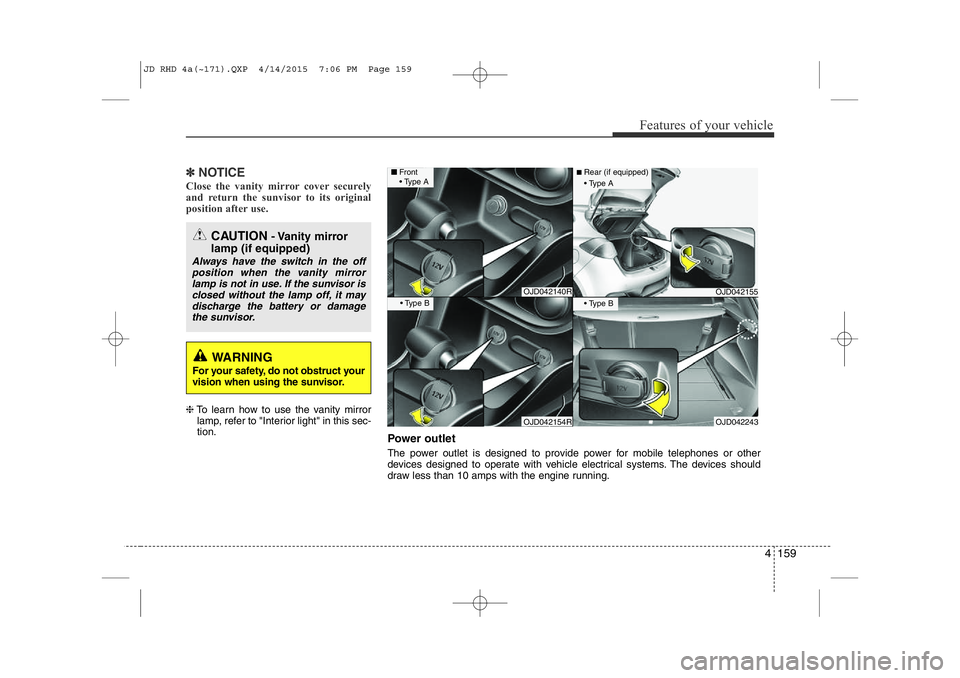
Power outlet
The power outlet is designed to provide power for mobile telephones or other
devices designed to operate with vehicle electrical systems. The devices should
draw less than 10 amps with the engine running.
OJD042140R
OJD042154R
■ Front
• Type A
• Type B
OJD042155
OJD042243
■Rear (if equipped)
• Type A
• Type B
JD RHD 4a(~171).QXP 4/14/2015 7:06 PM Page 159
Page 861 of 1210
Features of your vehicle
176
4
CAUTION
Operating the device whilst driv-
ing could lead to accidents due to
a lack of attention to external sur- roundings. First park the vehiclebefore operating the device.
Adjust the volume to levels that allow the driver to hear soundsfrom outside of the vehicle. Driving in a state where external sounds cannot be heard may lead
to accidents.
Pay attention to the volume set- ting when turning the device on.A sudden output of extreme vol-
ume upon turning the device oncould lead to hearing impairment. (Adjust the volume to a suitablelevels before turning off the
device.)
If you want to change the position of device installation, pleaseinquire with your place of pur-chase or service maintenance
centre. Technical expertise isrequired to install or disassemble the device.
(Continued)
WARNING
Do not stare at the screen whilst driving. Staring at the screen for
prolonged periods of time couldlead to traffic accidents.
Do not disassemble, assemble, or modify the audio system. Suchacts could result in accidents,
fire, or electric shock.
Using the phone whilst driving may lead to a lack of attention of trafficconditions and increase the likeli-
bonnet of accidents. Use the
phone feature after parking the
vehicle.
Heed caution not to spill water or introduce foreign objects into the
device. Such acts could lead to
smoke, fire, or product malfunc-tion.
Please refrain from use if the screen is blank or no sound can
be heard as these signs may indi-
cate product malfunction.
Continued use in such conditionscould lead to accidents(fires,
electric shock) or product mal-functions.
(Continued)(Continued)
Do not touch the antenna duringthunder or lightening as such
acts may lead to lightning
induced electric shock.
Do not stop or park in parking- restricted areas to operate the
product. Such acts could lead totraffic accidents.
Use the system with the vehicle ignition turned on. Prolonged usewith the ignition turned off could
result in battery discharge.
JD RHD 4b(172~).QXP 2/17/2015 11:59 AM Page 176
Page 917 of 1210
Features of your vehicle
232
4
Using iPod Mode
Playing/Pausing iPod Songs
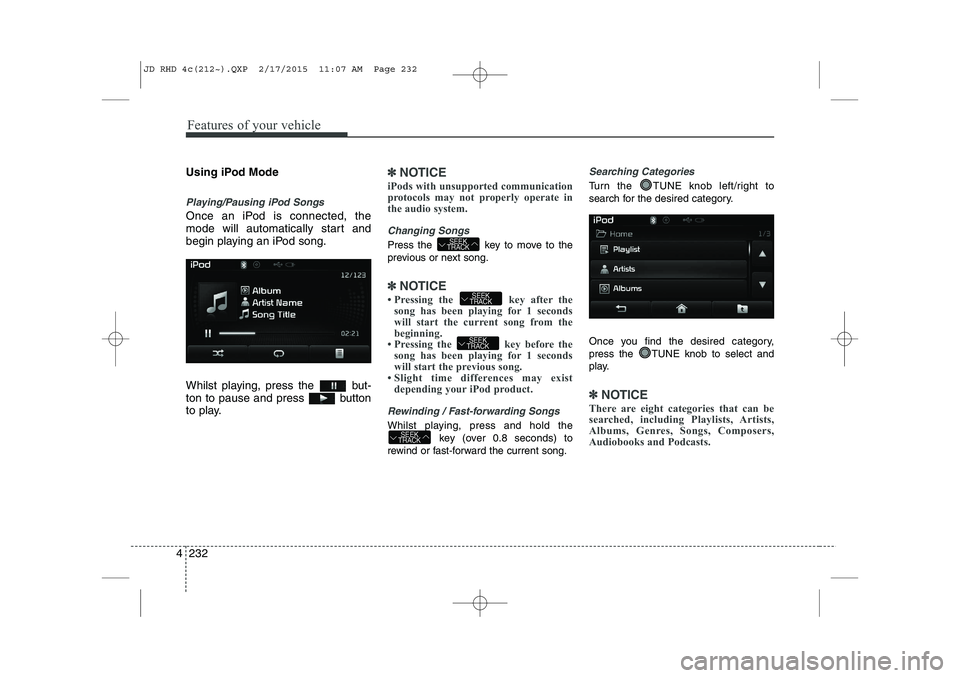
Once an iPod is connected, the
mode will automatically start and
begin playing an iPod song.
Whilst playing, press the but-
ton to pause and press button
to play.
✽✽
NOTICE
iPods with unsupported communication
protocols may not properly operate in
the audio system.
Changing Songs
Press the key to move to the
previous or next song.
✽✽ NOTICE
Pressing the key after the song has been playing for 1 seconds
will start the current song from the
beginning.
Pressing the key before the song has been playing for 1 seconds
will start the previous song.
Slight time differences may exist
depending your iPod product.
Rewinding / Fast-forwarding Songs
Whilst playing, press and hold the
key (over 0.8 seconds) to
rewind or fast-forward the current song.
Searching Categories
Turn the TUNE knob left/right to
search for the desired category.
Once you find the desired category,
press the TUNE knob to select and
play.
✽✽ NOTICE
There are eight categories that can be
searched, including Playlists, Artists,
Albums, Genres, Songs, Composers,
Audiobooks and Podcasts.
SEEK
TRACK
SEEK
TRACK
SEEK
TRACK
SEEK
TRACK
JD RHD 4c(212~).QXP 2/17/2015 11:07 AM Page 232
Page 954 of 1210
Driving your vehicle
4
5
Before entering vehicle
• Be sure that all windows, outside mir-
ror(s), and outside lights are clean.
Check the condition of the tyres.
Check under the vehicle for any sign of leaks.
Be sure there are no obstacles behind you if you intend to back up. Necessary inspections
Fluid levels, such as engine oil, engine
coolant, brake fluid, and washer fluid
should be checked on a regular basis,
with the exact interval depending on the
fluid. Further details are provided in sec-
tion 7, “Maintenance”.
Before starting
Close and lock all doors.
Position the seat so that all controls are
easily reached.
Adjust the inside and outside rearview mirrors.
Be sure that all lights work.
Check all gauges.
Check the operation of warning lights when the ignition switch is turned to the ON position.
Release the parking brake and make sure the brake warning light goes out.
For safe operation, be sure you are famil-
iar with your vehicle and its equipment.
BEFORE DRIVING
WARNING
All passengers must be properly
belted whenever the vehicle is mov-
ing. Refer to “Seat belts” in section
3 for more information on their
proper use.
WARNING
Always check the surrounding areas
near your vehicle for people, espe-
cially children, before putting a vehi-
cle into “D (Drive)” or “R (Reverse)”.
WARNING
Driving whilst distracted can result
in a loss of vehicle control, that
may lead to an accident, severe
personal injury, and death. The dri-
ver’s primary responsibility is in
the safe and legal operation of a
vehicle, and use of any handheld
devices, other equipment, or vehi-
cle systems which take the driver’s
eyes, attention and focus away
from the safe operation of a vehicle
or which are not permissible by law
should never be used during oper-
ation of the vehicle.
JD RHD 5.QXP 2/17/2015 10:32 AM Page 4
Page 955 of 1210
55
Driving your vehicle
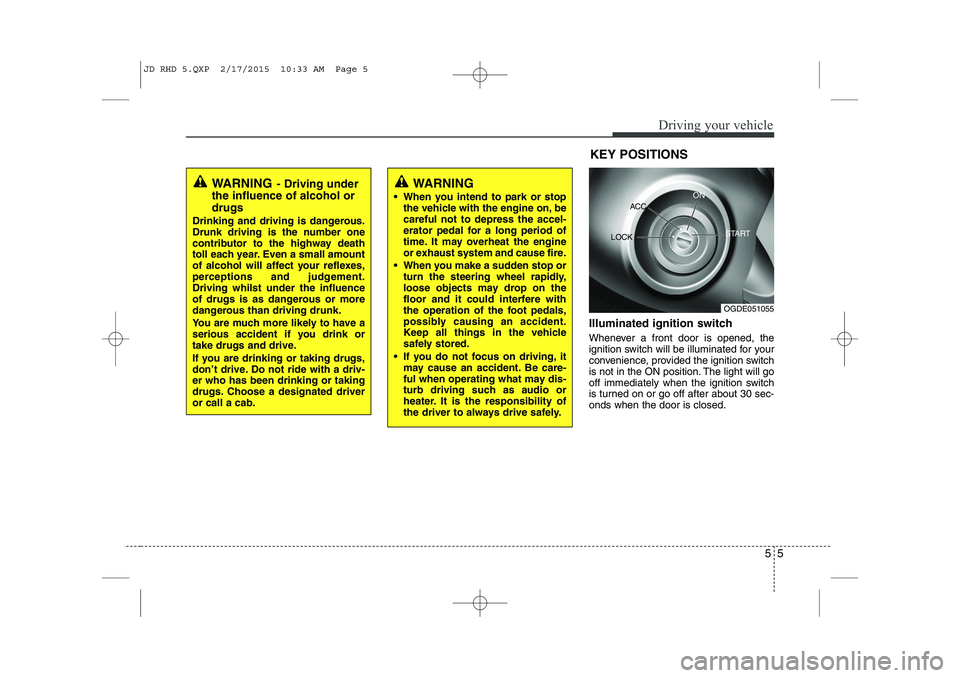
Illuminated ignition switch
Whenever a front door is opened, the
ignition switch will be illuminated for your
convenience, provided the ignition switch
is not in the ON position. The light will go
off immediately when the ignition switch
is turned on or go off after about 30 sec-onds when the door is closed.KEY POSITIONS
WARNING
- Driving under
the influence of alcohol or drugs
Drinking and driving is dangerous.
Drunk driving is the number one
contributor to the highway death
toll each year. Even a small amount
of alcohol will affect your reflexes,
perceptions and judgement.Driving whilst under the influence
of drugs is as dangerous or more
dangerous than driving drunk.
You are much more likely to have a
serious accident if you drink or
take drugs and drive.
If you are drinking or taking drugs,
don’t drive. Do not ride with a driv-er who has been drinking or taking
drugs. Choose a designated driveror call a cab.WARNING
When you intend to park or stop the vehicle with the engine on, be careful not to depress the accel-
erator pedal for a long period of
time. It may overheat the engine
or exhaust system and cause fire.
When you make a sudden stop or turn the steering wheel rapidly,
loose objects may drop on the
floor and it could interfere with
the operation of the foot pedals,
possibly causing an accident.
Keep all things in the vehicle
safely stored.
If you do not focus on driving, it may cause an accident. Be care-
ful when operating what may dis-
turb driving such as audio or
heater. It is the responsibility of
the driver to always drive safely.
OGDE051055
ACC
ON
START
LOCK
JD RHD 5.QXP 2/17/2015 10:33 AM Page 5
Page 956 of 1210
Driving your vehicle
6
5
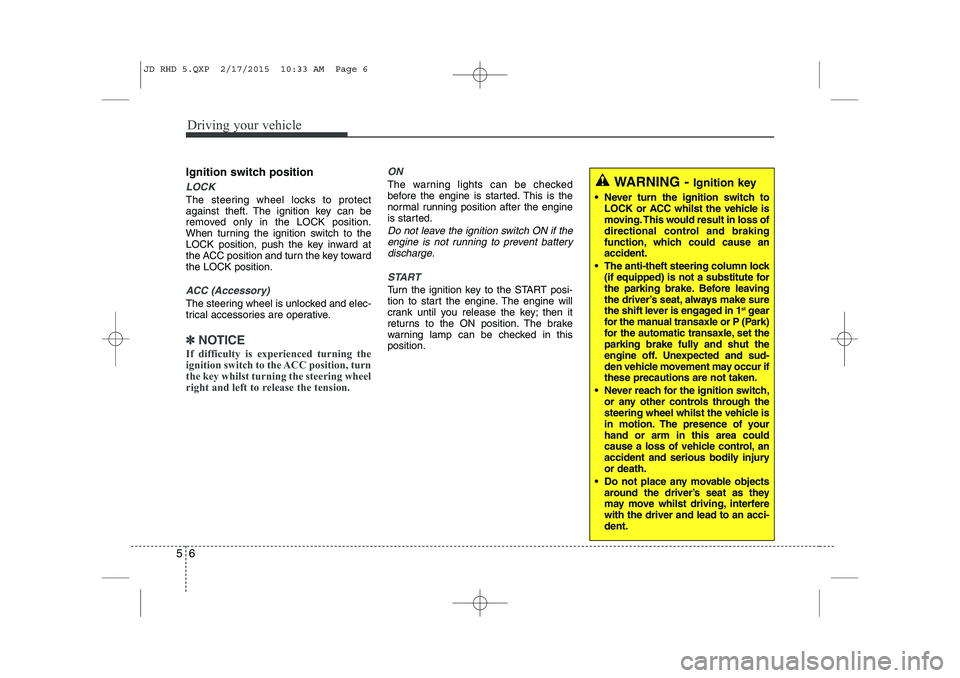
Ignition switch position
LOCK
The steering wheel locks to protect
against theft. The ignition key can be
removed only in the LOCK position.
When turning the ignition switch to the
LOCK position, push the key inward at
the ACC position and turn the key towardthe LOCK position.
ACC (Accessory)
The steering wheel is unlocked and elec-
trical accessories are operative.
✽✽
NOTICE
If difficulty is experienced turning the
ignition switch to the ACC position, turn
the key whilst turning the steering wheel
right and left to release the tension.
ON
The warning lights can be checked
before the engine is started. This is the
normal running position after the engine
is started.
Do not leave the ignition switch ON if the engine is not running to prevent battery
discharge.
START
Turn the ignition key to the START posi-
tion to start the engine. The engine will
crank until you release the key; then it
returns to the ON position. The brake
warning lamp can be checked in thisposition.
WARNING - Ignition key
Never turn the ignition switch to LOCK or ACC whilst the vehicle is
moving. This would result in loss of
directional control and braking
function, which could cause anaccident.
The anti-theft steering column lock (if equipped) is not a substitute for
the parking brake. Before leaving
the driver’s seat, always make sure
the shift lever is engaged in 1 st
gear
for the manual transaxle or P (Park)
for the automatic transaxle, set the
parking brake fully and shut the
engine off. Unexpected and sud-
den vehicle movement may occur ifthese precautions are not taken.
Never reach for the ignition switch, or any other controls through the
steering wheel whilst the vehicle is
in motion. The presence of yourhand or arm in this area could
cause a loss of vehicle control, an
accident and serious bodily injuryor death.
Do not place any movable objects around the driver’s seat as they
may move whilst driving, interferewith the driver and lead to an acci-dent.
JD RHD 5.QXP 2/17/2015 10:33 AM Page 6
Page 958 of 1210
Driving your vehicle
8
5
Starting the diesel engine
To start the diesel engine when the engine is cold, it has to be pre-heated
before starting the engine and then have
to be warmed up before starting to drive.
1. Make sure the parking brake is
applied.
2. Manual Transaxle - Depress the
clutch pedal fully and shift the
transaxle into Neutral. Keep the clutch
pedal and brake pedal depressed
whilst turning the ignition switch to the
start position.
Automatic Transaxle - Place the
transaxle shift lever in P(park).
Depress the brake pedal fully.
You can also start the engine when the
shift lever is in the N(neutral) position.
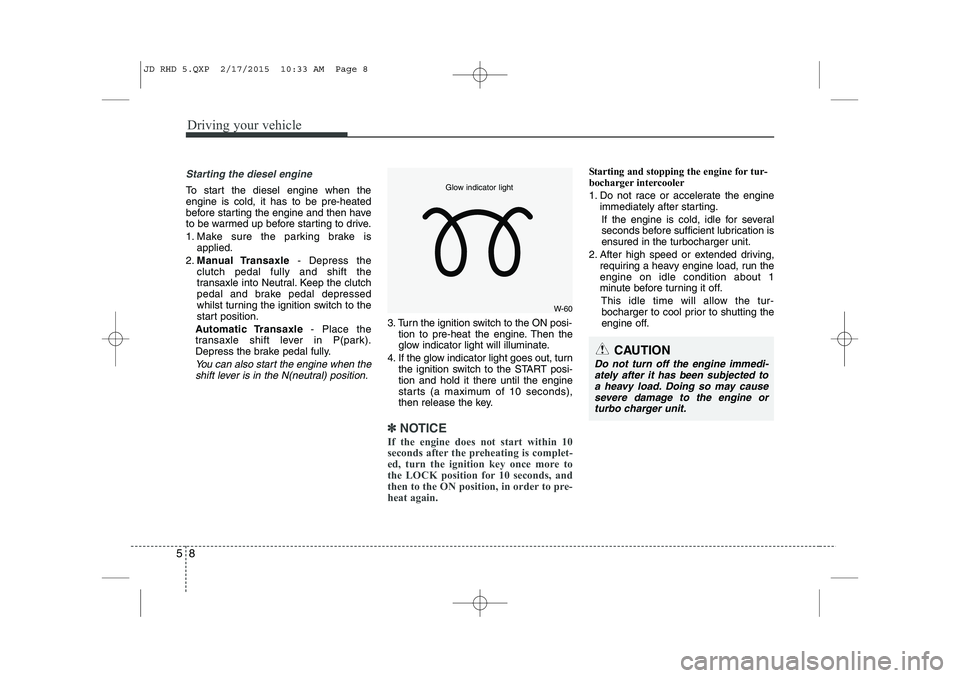
3. Turn the ignition switch to the ON posi- tion to pre-heat the engine. Then the
glow indicator light will illuminate.
4. If the glow indicator light goes out, turn the ignition switch to the START posi-tion and hold it there until the engine
starts (a maximum of 10 seconds),
then release the key.
✽✽
NOTICE
If the engine does not start within 10
seconds after the preheating is complet-
ed, turn the ignition key once more to
the LOCK position for 10 seconds, and
then to the ON position, in order to pre-
heat again.
Starting and stopping the engine for tur-
bocharger intercooler
1. Do not race or accelerate the engine immediately after starting.
If the engine is cold, idle for several
seconds before sufficient lubrication isensured in the turbocharger unit.
2. After high speed or extended driving, requiring a heavy engine load, run theengine on idle condition about 1
minute before turning it off.
This idle time will allow the tur-bocharger to cool prior to shutting the
engine off.
W-60
Glow indicator light
CAUTION
Do not turn off the engine immedi-
ately after it has been subjected toa heavy load. Doing so may cause severe damage to the engine or
turbo charger unit.
JD RHD 5.QXP 2/17/2015 10:33 AM Page 8