fuel KIA CEED 2015 Owner's Manual
[x] Cancel search | Manufacturer: KIA, Model Year: 2015, Model line: CEED, Model: KIA CEED 2015Pages: 1210, PDF Size: 35.92 MB
Page 140 of 1210
459
Features of your vehicle
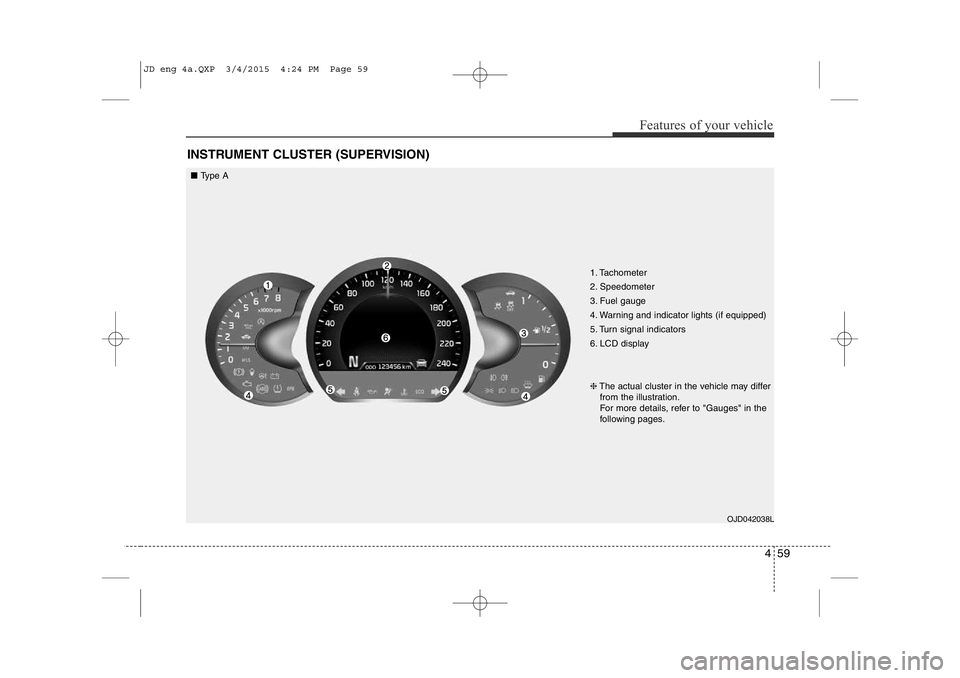
INSTRUMENT CLUSTER (SUPERVISION)
1. Tachometer
2. Speedometer
3. Fuel gauge
4. Warning and indicator lights (if equipped)
5. Turn signal indicators
6. LCD displayOJD042038L
❈
The actual cluster in the vehicle may differ
from the illustration.
For more details, refer to "Gauges" in the
following pages.
■ Type A
JD eng 4a.QXP 3/4/2015 4:24 PM Page 59
Page 141 of 1210
Features of your vehicle
60
4
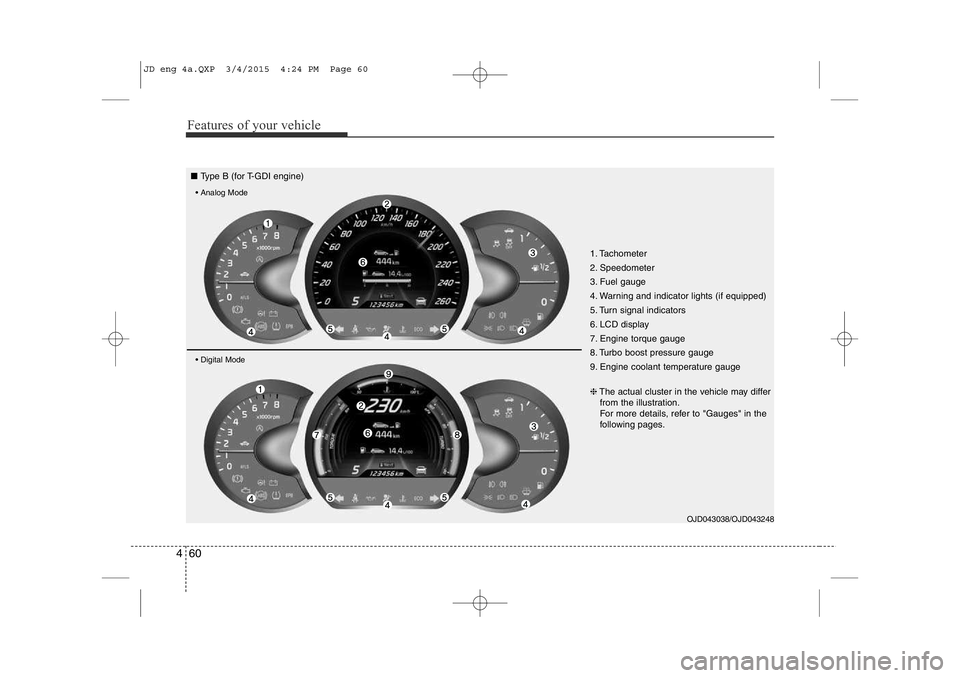
1. Tachometer
2. Speedometer
3. Fuel gauge
4. Warning and indicator lights (if equipped)
5. Turn signal indicators
6. LCD display
7. Engine torque gauge
8. Turbo boost pressure gauge
9. Engine coolant temperature gauge
OJD043038/OJD043248
❈
The actual cluster in the vehicle may differ
from the illustration.
For more details, refer to "Gauges" in the
following pages.
■ Type B (for T-GDI engine)
• Analog Mode • Digital Mode
JD eng 4a.QXP 3/4/2015 4:24 PM Page 60
Page 143 of 1210
Features of your vehicle
62
4
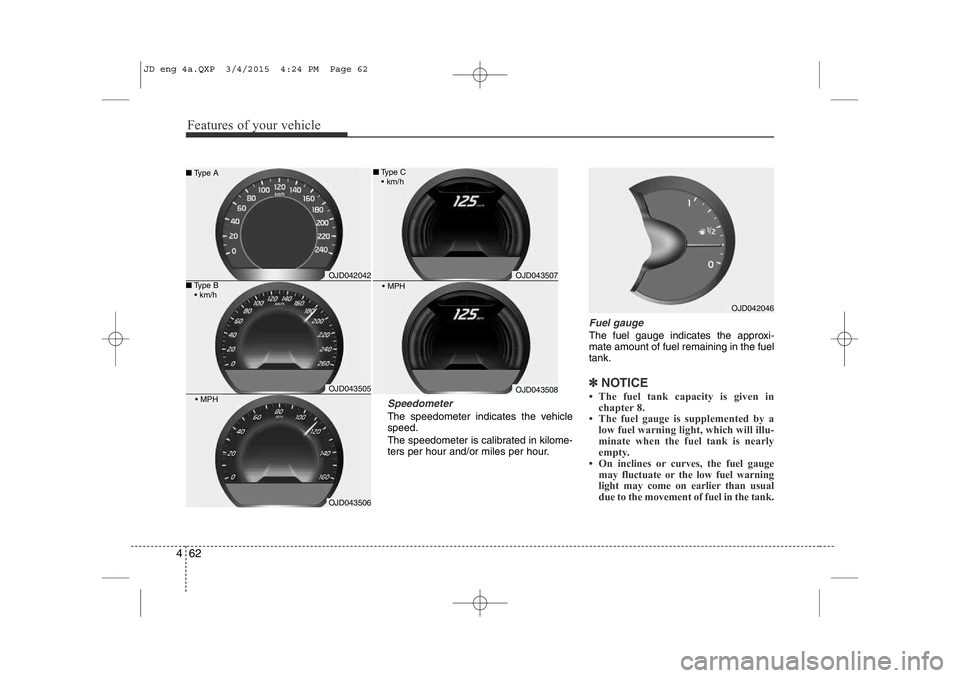
Speedometer
The speedometer indicates the vehicle speed.
The speedometer is calibrated in kilome-
ters per hour and/or miles per hour.
Fuel gauge
The fuel gauge indicates the approxi- mate amount of fuel remaining in the fueltank.
✽NOTICE
• The fuel tank capacity is given in chapter 8.
• The fuel gauge is supplemented by a
low fuel warning light, which will illu-
minate when the fuel tank is nearly
empty.
• On inclines or curves, the fuel gauge may fluctuate or the low fuel warning
light may come on earlier than usual
due to the movement of fuel in the tank.
OJD042046
OJD042042
OJD043505
OJD043506
■Type B
• km/h
■ Type A
• MPH
OJD043507
OJD043508
• MPH
■Type C
• km/h
JD eng 4a.QXP 3/4/2015 4:24 PM Page 62
Page 144 of 1210
463
Features of your vehicle
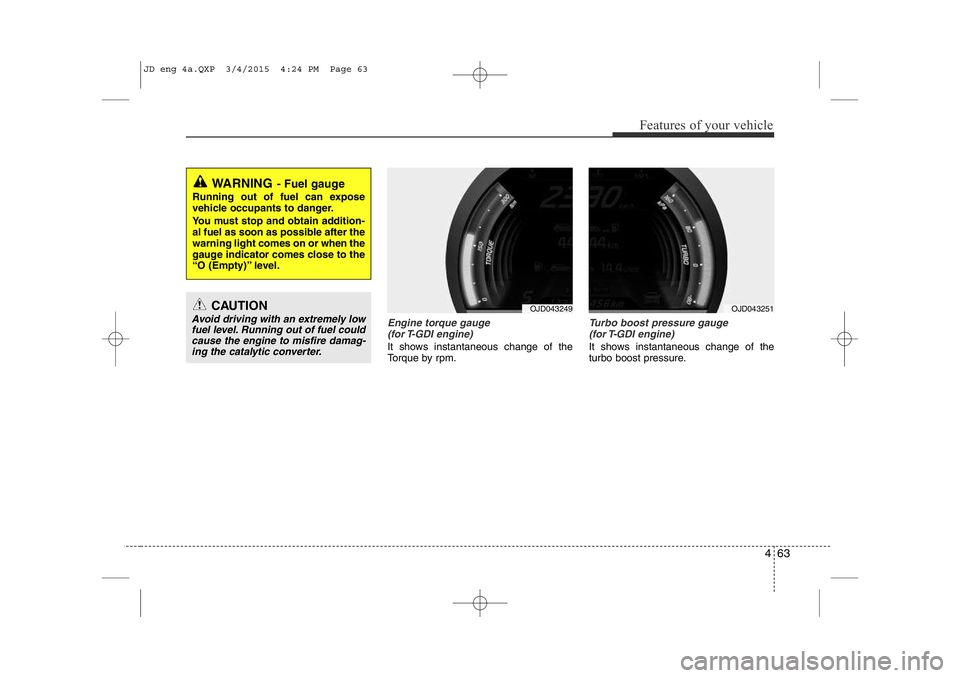
Engine torque gauge(for T-GDI engine)
It shows instantaneous change of the
Torque by rpm.
Turbo boost pressure gauge (for T-GDI engine)
It shows instantaneous change of the
turbo boost pressure.
WARNING - Fuel gauge
Running out of fuel can expose
vehicle occupants to danger.
You must stop and obtain addition-
al fuel as soon as possible after the warning light comes on or when the
gauge indicator comes close to the
“O (Empty)” level.
CAUTION
Avoid driving with an extremely low fuel level. Running out of fuel could
cause the engine to misfire damag-ing the catalytic converter.OJD043249OJD043251
JD eng 4a.QXP 3/4/2015 4:24 PM Page 63
Page 145 of 1210
Features of your vehicle
64
4
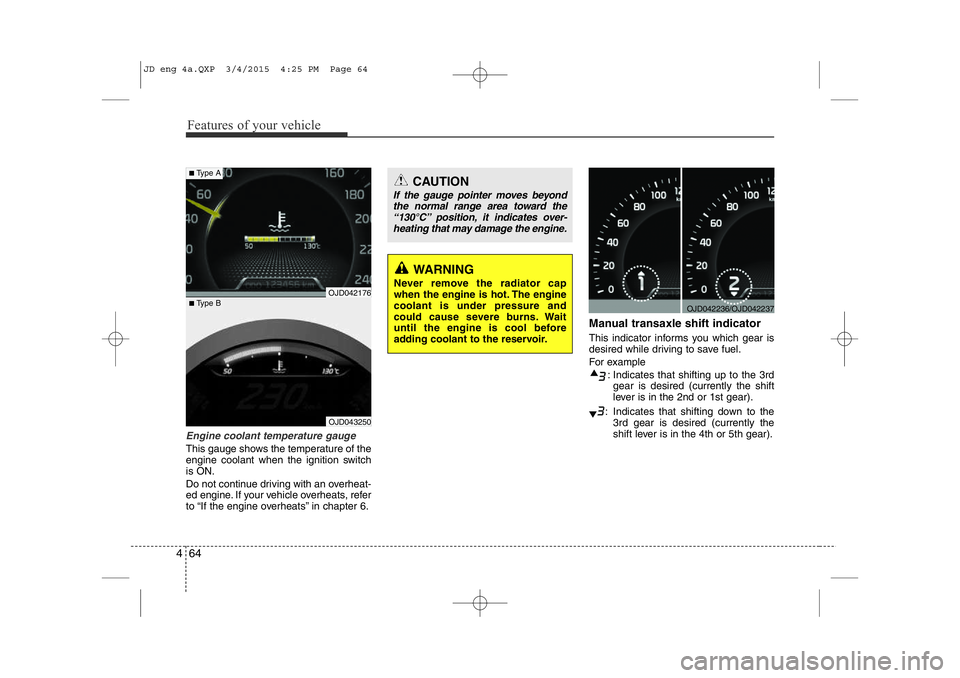
Engine coolant temperature gauge
This gauge shows the temperature of the
engine coolant when the ignition switchis ON.
Do not continue driving with an overheat-
ed engine. If your vehicle overheats, refer
to “If the engine overheats” in chapter 6. Manual transaxle shift indicator
This indicator informs you which gear is
desired while driving to save fuel.
For example
: Indicates that shifting up to the 3rdgear is desired (currently the shift
lever is in the 2nd or 1st gear).
: Indicates that shifting down to the 3rd gear is desired (currently the
shift lever is in the 4th or 5th gear).
OJD042236/OJD042237
CAUTION
If the gauge pointer moves beyond
the normal range area toward the“130°C” position, it indicates over- heating that may damage the engine.
WARNING
Never remove the radiator cap
when the engine is hot. The enginecoolant is under pressure and
could cause severe burns. Wait
until the engine is cool before
adding coolant to the reservoir.
OJD043250
■ Type B
■Type A
OJD042176
JD eng 4a.QXP 3/4/2015 4:25 PM Page 64
Page 146 of 1210
465
Features of your vehicle
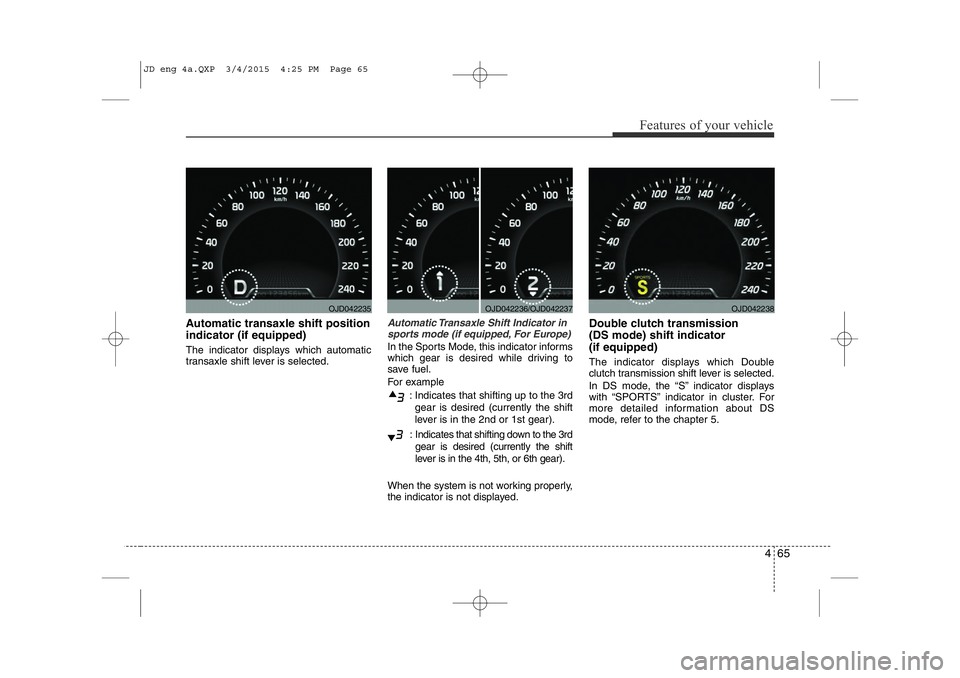
Automatic transaxle shift position indicator (if equipped)
The indicator displays which automatic
transaxle shift lever is selected.Automatic Transaxle Shift Indicator insports mode (if equipped, For Europe)
In the Sports Mode, this indicator informs
which gear is desired while driving to
save fuel.
For example
: Indicates that shifting up to the 3rdgear is desired (currently the shift
lever is in the 2nd or 1st gear).
: Indicates that shifting down to the 3rd gear is desired (currently the shift
lever is in the 4th, 5th, or 6th gear).
When the system is not working properly,
the indicator is not displayed. Double clutch transmission (DS mode) shift indicator (if equipped)
The indicator displays which Double
clutch transmission shift lever is selected.
In DS mode, the “S” indicator displays
with “SPORTS” indicator in cluster. For
more detailed information about DS
mode, refer to the chapter 5.
OJD042235OJD042236/OJD042237OJD042238
JD eng 4a.QXP 3/4/2015 4:25 PM Page 65
Page 149 of 1210

Features of your vehicle
68
4
Driving information mode
This mode indicates 3 kinds of driving
Information.
All stored driving information (except
odometer, distance to empty and instant
fuel economy) resets if the battery is dis-connected.
1. Distance to empty (km or mi.) This mode indicates the estimated dis-
tance the vehicle can be driven with the
remaining fuel. When the remaining dis-
tance is below 50 km (30 miles), “---” will
be displayed.
The meter’s working range is from 50 to 999 km (30 to 999 miles). 2. Average fuel economy
(L/100 km or MPG)
This mode calculates the average fuelconsumption from the total fuel used and
the distance since the last average fuel
economy reset. The total fuel used is cal-culated from the fuel consumption input.
For an accurate calculation, drive morethan 50 m (0.03 miles).
To clear the average fuel economy to
zero (--.-), do as follow;
• When the “AVG Fuel Economy” of “User Setting” is in the “Auto Reset”
If the vehicle speed exceeds 1 km/h after refueling more than 6 l, the average fuel
consumption will be cleared to zero (---).
• When the “AVG Fuel Economy” of
“User Setting” is in the “Manual Reset”
Pressing the button for more than 1
second, when the average fuel consump-
tion is displayed, clears the average fuel
consumption to zero (--.-). 3. Instant fuel economy
(L/100 km or MPG)
This mode calculates the instant fuel
consumption during the last few sec-
onds.
✽NOTICE
• If the vehicle is not on level ground or the battery power has been interrupt-
ed, the “Distance to empty” function
may not operate correctly.
The trip computer may not register
additional fuel if less than 6 liters (1.6
gallons) of fuel are added to the vehicle.
• The fuel economy and distance to empty may vary significantly based
on driving conditions, driving habits,
and condition of the vehicle.
• The distance to empty is an estimate
of the available driving distance. This
value may differ from the actual driv-
ing distance.
OJD042175
JD eng 4a.QXP 3/4/2015 4:25 PM Page 68
Page 150 of 1210

469
Features of your vehicle
Trip mode (A, B)
This mode indicates 3 kinds of driving
Information.
All stored driving information (except
odometer, distance to empty and instant
fuel economy) resets if the battery is dis-connected.
1. Tripmeter (km or mi.) This mode indicates the distance of indi-
vidual trips selected since the last trip-meter reset.
The meter's working range is from 0.0 to 9999.9 km (0.0 to 9999.9 miles).
Pressing the button for more than 1
second, clears the tripmeter to zero (0.0).2. Average speed (km/h or MPH)
This mode calculates the average speed
of the vehicle since the last averagespeed reset.
Even if the vehicle is not in motion, the
average speed keeps going while the
engine is running.
Pressing the button for more than 1
second, when the average speed is dis-
played, clears the average speed to zero(---).
3. Elapsed time
This mode indicates the total time trav-
eled since the last driving time reset.
Even if the vehicle is not in motion, the
driving time keeps going while the engine
is running.
The meter’s working range is from 0:00~99:59.
Pressing the button for more than 1
second, when the driving time is being
displayed, clears the driving time to zero(0:00).
Lane Departure Warning System
(LDWS) Mode (if equipped)
This mode displays the state of the Lane
Departure Warning System (LDWS).
For more details, refer to “Lane departure
warning system” in chapter 5.
OJD042174OJD042180
JD eng 4a.QXP 3/4/2015 4:25 PM Page 69
Page 153 of 1210

Features of your vehicle
72
4
Lamp Menu
• Headlamp delay (if equipped)
If the headlamp delay function is checked :
The Headlamp delay and Headlamp
Welcome function will be activated.
• Auto Triple Turn
(One-touch triple turn signal)
If the auto triple turn function is checked :
The lane change signals will blink 3 times
when the turn signal lever is moved
slightly.
• Welcome Light (if equipped)
If the welcome light function is checked :
The welcome light function of puddle
lamp will activate. Settings Menu
• Seat Easy Access (for Driver Position
Memory System equipped vehicle)
(if equipped)
If the seat easy access function is
checked:
The driver's seat will automatically move
forward or rearward for the driver to enter
or exit the vehicle comfortably.
• Welcome Sound
If the welcome sound function is checked :
The Welcome Sound function will be acti-
vated.
• Steering Position (if equipped)
If the steering position function is
checked:
The warning illuminates on the LCD dis-
play when the steering wheel is not
aligned with the ENGINE STRAT/STOP
button in the ON position. • AVG fuel ECO Reset
Auto Reset - The average fuel economy
will reset automatically
when you drive after refuel-ing.
Manual Reset - The average fuel econo- my will not reset auto-
matically when you drive
after refueling. You can
reset the average fuel
economy by pressing
the button for morethan 1 second when the
average fuel economy is
displayed.
• Speed Gauge Scale (if equipped)
- 100% : The size of the numbers on speed gauge is normal state.
- 110% : The size of the numbers on speed gauge will increase.
• Unit
You can choose the displayed unit in the
instrument cluster “km” or “mile”.
• Language
Choose the language you prefer within
the LCD display.
JD eng 4a.QXP 3/4/2015 4:25 PM Page 72
Page 161 of 1210

Features of your vehicle
80
4
Immobilizer indicator
Without smart key system This indicator illuminates when the
immobilizer key is inserted and turned to
the ON position to start the engine.
At this time, you can start the engine. The
indicator goes out after the engine is run-ning.
If this indicator blinks when the ignition
switch is in the ON position before start-
ing the engine, we recommend that the
system be checked by an authorized Kia
dealer. With smart key system
If any of the following occurs in a vehicle
equipped with the smart key, the immobi-
lizer indicator illuminates, blinks or goes
off.
• When the smart key is in the vehicle, if
the engine start/stop button is in the
ACC or ON position, the indicator will
illuminate for approximately 30 sec-
onds to indicate that you are able to
start the engine. However, when the
smart key is not in the vehicle, if the
engine start/stop button is pressed, the
indicator will blink for a few seconds to
indicate that you are not be able to
start the engine.
• If the indicator illuminates only for 2 seconds and goes out when the
engine start/stop button is turned to
ON position with the smart key in the
vehicle, we recommend that the sys-
tem be checked by an authorized Kia
dealer.
• When the battery is weak, if the engine start/stop button is pressed, the indica-
tor will blink and you are not able to
start the engine. However, you are able
to start the engine by pressing the
engine start/stop button directly with
the smart key. Also, if the smart key
system related parts have a problem,
the indicator will blink.
Tailgate open warning light
This warning light illuminates when the
tailgate is not closed securely.
Low fuel level warning
This warning light indicates the fuel tank
is nearly empty. When it comes on, you
should add fuel as soon as possible.
Driving with the fuel level warning light on
or with the fuel level below “O/E” cancause the engine to misfire and damage
the catalytic converter (if equipped).
JD eng 4a.QXP 3/4/2015 4:26 PM Page 80