wheel KIA FORTE 2017 Workshop Manual
[x] Cancel search | Manufacturer: KIA, Model Year: 2017, Model line: FORTE, Model: KIA FORTE 2017Pages: 595, PDF Size: 11.5 MB
Page 385 of 595
Driving your vehicle
42 5
The VSM does not operate when:
• Driving on bank roads such as gra-
dient or incline
• Driving rearward
• ESC OFF indicator light ( )
remains on the instrument
cluster
• EPS indicator light remains on the
instrument clusterVSM operation off
If you press the ESC OFF button to
turn off the ESC, the VSM will also
cancel and the ESC OFF indicator
light ( ) illuminates.
To turn on the VSM, press the button
again. The ESC OFF indicator light
goes out.
Malfunction indicator
The VSM can be deactivated even if
you don’t cancel the VSM operation
by pressing the ESC OFF button. It
indicates that a malfunction has
been detected somewhere in the
Electric Power Steering system or
VSM system. If the ESC indicator
light ( ) or EPS warning light
remains on, take your vehicle to an
authorized Kia dealer and have the
system checked.
• The VSM is designed to function
above approximately 15 km/h (9
mph) on curves.• The VSM is designed to function
above approximately 30 km/h (18
mph) when a vehicle is braking on
a split-mu road. The split-mu road
is made of surfaces which have dif-
ferent friction forces.
• The Vehicle Stability Management
system is not a substitute for safe
driving practices but a supplemen-
tary function only. It is the respon-
sibility of the driver to always check
the speed and the distance to the
vehicle ahead. Always hold the
steering wheel firmly while driving.
• Your vehicle is designed to activate
according to the driver’s intention,
even with installed VSM. Always
follow all the normal precautions
for driving at safe speeds for the
conditions – including driving in
inclement weather and on a slip-
pery road.
Page 386 of 595
543
Driving your vehicle
Good braking practices
• Check to be sure the parking brake
is not engaged and that the park-
ing brake indicator light is out
before driving away.
• Driving through water may get the
brakes wet. They can also get wet
when the vehicle is washed. Wet
brakes can be dangerous! Your
vehicle will not stop as quickly if the
brakes are wet. Wet brakes may
cause the vehicle to pull to one
side.
To dry the brakes, apply the brakes
lightly until the braking action
returns to normal, taking care to
keep the vehicle under control at
all times. If the braking action does
not return to normal, stop as soon
as it is safe to do so and call an
authorized Kia dealer for assis-
tance.
• Don't coast down hills with the
vehicle out of gear. This is extreme-
ly hazardous. Keep the vehicle in
gear at all times, use the brakes to
slow down, then shift to a lower
gear so that engine braking will
help you maintain a safe speed.• Don't "ride" the brake pedal.
Resting your foot on the brake
pedal while driving can be danger-
ous because the brakes might
overheat and lose their effective-
ness. It also increases the wear of
the brake components.
• If a tire goes flat while you are driv-
ing, apply the brakes gently and
keep the vehicle pointed straight
ahead while you slow down. When
you are moving slowly enough for it
to be safe to do so, pull off the road
and stop in a safe place.
• If your vehicle is equipped with an
automatic transaxle, don't let your
vehicle creep forward. To avoid
creeping forward, keep your foot
firmly on the brake pedal when the
vehicle is stopped.WARNING- Tire/Wheel
size
When replacing tires and
wheels, make sure they are the
same size as the original tires
and wheels installed. Driving
with varying tire or wheel sizes
may affect the vehicle's han-
dling.
Page 387 of 595
Driving your vehicle
44 5
• Be cautious when parking on a hill.
Firmly engage the parking brake
and place the shift lever in P (auto-
matic transaxle) or in first or
reverse gear (manual transaxle). If
your vehicle is facing downhill, turn
the front wheels into the curb to
help keep the vehicle from rolling. If
your vehicle is facing uphill, turn
the front wheels away from the
curb to help keep the vehicle from
rolling. If there is no curb or if it is
required by other conditions to
keep the vehicle from rolling, block
the wheels.
• Under some conditions your park-
ing brake can freeze in the
engaged position. This is most like-
ly to happen when there is an
accumulation of snow or ice
around or near the rear brakes or if
the brakes are wet. If there is a risk
that the parking brake may freeze,
apply it only temporarily while you
put the shift lever in P (automatic
transaxle) or in first or reverse gear
(manual transaxle) and block the
rear wheels so the vehicle cannot
roll. Then release the parking
brake.• Do not hold the vehicle on the
upgrade with the accelerator
pedal. This can cause the transaxle
to overheat. Always use the brake
pedal or parking brake.
Page 390 of 595
547
Driving your vehicle
• The AEB automatically activates
when you turn the vehicle on.
The driver can deactivate the AEB
by canceling the in the system set-
ting on the LCD display.
• The AEB automatically deactivates
when canceling the ESC. When the
ESC is canceled, the AEB cannot
be activated on the LCD display.
AEB warning message and
system control
The AEB produces warning mes-
sages, warning alarms, and emer-
gency braking based on the level of
risk of a frontal collision, such as
when a vehicle ahead suddenly
brakes, when there is no following dis-
tance from the vehicle in front, or
when it detects a collision with a
pedestrian is imminent.
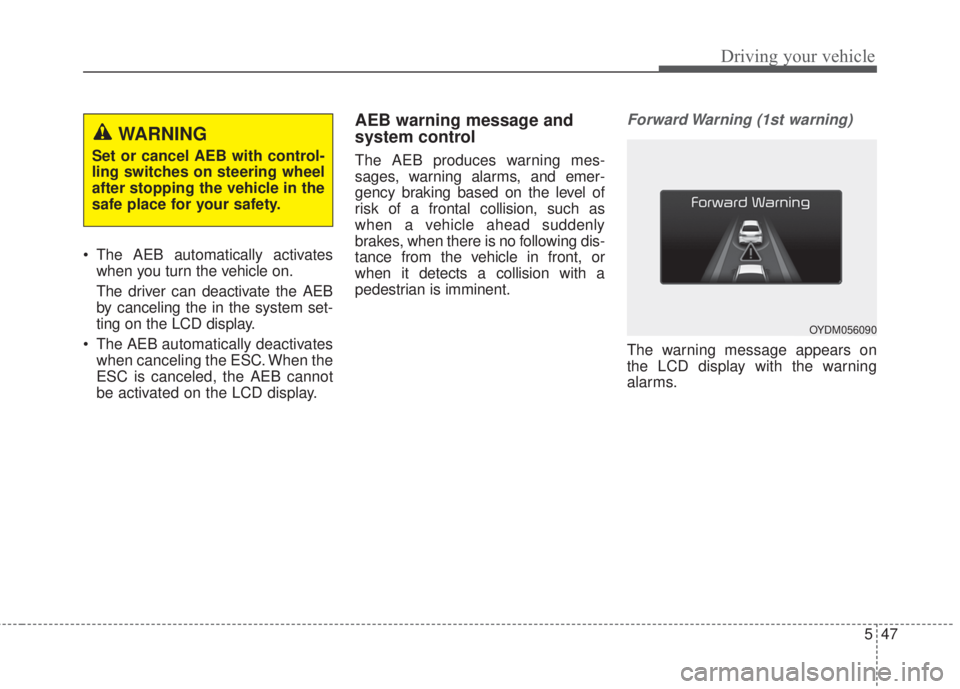
Forward Warning (1st warning)
The warning message appears on
the LCD display with the warning
alarms.
WARNING
Set or cancel AEB with control-
ling switches on steering wheel
after stopping the vehicle in the
safe place for your safety.
OYDM056090
Page 391 of 595
Driving your vehicle
48 5
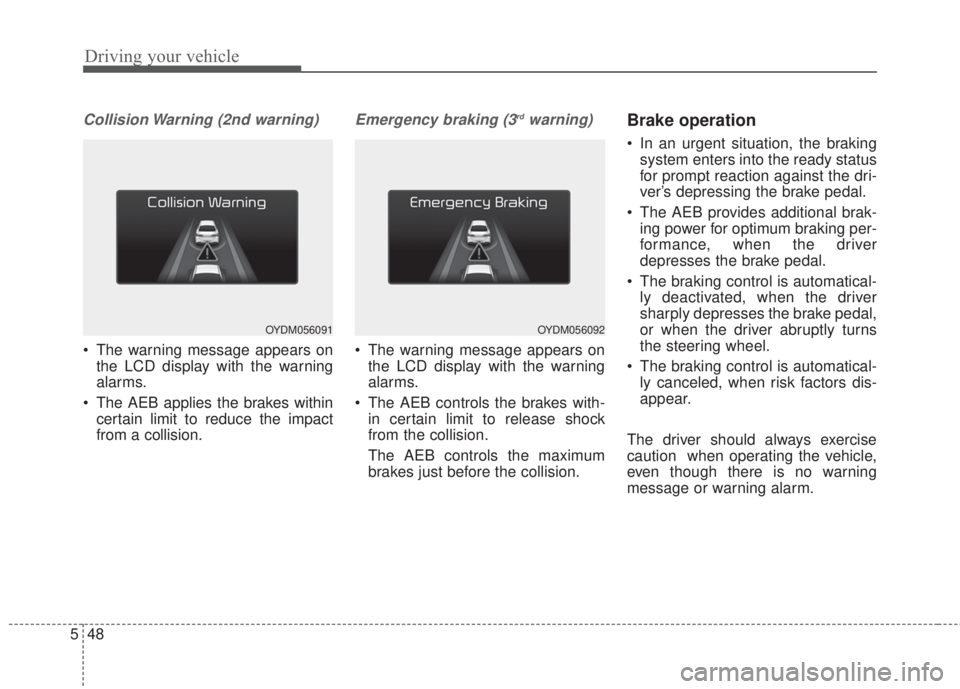
Collision Warning (2nd warning)
• The warning message appears on
the LCD display with the warning
alarms.
• The AEB applies the brakes within
certain limit to reduce the impact
from a collision.
Emergency braking (3rdwarning)
• The warning message appears on
the LCD display with the warning
alarms.
• The AEB controls the brakes with-
in certain limit to release shock
from the collision.
The AEB controls the maximum
brakes just before the collision.
Brake operation
• In an urgent situation, the braking
system enters into the ready status
for prompt reaction against the dri-
ver’s depressing the brake pedal.
• The AEB provides additional brak-
ing power for optimum braking per-
formance, when the driver
depresses the brake pedal.
• The braking control is automatical-
ly deactivated, when the driver
sharply depresses the brake pedal,
or when the driver abruptly turns
the steering wheel.
• The braking control is automatical-
ly canceled, when risk factors dis-
appear.
The driver should always exercise
caution when operating the vehicle,
even though there is no warning
message or warning alarm.
OYDM056091OYDM056092
Page 400 of 595
557
Driving your vehicle
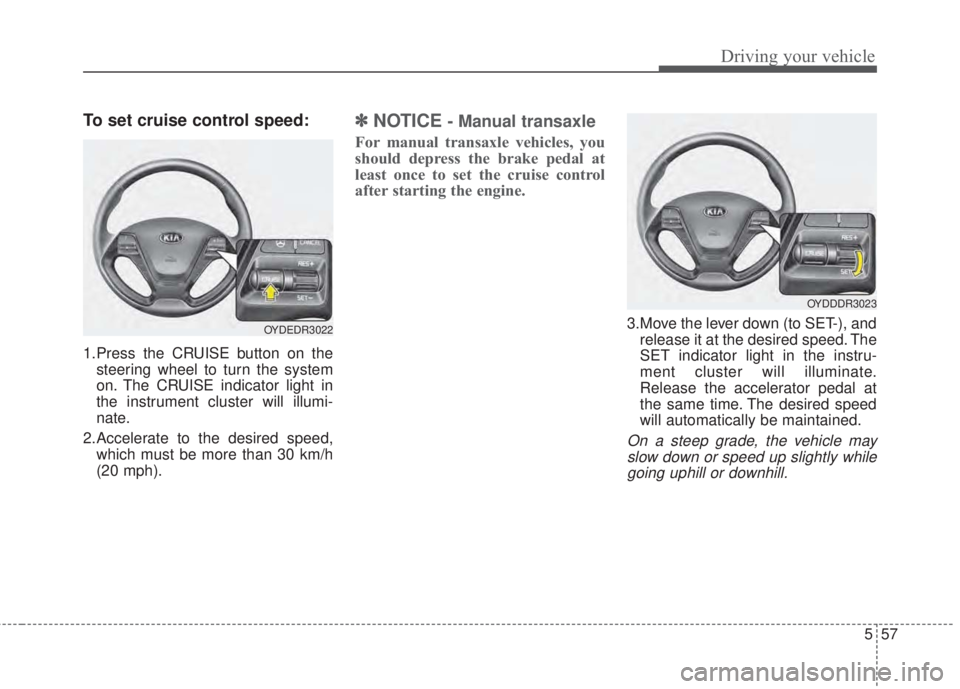
To set cruise control speed:
1.Press the CRUISE button on the
steering wheel to turn the system
on. The CRUISE indicator light in
the instrument cluster will illumi-
nate.
2.Accelerate to the desired speed,
which must be more than 30 km/h
(20 mph).
✽NOTICE- Manual transaxle
For manual transaxle vehicles, you
should depress the brake pedal at
least once to set the cruise control
after starting the engine.
3.Move the lever down (to SET-), and
release it at the desired speed. The
SET indicator light in the instru-
ment cluster will illuminate.
Release the accelerator pedal at
the same time. The desired speed
will automatically be maintained.
On a steep grade, the vehicle may
slow down or speed up slightly while
going uphill or downhill.
OYDEDR3022
OYDDDR3023
Page 402 of 595
559
Driving your vehicle
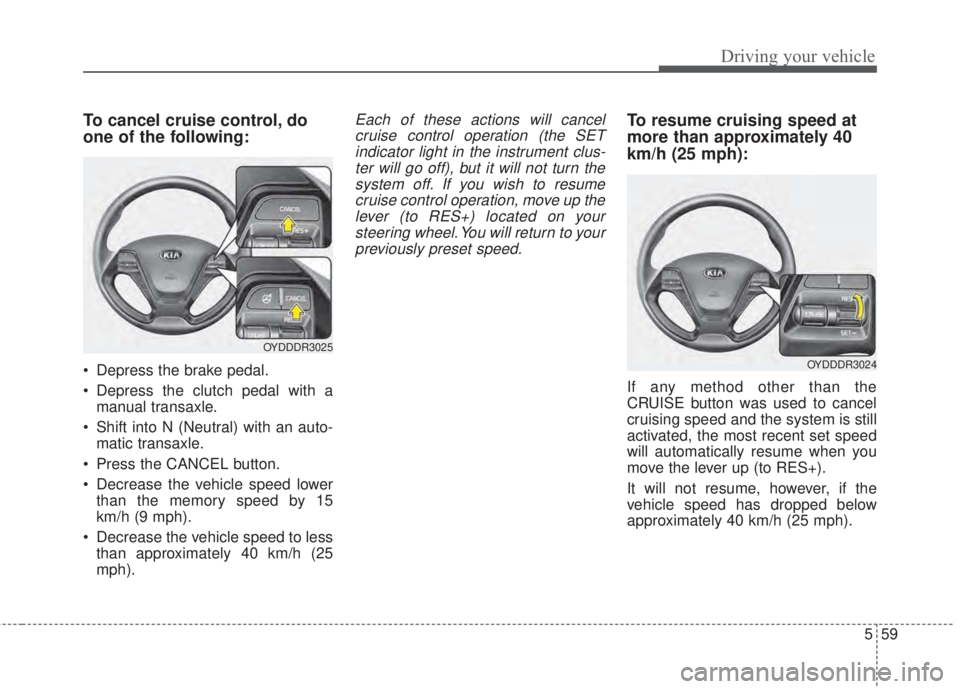
To cancel cruise control, do
one of the following:
• Depress the brake pedal.
• Depress the clutch pedal with a
manual transaxle.
• Shift into N (Neutral) with an auto-
matic transaxle.
• Press the CANCEL button.
• Decrease the vehicle speed lower
than the memory speed by 15
km/h (9 mph).
• Decrease the vehicle speed to less
than approximately 40 km/h (25
mph).
Each of these actions will cancel
cruise control operation (the SET
indicator light in the instrument clus-
ter will go off), but it will not turn the
system off. If you wish to resume
cruise control operation, move up the
lever (to RES+) located on your
steering wheel. You will return to your
previously preset speed.To resume cruising speed at
more than approximately 40
km/h (25 mph):
If any method other than the
CRUISE button was used to cancel
cruising speed and the system is still
activated, the most recent set speed
will automatically resume when you
move the lever up (to RES+).
It will not resume, however, if the
vehicle speed has dropped below
approximately 40 km/h (25 mph).
OYDDDR3025
OYDDDR3024
Page 405 of 595
Driving your vehicle
62 5
When Active ECO is activated:
• The acceleration may slightly be
reduced even though you depress
the accelerator fully.
• The air conditioner performance
may be limited
• The shift pattern of the automatic
transaxle may change.
• The engine noise may get louder.
The above situations are normal
conditions when the Active Eco
System is activated to improve fuel
efficiency.Limitation of Active ECO opera-
tion:
If the following conditions occur while
Active ECO is operating, the system
operation is limited even though
there is no change in the ECO indi-
cator.
• When the coolant temperature is
low:
The system will be limited until
engine performance becomes nor-
mal.
• When driving up a hill:
The system will be limited to gain
power when driving uphill because
the engine torque is restricted.
• When using manual mode:
The system will be limited accord-
ing to the shift location.
• When the accelerator pedal is
deeply depressed for a few sec-
onds:
The system will be limited, judging
that the driver wants to speed up.SPORT mode
SPORT mode focuses on
dynamic driving by auto-
matically adjusting the
steering wheel, engine
and transaxle system.
• When the DRIVE MODE
button is pressed and
the SPORT mode is
selected, the SPORT
indicator (yellow) will illu-
minate.
• When the SPORT mode
is activated, and the
engine start/stop button
is turned off and on it will
change to NORMAL
mode. To turn on the
SPORT mode press
DRIVE MODE button
again.
SPORT
Page 407 of 595
Driving your vehicle
64 5
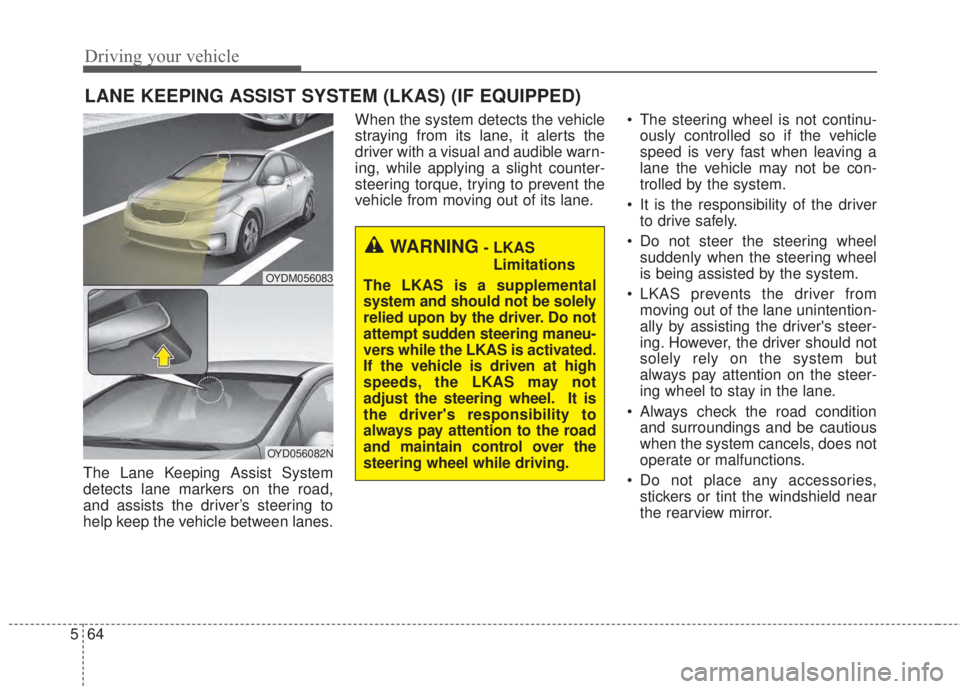
The Lane Keeping Assist System
detects lane markers on the road,
and assists the driver’s steering to
help keep the vehicle between lanes.When the system detects the vehicle
straying from its lane, it alerts the
driver with a visual and audible warn-
ing, while applying a slight counter-
steering torque, trying to prevent the
vehicle from moving out of its lane.• The steering wheel is not continu-
ously controlled so if the vehicle
speed is very fast when leaving a
lane the vehicle may not be con-
trolled by the system.
• It is the responsibility of the driver
to drive safely.
• Do not steer the steering wheel
suddenly when the steering wheel
is being assisted by the system.
• LKAS prevents the driver from
moving out of the lane unintention-
ally by assisting the driver's steer-
ing. However, the driver should not
solely rely on the system but
always pay attention on the steer-
ing wheel to stay in the lane.
• Always check the road condition
and surroundings and be cautious
when the system cancels, does not
operate or malfunctions.
• Do not place any accessories,
stickers or tint the windshield near
the rearview mirror.
LANE KEEPING ASSIST SYSTEM (LKAS) (IF EQUIPPED)
OYDM056083
OYD056082N
WARNING- LKAS
Limitations
The LKAS is a supplemental
system and should not be solely
relied upon by the driver. Do not
attempt sudden steering maneu-
vers while the LKAS is activated.
If the vehicle is driven at high
speeds, the LKAS may not
adjust the steering wheel. It is
the driver's responsibility to
always pay attention to the road
and maintain control over the
steering wheel while driving.
Page 408 of 595
565
Driving your vehicle
• The system detects lane markers
and controls the steering wheel by
a camera, therefore, if the lane
markers are hard to detect, the
system may not work properly.
Please refer to "Driver's Attention".
• Do not remove any LKAS parts or
apply impact.
• Do not place objects on the dash-
board that reflects light such as
mirrors, white paper, etc. The sys-
tem may malfunction if the sunlight
is reflected.
• Loud audio sounds may interfere
with the passenger from hearing
warning chimes.
• Always have your hands on the
steering wheel while the LKAS sys-
tem is activated. If you continue to
drive with your hands off the steering
wheel after the "Hand on" warning,
the system will not control steering
automatically. When system does
not control steering automatically, if
you hold steering wheel, system will
control steering automatically
• If you drive very fast, the vehicle
may stray out of the lane. Always be
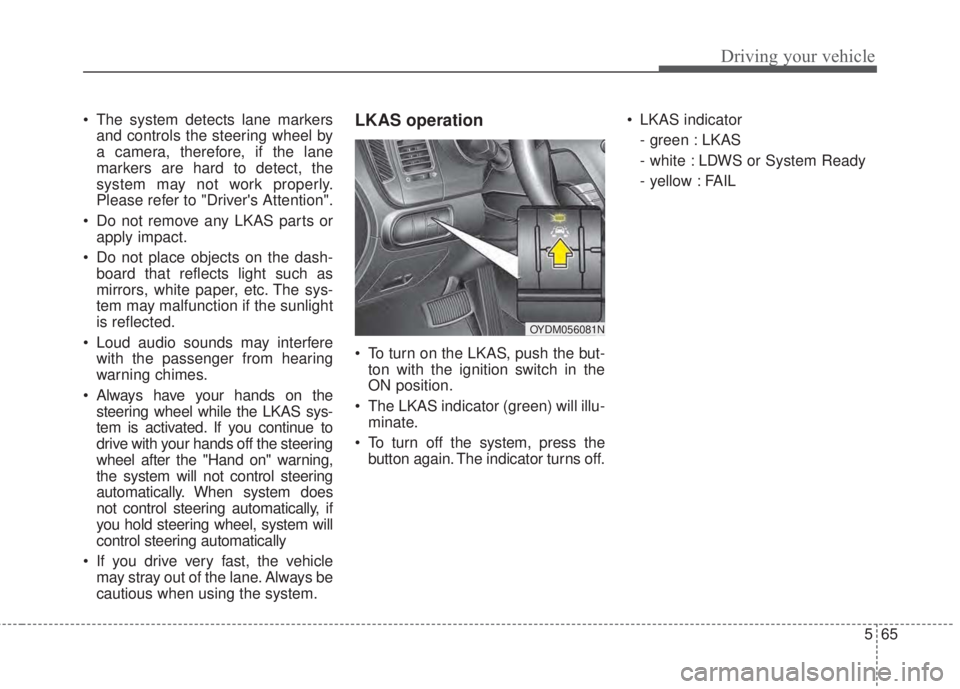
cautious when using the system.LKAS operation
• To turn on the LKAS, push the but-
ton with the ignition switch in the
ON position.
• The LKAS indicator (green) will illu-
minate.
• To turn off the system, press the
button again. The indicator turns off.• LKAS indicator
- green : LKAS
- white : LDWS or System Ready
- yellow : FAIL
OYDM056081N