chapter 5 KIA FORTE 2018 User Guide
[x] Cancel search | Manufacturer: KIA, Model Year: 2018, Model line: FORTE, Model: KIA FORTE 2018Pages: 584, PDF Size: 15.14 MB
Page 148 of 584
473
Features of your vehicle
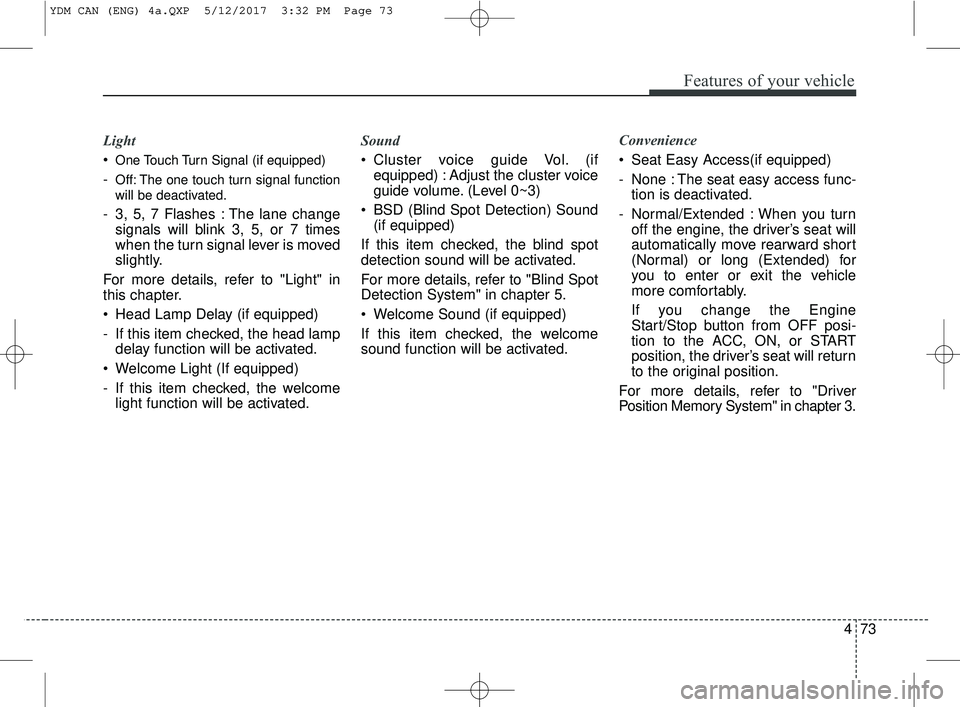
Light
One Touch Turn Signal (if equipped)
-Off: The one touch turn signal function
will be deactivated.
- 3, 5, 7 Flashes : The lane changesignals will blink 3, 5, or 7 times
when the turn signal lever is moved
slightly.
For more details, refer to "Light" in
this chapter.
Head Lamp Delay (if equipped)
- If this item checked, the head lamp delay function will be activated.
Welcome Light (If equipped)
- If this item checked, the welcome light function will be activated. Sound
Cluster voice guide Vol. (if
equipped) : Adjust the cluster voice
guide volume. (Level 0~3)
BSD (Blind Spot Detection) Sound (if equipped)
If this item checked, the blind spot
detection sound will be activated.
For more details, refer to "Blind Spot
Detection System" in chapter 5.
Welcome Sound (if equipped)
If this item checked, the welcome
sound function will be activated. Convenience
Seat Easy Access(if equipped)
- None : The seat easy access func-
tion is deactivated.
- Normal/Extended : When you turn off the engine, the driver’s seat will
automatically move rearward short
(Normal) or long (Extended) for
you to enter or exit the vehicle
more comfortably.
If you change the Engine
Start/Stop button from OFF posi-
tion to the ACC, ON, or START
position, the driver’s seat will return
to the original position.
For more details, refer to "Driver
Position Memory System" in chapter 3.
YDM CAN (ENG) 4a.QXP 5/12/2017 3:32 PM Page 73
Page 149 of 584
Features of your vehicle
74
4
Service interval (if equipped)
On this mode, you can activate the
service interval function with mileage
(km or mi.) and period (months).
- Off : The service interval function
will be deactivated.
- On : You can set the service interval (mileage and months).
For more details, refer to "Service
Mode" in this chapter.
✽ ✽ NOTICE
If it is not available to set service
interval on your vehicle, we recom-
mend that you consult an authorized
Kia dealer.
Other features
Fuel Economy Auto Reset
- Off : The average fuel economy will
not reset automatically whenever
refueling.
- After Ignition : The average fuel economy will reset automatically
when driving.
- After Refueling : The average fuel economy will reset automatically
when refueling.
Fuel Economy Unit
Choose the preferred fuel economy
unit.
Temperature Unit
Choose the preferred temperature
unit.
Language (if equipped)
Choose preferred the language.Warning messages
Warning messages appear on the
LCD to warn the driver. It is located in
the center of the instrument cluster.
The warning message may appear
differently depending on the type of
instrument cluster and some may not
show the warning message at all.
The warning message is shown in
either symbol, symbol and text, or
text type only. You can choose the
preferred language (for Type B only)
by selecting the User setting menu in
LCD mode.
YDM CAN (ENG) 4a.QXP 5/12/2017 3:32 PM Page 74
Page 151 of 584
Features of your vehicle
76
4
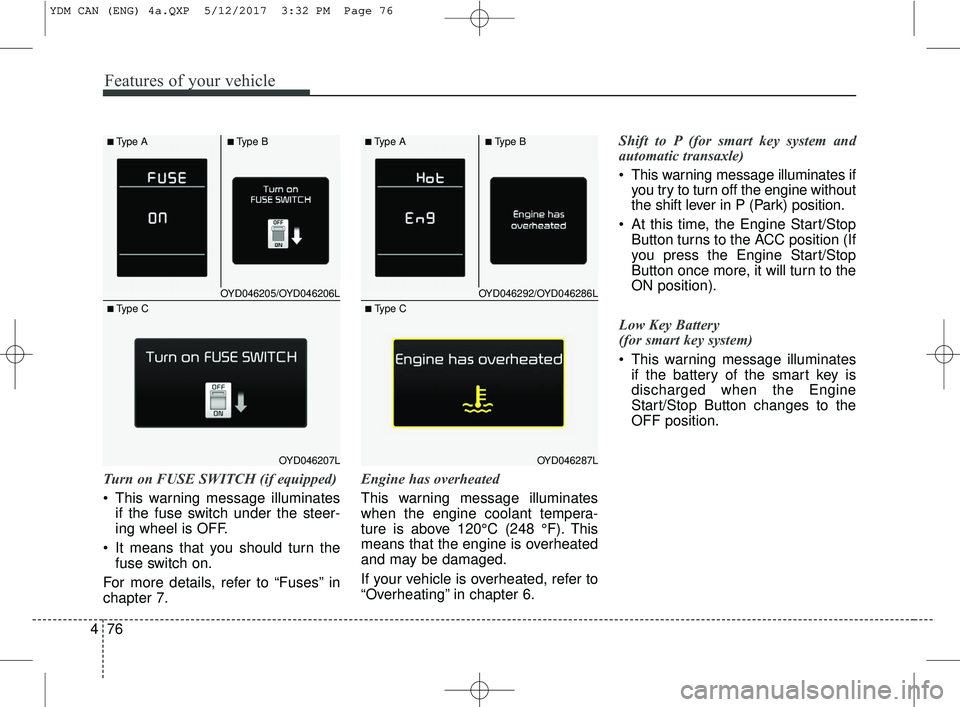
Turn on FUSE SWITCH (if equipped)
This warning message illuminates
if the fuse switch under the steer-
ing wheel is OFF.
It means that you should turn the fuse switch on.
For more details, refer to “Fuses” in
chapter 7. Engine has overheated
This warning message illuminates
when the engine coolant tempera-
ture is above 120°C (248 °F). This
means that the engine is overheated
and may be damaged.
If your vehicle is overheated, refer to
“Overheating” in chapter 6.Shift to P (for smart key system and
automatic transaxle)
This warning message illuminates if
you try to turn off the engine without
the shift lever in P (Park) position.
At this time, the Engine Start/Stop Button turns to the ACC position (If
you press the Engine Start/Stop
Button once more, it will turn to the
ON position).
Low Key Battery
(for smart key system)
This warning message illuminates if the battery of the smart key is
discharged when the Engine
Start/Stop Button changes to the
OFF position.
OYD046205/OYD046206L
OYD046207L
■Type A■Type B
■ Type C
OYD046292/OYD046286L
OYD046287L
■Type A■Type B
■ Type C
YDM CAN (ENG) 4a.QXP 5/12/2017 3:32 PM Page 76
Page 155 of 584
Features of your vehicle
80
4
Warning lights
✽ ✽
NOTICE - Warning lights
Make sure that all warning lights
are OFF after starting the engine. If
any light is still ON, this indicates a
situation that needs attention.
Air bag Warning Light
This warning light illuminates:
Once you set the ignition switch or
Engine Start/Stop Button to the ON
position.
- It illuminates for approximately 6seconds and then goes off.
When there is a malfunction with the SRS.
In this case, have your vehicle
inspected by an authorized Kia
dealer.
Seat Belt Warning Light
This warning light informs the driver
that the seat belt is not fastened.
For more details, refer to the "Seat
Belts" in chapter 3.
WARNING AND INDICATOR LIGHTS
YDM CAN (ENG) 4a.QXP 5/12/2017 3:32 PM Page 80
Page 156 of 584
481
Features of your vehicle
Parking Brake & BrakeFluid Warning Light
This warning light illuminates:
Once you set the ignition switch or Engine Start/Stop Button to the ON
position.
- It illuminates for approximately 3seconds
- It remains on if the parking brake is applied.
When the parking brake is applied.
When the brake fluid level in the reservoir is low.
- If the warning light illuminateswith the parking brake released, it
indicates the brake fluid level in
reservoir is low. If the brake fluid level in the reservoir
is low:
1.Drive carefully to the nearest safe
location and stop your vehicle.
2.With the engine stopped, check the brake fluid level immediately and
add fluid as required (For more
details, refer to "Brake Fluid" in
chapter 7).
Then check all brake components
for fluid leaks. If any leak on the
brake system is still found, the
warning light remains on, or the
brakes do not operate properly, do
not drive the vehicle.
In this case, have your vehicle
towed to an authorized Kia dealer
and inspected. Dual-diagonal braking system
Your vehicle is equipped with dual-
diagonal braking systems. This
means you still have braking on two
wheels even if one of the dual sys-
tems should fail.
With only one of the dual systems
working, more than normal pedal
travel and greater pedal pressure are
required to stop the vehicle.
Also, the vehicle will not stop in as
short a distance with only a portion
of the brake system working.
If the brakes fail while you are driv-
ing, shift to a lower gear for addition-
al engine braking and stop the vehi-
cle as soon as it is safe to do so.
YDM CAN (ENG) 4a.QXP 5/12/2017 3:32 PM Page 81
Page 163 of 584
Features of your vehicle
88
4
Master Warning Mode
(if equipped)
This warning light informs the driv- er the following situations
- Low washer fluid (if equipped)
- Blind Spot Detection (BSD) mal-function (if equipped)
- Service reminder and so on.
The Master Warning Light illumi-
nates when more than one of the
above warning situations occur. At
this time, the LCD Modes Icon will
change from ( ) to ( ).
If the warning situation is solved, the
master warning light will be turned off
and the LCD Modes Icon will be
changed back to its previous icon ( ).
(ex : refill the washer fluid)
Indicator Lights
Electronic Stability Control (ESC) IndicatorLight
This indicator light illuminates:
Once you set the ignition switch or Engine Start/Stop Button to the ON
position.
- It illuminates for approximately 3seconds and then goes off.
When there is a malfunction with the ESC system.
In this case, have your vehicle
inspected by an authorized Kia
dealer.
This indicator light blinks:
While the ESC is operating.
For more details, refer to "Electronic
Stability Control (ESC)" in chapter 5.
Electronic Stability Control (ESC) OFFIndicator Light
This indicator light illuminates:
Once you set the ignition switch or Engine Start/Stop Button to the ON
position.
- It illuminates for approximately 3seconds and then goes off.
When you deactivate the ESC sys- tem by pressing the ESC OFF but-
ton.
For more details, refer to "Electronic
Stability Control (ESC)" in chapter 5.
YDM CAN (ENG) 4a.QXP 5/12/2017 3:32 PM Page 88
Page 164 of 584
489
Features of your vehicle
SPORT Mode IndicatorLight (if equipped)
This indicator light illuminates
When you select "SPORT" mode as drive mode.
For more details, refer to "Drive
Mode Integrated Control System" in
chapter 5.
ECO Mode Indicator Light (if equipped)
This indicator light illuminates:
When you select “ECO” mode as drive mode.
For more details, refer to “Drive
Mode Integrated Control System” in
chapter 5.
Immobilizer Indicator Light (Without Smart Key)
This indicator light illuminates:
When the vehicle detects the immobilizer in your key properly
while the ignition switch is ON.
- At this time, you can start theengine.
- The indicator light goes off after starting the engine.
This indicator light blinks:
When there is a malfunction with the immobilizer system.
In this case, have your vehicle
inspected by an authorized Kia
dealer.
WARNING - Ecominder
Indicator
Do not keep watching the
"ECO" ECOMINDER indicator
while driving as it may distract
you and cause an accident.
YDM CAN (ENG) 4a.QXP 5/12/2017 3:32 PM Page 89
Page 166 of 584
491
Features of your vehicle
High Beam IndicatorLight
This indicator light illuminates:
When the headlights are on and in the high beam position
When the turn signal lever is pulled into the Flash-to-Pass position.
Light ON Indicator Light
This indicator light illuminates:
When the tail lights or headlightsare on.
Front Fog Indicator
Light (if equipped)
This indicator light illuminates:
When the front fog lights are on.
Cruise Indicator Light (if equipped)
This indicator light illuminates:
When the cruise control system is enabled.
For more details, refer to "Cruise
Control System" in chapter 5.
Cruise SET Indicator Light (if equipped)
This indicator light illuminates:
When the cruise control speed is set.
For more details, refer to "Cruise
Control System" in chapter 5.
CRUISE
SET
YDM CAN (ENG) 4a.QXP 5/12/2017 3:32 PM Page 91
Page 167 of 584
Features of your vehicle
92
4
KEY OUT Indicator Light
(if equipped)
When the ENGINE START/STOP
button is in the ACC or ON position,
if any door is open, the system
checks for the smart key.
This indicator light blinks:
When the smart key is not in the
vehicle and any door is open with the
ignition switch or Engine Start/Stop
button in the ACC or ON position.
- At this time, if you close all doors, the chime will also sound for
approximately 5 seconds.
- The indicator will go off while the vehicle is moving.
LKAS (Lane Keeping
Assistant System)Indicator (if equipped)
The LKAS indicator will illuminate
when you turn the lane keeping
assistant system on by pressing the
LKAS button.
If there is a problem with the system,
the yellow LKAS indicator will illumi-
nate.
For more details, refer to "LKAS" in
chapter 5.
KEY
OUT
YDM CAN (ENG) 4a.QXP 5/12/2017 3:32 PM Page 92
Page 173 of 584
Features of your vehicle
98
4
If an indicator stays on and does not
flash or if it flashes abnormally, one of
the turn signal bulbs may be burned
out and will require replacement.
If an indicator flash is abnormally
quick or slow, a bulb may be burned
out or have a poor electrical connec-
tion in the circuit.One-touch lane change function
To activate an one-touch lane
change function, move the turn sig-
nal lever slightly and then release it.
The lane change signals will blink 3,
5 or 7 times.
You can choose one-touch lane
change blinking function in "One
touch turn lamp" of "User setting".
Refer to "User setting" in chapter 4.
✽ ✽
NOTICE
If an indicator flash is abnormally
quick or slow, the bulb may be
burned out or have a poor electrical
connection in the circuit.
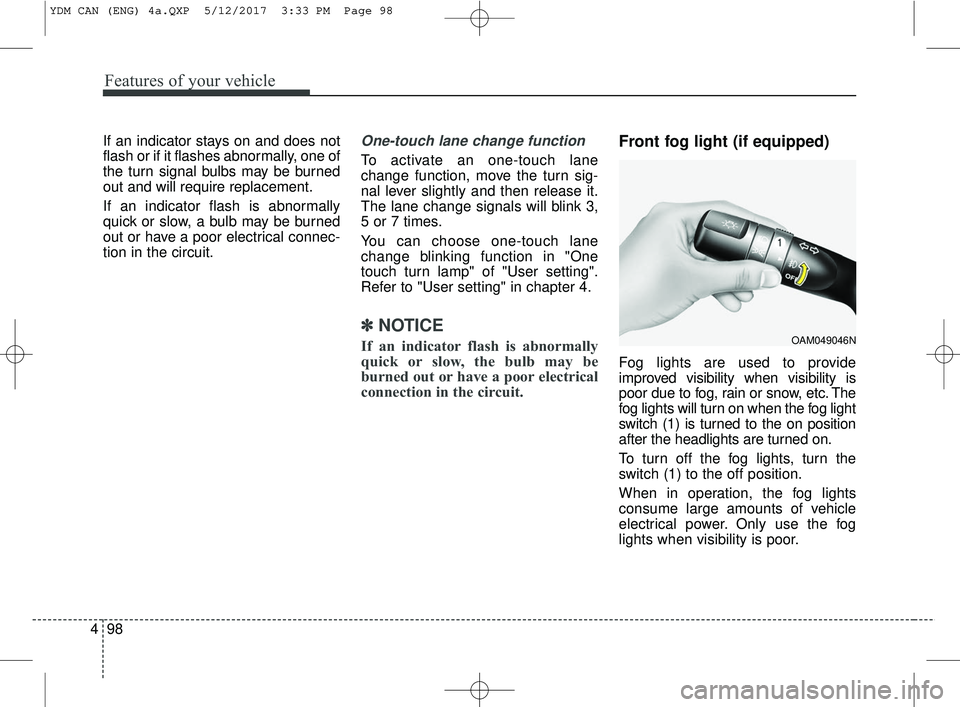
Front fog light (if equipped)
Fog lights are used to provide
improved visibility when visibility is
poor due to fog, rain or snow, etc. The
fog lights will turn on when the fog light
switch (1) is turned to the on position
after the headlights are turned on.
To turn off the fog lights, turn the
switch (1) to the off position.
When in operation, the fog lights
consume large amounts of vehicle
electrical power. Only use the fog
lights when visibility is poor.
OAM049046N
YDM CAN (ENG) 4a.QXP 5/12/2017 3:33 PM Page 98