warning lights KIA FORTE 2019 Owner's Manual
[x] Cancel search | Manufacturer: KIA, Model Year: 2019, Model line: FORTE, Model: KIA FORTE 2019Pages: 550, PDF Size: 11.66 MB
Page 189 of 550
Features of your vehicle
104
4
(3) If the light switch is pulled
towards you when the high
beam is on by the High Beam
Assist, the low beam will be on
and the High Beam Assist will
turn off.
(4) If the light switch is turned to the headlamp position ( )
from AUTO position, the High
Beam Assist will turn off and
the low beam will be on. When the High Beam Assist is oper-
ating, the high beam switches to low
beam in the following conditions.
When the headlamp is detected
from an on-coming vehicle.
When the tail lamp is detected from the front vehicle.
When headlamp/tail lamp from a bicycle/motorcycle is detected.
When the surrounding is so bright that high beams are not needed.
When streetlights or other lights are detected.
When the light switch is not in the AUTO position.
When the High Beam Assist is off.
When vehicle speed is below 24 km/h (15 mph).Warning light and message
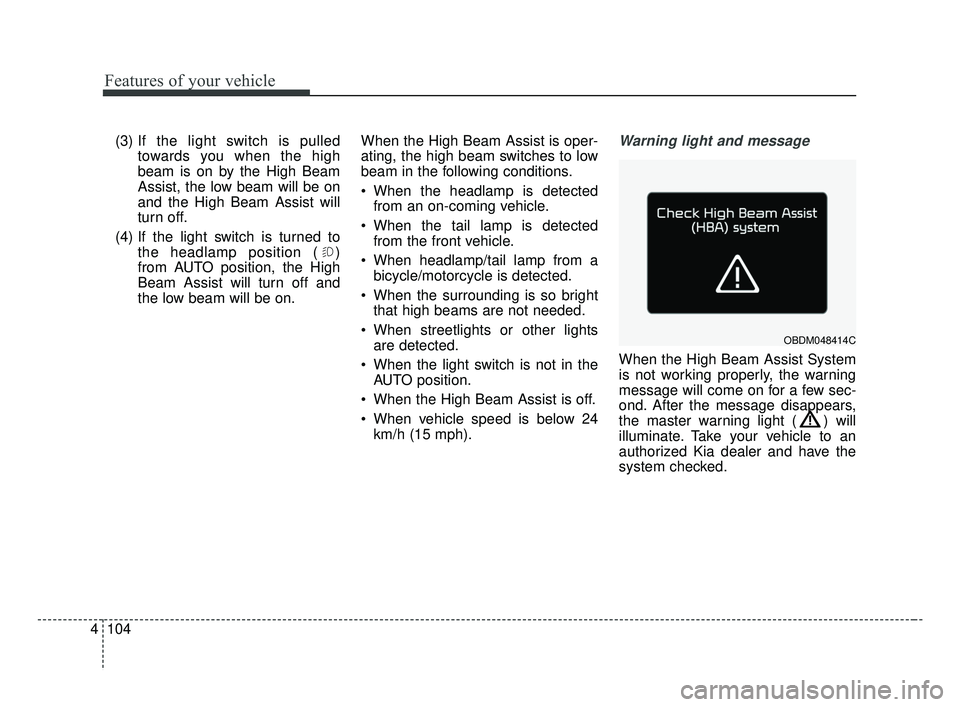
When the High Beam Assist System
is not working properly, the warning
message will come on for a few sec-
ond. After the message disappears,
the master warning light ( ) will
illuminate. Take your vehicle to an
authorized Kia dealer and have the
system checked.
OBDM048414C
BDm CAN (ENG) 4.qxp 7/4/2018 10:07 AM Page 104
Page 195 of 550
Features of your vehicle
110
4
Do not use the interior lights for
extended periods when the engine is
not running.
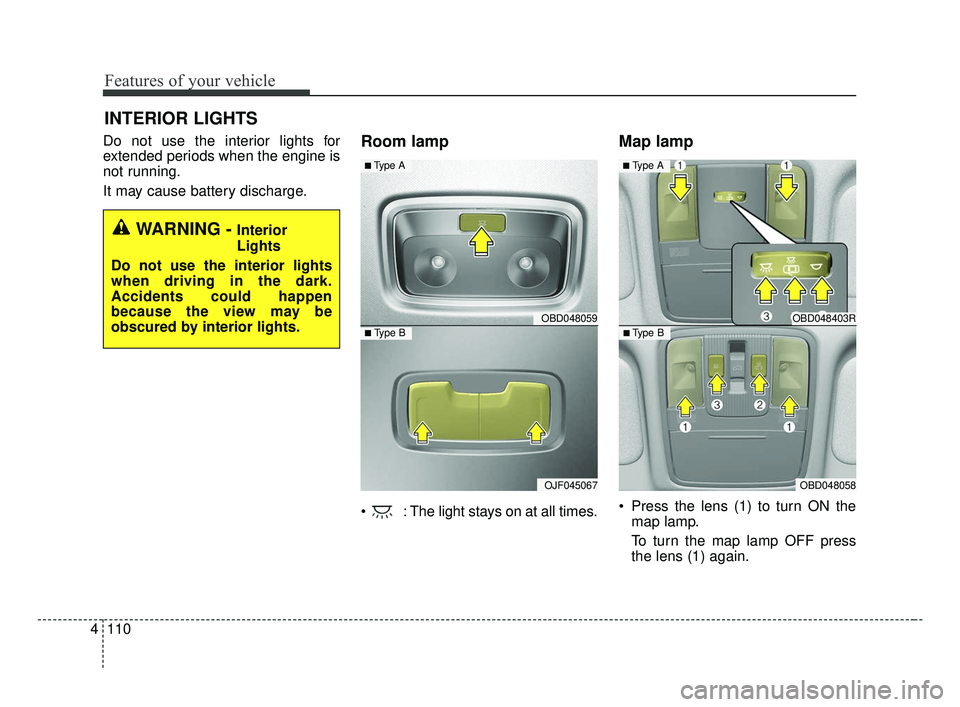
It may cause battery discharge.Room lamp
: The light stays on at all times.
Map lamp
Press the lens (1) to turn ON the
map lamp.
To turn the map lamp OFF press
the lens (1) again.
INTERIOR LIGHTS
WARNING - Interior
Lights
Do not use the interior lights
when driving in the dark.
Accidents could happen
because the view may be
obscured by interior lights.
OBD048059
OJF045067
■ Type B
■ Type A
OBD048403R
OBD048058
■ Type B
■ Type A
BDm CAN (ENG) 4.qxp 7/4/2018 10:08 AM Page 110
Page 251 of 550

55
Driving your vehicle
Before entering vehicle
• Be sure that all windows, outsidemirror(s), and outside lights are
clean.
Check the condition of the tires.
Check under the vehicle for any sign of leaks.
Be sure there are no obstacles behind you if you intend to back up.
Necessary inspections
Fluid levels, such as engine oil,
engine coolant, brake fluid, and
washer fluid should be checked on a
regular basis, at the exact interval
depending on the fluid. Further
details are provided in chapter 8,
“Maintenance”.
Before starting
Close and lock all doors.
Position the seat so that all con-trols are easily reached.
Buckle your seat belt.
Adjust the inside and outside rearview mirrors.
Be sure that all lights work.
Check all gauges.
Check the operation of warning lights when the ignition switch is
turned to the ON position.
Release the parking brake and make sure the brake warning light
goes out.
For safe operation, be sure you are
familiar with your vehicle and its
equipment.
BEFORE DRIVING
WARNING - Distracted driving
Focus on the road while driving.
The driver's primary responsi-
bility is in the safe and legal
operation of the vehicle. Use of
any handled devices, other
equipment or vehicle systems
that distract the driver should
not be used during vehicle
operation.
BDm CAN (ENG) 5.QXP 7/4/2018 10:12 AM Page 5
Page 253 of 550
57
Driving your vehicle
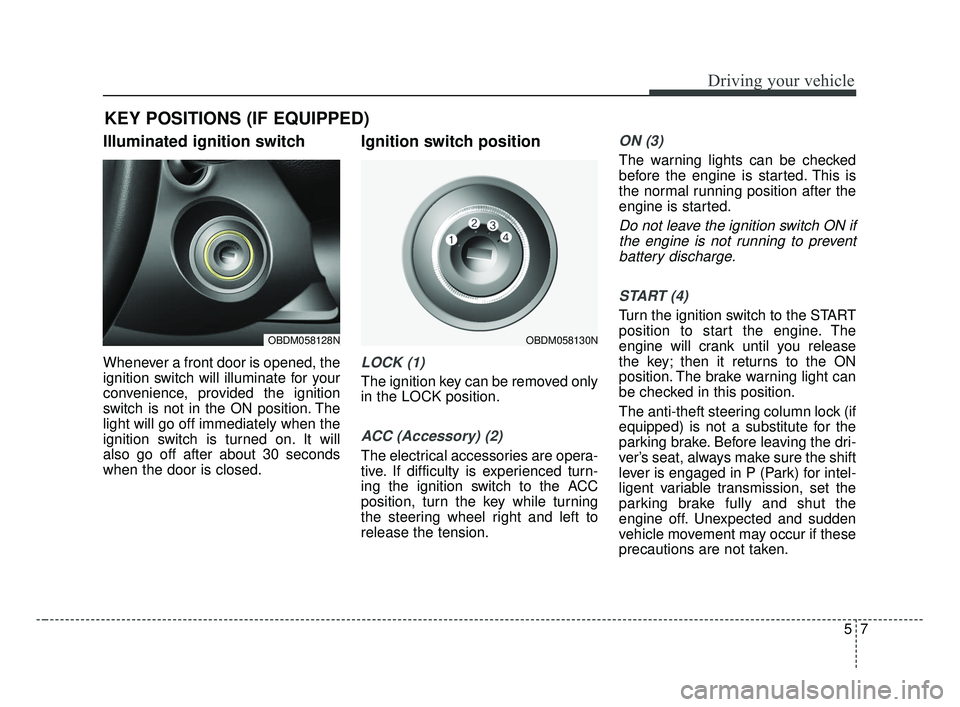
Illuminated ignition switch
Whenever a front door is opened, the
ignition switch will illuminate for your
convenience, provided the ignition
switch is not in the ON position. The
light will go off immediately when the
ignition switch is turned on. It will
also go off after about 30 seconds
when the door is closed.
Ignition switch position
LOCK (1)
The ignition key can be removed only
in the LOCK position.
ACC (Accessory) (2)
The electrical accessories are opera-
tive. If difficulty is experienced turn-
ing the ignition switch to the ACC
position, turn the key while turning
the steering wheel right and left to
release the tension.
ON (3)
The warning lights can be checked
before the engine is started. This is
the normal running position after the
engine is started.
Do not leave the ignition switch ON ifthe engine is not running to preventbattery discharge.
START (4)
Turn the ignition switch to the START
position to start the engine. The
engine will crank until you release
the key; then it returns to the ON
position. The brake warning light can
be checked in this position.
The anti-theft steering column lock (if
equipped) is not a substitute for the
parking brake. Before leaving the dri-
ver’s seat, always make sure the shift
lever is engaged in P (Park) for intel-
ligent variable transmission, set the
parking brake fully and shut the
engine off. Unexpected and sudden
vehicle movement may occur if these
precautions are not taken.
KEY POSITIONS (IF EQUIPPED)
OBDM058128NOBDM058130N
BDm CAN (ENG) 5.QXP 7/4/2018 10:12 AM Page 7
Page 259 of 550
513
Driving your vehicle
With Intelligent Variable Transmission
Press the engine start/stop button
while it is in the OFF position without
depressing the brake pedal.
The steering wheel unlocks and elec-
trical accessories are operational.
If the engine start/stop button is in the
ACC position for more than 1 hour,
the button is turned off automatically
to prevent battery discharge.ON
With manual transmission
Press the engine start/stop button
when the button is in the ACC position
without depressing the clutch pedal.
With Intelligent Variable Transmission
Press the engine start/stop button
while it is in the ACC position without
depressing the brake pedal.
The warning lights can be checked
before the engine is started. Do not
leave the engine start/stop button in
the ON position for a long time. The
battery may discharge, because the
engine is not running.
START/RUN
With manual transmission
To start the engine, depress the clutch
pedal and brake pedal, then press the
engine start/stop button with the shift
lever in the N (Neutral) position.
With Intelligent Variable Transmission
To start the engine, depress the brake
pedal and press the engine start/stop
button with the shift lever in the P
(Park) or the N (Neutral) position. For
your safety, start the engine with the
shift lever in the P (Park) position.
✽ ✽
NOTICE
If you press the engine start/stop
button without depressing the clutch
pedal for manual transmission vehi-
cles or without depressing the brake
pedal for manual transmission /
Intelligent Variable Transmission
vehicles, the engine will not start
and the engine start/stop button
changes as follow:
OFF ➔ ➔
ACC ➔ ➔
ON ➔ ➔
OFF or ACC
BDm CAN (ENG) 5.QXP 7/4/2018 10:13 AM Page 13
Page 284 of 550
Driving your vehicle
38
5
Electronic stability control (ESC) will
not prevent accidents. Excessive
speed in turns, abrupt maneuvers and
hydroplaning on wet surfaces can still
result in serious accidents. Only a
safe and attentive driver can prevent
accidents by avoiding maneuvers that
cause the vehicle to lose traction.
Even with ESC installed, always fol-
low all the normal precautions for driv-
ing - including driving at safe speeds
for the conditions. The Electronic Stability Control (ESC)
system is an electronic system
designed to help the driver maintain
vehicle control under adverse condi-
tions. It is not a substitute for safe driv-
ing practices. Factors including speed,
road conditions and driver steering
input can all affect whether ESC will be
effective in preventing a loss of control.
It is still your responsibility to drive and
corner at reasonable speeds and to
leave a sufficient margin of safety.
When you apply your brakes under
conditions which may lock the wheels,
you may hear a “tik-tik’’ sound from the
brakes, or feel a corresponding sensa-
tion in the brake pedal. This is normal
and it means your ESC is active.
✽ ✽
NOTICE
A click sound may be heard in the
engine compartment when the vehi-
cle begins to move after the engine is
started. These conditions are normal
and indicate that the Electronic
Stability Control System is function-
ing properly.
ESC operation
ESC ON condition
When the ignition is turnedON, ESC and ESC OFF
indicator lights illuminate for
approximately 3 seconds,
then ESC is turned on.
ton for at least half a sec-
ond after turning the igni-
tion ON to turn ESC off.
(ESC OFF indicator will
illuminate). To turn the
ESC on, press the ESC
OFF button (ESC OFF
indicator light will go off).
you may hear a slight tick-
ing sound. This is the ESC
performing an automatic
system self-check and does
not indicate a problem.
WARNING
For maximum protection, always
wear your seat belt. No system,
no matter how advanced, can
compensate for all driver error
and/or driving conditions.
Always drive responsibly.
-
BDm CAN (ENG) 5.QXP 7/4/2018 10:13 AM Page 38
Page 301 of 550
555
Driving your vehicle
- The vehicle in front is driving errat-ically
- Backlight is reflected in the direc- tion of the vehicle (including front
light from the vehicle ahead)
- Moisture on the windscreen is not completely removed or frozen.
- The weather is misty.
- The vehicle in front does not turn ON the rear lights, does not have
rear lights, has asymmetric rear
lights, or has rear lights out of
angle.
- The vehicle is on unpaved or uneven rough surfaces, or roads
with sudden gradient changes
- The vehicle is moving under ground level or inside a building
- If a sudden change in the sensor recognition takes place whilst
passing through a speed bump,
- When the vehicle is severely shak- en,
- When driving around a circular intersection with a vehicle or object
in front - If the front of the camera lens is
contaminated by front glass tinting,
film, water repellent coating, dam-
age on glass, or foreign matter
(sticker, insect, etc.)
- The camera or camera lens is damaged.
- If the headlights of the vehicle are not used at night or in a tunnel sec-
tion, or the light is too weak
- If street light or the light of the vehi- cle coming from the opposite direc-
tion reflected or when sunlight
direction reflected by water on the
road surface
- When the back light is projected in the direction of the vehicle's motion
(including the headlights of vehi-
cles)
- Road sign, shadow on the road, tunnel entrance, toll gate, partial
pavement
- If the windshield has moisture on its surface or if windshield freezes,
- Driving in the fog.
- When objects are out of the sens- ing range of the camera - Driving on a curve
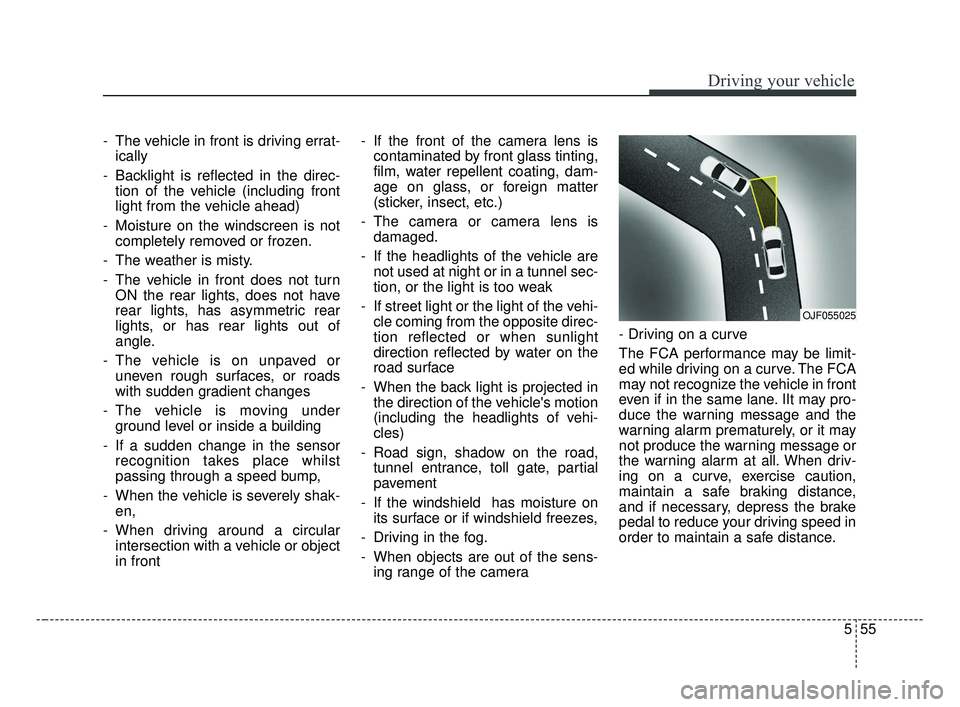
The FCA performance may be limit-
ed while driving on a curve. The FCA
may not recognize the vehicle in front
even if in the same lane. IIt may pro-
duce the warning message and the
warning alarm prematurely, or it may
not produce the warning message or
the warning alarm at all. When driv-
ing on a curve, exercise caution,
maintain a safe braking distance,
and if necessary, depress the brake
pedal to reduce your driving speed in
order to maintain a safe distance.
OJF055025
BDm CAN (ENG) 5.QXP 7/4/2018 10:14 AM Page 55
Page 314 of 550
Driving your vehicle
68
5
Recognizing vehicles
- The radar or the camera is con-
taminated with foreign substances.
- It heavily rains or snows.
- There is electromagnetic interfer- ence
- Something in the path of travel deflects the radar waves
- The vehicle in front has a narrow body. (i.e. motor cycle and bicycle)
- The driver’s view is not clear due to backlight, reflected light, or dark-
ness.
- The camera cannot contain the full image of the vehicle in front.
- The vehicle in front is a special vehicle, such as a heavily-loaded
truck or a trailer.
- The outside brightness is greatly changed, such as entering/exiting
a tunnel.
- The vehicle driving is unstable.
- The radar/camera sensor recogni- tion is limited. - The driver's field of view is not well
illuminated (either too dark or too
much reflection or too much back-
light that obscures the field of view)
- There is severe irregular reflection from the radar sensor
- The vehicle in front is driving errat- ically
- The vehicle is driven near areas containing metal substances such
as a construction zone, railroad,
etc.
- Backlight is reflected in the direc- tion of the vehicle (including front
light from the vehicle ahead)
- Moisture on the windshield is not completely removed or frozen.
- The weather is misty.
- The vehicle in front does not turn ON the rear lights, does not have
rear lights, has asymmetric rear
lights, or has rear lights out of
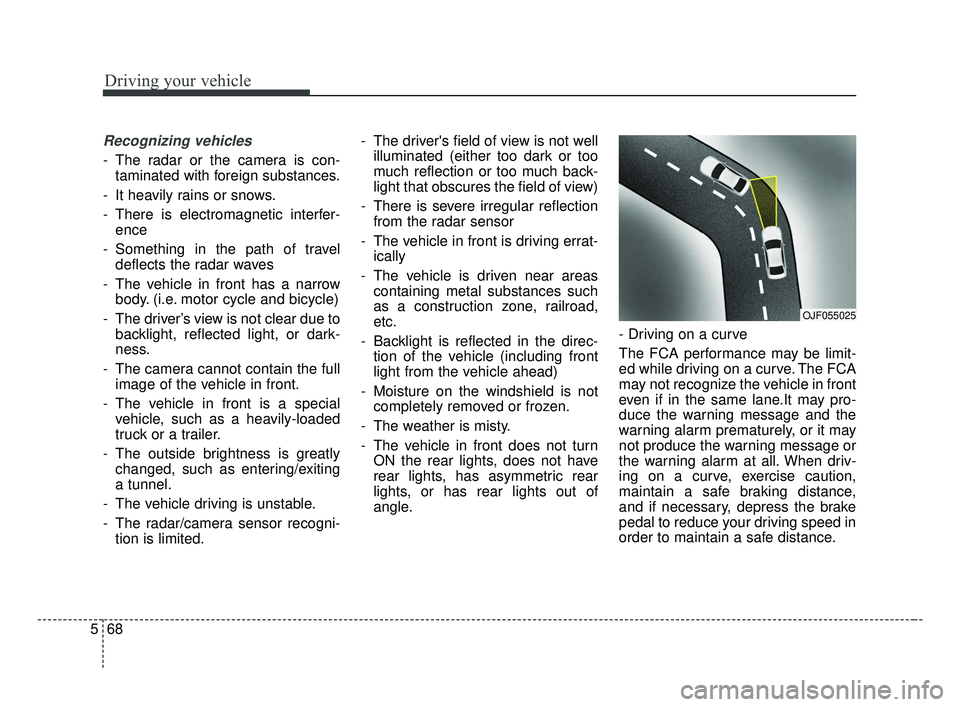
angle. - Driving on a curve
The FCA performance may be limit-
ed while driving on a curve. The FCA
may not recognize the vehicle in front
even if in the same lane.It may pro-
duce the warning message and the
warning alarm prematurely, or it may
not produce the warning message or
the warning alarm at all. When driv-
ing on a curve, exercise caution,
maintain a safe braking distance,
and if necessary, depress the brake
pedal to reduce your driving speed in
order to maintain a safe distance.
OJF055025
BDm CAN (ENG) 5.QXP 7/4/2018 10:14 AM Page 68
Page 317 of 550
571
Driving your vehicle
- There is a group of pedestrians.
- If a sudden change in the sensorrecognition takes place while pass-
ing through a speed bump,
- When the vehicle is severely shak- en,
- When driving around circular inter- section after the vehicle in front,
- If the front of the camera lens is contaminated by front glass tinting,
film, water repellent coating, dam-
age on glass, or foreign matter
(sticker, insect, etc.)
- The radar or camera or camera lens is damaged.
- If the headlights of a vehicle are not used at night or in a tunnel sec-
tion, or the light is too weak
- If street light or the light of a vehi- cle coming from a opposite direc-
tion is reflected or when sunlight is
reflected by the water on the road
surface - When the back light is projected in
the direction of the vehicle's motion
(including the headlights of vehi-
cles)
- Road sign, shadow on the road, tunnel entrance, toll gate, partial
pavement
- If the windshield has moisture on its surface or if windshield freezes,
- Driving in the fog.
- When objects are out of the sens- ing range of the sensor or radar.
WARNING
Do not use the FCA systemwhen towing a vehicle. Cancel
the FCA in the User Settings
on the LCD display before
towing. Brake application by
the FCA system while towing
may adversely affect your
safety.
Use extreme caution when the vehicle in front of you has
cargo that extends rearward
from the cab, or when the
vehicle in front of you has
higher ground clearance.
The FCA system is designed to detect and monitor the
vehicle ahead or detect a
pedestrian in the roadway
through radar signals and
camera recognition. It is not
designed to detect bicycles,
motorcycles, or smaller
wheeled objects such as lug-
gage bags, shopping carts, or
strollers.
(Continued)
BDm CAN (ENG) 5.QXP 7/4/2018 10:15 AM Page 71
Page 388 of 550
What to do in an emergency
26
ROAD WARNING
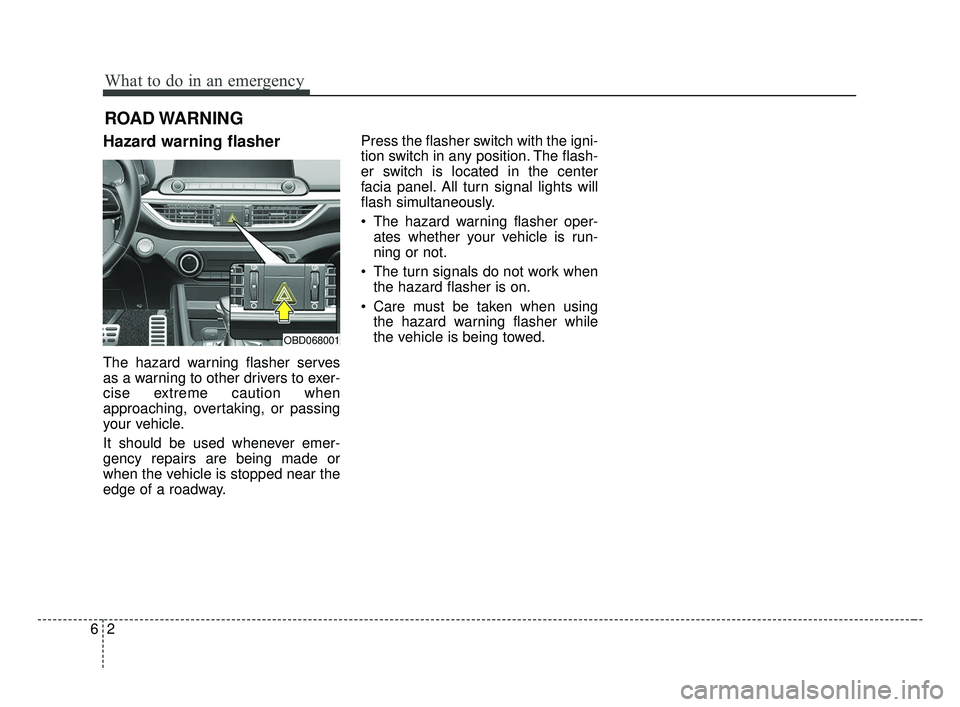
Hazard warning flasher
The hazard warning flasher serves
as a warning to other drivers to exer-
cise extreme caution when
approaching, overtaking, or passing
your vehicle.
It should be used whenever emer-
gency repairs are being made or
when the vehicle is stopped near the
edge of a roadway.Press the flasher switch with the igni-
tion switch in any position. The flash-
er switch is located in the center
facia panel. All turn signal lights will
flash simultaneously.
• The hazard warning flasher oper-
ates whether your vehicle is run-
ning or not.
The turn signals do not work when the hazard flasher is on.
Care must be taken when using the hazard warning flasher while
the vehicle is being towed.
OBD068001
BDm CAN (ENG) 6.qxp 7/4/2018 10:20 AM Page 2