lock KIA FORTE 2019 Owner's Guide
[x] Cancel search | Manufacturer: KIA, Model Year: 2019, Model line: FORTE, Model: KIA FORTE 2019Pages: 550, PDF Size: 11.66 MB
Page 107 of 550
Features of your vehicle
22
4
Impact sensing door unlock
system
All doors will automatically unlock
when an impact causes the air bags
to deploy.
Engine off door unlock system
All doors will automatically unlock:
- Without smart key system
When the key is removed from the
ignition switch.
- With smart key system When the engine start/stop button
is in the OFF position.
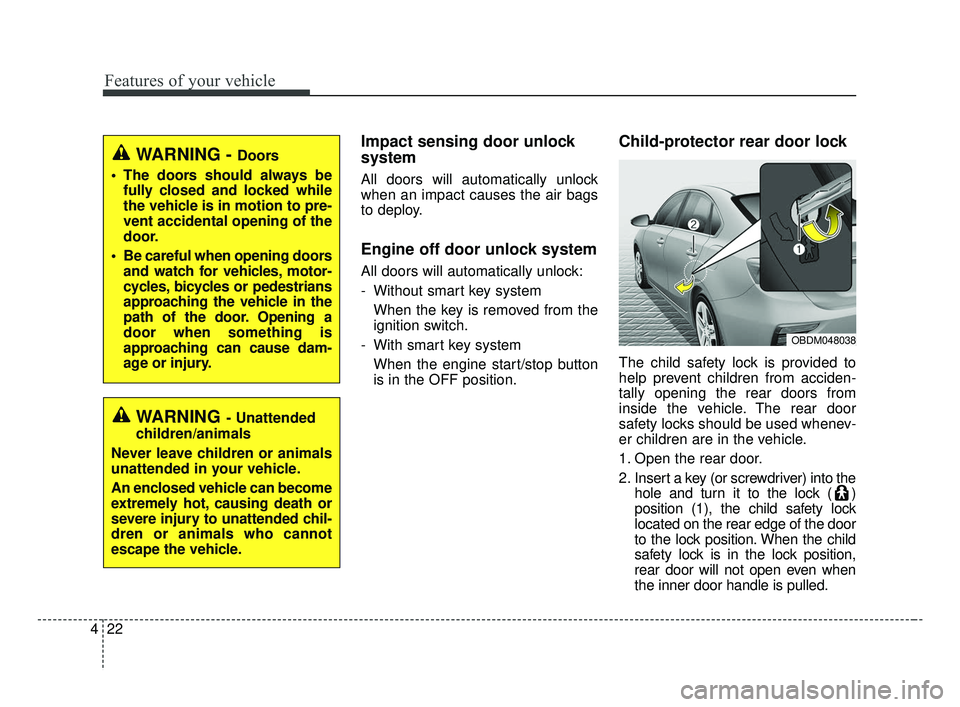
Child-protector rear door lock
The child safety lock is provided to
help prevent children from acciden-
tally opening the rear doors from
inside the vehicle. The rear door
safety locks should be used whenev-
er children are in the vehicle.
1. Open the rear door.
2. Insert a key (or screwdriver) into the hole and turn it to the lock ( )
position (1), the child safety lock
located on the rear edge of the door
to the lock position. When the child
safety lock is in the lock position,
rear door will not open even when
the inner door handle is pulled.
WARNING - Doors
The doors should always be fully closed and locked while
the vehicle is in motion to pre-
vent accidental opening of the
door.
Be careful when opening doors and watch for vehicles, motor-
cycles, bicycles or pedestrians
approaching the vehicle in the
path of the door. Opening a
door when something is
approaching can cause dam-
age or injury.
WARNING- Unattended
children/animals
Never leave children or animals
unattended in your vehicle.
An enclosed vehicle can become
extremely hot, causing death or
severe injury to unattended chil-
dren or animals who cannot
escape the vehicle.
OBDM048038
BDm CAN (ENG) 4.qxp 7/4/2018 10:03 AM Page 22
Page 108 of 550
423
Features of your vehicle
3. Close the rear door.
To open the rear door, pull the out-
side door handle (2).
Even though the doors may be
unlocked, the rear door will not open
by pulling the inner door handle until
the rear door child safety lock is
unlocked.Limp home (override) procedure
When you turn the ignition switch to
the ON position, if the immobilizer
indicator ( ) goes off after blink-
ing 5 times, your transponder
equipped in the ignition key is out of
order. You cannot start the engine
without the limp home procedure. To
start the engine, you have to input
your password by using the ignition
switch. Your password is only avail-
able from an authorized Kia dealer-
ship. Contact an authorized dealer
for more information.
The following procedure is how to
input your password of “2345” as an
example.
1. Turn the ignition switch to the ON
position. The immobilizer indicator
( ) will blink 5 times and go off
indicating the beginning of the limp
home procedure.
2. Turn the ignition switch to the ACC position. 3. To enter the first digit (in this
example “2”), turn the ignition
switch to the ON and ACC position
twice. Perform the same proce-
dure for the next digits between 3
seconds and 10 seconds (for
example, for “3”, turn the ignition
ON and ACC 3 times).
4. If all of the digits have been input successfully, you have to start the
engine within 30 seconds. If you
attempt to start the engine after 30
seconds, the engine will not start
and you will have to input your
password again.
After performing the limp home pro-
cedure, you have to see an author-
ized Kia dealer immediately to
inspect and repair your ignition key
or immobilizer system.
WARNING- Rear door locks
Use the rear door safety locks
whenever children are in the
vehicle. If a child accidently
opens the rear doors while the
vehicle is motion, he can fall out.
BDm CAN (ENG) 4.qxp 7/4/2018 10:03 AM Page 23
Page 109 of 550
Features of your vehicle
24
4
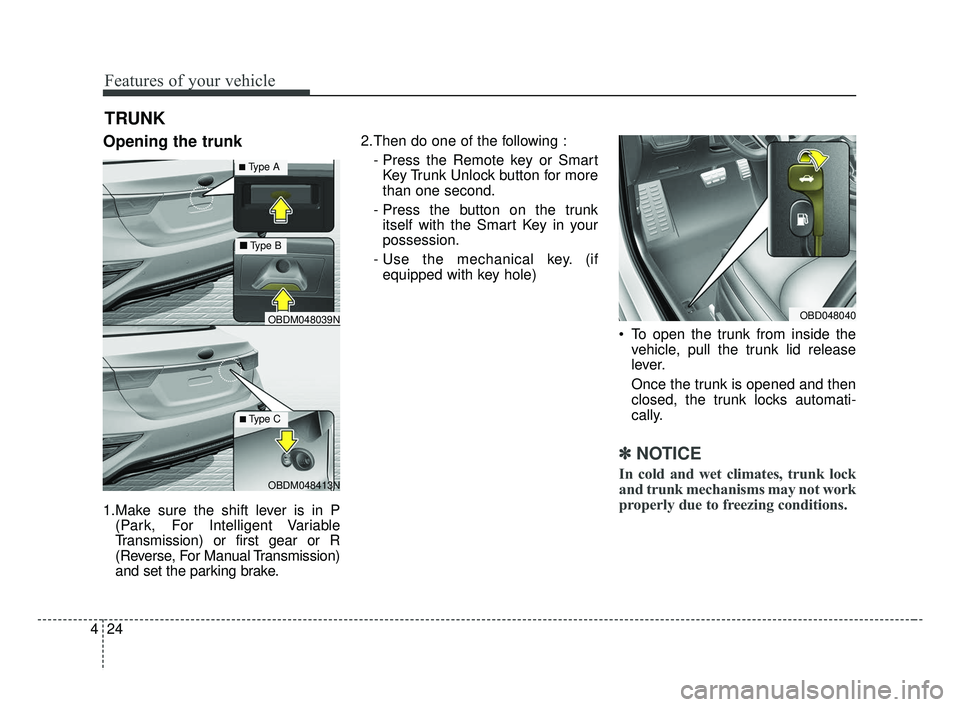
Opening the trunk
1.Make sure the shift lever is in P
(Park, For Intelligent Variable
Transmission) or first gear or R
(Reverse, For Manual Transmission)
and set the parking brake. 2.Then do one of the following :
- Press the Remote key or SmartKey Trunk Unlock button for more
than one second.
- Press the button on the trunk itself with the Smart Key in your
possession.
- Use the mechanical key. (if equipped with key hole)
To open the trunk from inside thevehicle, pull the trunk lid release
lever.
Once the trunk is opened and then
closed, the trunk locks automati-
cally.
✽ ✽ NOTICE
In cold and wet climates, trunk lock
and trunk mechanisms may not work
properly due to freezing conditions.
TRUNK
OBD048040
OBDM048413N
OBDM048039N
■ Type B
■Type A
■Type C
BDm CAN (ENG) 4.qxp 7/4/2018 10:03 AM Page 24
Page 110 of 550
425
Features of your vehicle
Closing the trunk
To close, lower the trunk lid, then
press down on it until it locks. To be
sure the trunk lid is securely fas-
tened, always check by trying to pull
it up again.
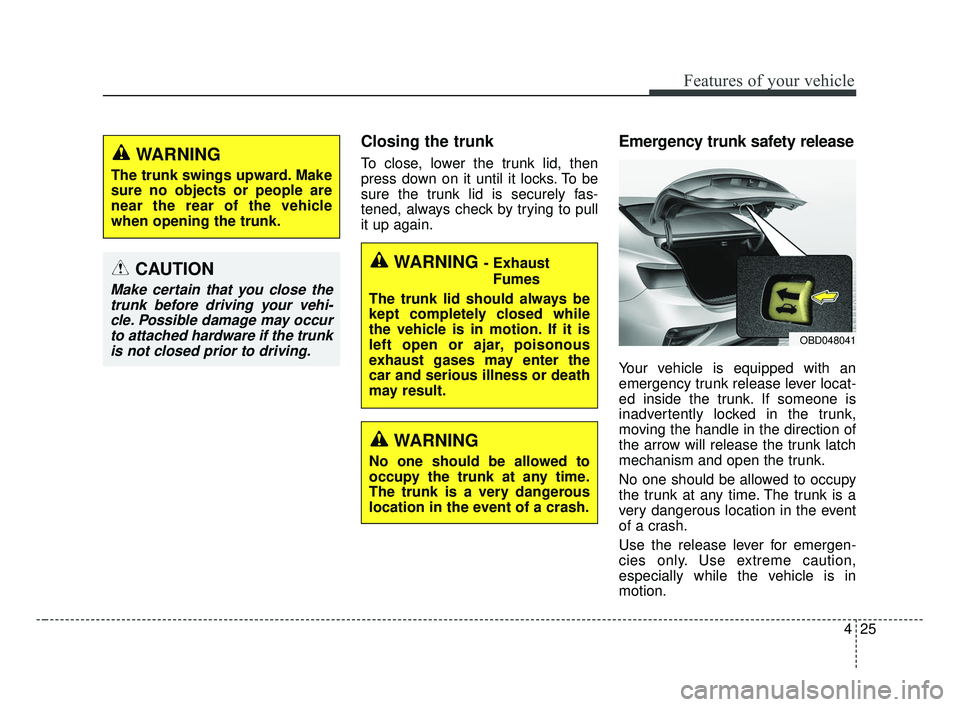
Emergency trunk safety release
Your vehicle is equipped with an
emergency trunk release lever locat-
ed inside the trunk. If someone is
inadvertently locked in the trunk,
moving the handle in the direction of
the arrow will release the trunk latch
mechanism and open the trunk.
No one should be allowed to occupy
the trunk at any time. The trunk is a
very dangerous location in the event
of a crash.
Use the release lever for emergen-
cies only. Use extreme caution,
especially while the vehicle is in
motion.
WARNING - ExhaustFumes
The trunk lid should always be
kept completely closed while
the vehicle is in motion. If it is
left open or ajar, poisonous
exhaust gases may enter the
car and serious illness or death
may result.
WARNING
No one should be allowed to
occupy the trunk at any time.
The trunk is a very dangerous
location in the event of a crash.
OBD048041
CAUTION
Make certain that you close the trunk before driving your vehi-cle. Possible damage may occurto attached hardware if the trunkis not closed prior to driving.
WARNING
The trunk swings upward. Make
sure no objects or people are
near the rear of the vehicle
when opening the trunk.
BDm CAN (ENG) 4.qxp 7/4/2018 10:03 AM Page 25
Page 111 of 550
Features of your vehicle
26
4
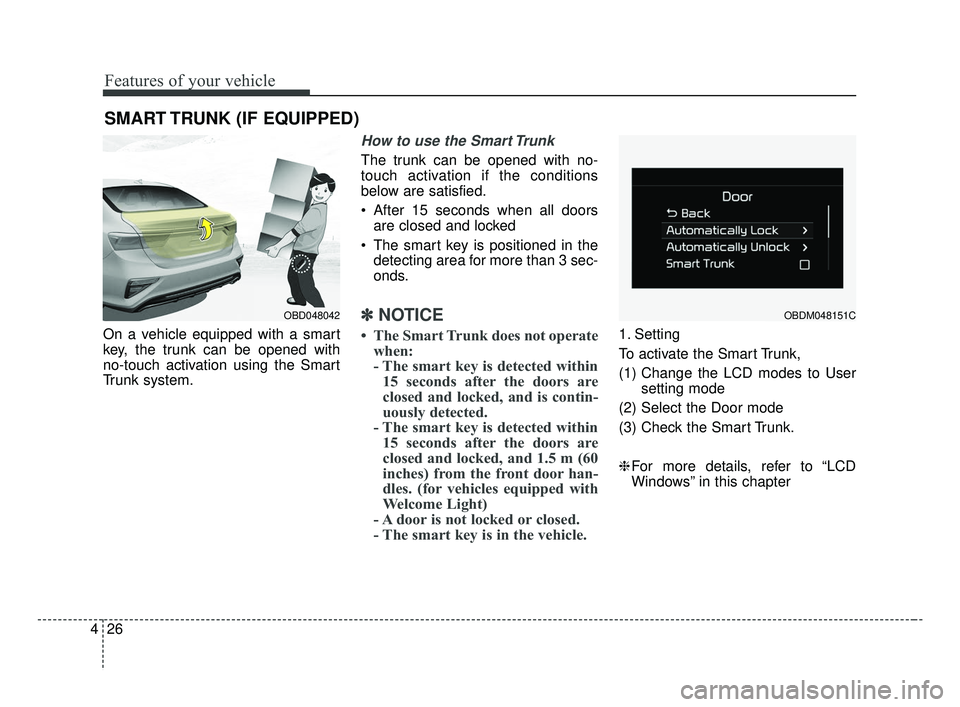
On a vehicle equipped with a smart
key, the trunk can be opened with
no-touch activation using the Smart
Trunk system.
How to use the Smart Trunk
The trunk can be opened with no-
touch activation if the conditions
below are satisfied.
After 15 seconds when all doors
are closed and locked
The smart key is positioned in the detecting area for more than 3 sec-
onds.
✽ ✽ NOTICE
• The Smart Trunk does not operate
when:
- The smart key is detected within15 seconds after the doors are
closed and locked, and is contin-
uously detected.
- The smart key is detected within 15 seconds after the doors are
closed and locked, and 1.5 m (60
inches) from the front door han-
dles. (for vehicles equipped with
Welcome Light)
- A door is not locked or closed.
- The smart key is in the vehicle. 1. Setting
To activate the Smart Trunk,
(1) Change the LCD modes to User
setting mode
(2) Select the Door mode
(3) Check the Smart Trunk.
❈ For more details, refer to “LCD
Windows” in this chapter
SMART TRUNK (IF EQUIPPED)
OBD048042OBDM048151C
BDm CAN (ENG) 4.qxp 7/4/2018 10:03 AM Page 26
Page 113 of 550
Features of your vehicle
28
4
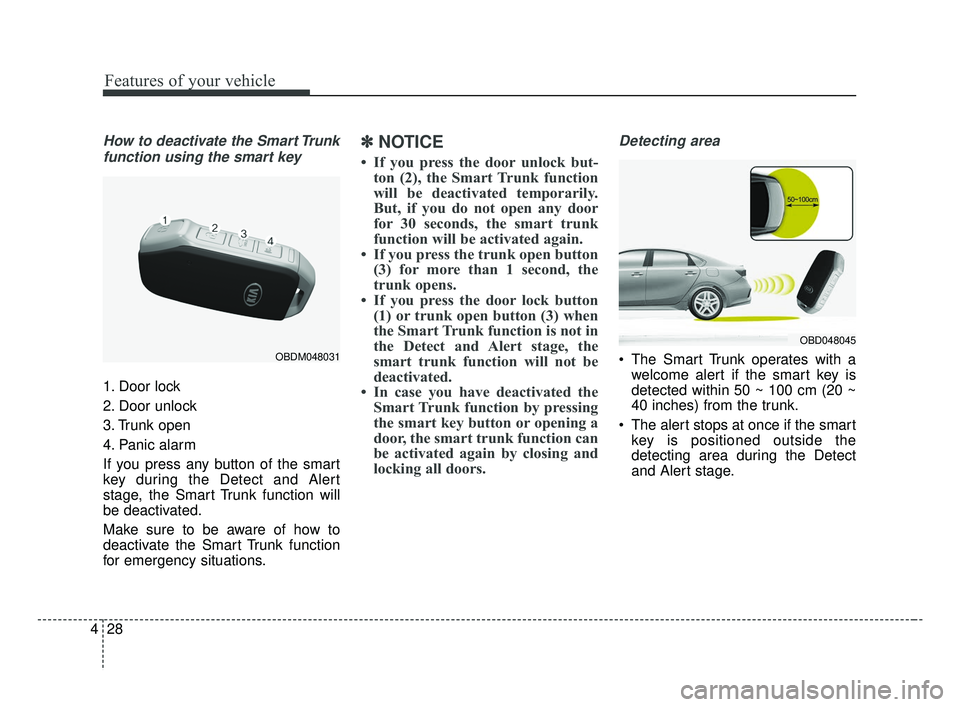
How to deactivate the Smart Trunk
function using the smart key
1. Door lock
2. Door unlock
3. Trunk open
4. Panic alarm
If you press any button of the smart
key during the Detect and Alert
stage, the Smart Trunk function will
be deactivated.
Make sure to be aware of how to
deactivate the Smart Trunk function
for emergency situations.
✽ ✽ NOTICE
• If you press the door unlock but-
ton (2), the Smart Trunk function
will be deactivated temporarily.
But, if you do not open any door
for 30 seconds, the smart trunk
function will be activated again.
• If you press the trunk open button (3) for more than 1 second, the
trunk opens.
• If you press the door lock button (1) or trunk open button (3) when
the Smart Trunk function is not in
the Detect and Alert stage, the
smart trunk function will not be
deactivated.
• In case you have deactivated the Smart Trunk function by pressing
the smart key button or opening a
door, the smart trunk function can
be activated again by closing and
locking all doors.
Detecting area
The Smart Trunk operates with a
welcome alert if the smart key is
detected within 50 ~ 100 cm (20 ~
40 inches) from the trunk.
The alert stops at once if the smart key is positioned outside the
detecting area during the Detect
and Alert stage.
OBD048045
OBDM048031
BDm CAN (ENG) 4.qxp 7/4/2018 10:04 AM Page 28
Page 115 of 550
Features of your vehicle
30
4
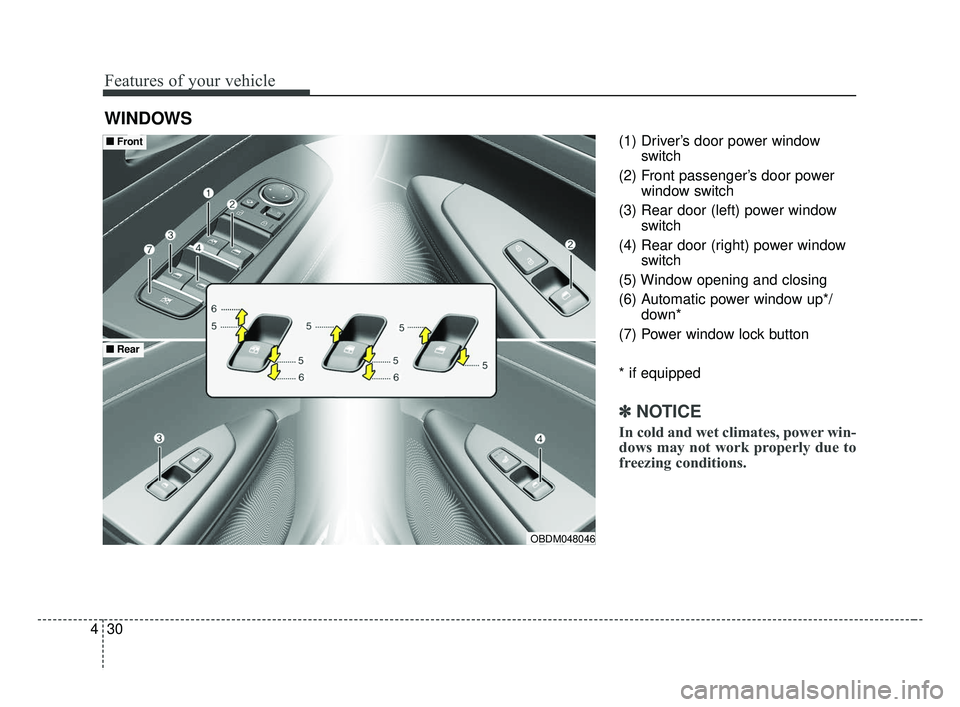
(1) Driver’s door power window
switch
(2) Front passenger’s door power window switch
(3) Rear door (left) power window switch
(4) Rear door (right) power window switch
(5) Window opening and closing
(6) Automatic power window up*/ down*
(7) Power window lock button
* if equipped
✽ ✽ NOTICE
In cold and wet climates, power win-
dows may not work properly due to
freezing conditions.
WINDOWS
OBDM048046
■ ■ Front
■ ■Rear
BDm CAN (ENG) 4.qxp 7/4/2018 10:04 AM Page 30
Page 116 of 550
431
Features of your vehicle
Power windows
The ignition switch must be in the ON
position for power windows to oper-
ate.
Each door has a power window
switch that controls the door's win-
dow. The driver has a power window
lock button which can block the oper-
ation of rear passenger windows.
The power windows can be operated
for approximately 10 minutes after
the ignition key is removed or is set
to the to the ACC or LOCK position.
However, if the front doors are
opened, the power windows cannot
be operated even within the 10 min-
utes period.
The driver’s door has a master power
window switch that controls all the
windows in the vehicle.
If the window cannot be closed
because it is blocked by objects,
remove the objects and close the
window.
✽ ✽NOTICE
While driving with the rear windows
down or with the sunroof (if
equipped) in an open (or partially
open) position, your vehicle may
demonstrate a wind buffeting or
pulsation noise. This noise is a nor-
mal occurrence and can be reduced
or eliminated by taking the follow-
ing actions. If the noise occurs with
one or both of the rear windows
down, partially lower both front
windows approximately 2.5 cm (1
in.). If you experience the noise with
the sunroof open, slightly reduce the
size of the sunroof opening.
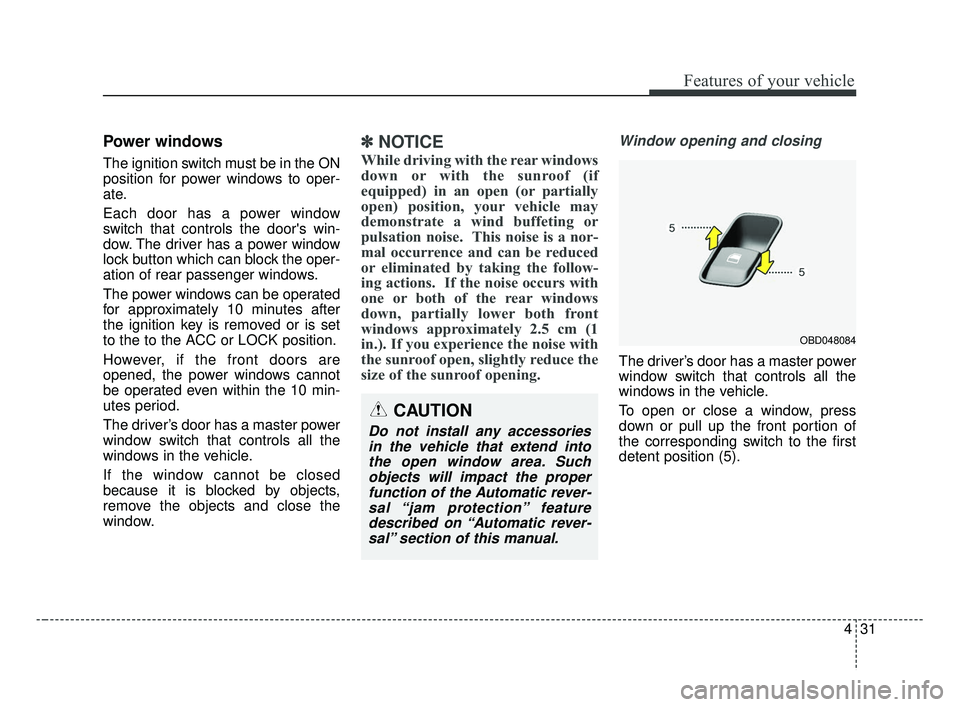
Window opening and closing
The driver’s door has a master power
window switch that controls all the
windows in the vehicle.
To open or close a window, press
down or pull up the front portion of
the corresponding switch to the first
detent position (5).
OBD048084
CAUTION
Do not install any accessories
in the vehicle that extend intothe open window area. Suchobjects will impact the properfunction of the Automatic rever-sal “jam protection” featuredescribed on “Automatic rever-sal” section of this manual.
BDm CAN (ENG) 4.qxp 7/4/2018 10:04 AM Page 31
Page 118 of 550
433
Features of your vehicle
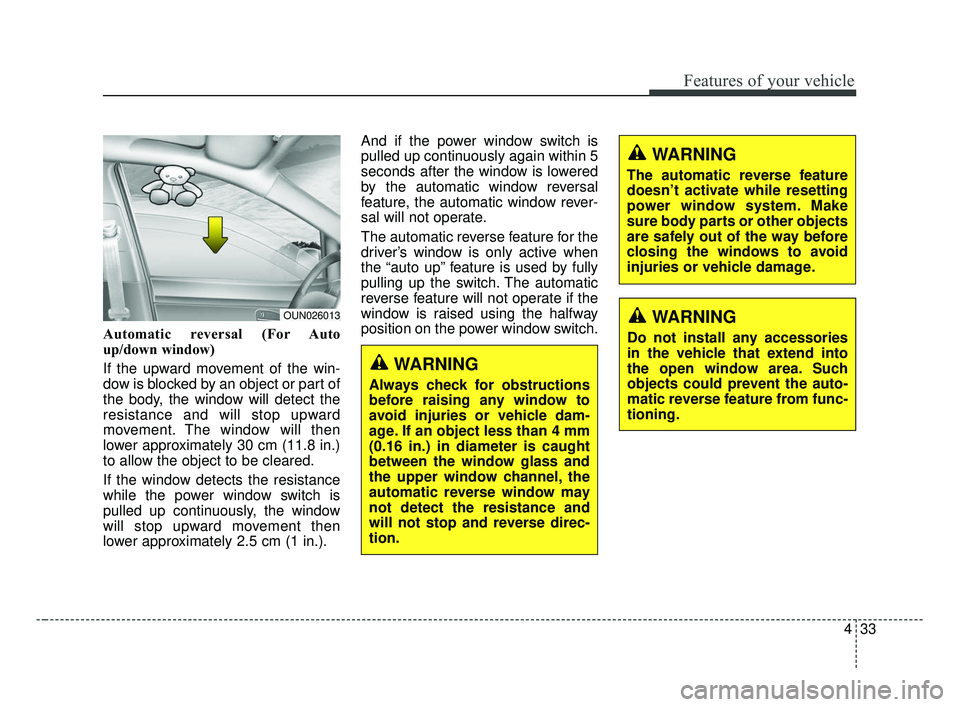
Automatic reversal (For Auto
up/down window)
If the upward movement of the win-
dow is blocked by an object or part of
the body, the window will detect the
resistance and will stop upward
movement. The window will then
lower approximately 30 cm (11.8 in.)
to allow the object to be cleared.
If the window detects the resistance
while the power window switch is
pulled up continuously, the window
will stop upward movement then
lower approximately 2.5 cm (1 in.).And if the power window switch is
pulled up continuously again within 5
seconds after the window is lowered
by the automatic window reversal
feature, the automatic window rever-
sal will not operate.
The automatic reverse feature for the
driver’s window is only active when
the “auto up” feature is used by fully
pulling up the switch. The automatic
reverse feature will not operate if the
window is raised using the halfway
position on the power window switch.
WARNING
The automatic reverse feature
doesn’t activate while resetting
power window system. Make
sure body parts or other objects
are safely out of the way before
closing the windows to avoid
injuries or vehicle damage.
WARNING
Always check for obstructions
before raising any window to
avoid injuries or vehicle dam-
age. If an object less than 4 mm
(0.16 in.) in diameter is caught
between the window glass and
the upper window channel, the
automatic reverse window may
not detect the resistance and
will not stop and reverse direc-
tion.
OUN026013WARNING
Do not install any accessories
in the vehicle that extend into
the open window area. Such
objects could prevent the auto-
matic reverse feature from func-
tioning.
BDm CAN (ENG) 4.qxp 7/4/2018 10:04 AM Page 33
Page 119 of 550
Features of your vehicle
34
4
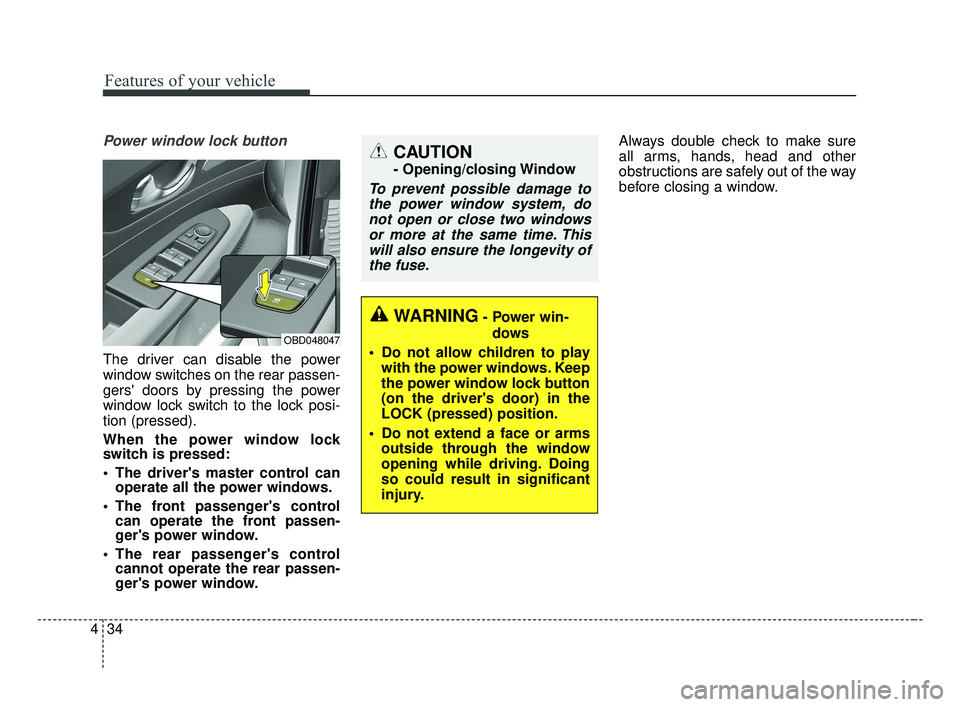
Power window lock button
The driver can disable the power
window switches on the rear passen-
gers' doors by pressing the power
window lock switch to the lock posi-
tion (pressed).
When the power window lock
switch is pressed:
The driver's master control can
operate all the power windows.
The front passenger's control can operate the front passen-
ger's power window.
The rear passenger's control cannot operate the rear passen-
ger's power window. Always double check to make sure
all arms, hands, head and other
obstructions are safely out of the way
before closing a window.
CAUTION
- Opening/closing Window
To prevent possible damage to
the power window system, donot open or close two windowsor more at the same time. Thiswill also ensure the longevity ofthe fuse.
OBD048047
WARNING- Power win-
dows
Do not allow children to play with the power windows. Keep
the power window lock button
(on the driver's door) in the
LOCK (pressed) position.
Do not extend a face or arms outside through the window
opening while driving. Doing
so could result in significant
injury.
BDm CAN (ENG) 4.qxp 7/4/2018 10:04 AM Page 34