ESP KIA FORTE 2019 Service Manual
[x] Cancel search | Manufacturer: KIA, Model Year: 2019, Model line: FORTE, Model: KIA FORTE 2019Pages: 550, PDF Size: 11.66 MB
Page 309 of 550
563
Driving your vehicle
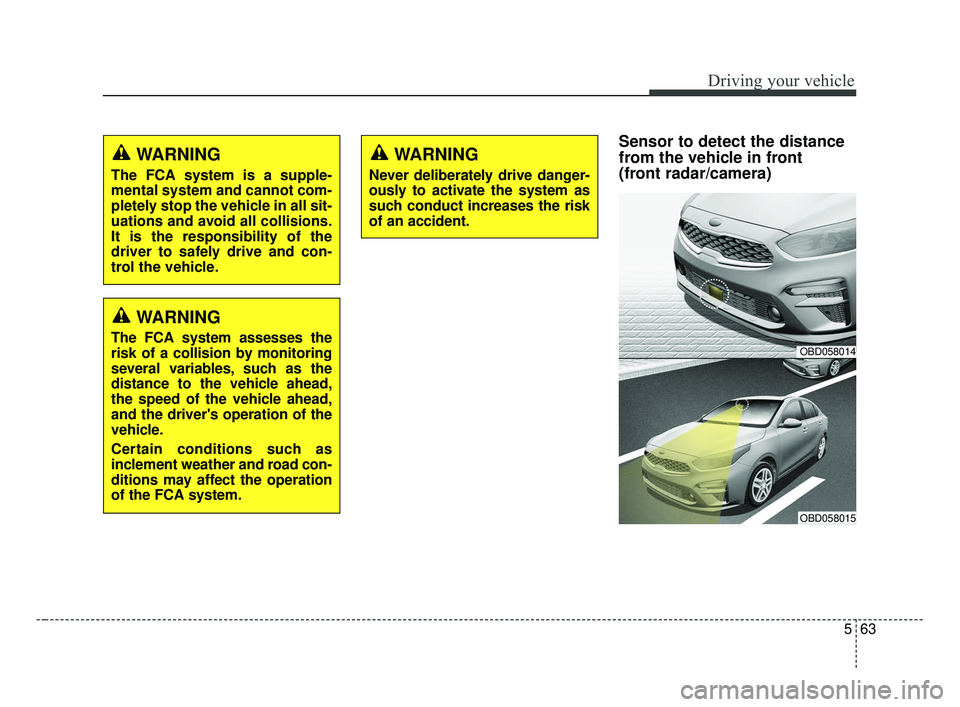
Sensor to detect the distance
from the vehicle in front
(front radar/camera)WARNING
The FCA system is a supple-
mental system and cannot com-
pletely stop the vehicle in all sit-
uations and avoid all collisions.
It is the responsibility of the
driver to safely drive and con-
trol the vehicle.
WARNING
The FCA system assesses the
risk of a collision by monitoring
several variables, such as the
distance to the vehicle ahead,
the speed of the vehicle ahead,
and the driver's operation of the
vehicle.
Certain conditions such as
inclement weather and road con-
ditions may affect the operation
of the FCA system.OBD058014
OBD058015
WARNING
Never deliberately drive danger-
ously to activate the system as
such conduct increases the risk
of an accident.
BDm CAN (ENG) 5.QXP 7/4/2018 10:14 AM Page 63
Page 312 of 550
Driving your vehicle
66
5
The FCA system will get deactivat-
ed for the sake of driver's safety
when the ESC warning light comes
on. The FCA warning message will
appear at the same time, too. But
that doesn't necessarily mean the
malfunction of the FCA system.
Both FCA warning light and warning
message will disappear once the
ESC warning light issue is resolved.(Continued)
The FCA system only recog-nizes vehicles and pedestri-
ans in front of it while driving
forward. It does not identify
any animals or vehicles in the
opposite direction.
The FCA does not recognize cross-traffic or parked vehi-
cles presenting a side profile.
If the vehicle in front stops suddenly, you may have less
control of the brake system.
Therefore, always keep safe
distance between your vehicle
and the vehicle in front of you.
The FCA system may activate during braking and the vehicle
may stop suddenly. And the
load in the vehicle may endan-
ger passengers. Therefore,
always be mindful of the load
volume in the vehicle.
(Continued)WARNING
The FCA is only a supplemen-tal system for the driver’s con-
venience. It is the driver's
responsibility to control the
vehicle. Do not solely depend
on the FCA system. Rather,
maintain a safe braking dis-
tance, and, if necessary,
depress the brake pedal to
lower the driving speed.
The FCA may unnecessarily produce the warning message
and the warning alarms. Also,
due to sensing limitations the
FCA may not produce alarms
in certain situations. Read the
section “Limitation of the sys-
tem” for more information.
When there is a malfunction with the FCA, the FCA braking
control does not operate upon
detecting a collision risk even
with other braking systems
normally operating.
(Continued)
BDm CAN (ENG) 5.QXP 7/4/2018 10:14 AM Page 66
Page 315 of 550
569
Driving your vehicle
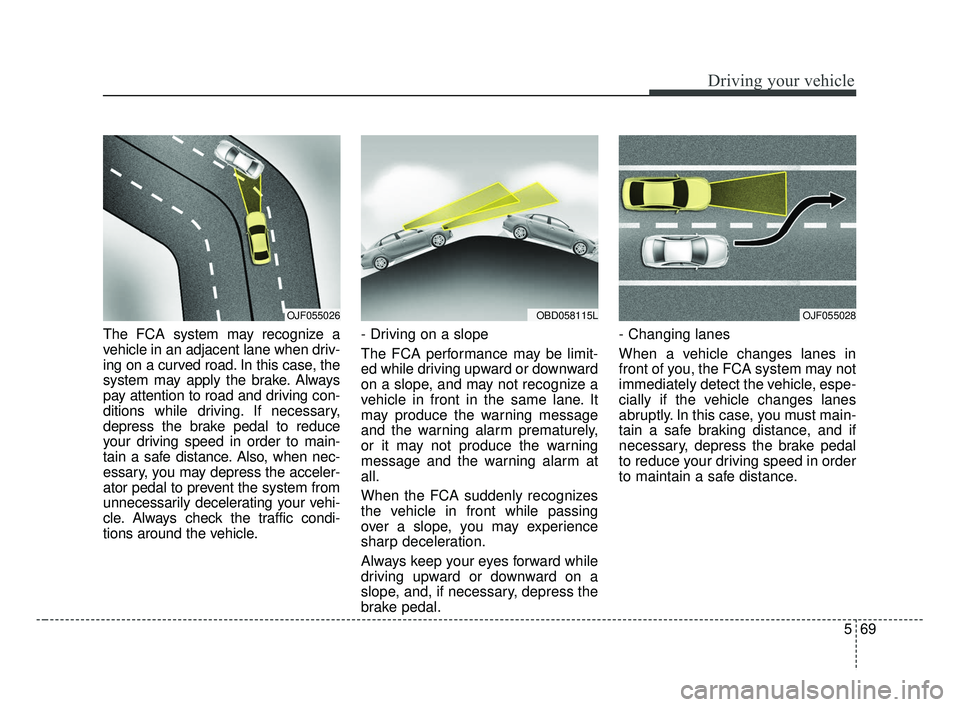
The FCA system may recognize a
vehicle in an adjacent lane when driv-
ing on a curved road. In this case, the
system may apply the brake. Always
pay attention to road and driving con-
ditions while driving. If necessary,
depress the brake pedal to reduce
your driving speed in order to main-
tain a safe distance. Also, when nec-
essary, you may depress the acceler-
ator pedal to prevent the system from
unnecessarily decelerating your vehi-
cle. Always check the traffic condi-
tions around the vehicle.- Driving on a slope
The FCA performance may be limit-
ed while driving upward or downward
on a slope, and may not recognize a
vehicle in front in the same lane. It
may produce the warning message
and the warning alarm prematurely,
or it may not produce the warning
message and the warning alarm at
all.
When the FCA suddenly recognizes
the vehicle in front while passing
over a slope, you may experience
sharp deceleration.
Always keep your eyes forward while
driving upward or downward on a
slope, and, if necessary, depress the
brake pedal.- Changing lanes
When a vehicle changes lanes in
front of you, the FCA system may not
immediately detect the vehicle, espe-
cially if the vehicle changes lanes
abruptly. In this case, you must main-
tain a safe braking distance, and if
necessary, depress the brake pedal
to reduce your driving speed in order
to maintain a safe distance.
OJF055028OJF055026OBD058115L
BDm CAN (ENG) 5.QXP 7/4/2018 10:14 AM Page 69
Page 323 of 550
577
Driving your vehicle
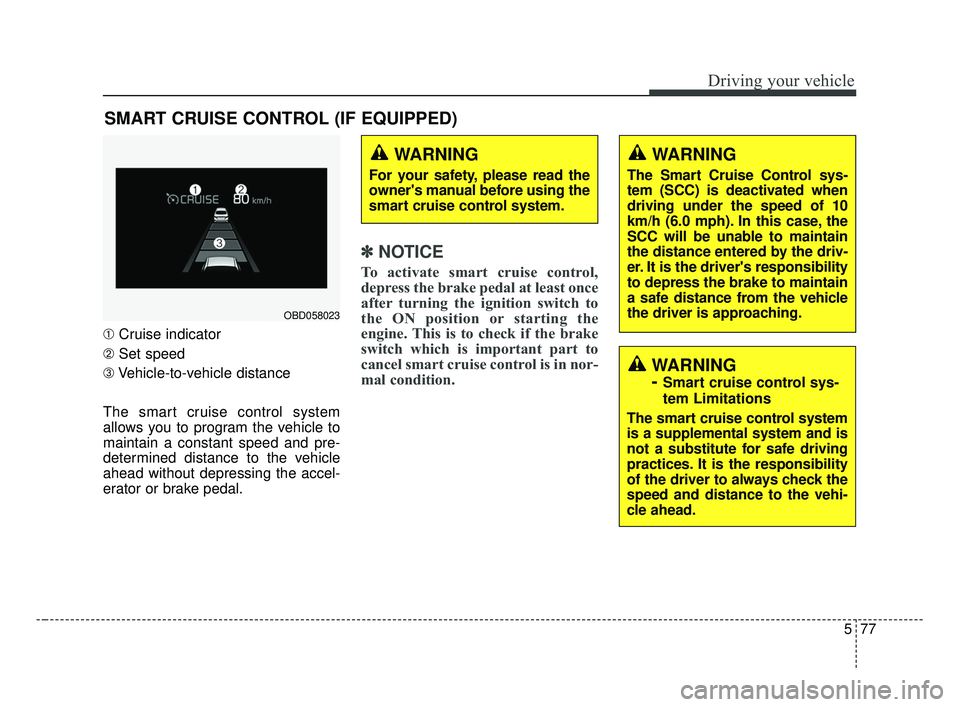
➀Cruise indicator
➁ Set speed
➂ Vehicle-to-vehicle distance
The smart cruise control system
allows you to program the vehicle to
maintain a constant speed and pre-
determined distance to the vehicle
ahead without depressing the accel-
erator or brake pedal.
✽ ✽ NOTICE
To activate smart cruise control,
depress the brake pedal at least once
after turning the ignition switch to
the ON position or starting the
engine. This is to check if the brake
switch which is important part to
cancel smart cruise control is in nor-
mal condition.
SMART CRUISE CONTROL (IF EQUIPPED)
WARNING
For your safety, please read the
owner's manual before using the
smart cruise control system.
WARNING
The Smart Cruise Control sys-
tem (SCC) is deactivated when
driving under the speed of 10
km/h (6.0 mph). In this case, the
SCC will be unable to maintain
the distance entered by the driv-
er. It is the driver's responsibility
to depress the brake to maintain
a safe distance from the vehicle
the driver is approaching.
WARNING
-
Smart cruise control sys-
tem Limitations
The smart cruise control system
is a supplemental system and is
not a substitute for safe driving
practices. It is the responsibility
of the driver to always check the
speed and distance to the vehi-
cle ahead.
OBD058023
BDm CAN (ENG) 5.QXP 7/4/2018 10:15 AM Page 77
Page 333 of 550
587
Driving your vehicle
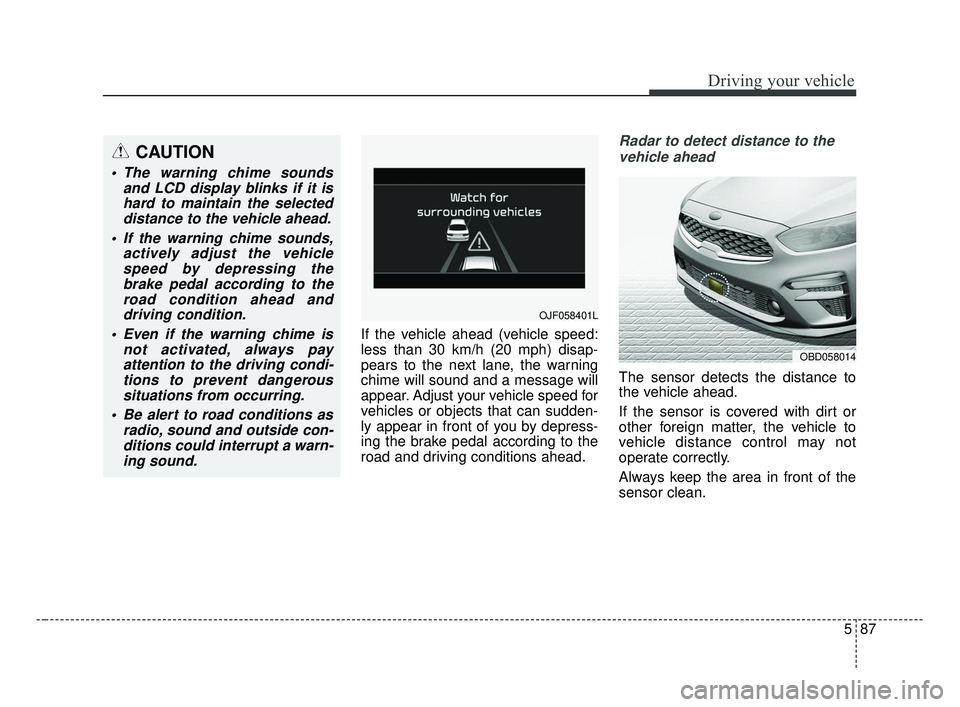
If the vehicle ahead (vehicle speed:
less than 30 km/h (20 mph) disap-
pears to the next lane, the warning
chime will sound and a message will
appear. Adjust your vehicle speed for
vehicles or objects that can sudden-
ly appear in front of you by depress-
ing the brake pedal according to the
road and driving conditions ahead.
Radar to detect distance to thevehicle ahead
The sensor detects the distance to
the vehicle ahead.
If the sensor is covered with dirt or
other foreign matter, the vehicle to
vehicle distance control may not
operate correctly.
Always keep the area in front of the
sensor clean.
CAUTION
The warning chime sounds and LCD display blinks if it ishard to maintain the selecteddistance to the vehicle ahead.
If the warning chime sounds, actively adjust the vehiclespeed by depressing thebrake pedal according to theroad condition ahead anddriving condition.
Even if the warning chime is not activated, always payattention to the driving condi-tions to prevent dangeroussituations from occurring.
Be alert to road conditions as radio, sound and outside con-ditions could interrupt a warn-ing sound.
OJF058401L
OBD058014
BDm CAN (ENG) 5.QXP 7/4/2018 10:16 AM Page 87
Page 343 of 550
597
Driving your vehicle
This device complies with
Industry Canada licence-exempt
RSS standard(s).
Operation is subject to the following
conditions:
(1) This device may not cause inter-ference, and
(2) This device must accept any interference, including interfer-
ence that may cause undesired
operation of the device.
(3) Changes or modifications not expressly approved by the party
responsible for compliance could
void the user's authority to oper-
ate the device.
BDm CAN (ENG) 5.QXP 7/4/2018 10:16 AM Page 97
Page 357 of 550
5111
Driving your vehicle
(Continued)
- When other vehicles are close toyour vehicle.
- When the other vehicle approaches very close.
- When the detected vehicle also moves back, as your vehicle
drives back.
- While changing lanes.
- If the vehicle has started at the same time as the vehicle next to
you and has accelerated.
- When the other vehicle passes at a very fast speed.
- When the vehicle in the next lane moves two lanes away from
you OR when the vehicle two
lanes away moves to the next
lane to you.
- The vehicle is turning left or right at a crossroads. This device complies with
Industry Canada licence-exempt
RSS standard(s).
Operation is subject to the following
conditions:
(1) This device may not cause inter-
ference, and
(2) This device must accept any
interference, including interfer-
ence that may cause undesired
operation of the device.
(3) Changes or modifications not
expressly approved by the party
responsible for compliance could
void the user's authority to oper-
ate the device.
BDm CAN (ENG) 5.QXP 7/4/2018 10:17 AM Page 111
Page 358 of 550
Driving your vehicle
112
5
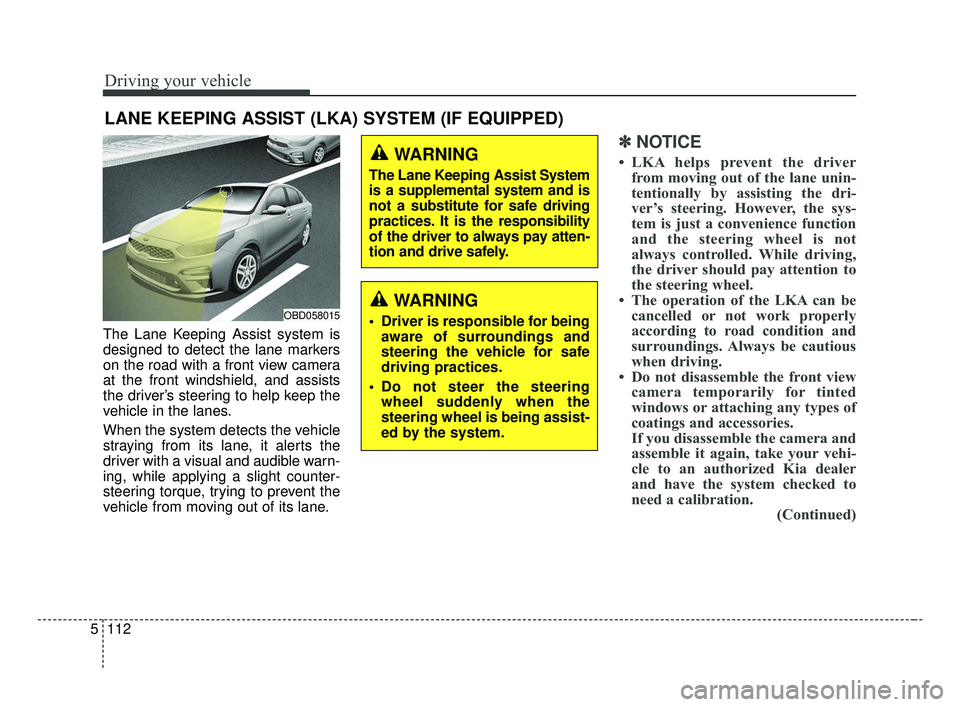
The Lane Keeping Assist system is
designed to detect the lane markers
on the road with a front view camera
at the front windshield, and assists
the driver’s steering to help keep the
vehicle in the lanes.
When the system detects the vehicle
straying from its lane, it alerts the
driver with a visual and audible warn-
ing, while applying a slight counter-
steering torque, trying to prevent the
vehicle from moving out of its lane.
✽ ✽
NOTICE
• LKA helps prevent the driver
from moving out of the lane unin-
tentionally by assisting the dri-
ver’s steering. However, the sys-
tem is just a convenience function
and the steering wheel is not
always controlled. While driving,
the driver should pay attention to
the steering wheel.
• The operation of the LKA can be cancelled or not work properly
according to road condition and
surroundings. Always be cautious
when driving.
• Do not disassemble the front view camera temporarily for tinted
windows or attaching any types of
coatings and accessories.
If you disassemble the camera and
assemble it again, take your vehi-
cle to an authorized Kia dealer
and have the system checked to
need a calibration. (Continued)
LANE KEEPING ASSIST (LKA) SYSTEM (IF EQUIPPED)
WARNING
Driver is responsible for being
aware of surroundings and
steering the vehicle for safe
driving practices.
Do not steer the steering wheel suddenly when the
steering wheel is being assist-
ed by the system.
WARNING
The Lane Keeping Assist System
is a supplemental system and is
not a substitute for safe driving
practices. It is the responsibility
of the driver to always pay atten-
tion and drive safely.
OBD058015
BDm CAN (ENG) 5.QXP 7/4/2018 10:17 AM Page 112
Page 362 of 550
Driving your vehicle
116
5
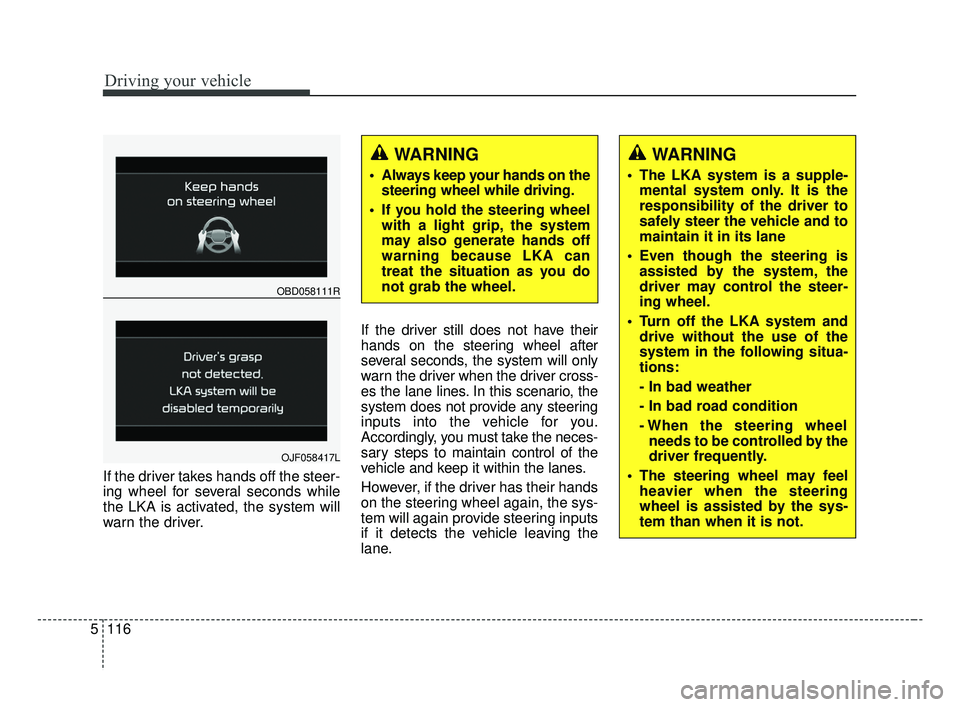
If the driver takes hands off the steer-
ing wheel for several seconds while
the LKA is activated, the system will
warn the driver. If the driver still does not have their
hands on the steering wheel after
several seconds, the system will only
warn the driver when the driver cross-
es the lane lines. In this scenario, the
system does not provide any steering
inputs into the vehicle for you.
Accordingly, you must take the neces-
sary steps to maintain control of the
vehicle and keep it within the lanes.
However, if the driver has their hands
on the steering wheel again, the sys-
tem will again provide steering inputs
if it detects the vehicle leaving the
lane.
WARNING
Always keep your hands on the
steering wheel while driving.
If you hold the steering wheel with a light grip, the system
may also generate hands off
warning because LKA can
treat the situation as you do
not grab the wheel.
OBD058111R
OJF058417L
WARNING
The LKA system is a supple-mental system only. It is the
responsibility of the driver to
safely steer the vehicle and to
maintain it in its lane
Even though the steering is assisted by the system, the
driver may control the steer-
ing wheel.
Turn off the LKA system and drive without the use of the
system in the following situa-
tions:
- In bad weather
- In bad road condition
- When the steering wheelneeds to be controlled by the
driver frequently.
The steering wheel may feel heavier when the steering
wheel is assisted by the sys-
tem than when it is not.
BDm CAN (ENG) 5.QXP 7/4/2018 10:17 AM Page 116
Page 370 of 550
Driving your vehicle
124
5
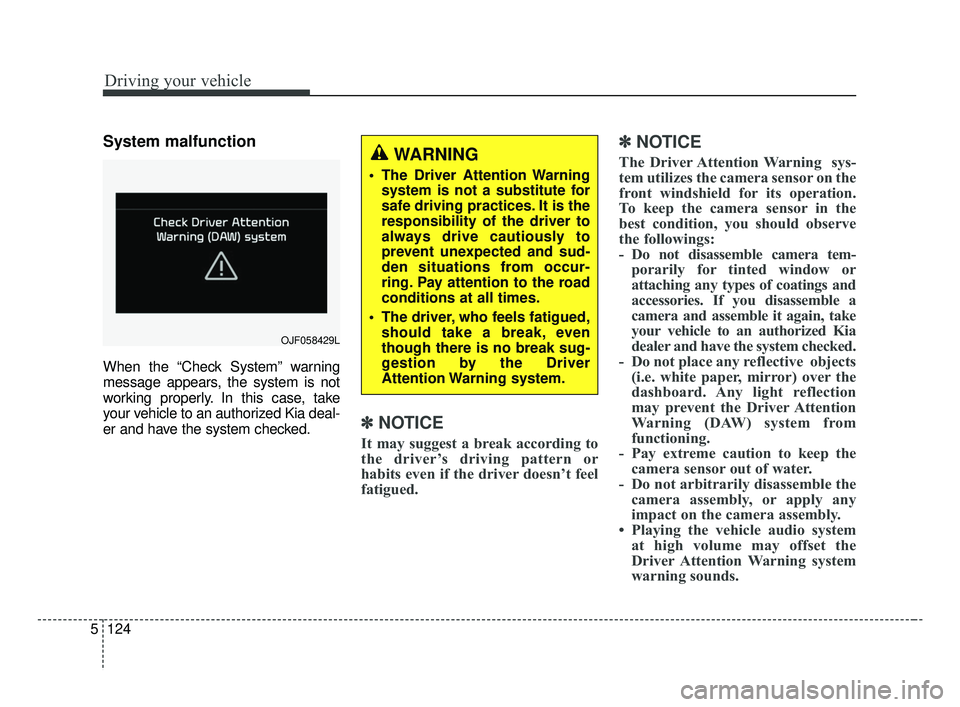
System malfunction
When the “Check System” warning
message appears, the system is not
working properly. In this case, take
your vehicle to an authorized Kia deal-
er and have the system checked.
✽ ✽
NOTICE
It may suggest a break according to
the driver’s driving pattern or
habits even if the driver doesn’t feel
fatigued.
✽ ✽NOTICE
The Driver Attention Warning sys-
tem utilizes the camera sensor on the
front windshield for its operation.
To keep the camera sensor in the
best condition, you should observe
the followings:
- Do not disassemble camera tem-
porarily for tinted window or
attaching any types of coatings and
accessories. If you disassemble a
camera and assemble it again, take
your vehicle to an authorized Kia
dealer and have the system checked.
- Do not place any reflective objects (i.e. white paper, mirror) over the
dashboard. Any light reflection
may prevent the Driver Attention
Warning (DAW) system from
functioning.
- Pay extreme caution to keep the camera sensor out of water.
- Do not arbitrarily disassemble the camera assembly, or apply any
impact on the camera assembly.
• Playing the vehicle audio system at high volume may offset the
Driver Attention Warning system
warning sounds.WARNING
The Driver Attention Warning
system is not a substitute for
safe driving practices. It is the
responsibility of the driver to
always drive cautiously to
prevent unexpected and sud-
den situations from occur-
ring. Pay attention to the road
conditions at all times.
The driver, who feels fatigued, should take a break, even
though there is no break sug-
gestion by the Driver
Attention Warning system.
OJF058429L
BDm CAN (ENG) 5.QXP 7/4/2018 10:18 AM Page 124