warning KIA K900 2016 Owners Manual
[x] Cancel search | Manufacturer: KIA, Model Year: 2016, Model line: K900, Model: KIA K900 2016Pages: 542, PDF Size: 38.35 MB
Page 325 of 542
5-62
Driving your vehicle
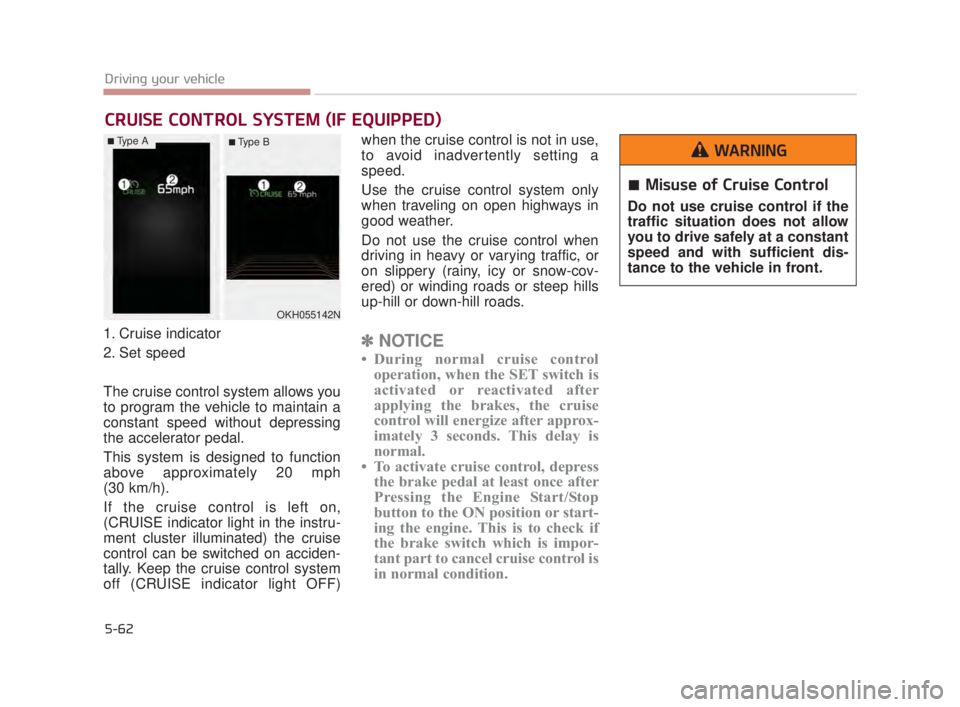
1. Cruise indicator
2. Set speed
The cruise control system allows you
to program the vehicle to maintain a
constant speed without depressing
the accelerator pedal.
This system is designed to function
above approximately 20 mph
(30 km/h).
If the cruise control is left on,
(CRUISE indicator light in the instru-
ment cluster illuminated) the cruise
control can be switched on acciden-
tally. Keep the cruise control system
off (CRUISE indicator light OFF)when the cruise control is not in use,
to avoid inadvertently setting a
speed.
Use the cruise control system only
when traveling on open highways in
good weather.
Do not use the cruise control when
driving in heavy or varying traffic, or
on slippery (rainy, icy or snow-cov-
ered) or winding roads or steep hills
up-hill or down-hill roads.✽
NOTICE
• During normal cruise control
operation, when the SET switch is
activated or reactivated after
applying the brakes, the cruise
control will energize after approx-
imately 3 seconds. This delay is
normal.
• To activate cruise control, depress the brake pedal at least once after
Pressing the Engine Start/Stop
button to the ON position or start-
ing the engine. This is to check if
the brake switch which is impor-
tant part to cancel cruise control is
in normal condition.
CRUISE CONTROL SYSTEM (IF EQUIPPED)
OKH055142N
Misuse of Cruise Control
Do not use cruise control if the
traffic situation does not allow
you to drive safely at a constant
speed and with sufficient dis-
tance to the vehicle in front.
WARNING■Type A■ Type B
KH USA 5:2015 3/25/2015 9:16 AM Page 62
Page 330 of 542
Driving your vehicle
5
5-67
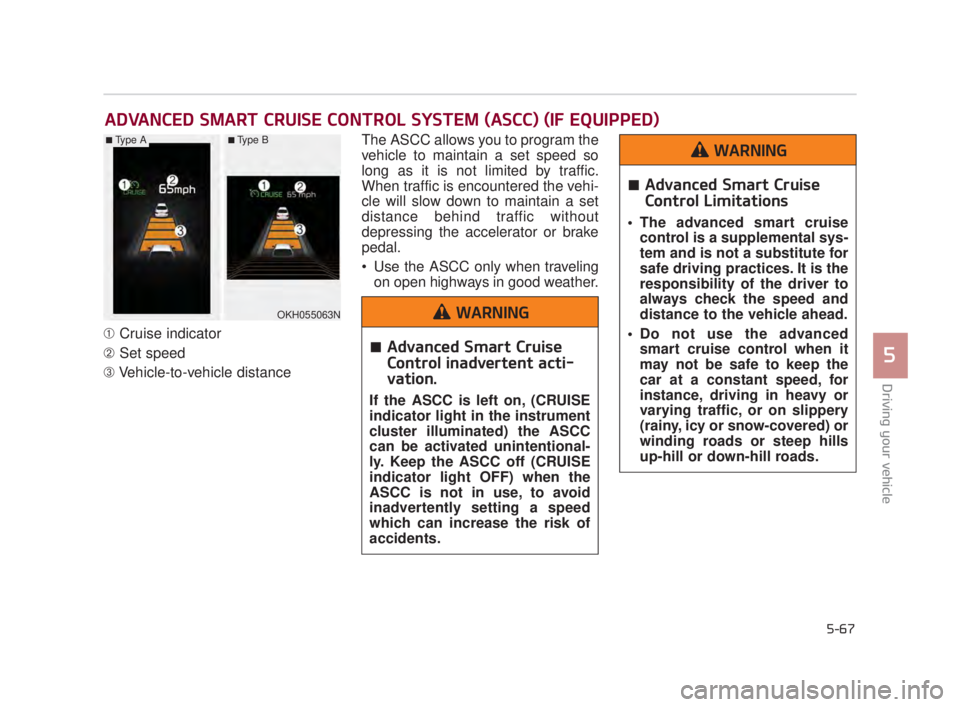
➀Cruise indicator
\b Set speed
➂ Vehicle-to-vehicle distance The ASCC allows you to program the
vehicle to maintain a set speed so
long as it is not limited by traffic.
When traffic is encountered the vehi-
cle will slow down to maintain a set
distance behind traffic without
depressing the accelerator or brake
pedal.
Use the ASCC only when traveling
on open highways in good weather.
ADVANCED SMART CRUISE CONTROL SYSTEM (ASCC) (IF EQUIPPED)
OKH055063N
■Type A■Type B
Advanced Smart Cruise
Control inadvertent acti-
vation.
If the ASCC is left on, (CRUISE
indicator light in the instrument
cluster illuminated) the ASCC
can be activated unintentional-
ly. Keep the ASCC off (CRUISE
indicator light OFF) when the
ASCC is not in use, to avoid
inadvertently setting a speed
which can increase the risk of
accidents.
WARNING
Advanced Smart Cruise
Control Limitations
The advanced smart cruisecontrol is a supplemental sys-
tem and is not a substitute for
safe driving practices. It is the
responsibility of the driver to
always check the speed and
distance to the vehicle ahead.
Do not use the advanced smart cruise control when it
may not be safe to keep the
car at a constant speed, for
instance, driving in heavy or
varying traffic, or on slippery
(rainy, icy or snow-covered) or
winding roads or steep hills
up-hill or down-hill roads.
WARNING
KH USA 5:2015 3/25/2015 9:16 AM Page 67
Page 333 of 542
5-70
Driving your vehicle
Cancelled automatically
The driver's door is opened.
The shift lever is shifted to N(Neutral), R (Reverse) or D (Drive).
The EPB (electronic parking brake) is applied.
The vehicle speed is over 120 mph (190 km/h)
The vehicle stops on a steep incline.
The ESC, TCS or ABS is operat- ing.
The ESC is turned off.
The sensor or the cover is dirty or blocked with foreign matter.
When the vehicle is stopped for over 5 minutes.
The vehicle stops and go repeat- edly for a long period of time.
The driver starts driving by pushing the lever up (RES +) or down (SET
-), approximately 3 seconds after
the vehicle is stopped by the Smart
Cruise Control System with no
other vehicle ahead. The driver starts driving by
depressing the accelerator pedal
or move up the lever (to RES+) or
down(to SET-) if a vehicle stops far
away ahead of the your vehicle.
The accelerator pedal is continu- ously depressed for more than 1
minute.
Each of these actions will cancel
the ASCC operation. (the set
speed and vehicle to vehicle dis-
tance on the LCD display will go
off.)
In a condition where the ASCC is
cancelled automatically, the ASCC
will not resume even though the
RES+ or SET- lever is moved. Also,
the EPB (electronic parking brake)
will be applied when the vehicle is
stopped.
✽ NOTICE
If the ASCC is cancelled by other
than the reasons mentioned, have the
system checked by an authorized
K900 Kia dealer.
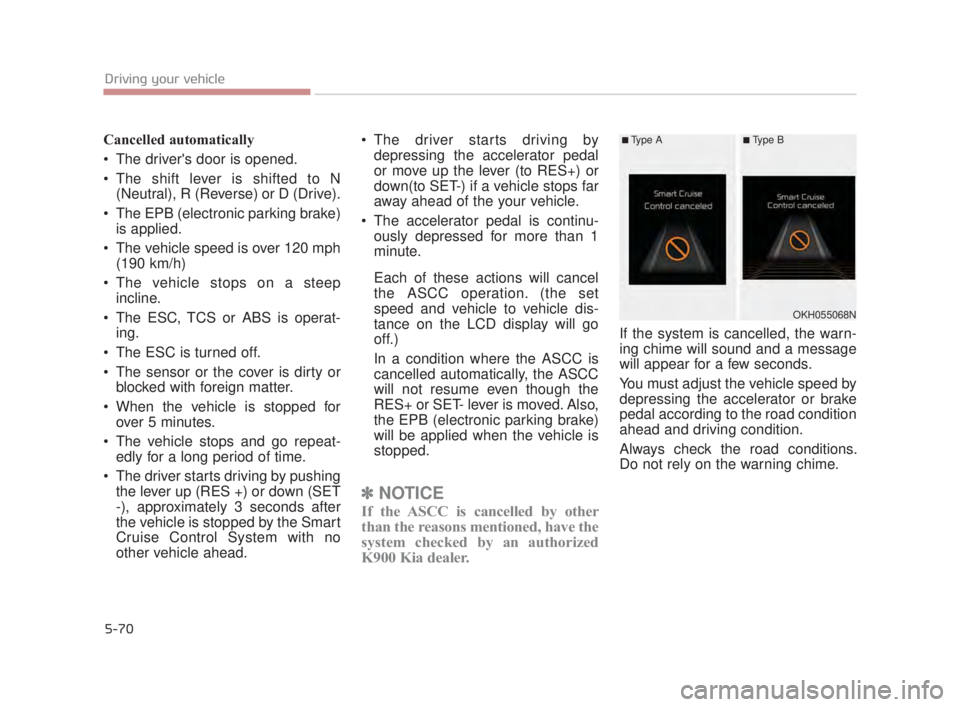
If the system is cancelled, the warn-
ing chime will sound and a message
will appear for a few seconds.
You must adjust the vehicle speed by
depressing the accelerator or brake
pedal according to the road condition
ahead and driving condition.
Always check the road conditions.
Do not rely on the warning chime.
OKH055068N
■Type A■Type B
KH USA 5:2015 3/25/2015 9:16 AM Page 70
Page 334 of 542
Driving your vehicle
5
5-71
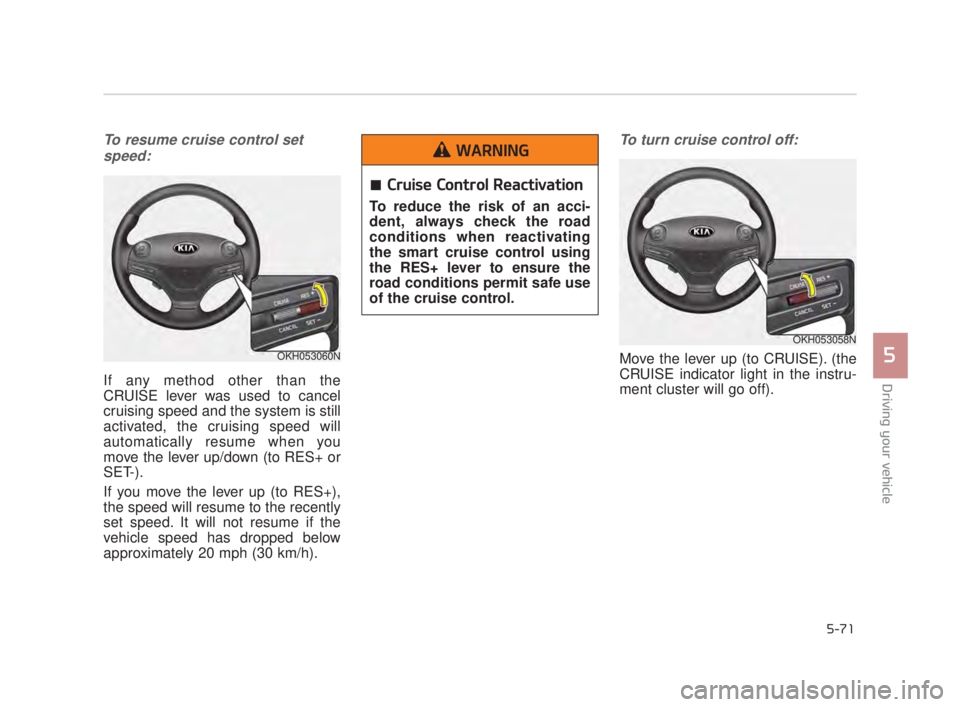
To resume cruise control setspeed:
If any method other than the
CRUISE lever was used to cancel
cruising speed and the system is still
activated, the cruising speed will
automatically resume when you
move the lever up/down (to RES+ or
SET-).
If you move the lever up (to RES+),
the speed will resume to the recently
set speed. It will not resume if the
vehicle speed has dropped below
approximately 20 mph (30 km/h).
To turn cruise control off:
Move the lever up (to CRUISE). (the
CRUISE indicator light in the instru-
ment cluster will go off).OKH053060N
OKH053058N
Cruise Control Reactivation
To reduce the risk of an acci-
dent, always check the road
conditions when reactivating
the smart cruise control using
the RES+ lever to ensure the
road conditions permit safe use
of the cruise control.
WARNING
KH USA 5:2015 3/25/2015 9:16 AM Page 71
Page 335 of 542
5-72
Driving your vehicle
Vehicle to vehicle distance
setting (ASCC)
To set vehicle to vehicle distance:
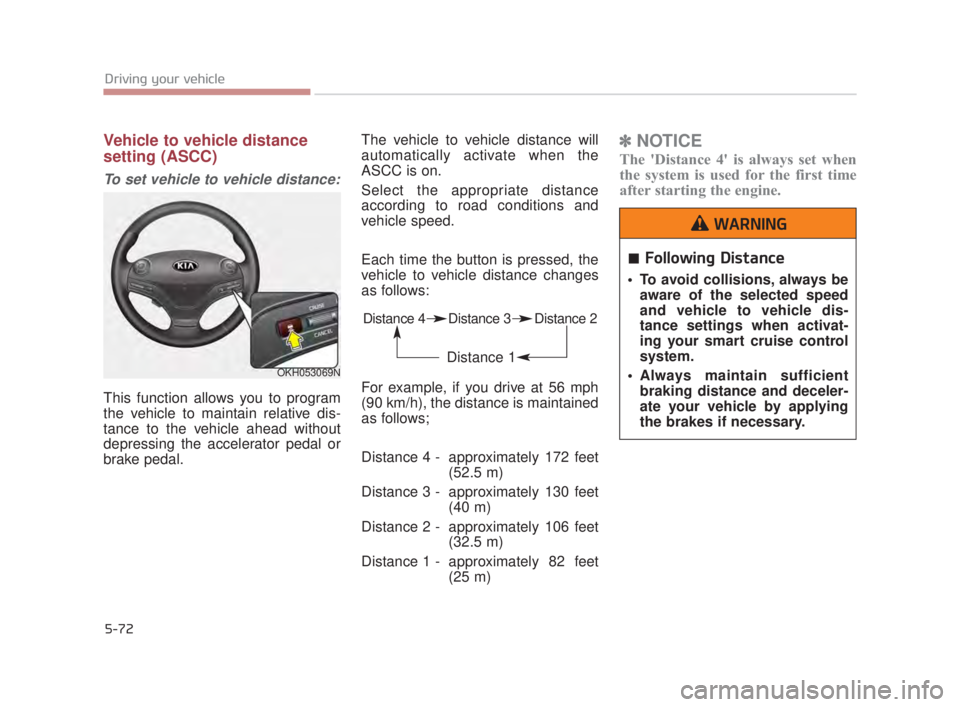
This function allows you to program
the vehicle to maintain relative dis-
tance to the vehicle ahead without
depressing the accelerator pedal or
brake pedal.The vehicle to vehicle distance will
automatically activate when the
ASCC is on.
Select the appropriate distance
according to road conditions and
vehicle speed.
Each time the button is pressed, the
vehicle to vehicle distance changes
as follows:
For example, if you drive at 56 mph
(90 km/h), the distance is maintained
as follows;
Distance 4 - approximately 172 feet
(52.5 m)
Distance 3 - approximately 130 feet (40 m)
Distance 2 - approximately 106 feet (32.5 m)
Distance 1 - approximately 82 feet (25 m)
✽NOTICE
The 'Distance 4' is always set when
the system is used for the first time
after starting the engine.
OKH053069N
Distance 4 Distance 3 Distance 2
Distance 1
Following Distance
To avoid collisions, always be
aware of the selected speed
and vehicle to vehicle dis-
tance settings when activat-
ing your smart cruise control
system.
Always maintain sufficient braking distance and deceler-
ate your vehicle by applying
the brakes if necessary.
WARNING
KH USA 5:2015 3/25/2015 9:16 AM Page 72
Page 336 of 542
Driving your vehicle
5
5-73
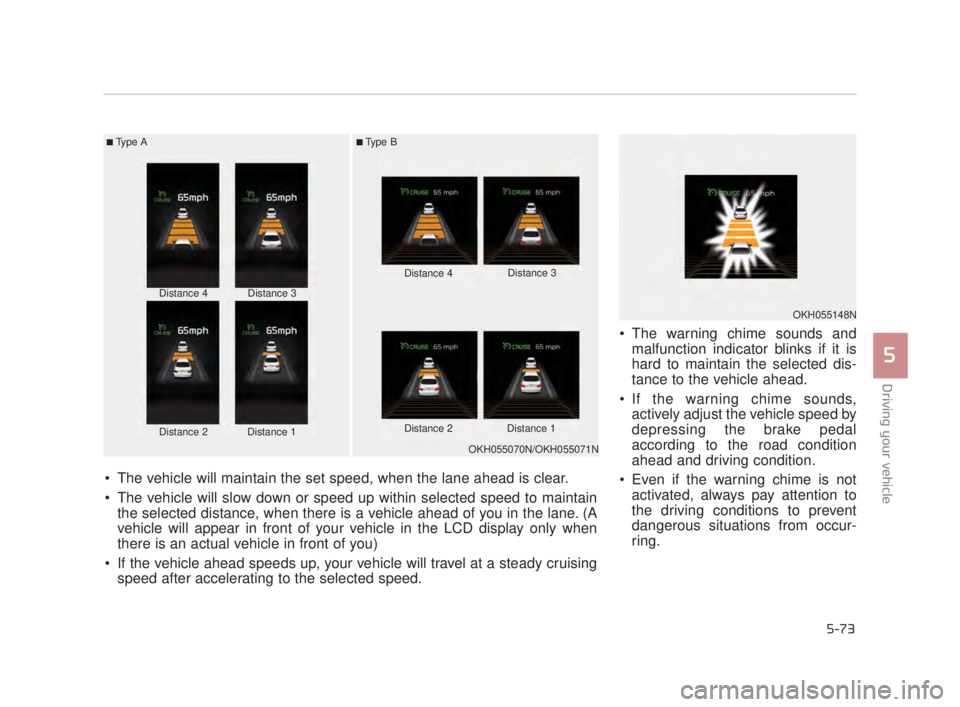
The warning chime sounds andmalfunction indicator blinks if it is
hard to maintain the selected dis-
tance to the vehicle ahead.
If the warning chime sounds, actively adjust the vehicle speed by
depressing the brake pedal
according to the road condition
ahead and driving condition.
Even if the warning chime is not activated, always pay attention to
the driving conditions to prevent
dangerous situations from occur-
ring.
■Type A■Type B
Distance 4
Distance 2Distance 1
Distance 3 Distance 4
Distance 3
Distance 2 Distance 1
The vehicle will maintain the set speed, when the lane ahead is clear.
The vehicle will slow down or speed up within selected speed to maintain the selected distance, when there is a vehicle ahead of you in the lane. (A
vehicle will appear in front of your vehicle in the LCD display only when
there is an actual vehicle in front of you)
If the vehicle ahead speeds up, your vehicle will travel at a steady cruising speed after accelerating to the selected speed.
OKH055070N/OKH055071N
OKH055148N
KH USA 5:2015 3/25/2015 9:16 AM Page 73
Page 337 of 542
5-74
Driving your vehicle
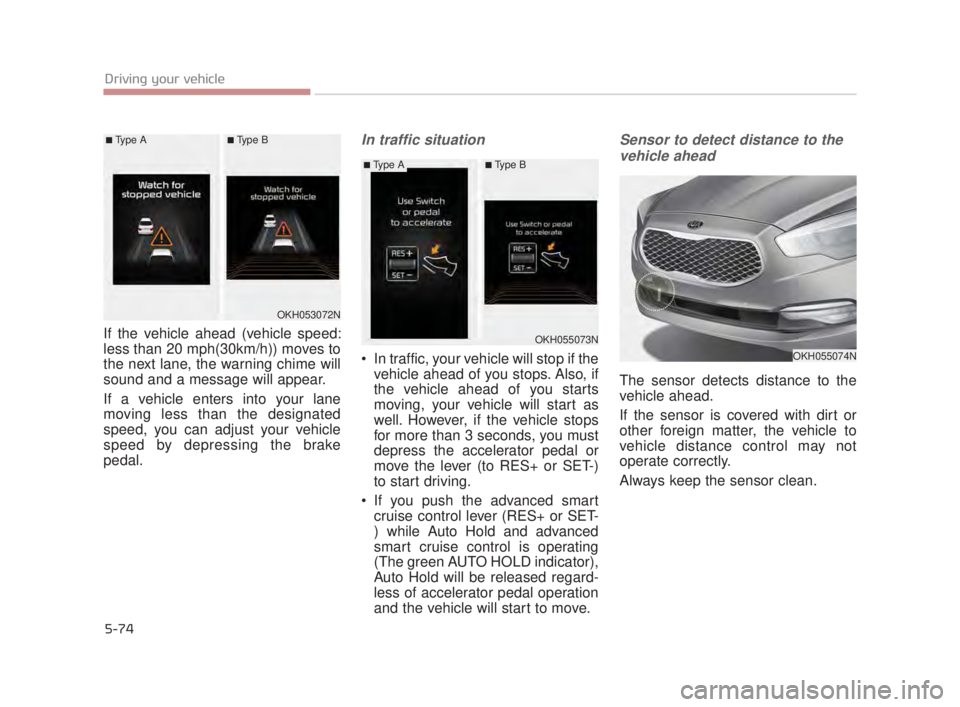
If the vehicle ahead (vehicle speed:
less than 20 mph(30km/h)) moves to
the next lane, the warning chime will
sound and a message will appear.
If a vehicle enters into your lane
moving less than the designated
speed, you can adjust your vehicle
speed by depressing the brake
pedal.
In traffic situation
In traffic, your vehicle will stop if thevehicle ahead of you stops. Also, if
the vehicle ahead of you starts
moving, your vehicle will start as
well. However, if the vehicle stops
for more than 3 seconds, you must
depress the accelerator pedal or
move the lever (to RES+ or SET-)
to start driving.
If you push the advanced smart cruise control lever (RES+ or SET-
) while Auto Hold and advanced
smart cruise control is operating
(The green AUTO HOLD indicator),
Auto Hold will be released regard-
less of accelerator pedal operation
and the vehicle will start to move.
Sensor to detect distance to the
vehicle ahead
The sensor detects distance to the
vehicle ahead.
If the sensor is covered with dirt or
other foreign matter, the vehicle to
vehicle distance control may not
operate correctly.
Always keep the sensor clean.
OKH053072N
OKH055073N
OKH055074N
■Type A■Type B
■Type A■Type B
KH USA 5:2015 3/25/2015 9:16 AM Page 74
Page 338 of 542
Driving your vehicle
5
5-75
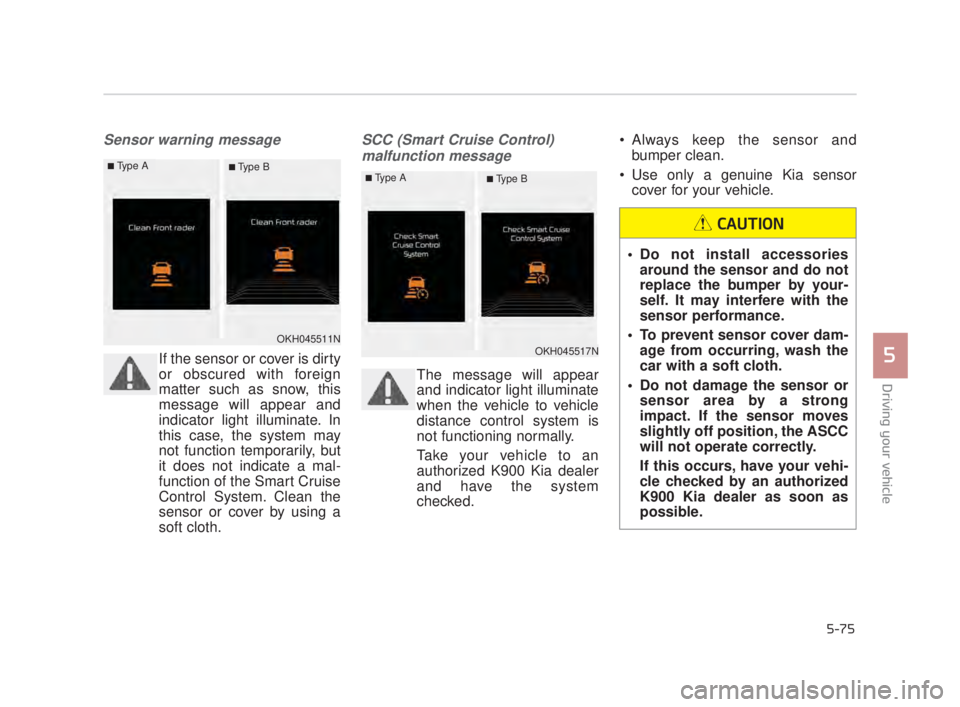
Sensor warning message
If the sensor or cover is dirty
or obscured with foreign
matter such as snow, this
message will appear and
indicator light illuminate. In
this case, the system may
not function temporarily, but
it does not indicate a mal-
function of the Smart Cruise
Control System. Clean the
sensor or cover by using a
soft cloth.
SCC (Smart Cruise Control) malfunction message
The message will appear
and indicator light illuminate
when the vehicle to vehicle
distance control system is
not functioning normally.
Take your vehicle to an
authorized K900 Kia dealer
and have the system
checked. Always keep the sensor and
bumper clean.
Use only a genuine Kia sensor cover for your vehicle.
Do not install accessoriesaround the sensor and do not
replace the bumper by your-
self. It may interfere with the
sensor performance.
To prevent sensor cover dam- age from occurring, wash the
car with a soft cloth.
Do not damage the sensor or sensor area by a strong
impact. If the sensor moves
slightly off position, the ASCC
will not operate correctly.
If this occurs, have your vehi-
cle checked by an authorized
K900 Kia dealer as soon as
possible.
CAUTION
OKH045511NOKH045517N
■Type A■ Type B■Type A■ Type B
KH USA 5:2015 3/25/2015 9:16 AM Page 75
Page 339 of 542
5-76
Driving your vehicle
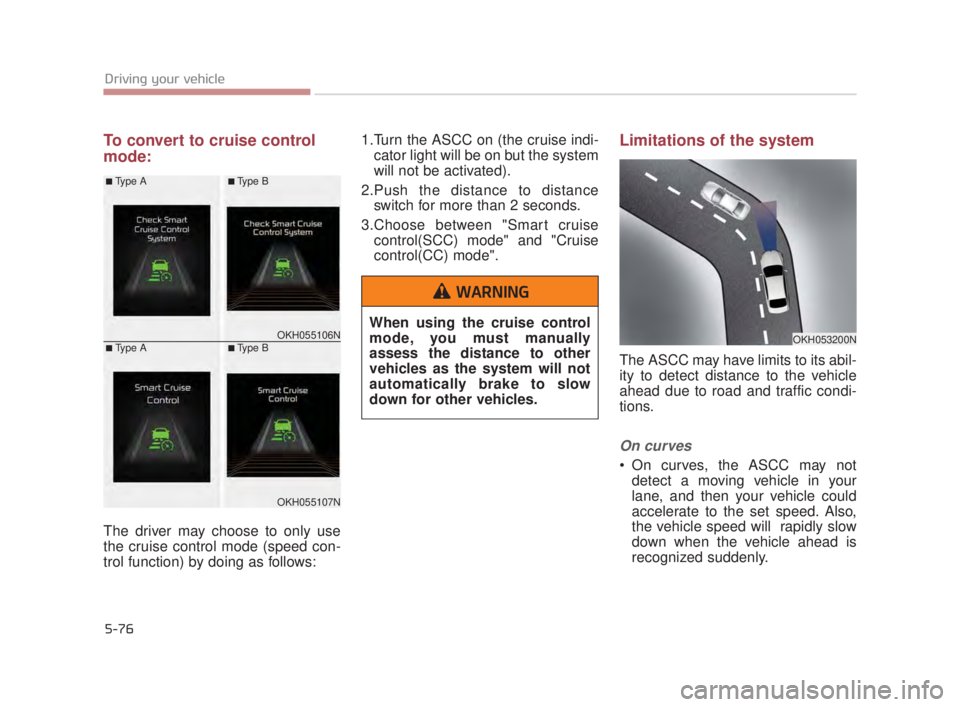
To convert to cruise control
mode:
The driver may choose to only use
the cruise control mode (speed con-
trol function) by doing as follows:1.Turn the ASCC on (the cruise indi-
cator light will be on but the system
will not be activated).
2.Push the distance to distance switch for more than 2 seconds.
3.Choose between "Smart cruise control(SCC) mode" and "Cruise
control(CC) mode".
Limitations of the system
The ASCC may have limits to its abil-
ity to detect distance to the vehicle
ahead due to road and traffic condi-
tions.
On curves
On curves, the ASCC may notdetect a moving vehicle in your
lane, and then your vehicle could
accelerate to the set speed. Also,
the vehicle speed will rapidly slow
down when the vehicle ahead is
recognized suddenly.
OKH053200NOKH055106N
OKH055107N
■Type A
■Type A
■Type B
■Type B
When using the cruise control
mode, you must manually
assess the distance to other
vehicles as the system will not
automatically brake to slow
down for other vehicles.
WARNING
KH USA 5:2015 3/25/2015 9:16 AM Page 76
Page 343 of 542
5-80
Driving your vehicle
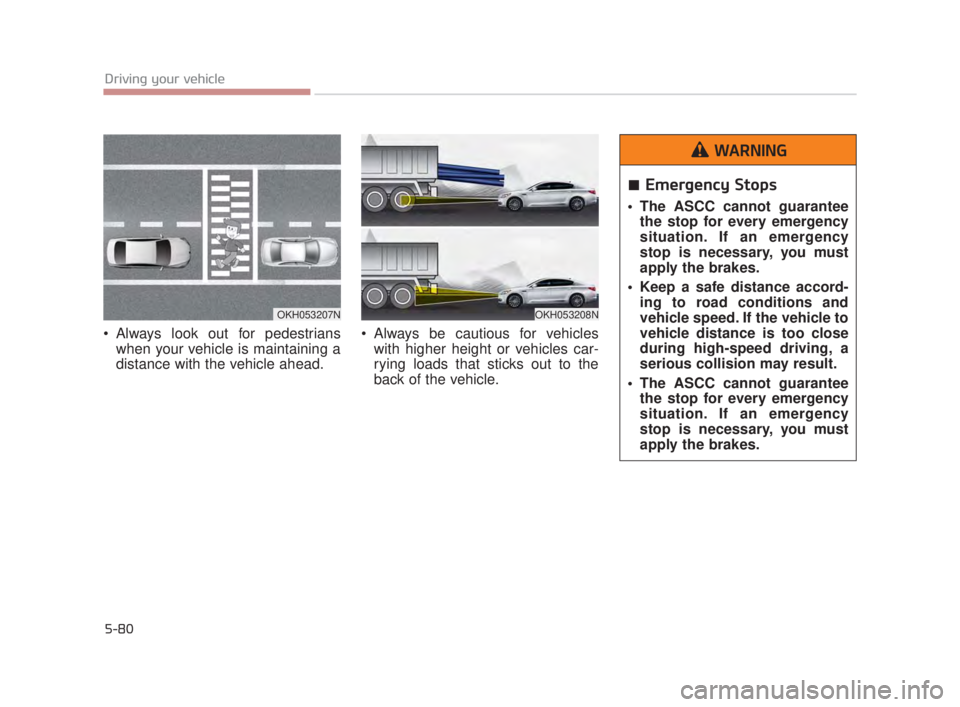
Always look out for pedestrianswhen your vehicle is maintaining a
distance with the vehicle ahead. Always be cautious for vehicles
with higher height or vehicles car-
rying loads that sticks out to the
back of the vehicle.
OKH053207NOKH053208N
Emergency Stops
The ASCC cannot guaranteethe stop for every emergency
situation. If an emergency
stop is necessary, you must
apply the brakes.
Keep a safe distance accord- ing to road conditions and
vehicle speed. If the vehicle to
vehicle distance is too close
during high-speed driving, a
serious collision may result.
The ASCC cannot guarantee the stop for every emergency
situation. If an emergency
stop is necessary, you must
apply the brakes.
WARNING
KH USA 5:2015 3/25/2015 9:17 AM Page 80