change time KIA K900 2016 Owner's Manual
[x] Cancel search | Manufacturer: KIA, Model Year: 2016, Model line: K900, Model: KIA K900 2016Pages: 542, PDF Size: 38.35 MB
Page 285 of 542
![KIA K900 2016 Owners Manual With the shift lever in the D position
The paddle shifter will operate when
the vehicle speed is more than 6
mph (10 km/h).
Pull the [+] or [-] paddle shifter once
to shift up or down one gear and the](/img/2/55064/w960_55064-284.png "KIA K900 2016 Owners Manual With the shift lever in the D position
The paddle shifter will operate when
the vehicle speed is more than 6
mph (10 km/h).
Pull the [+] or [-] paddle shifter once
to shift up or down one gear and the")
With the shift lever in the D position
The paddle shifter will operate when
the vehicle speed is more than 6
mph (10 km/h).
Pull the [+] or [-] paddle shifter once
to shift up or down one gear and the
system changes from automatic
mode to manual mode.
When the vehicle speed is lower
than 6 mph (10 km/h), if you depress
the accelerator pedal for more than 5
seconds or if you move the shift lever
from D (Drive) to Sports Mode and
move it from Sports Mode to D
(Drive) again, the system changes
from manual mode to automatic
mode.With the shift lever in the sports mode
Pull the [+] or [-] paddle shifter once
to shift up or down one gear.
✽
NOTICE
If the [+] and [-] paddle shifters are
pulled at the same time, gear change
may not occur.
Shift lock system (if equipped)
For your safety, the automatic trans-
mission has a shift lock system
which prevents shifting the transmis-
sion from P (Park) into R (Reverse)
unless the brake pedal is depressed.
To shift the transmission from P
(Park) into R (Reverse) or D (Drive) :
1. Depress and hold the brake pedal.
2. Start the engine or turn the Engine
Start / Stop Button to the ON posi-
tion.
3. Move the shift lever to R (Reverse) or D (Drive) with pressing [UNLOCK]
button.
If the brake pedal is repeatedly
depressed and released with the
shift lever in the P (Park) position, a
chattering noise near the shift lever
may be heard. This is a normal con-
dition.
5-22
Driving your vehicle
KH USA 5:2015 3/25/2015 9:14 AM Page 22
Page 286 of 542
![KIA K900 2016 Owners Manual Driving your vehicle
5
5-23
■When the battery is dis-charged:
When the battery is discharged, the
automatic transmission (shift by wire)
is not shifted.
In emergency, if you want to shift into
[N],](/img/2/55064/w960_55064-285.png "KIA K900 2016 Owners Manual Driving your vehicle
5
5-23
■When the battery is dis-charged:
When the battery is discharged, the
automatic transmission (shift by wire)
is not shifted.
In emergency, if you want to shift into
[N],")
Driving your vehicle
5
5-23
■When the battery is dis-charged:
When the battery is discharged, the
automatic transmission (shift by wire)
is not shifted.
In emergency, if you want to shift into
[N], follow actions
You can shift into [N] by using the
driver if the jump starting is impossi-
ble to do.
1) Open the storage cover.
2) Remove the rubber on bottom ofstorage box.
3) Insert the driver (-) to service hole as direction of clockwise 10 times.
The shifting is changed to [N]
from [P] position. If you want to
shift to [P] position, turn the driver
counter-clockwise.
OKH053045N
Shifting from park
Always fully depress the brake
pedal before and while shifting
out of the P (Park) position into
another position to help avoid
inadvertent motion of the vehicle.
WARNING
KH USA 5:2015 3/25/2015 9:14 AM Page 23
Page 302 of 542
Driving your vehicle
5
5-39
✽NOTICE
• The Auto Hold does not operate
when:
- The driver's seat belt is unfas-tened and driver's door is
opened
- The engine hood is opened
- The trunk is opened
- The shift lever is in P (Park)
- The EPB is applied
• For your safety, the Auto Hold automatically switches to EPB in
such cases:
- The driver's seat belt is unfas-tened and driver's door is
opened
- The engine hood is opened
- The trunk is opened
- The vehicle is in a standstill for more than 10 minutes
- The vehicle is standing on a steep slope
- The vehicle moved several times (Continued)(Continued)
In these cases, the brake warning
light comes on, the AUTO HOLD
indicator changes from green to
white, and a warning sounds and a
message will appear to inform you
that EPB has been automatically
engaged. Before driving off again,
press foot brake pedal, check the
surrounding area near your vehi-
cle and release parking brake
manually with the EPB switch.
• If the AUTO HOLD indicator lights up yellow, the Auto Hold is
not working properly. Take your
vehicle to an authorized K900 Kia
dealer and have the system
checked.
• While operating Auto Hold, you may hear mechanical noise.
However, it is normal operating
noise.
If there is a malfunction with the dri-
ver’s door, engine hood or trunk
open detection system, the Auto
Hold may not work properly.
Take your vehicle to an authorized
K900 Kia dealer and have the sys-
tem checked.
To reduce the risk of an acci-
dent, do not activate Auto Hold
while driving downhill, backing
up or parking your vehicle.
WARNING
KH USA 5:2015 3/25/2015 9:15 AM Page 39
Page 317 of 542
5-54
Driving your vehicle
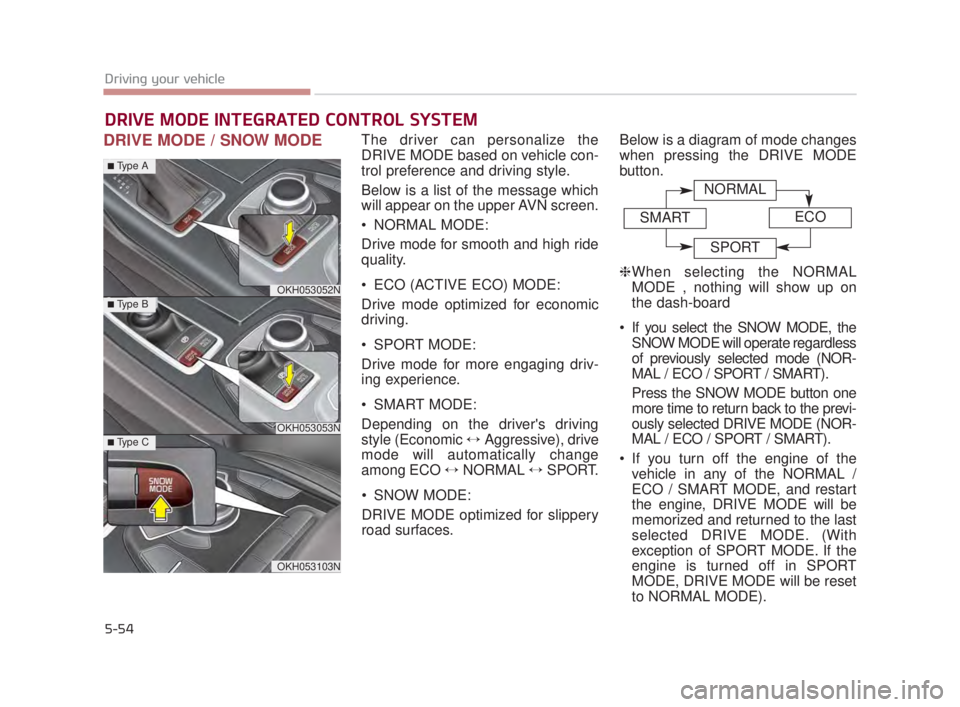
DRIVE MODE / SNOW MODEThe driver can personalize the
DRIVE MODE based on vehicle con-
trol preference and driving style.
Below is a list of the message which
will appear on the upper AVN screen.
NORMAL MODE:
Drive mode for smooth and high ride
quality.
ECO (ACTIVE ECO) MODE:
Drive mode optimized for economic
driving.
SPORT MODE:
Drive mode for more engaging driv-
ing experience.
SMART MODE:
Depending on the driver's driving
style (Economic ↔Aggressive), drive
mode will automatically change
among ECO ↔ NORMAL ↔SPORT.
SNOW MODE:
DRIVE MODE optimized for slippery
road surfaces. Below is a diagram of mode changes
when pressing the DRIVE MODE
button.
❈
When selecting the NORMAL
MODE , nothing will show up on
the dash-board
If you select the SNOW MODE, the SNOW MODE will operate regardless
of previously selected mode (NOR-
MAL / ECO / SPORT / SMART).
Press the SNOW MODE button one
more time to return back to the previ-
ously selected DRIVE MODE (NOR-
MAL / ECO / SPORT / SMART).
If you turn off the engine of the vehicle in any of the NORMAL /
ECO / SMART MODE, and restart
the engine, DRIVE MODE will be
memorized and returned to the last
selected DRIVE MODE. (With
exception of SPORT MODE. If the
engine is turned off in SPORT
MODE, DRIVE MODE will be reset
to NORMAL MODE).
DRIVE MODE INTEGRATED CONTROL SYSTEM
OKH053052N
OKH053053N
OKH053103N
■Type A
■Type B
■Type C
NORMAL
SMARTECO
SPORT
KH USA 5:2015 3/25/2015 9:15 AM Page 54
Page 321 of 542
5-58
Driving your vehicle
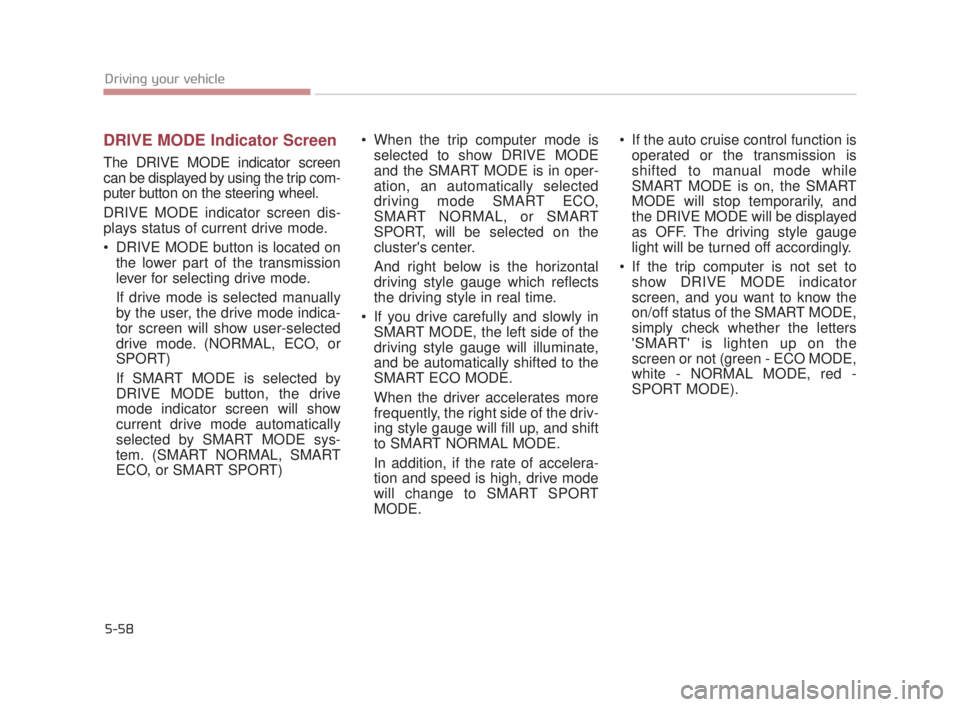
DRIVE MODE Indicator Screen
The DRIVE MODE indicator screen
can be displayed by using the trip com-
puter button on the steering wheel.
DRIVE MODE indicator screen dis-
plays status of current drive mode.
DRIVE MODE button is located onthe lower part of the transmission
lever for selecting drive mode.
If drive mode is selected manually
by the user, the drive mode indica-
tor screen will show user-selected
drive mode. (NORMAL, ECO, or
SPORT)
If SMART MODE is selected by
DRIVE MODE button, the drive
mode indicator screen will show
current drive mode automatically
selected by SMART MODE sys-
tem. (SMART NORMAL, SMART
ECO, or SMART SPORT) When the trip computer mode is
selected to show DRIVE MODE
and the SMART MODE is in oper-
ation, an automatically selected
driving mode SMART ECO,
SMART NORMAL, or SMART
SPORT, will be selected on the
cluster's center.
And right below is the horizontal
driving style gauge which reflects
the driving style in real time.
If you drive carefully and slowly in SMART MODE, the left side of the
driving style gauge will illuminate,
and be automatically shifted to the
SMART ECO MODE.
When the driver accelerates more
frequently, the right side of the driv-
ing style gauge will fill up, and shift
to SMART NORMAL MODE.
In addition, if the rate of accelera-
tion and speed is high, drive mode
will change to SMART SPORT
MODE. If the auto cruise control function is
operated or the transmission is
shifted to manual mode while
SMART MODE is on, the SMART
MODE will stop temporarily, and
the DRIVE MODE will be displayed
as OFF. The driving style gauge
light will be turned off accordingly.
If the trip computer is not set to show DRIVE MODE indicator
screen, and you want to know the
on/off status of the SMART MODE,
simply check whether the letters
'SMART' is lighten up on the
screen or not (green - ECO MODE,
white - NORMAL MODE, red -
SPORT MODE).
KH USA 5:2015 3/25/2015 9:16 AM Page 58
Page 323 of 542
5-60
Driving your vehicle
Attributes of SMART MODE.
If the accelerator pedal is pressedgently, your vehicle will recognize it
as a economic driving style. After
some time, the system will automat-
ically shift to SMART ECO MODE.
If you press the accelerator pedal frequently and heavily in SMART
ECO MODE, the system will auto-
matically shift to SMART NORMAL
MODE.
Even when driving style has not changed from SMART ECO
MODE, if your vehicle is driven
uphill considerably, the system will
detect the gradient. Then, the
SMART system will automatically
change the setting to the SMART
NORMAL MODE temporarily.
Once your vehicle is out of the hilly
ground, your vehicle will automati-
cally return to the SMART ECO
MODE. The SMART system will recognize
sudden and repetitive acceleration or
steering as aggressive driving and
automatically turn to the SMART
SPORT MODE. Your vehicle will run
at a lower gear in SMART SPORT
MODE compared to those in
SMART NORMAL MODE.
The vehicle's start and stop
response rate will become faster.
When the SMART SPORT MODE is activated, and you take your feet
off the accelerator pedal, the vehi-
cle will remain in low gear and you
may sense engine brake. This is
due to necessary preparatory time
for the next acceleration and is
only normal.
The SMART SPORT MODE is acti- vated only when very aggressive
and high speed is detected.
Therefore, in average driving
styles, the SMART system will
select either SMART ECO or
SMART NORMAL MODE. The artificial intelligence algorithm
will instantly calculate each driver's
style of driving. So if the driver is
changed to a different person, the
algorithm will measure accordingly.
KH USA 5:2015 3/25/2015 9:16 AM Page 60
Page 327 of 542
5-64
Driving your vehicle
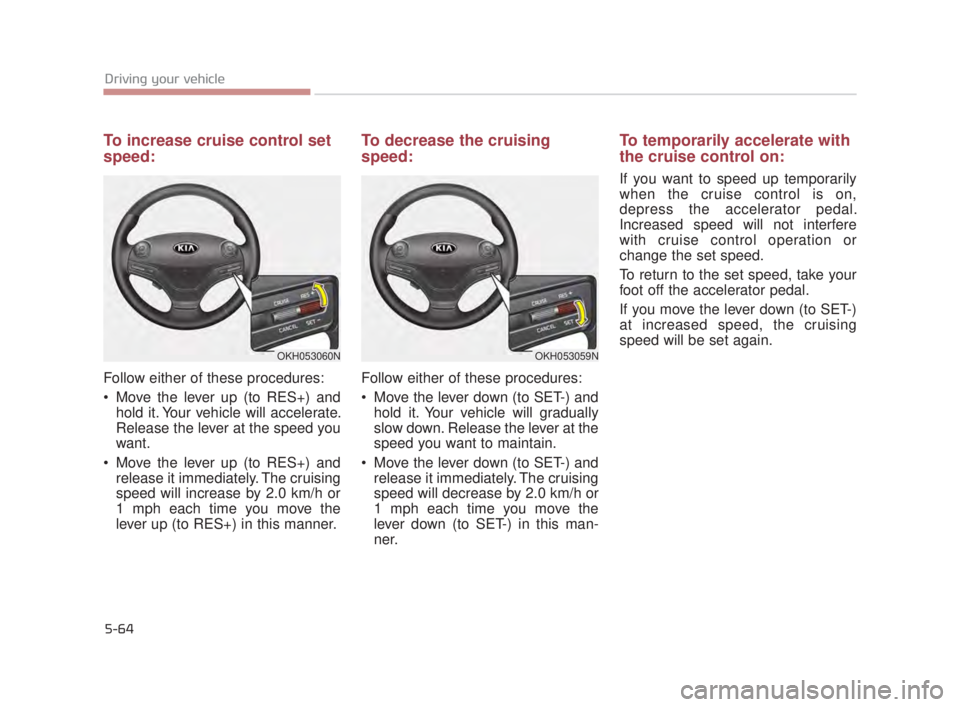
To increase cruise control set
speed:
Follow either of these procedures:
Move the lever up (to RES+) andhold it. Your vehicle will accelerate.
Release the lever at the speed you
want.
Move the lever up (to RES+) and release it immediately. The cruising
speed will increase by 2.0 km/h or
1 mph each time you move the
lever up (to RES+) in this manner.
To decrease the cruising
speed:
Follow either of these procedures:
Move the lever down (to SET-) andhold it. Your vehicle will gradually
slow down. Release the lever at the
speed you want to maintain.
Move the lever down (to SET-) and release it immediately. The cruising
speed will decrease by 2.0 km/h or
1 mph each time you move the
lever down (to SET-) in this man-
ner.
To temporarily accelerate with
the cruise control on:
If you want to speed up temporarily
when the cruise control is on,
depress the accelerator pedal.
Increased speed will not interfere
with cruise control operation or
change the set speed.
To return to the set speed, take your
foot off the accelerator pedal.
If you move the lever down (to SET-)
at increased speed, the cruising
speed will be set again.
OKH053060NOKH053059N
KH USA 5:2015 3/25/2015 9:16 AM Page 64
Page 332 of 542
Driving your vehicle
5
5-69
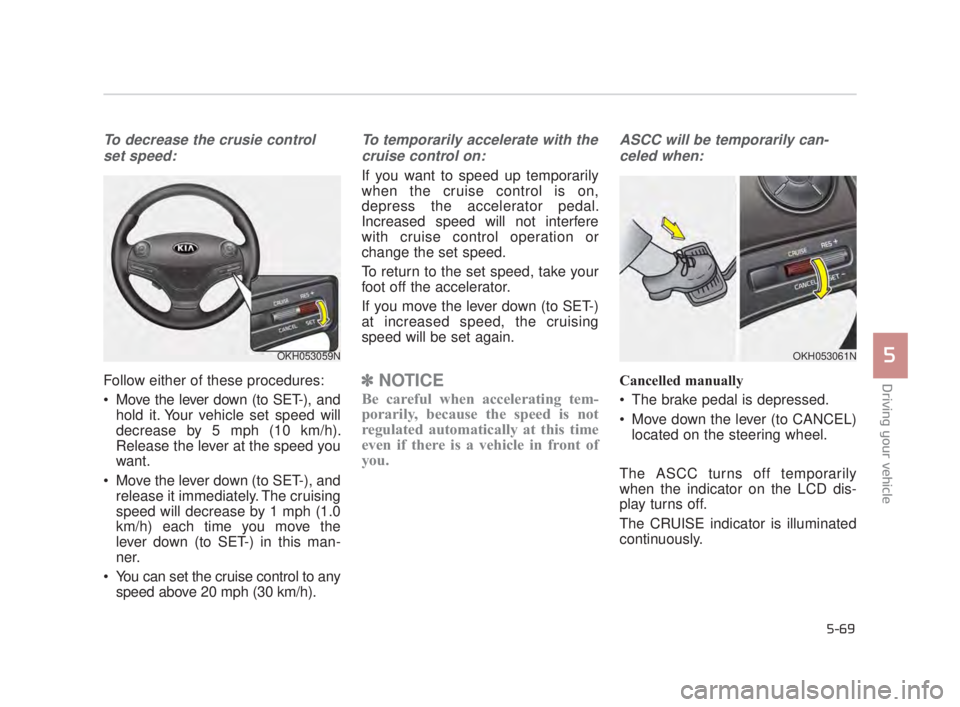
To decrease the crusie controlset speed:
Follow either of these procedures:
Move the lever down (to SET-), and hold it. Your vehicle set speed will
decrease by 5 mph (10 km/h).
Release the lever at the speed you
want.
Move the lever down (to SET-), and release it immediately. The cruising
speed will decrease by 1 mph (1.0
km/h) each time you move the
lever down (to SET-) in this man-
ner.
You can set the cruise control to any speed above 20 mph (30 km/h).
To temporarily accelerate with the
cruise control on:
If you want to speed up temporarily
when the cruise control is on,
depress the accelerator pedal.
Increased speed will not interfere
with cruise control operation or
change the set speed.
To return to the set speed, take your
foot off the accelerator.
If you move the lever down (to SET-)
at increased speed, the cruising
speed will be set again.
✽ NOTICE
Be careful when accelerating tem-
porarily, because the speed is not
regulated automatically at this time
even if there is a vehicle in front of
you.
ASCC will be temporarily can-
celed when:
Cancelled manually
The brake pedal is depressed.
Move down the lever (to CANCEL) located on the steering wheel.
The ASCC turns off temporarily
when the indicator on the LCD dis-
play turns off.
The CRUISE indicator is illuminated
continuously.
OKH053059NOKH053061N
KH USA 5:2015 3/25/2015 9:16 AM Page 69
Page 335 of 542
5-72
Driving your vehicle
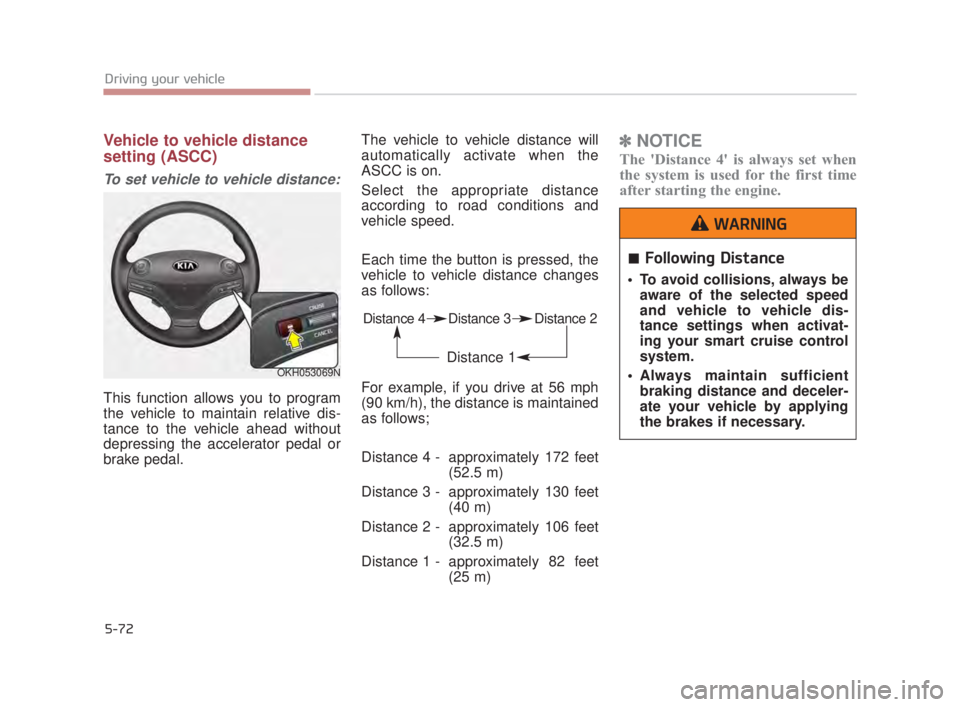
Vehicle to vehicle distance
setting (ASCC)
To set vehicle to vehicle distance:
This function allows you to program
the vehicle to maintain relative dis-
tance to the vehicle ahead without
depressing the accelerator pedal or
brake pedal.The vehicle to vehicle distance will
automatically activate when the
ASCC is on.
Select the appropriate distance
according to road conditions and
vehicle speed.
Each time the button is pressed, the
vehicle to vehicle distance changes
as follows:
For example, if you drive at 56 mph
(90 km/h), the distance is maintained
as follows;
Distance 4 - approximately 172 feet
(52.5 m)
Distance 3 - approximately 130 feet (40 m)
Distance 2 - approximately 106 feet (32.5 m)
Distance 1 - approximately 82 feet (25 m)
✽NOTICE
The 'Distance 4' is always set when
the system is used for the first time
after starting the engine.
OKH053069N
Distance 4 Distance 3 Distance 2
Distance 1
Following Distance
To avoid collisions, always be
aware of the selected speed
and vehicle to vehicle dis-
tance settings when activat-
ing your smart cruise control
system.
Always maintain sufficient braking distance and deceler-
ate your vehicle by applying
the brakes if necessary.
WARNING
KH USA 5:2015 3/25/2015 9:16 AM Page 72
Page 345 of 542
5-82
Driving your vehicle
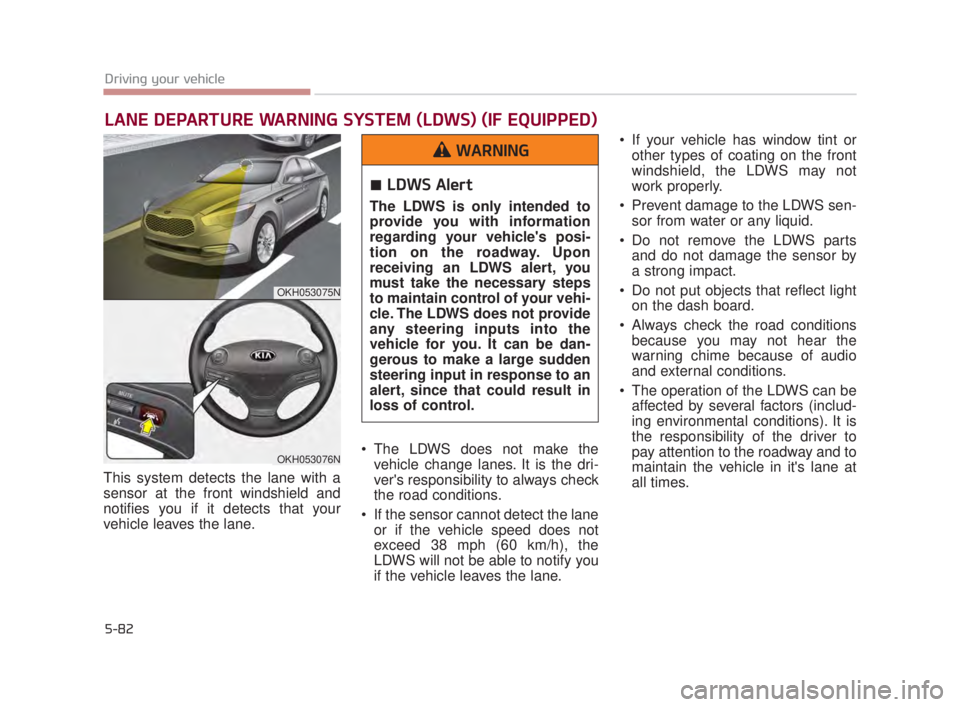
This system detects the lane with a
sensor at the front windshield and
notifies you if it detects that your
vehicle leaves the lane. The LDWS does not make the
vehicle change lanes. It is the dri-
ver's responsibility to always check
the road conditions.
If the sensor cannot detect the lane or if the vehicle speed does not
exceed 38 mph (60 km/h), the
LDWS will not be able to notify you
if the vehicle leaves the lane. If your vehicle has window tint or
other types of coating on the front
windshield, the LDWS may not
work properly.
Prevent damage to the LDWS sen- sor from water or any liquid.
Do not remove the LDWS parts and do not damage the sensor by
a strong impact.
Do not put objects that reflect light on the dash board.
Always check the road conditions because you may not hear the
warning chime because of audio
and external conditions.
The operation of the LDWS can be affected by several factors (includ-
ing environmental conditions). It is
the responsibility of the driver to
pay attention to the roadway and to
maintain the vehicle in it's lane at
all times.
LANE DEPARTURE WARNING SYSTEM (LDWS) (IF EQUIPPED)
OKH053075N
OKH053076N
LDWS Alert
The LDWS is only intended to
provide you with information
regarding your vehicle's posi-
tion on the roadway. Upon
receiving an LDWS alert, you
must take the necessary steps
to maintain control of your vehi-
cle. The LDWS does not provide
any steering inputs into the
vehicle for you. It can be dan-
gerous to make a large sudden
steering input in response to an
alert, since that could result in
loss of control.
WARNING
KH USA 5:2015 3/25/2015 9:17 AM Page 82