warning KIA K900 2016 Manual PDF
[x] Cancel search | Manufacturer: KIA, Model Year: 2016, Model line: K900, Model: KIA K900 2016Pages: 542, PDF Size: 38.35 MB
Page 122 of 542
Features of your vehicle
4-42
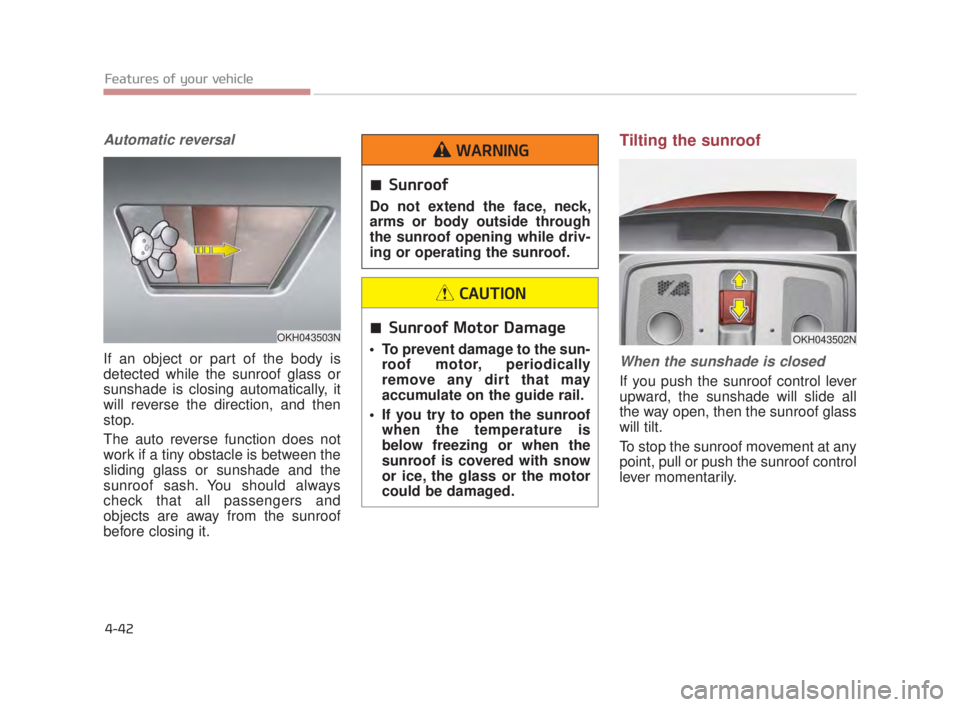
Automatic reversal
If an object or part of the body is
detected while the sunroof glass or
sunshade is closing automatically, it
will reverse the direction, and then
stop.
The auto reverse function does not
work if a tiny obstacle is between the
sliding glass or sunshade and the
sunroof sash. You should always
check that all passengers and
objects are away from the sunroof
before closing it.
Tilting the sunroof
When the sunshade is closed
If you push the sunroof control lever
upward, the sunshade will slide all
the way open, then the sunroof glass
will tilt.
To stop the sunroof movement at any
point, pull or push the sunroof control
lever momentarily.
OKH043503N
Sunroof
Do not extend the face, neck,
arms or body outside through
the sunroof opening while driv-
ing or operating the sunroof.
WARNING
Sunroof Motor Damage
To prevent damage to the sun-roof motor, periodically
remove any dirt that may
accumulate on the guide rail.
If you try to open the sunroof when the temperature is
below freezing or when the
sunroof is covered with snow
or ice, the glass or the motor
could be damaged.
CAUTION
OKH043502N
KH USA 4:2015 3/24/2015 4:37 PM Page 42
Page 125 of 542

Features of your vehicle
4
4-45
STEERING WHEEL
Electronic Hydraulic Power
Steering (EHPS)
This system uses an electromotor to
assist you with steering the vehicle.
If the engine is turned off or if the
EHPS becomes inoperative, you
may still steer the vehicle, but it will
require increased steering effort.
Should you notice any change in the
effort required to steer during normal
vehicle operation, have the EHPS
checked by an authorized K900 Kia
dealer.
✽NOTICE
If the EHPS motor pump malfunc-
tions, the steering effort will greatly
increase.
✽NOTICE
If the vehicle is parked for extended
periods outside in cold weather
(below 14°F/-10°C), the power steer-
ing may require increased effort
when the engine is first started. This
is caused by increased fluid viscosity
due to the cold weather and does not
indicate a malfunction.
When this happens, increase the
engine RPM by depressing accelera-
tor until the RPM reaches 1,500 rpm
then release or let the engine idle for
two or three minutes to warm up the
fluid.
Tilt Steering/Telescope Steering
Adjust the steering wheel angle (2)
and position (3) with the knob (1) on
the steering column. Move the steer-
ing wheel, so it points toward your
chest, not toward your face. Make
sure you can see the instrument
panel warning lights and gauges.
After adjusting, push the steering
wheel both up and down to be cer-
tain it is locked in position. Always
adjust the position of the steering
wheel before driving.
Do not hold the steering wheel
to the extreme right or left for
more than five (5) seconds with
the engine running. This may
cause damage to the EHPS
motor pump.
CAUTION
OKH043042N
KH USA 4:2015 3/24/2015 4:37 PM Page 45
Page 126 of 542
Features of your vehicle
4-46
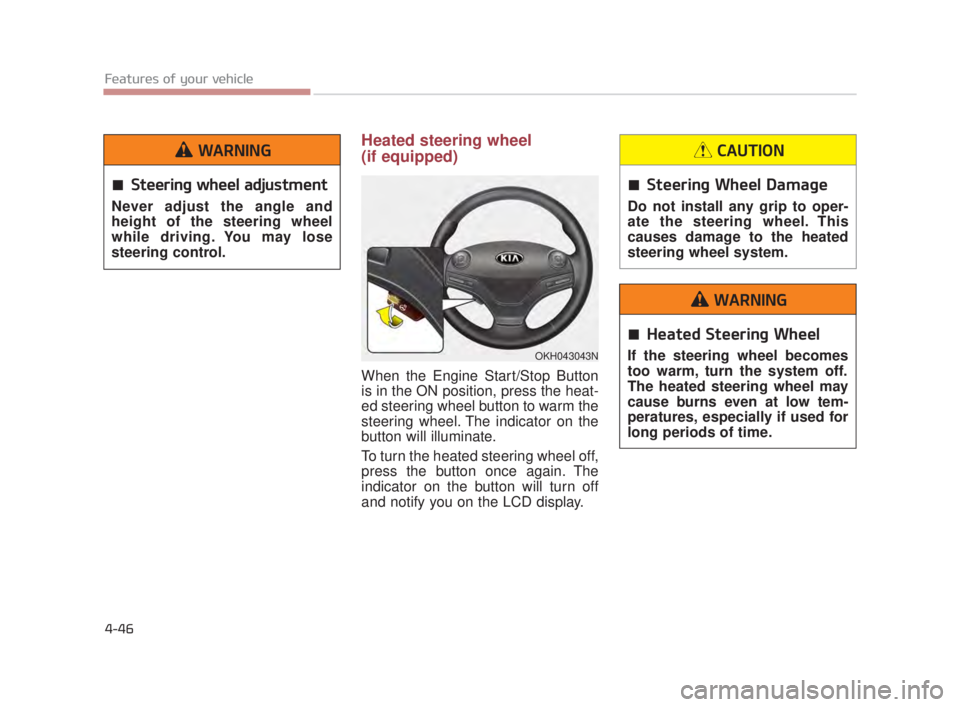
Heated steering wheel
(if equipped)
When the Engine Start/Stop Button
is in the ON position, press the heat-
ed steering wheel button to warm the
steering wheel. The indicator on the
button will illuminate.
To turn the heated steering wheel off,
press the button once again. The
indicator on the button will turn off
and notify you on the LCD display.
OKH043043N
Steering wheel adjustment
Never adjust the angle and
height of the steering wheel
while driving. You may lose
steering control.
WARNING
Steering Wheel Damage
Do not install any grip to oper-
ate the steering wheel. This
causes damage to the heated
steering wheel system.
CAUTION
Heated Steering Wheel
If the steering wheel becomes
too warm, turn the system off.
The heated steering wheel may
cause burns even at low tem-
peratures, especially if used for
long periods of time.
WARNING
KH USA 4:2015 3/24/2015 4:37 PM Page 46
Page 128 of 542
Features of your vehicle
4-48
MIRRORS
Inside rearview mirror
Adjust the rearview mirror so that the
center view through the rear window
is seen. Make this adjustment before
you start driving.
Do not place objects in the rear seat
which would interfere with your vision
through the rear window.
Electric chromic mirror (ECM)with HomeLink®system and
compass (if equipped)
Your vehicle may be equipped with a
Gentex Automatic-Dimming Mirror
with a Z-Nav
®Electronic Compass
Display and an Integrated HomeLink®
Wireless Control System.
During nighttime driving, this feature
will automatically detect and reduce
rearview mirror glare while the com-
pass indicates the direction the vehi-
cle is pointed. The HomeLink
®
Universal Transceiver allows you to
activate your garage door(s), electric
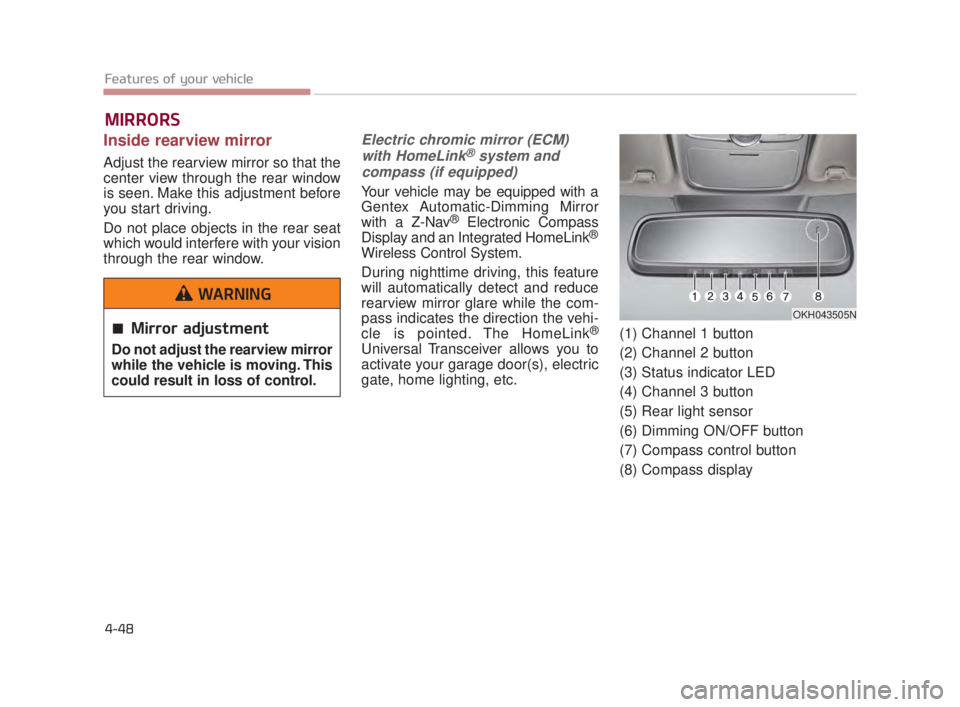
gate, home lighting, etc. (1) Channel 1 button
(2) Channel 2 button
(3) Status indicator LED
(4) Channel 3 button
(5) Rear light sensor
(6) Dimming ON/OFF button
(7) Compass control button
(8) Compass display
OKH043505N
Mirror adjustment
Do not adjust the rearview mirror
while the vehicle is moving. This
could result in loss of control.
WARNING
KH USA 4:2015 3/24/2015 4:37 PM Page 48
Page 144 of 542
Features of your vehicle
4-64
Adjusting outside rearview mirror
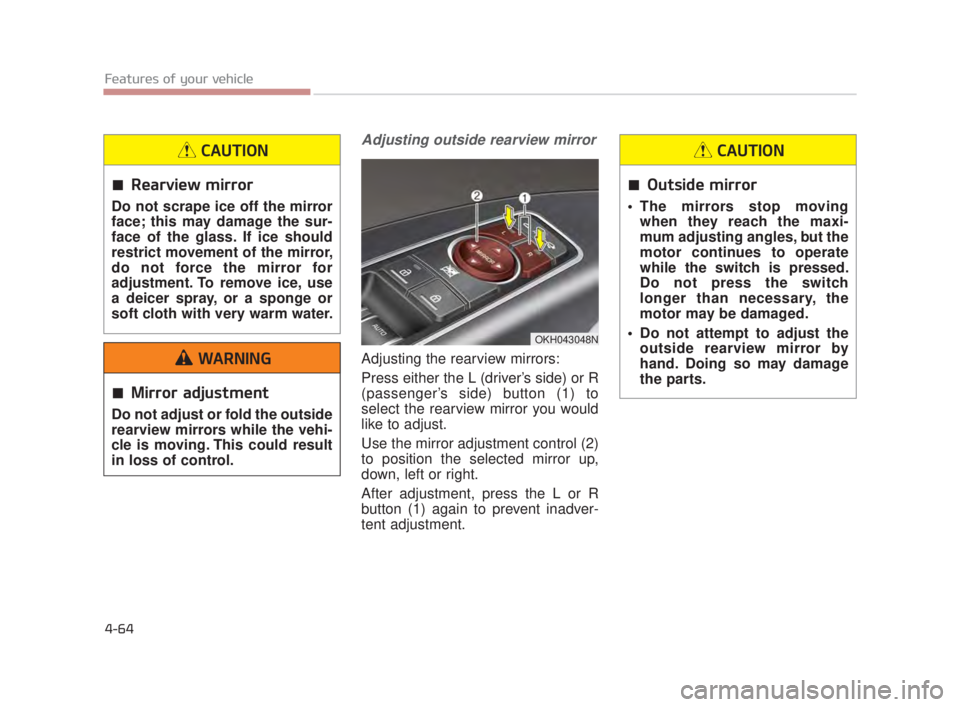
Adjusting the rearview mirrors:
Press either the L (driver’s side) or R
(passenger’s side) button (1) to
select the rearview mirror you would
like to adjust.
Use the mirror adjustment control (2)
to position the selected mirror up,
down, left or right.
After adjustment, press the L or R
button (1) again to prevent inadver-
tent adjustment.
OKH043048N
Rearview mirror
Do not scrape ice off the mirror
face; this may damage the sur-
face of the glass. If ice should
restrict movement of the mirror,
do not force the mirror for
adjustment. To remove ice, use
a deicer spray, or a sponge or
soft cloth with very warm water.
CAUTION
Outside mirror
The mirrors stop movingwhen they reach the maxi-
mum adjusting angles, but the
motor continues to operate
while the switch is pressed.
Do not press the switch
longer than necessary, the
motor may be damaged.
Do not attempt to adjust the outside rearview mirror by
hand. Doing so may damage
the parts.
CAUTION
Mirror adjustment
Do not adjust or fold the outside
rearview mirrors while the vehi-
cle is moving. This could result
in loss of control.
WARNING
KH USA 4:2015 3/24/2015 4:38 PM Page 64
Page 147 of 542
Features of your vehicle
4
4-67
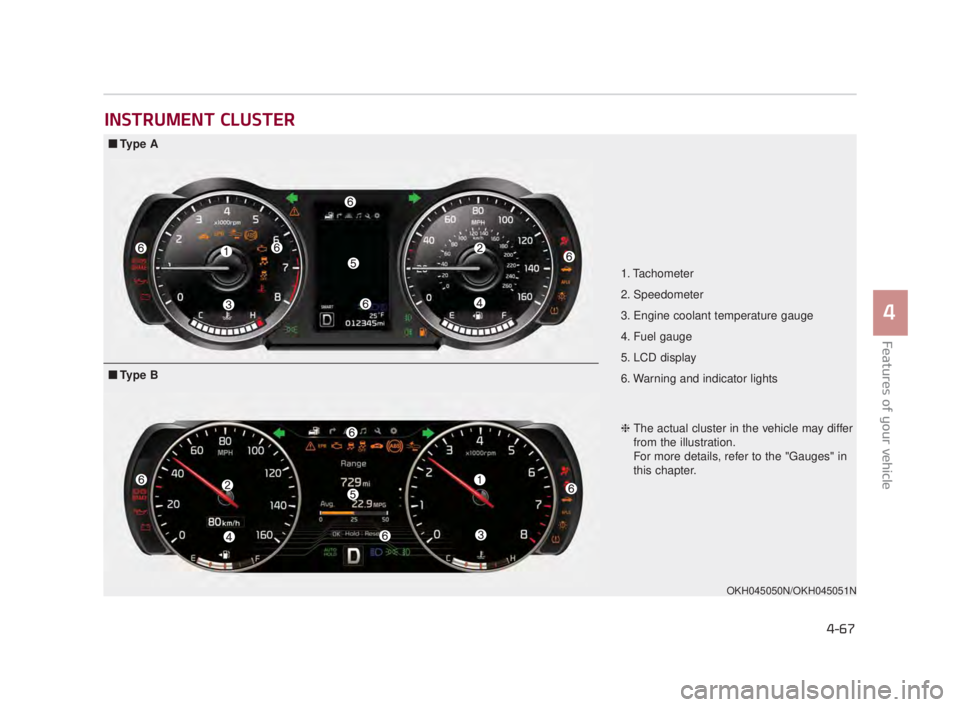
INSTRUMENT CLUSTER
1. Tachometer
2. Speedometer
3. Engine coolant temperature gauge
4. Fuel gauge
5. LCD display
6. Warning and indicator lights
OKH045050N/OKH045051N
■Ty p e A
❈The actual cluster in the vehicle may differ
from the illustration.
For more details, refer to the "Gauges" in
this chapter.
■Ty p e B
KH USA 4:2015 3/24/2015 4:38 PM Page 67
Page 150 of 542
Features of your vehicle
4-70
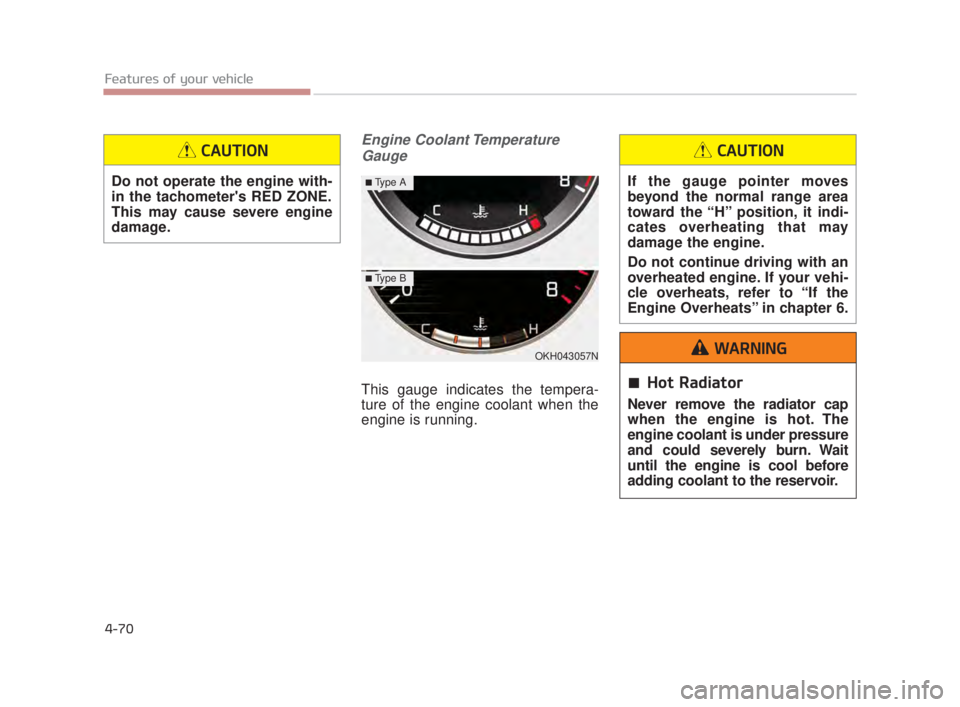
Engine Coolant TemperatureGauge
This gauge indicates the tempera-
ture of the engine coolant when the
engine is running.
OKH043057N
■Type A
■Type B
Do not operate the engine with-
in the tachometer's RED ZONE.
This may cause severe engine
damage.
CAUTION
If the gauge pointer moves
beyond the normal range area
toward the “H” position, it indi-
cates overheating that may
damage the engine.
Do not continue driving with an
overheated engine. If your vehi-
cle overheats, refer to “If the
Engine Overheats” in chapter 6.
CAUTION
Hot Radiator
Never remove the radiator cap
when the engine is hot. The
engine coolant is under pressure
and could severely burn. Wait
until the engine is cool before
adding coolant to the reservoir.
WARNING
KH USA 4:2015 3/24/2015 4:38 PM Page 70
Page 151 of 542
Features of your vehicle
4
4-71
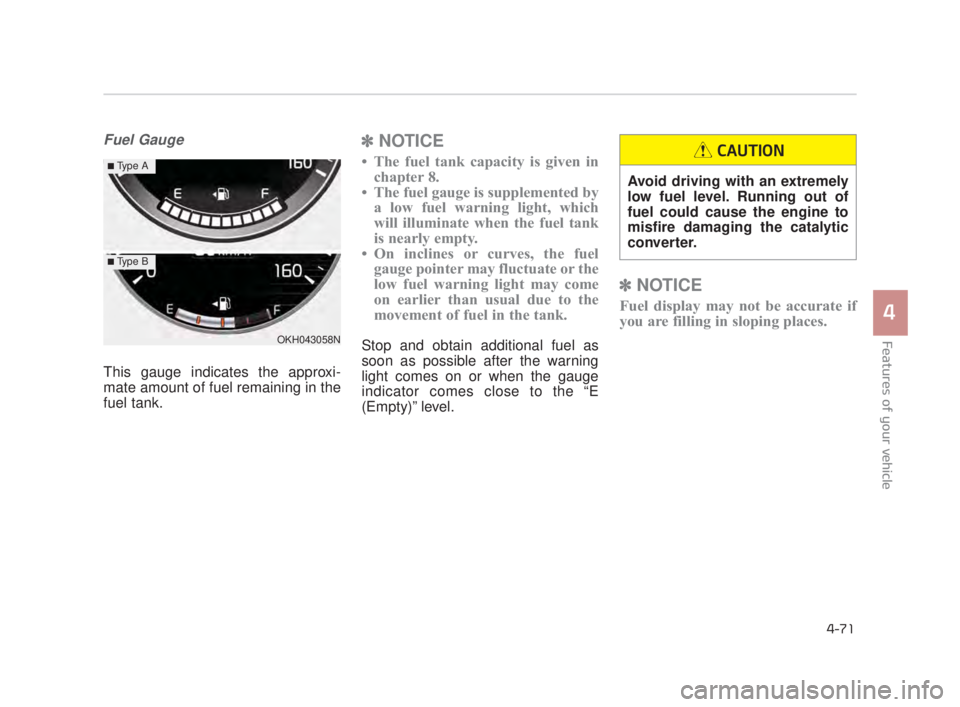
Fuel Gauge
This gauge indicates the approxi-
mate amount of fuel remaining in the
fuel tank.
✽NOTICE
• The fuel tank capacity is given in
chapter 8.
• The fuel gauge is supplemented by a low fuel warning light, which
will illuminate when the fuel tank
is nearly empty.
• On inclines or curves, the fuel gauge pointer may fluctuate or the
low fuel warning light may come
on earlier than usual due to the
movement of fuel in the tank.
Stop and obtain additional fuel as
soon as possible after the warning
light comes on or when the gauge
indicator comes close to the “E
(Empty)” level.
✽ NOTICE
Fuel display may not be accurate if
you are filling in sloping places.
OKH043058N
■Type A
■Type B
Avoid driving with an extremely
low fuel level. Running out of
fuel could cause the engine to
misfire damaging the catalytic
converter.
CAUTION
KH USA 4:2015 3/24/2015 4:38 PM Page 71
Page 153 of 542
Features of your vehicle
4
4-73
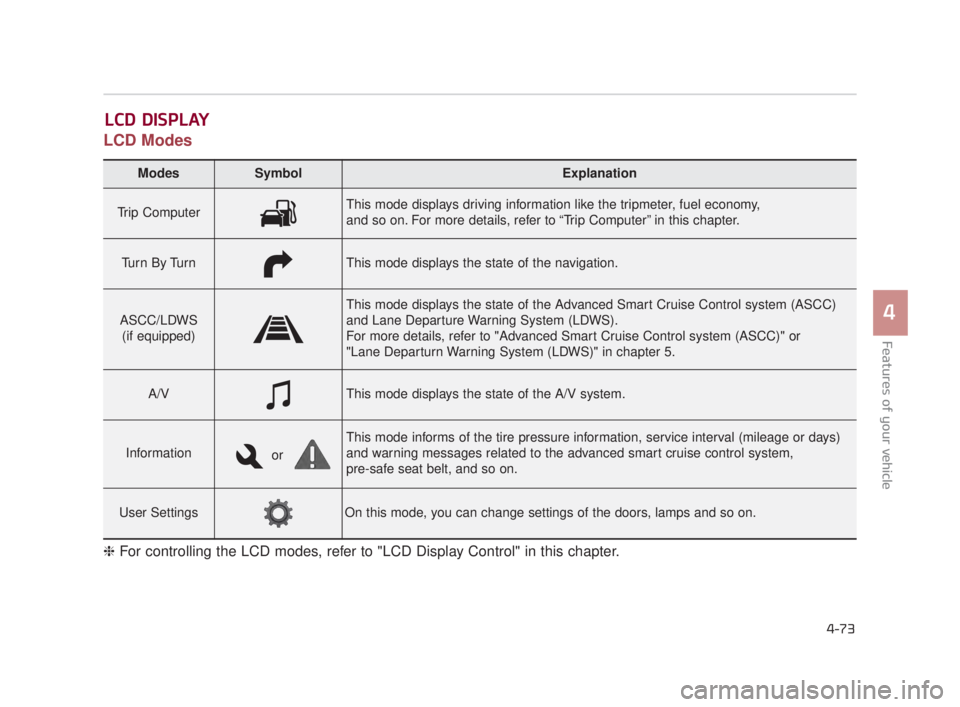
LCD Modes
LCD DISPLAY
Modes SymbolExplanation
Trip ComputerThis mode displays driving information like the tripmeter, fuel economy,
and so on. For more details, refer to “Trip Computer” in this chapter.
Tu r n B y Tu r nThis mode displays the state of the navigation.
ASCC/LDWS(if equipped)
This mode displays the state of the Advanced Smart Cruise Control system (ASCC)
and Lane Departure Warning System (LDWS).
For more details, refer to "Advanced Smart Cruise Control system (ASCC)" or
"Lane Departurn Warning System (LDWS)" in chapter 5.
A/VThis mode displays the state of the A/V system.
Information
This mode informs of the tire pressure information, service interval (mileage or days)
and warning messages related to the advanced smart cruise control system,
pre-safe seat belt, and so on.
User SettingsOn this mode, you can change settings of the doors, lamps and so on.
❈ For controlling the LCD modes, refer to "LCD Display Control" in this chapter.
or
KH USA 4:2015 3/24/2015 4:39 PM Page 73
Page 154 of 542
Features of your vehicle
4-74
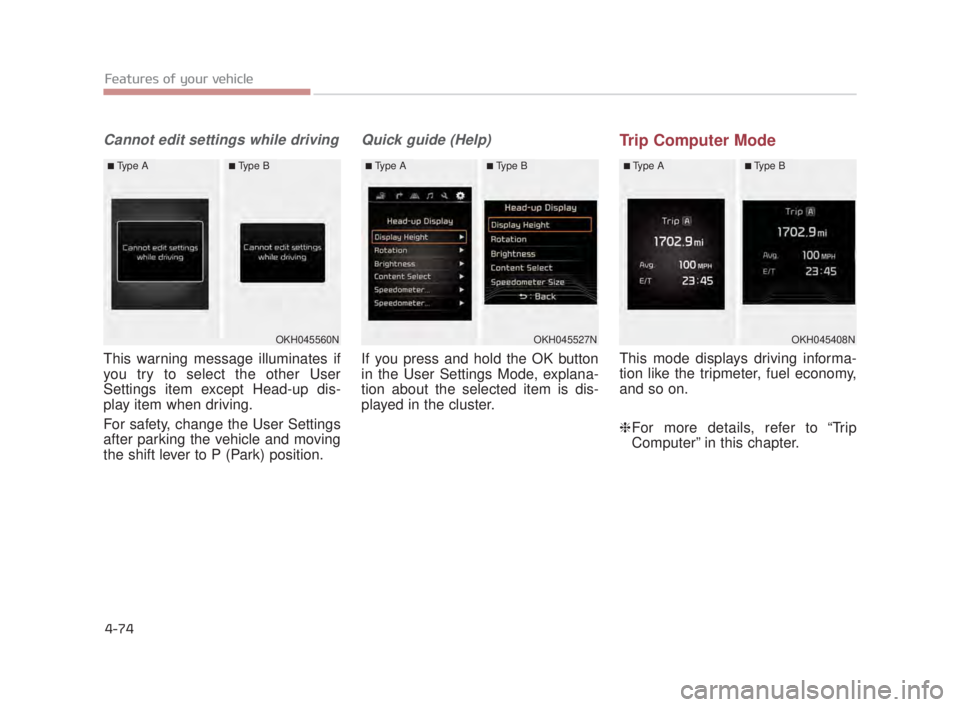
Cannot edit settings while driving
This warning message illuminates if
you try to select the other User
Settings item except Head-up dis-
play item when driving.
For safety, change the User Settings
after parking the vehicle and moving
the shift lever to P (Park) position.
Quick guide (Help)
If you press and hold the OK button
in the User Settings Mode, explana-
tion about the selected item is dis-
played in the cluster.
Trip Computer Mode
This mode displays driving informa-
tion like the tripmeter, fuel economy,
and so on.
❈For more details, refer to “Trip
Computer” in this chapter.
OKH045408N
■Type A■Type B
OKH045560N
■Type A■Type B
OKH045527N
■Type A■Type B
KH USA 4:2015 3/24/2015 4:39 PM Page 74