engine KIA K900 2018 Owners Manual
[x] Cancel search | Manufacturer: KIA, Model Year: 2018, Model line: K900, Model: KIA K900 2018Pages: 544, PDF Size: 14.82 MB
Page 321 of 544
5-56
Driving your vehicle
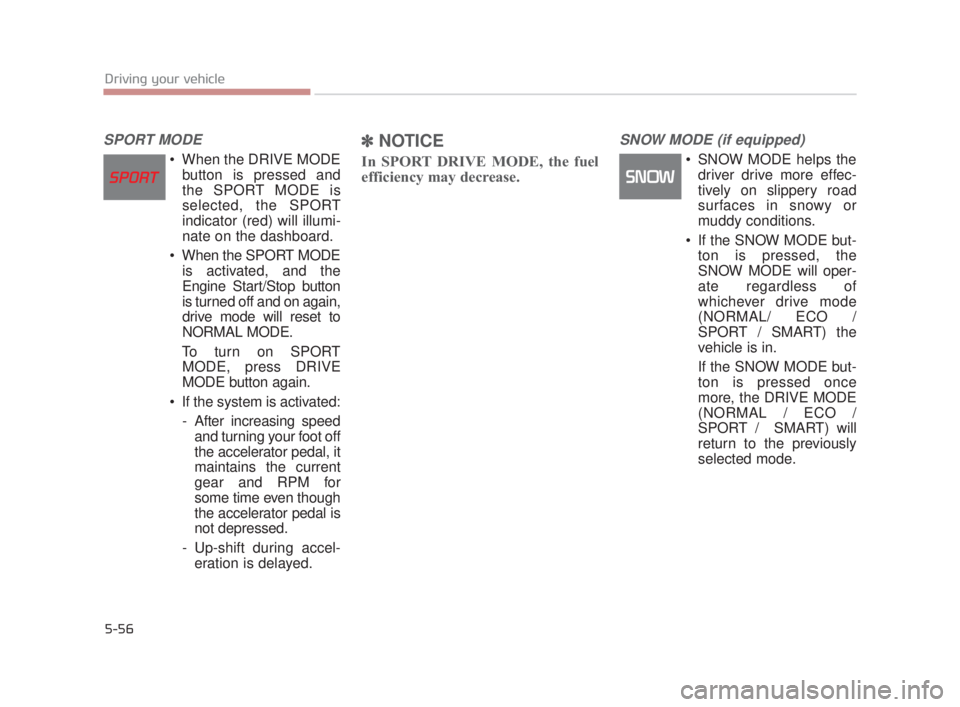
SPORT MODE
When the DRIVE MODEbutton is pressed and
the SPORT MODE is
selected, the SPORT
indicator (red) will illumi-
nate on the dashboard.
When the SPORT MODE is activated, and the
Engine Start/Stop button
is turned off and on again,
drive mode will reset to
NORMAL MODE.
To turn on SPORT MODE, press DRIVE
MODE button again.
If the system is activated: - After increasing speedand turning your foot off
the accelerator pedal, it
maintains the current
gear and RPM for
some time even though
the accelerator pedal is
not depressed.
- Up-shift during accel- eration is delayed.
✽ NOTICE
In SPORT DRIVE MODE, the fuel
efficiency may decrease.
SNOW MODE (if equipped)
SNOW MODE helps the
driver drive more effec-
tively on slippery road
surfaces in snowy or
muddy conditions.
If the SNOW MODE but- ton is pressed, the
SNOW MODE will oper-
ate regardless of
whichever drive mode
(NORMAL/ ECO /
SPORT / SMART) the
vehicle is in.
If the SNOW MODE but- ton is pressed once
more, the DRIVE MODE
(NORMAL / ECO /
SPORT / SMART) will
return to the previously
selected mode.
KH USA 5:2018 4/12/2017 10:00 AM Page 56
Page 322 of 544
Driving your vehicle
5
5-57
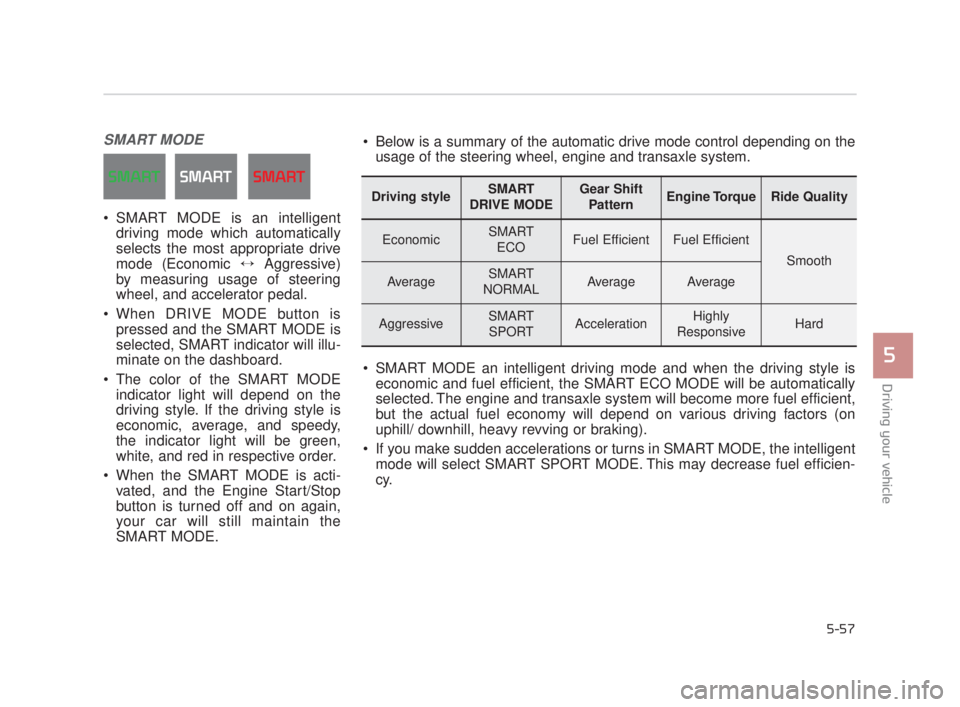
SMART MODE
SMART MODE is an intelligentdriving mode which automatically
selects the most appropriate drive
mode (Economic ↔ Aggressive)
by measuring usage of steering
wheel, and accelerator pedal.
When DRIVE MODE button is pressed and the SMART MODE is
selected, SMART indicator will illu-
minate on the dashboard.
The color of the SMART MODE indicator light will depend on the
driving style. If the driving style is
economic, average, and speedy,
the indicator light will be green,
white, and red in respective order.
When the SMART MODE is acti- vated, and the Engine Start/Stop
button is turned off and on again,
your car will still maintain the
SMART MODE.
Driving styleSMART
DRIVE MODEGear Shift PatternEngine TorqueRide Quality
EconomicSMART ECOFuel EfficientFuel Efficient
Smooth
AverageSMART
NORMALAverageAverage
AggressiveSMART SPORTAccelerationHighly
ResponsiveHard
Below is a summary of the automatic drive mode control depending on the usage of the steering wheel, engine and transaxle system.
SMART MODE an intelligent driving mode and when the driving style is economic and fuel efficient, the SMART ECO MODE will be automatically
selected. The engine and transaxle system will become more fuel efficient,
but the actual fuel economy will depend on various driving factors (on
uphill/ downhill, heavy revving or braking).
If you make sudden accelerations or turns in SMART MODE, the intelligent mode will select SMART SPORT MODE. This may decrease fuel efficien-
cy.
KH USA 5:2018 4/12/2017 10:00 AM Page 57
Page 325 of 544
5-60
Driving your vehicle
Attributes of SMART MODE.
If the accelerator pedal is pressedgently, your vehicle will recognize it
as a economic driving style. After
some time, the system will automat-
ically shift to SMART ECO MODE.
If you press the accelerator pedal frequently and heavily in SMART
ECO MODE, the system will auto-
matically shift to SMART NORMAL
MODE.
Even when driving style has not changed from SMART ECO
MODE, if your vehicle is driven
uphill considerably, the system will
detect the gradient. Then, the
SMART system will automatically
change the setting to the SMART
NORMAL MODE temporarily.
Once your vehicle is out of the hilly
ground, your vehicle will automati-
cally return to the SMART ECO
MODE. The SMART system will recognize
sudden and repetitive acceleration
or steering as aggressive driving,
and automatically switches into the
SMART SPORT MODE.
Your vehicle will run at a lower gear
in SMART SPORT MODE com-
pared to those in SMART NOR-
MAL MODE.
The vehicle's start and stop
response rate will become faster.
To enter into SMART SPORT
MODE, accelerator pedal may be
pressed deeper than pedal detent
point.
When the SMART SPORT MODE is activated, and you take your feet
off the accelerator pedal, the vehi-
cle will remain in low gear and you
may sense engine brake. This is
due to necessary preparatory time
for the next acceleration and is
only normal.
The SMART SPORT MODE is acti- vated only when very aggressive
and high speed is detected.
Therefore, in average driving
styles, the SMART system will
select either SMART ECO or
SMART NORMAL MODE. The artificial intelligence algorithm
will instantly calculate each driver's
style of driving. So if the driver is
changed to a different person, the
algorithm will measure accordingly.
KH USA 5:2018 4/12/2017 10:00 AM Page 60
Page 327 of 544
5-62
Driving your vehicle
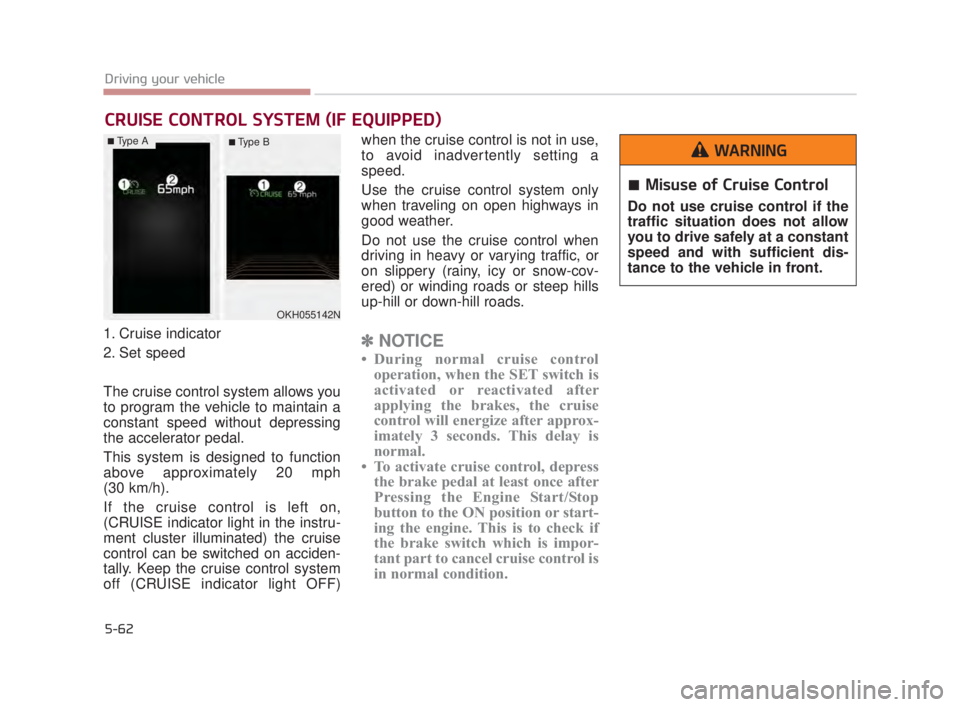
1. Cruise indicator
2. Set speed
The cruise control system allows you
to program the vehicle to maintain a
constant speed without depressing
the accelerator pedal.
This system is designed to function
above approximately 20 mph
(30 km/h).
If the cruise control is left on,
(CRUISE indicator light in the instru-
ment cluster illuminated) the cruise
control can be switched on acciden-
tally. Keep the cruise control system
off (CRUISE indicator light OFF)when the cruise control is not in use,
to avoid inadvertently setting a
speed.
Use the cruise control system only
when traveling on open highways in
good weather.
Do not use the cruise control when
driving in heavy or varying traffic, or
on slippery (rainy, icy or snow-cov-
ered) or winding roads or steep hills
up-hill or down-hill roads.✽
NOTICE
• During normal cruise control
operation, when the SET switch is
activated or reactivated after
applying the brakes, the cruise
control will energize after approx-
imately 3 seconds. This delay is
normal.
• To activate cruise control, depress the brake pedal at least once after
Pressing the Engine Start/Stop
button to the ON position or start-
ing the engine. This is to check if
the brake switch which is impor-
tant part to cancel cruise control is
in normal condition.
CRUISE CONTROL SYSTEM (IF EQUIPPED)
OKH055142N
Misuse of Cruise Control
Do not use cruise control if the
traffic situation does not allow
you to drive safely at a constant
speed and with sufficient dis-
tance to the vehicle in front.
WARNING■Type A■ Type B
KH USA 5:2018 4/12/2017 10:00 AM Page 62
Page 331 of 544
5-66
Driving your vehicle
✽NOTICE
Always check the road conditions
when you move the lever up (to
RES+) to resume the speed.
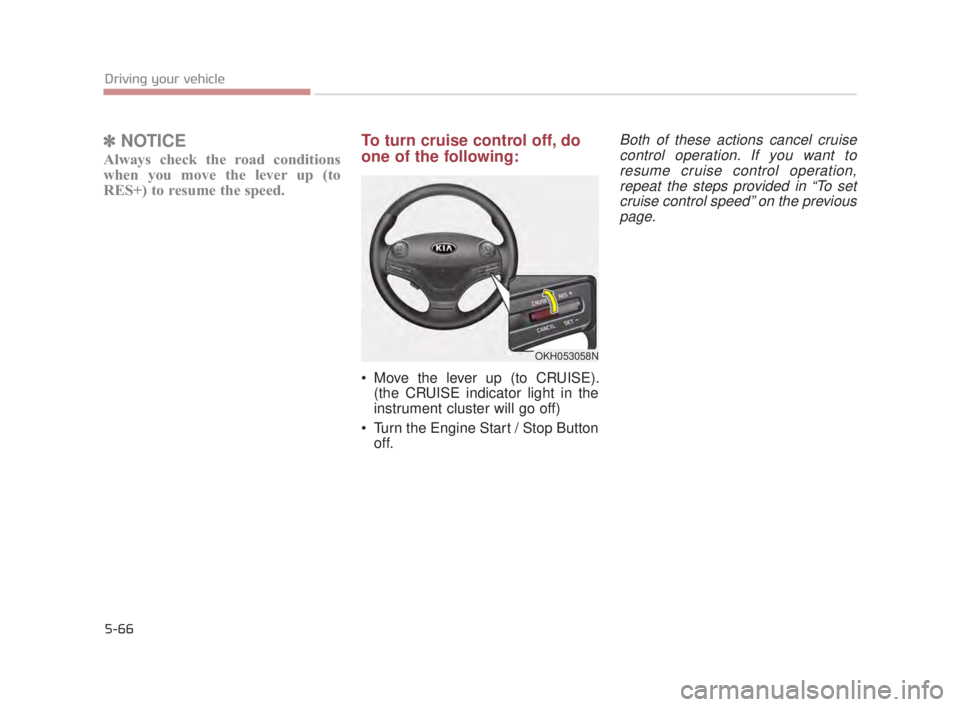
To turn cruise control off, do
one of the following:
Move the lever up (to CRUISE).
(the CRUISE indicator light in the
instrument cluster will go off)
Turn the Engine Start / Stop Button off.
Both of these actions cancel cruisecontrol operation. If you want toresume cruise control operation,repeat the steps provided in “To setcruise control speed” on the previouspage.
OKH053058N
KH USA 5:2018 4/12/2017 10:00 AM Page 66
Page 337 of 544
5-72
Driving your vehicle
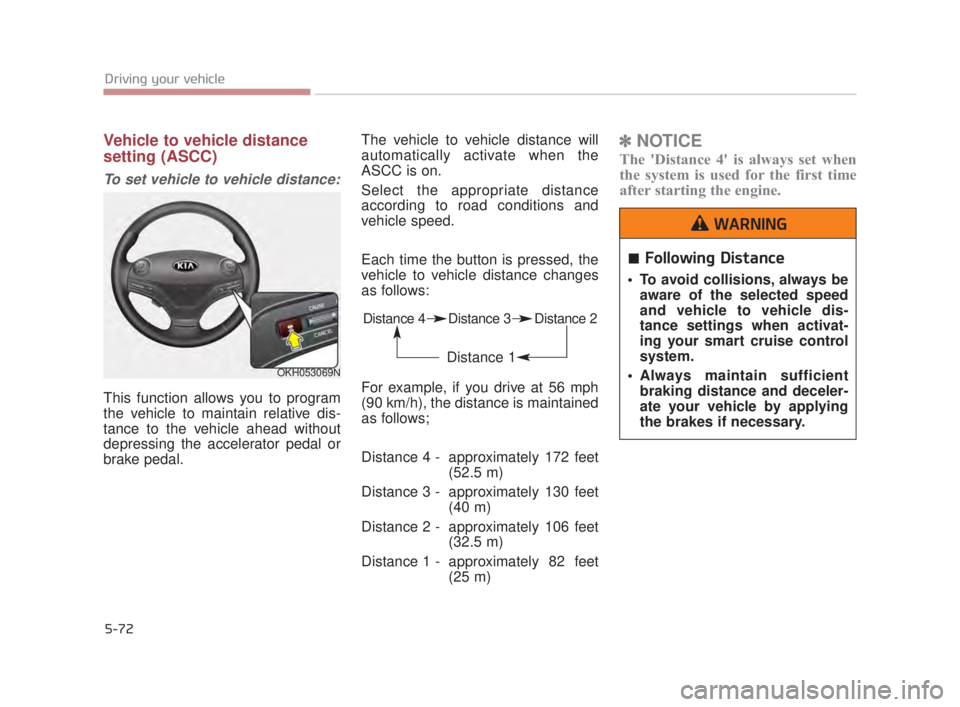
Vehicle to vehicle distance
setting (ASCC)
To set vehicle to vehicle distance:
This function allows you to program
the vehicle to maintain relative dis-
tance to the vehicle ahead without
depressing the accelerator pedal or
brake pedal.The vehicle to vehicle distance will
automatically activate when the
ASCC is on.
Select the appropriate distance
according to road conditions and
vehicle speed.
Each time the button is pressed, the
vehicle to vehicle distance changes
as follows:
For example, if you drive at 56 mph
(90 km/h), the distance is maintained
as follows;
Distance 4 - approximately 172 feet
(52.5 m)
Distance 3 - approximately 130 feet (40 m)
Distance 2 - approximately 106 feet (32.5 m)
Distance 1 - approximately 82 feet (25 m)
✽NOTICE
The 'Distance 4' is always set when
the system is used for the first time
after starting the engine.
OKH053069N
Distance 4 Distance 3 Distance 2
Distance 1
Following Distance
To avoid collisions, always be
aware of the selected speed
and vehicle to vehicle dis-
tance settings when activat-
ing your smart cruise control
system.
Always maintain sufficient braking distance and deceler-
ate your vehicle by applying
the brakes if necessary.
WARNING
KH USA 5:2018 4/12/2017 10:00 AM Page 72
Page 348 of 544
Driving your vehicle
5
5-83
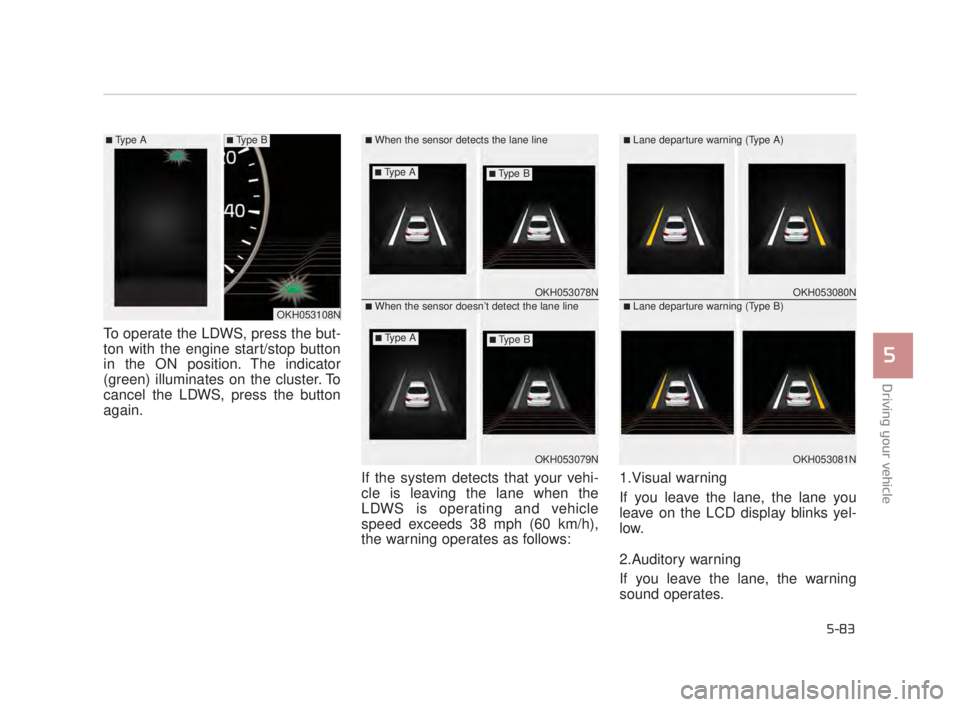
To operate the LDWS, press the but-
ton with the engine start/stop button
in the ON position. The indicator
(green) illuminates on the cluster. To
cancel the LDWS, press the button
again.If the system detects that your vehi-
cle is leaving the lane when the
LDWS is operating and vehicle
speed exceeds 38 mph (60 km/h),
the warning operates as follows:1.Visual warning
If you leave the lane, the lane you
leave on the LCD display blinks yel-
low.
2.Auditory warning
If you leave the lane, the warning
sound operates.
OKH053078N
OKH053079N
■When the sensor detects the lane line
■When the sensor doesn’t detect the lane lineOKH053080N
OKH053081N
■Lane departure warning (Type A)
■Lane departure warning (Type B)OKH053108N
■Type A■Type B
■Type A■Type B
■Type A■Type B
KH USA 5:2018 4/12/2017 10:01 AM Page 83
Page 352 of 544
Driving your vehicle
5
5-87
BSD (Blind Spot Detection) /
LCA (Lane Change Assist)
Operating conditions
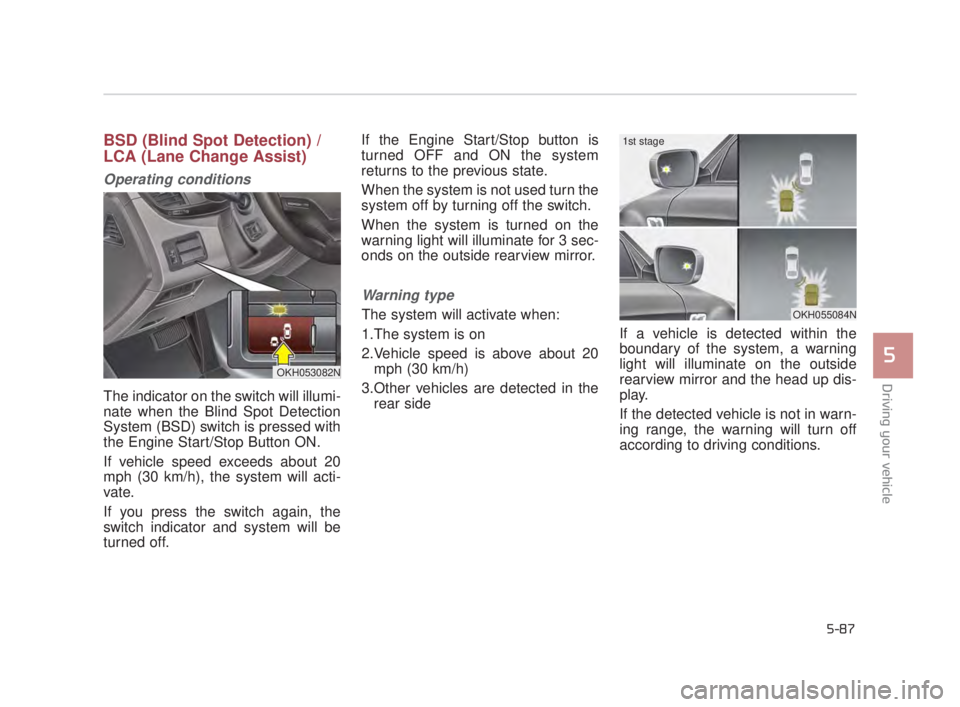
The indicator on the switch will illumi-
nate when the Blind Spot Detection
System (BSD) switch is pressed with
the Engine Start/Stop Button ON.
If vehicle speed exceeds about 20
mph (30 km/h), the system will acti-
vate.
If you press the switch again, the
switch indicator and system will be
turned off.If the Engine Start/Stop button is
turned OFF and ON the system
returns to the previous state.
When the system is not used turn the
system off by turning off the switch.
When the system is turned on the
warning light will illuminate for 3 sec-
onds on the outside rearview mirror.
Warning type
The system will activate when:
1.The system is on
2.Vehicle speed is above about 20
mph (30 km/h)
3.Other vehicles are detected in the rear side If a vehicle is detected within the
boundary of the system, a warning
light will illuminate on the outside
rearview mirror and the head up dis-
play.
If the detected vehicle is not in warn-
ing range, the warning will turn off
according to driving conditions.
OKH053082N
OKH055084N
1st stage
KH USA 5:2018 4/12/2017 10:01 AM Page 87
Page 359 of 544
5-94
Driving your vehicle
ECONOMICAL OPERATION
Your vehicle's fuel economy depends
mainly on your style of driving, where
you drive and when you drive.
Each of these factors affects how
many miles (kilometers) you can get
from a gallon (liter) of fuel. To operate
your vehicle as economically as pos-
sible, use the following driving sug-
gestions to help save money in both
fuel and repairs:
Drive smoothly. Accelerate at amoderate rate. Don't make "jack-
rabbit" starts or full-throttle shifts
and maintain a steady cruising
speed. Don't race between stop-
lights. Try to adjust your speed to
the traffic so you don't have to
change speeds unnecessarily.
Avoid heavy traffic whenever pos-
sible. Always maintain a safe dis-
tance from other vehicles so you
can avoid unnecessary braking.
This also reduces brake wear.
Drive at a moderate speed. The faster you drive, the more fuel your
vehicle uses. Driving at a moderate
speed, especially on the highway,
is one of the most effective ways to
help reduce fuel consumption. Don't "ride" the brake pedal. This
can increase fuel consumption and
also increase wear on brake com-
ponents. In addition, driving with
your foot resting on the brake pedal
may cause the brakes to overheat,
which reduces their effectiveness
and may lead to more serious con-
sequences.
Take care of your tires. Keep them inflated to the recommended pres-
sure. Incorrect inflation, either too
much or too little, results in unnec-
essary tire wear. Check the tire
pressures at least once a month.
Be sure that the wheels are aligned correctly. Improper align-
ment can result from hitting curbs
or driving too fast over irregular
surfaces. Poor alignment causes
faster tire wear and may also result
in other problems as well as
greater fuel consumption. Keep your vehicle in good condi-
tion. For better fuel economy and
reduced maintenance costs, main-
tain your vehicle in accordance
with the maintenance schedule in
section 7. If you drive your vehicle
in severe conditions, more frequent
maintenance is required (see sec-
tion 7 for details).
Keep your vehicle clean. For maxi- mum service, your vehicle should
be kept clean and free of corrosive
materials. It is especially important
that mud, dirt, ice, etc. not be
allowed to accumulate on the
underside of the vehicle. This extra
weight can result in increased fuel
consumption and also contribute to
corrosion.
Travel lightly. Don't carry unneces- sary weight in your vehicle. Weight
reduces fuel economy.
Don't let the engine idle longer than necessary. If you are waiting
(and not in traffic), turn off your
engine and restart only when
you're ready to go.
KH USA 5:2018 4/12/2017 10:02 AM Page 94
Page 360 of 544
Driving your vehicle
5
5-95
Remember, your vehicle does notrequire extended warm-up. After
the engine has started, allow the
engine to run for 10 to 20 seconds
prior to placing the vehicle in gear.
In very cold weather, however, give
your engine a slightly longer warm-
up period.
Don't "lug" or "over-rev" the engine. Lugging is driving too slowly in a
very high gear resulting in engine
bucking. If this happens, shift to a
lower gear. Over-revving is racing
the engine beyond its safe limit.
This can be avoided by shifting at
the recommended speed. Use your air conditioning sparingly.
The air conditioning system is
operated by engine power so your
fuel economy is reduced when you
use it.
Open windows at high speeds can reduce fuel economy.
Fuel economy is reduced by cross- winds and headwinds. To help off-
set some of this loss, slow down
when driving in these conditions.
Keeping a vehicle in good operating
condition is important both for econ-
omy and safety. Therefore, have an
authorized K900 Kia dealer perform
scheduled inspections and mainte-
nance.
Engine off during motion
Never turn the engine off to
coast down hills or anytime the
vehicle is in motion. The power
steering and power brakes will
not function properly without
the engine running. In addition,
turning off the Engine while
driving could engage the steer-
ing wheel lock resulting in loss
of vehicle steering. Keep the
engine on and downshift to an
appropriate gear for engine
braking effect.
WARNING
KH USA 5:2018 4/12/2017 10:02 AM Page 95