warning KIA K900 2018 Owners Manual
[x] Cancel search | Manufacturer: KIA, Model Year: 2018, Model line: K900, Model: KIA K900 2018Pages: 544, PDF Size: 14.82 MB
Page 314 of 544
Driving your vehicle
5
5-49
The Autonomous Emergency
Braking (AEB) helps avoid accidents
by identifying critical situations early
and warning the driver.
Take the following precautions when
using the Autonomous Emergency
Braking (AEB):
This system is only a supplementalsystem and it is not intended to,
nor does it replace the need for
extreme care and attention of the
driver. The sensing range and
objects detectable by the sensors
are limited. Pay attention to the
road conditions at all times.
NEVER drive too fast for the road conditions or too quickly when cor-
nering.
Always drive cautiously to prevent unexpected and sudden situations
from occurring. AEB does not stop
the vehicle completely and does
not avoid collisions. AEB operates according to the dis-
tance from the vehicle ahead, rela-
tive velocity, and driver's operation
of the brake or accelerator pedal.
Do not drive dangerously to inten-
tionally operate the AEB.
ALWAYS check the speed and the distance to the vehicle ahead. The
AEB is not a substitute for safe
driving practices.AEB Operation
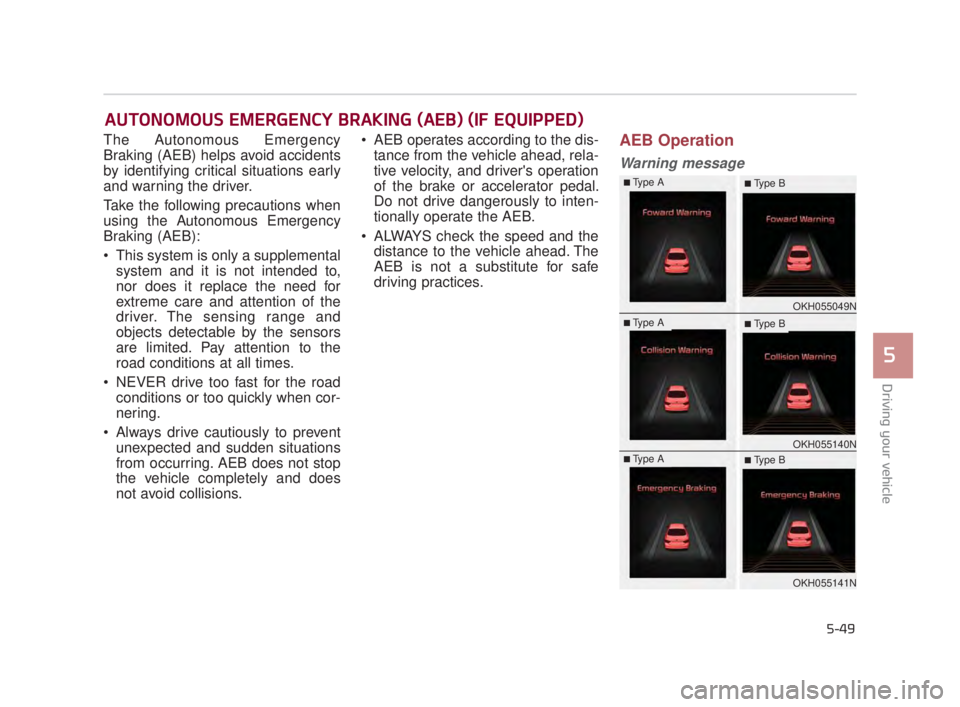
Warning message
AUTONOMOUS EMERGENCY BRAKING (AEB) (IF EQUIPPED)
OKH055049N
OKH055140N
OKH055141N
■Type A■ Type B
■Type A■ Type B
■Type A■ Type B
KH USA 5:2018 4/12/2017 10:00 AM Page 49
Page 315 of 544
5-50
Driving your vehicle
A warning message and chime will
sound when you need to use the
brake pedal or steering wheel due to
a sudden stop or lack of distance
with the vehicle ahead. The warning
messages will vary according to the
severity of the situation. Immediately
reduce your speed to prevent a colli-
sion.Brake operation
In a critical situation:
The brake assist system entersstandby mode to react promptly
when the driver operates the brake
pedal.
The vehicle automatically reduces speed according to the severity of
the situation.
- Rapidly reduces speed when vehicle speed is under 50 mph
(80 km/h)
- Slowly reduces speed when vehicle speed is over 50 mph
(80 km/h)
If the driver uses the brake pedal to reduce vehicle speed, the brake
assist system operates to increase
braking efficiency.
If the driver presses down hard on the accelerator pedal or sharply
turns the steering wheel, the brake
assist system is canceled.
Seat belt operation
The driver's and passenger's seat
belt may tighten if the system detects
that a vehicle or object is close.
KH USA 5:2018 4/12/2017 10:00 AM Page 50
Page 316 of 544
Driving your vehicle
5
5-51
✽NOTICE
• If the AEB is canceled from the
User Settings Mode or there is a
problem with the AEB system, the
Automatic Emergency Mode will
not work.
• If the ESC is off or there is a prob- lem with the ESC system, the
Automatic Emergency Mode will
not work.
• The ESC must be on for the Automatic Emergency Mode to
control ESC in collision situations.
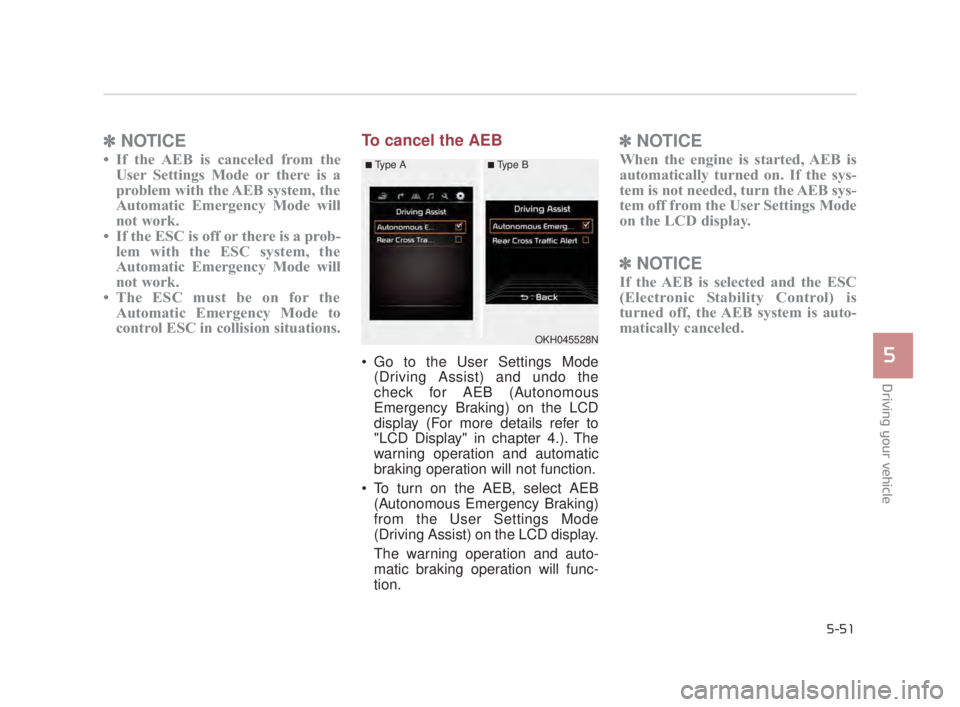
To cancel the AEB
Go to the User Settings Mode
(Driving Assist) and undo the
check for AEB (Autonomous
Emergency Braking) on the LCD
display (For more details refer to
"LCD Display" in chapter 4.). The
warning operation and automatic
braking operation will not function.
To turn on the AEB, select AEB (Autonomous Emergency Braking)
from the User Settings Mode
(Driving Assist) on the LCD display.
The warning operation and auto-
matic braking operation will func-
tion.
✽ NOTICE
When the engine is started, AEB is
automatically turned on. If the sys-
tem is not needed, turn the AEB sys-
tem off from the User Settings Mode
on the LCD display.
✽NOTICE
If the AEB is selected and the ESC
(Electronic Stability Control) is
turned off, the AEB system is auto-
matically canceled.
OKH045528N
■Type A■Type B
KH USA 5:2018 4/12/2017 10:00 AM Page 51
Page 317 of 544
5-52
Driving your vehicle
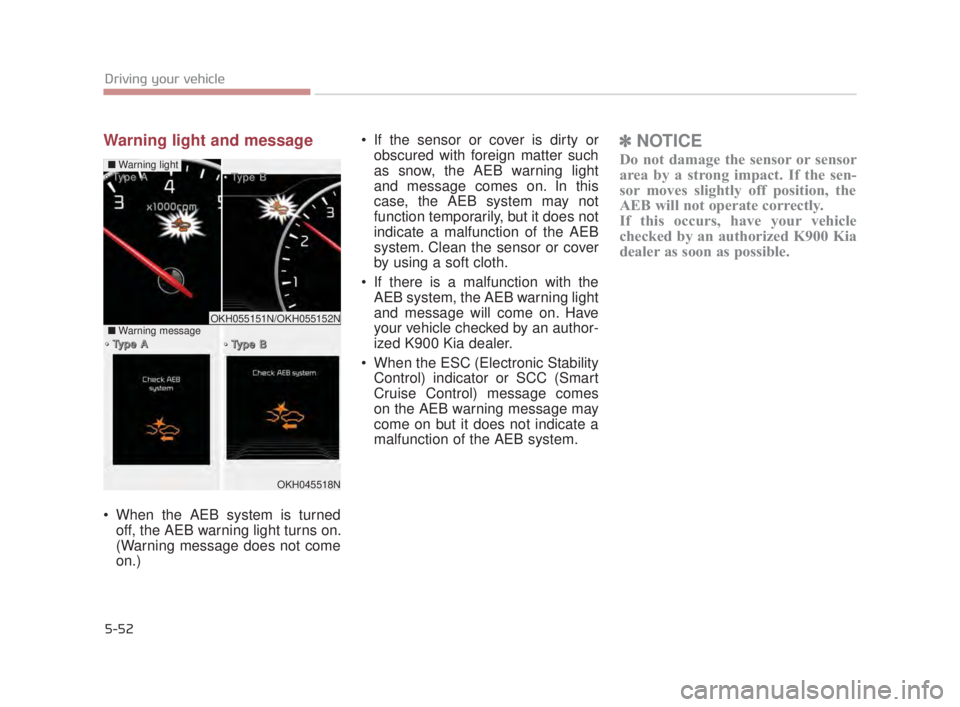
Warning light and message
When the AEB system is turnedoff, the AEB warning light turns on.
(Warning message does not come
on.) If the sensor or cover is dirty or
obscured with foreign matter such
as snow, the AEB warning light
and message comes on. In this
case, the AEB system may not
function temporarily, but it does not
indicate a malfunction of the AEB
system. Clean the sensor or cover
by using a soft cloth.
If there is a malfunction with the AEB system, the AEB warning light
and message will come on. Have
your vehicle checked by an author-
ized K900 Kia dealer.
When the ESC (Electronic Stability Control) indicator or SCC (Smart
Cruise Control) message comes
on the AEB warning message may
come on but it does not indicate a
malfunction of the AEB system.
✽ NOTICE
Do not damage the sensor or sensor
area by a strong impact. If the sen-
sor moves slightly off position, the
AEB will not operate correctly.
If this occurs, have your vehicle
checked by an authorized K900 Kia
dealer as soon as possible.
OKH045518N
■ Warning light
T
T
y
y
p
p
e
e
A
A
T
T
y
y
p
p
e
e
B
B
T
T
y
y
p
p
e
e
A
A
T
T
y
y
p
p
e
e
B
B
■
Warning messageOKH055151N/OKH055152N
KH USA 5:2018 4/12/2017 10:00 AM Page 52
Page 318 of 544
Even if there is a malfunction to thebrake operation of the AEB, when
you depress the brake pedal, the
brake operates normally. AEB
brake operation does not operate
in certain hazardous situations.
The AEB is designed to function above approximately 5 mph (8
km/h) and below approximately
110 mph (180 km/h).
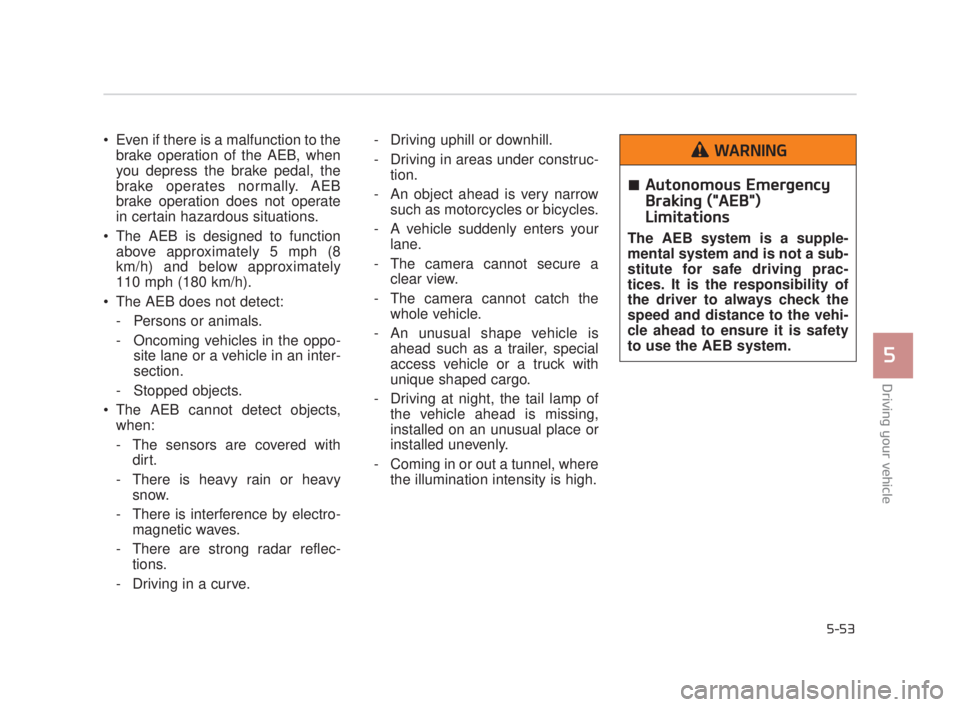
The AEB does not detect: - Persons or animals.
- Oncoming vehicles in the oppo- site lane or a vehicle in an inter-
section.
- Stopped objects.
The AEB cannot detect objects, when:
- The sensors are covered with dirt.
- There is heavy rain or heavy snow.
- There is interference by electro- magnetic waves.
- There are strong radar reflec- tions.
- Driving in a curve. - Driving uphill or downhill.
- Driving in areas under construc-
tion.
- An object ahead is very narrow such as motorcycles or bicycles.
- A vehicle suddenly enters your lane.
- The camera cannot secure a clear view.
- The camera cannot catch the whole vehicle.
- An unusual shape vehicle is ahead such as a trailer, special
access vehicle or a truck with
unique shaped cargo.
- Driving at night, the tail lamp of the vehicle ahead is missing,
installed on an unusual place or
installed unevenly.
- Coming in or out a tunnel, where the illumination intensity is high.
Driving your vehicle
5
5-53
Autonomous Emergency
Braking ("AEB")
Limitations
The AEB system is a supple-
mental system and is not a sub-
stitute for safe driving prac-
tices. It is the responsibility of
the driver to always check the
speed and distance to the vehi-
cle ahead to ensure it is safety
to use the AEB system.
WARNING
KH USA 5:2018 4/12/2017 10:00 AM Page 53
Page 327 of 544
5-62
Driving your vehicle
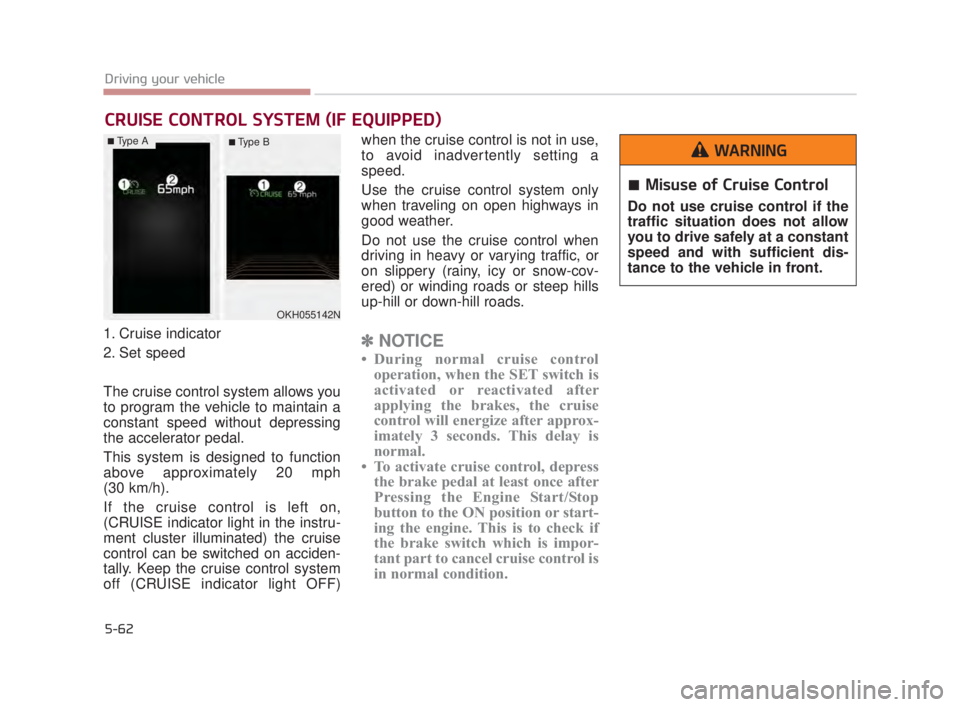
1. Cruise indicator
2. Set speed
The cruise control system allows you
to program the vehicle to maintain a
constant speed without depressing
the accelerator pedal.
This system is designed to function
above approximately 20 mph
(30 km/h).
If the cruise control is left on,
(CRUISE indicator light in the instru-
ment cluster illuminated) the cruise
control can be switched on acciden-
tally. Keep the cruise control system
off (CRUISE indicator light OFF)when the cruise control is not in use,
to avoid inadvertently setting a
speed.
Use the cruise control system only
when traveling on open highways in
good weather.
Do not use the cruise control when
driving in heavy or varying traffic, or
on slippery (rainy, icy or snow-cov-
ered) or winding roads or steep hills
up-hill or down-hill roads.✽
NOTICE
• During normal cruise control
operation, when the SET switch is
activated or reactivated after
applying the brakes, the cruise
control will energize after approx-
imately 3 seconds. This delay is
normal.
• To activate cruise control, depress the brake pedal at least once after
Pressing the Engine Start/Stop
button to the ON position or start-
ing the engine. This is to check if
the brake switch which is impor-
tant part to cancel cruise control is
in normal condition.
CRUISE CONTROL SYSTEM (IF EQUIPPED)
OKH055142N
Misuse of Cruise Control
Do not use cruise control if the
traffic situation does not allow
you to drive safely at a constant
speed and with sufficient dis-
tance to the vehicle in front.
WARNING■Type A■ Type B
KH USA 5:2018 4/12/2017 10:00 AM Page 62
Page 332 of 544
Driving your vehicle
5
5-67
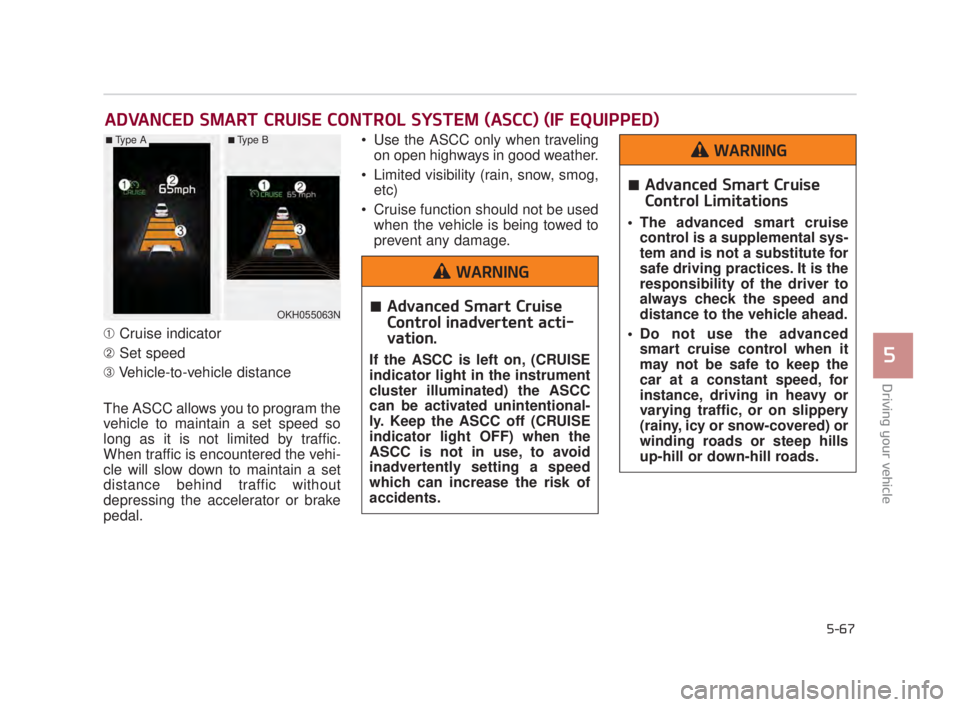
➀Cruise indicator
\b Set speed
➂ Vehicle-to-vehicle distance
The ASCC allows you to program the
vehicle to maintain a set speed so
long as it is not limited by traffic.
When traffic is encountered the vehi-
cle will slow down to maintain a set
distance behind traffic without
depressing the accelerator or brake
pedal. Use the ASCC only when traveling
on open highways in good weather.
Limited visibility (rain, snow, smog, etc)
Cruise function should not be used when the vehicle is being towed to
prevent any damage.
ADVANCED SMART CRUISE CONTROL SYSTEM (ASCC) (IF EQUIPPED)
OKH055063N
■Type A■Type B
Advanced Smart Cruise
Control inadvertent acti-
vation.
If the ASCC is left on, (CRUISE
indicator light in the instrument
cluster illuminated) the ASCC
can be activated unintentional-
ly. Keep the ASCC off (CRUISE
indicator light OFF) when the
ASCC is not in use, to avoid
inadvertently setting a speed
which can increase the risk of
accidents.
WARNING
Advanced Smart Cruise
Control Limitations
The advanced smart cruisecontrol is a supplemental sys-
tem and is not a substitute for
safe driving practices. It is the
responsibility of the driver to
always check the speed and
distance to the vehicle ahead.
Do not use the advanced smart cruise control when it
may not be safe to keep the
car at a constant speed, for
instance, driving in heavy or
varying traffic, or on slippery
(rainy, icy or snow-covered) or
winding roads or steep hills
up-hill or down-hill roads.
WARNING
KH USA 5:2018 4/12/2017 10:00 AM Page 67
Page 335 of 544
5-70
Driving your vehicle
Cancelled automatically
The driver's door is opened.
The shift lever is shifted to N(Neutral), R (Reverse) or D (Drive).
The EPB (electronic parking brake) is applied.
The vehicle speed is over 120 mph (190 km/h)
The vehicle stops on a steep incline.
The ESC, TCS or ABS is operat- ing.
The ESC is turned off.
The sensor or the cover is dirty or blocked with foreign matter.
When the vehicle is stopped for over 5 minutes.
The vehicle stops and go repeat- edly for a long period of time.
The driver starts driving by pushing the lever up (RES +) or down (SET
-), approximately 3 seconds after
the vehicle is stopped by the Smart
Cruise Control System with no
other vehicle ahead. The driver starts driving by
depressing the accelerator pedal
or move up the lever (to RES+) or
down(to SET-) if a vehicle stops far
away ahead of the your vehicle.
The accelerator pedal is continu- ously depressed for more than 1
minute.
Each of these actions will cancel
the ASCC operation. (the set
speed and vehicle to vehicle dis-
tance on the LCD display will go
off.)
In a condition where the ASCC is
cancelled automatically, the ASCC
will not resume even though the
RES+ or SET- lever is moved. Also,
the EPB (electronic parking brake)
will be applied when the vehicle is
stopped.
✽ NOTICE
If the ASCC is cancelled by other
than the reasons mentioned, have the
system checked by an authorized
K900 Kia dealer.
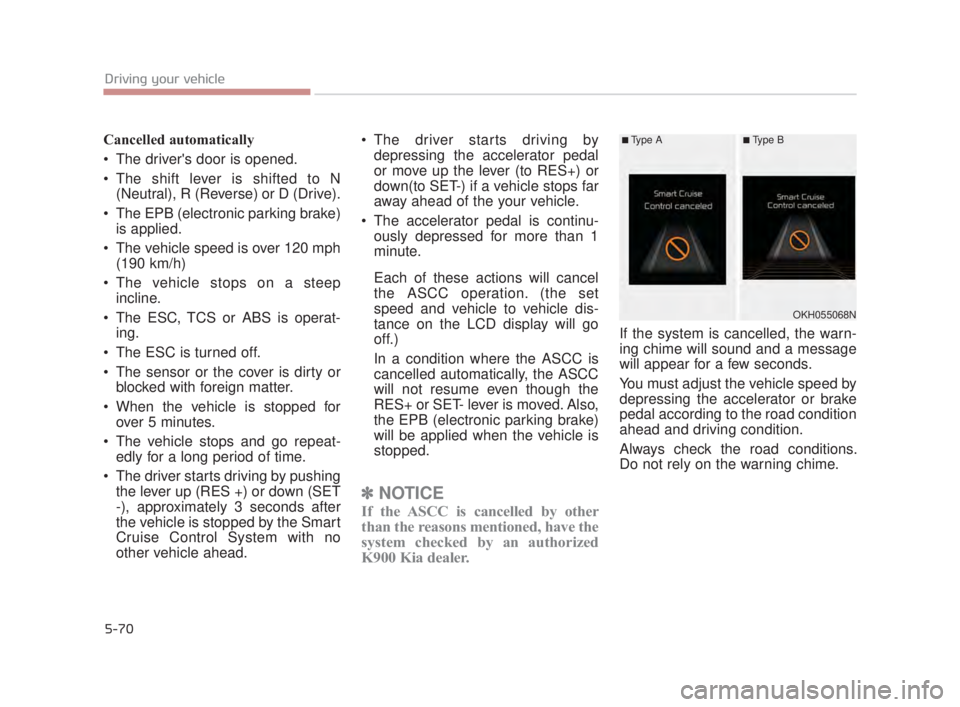
If the system is cancelled, the warn-
ing chime will sound and a message
will appear for a few seconds.
You must adjust the vehicle speed by
depressing the accelerator or brake
pedal according to the road condition
ahead and driving condition.
Always check the road conditions.
Do not rely on the warning chime.
OKH055068N
■Type A■Type B
KH USA 5:2018 4/12/2017 10:00 AM Page 70
Page 336 of 544
Driving your vehicle
5
5-71
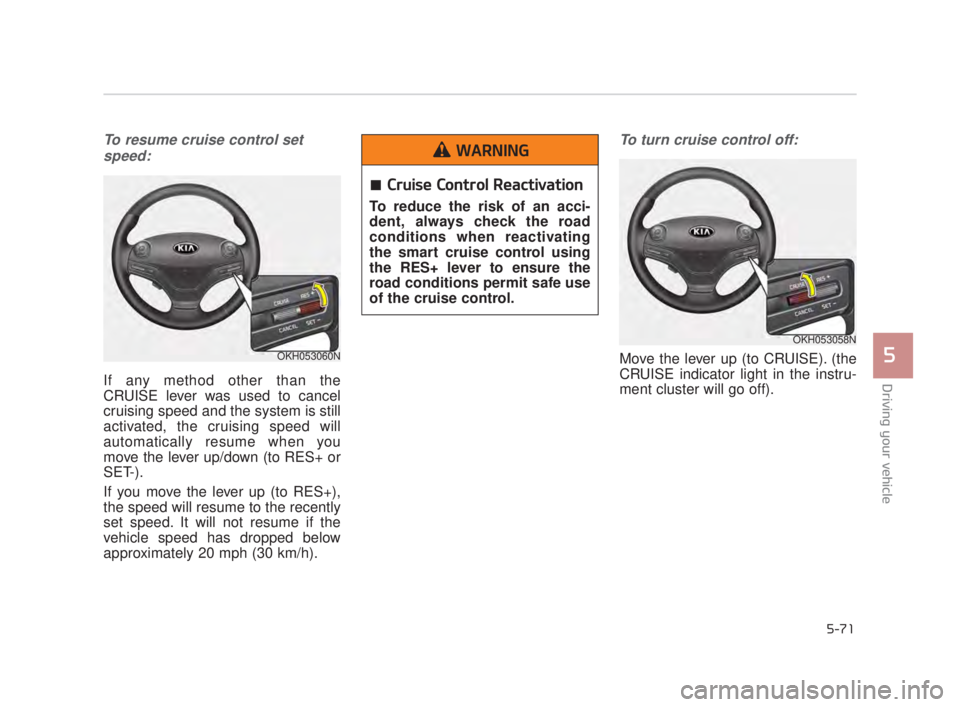
To resume cruise control setspeed:
If any method other than the
CRUISE lever was used to cancel
cruising speed and the system is still
activated, the cruising speed will
automatically resume when you
move the lever up/down (to RES+ or
SET-).
If you move the lever up (to RES+),
the speed will resume to the recently
set speed. It will not resume if the
vehicle speed has dropped below
approximately 20 mph (30 km/h).
To turn cruise control off:
Move the lever up (to CRUISE). (the
CRUISE indicator light in the instru-
ment cluster will go off).OKH053060N
OKH053058N
Cruise Control Reactivation
To reduce the risk of an acci-
dent, always check the road
conditions when reactivating
the smart cruise control using
the RES+ lever to ensure the
road conditions permit safe use
of the cruise control.
WARNING
KH USA 5:2018 4/12/2017 10:00 AM Page 71
Page 337 of 544
5-72
Driving your vehicle
Vehicle to vehicle distance
setting (ASCC)
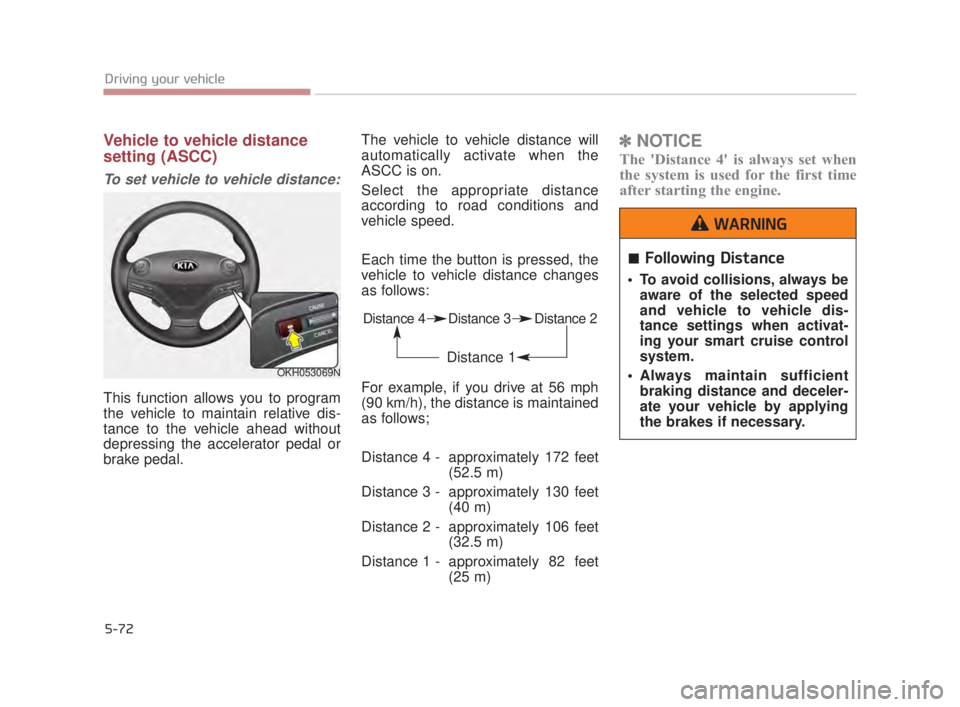
To set vehicle to vehicle distance:
This function allows you to program
the vehicle to maintain relative dis-
tance to the vehicle ahead without
depressing the accelerator pedal or
brake pedal.The vehicle to vehicle distance will
automatically activate when the
ASCC is on.
Select the appropriate distance
according to road conditions and
vehicle speed.
Each time the button is pressed, the
vehicle to vehicle distance changes
as follows:
For example, if you drive at 56 mph
(90 km/h), the distance is maintained
as follows;
Distance 4 - approximately 172 feet
(52.5 m)
Distance 3 - approximately 130 feet (40 m)
Distance 2 - approximately 106 feet (32.5 m)
Distance 1 - approximately 82 feet (25 m)
✽NOTICE
The 'Distance 4' is always set when
the system is used for the first time
after starting the engine.
OKH053069N
Distance 4 Distance 3 Distance 2
Distance 1
Following Distance
To avoid collisions, always be
aware of the selected speed
and vehicle to vehicle dis-
tance settings when activat-
ing your smart cruise control
system.
Always maintain sufficient braking distance and deceler-
ate your vehicle by applying
the brakes if necessary.
WARNING
KH USA 5:2018 4/12/2017 10:00 AM Page 72