steering KIA K900 2019 Owner's Manual
[x] Cancel search | Manufacturer: KIA, Model Year: 2019, Model line: K900, Model: KIA K900 2019Pages: 580, PDF Size: 15.11 MB
Page 163 of 580
Features of your vehicle
70
4
Instrument Cluster Control
Adjusting Instrument Cluster
Illumination
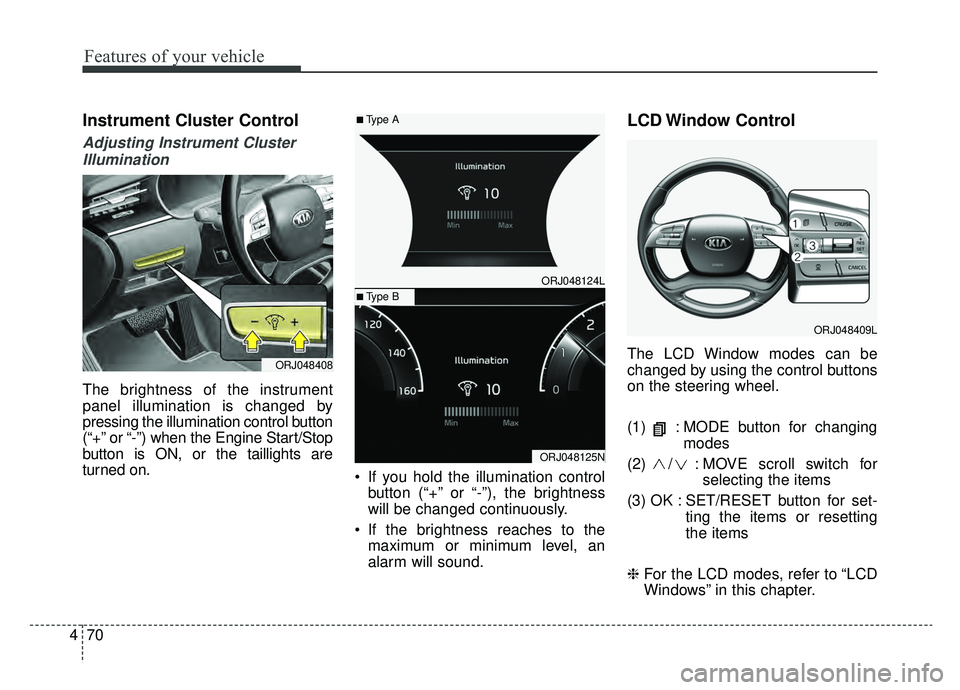
The brightness of the instrument
panel illumination is changed by
pressing the illumination control button
(“+” or “-”) when the Engine Start/Stop
button is ON, or the taillights are
turned on. If you hold the illumination control
button (“+” or “-”), the brightness
will be changed continuously.
If the brightness reaches to the maximum or minimum level, an
alarm will sound.
LCD Window Control
The LCD Window modes can be
changed by using the control buttons
on the steering wheel.
(1) : MODE button for changing modes
(2) / : MO VE scroll switch for
selecting the items
(3) OK : SET/RESET button for set- ting the items or resetting
the items
❈ For the LCD modes, refer to “LCD
Windows” in this chapter.ORJ048408
ORJ048409L
ORJ048124L
ORJ048125N
■Type A
■Type B
Page 170 of 580
477
Features of your vehicle
Fuel Economy
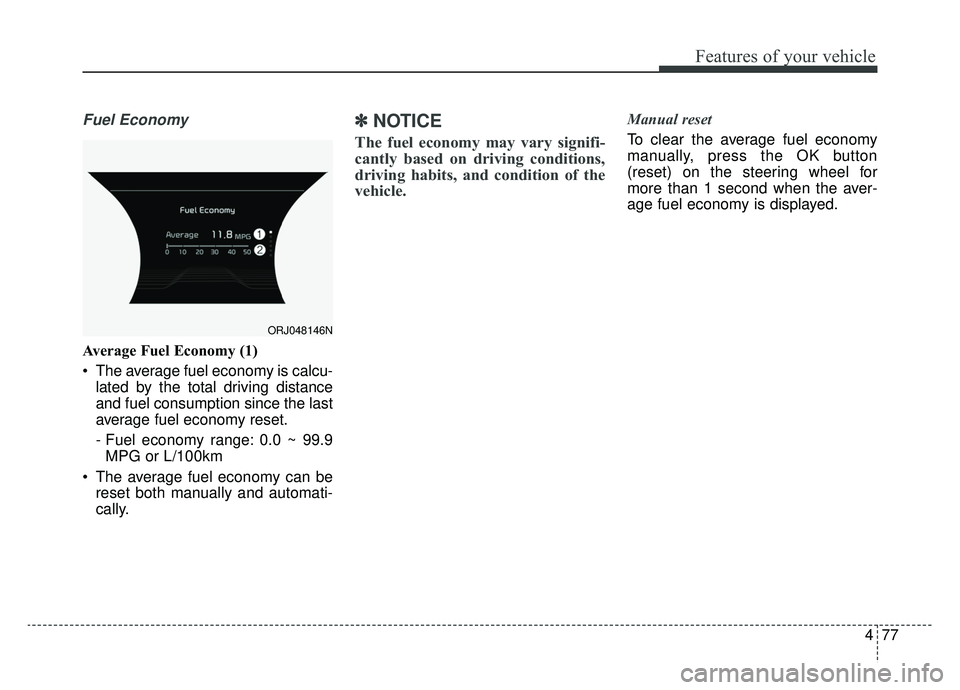
Average Fuel Economy (1)
The average fuel economy is calcu-lated by the total driving distance
and fuel consumption since the last
average fuel economy reset.
- Fuel economy range: 0.0 ~ 99.9MPG or L/100km
The average fuel economy can be reset both manually and automati-
cally.
✽ ✽ NOTICE
The fuel economy may vary signifi-
cantly based on driving conditions,
driving habits, and condition of the
vehicle.
Manual reset
To clear the average fuel economy
manually, press the OK button
(reset) on the steering wheel for
more than 1 second when the aver-
age fuel economy is displayed.
ORJ048146N
Page 177 of 580
Features of your vehicle
84
4
Distance to empty
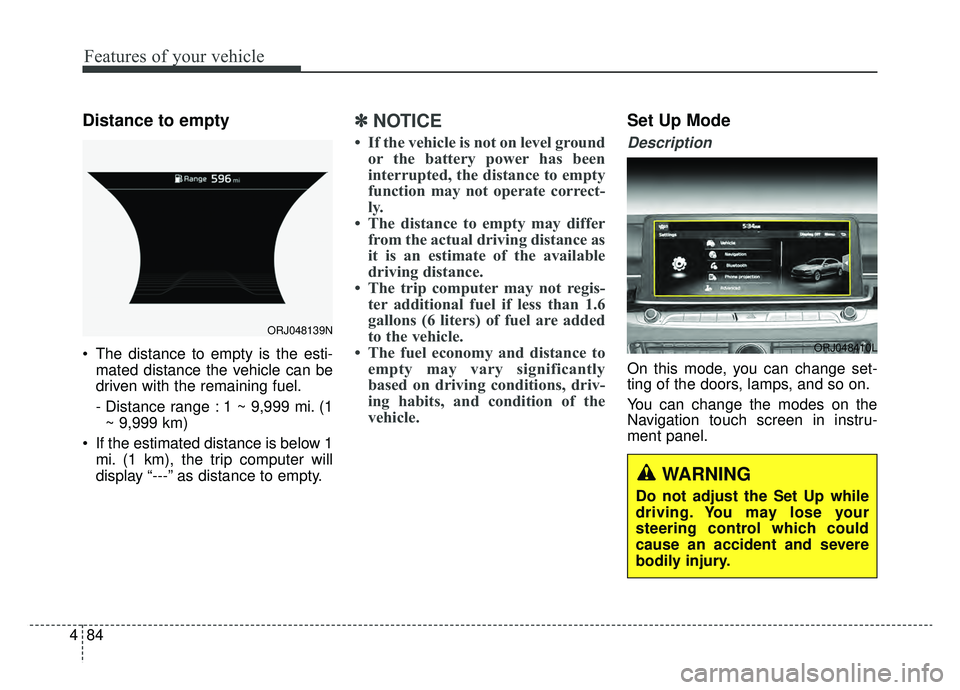
The distance to empty is the esti-
mated distance the vehicle can be
driven with the remaining fuel.
- Distance range : 1 ~ 9,999 mi. (1~ 9,999 km)
If the estimated distance is below 1 mi. (1 km), the trip computer will
display “---” as distance to empty.
✽ ✽ NOTICE
• If the vehicle is not on level ground
or the battery power has been
interrupted, the distance to empty
function may not operate correct-
ly.
• The distance to empty may differ from the actual driving distance as
it is an estimate of the available
driving distance.
• The trip computer may not regis- ter additional fuel if less than 1.6
gallons (6 liters) of fuel are added
to the vehicle.
• The fuel economy and distance to empty may vary significantly
based on driving conditions, driv-
ing habits, and condition of the
vehicle.
Set Up Mode
Description
On this mode, you can change set-
ting of the doors, lamps, and so on.
You can change the modes on the
Navigation touch screen in instru-
ment panel.
ORJ048139N
ORJ048410L
WARNING
Do not adjust the Set Up while
driving. You may lose your
steering control which could
cause an accident and severe
bodily injury.
Page 187 of 580
Features of your vehicle
94
4
✽ ✽
NOTICE- Electronic Brake
force Distribution (EBD)
System Warning Light
When the ABS Warning Light is on
or both the ABS and the Parking
Brake & Brake Fluid Warning
Lights are on, the speedometer,
odometer, or tripmeter may not
work. Also, the EPS Warning Light
may illuminate and the steering
effort may increase or decrease.
In this case, have the vehicle inspect-
ed by an authorized K900 Kia deal-
er.
Electronic Power Steering (EPS) WarningLight (if equipped)
This warning light illuminates:
Once you set the Engine Start/Stop Button to the ON position.
- It remains on until the engine isstarted.
When there is a malfunction with the EPS.
In this case, have the vehicle
inspected by an authorized K900
Kia dealer.
Malfunction Indicator
Lamp (MIL)
This warning light illuminates:
Once you set the Engine Start/Stop Button to the ON position.
- It remains on until the engine isstarted.
When there is a malfunction with the emission control system.
In this case, have the vehicle
inspected by an authorized K900
Kia dealer.
Page 207 of 580
Features of your vehicle
114
4
Battery saver function
The purpose of this feature is to
prevent the battery from being dis-
charged if the lights are left in the
ON position. The system automati-
cally shuts off the parking lights 30
seconds after the ignition key is
removed and the driver’s door is
opened and closed.
With this feature, the parking lights will turn off automatically if the driver
parks on the side of the road at night
and opens the driver’s side door.
If necessary, to keep the parking
lights on when the ignition key is
removed, perform the following:
1) Open the driver-side door.
2) Turn the parking lights OFF and ON again using the light switch
on the steering column.
Daytime running light
The Daytime Running Lights (DRL)
can make it easier for others to see the
front of your vehicle during the day.
DRL can be helpful in many different
driving conditions, and it is especially
helpful after dawn and before sunset.
The DRL system will turn the dedi-
cated lamp OFF when :
1.The headlight switch is on
- It includes that the headlight is onin the dark when the headlight
switch is in the auto light position.
2.The engine is off
3.Engaging the Parking Brake
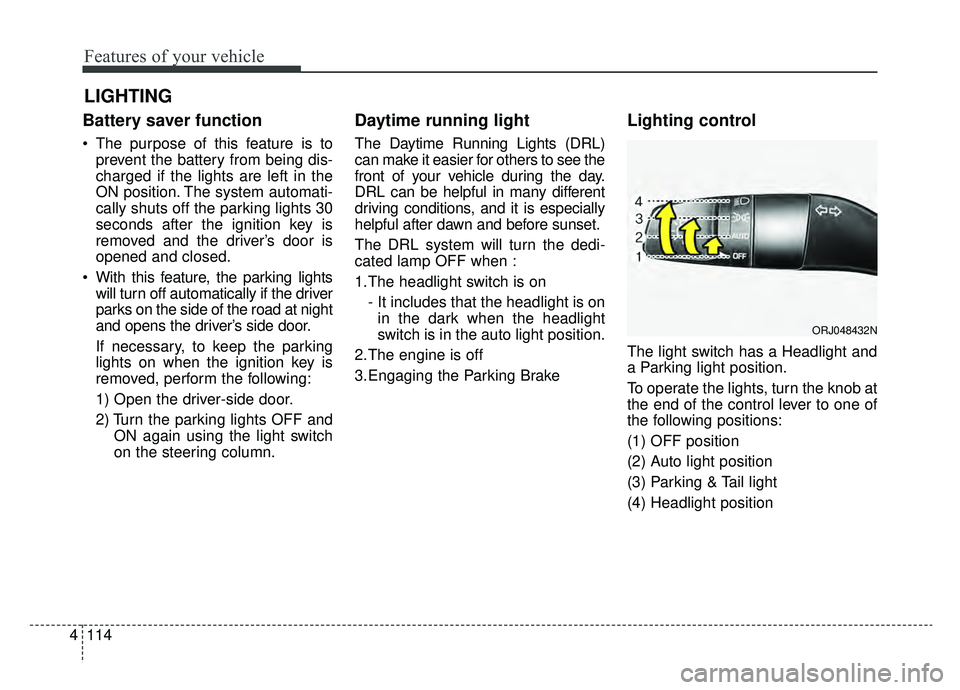
Lighting control
The light switch has a Headlight and
a Parking light position.
To operate the lights, turn the knob at
the end of the control lever to one of
the following positions:
(1) OFF position
(2) Auto light position
(3) Parking & Tail light
(4) Headlight position
LIGHTING
ORJ048432N
Page 215 of 580
Features of your vehicle
122
4
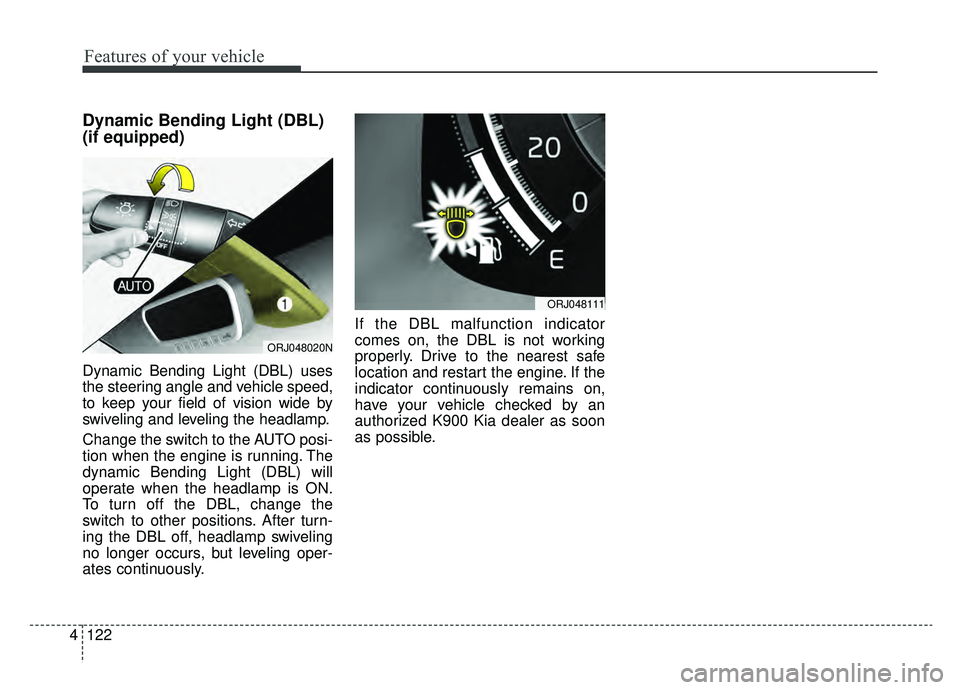
Dynamic Bending Light (DBL)
(if equipped)
Dynamic Bending Light (DBL) uses
the steering angle and vehicle speed,
to keep your field of vision wide by
swiveling and leveling the headlamp.
Change the switch to the AUTO posi-
tion when the engine is running. The
dynamic Bending Light (DBL) will
operate when the headlamp is ON.
To turn off the DBL, change the
switch to other positions. After turn-
ing the DBL off, headlamp swiveling
no longer occurs, but leveling oper-
ates continuously. If the DBL malfunction indicator
comes on, the DBL is not working
properly. Drive to the nearest safe
location and restart the engine. If the
indicator continuously remains on,
have your vehicle checked by an
authorized K900 Kia dealer as soon
as possible.
ORJ048020N
ORJ048111
Page 225 of 580
Features of your vehicle
132
4
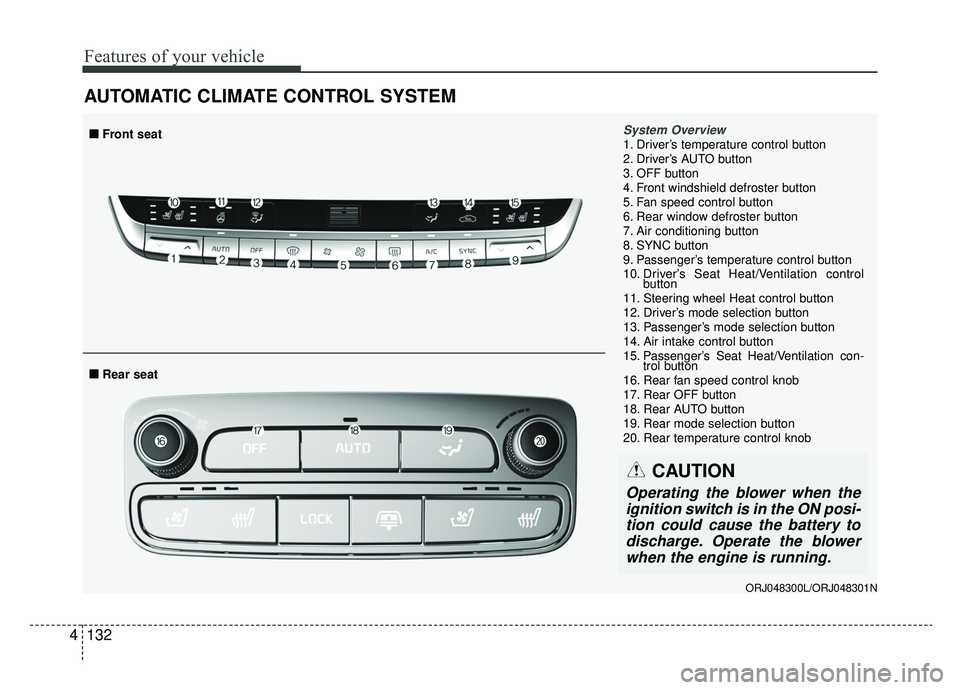
AUTOMATIC CLIMATE CONTROL SYSTEM
System Overview1. Driver’s temperature control button
2. Driver’s AUTO button
3. OFF button
4. Front windshield defroster button
5. Fan speed control button
6. Rear window defroster button
7. Air conditioning button
8. SYNC button
9. Passenger’s temperature control button
10. Driver’s Seat Heat/Ventilation control
button
11. Steering wheel Heat control button
12. Driver’s mode selection button
13. Passenger’s mode selection button
14. Air intake control button
15. Passenger’s Seat Heat/Ventilation con- trol button
16. Rear fan speed control knob
17. Rear OFF button
18. Rear AUTO button
19. Rear mode selection button
20. Rear temperature control knob
■ ■ Rear seat
■ ■Front seat
CAUTION
Operating the blower when the
ignition switch is in the ON posi-tion could cause the battery todischarge. Operate the blowerwhen the engine is running.
ORJ048300L/ORJ048301N
Page 271 of 580
Driving your vehicle
65
WARNING- Check sur-roundings
Always check the surrounding
areas near your vehicle for peo-
ple, especially children, before
putting a vehicle into D (Drive)
or R (Reverse).
WARNING- Fire risk
When you intend to park or stop
the vehicle with the engine on,
be careful not to depress the
accelerator pedal for a long
period of time. It may overheat
the engine or exhaust system
and cause fire.WARNING- Loose objects
Securely store items in your
vehicle. When you make a sud-
den stop or turn the steering
wheel rapidly, loose objects
may drop on the floor and it
could interfere with the opera-
tion of the foot pedals, possibly
causing an accident.WARNING- Driving while intoxicated
Do not drive while intoxicated.
Drinking and driving is danger-
ous. Even a small amount of
alcohol will affect your reflexes,
perceptions and judgment.
Driving while under the influ-
ence of drugs is as dangerous
as or more dangerous than driv-
ing drunk.
WARNING- Proper footwear
Always wear appropriate shoes
when operating your vehicle.
Unsuitable shoes (high heels, ski
boots, sandals, etc.) may inter-
fere with your ability to use the
brake and accelerator pedals.
Page 286 of 580
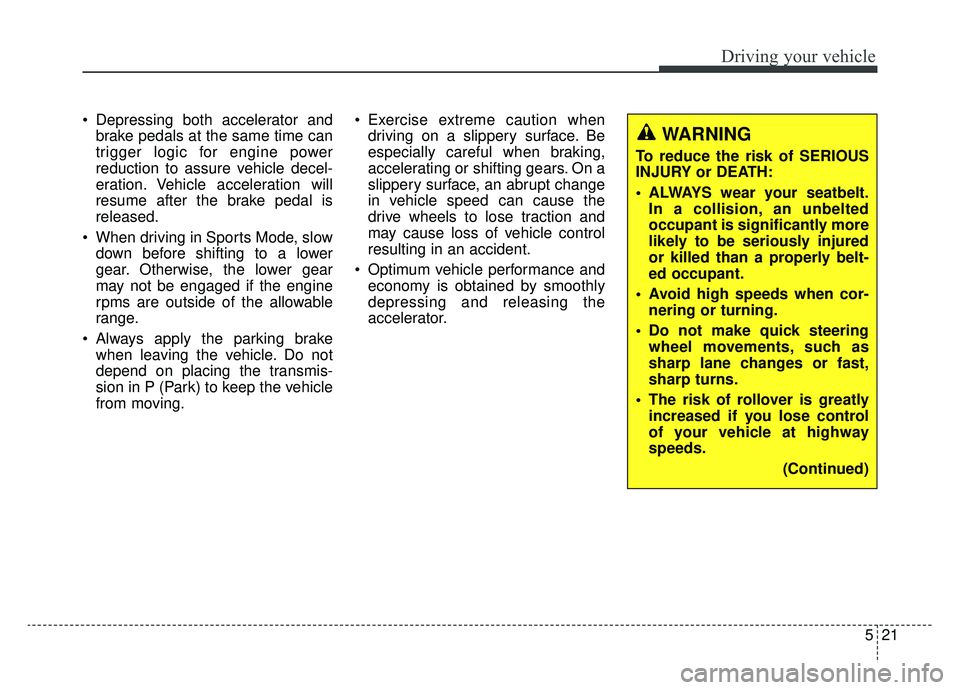
521
Driving your vehicle
Depressing both accelerator andbrake pedals at the same time can
trigger logic for engine power
reduction to assure vehicle decel-
eration. Vehicle acceleration will
resume after the brake pedal is
released.
When driving in Sports Mode, slow down before shifting to a lower
gear. Otherwise, the lower gear
may not be engaged if the engine
rpms are outside of the allowable
range.
Always apply the parking brake when leaving the vehicle. Do not
depend on placing the transmis-
sion in P (Park) to keep the vehicle
from moving. Exercise extreme caution when
driving on a slippery surface. Be
especially careful when braking,
accelerating or shifting gears. On a
slippery surface, an abrupt change
in vehicle speed can cause the
drive wheels to lose traction and
may cause loss of vehicle control
resulting in an accident.
Optimum vehicle performance and economy is obtained by smoothly
depressing and releasing the
accelerator.
WARNING
To reduce the risk of SERIOUS
INJURY or DEATH:
ALWAYS wear your seatbelt.In a collision, an unbelted
occupant is significantly more
likely to be seriously injured
or killed than a properly belt-
ed occupant.
Avoid high speeds when cor- nering or turning.
Do not make quick steering wheel movements, such as
sharp lane changes or fast,
sharp turns.
The risk of rollover is greatly increased if you lose control
of your vehicle at highway
speeds.
(Continued)
Page 289 of 580
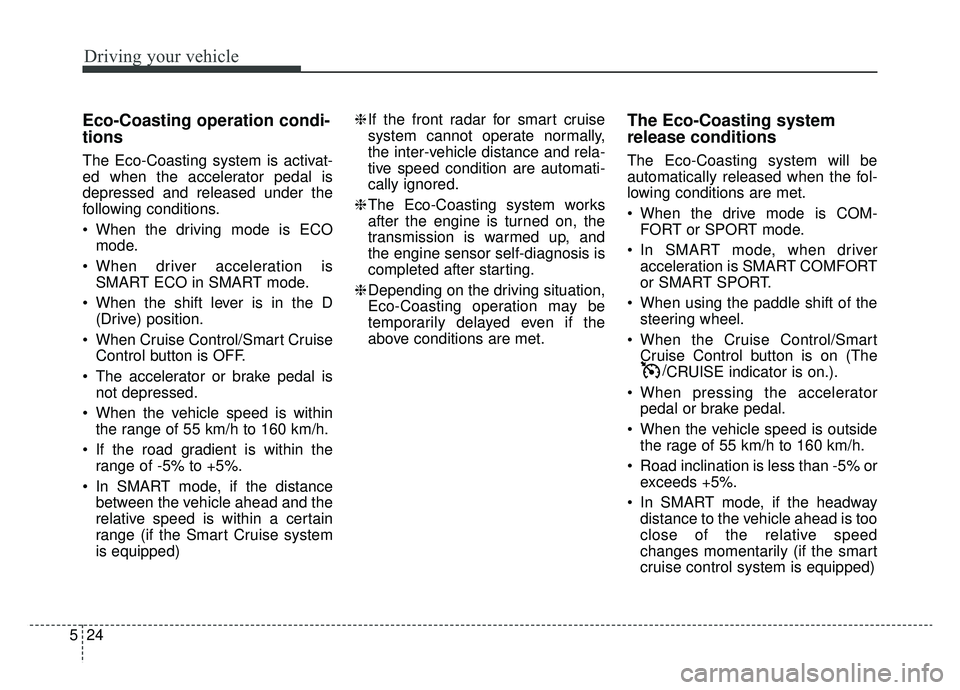
Driving your vehicle
24
5
Eco-Coasting operation condi-
tions
The Eco-Coasting system is activat-
ed when the accelerator pedal is
depressed and released under the
following conditions.
When the driving mode is ECO
mode.
When driver acceleration is SMART ECO in SMART mode.
When the shift lever is in the D (Drive) position.
When Cruise Control/Smart Cruise Control button is OFF.
The accelerator or brake pedal is not depressed.
When the vehicle speed is within the range of 55 km/h to 160 km/h.
If the road gradient is within the range of -5% to +5%.
In SMART mode, if the distance between the vehicle ahead and the
relative speed is within a certain
range (if the Smart Cruise system
is equipped) ❈
If the front radar for smart cruise
system cannot operate normally,
the inter-vehicle distance and rela-
tive speed condition are automati-
cally ignored.
❈ The Eco-Coasting system works
after the engine is turned on, the
transmission is warmed up, and
the engine sensor self-diagnosis is
completed after starting.
❈ Depending on the driving situation,
Eco-Coasting operation may be
temporarily delayed even if the
above conditions are met.
The Eco-Coasting system
release conditions
The Eco-Coasting system will be
automatically released when the fol-
lowing conditions are met.
When the drive mode is COM-
FORT or SPORT mode.
In SMART mode, when driver acceleration is SMART COMFORT
or SMART SPORT.
When using the paddle shift of the steering wheel.
When the Cruise Control/Smart Cruise Control button is on (The /CRUISE indicator is on.).
When pressing the accelerator pedal or brake pedal.
When the vehicle speed is outside the rage of 55 km/h to 160 km/h.
Road inclination is less than -5% or exceeds +5%.
In SMART mode, if the headway distance to the vehicle ahead is too
close of the relative speed
changes momentarily (if the smart
cruise control system is equipped)