steering KIA K900 2019 Owner's Guide
[x] Cancel search | Manufacturer: KIA, Model Year: 2019, Model line: K900, Model: KIA K900 2019Pages: 580, PDF Size: 15.11 MB
Page 291 of 580
Driving your vehicle
26
5
Using All Wheel Drive (AWD)
The All Wheel Drive (AWD) System
delivers engine power to front and
rear wheels for maximum traction.
AWD is useful when extra traction is
required, such as when driving slip-
pery, muddy, wet, or snow-covered
roads.
If the system determines there is a
need for four wheel drive, the
engine's driving power is distributed
to all four wheels automatically.
ALL WHEEL DRIVE (AWD)
WARNING
If the AWD warning light ( )
stays on the instrument cluster,
your vehicle may have a mal-
function with the AWD system.
When the AWD warning light
( ) illuminates we recom-
mend that the vehicle be
checked by an authorized K900
Kia dealer as soon as possible.
WARNING
To reduce the risk of SERIOUS
INJURY or DEATH:
Do not drive in conditions that
exceed the vehicle's intended
design such as challenging
off-road conditions.
(Continued)
(Continued)
Avoid high speeds when cor-nering or turning.
Do not make quick steering wheel movements, such as
sharp lane changes or fast,
sharp turns.
The risk of a rollover is great- ly increased if you lose con-
trol of your vehicle at highway
speeds.
Loss of control often occurs if two or more wheels drop off
the roadway and the driver
over steers to reenter the
roadway.
In the event your vehicle leaves the roadway, do not
steer sharply. Instead, slow
down before pulling back into
the travel lanes.
Page 292 of 580
527
Driving your vehicle
✽ ✽NOTICE
• Do not drive in water if the level is
higher than the bottom of the vehi-
cle.
• Check your brake condition once you are out of mud or water.
Depress the brake pedal several
times as you move slowly until you
feel normal braking return.
• Shorten your scheduled mainte- nance interval if you drive in off-
road conditions such as sand, mud
or water (see "Maintenance Under
Severe Usage Conditions" in chap-
ter 7).
• Make sure that AWD vehicle is towed by a flatbed tow truck.
For safe AWD operation
Before driving
Make sure all passengers are
wearing seat belts.
Sit upright and closer to the steer- ing wheel than usual. Adjust the
steering wheel to a position com-
fortable for you to drive.
Driving on snow-covered or icy roads
Start off slowly by applying the accelerator pedal gently.
Use snow tires or tire chains.
Keep sufficient distance between your vehicle and the vehicle in front
of you.
Use engine braking during deceler- ation.
Avoid speeding, rapid acceleration, sudden brake applications, and
sharp turns to prevent skids. Driving in sand or mud
Maintain slow and constant speed.
Use tire chains driving in mud if
necessary.
Keep sufficient distance between your vehicle and the vehicle in front
of you.
Reduce vehicle speed and always check the road condition.
Avoid speeding, rapid acceleration, sudden brake applications, and
sharp turns to prevent getting
stuck.
✽ ✽ NOTICE
When the vehicle is stuck in snow,
sand or mud, place a non-slip mate-
rial under the drive wheels to pro-
vide traction OR slowly spin the
wheels in forward and reverse direc-
tions which causes a rocking motion
that may free the vehicle. See the
Section "Rocking the Vehicle" for
more details. However, avoid run-
ning the engine continuously at high
rpm, which could damage the AWD
system.
Page 293 of 580
Driving your vehicle
28
5
✽ ✽
NOTICE
• When using Snow Tires, mount
them on all four wheels.
• When using Tire Chains, install them on all four tires. However, if
you are in a situation to use only
two tire chains, install them on the
rear tires. In this case, do not drive
more than a short distance to pre-
vent damage to the AWD system.
• If tire chains must be used, use AutoSock (fabric snow chain) and
install the tire chain after review-
ing the instructions provided with
the tire chains.
❈ ❈ For more information on Snow
Tires and Tire Chains, refer to
"Winter Driving" in this chapter.
Driving up or down hills
Driving uphill
- Before starting off, check if it ispossible to drive uphill.
- Drive as straight as possible.
Driving downhill - Do not change gear while drivingdownhill. Select gear before driv-
ing downhill.
- Drive slowly using engine braking while driving downhill.
- Drive as straight as possible.Emergency precautions
Tires
When replacing the tires, be sure to
equip all four tires with the tire and
wheel of the same size, type, tread,
brand and load-carrying capacity.
In case of emergency such as tire
puncture, repair it using TMK (Tire
Mobility Kit) for temporary use.
Afterwards, have the tire be inspect-
ed by an authorized K900 Kia dealer.WARNING
Exercise extreme caution driv-
ing up or down steep hills. The
vehicle's tires could lose trac-
tion depending on the grade,
terrain and water/mud condi-
tions.
WARNING
Do not use tires and wheels of a
different size and type than the
ones originally installed on your
vehicle. It can affect the safety
and performance of your vehi-
cle, which could lead to
increased steering difficulty or
rollover causing serious injury.
Page 296 of 580
531
Driving your vehicle
Power brakes
Your vehicle has power-assisted
brakes that adjust automatically
through normal usage.
In the event that the power-assisted
brakes lose power because of a
stalled engine or some other reason,
you can still stop your vehicle by
applying greater force to the brake
pedal than you normally would. The
stopping distance, however, will be
longer.
When the engine is not running, the
reserve brake power is partially
depleted each time the brake pedal
is applied. Do not pump the brake
pedal when the power assist has
been interrupted.
Pump the brake pedal only when
necessary to maintain steering con-
trol on slippery surfaces.Wet brakes may impair the vehicle’s
ability to safely slow down; the vehi-
cle may also pull to one side when
the brakes are applied. Applying the
brakes lightly will indicate whether
they have been affected in this way.
Always test your brakes in this fash-
ion after driving through deep water.
To dry the brakes, apply them lightly
while maintaining a safe forward
speed until brake performance
returns to normal.
BRAKE SYSTEM
WARNING- Steep hill
braking
Avoid continuous application of
the brakes when descending a
long or steep hill by shifting to a
lower gear. Continuous brake
application will cause the brakes
to overheat and could result in a
temporary loss of braking per-
formance.
CAUTION- Brake Pedal
Do not drive with your foot rest- ing on the brake pedal. This willcreate abnormally high braketemperatures which can causeexcessive brake lining and padwear.
Page 310 of 580
545
Driving your vehicle
When you drive on a road havingpoor traction, such as an icy road,
and have operated your brakes
continuously, the ABS will be active
continuously and the ABS warning
light may illuminate. Pull your vehi-
cle over to a safe place and stop
the engine.
Restart the engine. If the ABS warning light goes off, then your
ABS system is normal. Otherwise,
you may have a problem with the
ABS. Contact an authorized K900
Kia dealer as soon as possible.
✽ ✽ NOTICE
When you jump start your vehicle
because of a drained battery, the
engine may not run as smoothly and
the ABS warning light may turn on at
the same time. This happens because
of low battery voltage. It does not
mean your ABS has malfunctioned.
• Do not pump your brakes!
• Have the battery recharged before
driving the vehicle.
Electronic stability control
(ESC)
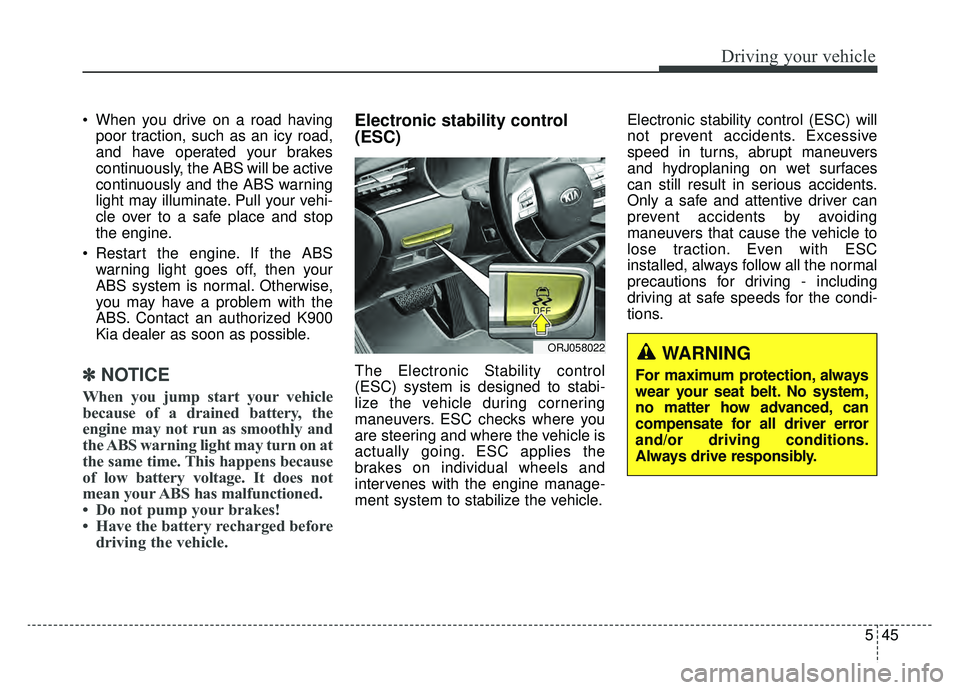
The Electronic Stability control
(ESC) system is designed to stabi-
lize the vehicle during cornering
maneuvers. ESC checks where you
are steering and where the vehicle is
actually going. ESC applies the
brakes on individual wheels and
intervenes with the engine manage-
ment system to stabilize the vehicle. Electronic stability control (ESC) will
not prevent accidents. Excessive
speed in turns, abrupt maneuvers
and hydroplaning on wet surfaces
can still result in serious accidents.
Only a safe and attentive driver can
prevent accidents by avoiding
maneuvers that cause the vehicle to
lose traction. Even with ESC
installed, always follow all the normal
precautions for driving - including
driving at safe speeds for the condi-
tions.
WARNING
For maximum protection, always
wear your seat belt. No system,
no matter how advanced, can
compensate for all driver error
and/or driving conditions.
Always drive responsibly.
ORJ058022
Page 311 of 580
Driving your vehicle
46
5
The Electronic Stability Control (ESC)
system is an electronic system
designed to help the driver maintain
vehicle control under adverse condi-
tions. It is not a substitute for safe driv-
ing practices. Factors including speed,
road conditions and driver steering
input can all affect whether ESC will be
effective in preventing a loss of control.
It is still your responsibility to drive and
corner at reasonable speeds and to
leave a sufficient margin of safety.
When you apply your brakes under
conditions which may lock the wheels,
you may hear a “tik-tik’’ sound from the
brakes, or feel a corresponding sensa-
tion in the brake pedal. This is normal
and it means your ESC is active.
✽ ✽
NOTICE
A click sound may be heard in the
engine compartment when the vehi-
cle begins to move after the engine is
started. These conditions are normal
and indicate that the Electronic
Stability Control System is function-
ing properly.
ESC operation
ESC ON condition
When the ignition is turnedON, ESC and ESC OFF
indicator lights illuminate for
approximately 3 seconds,
then ESC is turned on.
ton for at least half a sec-
ond after turning the igni-
tion ON to turn ESC off.
(ESC OFF indicator will
illuminate). To turn the
ESC on, press the ESC
OFF button (ESC OFF
indicator light will go off).
you may hear a slight tick-
ing sound. This is the ESC
performing an automatic
system self-check and does
not indicate a problem. When operating
When the ESC is in opera-
tion, the ESC indicator light
blinks.
Stability Control is operat-
ing properly, you can feel a
slight pulsation in the vehi-
cle. This is only the effect
of brake control and indi-
cates nothing unusual.
mud or driving on a slip-
pery road, pressing the
accelerator pedal may not
cause the engine rpm
(revolutions per minute) to
increase.
-
Page 314 of 580
549
Driving your vehicle
✽ ✽NOTICE
• When operating the vehicle on a
dynamometer, ensure that the
ESC is turned off (ESC OFF light
illuminated). If the ESC is left on,
it may prevent the vehicle speed
from increasing, and result in false
diagnosis.
• Turning the ESC off does not affect ABS or brake system operation.
Vehicle stability management
(VSM)
This system provides further
enhancements to vehicle stability
and steering responses when a vehi-
cle is driving on a slippery road or a
vehicle detects changes in coeffi-
cient of friction between right wheels
and left wheels when braking.
VSM operation
When the VSM is in operation, ESC
indicator light ( ) blinks.
When the vehicle stability manage-
ment is operating properly, you can
feel a slight pulsation in the vehicle
and/or abnormal steering responses
(EPS- Electronic Power Steering).
This is only the effect of brake and
EPS control and indicates nothing
unusual.
The VSM does not operate when:
Driving on a sloping road such as a
gradient or incline
Driving in reverse
ESC OFF indicator light ( ) remains on the instrument cluster
EPS indicator light remains on the instrument cluster
WARNING- Tire/
Wheel size
When replacing tires and wheels,
make sure they are the same size
as the original tires and wheels
installed. Driving with varying
tire or wheel sizes may diminish
any supplemental safety benefits
of the VSM system.
Page 315 of 580
Driving your vehicle
50
5
VSM operation off
If you press the ESC OFF button to
turn off the ESC, the VSM will also
cancel and the ESC OFF indicator
light ( ) illuminates.
To turn on the VSM, press the button
again. The ESC OFF indicator light
goes out.
Malfunction indicator
The VSM can be deactivated even if
you don’t cancel the VSM operation
by pressing the ESC OFF button. It
indicates that a malfunction has
been detected somewhere in the
Electric Power Steering system or
VSM system. If the ESC indicator
light ( ) or EPS warning light
remains on, take your vehicle to an
authorized K900 Kia dealer and have
the system checked.
✽ ✽
NOTICE
• The VSM is designed to function
above approximately 13 mph (22
km/h) on curves.
• The VSM is designed to function above approximately 6 mph (10
km/h) when a vehicle is braking on
a split-mu surface. A split-mu sur-
face is made of two surfaces which
have different friction forces.
The Vehicle Stability Management
system is not a substitute for safe
driving practices but a supplemen-
tary function only. It is the respon-
sibility of the driver to always check
the speed and the distance to the
vehicle ahead. Always hold the
steering wheel firmly while driving.
Your vehicle is designed to activate according to the driver’s intention,
even with installed VSM. Always fol-
low all the normal precautions for
driving at safe speeds for the condi-
tions - including driving in inclement
weather and on a slippery road.
WARNING
For maximum protection, always
wear your seat belt. No system,
no matter how advanced, can
compensate for all driver error
and/or driving conditions.
Always drive responsibly.
WARNING- Vehicle stabili-
ty management
Drive carefully even though your
vehicle has Vehicle stability man-
agement. It can only assist you in
maintaining control under cer-
tain circumstances.
Page 320 of 580
555
Driving your vehicle
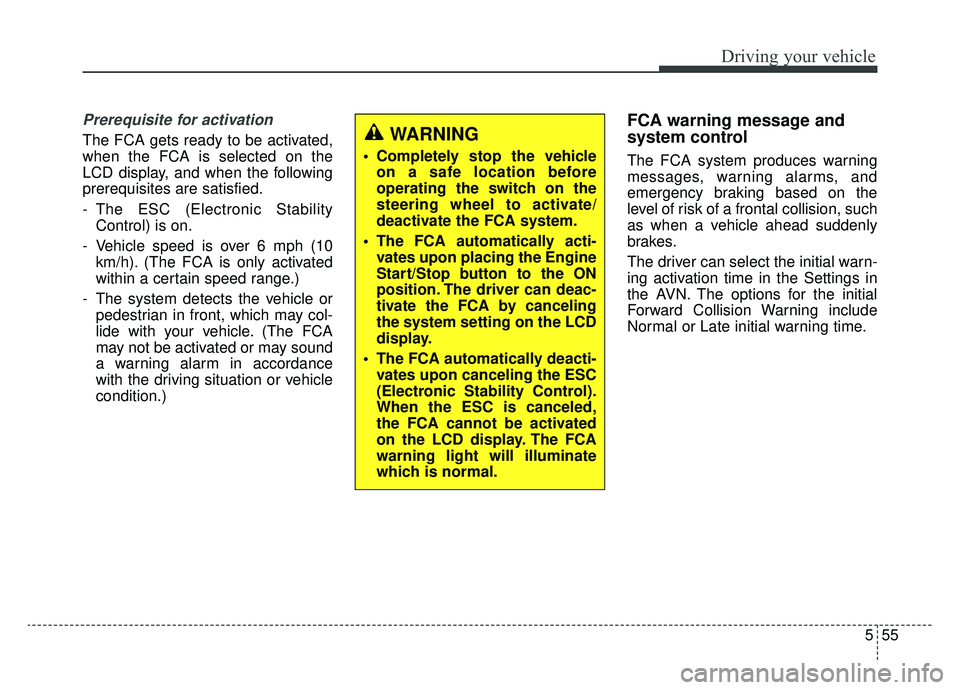
Prerequisite for activation
The FCA gets ready to be activated,
when the FCA is selected on the
LCD display, and when the following
prerequisites are satisfied.
- The ESC (Electronic StabilityControl) is on.
- Vehicle speed is over 6 mph (10 km/h). (The FCA is only activated
within a certain speed range.)
- The system detects the vehicle or pedestrian in front, which may col-
lide with your vehicle. (The FCA
may not be activated or may sound
a warning alarm in accordance
with the driving situation or vehicle
condition.)
FCA warning message and
system control
The FCA system produces warning
messages, warning alarms, and
emergency braking based on the
level of risk of a frontal collision, such
as when a vehicle ahead suddenly
brakes.
The driver can select the initial warn-
ing activation time in the Settings in
the AVN. The options for the initial
Forward Collision Warning include
Normal or Late initial warning time.
WARNING
Completely stop the vehicleon a safe location before
operating the switch on the
steering wheel to activate/
deactivate the FCA system.
The FCA automatically acti- vates upon placing the Engine
Start/Stop button to the ON
position. The driver can deac-
tivate the FCA by canceling
the system setting on the LCD
display.
The FCA automatically deacti- vates upon canceling the ESC
(Electronic Stability Control).
When the ESC is canceled,
the FCA cannot be activated
on the LCD display. The FCA
warning light will illuminate
which is normal.
Page 322 of 580
557
Driving your vehicle
- If you select "Warning only", for theFCA system setting, the FCA sys-
tem activates and produces only
warning alarms in accordance with
the collision risk levels. You should
control the brake directly because
the FCA system will not control the
brake.Brake operation
In an urgent situation, the brakingsystem enters into the ready status
for prompt reaction against the dri-
ver's depressing the brake pedal.
The FCA system provides addi- tional braking power for optimum
braking performance, when the
driver depresses the brake pedal.
The braking control is automatical- ly deactivated, when the driver
sharply depresses the accelerator
pedal, or when the driver abruptly
operates the steering wheel.
The FCA brake control is automat- ically canceled, when risk factors
disappear.
WARNING
The braking control cannotcompletely stop the vehicle
nor avoid all collisions. The
driver is responsible to safely
drive and control the vehicle.
If any other warning sound such as seat belt warning
chime is already generated,
the Forward Collision-
Avoidance Assist (FCA) sys-
tem warning may not sound.
CAUTION
The driver should always useextreme caution while operatingthe vehicle, whether or not thereis a warning message or alarmfrom the FCA system.