light KIA K900 2020 Owners Manual
[x] Cancel search | Manufacturer: KIA, Model Year: 2020, Model line: K900, Model: KIA K900 2020Pages: 593, PDF Size: 14.99 MB
Page 351 of 593
585
Driving your vehicle
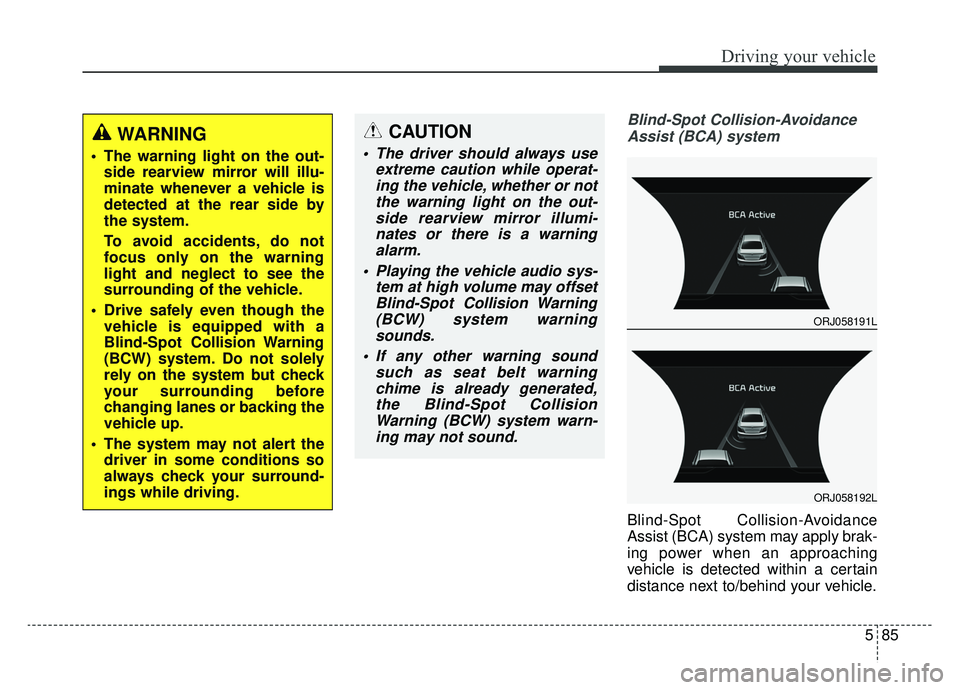
Blind-Spot Collision-AvoidanceAssist (BCA) system
Blind-Spot Collision-Avoidance
Assist (BCA) system may apply brak-
ing power when an approaching
vehicle is detected within a certain
distance next to/behind your vehicle.
WARNING
The warning light on the out- side rearview mirror will illu-
minate whenever a vehicle is
detected at the rear side by
the system.
To avoid accidents, do not
focus only on the warning
light and neglect to see the
surrounding of the vehicle.
Drive safely even though the vehicle is equipped with a
Blind-Spot Collision Warning
(BCW) system. Do not solely
rely on the system but check
your surrounding before
changing lanes or backing the
vehicle up.
The system may not alert the driver in some conditions so
always check your surround-
ings while driving.
CAUTION
The driver should always use extreme caution while operat-ing the vehicle, whether or notthe warning light on the out-side rearview mirror illumi-nates or there is a warningalarm.
Playing the vehicle audio sys- tem at high volume may offsetBlind-Spot Collision Warning(BCW) system warningsounds.
If any other warning sound such as seat belt warningchime is already generated,the Blind-Spot CollisionWarning (BCW) system warn-ing may not sound.
ORJ058191L
ORJ058192L
Page 354 of 593

Driving your vehicle
88
5
Blind-Spot Collision Warning (BCW)
system disabled.
Radar blocked
This warning message may appear
when :
- One or both of the sensors on therear bumper is blocked by dirt or
snow or a foreign object.
- When a trailer or carrier is installed.
- Driving in rural areas where the sensor does not detect another
vehicle for an extended period of
time.
- When there is inclement weather such as heavy snow or rain.
If any of these conditions occur, the
light on BCW/BCA switch and the
system will turn off automatically.
Turn off the BCW, BCA and RCCW
system (if equipped) when a trailer or
carrier is installed.
- Press the BCW/BCA button (the indicator on the button extinguish)
- Deactivate the RCCW system by deselecting
“AVN →Setup →Vehicle →Driver
Assistance →Blind-Spot Safety
→ Rear Cross-Traffic Collision
Warning” (if equipped)
If you use BCW, BCA and RCCW
system, remove a trailer or carrier.
When BCW system canceled warn-
ing message is displayed in the clus-
ter, check to make sure that the rear
bumper is free from any dirt or snow
in the areas where the sensor is
located. Remove any dirt, snow, or
foreign material that could interfere
with the radar sensors.(Continued) Pay extreme caution to keep the camera sensor out of water.
NEVER locate any reflective objects (i.e. white paper, mir-ror) over the crash pad. Anylight reflection may cause amalfunction of the system.
ORJ058183L
Page 355 of 593
589
Driving your vehicle
After any dirt or debris is removed,
BCA system should operate normal-
ly after about 10 minutes of driving
the vehicle.
If the system still does not operate
normally have your vehicle inspected
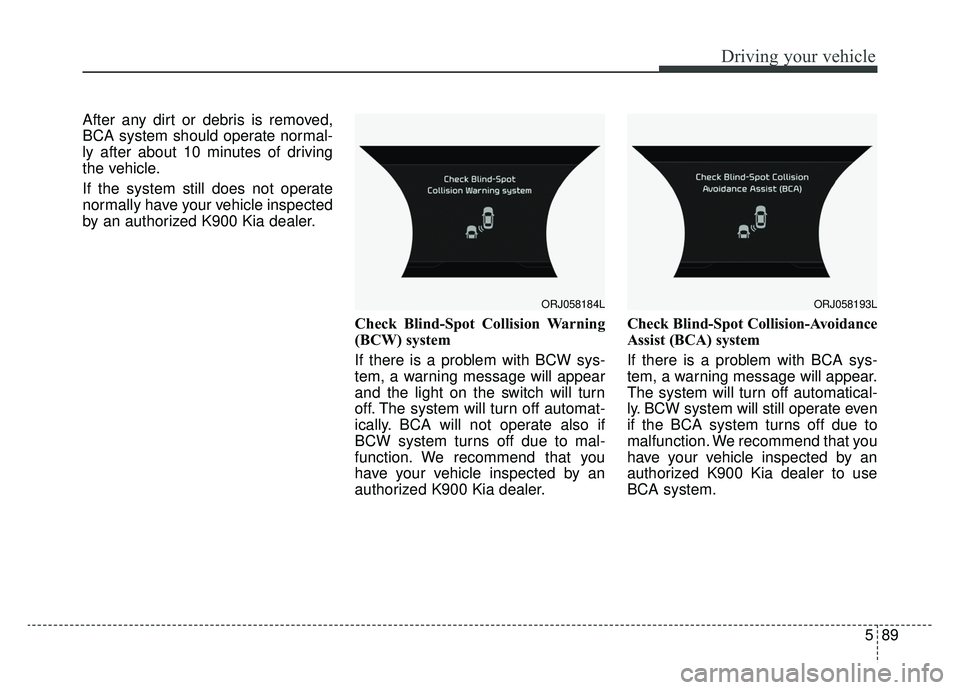
by an authorized K900 Kia dealer.Check Blind-Spot Collision Warning
(BCW) system
If there is a problem with BCW sys-
tem, a warning message will appear
and the light on the switch will turn
off. The system will turn off automat-
ically. BCA will not operate also if
BCW system turns off due to mal-
function. We recommend that you
have your vehicle inspected by an
authorized K900 Kia dealer.Check Blind-Spot Collision-Avoidance
Assist (BCA) system
If there is a problem with BCA sys-
tem, a warning message will appear.
The system will turn off automatical-
ly. BCW system will still operate even
if the BCA system turns off due to
malfunction. We recommend that you
have your vehicle inspected by an
authorized K900 Kia dealer to use
BCA system.
ORJ058184LORJ058193L
Page 359 of 593
![KIA K900 2020 Owners Manual 593
Driving your vehicle
[A] : noise barrier, [B] : guardrail
Driving where there is a structurebeside the road
BCW and BCA systems may not
operate properly when driving where
there is structure besi](/img/2/55052/w960_55052-358.png "KIA K900 2020 Owners Manual 593
Driving your vehicle
[A] : noise barrier, [B] : guardrail
Driving where there is a structurebeside the road
BCW and BCA systems may not
operate properly when driving where
there is structure besi")
593
Driving your vehicle
[A] : noise barrier, [B] : guardrail
Driving where there is a structurebeside the road
BCW and BCA systems may not
operate properly when driving where
there is structure beside the road.
In certain instances, the system may
incorrectly recognize the structures
(noise barriers, guardrail, double
guardrail, median strip, bollard,
street light, road sign, tunnel wall,
etc.) beside the road.
Always pay attention to road and
driving conditions while driving. This device complies with Part 15
of the FCC rules.
Operation is subject to the following
three conditions:
1. This device may not cause harm-
ful interference.
2. This device must accept any inter- ference received, including inter-
ference that may cause undesired
operation.
ORJ058144L
Page 364 of 593

Driving your vehicle
98
5
✽ ✽
NOTICE
Driver Attention Warning (DAW)
system utilizes the camera sensor on
the front windshield for its opera-
tion. To keep the camera sensor in
the best condition, you should
observe the followings:
- Do not disassemble the camera
when installing tint on the windows
or applying any type of coatings or
accessories. If you disassemble or
reassemble the camera, take your
vehicle to an authorized K900 Kia
dealer and have the system
checked.
- Do not locate any reflective objects (i.e. white paper, mirror)
over the dashboard. Any light
reflection may cause a mal-func-
tion of Driver Attention Warning
(DAW) system.
- Use extreme caution to keep the camera sensor out of water.
- Do not disassemble the camera assembly, nor apply any impact on
the camera assembly.
• Playing the vehicle audio system at high volume may offset the
Driver Attention Warning system
warning sounds.CAUTION
Driver Attention Warning (DAW)
system may not properly oper-ate with limited alerting in thefollowing situations:
The lane detection perform- ance is limited. (For moreinformation, refer to "LaneKeeping Assist (LKA) system"in this chapter.)
The vehicle is violently driven or is abruptly turned for obsta-cle avoidance (e.g. construc-tion area, other vehicles, fallenobjects, bumpy road).
Forward drivability of the vehi- cle is severely undermined(possibly due to wide varia-tion in tire pressures, uneventire wear-out, toe-in/toe-outalignment).
The vehicle drives on a curvy road.
The vehicle drives on a bumpy road.
(Continued)
(Continued) The vehicle drives through a windy area.
The vehicle is controlled by the following driving assistsystems:
- Lane Keeping Assist (LKA) system
- Forward Collision-Avoidance Assist (FCA) system
- Blind-Spot Collision- Avoidance Assist (BCA) sys-tem
- Lane Following Assist (LFA) system
- Smart Cruise Control (SCC) system
- Highway Driving Assist (HDA) system
Page 367 of 593
5101
Driving your vehicle
Smart Cruise Control speed
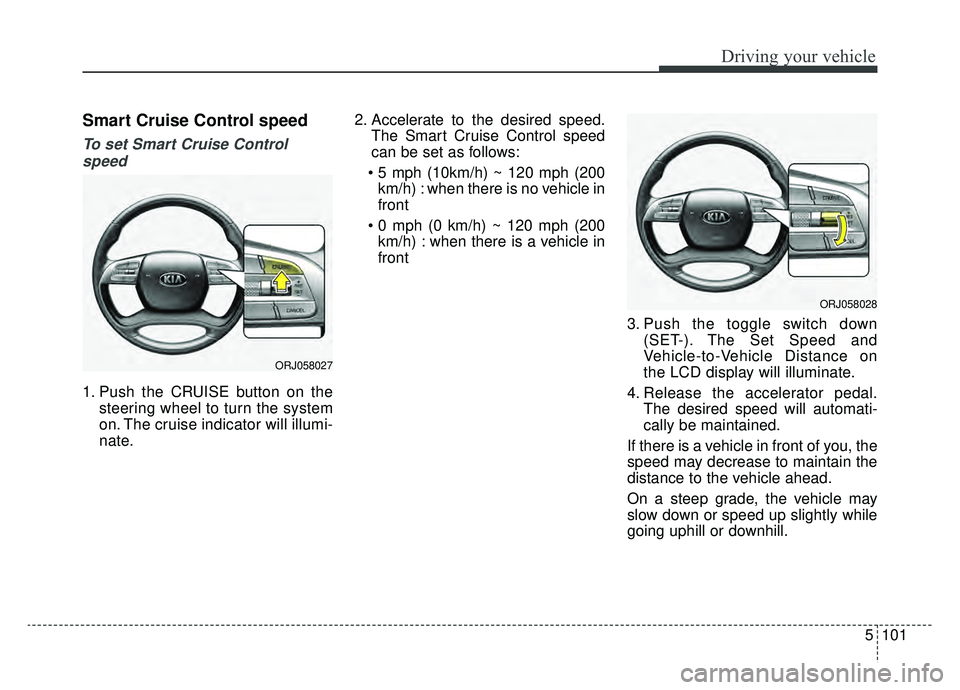
To set Smart Cruise Controlspeed
1. Push the CRUISE button on the steering wheel to turn the system
on. The cruise indicator will illumi-
nate. 2. Accelerate to the desired speed.
The Smart Cruise Control speed
can be set as follows:
km/h) : when there is no vehicle in
front
km/h) : when there is a vehicle in
front
3. Push the toggle switch down(SET-). The Set Speed and
Vehicle-to-Vehicle Distance on
the LCD display will illuminate.
4. Release the accelerator pedal. The desired speed will automati-
cally be maintained.
If there is a vehicle in front of you, the
speed may decrease to maintain the
distance to the vehicle ahead.
On a steep grade, the vehicle may
slow down or speed up slightly while
going uphill or downhill.
ORJ058027
ORJ058028
Page 372 of 593
Driving your vehicle
106
5
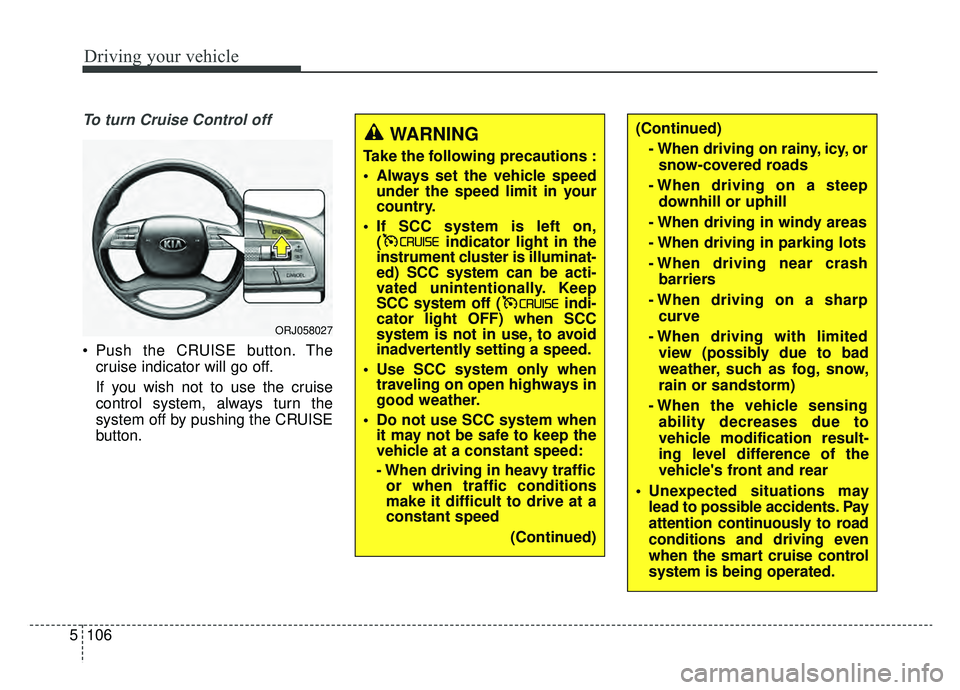
To turn Cruise Control off
Push the CRUISE button. The
cruise indicator will go off.
If you wish not to use the cruise
control system, always turn the
system off by pushing the CRUISE
button.
WARNING
Take the following precautions :
Always set the vehicle speedunder the speed limit in your
country.
If SCC system is left on, ( indicator light in the
instrument cluster is illuminat-
ed) SCC system can be acti-
vated unintentionally. Keep
SCC system off ( indi-
cator light OFF) when SCC
system is not in use, to avoid
inadvertently setting a speed.
Use SCC system only when traveling on open highways in
good weather.
Do not use SCC system when it may not be safe to keep the
vehicle at a constant speed:
- When driving in heavy trafficor when traffic conditions
make it difficult to drive at a
constant speed
(Continued)
(Continued)- When driving on rainy, icy, orsnow-covered roads
- When driving on a steep downhill or uphill
- When driving in windy areas
- When driving in parking lots
- When driving near crash barriers
- When driving on a sharp curve
- When driving with limited view (possibly due to bad
weather, such as fog, snow,
rain or sandstorm)
- When the vehicle sensing ability decreases due to
vehicle modification result-
ing level difference of the
vehicle's front and rear
Unexpected situations may lead to possible accidents. Pay
attention continuously to road
conditions and driving even
when the smart cruise control
system is being operated.
ORJ058027
Page 379 of 593
5113
Driving your vehicle
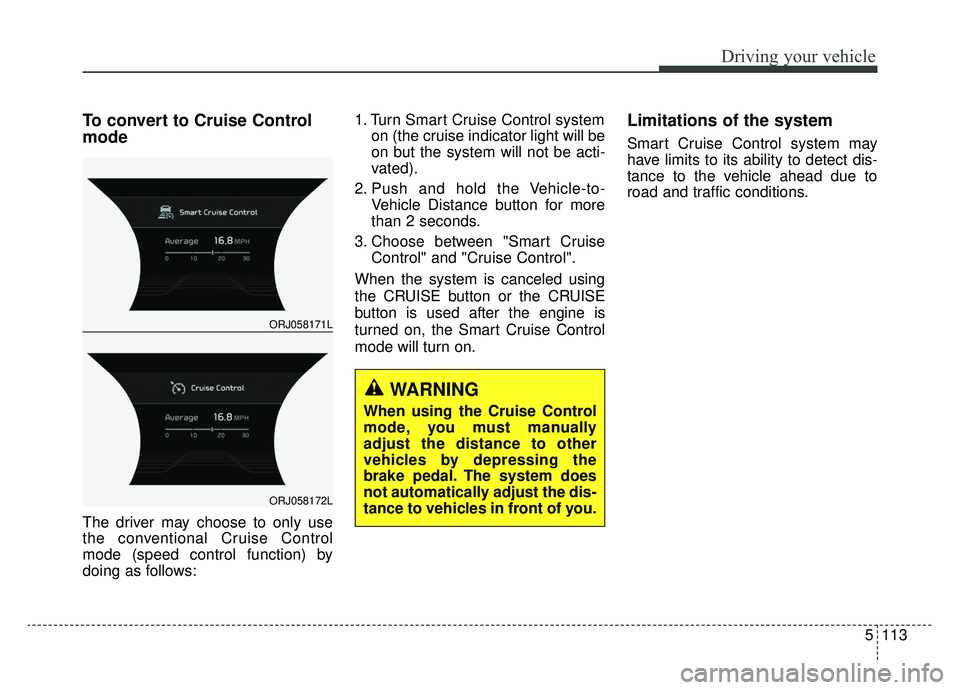
To convert to Cruise Control
mode
The driver may choose to only use
the conventional Cruise Control
mode (speed control function) by
doing as follows:1. Turn Smart Cruise Control system
on (the cruise indicator light will be
on but the system will not be acti-
vated).
2. Push and hold the Vehicle-to- Vehicle Distance button for more
than 2 seconds.
3. Choose between "Smart Cruise Control" and "Cruise Control".
When the system is canceled using
the CRUISE button or the CRUISE
button is used after the engine is
turned on, the Smart Cruise Control
mode will turn on.
Limitations of the system
Smart Cruise Control system may
have limits to its ability to detect dis-
tance to the vehicle ahead due to
road and traffic conditions.
WARNING
When using the Cruise Control
mode, you must manually
adjust the distance to other
vehicles by depressing the
brake pedal. The system does
not automatically adjust the dis-
tance to vehicles in front of you.
ORJ058171L
ORJ058172L
Page 392 of 593
Driving your vehicle
126
5
Your vehicle may be equipped with
the ISG system, which reduces fuel
consumption by automatically shut-
ting down the engine, when the vehi-
cle is at a standstill. (For example :
red light, stop sign and traffic jam)
The engine starts automatically as
soon as the starting conditions are
met.
The ISG system is ON whenever the
engine is running.
✽ ✽
NOTICE
When the engine automatically
starts by the ISG system, some
warning lights (ABS, ESC, ESC
OFF, EPS or Parking brake warn-
ing light) may turn on for a few sec-
onds.
This happens because of low battery
voltage. It does not mean the system
has malfunctioned.
Auto stop
To stop the engine in idle stop
mode
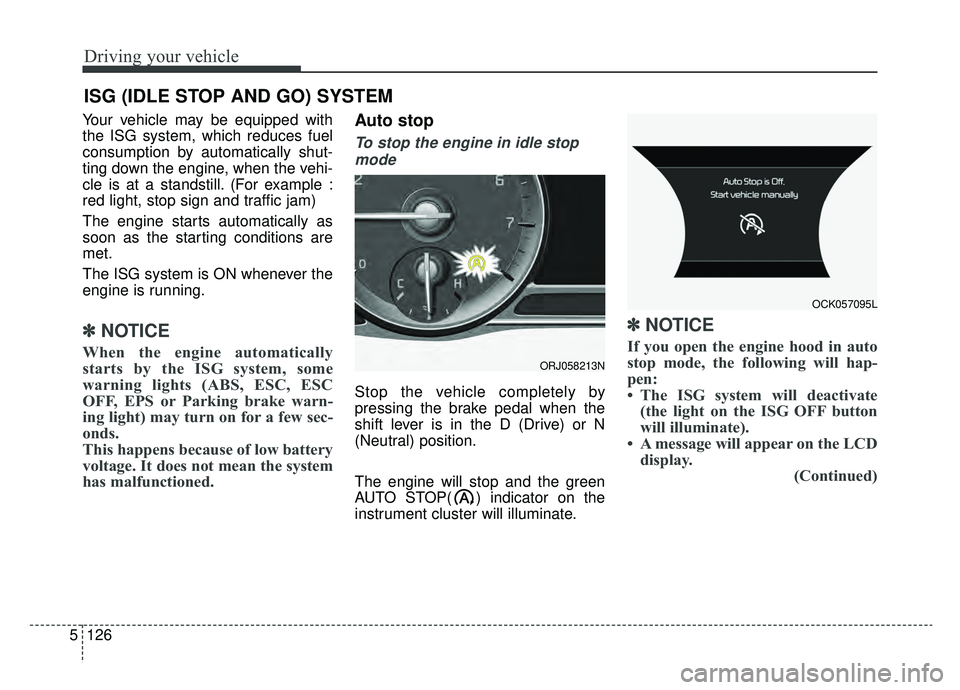
Stop the vehicle completely by
pressing the brake pedal when the
shift lever is in the D (Drive) or N
(Neutral) position.
The engine will stop and the green
AUTO STOP( ) indicator on the
instrument cluster will illuminate.
✽ ✽ NOTICE
If you open the engine hood in auto
stop mode, the following will hap-
pen:
• The ISG system will deactivate
(the light on the ISG OFF button
will illuminate).
• A message will appear on the LCD display. (Continued)
ISG (IDLE STOP AND GO) SYSTEM
ORJ058213N
OCK057095L
Page 394 of 593

Driving your vehicle
128
5
Condition of ISG system oper-
ation
The ISG system will operate
under the following condition:
The driver’s seatbelt is fastened
The driver’s door and hood are closed
The brake vacuum pressure is adequate
The battery sensor is activated and the battery is sufficiently charged
Outside temperature is not too low or too high
The vehicle is driven over a con- stant speed and stops
The climate control system satis- fies the conditions
The vehicle is sufficiently warmed up
The incline is gradual
The steering wheel is turned less than 180 degrees and then the
vehicle stops
✽ ✽ NOTICE
• If the ISG system does not meet
the operation conditions, the ISG
system is deactivated. The light on
the ISG OFF button will illumi-
nate and a message “Auto Stop
conditions not met” will appear on
the LCD display.
• If the light or notice comes on con- tinuously, please check the opera-
tion condition.
ISG system deactivation
If you wish to deactivate the ISG
system, press the ISG OFF button
(1). The light on the ISG OFF but-
ton will illuminate.
If you press the ISG OFF button again, the system will be activated
and the light on the ISG OFF but-
ton will turn off.
ORJ058215N