warning KIA NIRO 2020 Owners Manual
[x] Cancel search | Manufacturer: KIA, Model Year: 2020, Model line: NIRO, Model: KIA NIRO 2020Pages: 687, PDF Size: 11.43 MB
Page 382 of 687
Driving your vehicle
72
5
FCA warning message and
system control
FCA system produces warning mes-
sages and warning alarms in accor-
dance with the collision risk levels of
followings like vehicle’s sudden brak-
ing in front or lack of vehicle to vehi-
cle distance or collision to pedestri-
ans or cyclist. Also, it controls the
brakes in accordance with the colli-
sion risk levels.
The driver can select the initial warn-
ing activation time in the User set-
tings in the LCD display. The
options for the initial Forward
Collision Warning include Normal or
Late initial warning time.
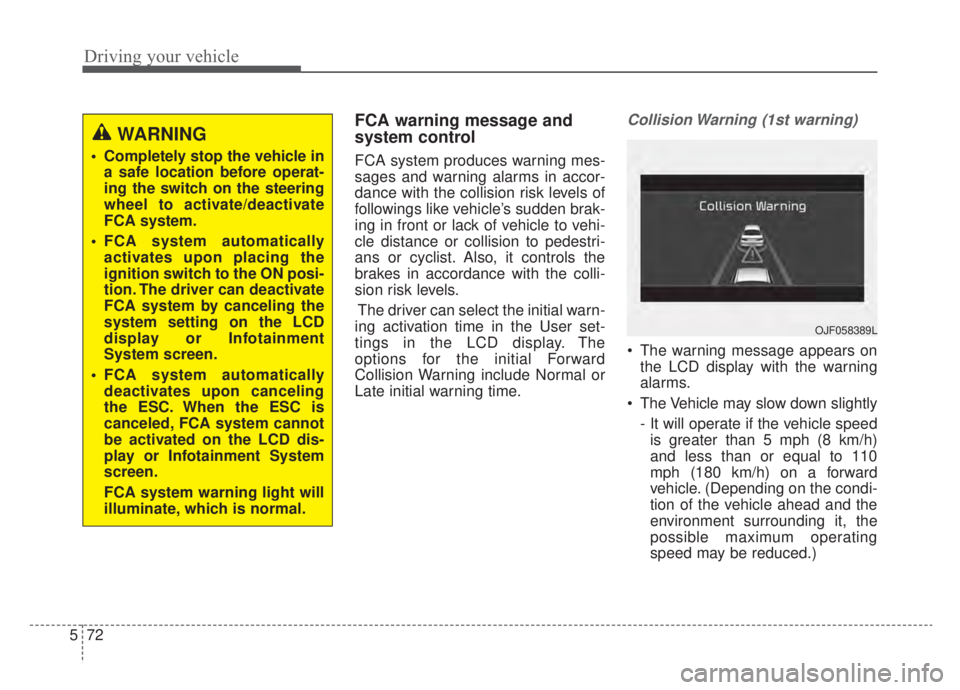
Collision Warning (1st warning)
The warning message appears on the LCD display with the warning
alarms.
The Vehicle may slow down slightly - It will operate if the vehicle speedis greater than 5 mph (8 km/h)
and less than or equal to 110
mph (180 km/h) on a forward
vehicle. (Depending on the condi-
tion of the vehicle ahead and the
environment surrounding it, the
possible maximum operating
speed may be reduced.)
WARNING
Completely stop the vehicle in a safe location before operat-
ing the switch on the steering
wheel to activate/deactivate
FCA system.
FCA system automatically activates upon placing the
ignition switch to the ON posi-
tion. The driver can deactivate
FCA system by canceling the
system setting on the LCD
display or Infotainment
System screen.
FCA system automatically deactivates upon canceling
the ESC. When the ESC is
canceled, FCA system cannot
be activated on the LCD dis-
play or Infotainment System
screen.
FCA system warning light will
illuminate, which is normal.
OJF058389L
Page 383 of 687
573
Driving your vehicle
- For pedestrians and cyclists, thevehicle speed is greater than or
equal to 5 mph (8 km/h) and less
than 45 mph (70 km/h).
(Depending on the condition of
pedestrians and bike riders and
the surrounding environment the
possible maximum operating
speed may be reduced.)
FCA system controls the brakes within certain limit to release shock
from the collision.
- If you select “Warning Only”, FCAsystem activates and produces
only warning alarms in accor-
dance with the collision risk lev-
els. You should control the brake
directly because FCA system do
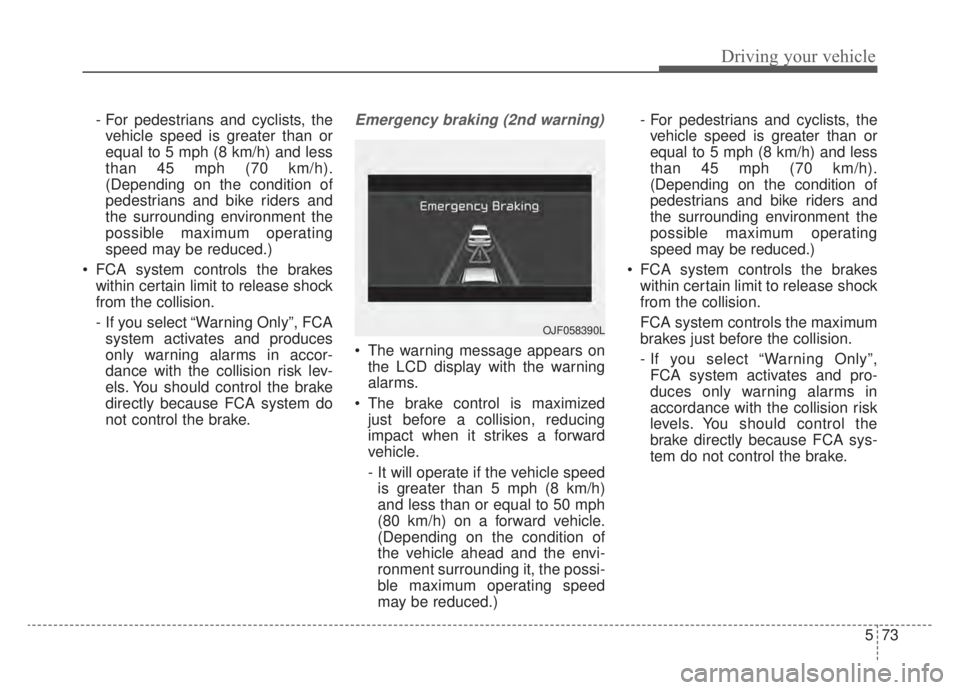
not control the brake.Emergency braking (2nd warning)
The warning message appears on the LCD display with the warning
alarms.
The brake control is maximized just before a collision, reducing
impact when it strikes a forward
vehicle.
- It will operate if the vehicle speedis greater than 5 mph (8 km/h)
and less than or equal to 50 mph
(80 km/h) on a forward vehicle.
(Depending on the condition of
the vehicle ahead and the envi-
ronment surrounding it, the possi-
ble maximum operating speed
may be reduced.) - For pedestrians and cyclists, the
vehicle speed is greater than or
equal to 5 mph (8 km/h) and less
than 45 mph (70 km/h).
(Depending on the condition of
pedestrians and bike riders and
the surrounding environment the
possible maximum operating
speed may be reduced.)
FCA system controls the brakes within certain limit to release shock
from the collision.
FCA system controls the maximum
brakes just before the collision.
- If you select “Warning Only”,FCA system activates and pro-
duces only warning alarms in
accordance with the collision risk
levels. You should control the
brake directly because FCA sys-
tem do not control the brake.
OJF058390L
Page 384 of 687
Driving your vehicle
74
5
Brake operation
In an urgent situation, the braking
system enters into the ready status
for prompt reaction to assist the driv-
er in depressing the brake pedal.
FCA system provides additional braking power for optimum braking
performance, when the driver
depresses the brake pedal.
The braking control is automatical- ly deactivated, when the driver
sharply depresses the accelerator
pedal, or when the driver abruptly
operates the steering wheel.
The braking control is automatical- ly canceled, when risk factors dis-
appear.
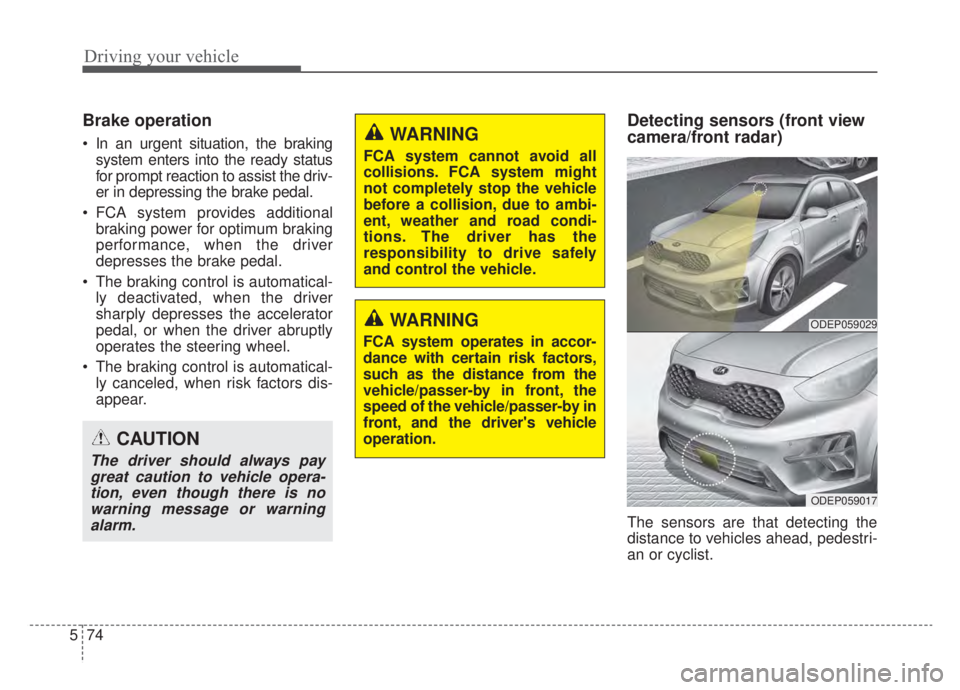
Detecting sensors (front view
camera/front radar)
The sensors are that detecting the
distance to vehicles ahead, pedestri-
an or cyclist.
CAUTION
The driver should always paygreat caution to vehicle opera-tion, even though there is nowarning message or warningalarm.
WARNING
FCA system cannot avoid all
collisions. FCA system might
not completely stop the vehicle
before a collision, due to ambi-
ent, weather and road condi-
tions. The driver has the
responsibility to drive safely
and control the vehicle.
WARNING
FCA system operates in accor-
dance with certain risk factors,
such as the distance from the
vehicle/passer-by in front, the
speed of the vehicle/passer-by in
front, and the driver's vehicle
operation.
ODEP059029
ODEP059017
Page 385 of 687

575
Driving your vehicle
In bad weather conditions such as
heavy rain, heavy snow, and fog, or
when sensor is covered by foreign
material, dust, tec., the sensors will
be degraded and the system will be
temporarily disabled.
Always keep the sensor clean.✽ ✽NOTICE
• Do not install any accessories,
such as license plate molding or
sticker, on the sensor area. Nor
arbitrarily replace the bumper.
Those may adversely affect the
sensing performance.
• Always keep the sensor/bumper area clean.
• Use only soft cloths to wash the vehicle. Also, do not spray highly-
pressurized water on the sensor
installed on the bumper.
• Be careful not to apply unneces- sary force on the frontal sensor
area. When the sensor moves out
of the correct position due to
external force, the system may not
normally operate even without the
warning light or message. In this
case, have your vehicle inspected
by an authorized Kia dealer.
• Use only the genuine Kia sensor cover. Do not arbitrarily apply
paint on the sensor cover. (Continued)(Continued)
• Do not tint the window or install
stickers, accessories around the
inside mirror where the camera is
installed.
• Make sure the frontal camera installation point does not get wet.
• Do not impact or arbitrarily remove any radar/camera compo-
nents.
• Do not place reflective objects(white paper or mirror etc.)
on the crash pad.
The system may activate unneces-
sarily due to reflect of the sunlight.
• Excessive audio volume may dis- turb the sound of the system warn-
ing alarm.
• For more cautions for the camera sensor, refer to the “Lane Keeping
Assist (LKA)” in this chapter.
Page 386 of 687

Driving your vehicle
76
5
Warning message and warning
light
If the sensor or sensor cover is cov-
ered by bad weather or foreign
objects, dust, etc., FCA system oper-
ation may temporarily stop. In this
case, the warning message appears
to warn the driver.
This is not a malfunction with FCA
system. To operate FCA system again,
remove the foreign substances.
FCA system may not properly oper-
ate when the front radar is contami-
nated or an object such as an open
area is not existed after engine start.
System malfunction
When FCA system is not working properly, the FCA warning light (
) will illuminate and the warning
message will appear for a few sec-
onds. After the message disap-
pears, the master warning light (
) will illuminate. In this case, have
your vehicle inspected by an author-
ized Kia dealer.
The FCA warning message may appear along with the illumination
of the ESC warning light.
WARNING
FCA system may not activate
without any warning messages
according to driving condition,
traffic on the road, weather,
road condition, etc.
OJF058394L
OJF058392L
Page 387 of 687

577
Driving your vehicle
WARNING
FCA system is only a supple-mental system for the driver’s
convenience. The driver has
the ultimate responsibility to
control and operate the vehi-
cle safely. Do not solely
depend on FCA system.
Rather, maintain a safe brak-
ing distance, and, if neces-
sary, depress the brake pedal
to lower the driving speed.
In certain instances and under certain driving condi-
tions, FCA system may acti-
vate unintentionally. This ini-
tial warning message appears
on the LCD display with a
warning chime.
(Continued)
(Continued)Also, in certain instances the
front radar sensor or camera
recognition system may not
detect the vehicle, pedestrian
or cyclist (if equipped) ahead.
FCA system may not activate
and the warning message will
not be displayed.
FCA system may unnecessar- ily produce the warning mes-
sage and the warning alarms.
Also, due to the sensing limi-
tation, FCA system may not
produce the warning message
and the warning alarm at all.
When there is a malfunction with FCA system, the braking
control does not operate upon
detecting a collision risk even
with other braking systems
normally operating.
(Continued)(Continued)
FCA system operates only forthe vehicle/pedestrian in
front, while driving forward. It
does not operate for any ani-
mals or vehicles in the oppo-
site direction.
FCA system does not recog- nize the vehicle, which trans-
versally drives across the
crossroad, or the vehicle,
which is parked in the trans-
versal direction.
If the vehicle in front stops suddenly, you may have less
control of the brake system.
Therefore, always keep safe
distance between your vehicle
and the vehicle in front of you.
FCA system may activate dur- ing braking and the vehicle
may stop suddenly. And the
load in the vehicle may endan-
ger passengers. Therefore,
always be mindful of the load
volume in the vehicle.
(Continued)
Page 395 of 687
585
Driving your vehicle
✽ ✽NOTICE
In some instances, FCA system may
be cancelled when subjected to elec-
tromagnetic interference.
This device complies with Part 15
of the FCC rules.
Operation is subject to the following
three conditions:
1. This device may not cause harmful
interference.
2. This device must accept any inter- ference received, including inter-
ference that may cause undesired
operation.
3. Changes or modifications not expressly approved by the party
responsible for compliance could
void the user's authority to operate
the device.(Continued)
Never try to test the operationof FCA system. Doing so may
cause severe injury or death.
If the front bumper, front glass, front view camera or front
radar have been replaced or
repaired, have your vehicle
inspected by an authorized Kia
dealer.
If the system detects an object that has a similar
shape or characteristics of a
vehicle or a pedestrian, FCA
system may operate.WARNING
Do not use Forward Collisionavoidance Assist system
when towing a vehicle.
Application of FCA system
while towing may adversely
affect the safety of your vehi-
cle or the towing vehicle.
Use extreme caution when the vehicle in front of you has
cargo that extends rearward
from the cab, or when the
vehicle in front of you has
higher ground clearance.
FCA system is designed to detect and monitor the vehicle
ahead or detect a pedestrian
or cyclist in the roadway
through front view camera
recognition and front radar
signals. It may not always
detect bicycles, motorcycles,
or smaller wheeled objects
such as luggage bags, shop-
ping carts, or strollers.
(Continued)
Page 397 of 687
587
Driving your vehicle
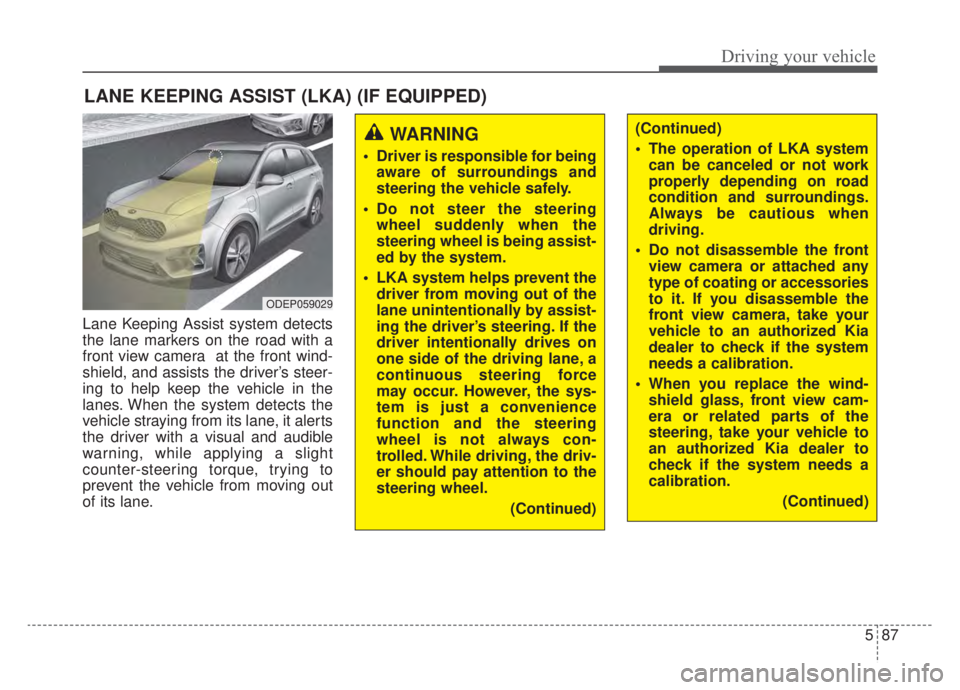
Lane Keeping Assist system detects
the lane markers on the road with a
front view camera at the front wind-
shield, and assists the driver’s steer-
ing to help keep the vehicle in the
lanes. When the system detects the
vehicle straying from its lane, it alerts
the driver with a visual and audible
warning, while applying a slight
counter-steering torque, trying to
prevent the vehicle from moving out
of its lane.
LANE KEEPING ASSIST (LKA) (IF EQUIPPED)
WARNING
Driver is responsible for beingaware of surroundings and
steering the vehicle safely.
Do not steer the steering wheel suddenly when the
steering wheel is being assist-
ed by the system.
LKA system helps prevent the driver from moving out of the
lane unintentionally by assist-
ing the driver’s steering. If the
driver intentionally drives on
one side of the driving lane, a
continuous steering force
may occur. However, the sys-
tem is just a convenience
function and the steering
wheel is not always con-
trolled. While driving, the driv-
er should pay attention to the
steering wheel.
(Continued)
(Continued)
The operation of LKA systemcan be canceled or not work
properly depending on road
condition and surroundings.
Always be cautious when
driving.
Do not disassemble the front view camera or attached any
type of coating or accessories
to it. If you disassemble the
front view camera, take your
vehicle to an authorized Kia
dealer to check if the system
needs a calibration.
When you replace the wind- shield glass, front view cam-
era or related parts of the
steering, take your vehicle to
an authorized Kia dealer to
check if the system needs a
calibration.
(Continued)
ODEP059029
Page 398 of 687
Driving your vehicle
88
5
(Continued)
The system detects lane
markers and controls the
steering wheel by a front view
camera, therefore, if the lane
markers are hard to detect,
the system may not work
properly. Always be cautious
when using the system.
When the lane markers are hard to detect, please refer to
“DRIVER’S ATTENTION”.
Do not remove or damage the related parts of the front view
camera system.
Do not place objects on the crash pad that reflect light
such as mirrors, white paper,
etc. it may cause malfunction
of LKA system if sunlight is
reflected.
(Continued)(Continued)
You may not hear warningsound of LKA system because
of the excessive audio sound.
If other beeps such as the seat belt warning sound are in
operation and override LKA
alarming system, LKA beeps
may not occur.
At high vehicle speeds, the steering torque needed for
assistance may not be suffi-
cient to keep your vehicle
within the lane. If so, the vehi-
cle may move out of its lane.
Always obey the speed limit
when using LKA system.
(Continued)(Continued)
If you attach objects to thesteering wheel, the system
may not assist steering.
If you attach objects to the steering wheel, hands off
alarm may not work properly.
Page 399 of 687

589
Driving your vehicle
LKA system operation
To activate/deactivate LKA system:
With the ignition switch or ENGINE
START/STOP button in the ON posi-
tion, press the LKA system button
located on the instrument panel on
the lower left hand side of the driver.
The indicator ( )in the cluster dis-
play will initially illuminate white.
When the indicator(white) was acti-
vated in the previous ignition cycle,
the system turns on without any con-
trol. If you press the LKA system but-
ton again, the indicator on the cluster
display will go off.The color of indicator will change
depend on the condition of LKA sys-
tem.
- White : Sensor does not detect the lane marker or vehicle
speed is less than 40 mph
(60 km/h).
- Green : Sensor detects the lane marker and system is
able to control the steer-
ing.
System setting
The driver can change LKA to Lane
Departure Warning (LDW) or change
the LKA mode from the LCD display.
“User Settings → Driver Assistance →
Lane Safety → Lane Keeping
Assist/Lane Departure Warning/Off ”
Lane Keeping Assist
LKA mode guides the driver to keep
the vehicle within the lanes. It rarely
controls the steering wheel, when
the vehicle drives well inside the
lanes. However, it starts to control
the steering wheel, when the vehicle
is about to deviate from the lanes.
ODEP059113