mirror KIA NIRO 2020 Owner's Manual
[x] Cancel search | Manufacturer: KIA, Model Year: 2020, Model line: NIRO, Model: KIA NIRO 2020Pages: 687, PDF Size: 11.43 MB
Page 369 of 687

559
Driving your vehicle
✽ ✽NOTICE
• Be careful not to apply unneces-
sary force on the frontal sensor
area. When the sensor moves out
of the correct position due to
external force, FCA system may
not normally operate even without
the warning light or message. In
this case, have your vehicle
inspected by an authorized Kia
dealer.
• Keep the sensor and sensor area clean.
• Be careful not to force to shock on sensor or area. If the sensor is out
of the position by the shock, FCA
system may not normally operate
even without the warning light ON
or message. In this case, have your
vehicle inspected by an authorized
Kia dealer.
• Do not tint the window or install stickers, accessories around the
inside mirror where the camera is
installed.
• Make sure the frontal camera installation point does not get wet. (Continued)(Continued)
• Do not impact or arbitrarily
remove any camera components.
• Do not place reflective objects(white paper or mirror etc.)
on the crash pad.
FCA system may activate unneces-
sarily due to reflect of the sunlight.
• For more cautions for the camera sensor, refer to Lane Keeping
Assist (LKA) in this chapter.
Warning message and warning
light
If the front view camera is covered by
bad weather or foreign objects, dust,
etc., FCA system operation may stop
temporarily. If this occurs, a warning
message will appear on the LCD dis-
play.
FCA system will operate normally
when debris is removed.
OBDM058129N
Page 385 of 687

575
Driving your vehicle
In bad weather conditions such as
heavy rain, heavy snow, and fog, or
when sensor is covered by foreign
material, dust, tec., the sensors will
be degraded and the system will be
temporarily disabled.
Always keep the sensor clean.✽ ✽NOTICE
• Do not install any accessories,
such as license plate molding or
sticker, on the sensor area. Nor
arbitrarily replace the bumper.
Those may adversely affect the
sensing performance.
• Always keep the sensor/bumper area clean.
• Use only soft cloths to wash the vehicle. Also, do not spray highly-
pressurized water on the sensor
installed on the bumper.
• Be careful not to apply unneces- sary force on the frontal sensor
area. When the sensor moves out
of the correct position due to
external force, the system may not
normally operate even without the
warning light or message. In this
case, have your vehicle inspected
by an authorized Kia dealer.
• Use only the genuine Kia sensor cover. Do not arbitrarily apply
paint on the sensor cover. (Continued)(Continued)
• Do not tint the window or install
stickers, accessories around the
inside mirror where the camera is
installed.
• Make sure the frontal camera installation point does not get wet.
• Do not impact or arbitrarily remove any radar/camera compo-
nents.
• Do not place reflective objects(white paper or mirror etc.)
on the crash pad.
The system may activate unneces-
sarily due to reflect of the sunlight.
• Excessive audio volume may dis- turb the sound of the system warn-
ing alarm.
• For more cautions for the camera sensor, refer to the “Lane Keeping
Assist (LKA)” in this chapter.
Page 398 of 687
Driving your vehicle
88
5
(Continued)
The system detects lane
markers and controls the
steering wheel by a front view
camera, therefore, if the lane
markers are hard to detect,
the system may not work
properly. Always be cautious
when using the system.
When the lane markers are hard to detect, please refer to
“DRIVER’S ATTENTION”.
Do not remove or damage the related parts of the front view
camera system.
Do not place objects on the crash pad that reflect light
such as mirrors, white paper,
etc. it may cause malfunction
of LKA system if sunlight is
reflected.
(Continued)(Continued)
You may not hear warningsound of LKA system because
of the excessive audio sound.
If other beeps such as the seat belt warning sound are in
operation and override LKA
alarming system, LKA beeps
may not occur.
At high vehicle speeds, the steering torque needed for
assistance may not be suffi-
cient to keep your vehicle
within the lane. If so, the vehi-
cle may move out of its lane.
Always obey the speed limit
when using LKA system.
(Continued)(Continued)
If you attach objects to thesteering wheel, the system
may not assist steering.
If you attach objects to the steering wheel, hands off
alarm may not work properly.
Page 407 of 687
597
Driving your vehicle
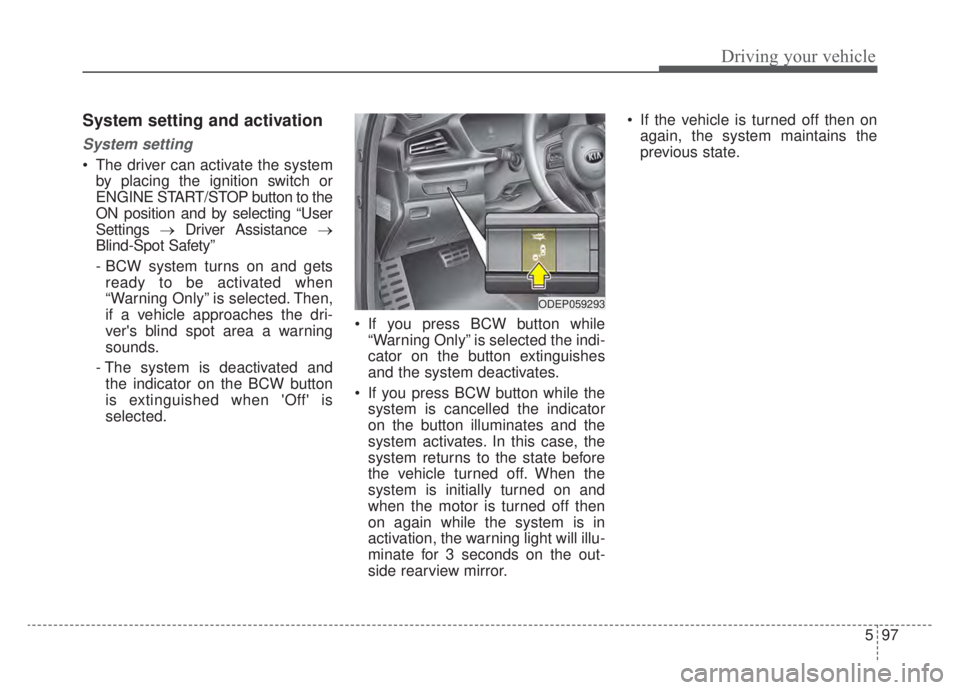
System setting and activation
System setting
The driver can activate the systemby placing the ignition switch or
ENGINE START/STOP button to the
ON position and by selecting “User
Settings →Driver Assistance →
Blind-Spot Safety”
- BCW system turns on and gets ready to be activated when
“Warning Only” is selected. Then,
if a vehicle approaches the dri-
ver's blind spot area a warning
sounds.
- The system is deactivated and the indicator on the BCW button
is extinguished when 'Off' is
selected. If you press BCW button while
“Warning Only” is selected the indi-
cator on the button extinguishes
and the system deactivates.
If you press BCW button while the system is cancelled the indicator
on the button illuminates and the
system activates. In this case, the
system returns to the state before
the vehicle turned off. When the
system is initially turned on and
when the motor is turned off then
on again while the system is in
activation, the warning light will illu-
minate for 3 seconds on the out-
side rearview mirror. If the vehicle is turned off then on
again, the system maintains the
previous state.
ODEP059293
Page 409 of 687
599
Driving your vehicle
Operating conditions
The system enters the ready status,
when ‘Warning Only’ is selected and
the following conditions are satisfied:
(1) Blind-Spot Collision Warning sys-tem will activate when:
- The vehicle speed above approxi- mately 20 mph (30 km/h).
Warning message and system
control
Blind-Spot Collision Warning sys-
tem
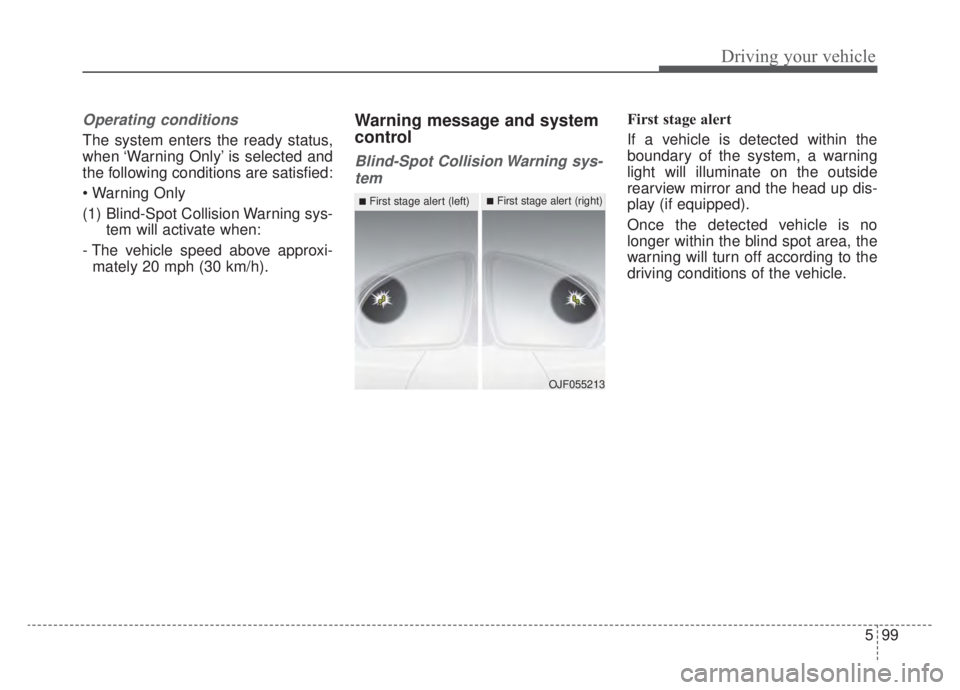
First stage alert
If a vehicle is detected within the
boundary of the system, a warning
light will illuminate on the outside
rearview mirror and the head up dis-
play (if equipped).
Once the detected vehicle is no
longer within the blind spot area, the
warning will turn off according to the
driving conditions of the vehicle.
OJF055213
■First stage alert (left)■First stage alert (right)
Page 410 of 687
![KIA NIRO 2020 Owners Manual Driving your vehicle
100
5
ORJ058128ORJ058129
[A] : Warning sound
Second stage alert
A warning chime to alert the driver will activate when:
1. At the First stage alert (the warning light illuminate o](/img/2/55189/w960_55189-409.png "KIA NIRO 2020 Owners Manual Driving your vehicle
100
5
ORJ058128ORJ058129
[A] : Warning sound
Second stage alert
A warning chime to alert the driver will activate when:
1. At the First stage alert (the warning light illuminate o")
Driving your vehicle
100
5
ORJ058128ORJ058129
[A] : Warning sound
Second stage alert
A warning chime to alert the driver will activate when:
1. At the First stage alert (the warning light illuminate on the outside review mirror and the head up display (if equipped) AND
2. The turn signal is applied (same side as where the vehicle is being detect- ed).
When this alert is activated, the warning light on the outside rearview mirror and
the head up display (if equipped) will also blink. And a warning chime will sound.
If you turn off the turn signal indicator, the second stage alert will be deactivated.
Once the detected vehicle is no longer within the blind spot area, the warn-
ing will turn off according to the driving conditions of the vehicle.
■Second stage alert (left)■Second stage alert (right)
WARNING
The warning light on the out- side rearview mirror will illu-
minate whenever a vehicle is
detected at the rear side by
the system.
To avoid accidents, do not
focus only on the warning
light and neglect to check the
vehicle surroundings.
Drive safely even though the vehicle is equipped with
Blind-Spot Collision Warning
system. Do not solely rely on
the system but check your
surroundings before chang-
ing lanes or backing the vehi-
cle up.
The system may not alert the driver in some situations so
always check your surround-
ings while driving.
Page 411 of 687

5101
Driving your vehicle
Detecting Sensor
The rear corner radars are the sen-
sors inside the rear bumper for
detecting the side/rear areas. Always
keep the rear bumper clean for prop-
er operation of the system.
CAUTION
The driver should always useextreme caution while operat-ing the vehicle, whether or notthe warning light on the out-side rearview mirror illumi-nates or there is a warningalarm.
Playing the vehicle audio sys- tem at high volume may offsetBlind-Spot Collision Warningsystem warning sounds.
The warning of the Blind-Spot Collision Warning system maynot sound while other sys-tem's warning sounds.
ODEP059158
■Rear corner radarsCAUTION
The system may not work properly when the bumper hasbeen damaged, or if the rearbumper has been replaced orrepaired.
The sensing range differs some- what according to the width ofthe road. When the road is nar-row, the system may detectother vehicles in the next lane.
The system may turn off due to strong electromagnetic waves.
Always keep the sensor or near the sensor clean.
NEVER arbitrarily disassem- ble the sensor component norapply any impact on the sen-sor component.
Be careful not to apply unnec- essary force on the radar sen-sor or sensor cover. If the sen-sor is forcibly moved out ofproper alignment, the systemmay not operate correctly. Inthis case, a warning messagemay not be displayed.
(Continued)
Page 421 of 687

5111
Driving your vehicle
✽ ✽NOTICE
Driver Attention Warning system
utilizes the front view camera sensor
on the front windshield for its oper-
ation. To keep the front view camera
sensor in the best condition, you
should observe the followings:
- Do not disassemble camera tem-
porarily for tinted window or
attaching any types of coatings and
accessories. If you disassemble a
camera and assemble it again, take
your vehicle to an authorized Kia
dealer and have the system
checked.
- Do not locate any reflective objects (i.e. white paper, mirror)
over the dashboard. Any light
reflection may cause a mal-func-
tion of Driver Attention Warning
system. (Continued)(Continued)
- Pay extreme caution to keep the
front view camera out of water.
- Do not arbitrarily disassemble the camera assembly, nor apply any
impact on the camera assembly.
• Playing the vehicle audio system at high volume may offset the
Driver Attention Warning system
warning sounds.
For more information of front
view camera, refer to “Lane
Keeping Assist (LKA)”.WARNING
Driver Attention Warning sys-
tem is not a substitute for safe
driving practices, but a con-
venience function only. It is
the driver's responsibility to
always drive cautiously and
safely.
A fatigued driver should take a break, even if there is no
suggestion to do so by the
Driver Attention Warning sys-
tem.
Page 445 of 687

5135
Driving your vehicle
To convert to cruise control
mode:
The driver may choose to only use
the cruise control mode (speed con-
trol function) by doing as follows:
(Continued) Do not damage the sensor or sensor area by a strongimpact. If the sensor movesslightly off position, SmartCruise Control system will notoperate correctly without anywarning or indicator from thecluster.
If this occurs, have your vehi-cle checked by an authorizedKia dealer as soon as possi-ble.
Use only a genuine Kia sensor cover for your vehicle. Do notpaint anything on the sensorcover.
If the front bumper becomes damaged in the area aroundthe radar sensor, Smart CruiseControl system may not oper-ate properly.
(Continued)(Continued) To prevent sensor cover dam- age from occurring, wash thecar with a soft cloth.
Do not tint the window or install stickers, accessoriesaround the inside mirrorwhere the camera is installed.
Make sure the frontal camera installation point does not getwet.
Do not place reflective objects(white paper or mirroretc.) on the crash pad. FCAsystem may activate unneces-sarily due to reflect of the sun-light.
Do not impact or arbitrarily remove any front view cameracomponents.
OJF058400L
OJF058399L
Page 452 of 687
Driving your vehicle
142
5
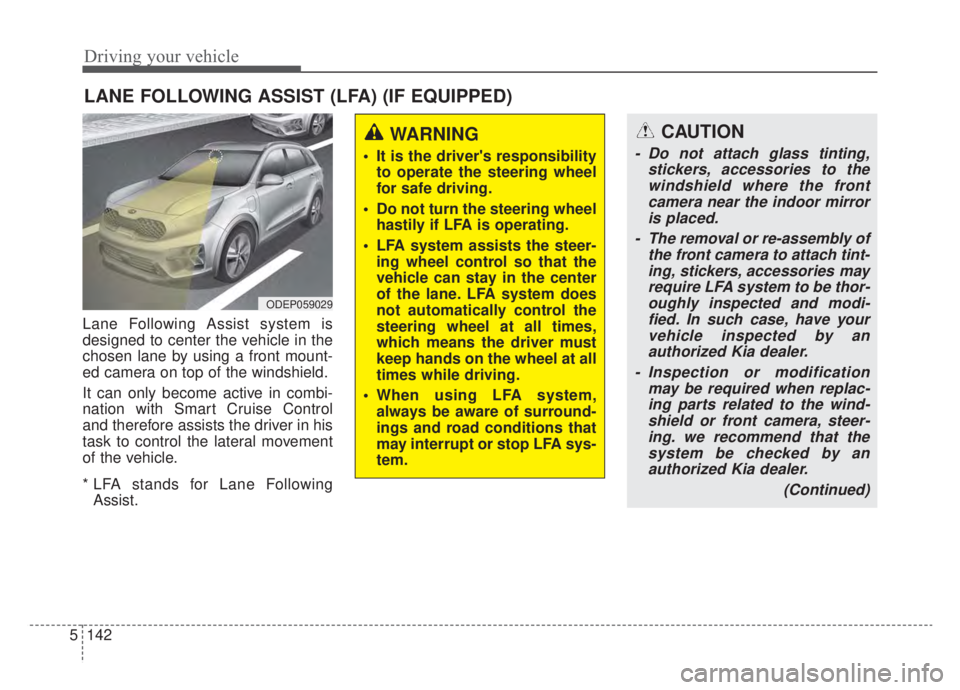
Lane Following Assist system is
designed to center the vehicle in the
chosen lane by using a front mount-
ed camera on top of the windshield.
It can only become active in combi-
nation with Smart Cruise Control
and therefore assists the driver in his
task to control the lateral movement
of the vehicle.
* LFA stands for Lane Following
Assist.
LANE FOLLOWING ASSIST (LFA) (IF EQUIPPED)
ODEP059029
WARNING
It is the driver's responsibility to operate the steering wheel
for safe driving.
Do not turn the steering wheel hastily if LFA is operating.
LFA system assists the steer- ing wheel control so that the
vehicle can stay in the center
of the lane. LFA system does
not automatically control the
steering wheel at all times,
which means the driver must
keep hands on the wheel at all
times while driving.
When using LFA system, always be aware of surround-
ings and road conditions that
may interrupt or stop LFA sys-
tem.
CAUTION
- Do not attach glass tinting, stickers, accessories to thewindshield where the frontcamera near the indoor mirroris placed.
- The removal or re-assembly of the front camera to attach tint-ing, stickers, accessories mayrequire LFA system to be thor-oughly inspected and modi-fied. In such case, have yourvehicle inspected by anauthorized Kia dealer.
- Inspection or modification may be required when replac-ing parts related to the wind-shield or front camera, steer-ing. we recommend that thesystem be checked by anauthorized Kia dealer.
(Continued)