ECO KIA NIRO 2021 Navigation System Quick Reference Guide
[x] Cancel search | Manufacturer: KIA, Model Year: 2021, Model line: NIRO, Model: KIA NIRO 2021Pages: 308, PDF Size: 10.18 MB
Page 178 of 308
8-2
UVO service
UVO provides connected car services, such as roadside assistance and emergency rescue, via
the latest IT and communication technologies.
When you have subscribed to UVO, you can use the UVO service by using the [
]
buttons. You can also access other useful features using the UVO menu on your system.
0000
A
You must be an active UVO subscriber or within the initial free trial period to receive UVO
services, including Auto Crash Notifications.
0000
A
Depending on the conditions such as vehicle type, system type, and the s\
ubscribed
service package, available services may differ.
0000
A
Some services may incur additional charges.
0000
A
Services may be modified, added, or deleted by changes in the company's policies.
Service restrictions
UVO services are provided via the mobile communication network. Accordingly, the
service may be restricted depending on the mobile communication network condition.
Use the network signal strength icon (
) at the top of the screen to check the mobile
communication status.
0000
A
It is recommended to use the service when the number of signal bars in the icon\
is 4 or
more.
0000
A
Depending on the network signal status, access to UVO may be restricted in the following
locations:
000DInside a building or tunnel
000DMountain or forest area
000DRoad close to a cliff
000DArea densely populated with tall buildings
000DRoad under expressway or multi-level road
000DCommunication shadow area according to the service provider's network coverage
policy
Page 184 of 308
8-8
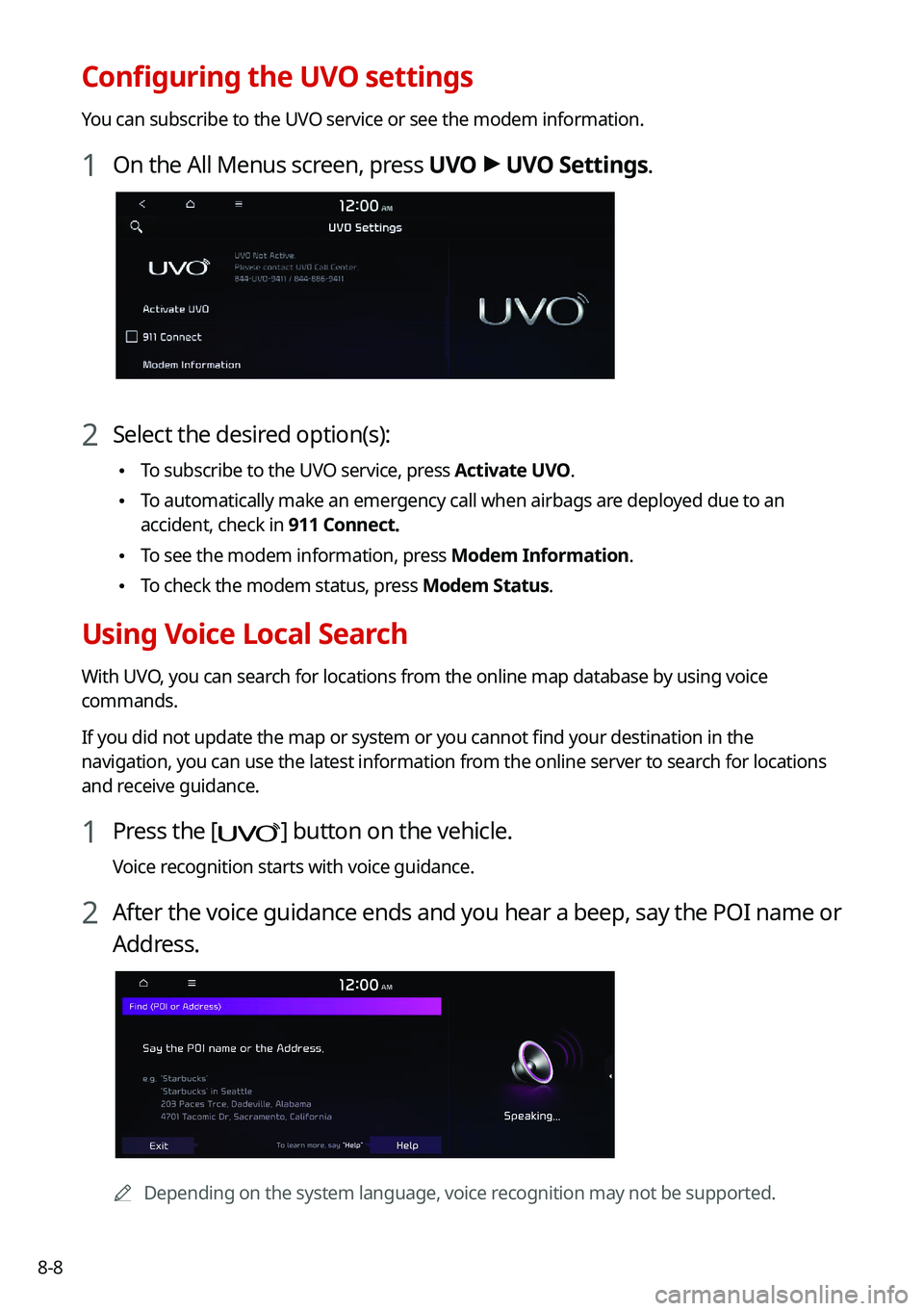
Configuring the UVO settings
You can subscribe to the UVO service or see the modem information.
1 On the All Menus screen, press UVO >
UVO Settings.
2 Select the desired option(s):
\225 To subscribe to the UVO service, press Activate UVO.
\225To automatically make an emergency call when airbags are deployed due to an
accident, check in 911 Connect.
\225To see the modem information, press Modem Information.
\225To check the modem status, press Modem Status.
Using Voice Local Search
With UVO, you can search for locations from the online map database by using voice
commands.
If you did not update the map or system or you cannot find your destination in the
navigation, you can use the latest information from the online server to search for locations
and receive guidance.
1 Press the [] button on the vehicle.
Voice recognition starts with voice guidance.
2 After the voice guidance ends and you hear a beep, say the POI name or
Address.
0000A
Depending on the system language, voice recognition may not be supported.
Page 187 of 308
Settings
Configuring system settings
Configuring the vehicle settings (Type1/ Type2)
Configuring the device connections settings (Type1/ Type2)
Configuring the advanced system settings (Type1) Configuring the button settings (Type1/ Type2)
Configuring the sound settings (Type1/ Type2)
Configuring the voice recognition settings (Type1/ Type2)
Configuring the navigation settings (Type1/ Type2)
Configuring the UVO settings (Type1/ Type2)
Configuring the user profile settings (Type1/ Type2)
Configuring the general system settings (Type1/ Type2)
Configuring the display settings (Type1/ Type2)
Configuring the media settings (Type1)
How to Update the Map and Software for your
Infotainment System
09
Page 192 of 308
9-6
Forward Safety (if equipped)
You can set to help detect and monitor the vehicle ahead.
\225Active Assist: Warns if there is a risk of forward collision and controls the vehicle to avoid
collision.
\335Warning
This system is only a supplemental system and it is not intended to, nor\
does it replace
the need for extreme care and attention of the driver. The sensing range and objects
detectable by the sensors are limited. Pay attention to the road conditions at all times.
\225Warning Only: Produces a warning alarm in accordance with the collision risk level.
\225Off: Turns off the forward safety function.
Lane Safety (if equipped)
Set to generate warning or provide assist to help the vehicle stay in its lane.
\225Lane Keeping Assist: Helps prevent lane deviation by generating warning sound and
help the vehicle between stay in its lane.
\335Warning
The Lane Keeping Assist (LKA) system is not a substitute for safe driv\
ing practices, but a
convenience function only. It is the responsibility of the driver to always be aware of the
surroundings and steer the vehicle.
0000
A
When the lanes are not recognized well by front cameras, always check the
surroundings because the lane keeping assist system may not work properly.
\225Lane Departure Warning: When a danger of lane deviation is detected, the warning
sound is generated.
\225Off: Turns off the lane safety function.
Blind-Spot Safety (if equipped)
You can set to generate warning sound and may provide active assist if there is a possible
collision with an approaching vehicle while changing lanes.
\225Blind-Spot View: Displays the blind spot view on the instrument cluster when the turn
signal lamp is blinking.
\225Safe Exit Assist: Assists to get off safely by warning if there is a risk of collision in a blind
spot and by controlling doors.
Page 194 of 308

9-8
\335Warning
\225Even though the vehicle is equipped the parking safety system, be sure to check any
obstacles in the rear while driving. Relying solely on the driving assist system may cause\
an accident. Accordingly, be sure to control the vehicle by your judgment.
\225When the sensors cannot detect any obstacles due to the detection limit,\
it may cause an
accident. Be sure to always check the surroundings while parking.
Drive Mode (if equipped)
You can change the vehicle settings for driving conditions.
Option A
Option B (EV only)
0000
A
The screen may differ depending on the vehicle model and specifications.
ECO (EV only)
This is a drive mode for increasing the vehicle's fuel efficiency. You can change the climate
control mode, the active coast energy regeneration level, and speed limit settings.
NORMAL (EV only)
This is a drive mode focused on the driver and passenger's comfort. You can change the
climate control mode and the active coast energy regeneration level.
Page 195 of 308

9-9
SPORT (EV only)
This drive mode enables a more dynamic driving performance. You can change the climate
control mode and the active coast energy regeneration level.
Drive Mode Change Alert (if equipped)
You can set how to display the notification message when the drive mode is changed.
\225Detailed Alert: Displays a detailed notification message along with the vehicle image
when the drive mode is changed.
\225Simple Alert: Displays the notification at the top or on the split screen when the drive
mode is changed.
\225Off: When the drive mode changes, no notification is provided.
Reset ECO/NORMAL/SPORT (EV only)
You can reset the drive mode settings to the default values.
0000
A
The display may differ depending on the vehicle model and specifications.
0000
A
See how to improve ECO potential by pressing the Help button from an EV(Electric
Vehicle). In most cases, a vehicle can travel a longer distance when its ECO potential score
is higher (EV only).
Climate (if equipped)
You can configure the operation environment for climate control system.
0000
A
The screen may differ depending on the vehicle model and specifications.
Recirculate Air (if equipped)
You can set to keep the inside air pleasant by blocking inflow of outside air.
\225Activate upon Washer Fluid Use
: Sets to automatically switch to the inside air circulation
mode to prevent inflow of washer fluid scent when spraying washer fluid.
Page 196 of 308
9-10
Automatic Ventilation (if equipped)
You can set to prevent condensation inside and keep inside air pleasant using this feature.
\225Auto Dehumidify: Once the inside air circulation mode has been used for a long time, it
is switched to the outside air inflow mode to prevent condensation.
Defog/Defrost Options (if equipped)
You can set to enable the defogger to secure driver visibility.
\225Auto Defog: When the sensor detects fog on the windshield, the automatic ventilati\
on is
run for defogging.
Climate Features (if equipped)
You can set or change the settings for the climate system.
\225Rear Climate Controls: Used to move to the climate control screen for the rear seat. You
can check or set the climate status for the rear seat.
0000
A
For more information about controlling the rear-seat climate control system:
> see "Using the rear-seat climate control system (if equipped)"
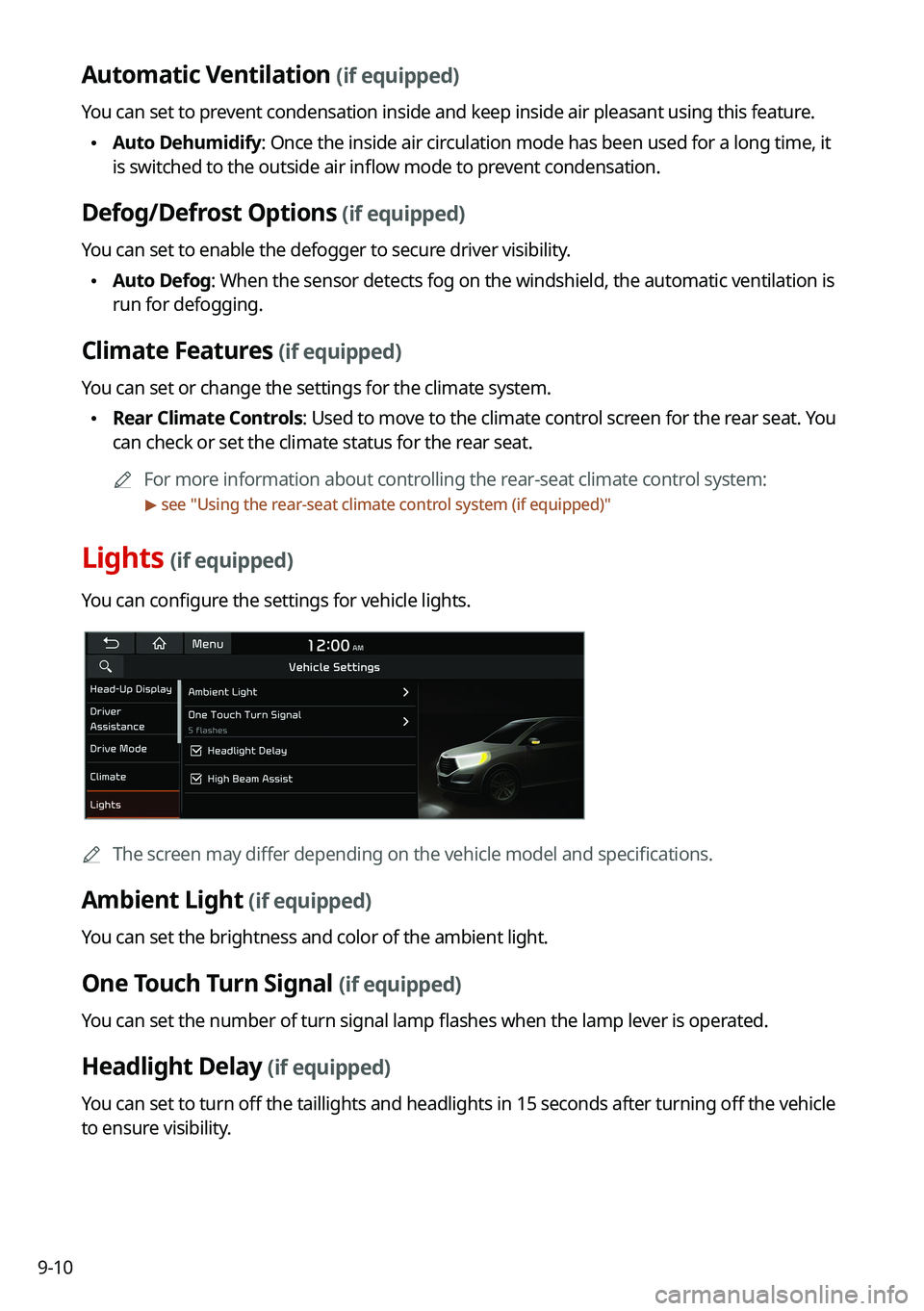
Lights (if equipped)
You can configure the settings for vehicle lights.
0000
A
The screen may differ depending on the vehicle model and specifications.
Ambient Light (if equipped)
You can set the brightness and color of the ambient light.
One Touch Turn Signal (if equipped)
You can set the number of turn signal lamp flashes when the lamp lever is operated.
Headlight Delay (if equipped)
You can set to turn off the taillights and headlights in 15 seconds after turning off the vehicle
to ensure visibility.
Page 198 of 308

You can set the data to display on the instrument cluster and the volume \
and type for guiding
beep.
0000AThe screen may differ depending on the vehicle model and specific")
9-12
Cluster (if equipped)
You can set the data to display on the instrument cluster and the volume \
and type for guiding
beep.
0000AThe screen may differ depending on the vehicle model and specifications.
Service Interval (if equipped)
You can set to guide you when to perform the vehicle inspection.
\225Enable Service Interval: Sets the service inspection interval. When it exceeds, the
notification is provided.
\225Distance: Sets the driving distance for a service.
\225Duration: Sets the service cycle.
\225Reset: Initializes the settings for distance and duration.
Energy Consumption Reset (if equipped)
You can set to automatically initialize the average fuel economy.
\225After Ignition: The average fuel economy is automatically initialize whenever you drive
the vehicle.
\225After Refueling
: The average fuel economy is automatically initialize whenever you refuel
the vehicle.
\225 Off: The average fuel economy initialize is unavailable.
Content Selection (if equipped)
You can set the content to display on the instrument cluster.
\225Gear Position Pop-up: When the gear is shifted, the information pop-up appears.
\225Wiper/Lights Display: When the wiper or light lever operates, the operation mode
appears.
\225Traffic Signs: Displays the road information such as speed bumps and speed limits.
\225Icy Road Warning: When the outside temperature drops below 4 °C (39 °F), the
possibility of road icing appears.
Page 200 of 308

9-14
Seat (if equipped)
You can configure the settings of the steering wheel or seats, such as seat position change
notification and automatic control of the steering wheel warmer.
0000
A
The screen may differ depending on the vehicle model and specifications.
Seat Position Change Alert (if equipped)
You can set the system to display a notification message along with the seat image on the
screen when a seat position is changed.
Smart Posture Care (if equipped)
You can see the recommended driving posture according to your physical data, and the
clinical inspection result for your waist.
Heated/Ventilated Features (if equipped)
You can set to make the driving environment pleasant by controlling the steering wheel
warmer and driver's seat warmer/ventilation.
\225Auto. Controls That Use Climate Control Settings: Automatically controls the heating
wire or ventilation for the driver's seat and steering wheel, in sync with the climate control
function.
000DSteering Wheel Warmer: Steering Wheel Warmer adjusts automatically based on
Climate settings.
000DSeat Warmer/Ventilation: Seat Warmer/Ventilation adjusts automatically based on
Climate settings.
Seating Easy Access (if equipped)
For convenience upon getting on and off, you can adjust the position of the driver's seat or
steering wheel to secure space inside the vehicle.
\225
Steering Easy Access: The steering wheel moves upward when getting on and off.
\225Seat Slide Easy Access: Can set the distance to automatically move the driver's seat
when getting on or off.
Page 204 of 308
9-18
Forward Safety (if equipped)
You can set to help detect and monitor the vehicle ahead.
\225Active Assist: Warns if there is a risk of forward collision and controls the vehicle to avoid
collision.
\335Warning
This system is only a supplemental system and it is not intended to, nor\
does it replace
the need for extreme care and attention of the driver. The sensing range and objects
detectable by the sensors are limited. Pay attention to the road conditions at all times.
\225Warning Only: Produces a warning alarm in accordance with the collision risk level.
\225Off: Turns off the forward safety function.
Lane Safety (if equipped)
Set to generate warning or provide assist to help the vehicle stay in its lane.
\225Assist: Helps prevent lane deviation by generating warning sound and help the vehicle
between stay in its lane.
\335Warning
The Lane Keeping Assist (LKA) system is not a substitute for safe driv\
ing practices, but a
convenience function only. It is the responsibility of the driver to always be aware of the
surroundings and steer the vehicle.
0000
A
When the lanes are not recognized well by front cameras, always check the
surroundings because the lane keeping assist system may not work properly.
\225Warning Only: When a danger of lane deviation is detected, the warning sound is
generated.
\225Off: Turns off the lane safety function.
Blind-Spot Safety (if equipped)
You can set to generate warning sound and may provide active assist if there is a possible
collision with an approaching vehicle while changing lanes.
\225Blind-Spot View: Displays the blind spot view on the instrument cluster when the turn
signal lamp is blinking.
\225Safe Exit Assist: Assists to get off safely by warning if there is a risk of collision in a blind
spot and by controlling doors.