brake light KIA NIRO 2021 Owner's Guide
[x] Cancel search | Manufacturer: KIA, Model Year: 2021, Model line: NIRO, Model: KIA NIRO 2021Pages: 710, PDF Size: 14.77 MB
Page 380 of 710
557
Driving your vehicle
FCA warning message and
function control
FCA produces warning messages
and warning alarms in accordance
with the collision risk levels, such as
abrupt stopping of the vehicle in
front, insufficient braking distance,
pedestrian detection. Also, it controls
the brakes in accordance with the
collision risk levels.
The driver can select the initial warn-
ing activation time in the ‘Settings’ on
the LCD display or Infotainment
System screen. The options for the
initial Forward Collision Warning
include Normal or Late initial warning
time.
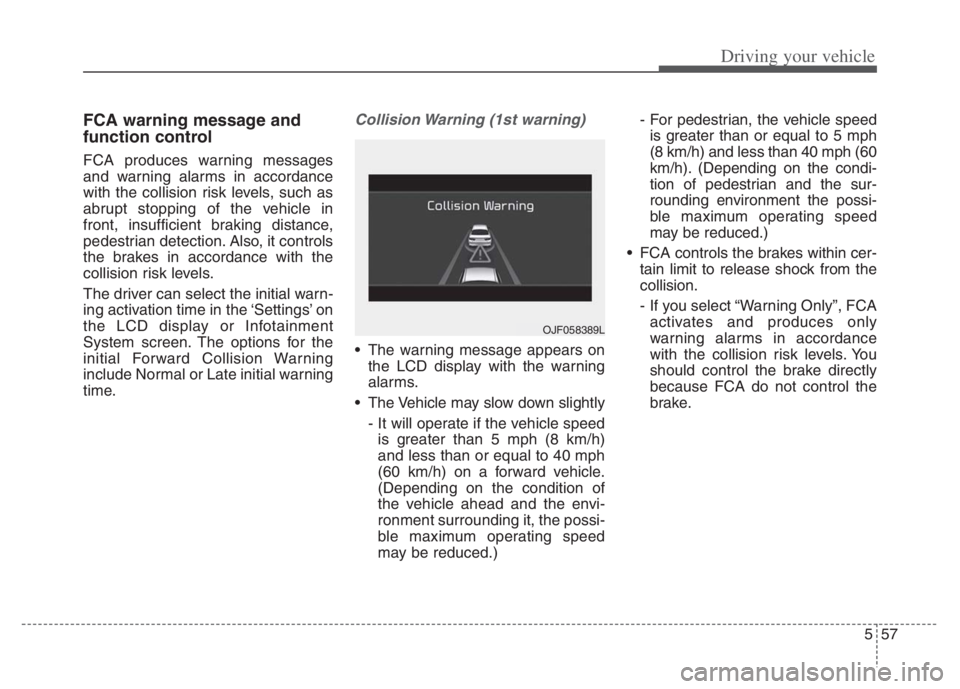
Collision Warning (1st warning)
The warning message appears on
the LCD display with the warning
alarms.
The Vehicle may slow down slightly
- It will operate if the vehicle speed
is greater than 5 mph (8 km/h)
and less than or equal to 40 mph
(60 km/h) on a forward vehicle.
(Depending on the condition of
the vehicle ahead and the envi-
ronment surrounding it, the possi-
ble maximum operating speed
may be reduced.)- For pedestrian, the vehicle speed
is greater than or equal to 5 mph
(8 km/h) and less than 40 mph (60
km/h). (Depending on the condi-
tion of pedestrian and the sur-
rounding environment the possi-
ble maximum operating speed
may be reduced.)
FCA controls the brakes within cer-
tain limit to release shock from the
collision.
- If you select “Warning Only”, FCA
activates and produces only
warning alarms in accordance
with the collision risk levels. You
should control the brake directly
because FCA do not control the
brake.
OJF058389L
Page 384 of 710
561
Driving your vehicle
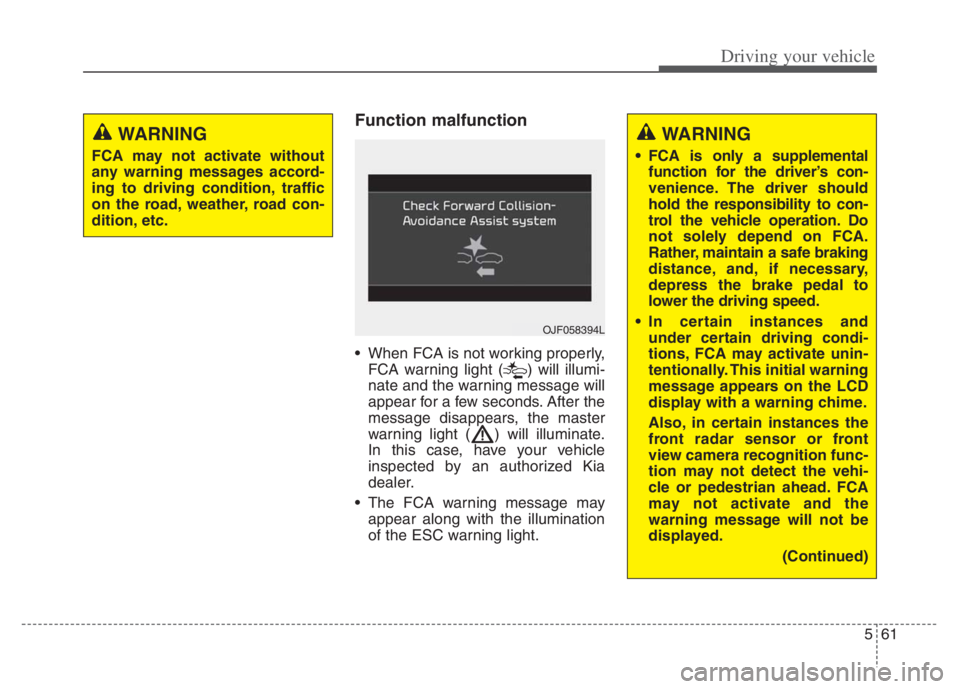
Function malfunction
When FCA is not working properly,
FCA warning light ( ) will illumi-
nate and the warning message will
appear for a few seconds. After the
message disappears, the master
warning light ( ) will illuminate.
In this case, have your vehicle
inspected by an authorized Kia
dealer.
The FCA warning message may
appear along with the illumination
of the ESC warning light.
WARNING
FCA may not activate without
any warning messages accord-
ing to driving condition, traffic
on the road, weather, road con-
dition, etc.
OJF058394L
WARNING
FCA is only a supplemental
function for the driver’s con-
venience. The driver should
hold the responsibility to con-
trol the vehicle operation. Do
not solely depend on FCA.
Rather, maintain a safe braking
distance, and, if necessary,
depress the brake pedal to
lower the driving speed.
In certain instances and
under certain driving condi-
tions, FCA may activate unin-
tentionally. This initial warning
message appears on the LCD
display with a warning chime.
Also, in certain instances the
front radar sensor or front
view camera recognition func-
tion may not detect the vehi-
cle or pedestrian ahead. FCA
may not activate and the
warning message will not be
displayed.
(Continued)
Page 396 of 710
573
Driving your vehicle
FCA warning message and
function control
FCA produces warning messages
and warning alarms in accordance
with the collision risk levels of follow-
ings like vehicle’s sudden braking in
front or lack of vehicle distance or
collision to pedestrian or cyclist.
Also, it controls the brakes in accor-
dance with the collision risk levels.
The driver can select the initial warn-
ing activation time in the User set-
tings in the LCD display. The
options for the initial Forward
Collision Warning include Normal or
Late initial warning time.
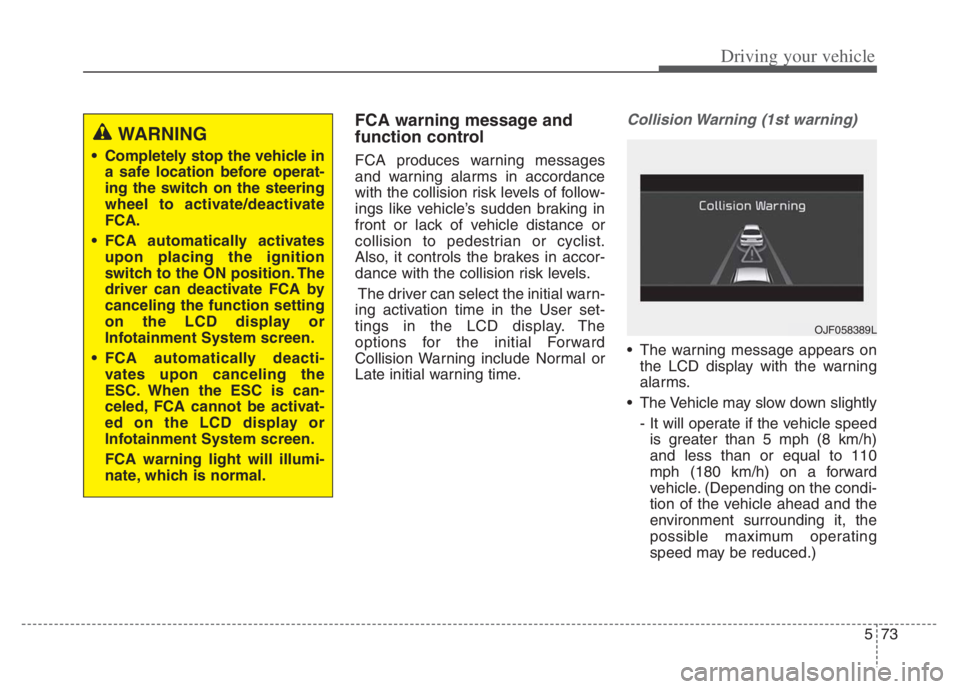
Collision Warning (1st warning)
The warning message appears on
the LCD display with the warning
alarms.
The Vehicle may slow down slightly
- It will operate if the vehicle speed
is greater than 5 mph (8 km/h)
and less than or equal to 110
mph (180 km/h) on a forward
vehicle. (Depending on the condi-
tion of the vehicle ahead and the
environment surrounding it, the
possible maximum operating
speed may be reduced.)
WARNING
Completely stop the vehicle in
a safe location before operat-
ing the switch on the steering
wheel to activate/deactivate
FCA.
FCA automatically activates
upon placing the ignition
switch to the ON position. The
driver can deactivate FCA by
canceling the function setting
on the LCD display or
Infotainment System screen.
FCA automatically deacti-
vates upon canceling the
ESC. When the ESC is can-
celed, FCA cannot be activat-
ed on the LCD display or
Infotainment System screen.
FCA warning light will illumi-
nate, which is normal.
OJF058389L
Page 404 of 710
581
Driving your vehicle
When the front view camera
(including lens) or front radar is
damaged.
If not using headlamp or using
weak light in the night or in a tun-
nel.
Backlight is shining in the driving
direction of the vehicle. (Including
oncoming vehicle headlights.)
When the rear part of the front
vehicle is small or low.
When a trailer or other vehicle is
towing the front vehicle.
When the ground clearance of the
front vehicle is high.
When a front vehicle makes sud-
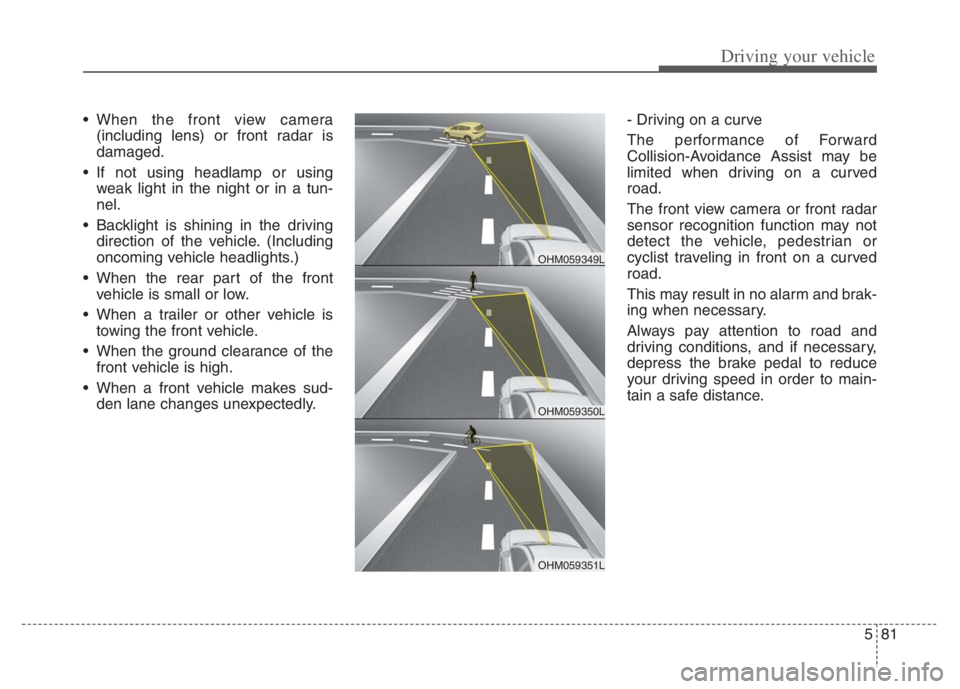
den lane changes unexpectedly.- Driving on a curve
The performance of Forward
Collision-Avoidance Assist may be
limited when driving on a curved
road.
The front view camera or front radar
sensor recognition function may not
detect the vehicle, pedestrian or
cyclist traveling in front on a curved
road.
This may result in no alarm and brak-
ing when necessary.
Always pay attention to road and
driving conditions, and if necessary,
depress the brake pedal to reduce
your driving speed in order to main-
tain a safe distance.
OHM059350L
OHM059349L
OHM059351L
Page 407 of 710
Driving your vehicle
84 5
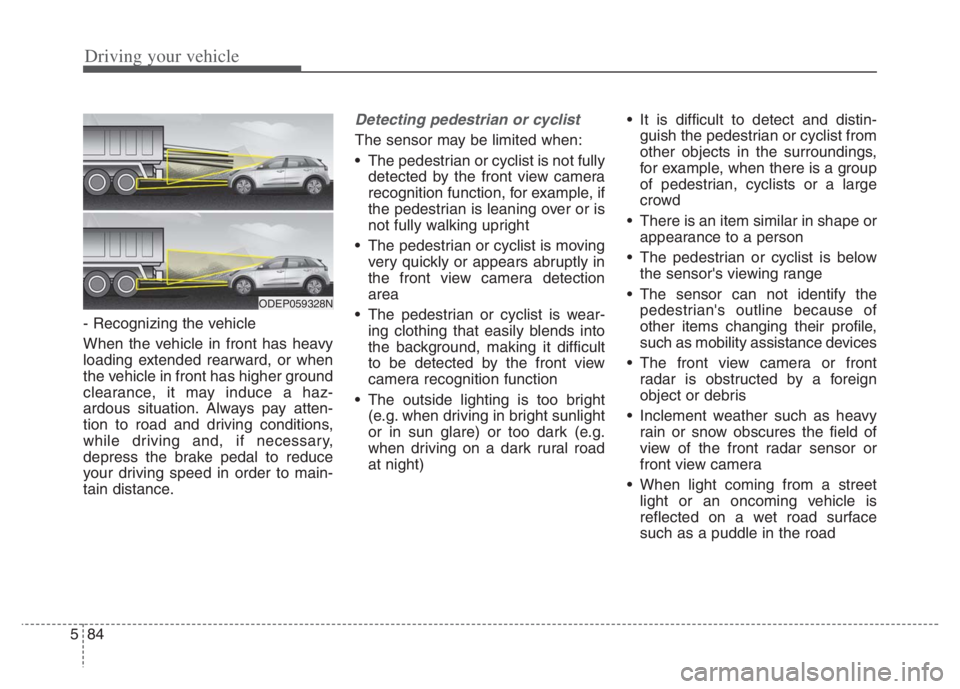
- Recognizing the vehicle
When the vehicle in front has heavy
loading extended rearward, or when
the vehicle in front has higher ground
clearance, it may induce a haz-
ardous situation. Always pay atten-
tion to road and driving conditions,
while driving and, if necessary,
depress the brake pedal to reduce
your driving speed in order to main-
tain distance.
Detecting pedestrian or cyclist
The sensor may be limited when:
The pedestrian or cyclist is not fully
detected by the front view camera
recognition function, for example, if
the pedestrian is leaning over or is
not fully walking upright
The pedestrian or cyclist is moving
very quickly or appears abruptly in
the front view camera detection
area
The pedestrian or cyclist is wear-
ing clothing that easily blends into
the background, making it difficult
to be detected by the front view
camera recognition function
The outside lighting is too bright
(e.g. when driving in bright sunlight
or in sun glare) or too dark (e.g.
when driving on a dark rural road
at night) It is difficult to detect and distin-
guish the pedestrian or cyclist from
other objects in the surroundings,
for example, when there is a group
of pedestrian, cyclists or a large
crowd
There is an item similar in shape or
appearance to a person
The pedestrian or cyclist is below
the sensor's viewing range
The sensor can not identify the
pedestrian's outline because of
other items changing their profile,
such as mobility assistance devices
The front view camera or front
radar is obstructed by a foreign
object or debris
Inclement weather such as heavy
rain or snow obscures the field of
view of the front radar sensor or
front view camera
When light coming from a street
light or an oncoming vehicle is
reflected on a wet road surface
such as a puddle in the road
ODEP059328N
Page 438 of 710

5115
Driving your vehicle
✽ ✽
NOTICE
• During normal Cruise Control
operation, when the SET switch is
activated or reactivated after apply-
ing the brakes, Cruise Control will
energize after approximately 3 sec-
onds. This delay is normal.
• To activate Cruise Control, depress
the brake pedal at least once after
placing the ignition switch or
ENGINE START/STOP button to
the ON position or starting the
engine. This is to check if the brake
switch which is important part to
cancel Cruise Control is in normal
condition.
Driving Assist button
CRUISE : Turns Cruise Control on or
off.
RES+ :Resumes or increases
Cruise Control speed.
SET- : Sets or decreases Cruise
Control speed.
CANCEL :Cancels Cruise Control
operation.
To set Cruise Control speed:
1. Press the Driving Assist button on
the steering wheel, to turn the
function on. The cruise indicator
light will illuminate.
2. Accelerate to the desired speed,
which must be more than approxi-
mately 20 mph (30 km/h).
ODE056019ODE056019
Page 440 of 710
5117
Driving your vehicle
To temporarily accelerate with
Cruise Control on:
If you want to speed up temporarily
when Cruise Control is on, depress
the accelerator pedal. Increased
speed will not interfere with Cruise
Control operation or change the set
speed.
To return to the set speed, take your
foot off the accelerator pedal.
To cancel Cruise Control, do
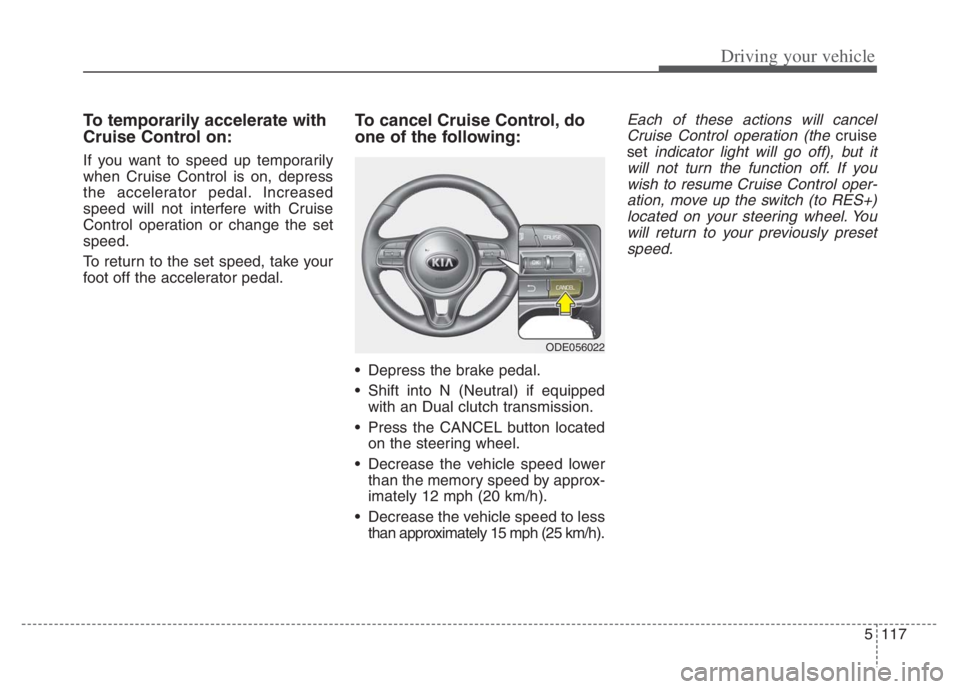
one of the following:
Depress the brake pedal.
Shift into N (Neutral) if equipped
with an Dual clutch transmission.
Press the CANCEL button located
on the steering wheel.
Decrease the vehicle speed lower
than the memory speed by approx-
imately 12 mph (20 km/h).
Decrease the vehicle speed to less
than approximately 15 mph (25 km/h).
Each of these actions will cancel
Cruise Control operation (the
cruise
set
indicator light will go off), but it
will not turn the function off. If you
wish to resume Cruise Control oper-
ation, move up the switch (to RES+)
located on your steering wheel. You
will return to your previously preset
speed.
ODE056022
Page 458 of 710
5135
Driving your vehicle
1. Turn Smart Cruise Control on (the
cruise indicator light will be on but
the function will not be activated).
2. Push the distance to distance
switch for more than 2 seconds.
3. Choose between "Smart Cruise
Control" and "Cruise Control".
When the function is canceled using
the Driving Assist button or the
Driving Assist button is used after the
engine is turned on, Smart Cruise
Control mode will turn on.Limitations of the function
Smart Cruise Control may have lim-
its to its ability to detect distance to
the vehicle ahead due to road and
traffic conditions.
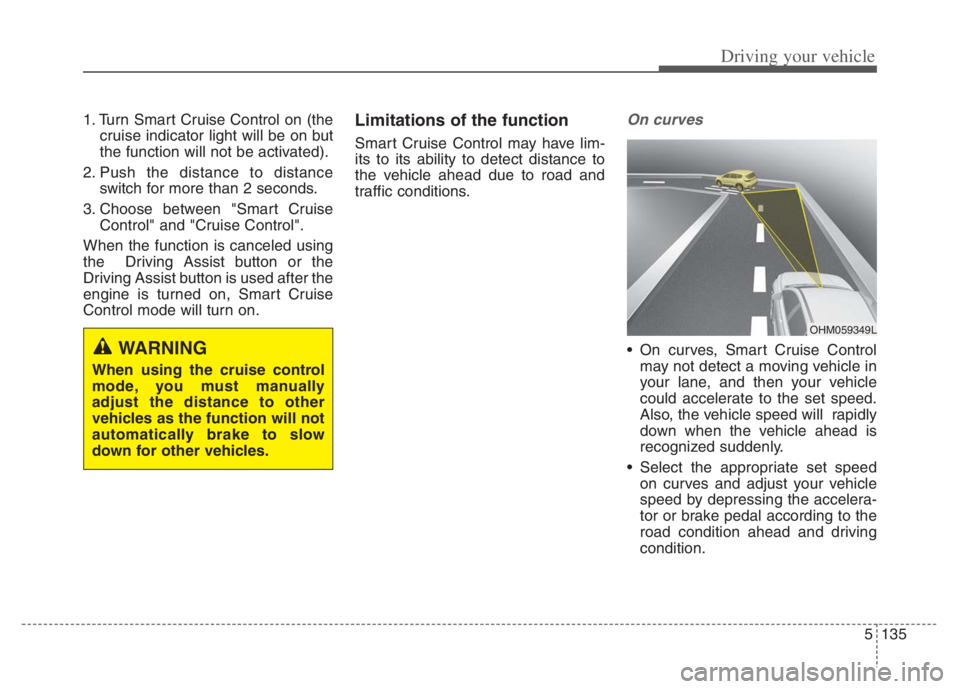
On curves
On curves, Smart Cruise Control
may not detect a moving vehicle in
your lane, and then your vehicle
could accelerate to the set speed.
Also, the vehicle speed will rapidly
down when the vehicle ahead is
recognized suddenly.
Select the appropriate set speed
on curves and adjust your vehicle
speed by depressing the accelera-
tor or brake pedal according to the
road condition ahead and driving
condition.WARNING
When using the cruise control
mode, you must manually
adjust the distance to other
vehicles as the function will not
automatically brake to slow
down for other vehicles.
OHM059349L
Page 489 of 710
Driving your vehicle
166
5
Warning message and func-
tion control
Rear Cross-Traffic Collision
Warning
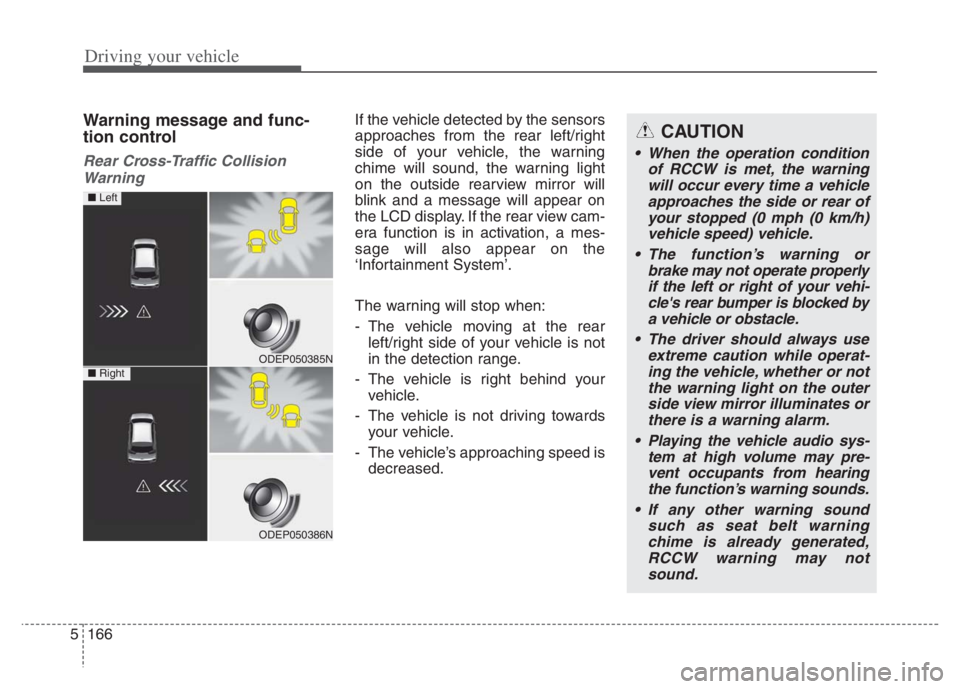
If the vehicle detected by the sensors
approaches from the rear left/right
side of your vehicle, the warning
chime will sound, the warning light
on the outside rearview mirror will
blink and a message will appear on
the LCD display. If the rear view cam-
era function is in activation, a mes-
sage will also appear on the
‘Infortainment System’.
The warning will stop when:
- The vehicle moving at the rear left/right side of your vehicle is not
in the detection range.
- The vehicle is right behind your vehicle.
- The vehicle is not driving towards your vehicle.
- The vehicle’s approaching speed is decreased.CAUTION
• When the operation condition of RCCW is met, the warningwill occur every time a vehicleapproaches the side or rear ofyour stopped (0 mph (0 km/h)vehicle speed) vehicle.
The function’s warning or brake may not operate properlyif the left or right of your vehi-cle's rear bumper is blocked bya vehicle or obstacle.
The driver should always use extreme caution while operat-ing the vehicle, whether or notthe warning light on the outerside view mirror illuminates orthere is a warning alarm.
Playing the vehicle audio sys- tem at high volume may pre-vent occupants from hearingthe function’s warning sounds.
If any other warning sound such as seat belt warningchime is already generated,RCCW warning may notsound.
ODEP050385N
ODEP050386N
■ Left
■ Right
Page 505 of 710

Driving your vehicle
182 5
Your vehicle's fuel economy depends
mainly on your style of driving, where
you drive and when you drive.
Each of these factors affects how
many miles (kilometers) you can get
from a gallon (liter) of fuel. To operate
your vehicle as economically as pos-
sible, use the following driving sug-
gestions to help save money in both
fuel and repairs:
Drive smoothly. Accelerate at a
moderate rate. Don't make "jack-
rabbit" starts or full-throttle shifts
and maintain a steady cruising
speed. Don't race between stop-
lights. Try to adjust your speed to
the traffic so you don't have to
change speeds unnecessarily.
Avoid heavy traffic whenever pos-
sible. Always maintain a safe dis-
tance from other vehicles so you
can avoid unnecessary braking.
This also reduces brake wear.
Drive at a moderate speed. The
faster you drive, the more fuel your
vehicle uses. Driving at a moderate
speed, especially on the highway,
is one of the most effective ways to
reduce fuel consumption. Don't "ride" the brake pedal. This
can increase fuel consumption and
also increase wear on these com-
ponents. In addition, driving with
your foot resting on the brake pedal
may cause the brakes to overheat,
which reduces their effectiveness
and may lead to more serious con-
sequences.
Take care of your tires. Keep them
inflated to the recommended pres-
sure. Incorrect inflation, either too
much or too little, results in unnec-
essary tire wear. Check the tire
pressures at least once a month.
Be sure that the wheels are
aligned correctly. Improper align-
ment can result from hitting curbs
or driving too fast over irregular
surfaces. Poor alignment causes
faster tire wear and may also result
in other problems as well as
greater fuel consumption. Keep your vehicle in good condi-
tion. For better fuel economy and
reduced maintenance costs, main-
tain your vehicle in accordance
with the maintenance schedule in
chapter 8. If you drive your vehicle
in severe conditions, more frequent
maintenance is required (see
chapter 8 for details).
Keep your vehicle clean. For maxi-
mum service, your vehicle should
be kept clean and free of corrosive
materials. It is especially important
that mud, dirt, ice, etc. not be
allowed to accumulate on the
underside of the vehicle. This extra
weight can result in increased fuel
consumption and also contribute to
corrosion.
Travel lightly. Don't carry unneces-
sary weight in your vehicle. Weight
reduces fuel economy.
Don't let the engine idle longer
than necessary. If you are waiting
(and not in traffic), turn off your
engine and restart only when
you're ready to go.
ECONOMICAL OPERATION