display KIA NIRO HYBRID EV 2021 Service Manual
[x] Cancel search | Manufacturer: KIA, Model Year: 2021, Model line: NIRO HYBRID EV, Model: KIA NIRO HYBRID EV 2021Pages: 667, PDF Size: 9.17 MB
Page 244 of 667
Features of your vehicle
104 4
Switching to Hybrid mode to
allow heating or air conditioning
(Plug-in hybrid)
When the coolant temperature is
lower than -14°C (57°F), and you
turn the climate control On for
heating, the above message will be
displayed in the cluster. Then, the
vehicle will automatically switch to
HEV mode.
When the coolant temperature is
higher than -14°C (57°F), or you
turn the climate control Off, the
vehicle will automatically return to
EV mode.
Switching to Hybrid mode for
self-diagnosis (Plug-in hybrid)
This message is displayed for self-
diagnosis of the hybrid mode sys-
tem.
Page 268 of 667
Features of your vehicle
128 4
✽
✽
NOTICE
1. The warning may not sound
sequentially depending on the
speed and shapes of the objects
detected.
2. Forward/Reverse Parking
Distance Warning system may
malfunction if the vehicle bumper
height or sensor installation has
been modified. Any nonfactory
installed equipment or accessories
may also interfere with the sensor
performance.
3. Sensor may not recognize objects
less than 30 cm (12 in) from the
sensor, or it may sense an incor-
rect distance. Use with caution.
4. When the sensor is frozen or
stained with snow or water, the
sensor may be inoperative until
the stains are removed using a
soft cloth.
5. Do not push, scratch or strike the
sensor with any hard objects that
could damage the surface of the
sensor. Sensor damage could
occur.
Pay close attention when the vehicle
is driven close to objects on the road,
particularly pedestrians, and espe-
cially children. Be aware that some
objects may not be detected by the
sensors, due to the objects distance,
size or material, all of which can limit
the effectiveness of the sensor.
Always perform a visual inspection to
make sure the vehicle is clear of all
obstructions before moving the vehi-
cle in any direction.Self-diagnosis
When you shift the gear to the R
(Reverse) position and if one or more
of the below occurs you may have a
malfunction in Forward/Reverse
Parking Distance Warning system.
You don't hear an audible warning
sound or if the buzzer sounds inter-
mittently.
If this occurs, we recommend that
the system be checked by an author-
ized Kia dealer.
✽ ✽
NOTICE
Your new vehicle warranty does not
cover any accidents or damage to
the vehicle or injuries to its occu-
pants related to Forward/Reverse
Parking Distance Warning system.
Always drive safely and cautiously.
is displayed. (if equipped)
(blinks)
Page 275 of 667
4135
Features of your vehicle
If an indicator stays on and does not
flash or if it flashes abnormally, one of
the turn signal bulbs may be burned
out and will require replacement.
✽ ✽
NOTICE
If an indicator flash is abnormally
quick or slow, a bulb may be burned
out or have a poor electrical connec-
tion in the circuit.
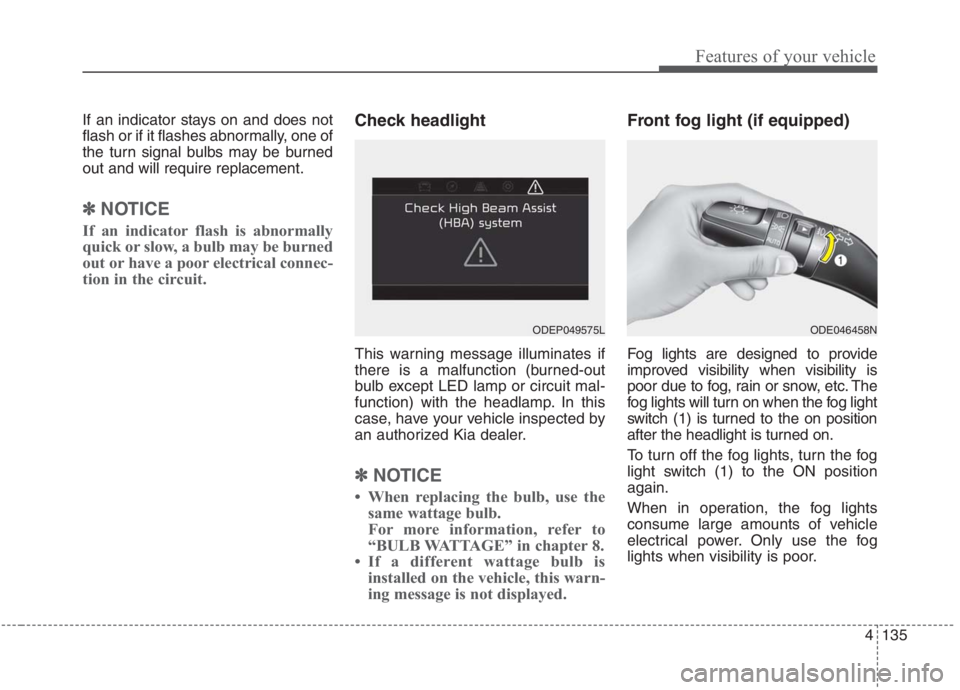
Check headlight
This warning message illuminates if
there is a malfunction (burned-out
bulb except LED lamp or circuit mal-
function) with the headlamp. In this
case, have your vehicle inspected by
an authorized Kia dealer.
✽ ✽
NOTICE
• When replacing the bulb, use the
same wattage bulb.
For more information, refer to
“BULB WATTAGE” in chapter 8.
• If a different wattage bulb is
installed on the vehicle, this warn-
ing message is not displayed.
Front fog light (if equipped)
Fog lights are designed to provide
improved visibility when visibility is
poor due to fog, rain or snow, etc. The
fog lights will turn on when the fog light
switch (1) is turned to the on position
after the headlight is turned on.
To turn off the fog lights, turn the fog
light switch (1) to the ON position
again.
When in operation, the fog lights
consume large amounts of vehicle
electrical power. Only use the fog
lights when visibility is poor.
ODE046458NODEP049575L
Page 286 of 667
Features of your vehicle
146 4
Automatic heating and air con-
ditioning
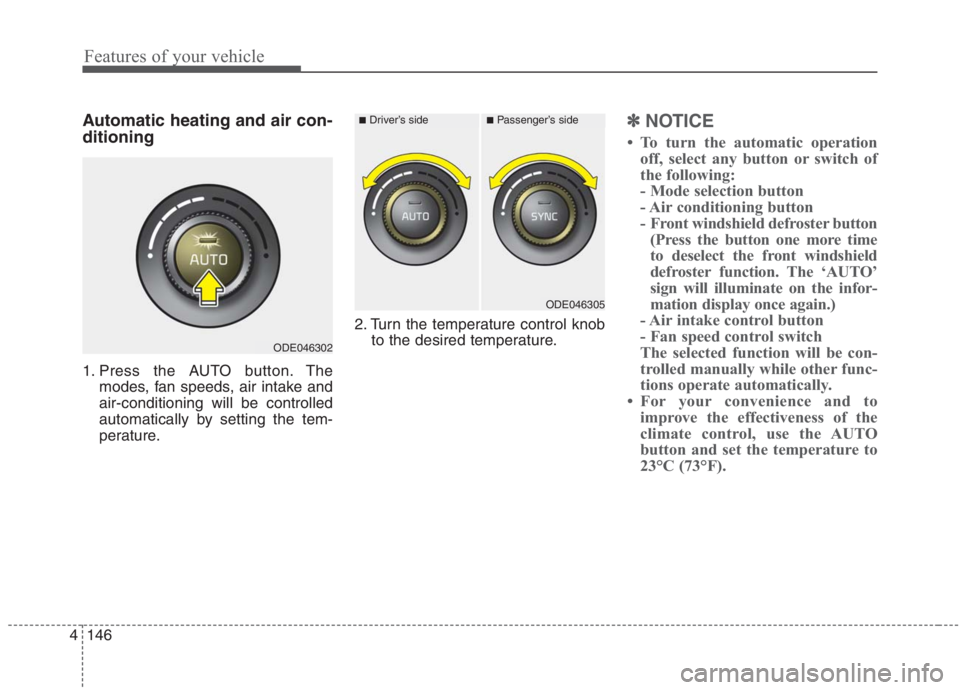
1. Press the AUTO button. The
modes, fan speeds, air intake and
air-conditioning will be controlled
automatically by setting the tem-
perature.2. Turn the temperature control knob
to the desired temperature.
✽ ✽
NOTICE
• To turn the automatic operation
off, select any button or switch of
the following:
- Mode selection button
- Air conditioning button
- Front windshield defroster button
(Press the button one more time
to deselect the front windshield
defroster function. The ‘AUTO’
sign will illuminate on the infor-
mation display once again.)
- Air intake control button
- Fan speed control switch
The selected function will be con-
trolled manually while other func-
tions operate automatically.
• For your convenience and to
improve the effectiveness of the
climate control, use the AUTO
button and set the temperature to
23°C (73°F).
ODE046302
■Driver’s side■Passenger’s side
ODE046305
Page 291 of 667
4151
Features of your vehicle
✽
✽NOTICE
When starting the vehicle in cold
weather using manual temperature
control, operate the system in the fol-
lowing method to improve heating.
- Turn off or lower the blower, right
after starting the engine.
- Allow the engine to warm up dur- ing this time since the air flow
from the heater is still cold.
- After a few minutes of engine warm up, turn on or set the fan to
a higher level and adjust the tem-
perature setting to hot.
Adjusting the driver and passenger
side temperature equally
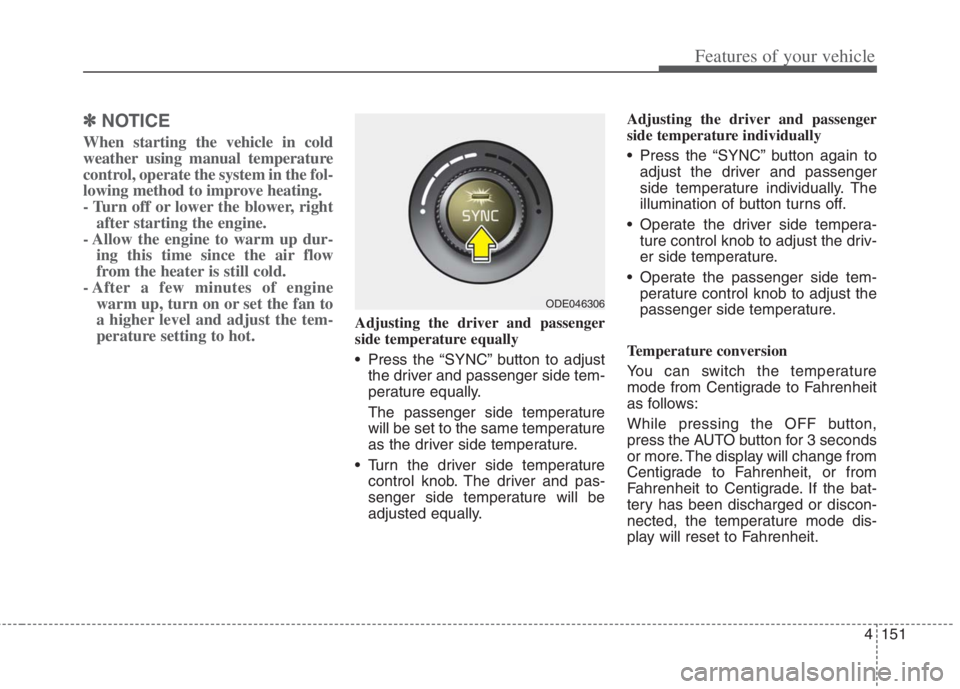
• Press the “SYNC” button to adjust
the driver and passenger side tem-
perature equally.
The passenger side temperature
will be set to the same temperature
as the driver side temperature.
Turn the driver side temperature control knob. The driver and pas-
senger side temperature will be
adjusted equally. Adjusting the driver and passenger
side temperature individually
Press the “SYNC” button again to
adjust the driver and passenger
side temperature individually. The
illumination of button turns off.
Operate the driver side tempera- ture control knob to adjust the driv-
er side temperature.
Operate the passenger side tem- perature control knob to adjust the
passenger side temperature.
Temperature conversion
You can switch the temperature
mode from Centigrade to Fahrenheit
as follows:
While pressing the OFF button,
press the AUTO button for 3 seconds
or more. The display will change from
Centigrade to Fahrenheit, or from
Fahrenheit to Centigrade. If the bat-
tery has been discharged or discon-
nected, the temperature mode dis-
play will reset to Fahrenheit.
ODE046306
Page 294 of 667
Features of your vehicle
154 4
Climate information screen
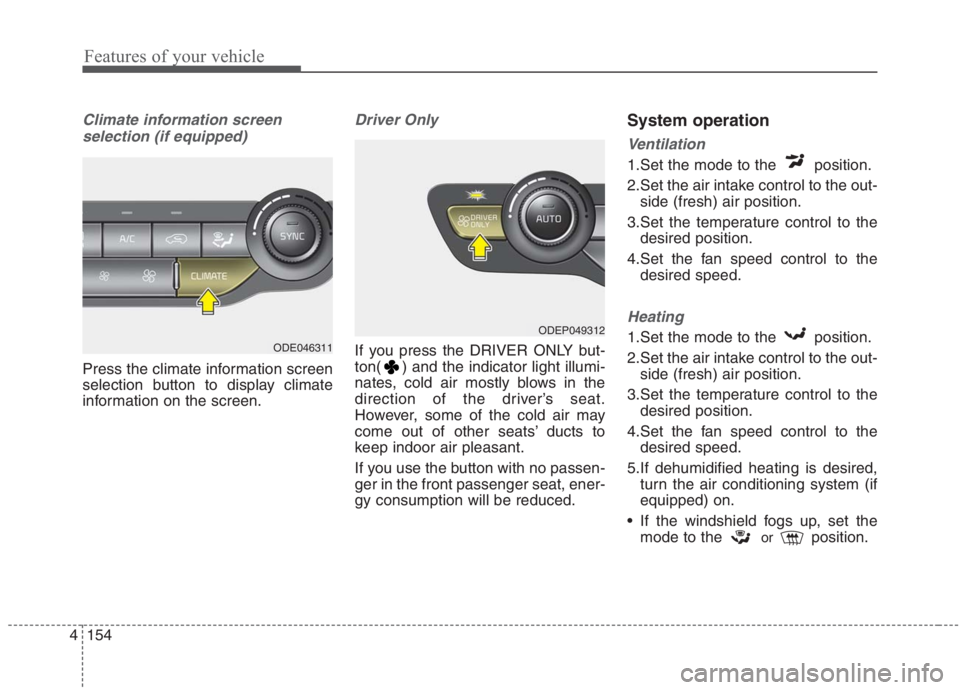
selection (if equipped)
Press the climate information screen
selection button to display climate
information on the screen.
Driver Only
If you press the DRIVER ONLY but-
ton( ) and the indicator light illumi-
nates, cold air mostly blows in the
direction of the driver’s seat.
However, some of the cold air may
come out of other seats’ ducts to
keep indoor air pleasant.
If you use the button with no passen-
ger in the front passenger seat, ener-
gy consumption will be reduced.
System operation
Ventilation
1.Set the mode to the position.
2.Set the air intake control to the out-
side (fresh) air position.
3.Set the temperature control to the
desired position.
4.Set the fan speed control to the
desired speed.
Heating
1.Set the mode to the position.
2.Set the air intake control to the out-
side (fresh) air position.
3.Set the temperature control to the
desired position.
4.Set the fan speed control to the
desired speed.
5.If dehumidified heating is desired,
turn the air conditioning system (if
equipped) on.
If the windshield fogs up, set the
mode to the
orposition.
ODEP049312
ODE046311
Page 316 of 667
Features of your vehicle
176 4
(Continued)
• The wireless charging will stop
when the vehicle is turned OFF.
• The wireless charging will stop
when the smart phone is not in
complete contact with the wireless
charging pad.
• Items equipped with magnetic
components such as credit card,
telephone card, bankbook or any
transportation ticket may become
damaged during wireless charg-
ing.
• Place the smart phone on the cen-
ter of the charge pad for best
results. The smart phone may not
charge when placed near the rim
of the charging pad. When the
smart phone does get charged, it
may heat up excessively.
• For smart phones without built-in
wireless charging system, an
appropriate accessory has to be
equipped in order to use the vehi-
cle's wireless charging system.
(Continued)(Continued)
• Smart phones of some manufac-
turers may display messages on
weak current. This is due to the
particular characteristic of the
smart phone and does not imply a
malfunction on wireless charging
function.
• The indicator light of some manu-
facturers’ smart phones may still
be orange after the smart phone is
fully charged. This is due to the
particular characteristic of the
smart phone and not a malfunc-
tion of the wireless charging.
• When any smart phone without a
wireless charging function or a
metallic object is placed on the
charging pad, a small noise may
sound. This small sound is due to
the vehicle discerning compatibili-
ty of the object placed on the
charging pad. It does not affect
your vehicle or the smart phone in
any way. This device complies with
Industry Canada licence-exempt
RSS standard(s).
Operation is subject to the following
two conditions:
(1) This device may not cause inter-
ference, and
(2) This device must accept any
interference, including interfer-
ence that may cause undesired
operation of the device.
Page 344 of 667
Driving your vehicle
18 5
To hold the vehicle on a hill use the
foot brake or the parking brake. If
the vehicle is held by applying the
accelerator pedal on a hill the
clutch and transmission will be
overheated resulting in damage.
At this time, a warning message
(“Steep grade! Press brake pedal”)
will appear on the LCD display.
If the clutch becomes overheated
by excessive use of the clutch to
hold on a hill, you may notice a
shudder feeling and a blinking dis-
play on the instrument cluster.
When this occurs, the clutch is dis-
abled until the clutch cools to nor-
mal temperatures. If this occurs,
pull over to a safe location, shift
into P (Park) and apply the foot
brake for a certain time on the LCD
warning until it disappears.
If the LCD warning is active, the
foot brake must be applied.
Ignoring the warnings can lead to
damage to the transmission. If the display continues to blink, for
your safety, we recommend that you
contact an authorized Kia dealer.
Under certain conditions such as
repeated launch on steep grades,
the clutch in the transmission could
overheat.
When the clutch is overheated, the
safe protection mode engages. If
the safe protection mode engages,
the gear position indicator on the
cluster blinks with a chime sound.
At this time, one of these warning
messages (“Transmission temp. is
high! Stop safely”, “Trans hot! Park
with engine on”, “Trans Cooling.
Remain parked for 00 min.”, “Trans
Cooled. Resume driving”) will
appear on the LCD display and driv-
ing may not be smooth.
If you ignore this warning, the driv-
ing condition may become worse.
To return the normal driving condi-
tion, stop the vehicle and apply the
foot brake for a few minutes before
driving off. Gear shifts may be more notice-
able than a conventional automatic
transmission. This is a normal
characteristic of this type of dual
clutch transmission.
During the first 1,500 km (1,000
miles), you may feel that the vehi-
cle may not be smooth when accel-
erating at low speed. During this
break-in period, the shift quality
and performance of your new vehi-
cle is continuously optimized.
Always come to a complete stop
before shifting into D (Drive) or R
(Reverse).
Do not put the shift lever in N
(Neutral) while driving.
Page 345 of 667
519
Driving your vehicle
The indicator in the instrument clus-
ter displays the shift lever position
when the ignition switch or ENGINE
START/STOP button is in the ON
position.P (Park)
Always come to a complete stop
before shifting into P (Park).
To shift from P (Park), you must
depress firmly on the brake pedal
and make sure your foot is off the
accelerator pedal.
The shift lever must be in P (Park)
before turning the engine off.R (Reverse)
Use this position to drive the vehicle
backward.
WARNING
Shifting into P (Park) while the
vehicle is in motion may
cause you to lose control of
the vehicle.
After the vehicle has stopped,
always make sure the shift
lever is in P (Park), apply the
parking brake, and turn the
engine off.
Do not use the P (Park) position
in place of the parking brake.
CAUTION
Always come to a complete stop
before shifting into or out of R
(Reverse); you may damage the
transmission if you shift into R
(Reverse) while the vehicle is in
motion.
CAUTION
To avoid damage to your
transaxle, do not try to accel-
erate in R (Reverse) or any for-
ward gear position with the
brakes on.
When stopped on slope, do
not hold the vehicle with
accelerator pedal. Use the
service brake or the parking
brake.
Page 354 of 667
Driving your vehicle
28 5
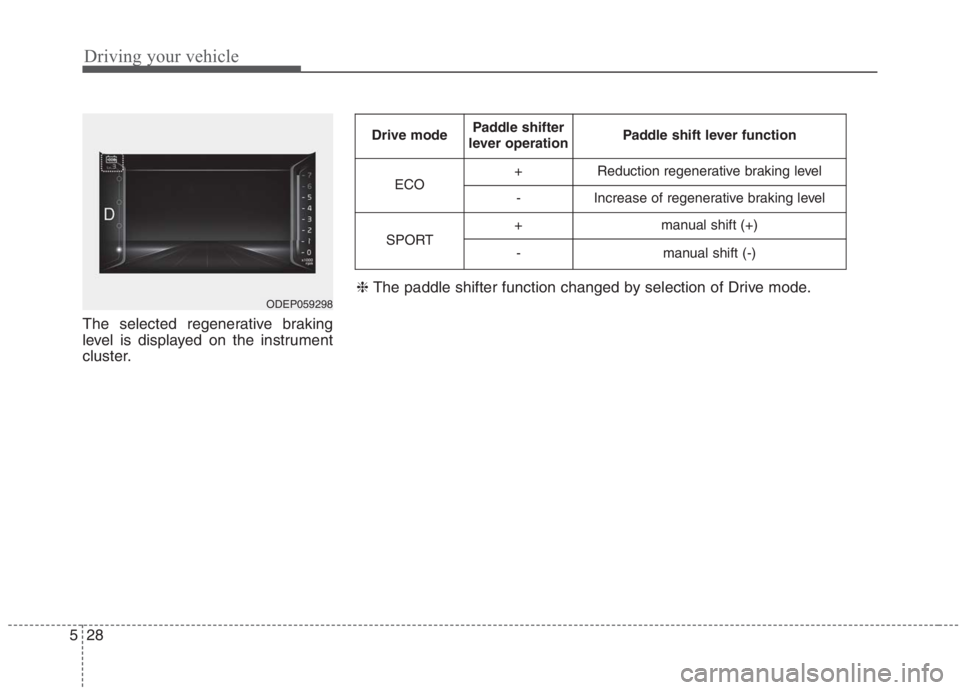
The selected regenerative braking
level is displayed on the instrument
cluster.
ODEP059298
Drive modePaddle shifter
lever operationPaddle shift lever function
ECO+Reduction regenerative braking level
-Increase of regenerative braking level
SPORT+manual shift (+)
-manual shift (-)
❈ The paddle shifter function changed by selection of Drive mode.