display KIA NIRO HYBRID EV 2021 Repair Manual
[x] Cancel search | Manufacturer: KIA, Model Year: 2021, Model line: NIRO HYBRID EV, Model: KIA NIRO HYBRID EV 2021Pages: 667, PDF Size: 9.17 MB
Page 409 of 667
![KIA NIRO HYBRID EV 2021 Repair Manual 583
Driving your vehicle
ORJ058128ORJ058129
[A] : Warning sound
Second stage alert
A warning chime to alert the driver will activate when:
1. At the First stage alert (the warning light illuminate on](/img/2/58908/w960_58908-408.png "KIA NIRO HYBRID EV 2021 Repair Manual 583
Driving your vehicle
ORJ058128ORJ058129
[A] : Warning sound
Second stage alert
A warning chime to alert the driver will activate when:
1. At the First stage alert (the warning light illuminate on")
583
Driving your vehicle
ORJ058128ORJ058129
[A] : Warning sound
Second stage alert
A warning chime to alert the driver will activate when:
1. At the First stage alert (the warning light illuminate on the outside review
mirror and the head up display (if equipped) AND
2. The turn signal is applied (same side as where the vehicle is being detect-
ed).
When this alert is activated, the warning light on the outside rearview mirror and
the head up display (if equipped) will also blink. And a warning chime will sound.
If you turn off the turn signal indicator, the second stage alert will be deactivated.
Once the detected vehicle is no longer within the blind spot area, the warn-
ing will turn off according to the driving conditions of the vehicle.
■Second stage alert (left)■Second stage alert (right)
WARNING
The warning light on the out-
side rearview mirror will illu-
minate whenever a vehicle is
detected at the rear side by
the system.
To avoid accidents, do not
focus only on the warning
light and neglect to check the
vehicle surroundings.
Drive safely even though the
vehicle is equipped with
Blind-Spot Collision Warning
system. Do not solely rely on
the system but check your
surroundings before chang-
ing lanes or backing the vehi-
cle up.
The system may not alert the
driver in some situations so
always check your surround-
ings while driving.
Page 410 of 667
Driving your vehicle
84 5
Detecting Sensor
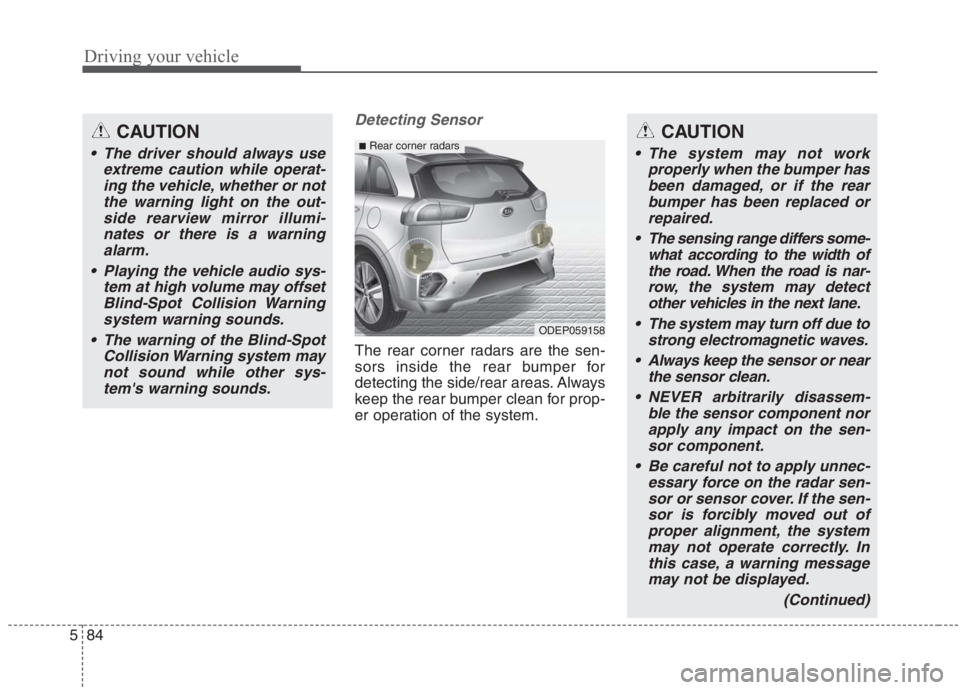
The rear corner radars are the sen-
sors inside the rear bumper for
detecting the side/rear areas. Always
keep the rear bumper clean for prop-
er operation of the system.
CAUTION
The driver should always use
extreme caution while operat-
ing the vehicle, whether or not
the warning light on the out-
side rearview mirror illumi-
nates or there is a warning
alarm.
Playing the vehicle audio sys-
tem at high volume may offset
Blind-Spot Collision Warning
system warning sounds.
The warning of the Blind-Spot
Collision Warning system may
not sound while other sys-
tem's warning sounds.
ODEP059158
■Rear corner radarsCAUTION
The system may not work
properly when the bumper has
been damaged, or if the rear
bumper has been replaced or
repaired.
The sensing range differs some-
what according to the width of
the road. When the road is nar-
row, the system may detect
other vehicles in the next lane.
The system may turn off due to
strong electromagnetic waves.
Always keep the sensor or near
the sensor clean.
NEVER arbitrarily disassem-
ble the sensor component nor
apply any impact on the sen-
sor component.
Be careful not to apply unnec-
essary force on the radar sen-
sor or sensor cover. If the sen-
sor is forcibly moved out of
proper alignment, the system
may not operate correctly. In
this case, a warning message
may not be displayed.
(Continued)
Page 411 of 667
585
Driving your vehicle
Warning message
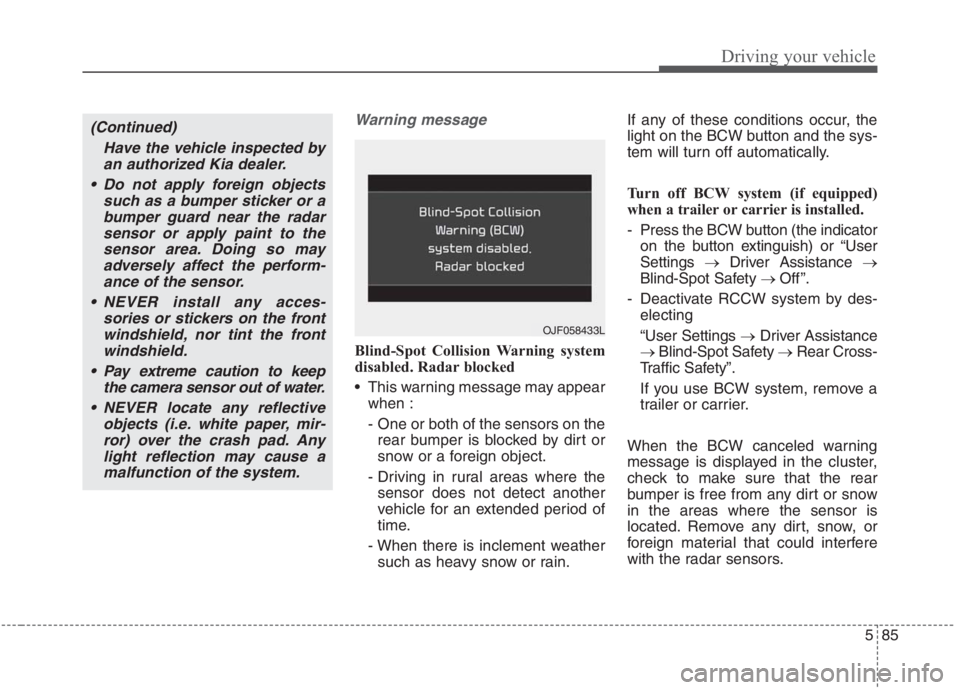
Blind-Spot Collision Warning system
disabled. Radar blocked
This warning message may appear
when :
- One or both of the sensors on the
rear bumper is blocked by dirt or
snow or a foreign object.
- Driving in rural areas where the
sensor does not detect another
vehicle for an extended period of
time.
- When there is inclement weather
such as heavy snow or rain.If any of these conditions occur, the
light on the BCW button and the sys-
tem will turn off automatically.
Turn off BCW system (if equipped)
when a trailer or carrier is installed.
- Press the BCW button (the indicator
on the button extinguish) or “User
Settings →Driver Assistance →
Blind-Spot Safety → Off ”.
- Deactivate RCCW system by des-
electing
“User Settings →Driver Assistance
→Blind-Spot Safety →Rear Cross-
Traffic Safety”.
If you use BCW system, remove a
trailer or carrier.
When the BCW canceled warning
message is displayed in the cluster,
check to make sure that the rear
bumper is free from any dirt or snow
in the areas where the sensor is
located. Remove any dirt, snow, or
foreign material that could interfere
with the radar sensors.
(Continued)
Have the vehicle inspected by
an authorized Kia dealer.
Do not apply foreign objects
such as a bumper sticker or a
bumper guard near the radar
sensor or apply paint to the
sensor area. Doing so may
adversely affect the perform-
ance of the sensor.
NEVER install any acces-
sories or stickers on the front
windshield, nor tint the front
windshield.
Pay extreme caution to keep
the camera sensor out of water.
NEVER locate any reflective
objects (i.e. white paper, mir-
ror) over the crash pad. Any
light reflection may cause a
malfunction of the system.
OJF058433L
Page 416 of 667
Driving your vehicle
90 5
DAW system displays the driver’s
attention level by integrating driving
pattern and informs the driver when
the vehicle ahead depart while stop-
pingLow Activity Warning
Display the driver's attention level
and advise taking a break if the
attention level is below a certain
level.
System setting
To turn ON Driver Attention
Warning system, turn on the
engine, and then selecting “User
Settings →Driver Assistance →
Driver Attention Warning →Low
Activity Warning” on the LCD dis-
play.
DRIVER ATTENTION WARNING (DAW) (IF EQUIPPED)
Page 417 of 667
591
Driving your vehicle
Warning Timing
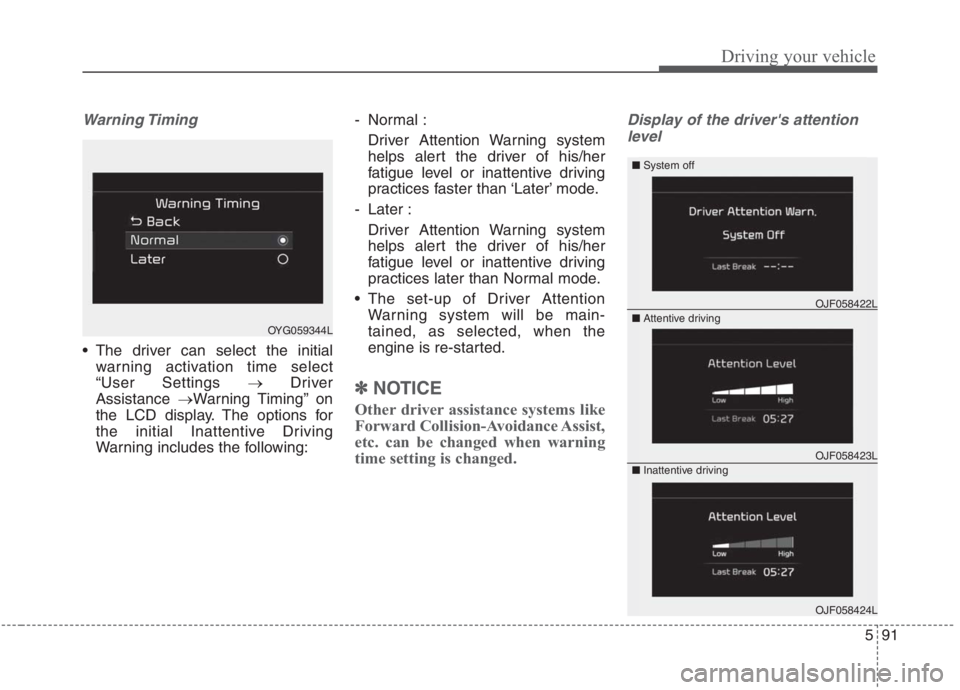
The driver can select the initial
warning activation time select
“User Settings →Driver
Assistance →Warning Timing” on
the LCD display. The options for
the initial Inattentive Driving
Warning includes the following:- Normal :
Driver Attention Warning system
helps alert the driver of his/her
fatigue level or inattentive driving
practices faster than ‘Later’ mode.
- Later :
Driver Attention Warning system
helps alert the driver of his/her
fatigue level or inattentive driving
practices later than Normal mode.
The set-up of Driver Attention
Warning system will be main-
tained, as selected, when the
engine is re-started.
✽ ✽
NOTICE
Other driver assistance systems like
Forward Collision-Avoidance Assist,
etc. can be changed when warning
time setting is changed.
Display of the driver's attention
level
OJF058423L
OJF058422L
OJF058424L
OYG059344L■ System off
■ Attentive driving
■ Inattentive driving
Page 418 of 667
Driving your vehicle
92 5
The driver can monitor their driving
conditions on the LCD display.
- Select ‘Driving Assist’ mode and
then “Driver Attention Warning”
(For more information, refer to
“LCD Display” in chapter 4.)
If your vehicle is equipped with
additional Infotainment System,
please scan the QR code in a sep-
arately supplied Car Infotainment
System Quick Reference Guide.
The driver's attention level is dis-
played on the scale of 1 to 5. The
lower the level is, the more inatten-
tive the driver is.
The level decreases when the driv-
er does not take a break for a cer-
tain period of time.Take a break
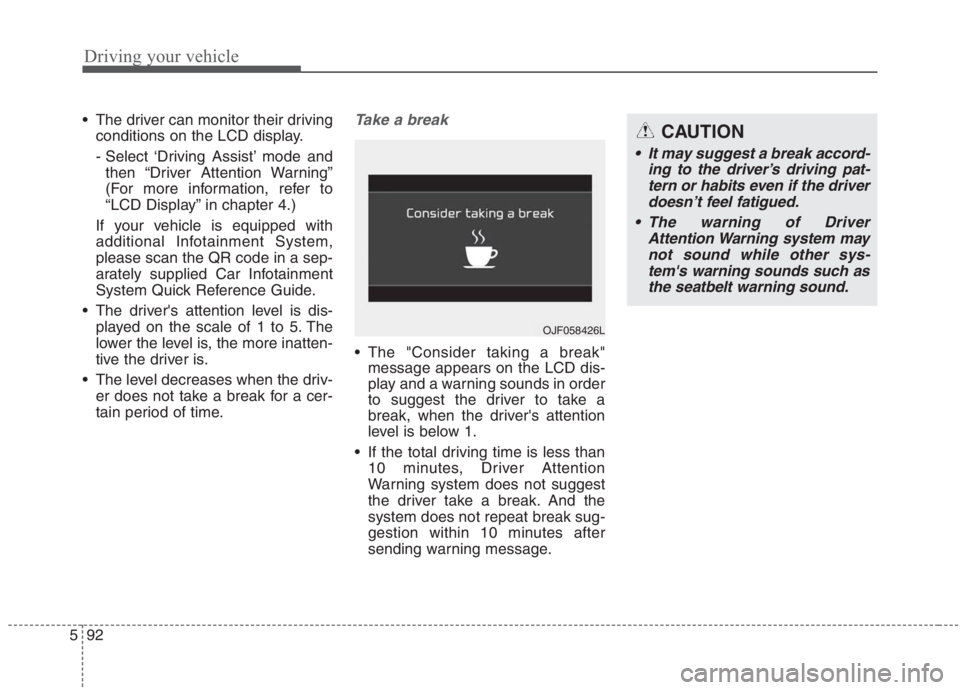
The "Consider taking a break"
message appears on the LCD dis-
play and a warning sounds in order
to suggest the driver to take a
break, when the driver's attention
level is below 1.
If the total driving time is less than
10 minutes, Driver Attention
Warning system does not suggest
the driver take a break. And the
system does not repeat break sug-
gestion within 10 minutes after
sending warning message.
OJF058426L
CAUTION
It may suggest a break accord-
ing to the driver’s driving pat-
tern or habits even if the driver
doesn’t feel fatigued.
The warning of Driver
Attention Warning system may
not sound while other sys-
tem's warning sounds such as
the seatbelt warning sound.
Page 419 of 667
593
Driving your vehicle
Resetting the function
The last break time is set to 00:00
and the driver's attention level is
set to 5 (very attentive) when the
driver resets the Inattentive driving
warning function.
Inattentive driving warning function
resets in the following situations.
- The engine is turned OFF.
- The driver unfastens the seat belt
and then opens the driver’s door.
- The vehicle is stopped for more
than 10 minutes.
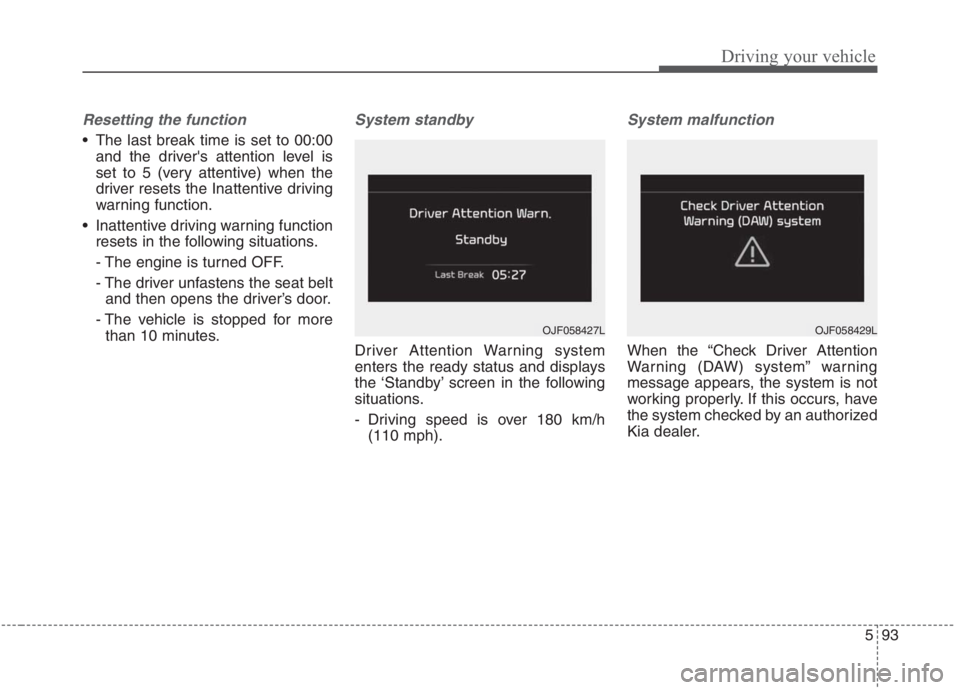
System standby
Driver Attention Warning system
enters the ready status and displays
the ‘Standby’ screen in the following
situations.
- Driving speed is over 180 km/h
(110 mph).
System malfunction
When the “Check Driver Attention
Warning (DAW) system” warning
message appears, the system is not
working properly. If this occurs, have
the system checked by an authorized
Kia dealer.
OJF058429LOJF058427L
Page 422 of 667
Driving your vehicle
96 5
Function setting
With the vehicle ON, Leading Vehicle
Departure Alert function turns on and
gets ready to be activated when the
“User Settings → Driver Assistance →
Driver Attention Warning → Leading
Vehicle Departure Alert” is selected on
the cluster. The function stops opera-
tion when the setting is deactivated.
However, if the vehicle is turned off
then onagain, the function maintains
the previous state.
Operating conditions
If the driver does not take action for a
certain period of time after the vehi-
cle in front departs, the “Leading
vehicle is driving away” message is
displayed on the cluster.WARNING
This function is a driver assis-
tance device and may not
alert the driver even after the
leading vehicle's departure.
Even if you are alerted of the
leading vehicle's departure,
always check the traffic condi-
tions yourself before safely
moving the vehicle.
Page 429 of 667
5103
Driving your vehicle
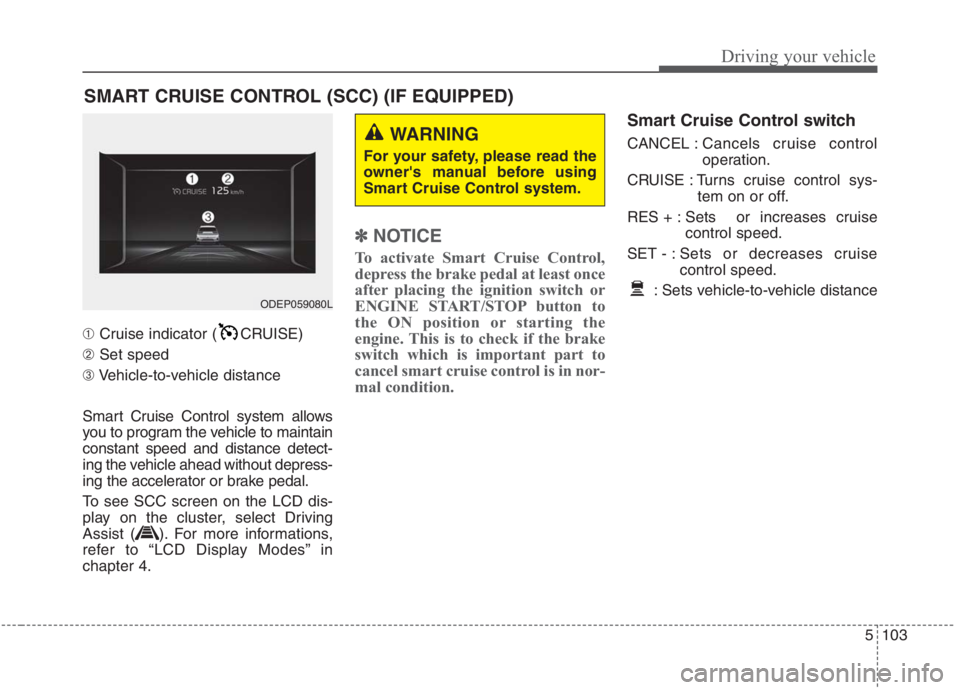
➀Cruise indicator ( CRUISE)
➁Set speed
➂Vehicle-to-vehicle distance
Smart Cruise Control system allows
you to program the vehicle to maintain
constant speed and distance detect-
ing the vehicle ahead without depress-
ing the accelerator or brake pedal.
To see SCC screen on the LCD dis-
play on the cluster, select Driving
Assist ( ). For more informations,
refer to “LCD Display Modes” in
chapter 4.
✽ ✽
NOTICE
To activate Smart Cruise Control,
depress the brake pedal at least once
after placing the ignition switch or
ENGINE START/STOP button to
the ON position or starting the
engine. This is to check if the brake
switch which is important part to
cancel smart cruise control is in nor-
mal condition.
Smart Cruise Control switch
CANCEL :Cancels cruise control
operation.
CRUISE : Turns cruise control sys-
tem on or off.
RES + : Sets or increases cruise
control speed.
SET - : Sets or decreases cruise
control speed.
: Sets vehicle-to-vehicle distance
SMART CRUISE CONTROL (SCC) (IF EQUIPPED)
WARNING
For your safety, please read the
owner's manual before using
Smart Cruise Control system.
ODEP059080L
Page 433 of 667
5107
Driving your vehicle
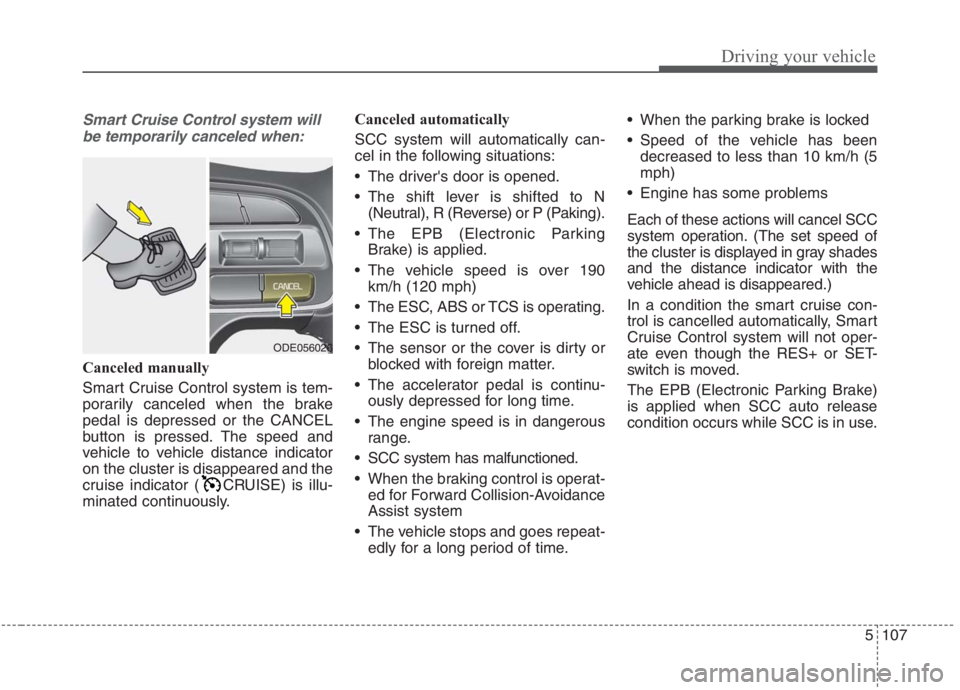
Smart Cruise Control system will
be temporarily canceled when:
Canceled manually
Smart Cruise Control system is tem-
porarily canceled when the brake
pedal is depressed or the CANCEL
button is pressed. The speed and
vehicle to vehicle distance indicator
on the cluster is disappeared and the
cruise indicator ( CRUISE) is illu-
minated continuously.Canceled automatically
SCC system will automatically can-
cel in the following situations:
The driver's door is opened.
The shift lever is shifted to N
(Neutral), R (Reverse) or P (Paking).
The EPB (Electronic Parking
Brake) is applied.
The vehicle speed is over 190
km/h (120 mph)
The ESC, ABS or TCS is operating.
The ESC is turned off.
The sensor or the cover is dirty or
blocked with foreign matter.
The accelerator pedal is continu-
ously depressed for long time.
The engine speed is in dangerous
range.
SCC system has malfunctioned.
When the braking control is operat-
ed for Forward Collision-Avoidance
Assist system
The vehicle stops and goes repeat-
edly for a long period of time. When the parking brake is locked
Speed of the vehicle has been
decreased to less than 10 km/h (5
mph)
Engine has some problems
Each of these actions will cancel SCC
system operation. (The set speed of
the cluster is displayed in gray shades
and the distance indicator with the
vehicle ahead is disappeared.)
In a condition the smart cruise con-
trol is cancelled automatically, Smart
Cruise Control system will not oper-
ate even though the RES+ or SET-
switch is moved.
The EPB (Electronic Parking Brake)
is applied when SCC auto release
condition occurs while SCC is in use.
ODE056026