warning KIA NIRO PHEV 2021 Owners Manual
[x] Cancel search | Manufacturer: KIA, Model Year: 2021, Model line: NIRO PHEV, Model: KIA NIRO PHEV 2021Pages: 710, PDF Size: 14.77 MB
Page 412 of 710
589
Driving your vehicle
The color of indicator will change
depend on the condition of LKA.
- White : Sensor does not detect
the lane marker or vehicle
speed is less than 40 mph
(60 km/h).
- Green : Sensor detects the lane
marker and function is
able to control the steer-
ing.Function setting
The driver can change LKA to Lane
Departure Warning (LDW) or change
the LKA mode from the LCD display.
“User Settings Driver Assistance
Lane Safety Lane Keeping
Assist/Lane Departure Warning/Off ”
Lane Keeping Assist
LKA mode guides the driver to keep
the vehicle within the lanes. It rarely
controls the steering wheel, when
the vehicle drives well inside the
lanes. However, it starts to control
the steering wheel, when the vehicle
is about to deviate from the lanes.
Lane Departure Warning
LDW warns the driver with a visual
and acoustic warning when the func-
tion detects the vehicle leaving the
lane. In this mode, the steering wheel
will not be controlled. When the vehi-
cle’s front wheel contacts the inside
edge of lane line, the contacted line
will be displayed on the LCD display.
Off
If you select ‘Off’, it is the same with
pressing Lane Safety ( ) button
to release.
Page 413 of 710
Driving your vehicle
90
5
LKA activation
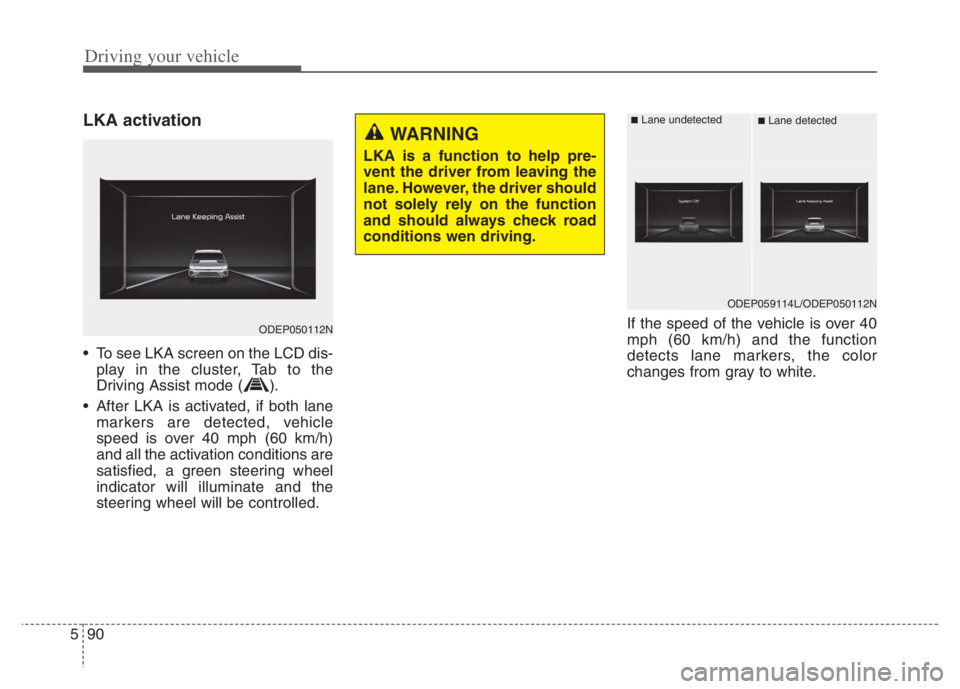
• To see LKA screen on the LCD dis-
play in the cluster, Tab to the
Driving Assist mode ( ).
After LKA is activated, if both lane markers are detected, vehicle
speed is over 40 mph (60 km/h)
and all the activation conditions are
satisfied, a green steering wheel
indicator will illuminate and the
steering wheel will be controlled. If the speed of the vehicle is over 40
mph (60 km/h) and the function
detects lane markers, the color
changes from gray to white.
ODEP050112N
WARNING
LKA is a function to help pre-
vent the driver from leaving the
lane. However, the driver should
not solely rely on the function
and should always check road
conditions wen driving.
ODEP059114L/ODEP050112N
■Lane undetected■Lane detected
Page 414 of 710
591
Driving your vehicle
Warning
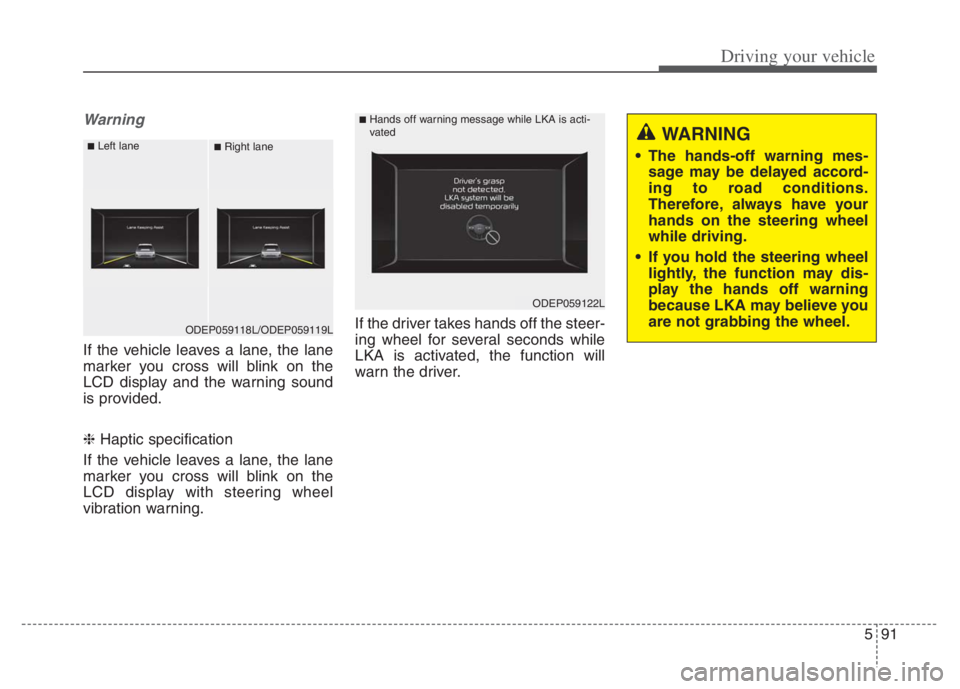
If the vehicle leaves a lane, the lane
marker you cross will blink on the
LCD display and the warning sound
is provided.
❈ Haptic specification
If the vehicle leaves a lane, the lane
marker you cross will blink on the
LCD display with steering wheel
vibration warning.If the driver takes hands off the steer-
ing wheel for several seconds while
LKA is activated, the function will
warn the driver.
ODEP059118L/ODEP059119L
■Left lane■Right lane
ODEP059122L
■Hands off warning message while LKA is acti-
vated
WARNING
The hands-off warning mes-
sage may be delayed accord-
ing to road conditions.
Therefore, always have your
hands on the steering wheel
while driving.
If you hold the steering wheel
lightly, the function may dis-
play the hands off warning
because LKA may believe you
are not grabbing the wheel.
Page 415 of 710
Driving your vehicle
92 5
✽
✽
NOTICE
• Even though the steering is assist-
ed by the function, the driver may
control the steering.
• The steering wheel may feel heav-
ier when the steering wheel is
assisted by the function than when
it is not.
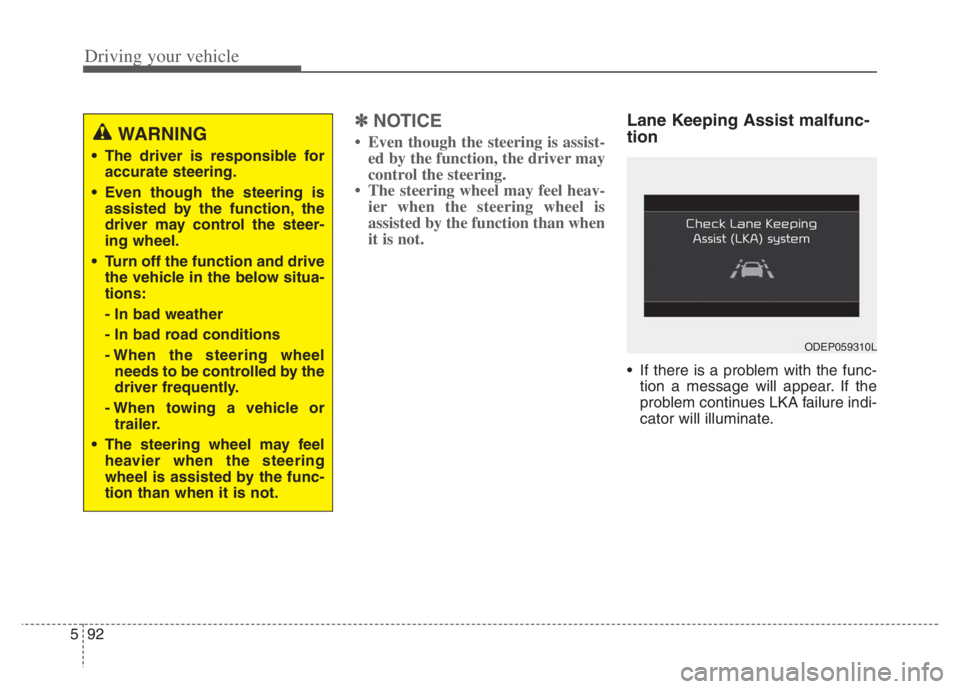
Lane Keeping Assist malfunc-
tion
If there is a problem with the func-
tion a message will appear. If the
problem continues LKA failure indi-
cator will illuminate.
WARNING
The driver is responsible for
accurate steering.
Even though the steering is
assisted by the function, the
driver may control the steer-
ing wheel.
Turn off the function and drive
the vehicle in the below situa-
tions:
- In bad weather
- In bad road conditions
- When the steering wheel
needs to be controlled by the
driver frequently.
- When towing a vehicle or
trailer.
The steering wheel may feel
heavier when the steering
wheel is assisted by the func-
tion than when it is not.
ODEP059310L
Page 418 of 710
595
Driving your vehicle
WARNING
LKA is a function to help pre-
vent the driver from leaving the
lane. However, the driver should
not solely rely on the function
and should always drive safely
and exercise safe driving prac-
tices.
Page 419 of 710
Driving your vehicle
96 5
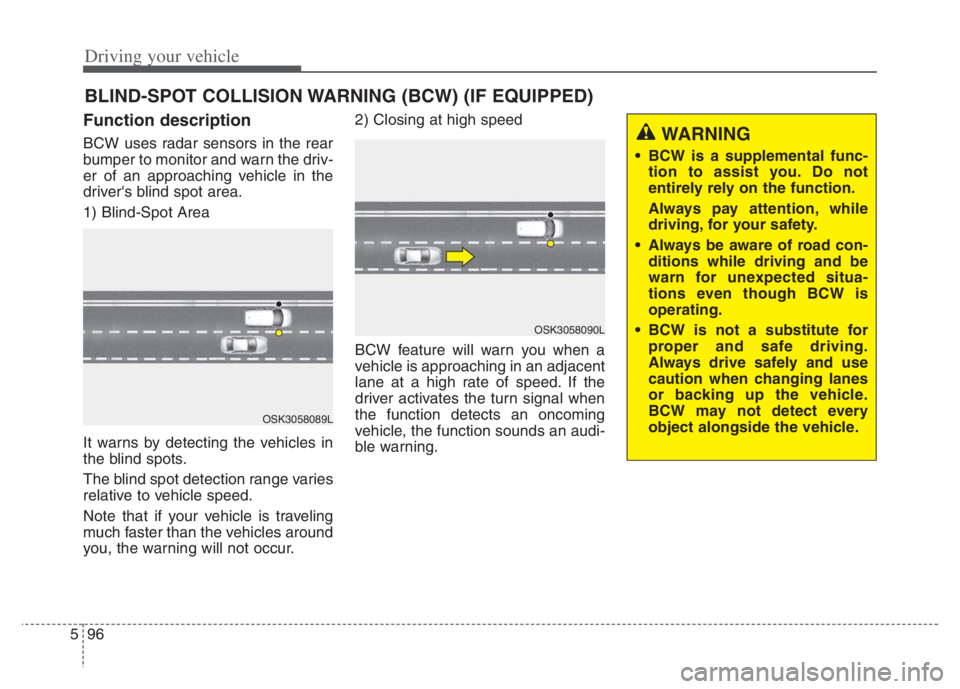
Function description
BCW uses radar sensors in the rear
bumper to monitor and warn the driv-
er of an approaching vehicle in the
driver's blind spot area.
1) Blind-Spot Area
It warns by detecting the vehicles in
the blind spots.
The blind spot detection range varies
relative to vehicle speed.
Note that if your vehicle is traveling
much faster than the vehicles around
you, the warning will not occur.2) Closing at high speed
BCW feature will warn you when a
vehicle is approaching in an adjacent
lane at a high rate of speed. If the
driver activates the turn signal when
the function detects an oncoming
vehicle, the function sounds an audi-
ble warning.
BLIND-SPOT COLLISION WARNING (BCW) (IF EQUIPPED)
OSK3058089L
OSK3058090L
WARNING
BCW is a supplemental func-
tion to assist you. Do not
entirely rely on the function.
Always pay attention, while
driving, for your safety.
Always be aware of road con-
ditions while driving and be
warn for unexpected situa-
tions even though BCW is
operating.
BCW is not a substitute for
proper and safe driving.
Always drive safely and use
caution when changing lanes
or backing up the vehicle.
BCW may not detect every
object alongside the vehicle.
Page 420 of 710
597
Driving your vehicle
Function setting and activa-
tion
Function setting
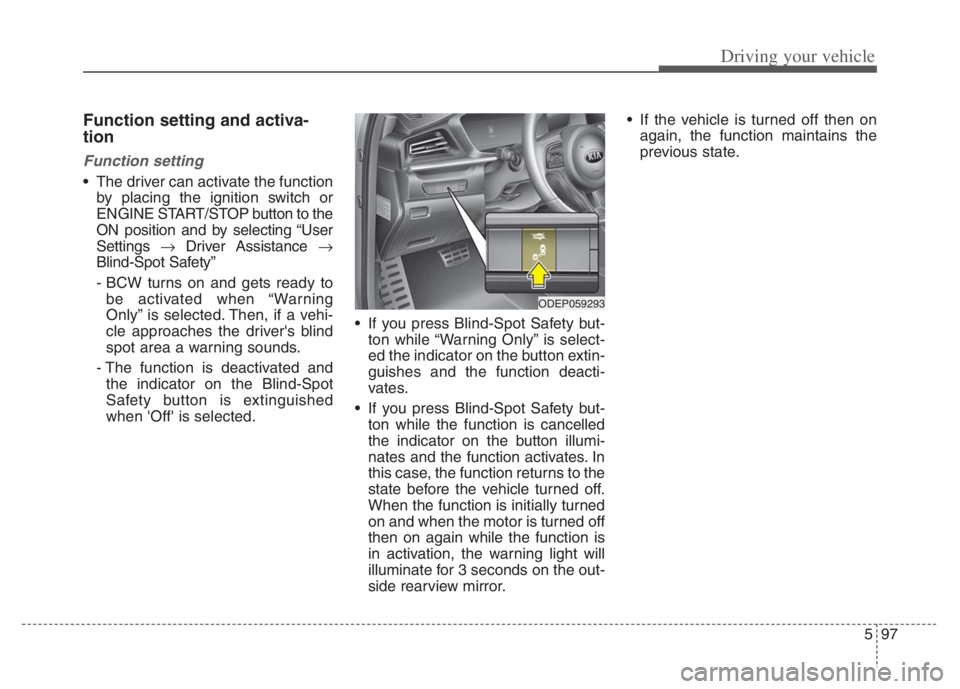
The driver can activate the function
by placing the ignition switch or
ENGINE START/STOP button to the
ON position and by selecting “User
Settings Driver Assistance
Blind-Spot Safety”
- BCW turns on and gets ready to
be activated when “Warning
Only” is selected. Then, if a vehi-
cle approaches the driver's blind
spot area a warning sounds.
- The function is deactivated and
the indicator on the Blind-Spot
Safety button is extinguished
when 'Off' is selected. If you press Blind-Spot Safety but-
ton while “Warning Only” is select-
ed the indicator on the button extin-
guishes and the function deacti-
vates.
If you press Blind-Spot Safety but-
ton while the function is cancelled
the indicator on the button illumi-
nates and the function activates. In
this case, the function returns to the
state before the vehicle turned off.
When the function is initially turned
on and when the motor is turned off
then on again while the function is
in activation, the warning light will
illuminate for 3 seconds on the out-
side rearview mirror. If the vehicle is turned off then on
again, the function maintains the
previous state.
ODEP059293
Page 421 of 710
Driving your vehicle
98 5
Warning Timing
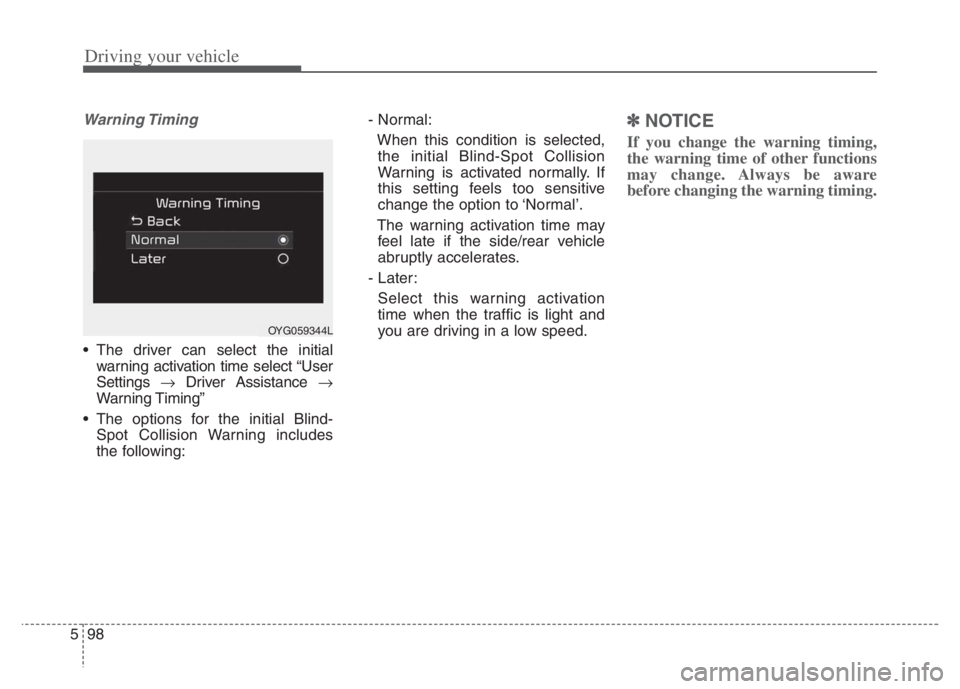
The driver can select the initial
warning activation time select “User
Settings Driver Assistance
Warning Timing”
The options for the initial Blind-
Spot Collision Warning includes
the following:- Normal:
When this condition is selected,
the initial Blind-Spot Collision
Warning is activated normally. If
this setting feels too sensitive
change the option to ‘Normal’.
The warning activation time may
feel late if the side/rear vehicle
abruptly accelerates.
- Later:
Select this warning activation
time when the traffic is light and
you are driving in a low speed.
✽ ✽
NOTICE
If you change the warning timing,
the warning time of other functions
may change. Always be aware
before changing the warning timing.
OYG059344L
Page 422 of 710
599
Driving your vehicle
Operating conditions
The function enters the ready status,
when ‘Warning Only’ is selected and
the following conditions are satisfied:
(1) Blind-Spot Collision Warning will
activate when:
- The vehicle speed above approxi-
mately 20 mph (30 km/h).
Warning message and func-
tion control
Blind-Spot Collision Warning
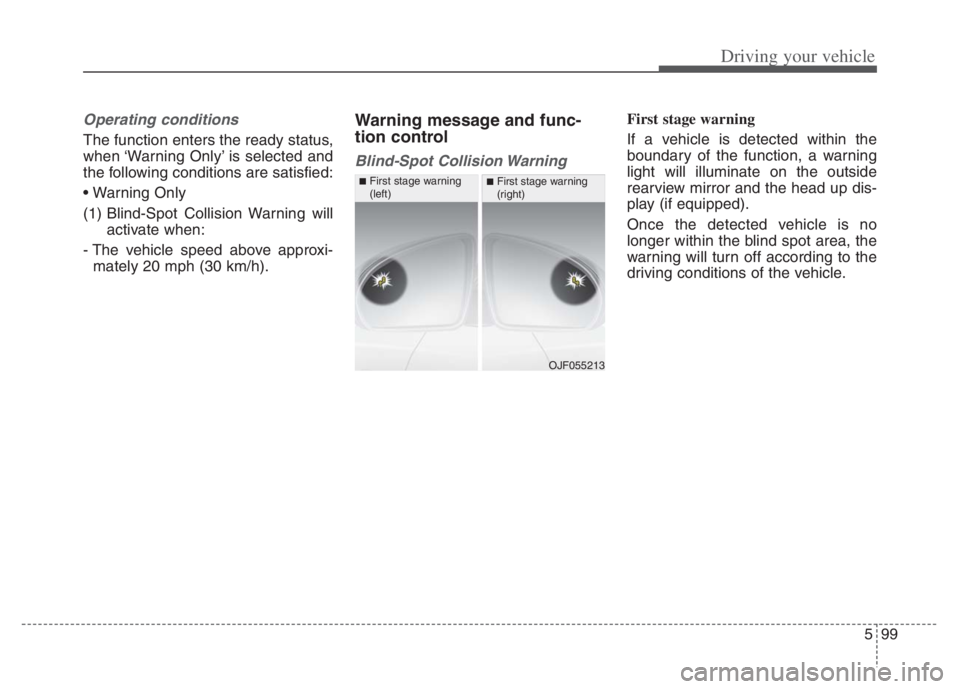
First stage warning
If a vehicle is detected within the
boundary of the function, a warning
light will illuminate on the outside
rearview mirror and the head up dis-
play (if equipped).
Once the detected vehicle is no
longer within the blind spot area, the
warning will turn off according to the
driving conditions of the vehicle.
OJF055213
■First stage warning
(left)■First stage warning
(right)
Page 423 of 710
![KIA NIRO PHEV 2021 Owners Manual Driving your vehicle
100 5
ORJ058128ORJ058129
[A] : Warning sound
Second stage warning
A warning chime to warn the driver will activate when:
1. At the First stage warning (the warning light illuminat](/img/2/54749/w960_54749-422.png "KIA NIRO PHEV 2021 Owners Manual Driving your vehicle
100 5
ORJ058128ORJ058129
[A] : Warning sound
Second stage warning
A warning chime to warn the driver will activate when:
1. At the First stage warning (the warning light illuminat")
Driving your vehicle
100 5
ORJ058128ORJ058129
[A] : Warning sound
Second stage warning
A warning chime to warn the driver will activate when:
1. At the First stage warning (the warning light illuminate on the outside
review mirror and the head up display (if equipped) AND
2. The turn signal is applied (same side as where the vehicle is being detected).
When this warning is activated, the warning light on the outside rearview mirror
and the head up display (if equipped) will also blink. And a warning chime will
sound.
If you turn off the turn signal indicator, the second stage warning will be deacti-
vated.
Once the detected vehicle is no longer within the blind spot area, the warn-
ing will turn off according to the driving conditions of the vehicle.
■Second stage warning (left)■Second stage warning (right)
WARNING
The warning light on the out-
side rearview mirror will illu-
minate whenever a vehicle is
detected at the rear side by
the function.
To avoid accidents, do not
focus only on the warning
light and neglect to check the
vehicle surroundings.
Drive safely even though the
vehicle is equipped with
Blind-Spot Collision Warning.
Do not solely rely on the func-
tion but check your surround-
ings before changing lanes or
backing the vehicle up.
The function may not warn the
driver in some situations so
always check your surround-
ings while driving.