warning KIA NIRO PHEV 2021 Owners Manual
[x] Cancel search | Manufacturer: KIA, Model Year: 2021, Model line: NIRO PHEV, Model: KIA NIRO PHEV 2021Pages: 710, PDF Size: 14.77 MB
Page 458 of 710
5135
Driving your vehicle
1. Turn Smart Cruise Control on (the
cruise indicator light will be on but
the function will not be activated).
2. Push the distance to distance
switch for more than 2 seconds.
3. Choose between "Smart Cruise
Control" and "Cruise Control".
When the function is canceled using
the Driving Assist button or the
Driving Assist button is used after the
engine is turned on, Smart Cruise
Control mode will turn on.Limitations of the function
Smart Cruise Control may have lim-
its to its ability to detect distance to
the vehicle ahead due to road and
traffic conditions.
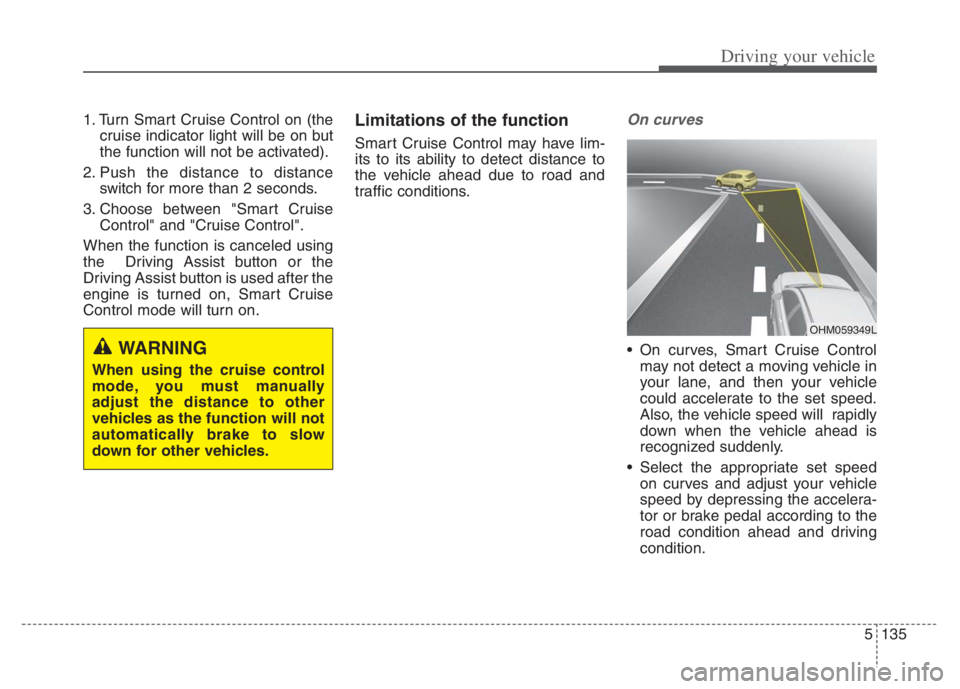
On curves
On curves, Smart Cruise Control
may not detect a moving vehicle in
your lane, and then your vehicle
could accelerate to the set speed.
Also, the vehicle speed will rapidly
down when the vehicle ahead is
recognized suddenly.
Select the appropriate set speed
on curves and adjust your vehicle
speed by depressing the accelera-
tor or brake pedal according to the
road condition ahead and driving
condition.WARNING
When using the cruise control
mode, you must manually
adjust the distance to other
vehicles as the function will not
automatically brake to slow
down for other vehicles.
OHM059349L
Page 462 of 710
5139
Driving your vehicle
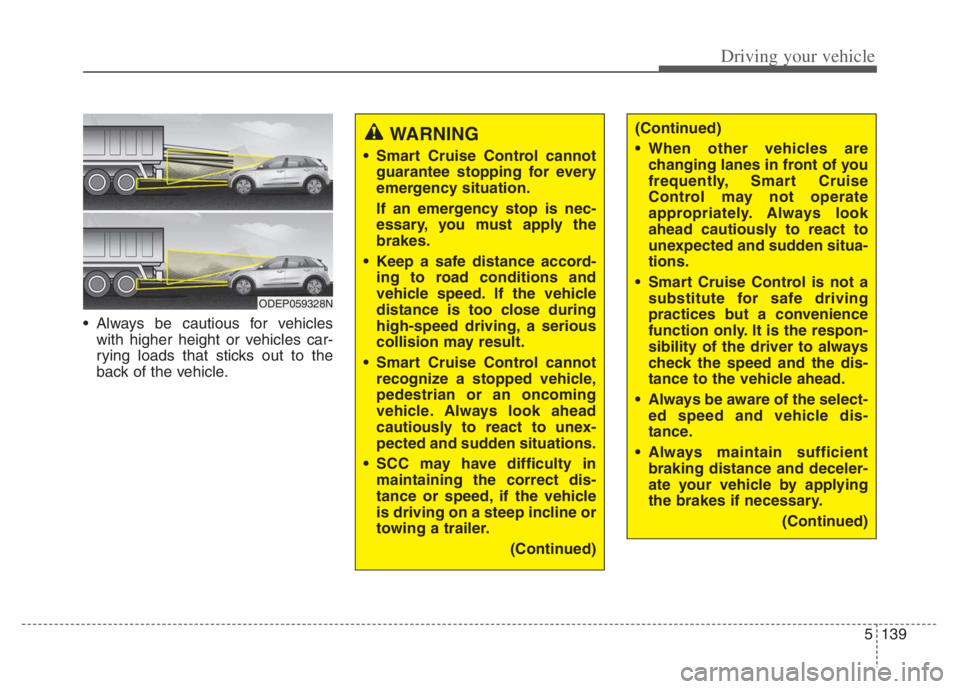
Always be cautious for vehicles
with higher height or vehicles car-
rying loads that sticks out to the
back of the vehicle.
WARNING
Smart Cruise Control cannot
guarantee stopping for every
emergency situation.
If an emergency stop is nec-
essary, you must apply the
brakes.
Keep a safe distance accord-
ing to road conditions and
vehicle speed. If the vehicle
distance is too close during
high-speed driving, a serious
collision may result.
Smart Cruise Control cannot
recognize a stopped vehicle,
pedestrian or an oncoming
vehicle. Always look ahead
cautiously to react to unex-
pected and sudden situations.
SCC may have difficulty in
maintaining the correct dis-
tance or speed, if the vehicle
is driving on a steep incline or
towing a trailer.
(Continued)
ODEP059328N
(Continued)
When other vehicles are
changing lanes in front of you
frequently, Smart Cruise
Control may not operate
appropriately. Always look
ahead cautiously to react to
unexpected and sudden situa-
tions.
Smart Cruise Control is not a
substitute for safe driving
practices but a convenience
function only. It is the respon-
sibility of the driver to always
check the speed and the dis-
tance to the vehicle ahead.
Always be aware of the select-
ed speed and vehicle dis-
tance.
Always maintain sufficient
braking distance and deceler-
ate your vehicle by applying
the brakes if necessary.
(Continued)
Page 463 of 710
Driving your vehicle
140 5
CAUTION
Smart Cruise Control may not
operate temporarily due to elec-
trical interference.
(Continued)
As Smart Cruise Control may
not recognize complex driv-
ing situations, always pay
attention to driving conditions
and control your vehicle
speed.
For safe operation, carefully
read and follow the instruc-
tions in this manual before
use.
If another warning sound,
such as the fasten seat belt
warning, is played, SCC warn-
ing sound may not occur.
When driving with SCC set,
the function may not detect
parked vehicles ahead. Be
careful if this occurs and do
not rely solely on SCC.
Please turn off SCC when the
vehicle is being towed.
(Continued)(Continued)
If the vehicle ahead is no
longer detected while you are
driving with the set distance,
the vehicle may accelerate
until it reached the set speed.
If this occurs, be cautious and
control your vehicle speed if
needed.
Be cautious and be careful of
dangerous situations when
driving on a slippery road.
Beware of dangerous situa-
tions as you may quickly pass
the vehicle driving in the next
lane.
Page 469 of 710
![KIA NIRO PHEV 2021 Owners Manual Driving your vehicle
146 5
[3]: Driving route, [4]: Main road, [5]: Set route,
[6]: Branch line
When there is a difference
between the navigation route
(main road) and the driving route
(branch line](/img/2/54749/w960_54749-468.png "KIA NIRO PHEV 2021 Owners Manual Driving your vehicle
146 5
[3]: Driving route, [4]: Main road, [5]: Set route,
[6]: Branch line
When there is a difference
between the navigation route
(main road) and the driving route
(branch line")
Driving your vehicle
146 5
[3]: Driving route, [4]: Main road, [5]: Set route,
[6]: Branch line
When there is a difference
between the navigation route
(main road) and the driving route
(branch line), Highway Auto Curve
Slowdown function may temporari-
ly operate due to the navigation
information of the highway curve
section.
When it is judged that you are driv-
ing out of the route by entering the
highway interchange and junction,
Highway Auto Curve Slowdown
function will not operate.
[3]: Driving route, [5]: Main road, [6]: Branch
line
If there is no destination set on the
navigation, Highway Auto Curve
Slowdown function will operate
based on the curve information on
the main road.
Even if you depart from the main
road, Highway Auto Curve
Slowdown function may temporari-
ly operate due to navigation infor-
mation of the highway curve sec-
tion
ODEP050002NOMQ4050208L
WARNING
Navigation-based Smart
Cruise Control is not a substi-
tute for safe driving practices,
but a convenience function.
Always have your eyes on the
road, and it is the responsibil-
ity of the driver to avoid violat-
ing traffic laws.
The navigation's speed limit
information may differ from
the actual speed limit informa-
tion on the road. It is the dri-
ver's responsibility to check
the speed limit on the actual
driving road or lane.
Highway Auto Curve
Slowdown will automatically
cancel when you leave the
main road of the highway.
Always pay attention to road
and driving conditions while
driving.
(Continued)
Page 472 of 710
5149
Driving your vehicle
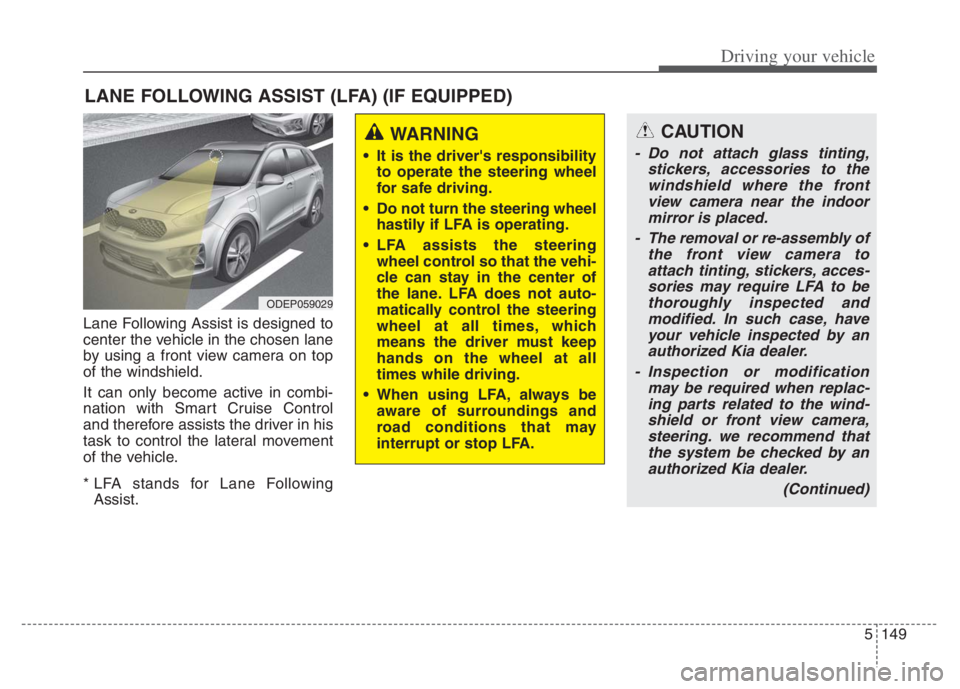
Lane Following Assist is designed to
center the vehicle in the chosen lane
by using a front view camera on top
of the windshield.
It can only become active in combi-
nation with Smart Cruise Control
and therefore assists the driver in his
task to control the lateral movement
of the vehicle.
* LFA stands for Lane Following
Assist.
LANE FOLLOWING ASSIST (LFA) (IF EQUIPPED)
ODEP059029
WARNING
It is the driver's responsibility
to operate the steering wheel
for safe driving.
Do not turn the steering wheel
hastily if LFA is operating.
LFA assists the steering
wheel control so that the vehi-
cle can stay in the center of
the lane. LFA does not auto-
matically control the steering
wheel at all times, which
means the driver must keep
hands on the wheel at all
times while driving.
When using LFA, always be
aware of surroundings and
road conditions that may
interrupt or stop LFA.
CAUTION
- Do not attach glass tinting,
stickers, accessories to the
windshield where the front
view camera near the indoor
mirror is placed.
- The removal or re-assembly of
the front view camera to
attach tinting, stickers, acces-
sories may require LFA to be
thoroughly inspected and
modified. In such case, have
your vehicle inspected by an
authorized Kia dealer.
- Inspection or modification
may be required when replac-
ing parts related to the wind-
shield or front view camera,
steering. we recommend that
the system be checked by an
authorized Kia dealer.
(Continued)
Page 473 of 710
Driving your vehicle
150 5
LFA operation
To use Lane Following Assist two
steps are necessary:
(1) LFA has to be enabled, and
(2) SCC has to be activated
With the ignition switch or ENGINE
START/STOP button in the [ON],
select or release the setting from
“User setting Driver Assistance
Driving Assist Lane Following
Assist”.
Select LFA in the user setting of the
instrument panel.
LFA status is remembered by the
function and therefore does not need
to be enabled again for each new
journey.
(Continued)
- Depending on your surround-
ings and road conditions, LFA
could fail to recognize the
lane and stop working. In turn,
extra caution is required
while driving with LFA on.
- Be sure to check the non-
operating conditions and cau-
tions for the driver before
using LFA.
- Do not place reflective materi-
als such as white paper or
mirror on the crash pad.
Sunlight reflections can cause
a malfunction in LFA.
- Too big sound from the sound
function can interrupt the
alarming sound from LFA.
(Continued)(Continued)
- Keeping your hands off the
wheel while driving will trigger
the hands-off warning and
deactivate the steering-assist
function. Put your hands back
on the wheel, then the steer-
ing-assist system will be re-
activated.
- When driving at a high speed,
the steering assist force can
become weak and the vehicle
can drive out of its lane. Extra
caution is required, and com-
ply with the speed limit.
- Attaching an object to the
steering wheel could deter
steering assistance.
- Attaching an object to the
steering wheel could deter the
hands-off alarming system.
Page 475 of 710
Driving your vehicle
152 5
LFA activation
If the vehicle is inside the lane with
both lanes recognized by the func-
tion, and there is no steep steering
made by the driver, LFA changes into
steering assist mode. The indicator
light will come on green, and the
function helps the vehicle stay in line
by controlling the steering wheel.
When the steering wheel is not con-
trolled temporarily, the indicator light
will flash green and changes to
white.
When the both lanes are not recog-
nized by the function, the function
controls the steering wheel limitedly
whether there is a vehicle in front or
not.
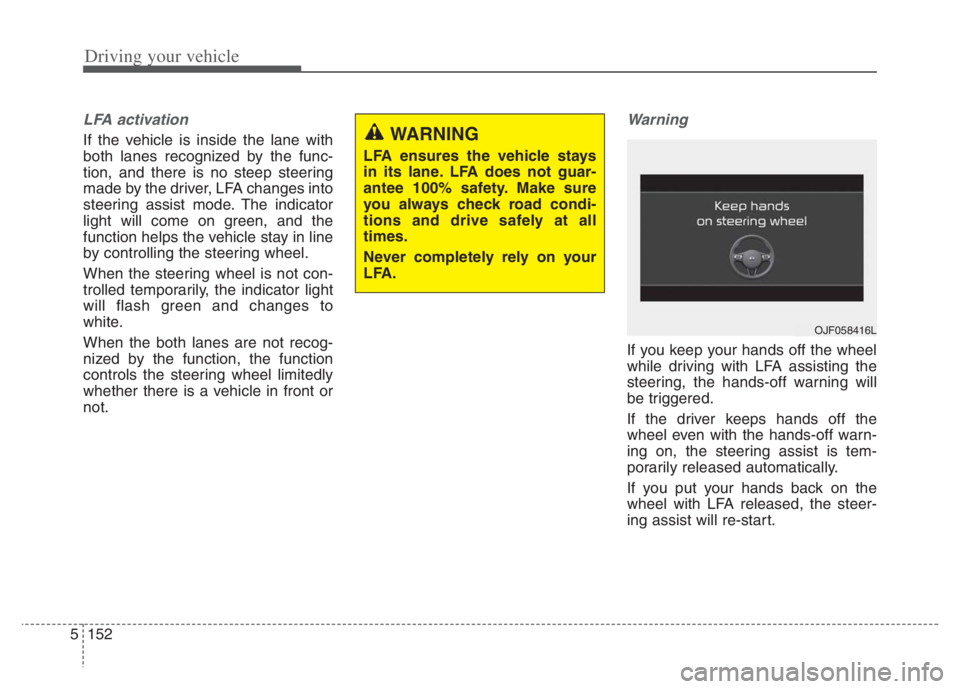
Warning
If you keep your hands off the wheel
while driving with LFA assisting the
steering, the hands-off warning will
be triggered.
If the driver keeps hands off the
wheel even with the hands-off warn-
ing on, the steering assist is tem-
porarily released automatically.
If you put your hands back on the
wheel with LFA released, the steer-
ing assist will re-start.
WARNING
LFA ensures the vehicle stays
in its lane. LFA does not guar-
antee 100% safety. Make sure
you always check road condi-
tions and drive safely at all
times.
Never completely rely on your
LFA.
OJF058416L
Page 476 of 710
5153
Driving your vehicle
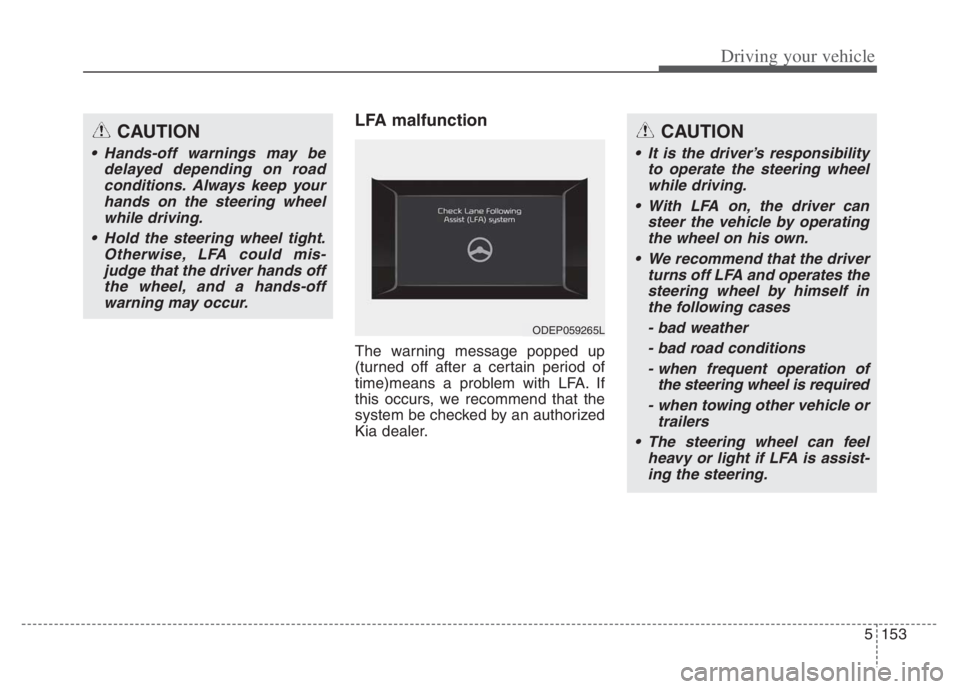
LFA malfunction
The warning message popped up
(turned off after a certain period of
time)means a problem with LFA. If
this occurs, we recommend that the
system be checked by an authorized
Kia dealer.
CAUTION
Hands-off warnings may be
delayed depending on road
conditions. Always keep your
hands on the steering wheel
while driving.
Hold the steering wheel tight.
Otherwise, LFA could mis-
judge that the driver hands off
the wheel, and a hands-off
warning may occur.
CAUTION
It is the driver’s responsibility
to operate the steering wheel
while driving.
With LFA on, the driver can
steer the vehicle by operating
the wheel on his own.
We recommend that the driver
turns off LFA and operates the
steering wheel by himself in
the following cases
- bad weather
- bad road conditions
- when frequent operation of
the steering wheel is required
- when towing other vehicle or
trailers
The steering wheel can feel
heavy or light if LFA is assist-
ing the steering.
ODEP059265L
Page 477 of 710
Driving your vehicle
154 5
Limitation of the function
If the driver turns on the turn signal
light or the emergency warning
light to change the lane
- Operate the turn signal light
switch before changing the lane
- If you change the lane without
operating the turn signal lights,
steering reaction force of the
wheel may occur.
Once LFA is turned on or the lane
is changed, the vehicle should be
in the center of the road to switch
to the steering assist mode. If the
driver keeps driving along the lane,
LFA will not assist the steering.
When the ESC or VSM is activat-
ed, the function does not assist
steering.
When driving on a curved road at a
high speed, steering assist mode
may not work.
When driving at a speed faster
than 110 mph (180 km/h), steering
assist mode may not work. When sudden steering is made,
the function could be temporarily
deactivated.
If you change the lane in a hurry,
the function does not assist the
steering.
If the vehicle suddenly stops, it
does not assist the steering.
If the lane is too narrow or too
wide, steering is not assisted.
If the function is not able to recog-
nize a vehicle in front and either of
the lanes is not recognized, the
steering is not assisted
If the radius is too small for the
curve
Cautions for the driver
If the lane recognition is difficult or
limited for LFA as shown below, the
driver may need to be careful
because it may not operate or may
cause unnecessary operation.
• Roads or lane markings in bad con-
dition
- When The lane is tainted or invisible
- When the driver cannot see the
lane due to rain, snow, dust,
sand, oil, puddles, etc
- When roads are set or the colors
of the lane and road are not dis-
tinctive
- If there is a sign other than the
lane near the lane or a mark sim-
ilar to the lane
- When the lane is not clear or
damaged
- If the road is covered in the shad-
ows of objects around the road,
such as medians, guard rails,
noise walls, and trees
Page 479 of 710
Driving your vehicle
156 5
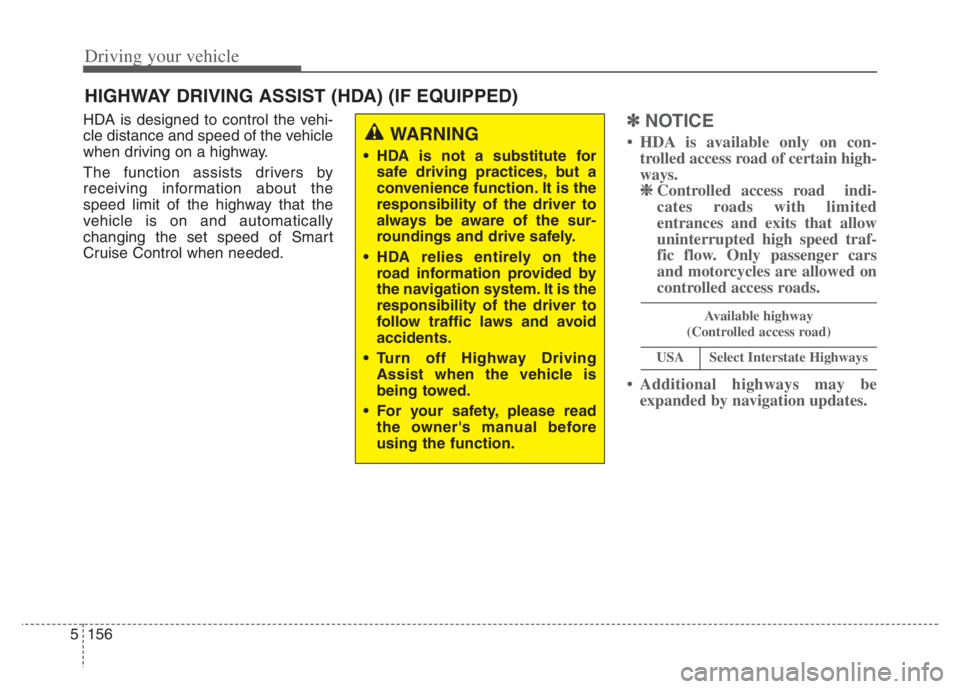
HDA is designed to control the vehi-
cle distance and speed of the vehicle
when driving on a highway.
The function assists drivers by
receiving information about the
speed limit of the highway that the
vehicle is on and automatically
changing the set speed of Smart
Cruise Control when needed.✽ ✽
NOTICE
• HDA is available only on con-
trolled access road of certain high-
ways.
❈ ❈
Controlled access road indi-
cates roads with limited
entrances and exits that allow
uninterrupted high speed traf-
fic flow. Only passenger cars
and motorcycles are allowed on
controlled access roads.
• Additional highways may be
expanded by navigation updates.
HIGHWAY DRIVING ASSIST (HDA) (IF EQUIPPED)
WARNING
HDA is not a substitute for
safe driving practices, but a
convenience function. It is the
responsibility of the driver to
always be aware of the sur-
roundings and drive safely.
HDA relies entirely on the
road information provided by
the navigation system. It is the
responsibility of the driver to
follow traffic laws and avoid
accidents.
Turn off Highway Driving
Assist when the vehicle is
being towed.
For your safety, please read
the owner's manual before
using the function.
Available highway
(Controlled access road)
USASelect Interstate Highways